
Automate downloading and metadata generation with YoutubeDL

Project description
ytdl-sub
Automate downloading and metadata generation with YoutubeDL.





ytdl-sub is a command-line tool that downloads media via
yt-dlp
and prepares it for your favorite media player, including
Kodi,
Jellyfin,
Plex,
Emby,
and modern music players. No additional plugins or external scrapers are needed.
We recognize that everyone stores their media differently. Our approach for file and metadata formatting is to provide maximum flexibility while maintaining simplicity.
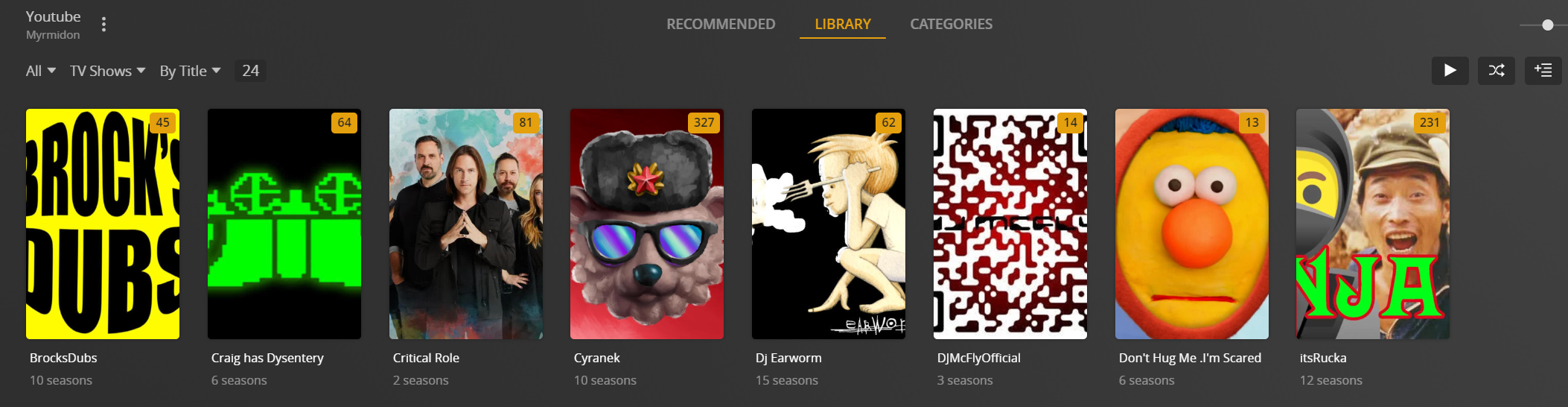
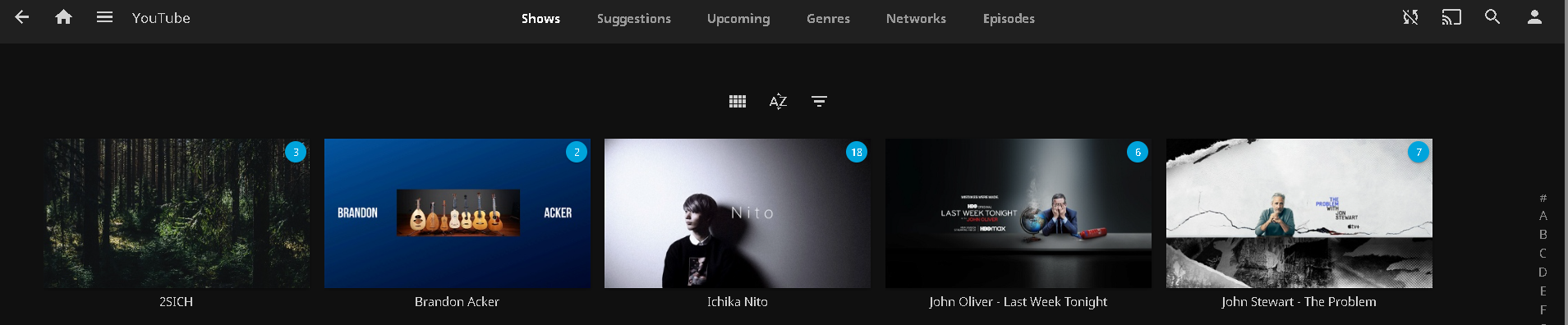
YouTube Channels as TV Shows
Plex
Jellyfin
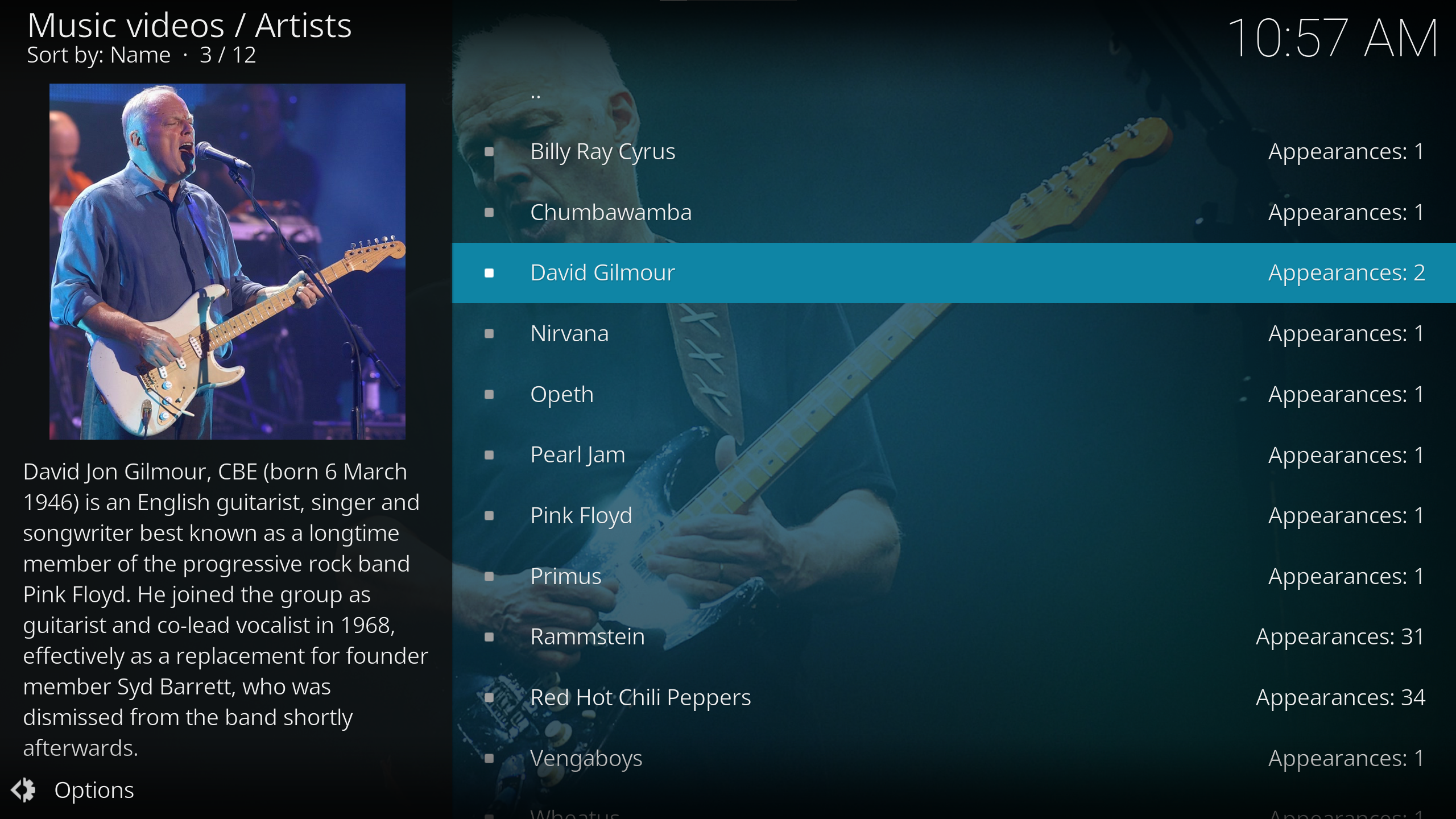
Music Videos and Concerts
Kodi
Jellyfin

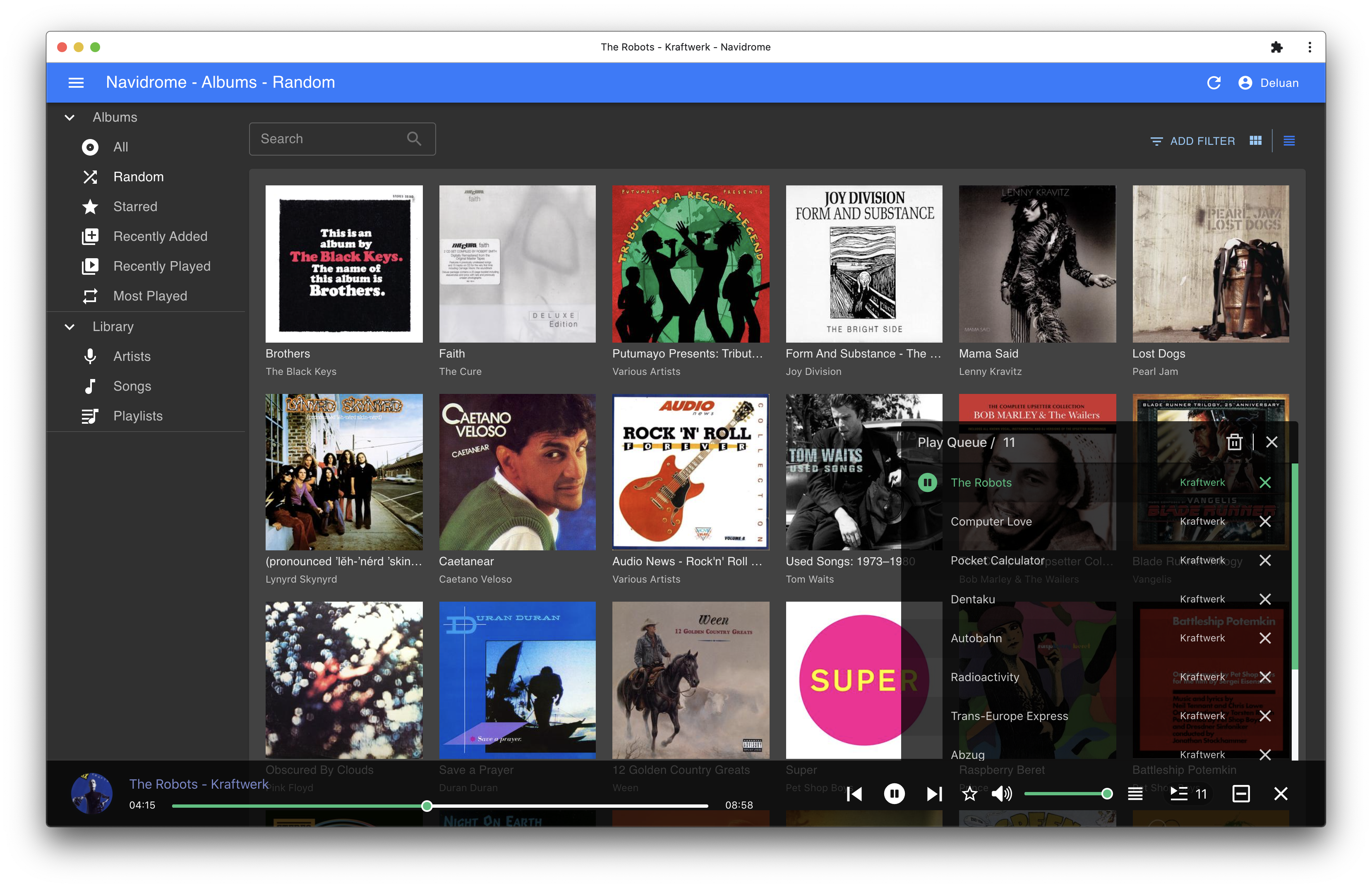
SoundCloud Discography
Writes proper music-tags via beets API
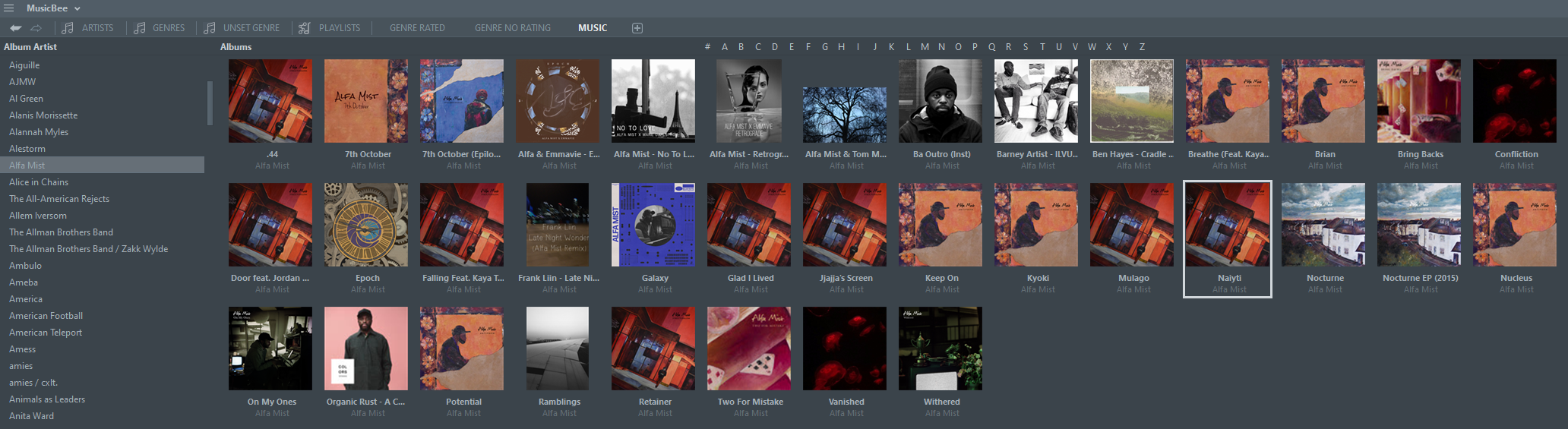
Bandcamp Discography
How it Works
ytdl-sub uses YAML files to define subscriptions. Each subscription imports presets that
define how to handle and output media files. ytdl-sub comes packaged with many prebuilt presets
that do the work of config-building, so you can start downloading immediately.
# subscriptions.yaml:
# Everything in here can be downloaded using the command:
#   ytdl-sub sub subscriptions.yaml

# __preset__ is a place to define global overrides for all subscriptions
__preset__:
  overrides:
    # Root folder of all ytdl-sub TV Shows
    tv_show_directory: "/tv_shows"

    # Root folder of all ytdl-sub Music
    music_directory: "/music"

    # Root folder of all ytdl-sub Music Videos
    music_video_directory: "/music_videos"

    # For 'Only Recent' preset, only keep vids within this range and limit
    only_recent_date_range: "2months"
    only_recent_max_files: 30

  # Pass any arg directly to yt-dlp's Python API
  ytdl_options:
    cookiefile: "/config/cookie.txt"

###################################################################
# Subscriptions nested under this will use the
# `Plex TV Show by Date` preset.
#
# Can choose between:
#   - Plex TV Show by Date:
#   - Jellyfin TV Show by Date:
#   - Kodi TV Show by Date:
Plex TV Show by Date:

  # Sets genre tag to "Documentaries"
  = Documentaries:
    "NOVA PBS": "https://www.youtube.com/@novapbs"
    "National Geographic": "https://www.youtube.com/@NatGeo"
    "Cosmos - What If": "https://www.youtube.com/playlist?list=PLZdXRHYAVxTJno6oFF9nLGuwXNGYHmE8U"

  # Sets genre tag to "Kids", "TV-Y" for content rating
  = Kids | = TV-Y:
    "Jake Trains": "https://www.youtube.com/@JakeTrains"
    "Kids Toys Play": "https://www.youtube.com/@KidsToysPlayChannel"

  = Music:
    # TV show subscriptions can support multiple urls and store in the same TV Show
    "Rick Beato":
      - "https://www.youtube.com/@RickBeato"
      - "https://www.youtube.com/@rickbeato240"

  # Set genre tag to "News", use `Only Recent` preset to only store videos uploaded recently
  = News | Only Recent:
    "BBC News": "https://www.youtube.com/@BBCNews"

###################################################################
# Subscriptions nested under these will use the various prebuilt
# music presets
YouTube Releases:
  = Jazz:  # Sets genre tag to "Jazz"
    "Thelonious Monk": "https://www.youtube.com/@theloniousmonk3870/releases"

YouTube Full Albums:
  = Lofi:
    "Game Chops": "https://www.youtube.com/playlist?list=PLBsm_SagFMmdWnCnrNtLjA9kzfrRkto4i"

SoundCloud Discography:
  = Chill Hop:
    "UKNOWY": "https://soundcloud.com/uknowymunich"
  = Synthwave:
    "Lazerdiscs Records": "https://soundcloud.com/lazerdiscsrecords"
    "Earmake": "https://soundcloud.com/earmake"

Bandcamp:
  = Lofi:
    "Emily Hopkins": "https://emilyharpist.bandcamp.com/"

###################################################################
# Can choose between:
#   - Plex Music Videos:
#   - Jellyfin Music Videos:
#   - Kodi Music Videos:
"Plex Music Videos":
  = Pop:  # Sets genre tag to "Pop"
    "Rick Astley": "https://www.youtube.com/playlist?list=PLlaN88a7y2_plecYoJxvRFTLHVbIVAOoc"
    "Michael Jackson": "https://www.youtube.com/playlist?list=OLAK5uy_mnY03zP6abNWH929q2XhGzWD_2uKJ_n8E"
All of this can be downloaded and ready to import to your favorite player using the command
ytdl-sub sub subscriptions.yaml
See our example subscriptions for more detailed examples and use-cases.
Output
After ytdl-sub runs, the end result will download and format the files into something ready
to be consumed by your favorite media player/server.
tv_shows/
  Jake Trains/
    Season 2021/
      s2021.e031701 - Pattys Day Video-thumb.jpg
      s2021.e031701 - Pattys Day Video.mp4
      s2021.e031701 - Pattys Day Video.nfo
      s2021.e031702 - Second Pattys Day Video-thumb.jpg
      s2021.e031702 - Second Pattys Day Video.mp4
      s2021.e031702 - Second Pattys Day Video.nfo
    Season 2022/
      s2022.e122501 - Merry Christmas-thumb.jpg
      s2022.e122501 - Merry Christmas.mp4
      s2022.e122501 - Merry Christmas.nfo
    poster.jpg
    fanart.jpg
    tvshow.nfo

music/
  Artist/
    [2022] Some Single/
      01 - Some Single.mp3
      folder.jpg
    [2023] Latest Album/
      01 - Track Title.mp3
      02 - Another Track.mp3
      folder.jpg

music_videos/
  Elton John/
    Elton John - Rocketman.jpg
    Elton John - Rocketman.mp4
Custom Configs
Any part of this process is modifiable by using custom configs. See our walk-through guide on how to build your first config from scratch. Ready-to-use example configurations can be found here alongside our readthedocs for detailed information on all config fields.
Installation
ytdl-sub can be installed on the following platforms.
Docker Installation
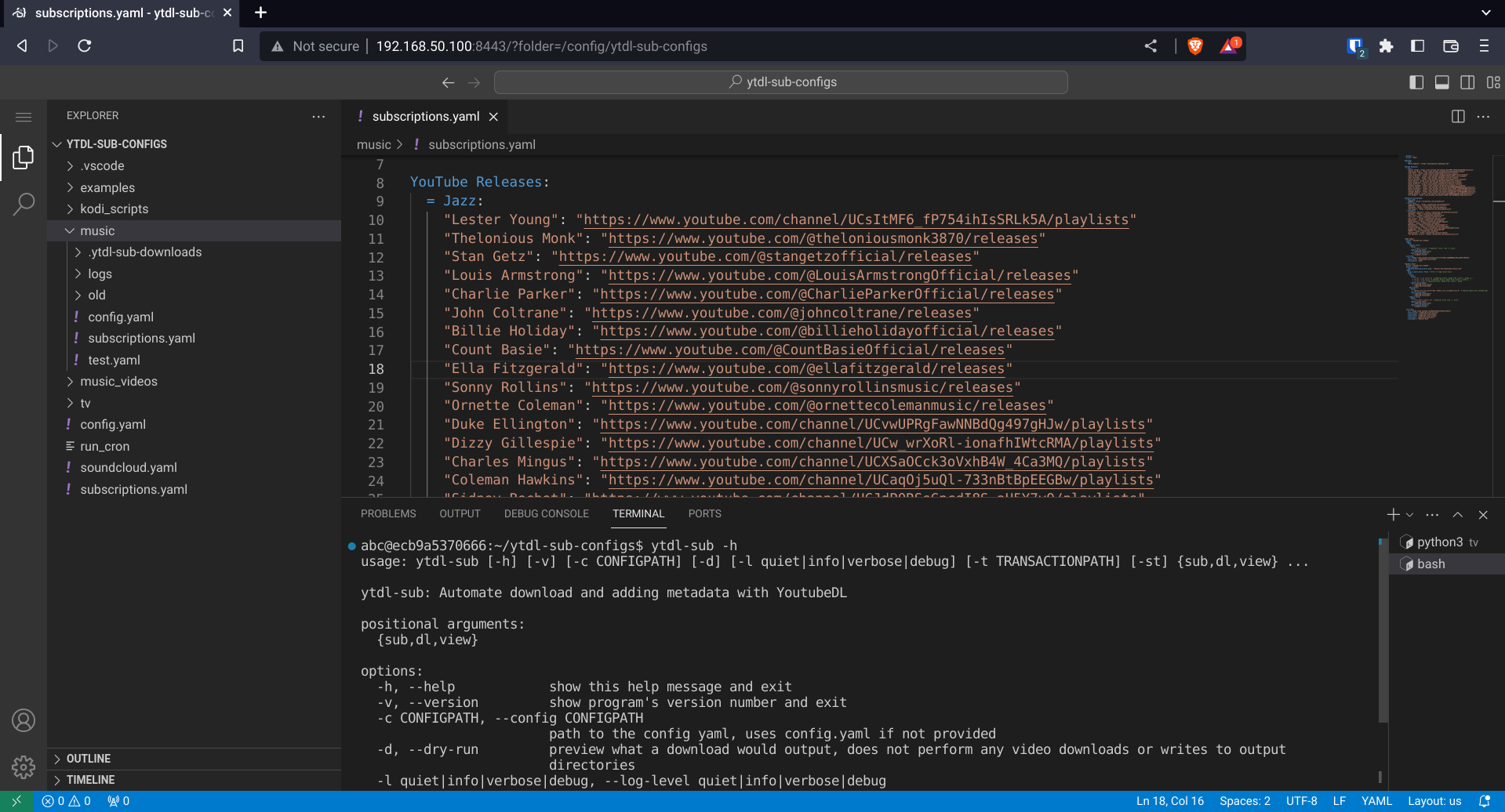
Docker installs can be either headless or use the Web-GUI image, which comprises
LSIO's
code-server
Docker image with ytdl-sub preinstalled. This is the recommended way to use ytdl-sub.
Contributing
There are many ways to contribute, even without coding. Please take a look in our GitHub Issues to submit a feature request, or pick up a bug.
Support
We are pretty active in our Discord channel if you have any questions. Also see our FAQ for commonly asked questions.
Release history Release notifications | RSS feed


Download files
Download the file for your platform. If you're not sure which to choose, learn more about installing packages.
Source Distribution
Built Distribution
Filter files by name, interpreter, ABI, and platform.
If you're not sure about the file name format, learn more about wheel file names.
Copy a direct link to the current filters
File details
Details for the file ytdl-sub-2024.1.20.tar.gz.
File metadata
- Download URL: ytdl-sub-2024.1.20.tar.gz
- Upload date:
- Size: 160.1 kB
- Tags: Source
- Uploaded using Trusted Publishing? No
- Uploaded via: twine/4.0.2 CPython/3.11.7
File hashes
| Algorithm | Hash digest | |
|---|---|---|
| SHA256 |
2f16b7d8ad57905fbfd42194e1a09224ccef8d675f1eec6f76038f5374c296d3
|
|
| MD5 |
7f2a2aece314d31572a1ba30a19a49d7
|
|
| BLAKE2b-256 |
651f98ced30f5efb309de0302b3d54033861ee036df485d45659fdc3da0d02bd
|
File details
Details for the file ytdl_sub-2024.1.20-py3-none-any.whl.
File metadata
- Download URL: ytdl_sub-2024.1.20-py3-none-any.whl
- Upload date:
- Size: 211.3 kB
- Tags: Python 3
- Uploaded using Trusted Publishing? No
- Uploaded via: twine/4.0.2 CPython/3.11.7
File hashes
| Algorithm | Hash digest | |
|---|---|---|
| SHA256 |
cea0ada57cf84fd591baac6c2d46135bd080472c2d165a627f8ed040e3574232
|
|
| MD5 |
eee8df402861f4dfb38cb19f26efa9fe
|
|
| BLAKE2b-256 |
19218d392be0e370f89dc14d583dc07fb6c7f59fa5343b1b4541641bab592f6d
|






