


ytscrape — YouTube Scraper for Python (No API Key)
The fast, free, open-source Python YouTube scraper. Scrape YouTube search results, video metadata, channel info, comments, replies and transcripts — no API key, no quota, no Selenium, no browser.







Installation • Quick start • MCP server • Features • Use cases • Comparison • FAQ • Docs
⭐ If ytscrape saves you time, please star the repo — it helps other developers searching for a YouTube scraper find it.
from ytscrape import YouTube

with YouTube() as yt:
    for video in yt.search("python", max_results=5):
        print(video.title, video.url)
ytscrape talks to YouTube's internal InnerTube API — the same endpoints the
web app uses — and turns responses into typed, frozen dataclasses with
transparent pagination. Pure HTTP: no Selenium, no Playwright, no API key.
Sync (YouTube) and async (AsyncYouTube) share the same surface.
⚠️ This library uses YouTube's private endpoints. Use it responsibly and at your own risk — the endpoints may change over time.
CLI demo

The CLI prints colourful boxed tables under a mini ▶ ytscrape wordmark, with a
spinner while requests are in flight:
ytscrape search "python tutorial" --filter videos --max 10
ytscrape video https://www.youtube.com/watch?v=dQw4w9WgXcQ
ytscrape channel @RickAstleyYT
ytscrape comments https://youtu.be/dQw4w9WgXcQ --replies --sort newest --max 20
python -m ytscrape … works too. See the full CLI guide for more.
MCP server
An optional Model Context Protocol server lets AI clients (Claude Code, Claude Desktop, Cursor, VS Code, …) scrape YouTube through ytscrape — no API key, no quota:
pip install "ytscrape[mcp]"
{
  "mcpServers": {
    "ytscrape": {
      "command": "ytscrape-mcp"
    }
  }
}
Behind a proxy or an IP block, pass the proxy in args (or set HTTPS_PROXY
in env instead):
{
  "mcpServers": {
    "ytscrape": {
      "command": "ytscrape-mcp",
      "args": ["--proxy", "http://user:pass@proxy.example.com:8080"]
    }
  }
}
| Tool | What it does |
|---|---|
search_videos |
Search videos, channels, playlists, Shorts, movies |
get_video |
Video metadata (id or URL) |
get_channel |
Channel metadata (id, @handle or URL) |
get_channel_videos |
Channel uploads (Videos tab) |
get_comments |
Comments — sort="newest" for every comment, include_replies adds replies |
get_transcript |
Transcript text (+ timed snippets on request) |
list_transcripts |
Available caption tracks |
All tools are read-only. Hard limits (not flags): max_results is a page
size capped at 50 (a larger value is clamped, not fetched), and every
payload is capped at 16 000 characters (truncated plus a hint).
Continue with next_cursor — do not raise the limit to "get the rest".
get_video / get_channel default to detail="concise". The server speaks
stdio by default; use ytscrape-mcp --transport streamable-http for hosted
setups. Do not expose HTTP mode to the internet without authentication. See
the MCP guide for the limit
table, proxy setup and client configs.
What can you scrape from YouTube?
| Data | Method | CLI |
|---|---|---|
| 🔎 YouTube search results (videos, channels, playlists, Shorts, movies) | yt.search() |
ytscrape search |
| 🎬 Video metadata (title, channel, views, duration, publication date, description) | yt.video() |
ytscrape video |
| 📺 Channel info (subscribers, handle, links, join date) | yt.channel() |
ytscrape channel |
| 💬 Comments and replies (every comment, not only "Top") | yt.comments() |
ytscrape comments |
| 📝 Transcripts / subtitles / captions | yt.transcript() |
ytscrape transcript |
Export everything to JSON or CSV in one line.
Why ytscrape?
- 🔑 No API key, no quota — nothing to register, no billing project.
- 🧊 No browser — pure HTTP only.
- 🧩 Typed models (
Video,Channel,Comment,Transcript, …) +py.typed. - 💬 Every comment — replies included;
CommentSort.NEWESTdoes not hide any. - 📄 Transparent pagination — just iterate; continuation tokens are handled for you.
- 🌍 Localisation —
language(hl) andregion(gl), validated ISO codes. - ⚡ Sync & async — optional
httpxextra forAsyncYouTube. - 🖥️ CLI included —
ytscrape search "python" --max 10. - 📤 JSON / CSV export —
video.to_json(),dumps_csv(results), orytscrape search "python" --format json.
Use cases
- 📊 Data science & research — build YouTube datasets for analysis.
- 🤖 AI / LLM / RAG pipelines — pull YouTube transcripts as training or retrieval data.
- 💬 Sentiment analysis — scrape YouTube comments at scale.
- 📈 SEO & marketing — keyword research, competitor channel monitoring.
- 🧪 Academic studies — reproducible collection of video & channel metadata.
- 🛠️ Bots & automations — lightweight alternative to the YouTube Data API v3.
Installation
pip install ytscrape            # or: uv add ytscrape
pip install "ytscrape[async]"   # optional async API (httpx)
pip install "ytscrape[mcp]"     # optional MCP server (ytscrape-mcp)
Requires Python 3.10+. Runtime deps: requests, pycountry, defusedxml
(+ httpx with the async extra, mcp with the MCP extra).
Quick start
from ytscrape import YouTube, SearchFilter, CommentSort

with YouTube(language="en", region="US") as yt:
    for video in yt.search("python", filter=SearchFilter.VIDEOS, max_results=20):
        print(video.title, "-", video.url)

    details = yt.video("https://www.youtube.com/watch?v=dQw4w9WgXcQ")
    print(details.title, details.channel, details.views, details.length_seconds)

    for comment in yt.comments(
        "https://youtu.be/dQw4w9WgXcQ",
        include_replies=True,
        sort=CommentSort.NEWEST,
        max_results=100,
    ):
        marker = "  ↳" if comment.is_reply else "-"
        print(f"{marker} {comment.author}: {comment.text}")
Async (same methods, await / async for):
import asyncio
from ytscrape import AsyncYouTube, SearchFilter


async def main() -> None:
    async with AsyncYouTube(max_concurrency=8) as yt:
        async for video in await yt.search(
            "python", filter=SearchFilter.VIDEOS, max_results=5
        ):
            print(video.title)


asyncio.run(main())
📂 Runnable sync + async snippets for every feature:
examples/· full guides: vsmutok.github.io/ytscrape
Feature coverage
| Area | Status | Notes |
|---|---|---|
| Search — videos / channels / playlists / Shorts / movies | ✅ | SearchFilter.* |
| Video & channel metadata | ✅ | video(), channel() (id, URL, @handle) |
| Comments + replies | ✅ | comments(), CommentSort.NEWEST for every comment |
| Transcripts / captions | ✅ | transcript() / transcripts() |
| Pagination | ✅ | Transparent for search and comments |
Localisation (hl / gl) |
✅ | Validated ISO codes |
Typed models + py.typed |
✅ | PEP 561 |
| CLI | ✅ | ytscrape / python -m ytscrape |
| MCP server | ✅ | ytscrape-mcp (ytscrape[mcp]) |
| Async API | ✅ | AsyncYouTube via ytscrape[async] |
Channel videos tab (yt.channel_videos()) |
✅ | Lazy pagination |
| Retries, backoff, rate limiting, bot detection | ✅ | RetryPolicy, RateLimiter, min_interval |
| Other channel tabs, playlist items, related / trending | 🚧 | Planned |
ytscrape vs. the alternatives
See the Migration Guide from scrapetube for a detailed comparison and code examples.
| ytscrape | scrapetube |
YouTube Data API | yt-dlp |
Browser automation | |
|---|---|---|---|---|---|
| API key required | ❌ | ❌ | ✅ | ❌ | ❌ |
| Comments & Replies | ✅ | ❌ | ✅ | ✅ | ✅ |
| Transcripts / Captions | ✅ | ❌ | ✅ | ✅ | ✅ |
| Typed Python models | ✅ | ❌ | ❌ | ❌ | ❌ |
Async (asyncio) API |
✅ | ❌ | ❌ | ❌ | varies |
| Metadata (views, date) | ✅ | partial | ✅ | ✅ | ✅ |
| Browser needed | ❌ | ❌ | ❌ | ❌ | ✅ |
| Install size | tiny | tiny | medium | large | huge |
How it works
High-level flow — sync and async share the same models and parsing layer:
graph LR
    User[User code / CLI] --> Facade[YouTube / AsyncYouTube]
    Facade --> Client[InnerTubeClient / AsyncInnerTubeClient]
    Facade --> Results[Lazy results / comment threads]
    Client --> InnerTube[YouTube InnerTube API]
    Client --> Context[InnerTube context]
    Results --> Client
    Client --> Parsing[parsing helpers]
    Results --> Parsing
    Parsing --> Models[Frozen dataclasses]
    Models --> User
- Load
youtube.comonce and extract the InnerTube context (API key, client version, visitor data). - POST to
youtubei/v1/search,player,browse,next, etc. with that context. - Parse responses into frozen dataclasses; continuation tokens are followed while you iterate.
Documentation
Deep dives live on the docs site (not duplicated here):
| Topic | Link |
|---|---|
| Installation | docs |
| Quickstart | docs |
| Search, details, comments, transcripts | guides |
| Language & region, pagination, errors | guides |
| Async API (concurrency, retries, fan-out) | async guide |
| Proxies, custom sessions | advanced |
| CLI | CLI overview |
| API reference | API |
| Examples (sync + async) | examples/ |
FAQ
Do I need a YouTube Data API key?
No. ytscrape uses the same internal endpoints as the YouTube web app.
Why are some comments missing?
YouTube's default "Top comments" view hides less relevant comments and
"potential spam". Pass sort="newest" (or CommentSort.NEWEST) to collect every
comment.
Why is like_count None?
YouTube abbreviates large counts (1.2K). The raw string is always in
like_count_text.
Can I use a proxy?
Yes — pass a requests-style mapping to YouTube (or AsyncYouTube):
proxy = {"https": "http://user:pass@proxy:8080"}
details = YouTube(proxies=proxy).video("dQw4w9WgXcQ")
Rotate proxies at runtime (e.g. after a BotDetected error) by assigning to
yt.proxies. For finer control you can still inject your own requests.Session
/ httpx.AsyncClient. See the
advanced guide.
Will I get rate limited?
There is no published quota, but YouTube may throttle aggressive traffic. Reuse
one client, cap work with max_results, and add delays for large crawls.
Does it download videos?
No — metadata only. Use yt-dlp for media.
Is scraping YouTube legal?
Private endpoints may conflict with YouTube's Terms of Service. The library is for research and educational use; you are responsible for how you use it.
Contributing
Bug reports, ideas and PRs are welcome — see CONTRIBUTING.md.
git clone https://github.com/vsmutok/ytscrape && cd ytscrape
uv sync --dev
uv run pytest
uv run pre-commit run --all-files
- 🗺️ todo: todo.md
- 📝 Changelog: CHANGELOG.md
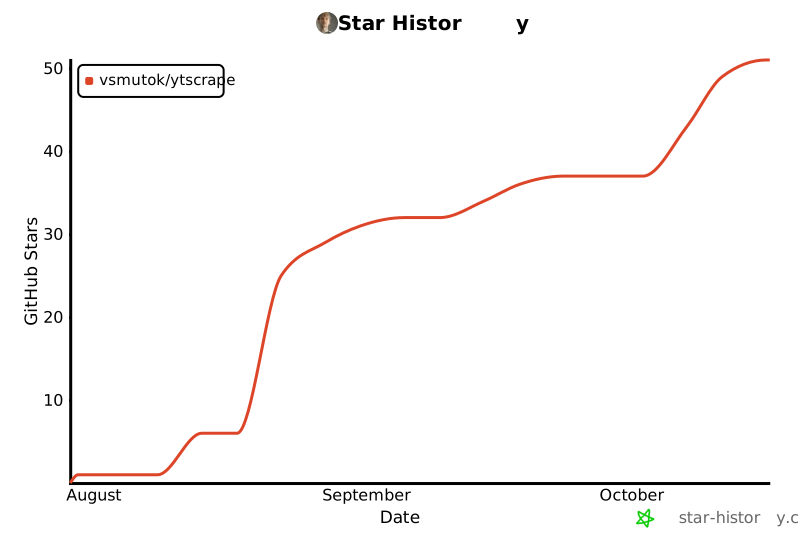
Star History
License
MIT — free for personal and commercial use.
Keywords: youtube scraper, python youtube scraper, scrape youtube, youtube scraping, youtube comments scraper, youtube transcript downloader, youtube search api python, youtube data api alternative, youtube api without key, innertube api, youtube metadata extractor, youtube channel scraper, youtube crawler, youtube shorts scraper, async youtube scraper, scrapetube alternative.
1 maintainer

Metadata
1 maintainer
Release files for ytscrape 2.2.0
For a detailed explanation of source distributions (sdists) and built distributions (wheels), please see the package formats documentation.
Source distribution (sdist)
| File | Size | Uploaded | Provenance | Actions |
|---|---|---|---|---|
| ytscrape-2.2.0.tar.gz | 69.0 kB | With provenance | Details for ytscrape-2.2.0.tar.gz |
Built distribution (wheel)
| File | Interpreter | ABI | Platform | Actions Reset |
|---|---|---|---|---|
| ytscrape-2.2.0-py3-none-any.whl | Python 3 | none | any | Details for ytscrape-2.2.0-py3-none-any.whl |
Total release size: 147.9 kB
Release files / ytscrape-2.2.0.tar.gz
| Download URL | ytscrape-2.2.0.tar.gz |
|---|---|
| Size | 69.0 kB |
| Tags | Source |
|
SHA-256 checksum How to use checksums |
71b8539c54f5f46cb34daee774bc78a9ea7a5e3a5107f58b0343a09f0ba9cc0e
|
|
BLAKE2b-256 checksum How to use checksums |
11ccd94e97c6643769ecb9d5c3dc61b406a9d4721a964368fdc791137b46742b
|
| Upload date | |
|
Uploaded using Trusted Publishing? What is trusted publishing? |
Yes |
| Uploaded via |
twine/7.0.0 CPython/3.13.14
|
Provenance
Provenance describes where a file came from. On PyPI, provenance is shared via attestations, which provide a verifiable record of the build or publishing details. View details, limitations and caveats.


PyPI Publish Attestation
PyPI verified that this artifact, at this checksum, originated from the publisher listed below.
Signed by GitHub Actions, verified by PyPI on Oct 18, 2026.
Transparency logRelease files / ytscrape-2.2.0-py3-none-any.whl
| Download URL | ytscrape-2.2.0-py3-none-any.whl |
|---|---|
| Size | 78.9 kB |
| Tags | Python 3 |
|
SHA-256 checksum How to use checksums |
551525d51b4984fdedb18693de07adb14f278d70b010fe00bf2f58f43b8729d2
|
|
BLAKE2b-256 checksum How to use checksums |
4e7b21e2fb40a5d12ca4ef0f11876a076429a1d498e7b9595865f72572fd7793
|
| Upload date | |
|
Uploaded using Trusted Publishing? What is trusted publishing? |
Yes |
| Uploaded via |
twine/7.0.0 CPython/3.13.14
|
Provenance
Provenance describes where a file came from. On PyPI, provenance is shared via attestations, which provide a verifiable record of the build or publishing details. View details, limitations and caveats.
PyPI Publish Attestation
PyPI verified that this artifact, at this checksum, originated from the publisher listed below.
Signed by GitHub Actions, verified by PyPI on Oct 18, 2026.
Transparency logSecurity for ytscrape 2.2.0
Provenance
Provenance describes where a file came from. On PyPI, provenance is shared via attestations, which provide a verifiable record of the build or publishing details. View details, limitations and caveats.
Full provenance
All 2 files in this release have been uploaded with provenance metadata.
Attestation for ytscrape-2.2.0.tar.gz
PyPI Publish Attestation
PyPI verified that this artifact, at this checksum, originated from the publisher listed below.
Signed by GitHub Actions, verified by PyPI on Oct 18, 2026.
Transparency logA note on package security
PyPI is a repository for distributing packages, not a service for auditing them. While third-party security researchers and our staff do their best to detect and remove malicious packages, PyPI cannot guarantee the quality, security or suitability of any given package.
To learn more about protecting yourself from malicious actors, visit our package security documentation.














