
ocal: Program for the calculation of orbital tail fraction (OTF) for organic semiconductor molecules



English / 日本語
Overview
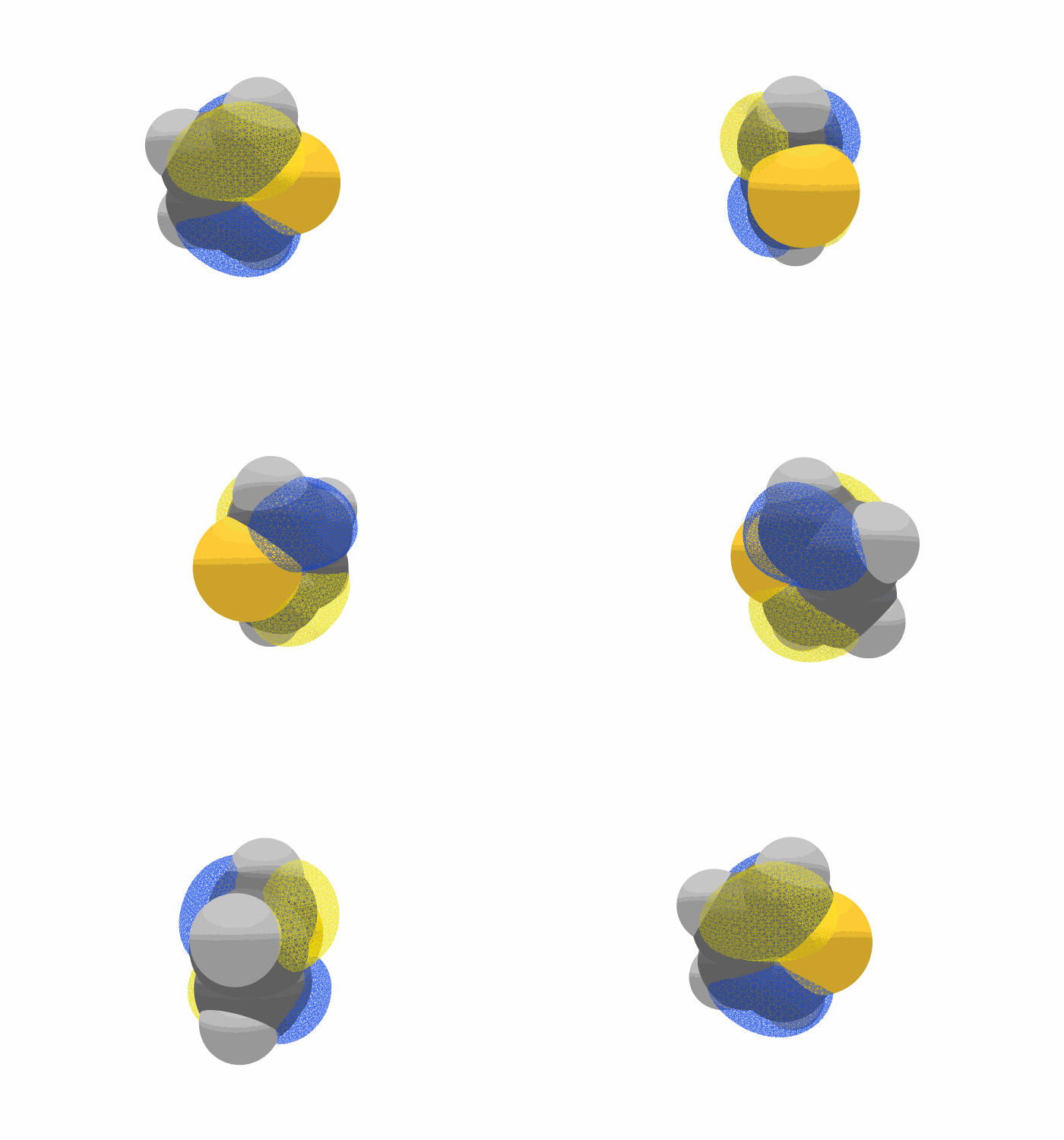
ocal is a tool for calculating the orbital tail fraction (OTF) of a single organic semiconductor molecule. Starting from a molecular or crystal structure file, it generates a Gaussian input, runs a geometry optimization, converts the checkpoint file, and generates molecular-orbital cube files for the four frontier orbitals (NHOMO, HOMO, LUMO, NLUMO). For each orbital it integrates the probability density over the voxels that lie outside the van der Waals surface of the molecule, and reports that fraction as the OTF.
The OTF quantifies how much of a frontier orbital spills out of the molecular van der Waals volume, i.e. how much of it is available for intermolecular overlap.
Requirements
- Python 3.11 or newer
- NumPy 2.0.2 or newer
- Pandas 2.3.3 or newer
Quantum Chemistry Calculation Tools
The following is required:
- Gaussian 16 (the
g16,formchk, andcubegenexecutables must be on$PATH)
Important notice
- The path of the Gaussian executable must be set.
ocalinvokesg16,formchk, andcubegenas subprocesses. - The molecule is always treated as a neutral closed-shell singlet. Charge and spin multiplicity are fixed to
0 1; any charge/spin information contained in the input file is ignored. - The functional and basis set are fixed to B3LYP/6-31G(d,p) so that OTF values remain comparable with previously published results. This is not exposed as a command-line option.
- Structure-file inputs are always geometry-optimized with
Opt=Tightbefore the cube files are generated.
Installation
ocal is distributed on PyPI under the name yu-ocal (the import name and the command name are both ocal).
pip install yu-ocal
NumPy and Pandas are installed automatically. Gaussian 16 is not included and must be installed separately.
Verify Installation
After installation, you can verify by running:
ocal --help
ocal Usage Manual
Basic Usage
ocal <filename> [options]
Required Arguments
file: Path to the input file.
ocal accepts three classes of input and enters the pipeline at the corresponding stage:
| Input | Extensions | Pipeline stages executed |
|---|---|---|
| Structure file | .gjf, .com, .xyz, .mol, .mol2, .cif |
gjf generation → Gaussian (Opt=Tight) → formchk → cubegen → OTF |
| Formatted checkpoint | .fchk |
cubegen → OTF |
| Cube file | .cube |
OTF only |
For .fchk and .cube input, -s, --skip-gaussian is required; conversely it is rejected for structure-file input.
Note: For a
.cifinput, only the first unique molecule (index 0) is used. If the cell contains more than one unique molecule (Z' > 1), a message is printed to that effect.
Basic Examples
# Full run from a molecular structure
ocal xxx.xyz

# Start from an existing Gaussian formatted checkpoint file
ocal xxx.fchk -s

# Compute OTF for a single cube file that already exists
ocal xxx_HOMO.cube -s
Options
Calculation Settings
-c, --cpu <number>
Specify the number of CPUs used by Gaussian and cubegen.
- Default:
4 - Example:
ocal xxx.xyz -c 8
-m, --mem <memory>
Specify the amount of memory in GB used by Gaussian.
- Default:
10 - Example:
ocal xxx.xyz -m 16
Calculation Control
-s, --skip-gaussian
Skip the Gaussian calculation and reuse existing results. Required when the input is .fchk or .cube, and invalid for any other input type.
- Default: off
- Example:
ocal xxx.fchk -s
Practical Usage Examples
Basic Calculations
# Default run (Gaussian 16, B3LYP/6-31G(d,p), Opt=Tight)
ocal xxx.xyz

# Use 8 CPUs and 16 GB memory
ocal xxx.mol -c 8 -m 16

# Take the first unique molecule out of a crystal structure
ocal xxx.cif
Reusing Results
# Re-generate the cube files from an existing fchk and recompute OTF
ocal xxx.fchk -s

# Recompute OTF from a single existing cube file
ocal xxx_LUMO.cube -s
Output
Standard Output
ocal prints the input file name, timestamps, and every external command it runs, followed by a table of results:
----------------------------------------
orbital               OTF    density_sum
----------------------------------------
NHOMO        0.1043821735   0.9998672314
HOMO         0.1187456210   0.9998913057
LUMO         0.1352907441   0.9998745092
NLUMO        0.1490233866   0.9998501773
----------------------------------------
OTF: the orbital tail fraction, i.e. the sum of the normalized probability density over voxels whose distance to the nearest atom exceeds that atom's van der Waals radius.density_sum: the total normalized density integrated over the whole cube grid. It should be close to1.0; a value far from unity indicates that the cube grid is too small or too coarse to contain the orbital, and the OTF from that cube should not be trusted.
When the input is a single .cube file, the row is labelled with the cube file stem instead of an orbital name.
Generated Files
All generated files are written next to the input file, sharing its base name:
<input dir>/
├── <NAME>.gjf          # Generated Gaussian input (Opt=Tight, B3LYP/6-31G(d,p))
├── <NAME>.log          # Gaussian output (.out on the Windows build)
├── <NAME>.chk          # Gaussian checkpoint file
├── <NAME>.fchk         # Formatted checkpoint file (formchk)
├── <NAME>_NHOMO.cube   # Molecular-orbital cube files (cubegen)
├── <NAME>_HOMO.cube
├── <NAME>_LUMO.cube
└── <NAME>_NLUMO.cube
Output file naming
For .gjf / .com input, the base name becomes <NAME>_ocal so that the input file is never overwritten. The cube files are named after the base name with the orbital appended: <NAME>_NHOMO, <NAME>_HOMO, <NAME>_LUMO, <NAME>_NLUMO.
The MO indices passed to cubegen are derived from the number of alpha electrons na in the fchk: NHOMO = na-1, HOMO = na, LUMO = na+1, NLUMO = na+2.
Notes
- Calculation Time: Almost all of the runtime is the Gaussian geometry optimization; it grows quickly with the number of atoms.
- Memory Usage: Ensure sufficient memory for large molecules (
-m). - Gaussian Installation: Gaussian 16 is required.
formchkandcubegenship with Gaussian and must also be callable. - Cube Grid: The cube files are generated with
cubegen's-2(fine) grid and header optionh. Always checkdensity_sumbefore using an OTF value.
Troubleshooting
Gaussian did not terminate normally
ocal aborts if the Gaussian log does not contain a normal-termination line. Open the .log (or .out) file next to the input and fix the underlying SCF/optimization problem, then re-run.
Failed to execute g16 / formchk / cubegen
The executable was not found. Make sure the Gaussian environment is loaded (e.g. by sourcing the Gaussian profile script) so that g16, formchk, and cubegen are on $PATH.
density_sum is far from 1.0
The cube grid did not capture the whole orbital. Re-generate the cube files with a larger or finer grid, then re-run with -s to obtain the OTF without repeating the Gaussian calculation.
ocal xxx.cube -s
If a structure file cannot be read
Structure files come in various formats, and some may not be readable by ocal. Please try the following:
- Convert the format using another software: Use software such as Mercury or Open Babel to re-export the file, which may resolve the issue.
- Contact us: If you send the unreadable file to us by email, we will work on adding support for it. Please contact us at the email address listed below.
Note: For
.gjf/.cominput only the plainsymbol x y zCartesian format is supported. Atomic numbers instead of symbols, freeze flags, Z-matrices, and ONIOM layers are rejected.
Authors
Matsui Laboratory, Research Center for Organic Electronics (ROEL), Yamagata University
Tomoharu Okada, Koki Ozawa, Hiroyuki Matsui
Email: h-matsui[at]yz.yamagata-u.ac.jp
Please replace [at] with @
2 maintainers


Download files
Download the file for your platform. If you're not sure which to choose, learn more about installing packages.
Source Distribution
Built Distribution
Filter files by name, interpreter, ABI, and platform.
If you're not sure about the file name format, learn more about wheel file names.
Copy a direct link to the current filters
File details
Details for the file yu_ocal-0.1.0.tar.gz.
File metadata
- Download URL: yu_ocal-0.1.0.tar.gz
- Upload date:
- Size: 29.7 kB
- Tags: Source
- Uploaded using Trusted Publishing? No
- Uploaded via:
uv/0.11.28 {"installer":{"name":"uv","version":"0.11.28","subcommand":["publish"]},"python":null,"implementation":{"name":null,"version":null},"distro":{"name":"Ubuntu","version":"26.04","id":"resolute","libc":null},"system":{"name":null,"release":null},"cpu":null,"openssl_version":null,"setuptools_version":null,"rustc_version":null,"ci":null}
File hashes
| Algorithm | Hash digest | |
|---|---|---|
| SHA256 |
052a7c3715924aad8d187726d768b92246f6e607ff3ab1f831bb4768fd877269
|
|
| MD5 |
ae101a5ab55ad037d508c6a40564b940
|
|
| BLAKE2b-256 |
852e353d4ccc521af88eac2118e23552d0ef5c17df7256de13723d7891138ec8
|
File details
Details for the file yu_ocal-0.1.0-py3-none-any.whl.
File metadata
- Download URL: yu_ocal-0.1.0-py3-none-any.whl
- Upload date:
- Size: 28.1 kB
- Tags: Python 3
- Uploaded using Trusted Publishing? No
- Uploaded via:
uv/0.11.28 {"installer":{"name":"uv","version":"0.11.28","subcommand":["publish"]},"python":null,"implementation":{"name":null,"version":null},"distro":{"name":"Ubuntu","version":"26.04","id":"resolute","libc":null},"system":{"name":null,"release":null},"cpu":null,"openssl_version":null,"setuptools_version":null,"rustc_version":null,"ci":null}
File hashes
| Algorithm | Hash digest | |
|---|---|---|
| SHA256 |
3f87ed4db010dc27d24dafb96d9bfa9e89c5a6a1f532ca397ca0a336f022dc0e
|
|
| MD5 |
6d7422e51bb3bf28814b37a06692a9fa
|
|
| BLAKE2b-256 |
afd19a262f2bb4a5b8e252f679169607498ff9b19f60dcee940961ce9432433c
|













