
This release is a pre-release and may not be stable for production use.
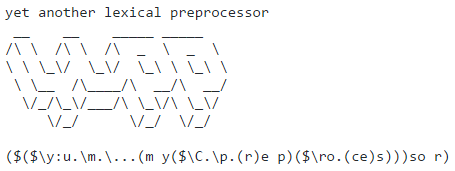
yupp
yupp is a lexical macro preprocessor for C, C++, Python, and other text-based
languages. It embeds a small, fully parenthesized macro language into ordinary
source files and emits readable generated text.
yupp requires Python 3.11 or newer.
Install
Install the wheel into the same Python environment that will run yupp or a
Python file using the yupp source cookie:
python -m pip install yupp
For a local checkout:
python -m pip install .
pipx is useful for isolated command-line applications, but a pipx-only
installation is not suitable for direct # coding: yupp scripts: the codec
must be installed in the environment of the Python interpreter that opens the
script.
Command-line use
Preprocess a source file with either equivalent entry point:
yupp -q eg/hello.yu-c
python -m yupp -q eg/hello.yu-c
The suffix determines the output name: for example, hello.yu-c produces
hello.c, while an ordinary source.c produces source.yugen.c. Run
yupp --help for all configuration and diagnostic options.
($set greeting "Hello ($0)!\n")

#include <stdio.h>

int main(void)
{
    printf(($greeting (`world)));
    return 0;
}
Documentation starts with the language guide. The built-in reference, Python integration guide, evaluator migration guide, and language evolution note cover specialized topics. Runnable inputs and their checked-in outputs are indexed in tracked examples.
Direct Python scripts
An installed, site-enabled Python can preprocess a filesystem-backed main script before Python parses it:
# coding: yupp

($set greeting '!dlrow olleH')
print(($reversed greeting))
Run it normally:
python script.py
Use # coding: yupp.cp1252 (or another registered base codec) when the source
bytes are not UTF-8. Unchanged subsequent runs may use the generated output
cache.
The codec contract is deliberately narrow: it supports the direct main file
given to a site-enabled interpreter. Importing a module whose own source uses a
yupp cookie is unsupported. So are python -S, stdin, python -c, zipapps,
and a script run by a different interpreter environment from the one where
yupp is installed. In particular, -S disables site and the .pth hook
that registers the codec.
More detail is in Macros in Python.
Security and migration
Process only trusted input. Macro expressions and infix { Python }
expressions can execute Python, ($import ...) can execute imported Python
files, and .yuconfig files are Python scripts. yupp is not a sandbox.
The migration guide covers Python 3 project updates, cache regeneration, evaluator scope and conditional changes, the optional dynamic-scope warning, and the full compatibility table.
Development
Run the local suite and build both distribution formats with:
python -m pip install pytest build twine
python -m pytest -q
python -m build
python -m twine check --strict dist/*
The wheel is the installation artifact used by clean-environment tests. The repository keeps generated examples next to their source templates; update a template first, regenerate with the current engine, and review both diffs.
The bundled Sublime Text files remain a manually installed editor integration.
The repository has one public documentation tree:
src/yupp/contains the installable package and bundled macro libraries;tests/contains unit, integration, packaging, and compatibility tests;eg/contains source templates and their deterministic generated outputs;doc/contains the language documentation and its images;script/contains developer utilities such as the evaluator benchmark;sublime_text/contains the optional, manually installed editor integration.
Build products, caches, virtual environments, and editor-local settings are ignored and must not be committed.
License
See LICENSE.
1 maintainer

Metadata
1 maintainer
Release files for yupp 2.0rc1
For a detailed explanation of source distributions (sdists) and built distributions (wheels), please see the package formats documentation.
Source distribution (sdist)
| File | Size | Uploaded | |
|---|---|---|---|
| yupp-2.0rc1.tar.gz | 88.7 kB | Details |
Built distribution (wheel)
| File | Interpreter | ABI | Platform | Reset |
|---|---|---|---|---|
| yupp-2.0rc1-py3-none-any.whl | Python 3 | none | any | Details |
Total release size: 150.8 kB
Release files / yupp-2.0rc1.tar.gz
| Download URL | yupp-2.0rc1.tar.gz |
|---|---|
| Size | 88.7 kB |
| Tags | Source |
|
SHA-256 checksum How to use checksums |
cf1f9ff27a1470d32f71da0eb3c53fe1f89bd44ff64e829845e5f480778d7879
|
|
BLAKE2b-256 checksum How to use checksums |
f63e59c42b4e383e74afd90326136732fddc168fe62d219ec0e2c22321c3ff93
|
| Upload date | |
|
Uploaded using Trusted Publishing? What is trusted publishing? |
Yes |
| Uploaded via |
twine/6.1.0 CPython/3.13.13
|
Provenance
Provenance describes where a file came from. On PyPI, provenance is shared via attestations, which provide a verifiable record of the build or publishing details. View details, limitations and caveats.


PyPI Publish Attestation
PyPI verified that this artifact, at this checksum, originated from the publisher listed below.
Signed by GitHub Actions, verified by PyPI on Jul 18, 2026.
Transparency logRelease files / yupp-2.0rc1-py3-none-any.whl
| Download URL | yupp-2.0rc1-py3-none-any.whl |
|---|---|
| Size | 62.1 kB |
| Tags | Python 3 |
|
SHA-256 checksum How to use checksums |
d70d746526cd8792fe4c6db223d85bb411dbbfc508a66e34a465a686eeaa916c
|
|
BLAKE2b-256 checksum How to use checksums |
b80672e7830352beddd33ba67220aefeb7e98251e119ff8b756954e0955beae5
|
| Upload date | |
|
Uploaded using Trusted Publishing? What is trusted publishing? |
Yes |
| Uploaded via |
twine/6.1.0 CPython/3.13.13
|
Provenance
Provenance describes where a file came from. On PyPI, provenance is shared via attestations, which provide a verifiable record of the build or publishing details. View details, limitations and caveats.
PyPI Publish Attestation
PyPI verified that this artifact, at this checksum, originated from the publisher listed below.
Signed by GitHub Actions, verified by PyPI on Jul 18, 2026.
Transparency log













