
Task automation tool, automate those boring and repetitive tasks.

Project description
Yuri

A task automation tool written in python. Yuri it's an API that lets you automate those boring and repetitive commands.
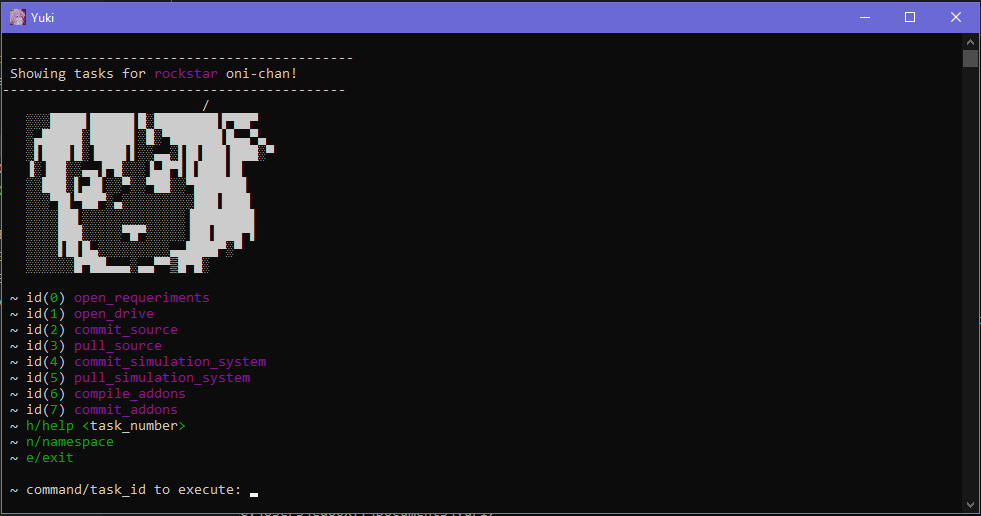
Installation
Install yuri with pip:
pip install yuri
Installing from source:
git clone <repo_url>
cd yuri
pip install setuptools
pip install .
Usage/Examples
# task_automation.py
import yuritasks as yuri

yuri.do.var('source_dir', 'C:\\foo\bar\baz')

@yuri.task
def myproject_commit_source(_args):
    """
    Commit changes in my project
    """
    yuri.do.cd('$source_dir')\
        .run('git add -A')\
        .run_with_input('git commit -m "{i}"', 'Your changes: ')\
        .run('git pull')\
        .run('git push -u origin develop')

@yuri.task
def myproject_clean_up_source(_args):
    """
    Clean up pyc files from source
    """
    yuri.do.cd('$source_dir')

    pyc_files = yuri.do.filter(yuri.do.files_list(), ['.pyc'])

    yuri.do.delete(pyc_files)

if __name__ == '__main__':
    yuri.run()
Then run on terminal:
python task_automation.py
So you will be hable to see yuri's namespace menu first:
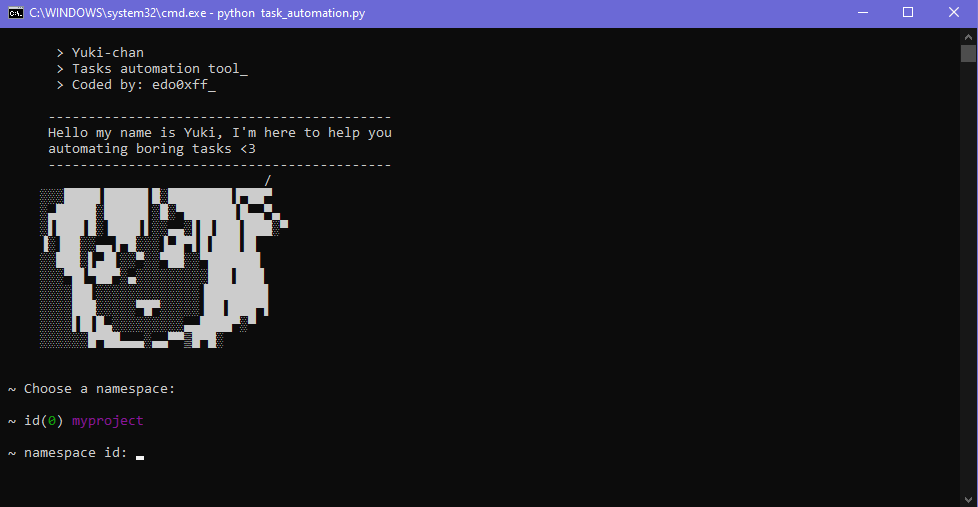
So choose the namespace to work on, 0 in this case, and you will se the available tasks:
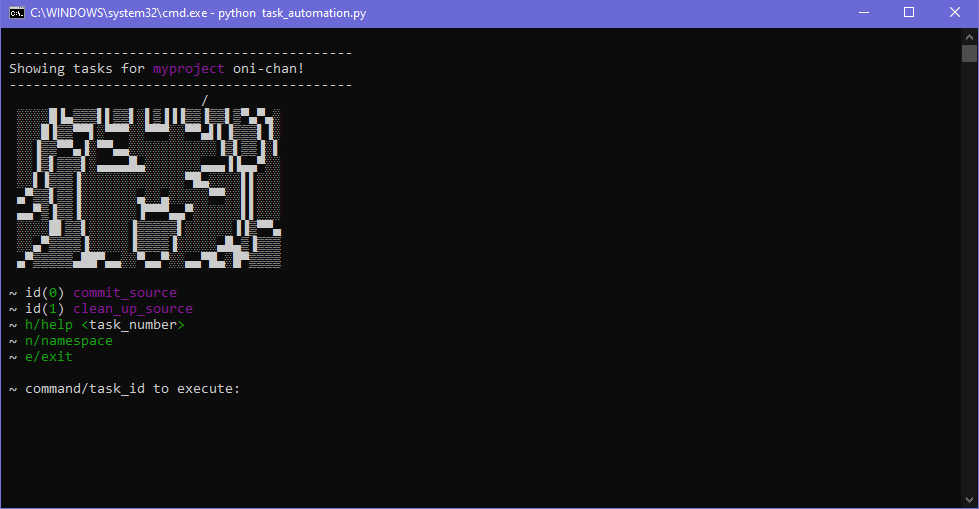
Now just enter the task id of the task you want to run!
Tasks name conventions
You should name yours tasks as follows:
import yuritasks as yuri

@yuri.task
def YOURNAMESPACE_task_name(_args):
    """Your task help here
    """
    pass

@yuri.task
def YOURNAMESPACE_second_task_name(_args):
    """Your task help here
    """
    pass

@yuri.task
def OTHERNAMESPACE_task_name(_args):
    """Your task help here
    """
    pass

if __name__ == '__main__':
    yuri.run()
As you may noticed, tasks' functions must be named with namespace then _ undersocore and finally the task name. A namespace is a way to organize different tasks in common sections.
Task arguments
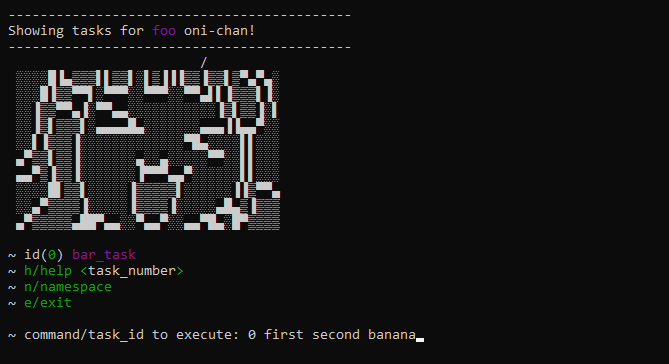
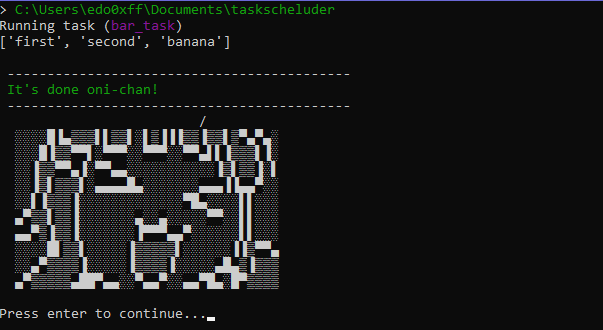
You can pass arguments to your tasks via cli, just as follows:
import yuritasks as yuri

@yuri.task
def foo_bar_task(args):
    print(args)

if __name__ == '__main__':
    yuri.run()
When you runs bar_task put your arguments before task id:
Extra configs
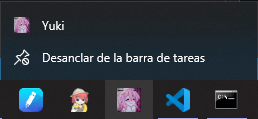
You can make a shortcut to quick run your tasks automations:
API Reference
yuri.do <yuki.Tasker object>
This object contains the command excecution methods.
yuri.do.pause() -> Tasker
Tasker waits until enter key is pressed.
yuri.do.waifu_print(message: str) -> Tasker
Prints an string using the waifu banner.
Args
stringString to display.
yuri.do.log_print(message: str) -> Tasker
Prints an string but also displays the current working folder.
Args
stringString to display.
yuri.do.ignore_errors() -> Tasker
Tasker will keep excecuting the following tasks even prev tasks could fail.
yuri.do.var(name: str, val: Any=None) -> Any
Stores a var that could be used like $var_name in the tasker method arguments strings.
By example, if you set
yuri.do.var('foo_dir', 'c:\\bar')then you can doyuri.do.cd('$foo_dir').
Args
nameThe var name.valThe value of the var.
yuri.do.clear() -> Tasker
Clears the console.
yuri.do.dirs_list() -> list
Returns the directories lists of the current working dir.
yuri.do.files_list() -> list
Returns the files lists of the current working dir.
yuri.do.terminate() -> None
Terminates the running task.
yuri.do.cd(dir: str) -> Tasker
Changes the current working dir.
Args
dirDirectory to move on.
yuri.do.navto(url: str) -> Tasker
Opens the url in a webbrowser.
Args
urlUrl to open.
yuri.do.run(cmd: str) -> Tasker
Excecutes a system command.
Args
cmdCommand to execute.
yuri.do.get_input(msg: str, default: str=None, can_be_null: bool=False) -> str
Read keyboard input with an optional default value.
Args
msgText to display when input request.defaultDefault value used if user do not type anything.can_be_nullIf true, input can be empty.
yuri.do.run_with_input(cmd: str, msg: str) -> Tasker
Runs a command but request an keyboard input and {i} string in the command line is replaced by the input result before excecute the command.
By example.
yuri.do.run_with_input("cd {i}", "Type a directory: ")will runcd the_typed_directory.
Args
cmdComand to run. it must contain '{i}' string to be replaced with the input result.msgMessage showed to request the input.
yuri.do.copy(elements: list, destiny: str) -> Tasker
Copies files or directories to the destiny directory. If the element that is beeing copied it's a directory its content will be copied recursively.
Args
elementsIt could be a list of files, directories or both.destinyPath where elements will be copied.
yuri.do.delete(elements: list) -> Tasker
Deletes files or directories.
Args
elementsA list of files, directories or both to delete.
yuri.do.filter(elements: list, filters: list) -> list
Removes the elements from a list that does not contains any of the string in the filters list.
By example.
yuri.do.filter(["foo.png", "bar.jpg", "baz.mp3"], [" png", ".jpg"])will return["foo.png", "bar.png"].
Args
elementsList of elements that will be filtered.filtersList of strings that elements must contain.
yuri.do.subprocess(cmd: str) -> Tasker
Runs a command in a new console using a secondary thread. This means that command excecuted by this way will not interrupt tasks execution even if that command havent finished yet.
Authors
License
CHANGELOG
Version 0.0.1 25/09/2022
- First release
Release history Release notifications | RSS feed

Download files
Download the file for your platform. If you're not sure which to choose, learn more about installing packages.
Source Distribution
Built Distribution
Filter files by name, interpreter, ABI, and platform.
If you're not sure about the file name format, learn more about wheel file names.
Copy a direct link to the current filters
File details
Details for the file yuritasks-0.0.1.tar.gz.
File metadata
- Download URL: yuritasks-0.0.1.tar.gz
- Upload date:
- Size: 11.3 kB
- Tags: Source
- Uploaded using Trusted Publishing? No
- Uploaded via: twine/4.0.1 CPython/3.10.7
File hashes
| Algorithm | Hash digest | |
|---|---|---|
| SHA256 |
a09ac5e708aa40b222b282d66d991346eeb2959eea119a2ef9475d08d74a535a
|
|
| MD5 |
ed8b5614b72378579aa537a543c099ad
|
|
| BLAKE2b-256 |
947cc399c013c93d350acd67007998a10e72867ba0901547b02d62bb6a864037
|
File details
Details for the file yuritasks-0.0.1-py3-none-any.whl.
File metadata
- Download URL: yuritasks-0.0.1-py3-none-any.whl
- Upload date:
- Size: 10.5 kB
- Tags: Python 3
- Uploaded using Trusted Publishing? No
- Uploaded via: twine/4.0.1 CPython/3.10.7
File hashes
| Algorithm | Hash digest | |
|---|---|---|
| SHA256 |
d18d693fc4e9c55527a6260ba88e585b9312df508b452a81803bfd8af1dbf7a1
|
|
| MD5 |
9ac3c9373d6bb59da490487c03812299
|
|
| BLAKE2b-256 |
b53964442bd47bf7b3670df123ce2498672722d06a1e9cd2dccadb9150e7ff15
|






