
The ywh_program_selector project is a tool designed to help users manage and prioritize their YesWeHack (YWH) private programs

Project description
YWH Programs Selector is a CLI tool to filter bug bounty programs from platforms like YesWeHack.
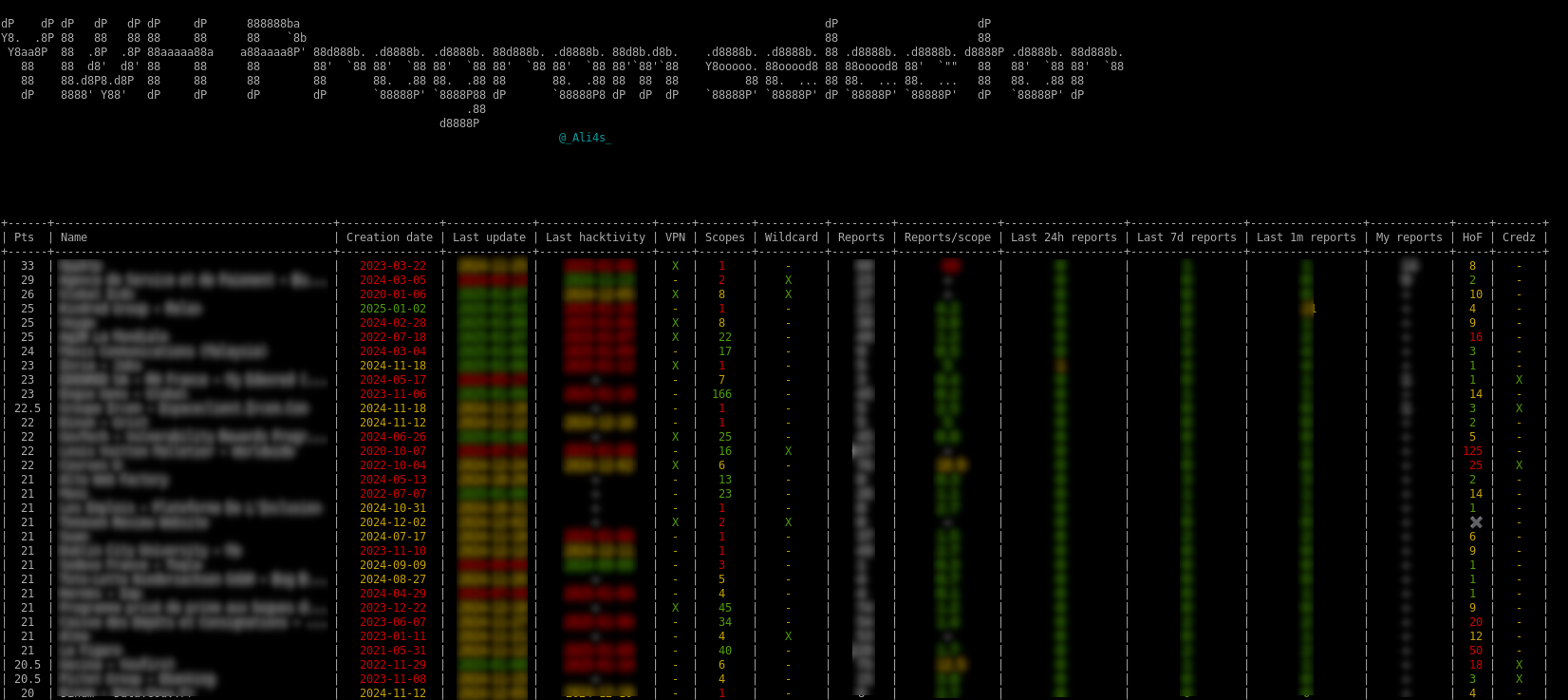
It analyzes your YesWeHack private programs and reports, prioritizing them to identify optimal targets for your next hunt. It supports program comparison with other hunters and scope extraction for payload spraying.


Description
The scoring algorithm assigns points to programs based on strategic criteria:
- Recently updated programs receive higher scores than older ones
- Programs with fewer reports are prioritized over heavily reported ones
- Programs offering wildcard scopes rank higher than single-URL targets
- ... and more
All configuration values can be customized to align with your hunting preferences and strategy.
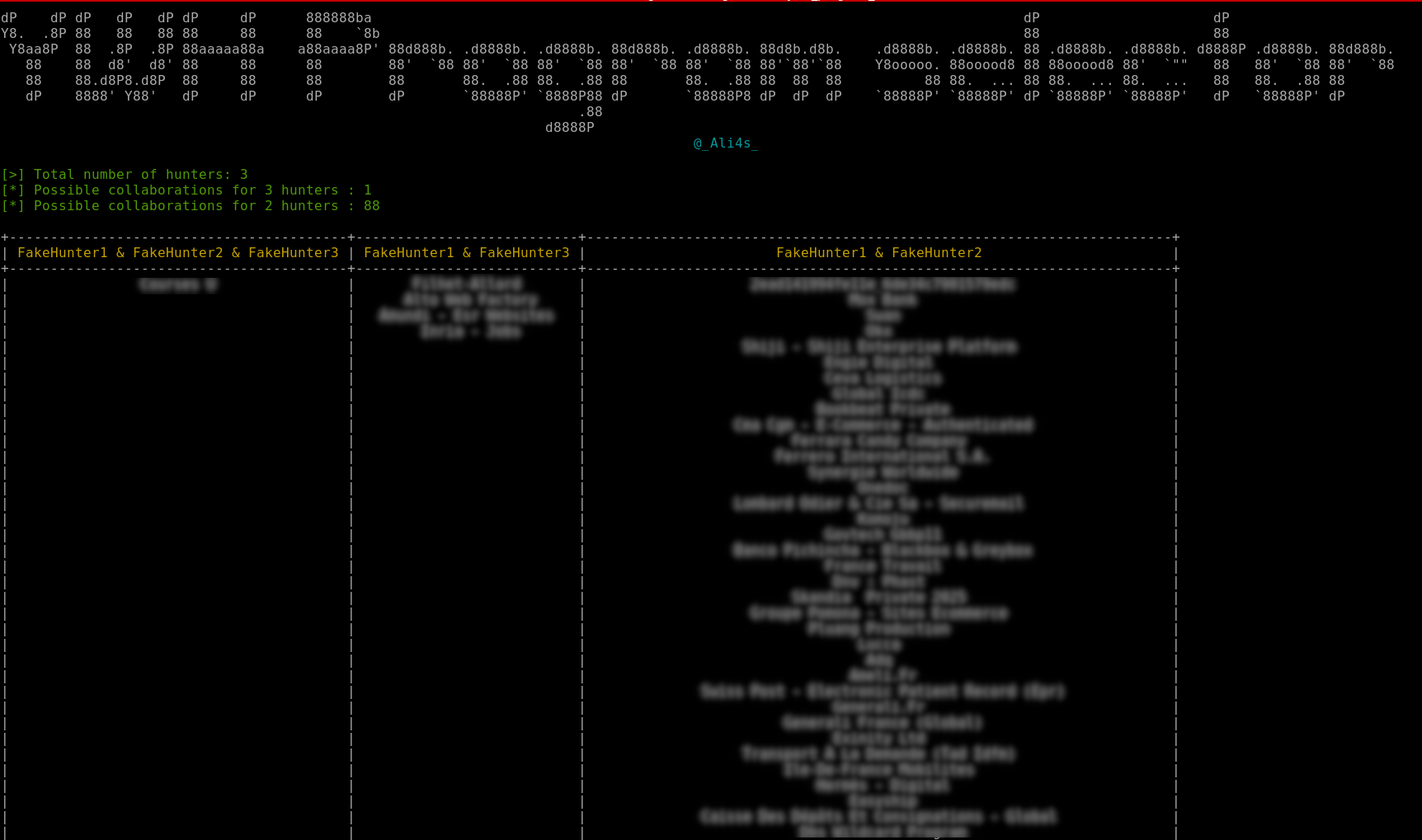
Additionally, the tool enables program comparison with other hunters, facilitating the identification of promising collaborations!
You can also extract all your program scopes in one place to spray payloads.
Authentication can be fully automated or provided manually by a bearer.
Features
- Program Scoring: Prioritizes programs based on updates, reports, and scope types.
- Collaboration: Identifies common programs with other hunters.
- Scope Extraction: Extracts program scopes for further analysis.
- Authentication: Supports both automated and manual methods.
- Scope finding: Find a program from a specific scope url
Installation
$> pip install ywh-program-selector
Authentication
If you want to fully automate the authentication part, you will be asked to provide your username/email, your password and your TOTP secret key.
All credential are stored locally in $HOME/.config/ywh-program-selector/credentials.
How to obtain my TOTP secret key?
This data is only displayed once when you set up your OTP authentication from the YWH website.
If you have not noted it previously, you must deactivate and reactivate your MFA options.
Usage
usage: ywh-program-selector [-h] [--silent] [--force-refresh] (--token TOKEN | --local-auth | --no-auth)
                            (--show | --collab-export-ids | --collaborations | --get-progs | --extract-scopes | --find-by-scope FIND_BY_SCOPE)
                            [--ids-files IDS_FILES] [--program PROGRAM] [-o OUTPUT] [-f {json,plain}]

The ywh-program-selector project is a tool designed to help users manage and prioritize their YesWeHack (YWH) private programs

options:
  -h, --help                               Show this help message and exit
  --silent                                 Do not print banner
  --force-refresh                          Force data refresh
  --token TOKEN                            Use the YesWeHack authorization bearer for auth
  --local-auth                             Use local credentials for auth
  --no-auth                                Do not authenticate to YWH
  --show                                   Display all programs info
  --collab-export-ids                      Export all programs collaboration ids
  --collaborations                         Show collaboration programs with other hunters
  --get-progs                              Displays programs simple list with slugs
  --extract-scopes                         Extract program scopes
  --find-by-scope FIND_BY_SCOPE            Find a program by one of its scope
  --ids-files IDS_FILES                    Comma separated list of paths to other hunter IDs. Ex. user1.json,user2.json
  --program PROGRAM                        Program slug
  -o OUTPUT, --output OUTPUT               Output file path
  -f {json,plain}, --format {json,plain}   Output format (json, plain)
Basic Commands
-
Show programs:
$> ywh-program-selector [--token <YWH_TOKEN>] [--local-auth] --show
-
Export your collaboration IDs:
$> ywh-program-selector [--token <YWH_TOKEN>] [--local-auth] --collab-export-ids -o my-ids.json
-
Find possible collaborations from others hunters ids:
$> ywh-program-selector [--token <YWH_TOKEN>] [--local-auth] --find-collaborations --ids-files "my-ids.json, hunter1-ids.json"
-
Extract all scopes:
$> ywh-program-selector [--token <YWH_TOKEN>] [--local-auth] --extract-scopes --local-auth -o /tmp/test.json
-
Extract your private scopes for one program
$> ywh-program-selector [--token <YWH_TOKEN>] [--local-auth] --extract-scopes --program <PROG_SLUG>
-
Display programs list with slugs
$> ywh-program-selector [--token <YWH_TOKEN>] [--local-auth] --get-progs
Options
--silent: Suppress banner output.--force-refresh: Force data refresh.--token <TOKEN>: Use YesWeHack authorization bearer for authentication.--local-auth: Use local credentials for authentication.--no-auth: Do not authenticate to YWH.
Configuration
- Credentials: Stored in
$HOME/.config/ywh-program-selector/credentials. This file is managed by the tool. - Output Formats: JSON and plain text supported.
License
The MIT License is a permissive free software license originating at the Massachusetts Institute of Technology (MIT). It is a simple and easy-to-understand license that places very few restrictions on reuse, making it a popular choice for open source projects. Under the MIT License, users are free to use, copy, modify, merge, publish, distribute, sublicense, and/or sell copies of the software, provided that the original copyright notice and permission notice are included in all copies or substantial portions of the software. The software is provided "as is", without warranty of any kind, express or implied, including but not limited to the warranties of merchantability, fitness for a particular purpose, and noninfringement. In no event shall the authors or copyright holders be liable for any claim, damages, or other liability, whether in an action of contract, tort, or otherwise, arising from, out of, or in connection with the software or the use or other dealings in the software.
The YWH Programs Selector tool is licensed under the MIT License, which means it can be freely used and modified by anyone. This tool helps users analyze and prioritize their YesWeHack private programs and reports, facilitating program comparison and scope extraction. By using the MIT License, the tool encourages collaboration and sharing within the community, allowing users to adapt the tool to their specific needs while contributing to its ongoing development and improvement.
Contributing
Pull requests are welcome. Feel free to open an issue if you want to add other features.
Beers as well...


Download files
Download the file for your platform. If you're not sure which to choose, learn more about installing packages.
Source Distribution
Built Distribution
Filter files by name, interpreter, ABI, and platform.
If you're not sure about the file name format, learn more about wheel file names.
Copy a direct link to the current filters
File details
Details for the file ywh_program_selector-0.1.4.tar.gz.
File metadata
- Download URL: ywh_program_selector-0.1.4.tar.gz
- Upload date:
- Size: 16.7 kB
- Tags: Source
- Uploaded using Trusted Publishing? No
- Uploaded via: twine/6.1.0 CPython/3.10.12
File hashes
| Algorithm | Hash digest | |
|---|---|---|
| SHA256 |
62fe5a8073c3cf3ea445ec80f987df300784796b66d5e4ec2dadbab1f675acf9
|
|
| MD5 |
0ee090940a9671cefa4b451d64c3b52d
|
|
| BLAKE2b-256 |
1e12dce89260366e4bf99dadbcc33657179129b8650b1c8c485807de5a95971f
|
File details
Details for the file ywh_program_selector-0.1.4-py3-none-any.whl.
File metadata
- Download URL: ywh_program_selector-0.1.4-py3-none-any.whl
- Upload date:
- Size: 15.6 kB
- Tags: Python 3
- Uploaded using Trusted Publishing? No
- Uploaded via: twine/6.1.0 CPython/3.10.12
File hashes
| Algorithm | Hash digest | |
|---|---|---|
| SHA256 |
0d41af73e3a909955551159f115d89d0d2348d2c44ad1f6d5855b1649a72fa4d
|
|
| MD5 |
a629b67056075cbff05b20cfe344a426
|
|
| BLAKE2b-256 |
d5dc634f0229f0ac908dec748cdf70b58e3d44ff3a0d4f88b87680d18a93370c
|






