
1 file was added to this release more than 14 days after its initial publication. Inspect the release files before installing.
Zarena
🦀 Rust Game Collection with Reninforcement Learning gym environments. This library aims to serve the same purpose as OpenSpiel, except in Rust to make it easier to use & maintain. The current games are gato, blackjack, chess & poker texas hold'em. All of these additionally support Web Assembly. You can play gato & chess against our Artificial Intelligence at Zeti Games
Configurations
Depending on the cargo file you want. You must change your cargo.toml to match that build.
Cargo.py.toml -> Python Build
Cargo.rs.toml -> Development Build
Cargo.wa.toml -> Web Assembly Build
Cargo.toml -> The actual file that Rust will build on. Copy from py/rs/wa to this file.
Commands
If you don't have Rust, no worries. Download Rust for Linux or Windows Subsystem. If you need more help.
curl --proto '=https' --tlsv1.2 -sSf https://sh.rustup.rs | sh
Download the C compiler
sudo apt-get update && sudo apt-get install build-essential
Install poetry
curl -sSL https://raw.githubusercontent.com/python-poetry/poetry/master/get-poetry.py | python -
Install Maturin via Poetry
poetry install
Build the Maturin Develop Build
poetry run maturin develop
Build the Maturin Test Build
poetry run maturin build
Build the Maturin Production Build. The Python Wheel & source distribution.
poetry run maturin build --release
Build the Web Assembly file
wasm-pack build --target web -- --features wasm
Usage
You can import the Python classes directly, or create pre-defined environments with gym in this case it is also necessary to import the class:
# import gym to use training environments
import gym
# from zarena import the training environment of your choice, for:
# option 1.- use the python class directly
# option 2.- register the environment in gym and use it with gym.make(environment_name)
from zarena import gym_chess

env = gym_chess.ChessEnv() # Option 1
env = gym.make('ChessEnv-v3') # Option 2

# reset the environment and get the initial state observation
observation = env.reset()

# obtain legal actions
actions = env.legal_actions()

# select action according to a criterion, in this case random
action = random.choice(actions)

# pass it to the env and get the next state observation, reward, if the game is over and environment information
observation, reward, done, info = env.step(action)

# get the player to play
env.to_play()

# properly close the game
env.close()

# display the game ovservation
env.render()
Environments id
- Tictactoe:
GatoEnv-v2 - Chess:
ChessEnv-v3 - Blackjack:
BlackjackEnv-v1 - Poker:
PokerEnv-v1 - Checkers
CheckersEnv-v1
Testing
Run all the tests with pytest.
Code linting and fixing
Python code is formatted with black.
Rust code is formatted with cargo fmt.
Building the Rust code
The environment uses a chess engine implemented in Rust that uses PyO3 Maturin to bind to the Python interpreter. Rust is an amazing compiled language and this project holds 2 configurations:
Cargo.py.tomlis used to build the library into a Python module with maturinCargo.rs.tomlis used to build directly withcargoin Rust to access the library in themain.rsscript for developmentCargo.wa.tomlis used to build to build for Javascript with Web Assembly. The games can be played via Web Assembly on Zeti's website https://zeti.ai
Note: we haven't found a way to specify the Cargo toml file to either process, so copy the contents of the config you want to use into Cargo.toml to make it work.
Game of Gato
The game of Xs & Os
API
Initialize environment
>>> env = BlackjackEnv(n_players=1)
n_players: specify the number of players2<=n_players<=7(default:1)
Set actions
>>> env.step(action)
action: mark a position, could be0<=action<=8
> 0 | 1 | 2
> 3 | 4 | 5
> 6 | 7 | 8

Blackjack
API
Initialize environment
>>> env = BlackjackEnv(n_players=1)
n_players: specify the number of players2<=n_players<=7(default:1)
Set actions
>>> env.step(action)
action: can be0-> stand1-> HIT2-> double down3-> pull apart (currently disabled)

Chess
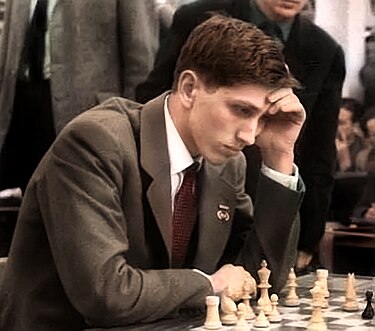
See the chess board and moves
Visualise the current state of the chess game:
env.render()
    -------------------------
 8 |  ♖  ♘  ♗  ♕  ♔  ♗  ♘  ♖ |
 7 |  ♙  ♙  ♙  ♙  ♙  ♙  ♙  ♙ |
 6 |  .  .  .  .  .  .  .  . |
 5 |  .  .  .  .  .  .  .  . |
 4 |  .  .  .  .  .  .  .  . |
 3 |  .  .  .  .  .  .  .  . |
 2 |  ♟  ♟  ♟  ♟  ♟  ♟  ♟  ♟ |
 1 |  ♜  ♞  ♝  ♛  ♚  ♝  ♞  ♜ |
    -------------------------
      a  b  c  d  e  f  g  h
You can also visualise multiple moves:
>>> moves = env.possible_moves
>>> env.render_moves(moves[10:12] + moves[16:18])
API
Initialize environment
>>> env = ChessEnv(player_color="WHITE", opponent="random", log=True, initial_state=DEFAULT_BOARD)
opponent: can be"random","none"or a function. Tells the environment whether to use a bot that picks a random move, play against self or use a specific bot policy (default:"random")log:TrueorFalse, specifies whether to log every move and render every new state (default:True)initial_state: initial board positions, the default value is the default chess starting board. You can specify a custom board. View scriptsgym_chess/test/for some examplesplayer_color:"WHITE"or"BLACK", only useful if playing against a bot (default:"WHITE")
>>> env.get_possible_moves(state=state, player="WHITE", attack=False)
This method will calculate the possible moves. By default they are calculated at the current state for the current player (state.current_player).
state: (optional) state for which to calculate the movesplayer: (optional) "WHITE" or "BLACK", specifies the player
Move specification:
Moves are encoded as either:
- a tuple of coordinates
((from_x, from_y), (to_x, to_y)) - or a string e.g.
"CASTLE_KING_SIDE_WHITE","CASTLE_QUEEN_SIDE_BLACK","RESIGN"
Moves are pre-calculated for every new state and stored in possible_moves.
Get State
>>> print(env.state['board'])
[[-3, -5, -4, -2, -1, -4, -5, -3],
 [-6, -6, -6, -6, -6, -6, -6, -6],
 [0, 0, 0, 0, 0, 0, 0, 0],
 [0, 0, 0, 0, 0, 0, 0, 0],
 [0, 0, 0, 0, 0, 0, 0, 0],
 [0, 0, 0, 0, 0, 0, 0, 0],
 [6, 6, 6, 6, 6, 6, 6, 6],
 [3, 5, 4, 2, 1, 4, 5, 3]]
Every integer represents a piece. Positive pieces are white and negative ones are black.
Piece IDs are stored in constants that can be imported.
from gym_chess.envs.chess import (
    KING_ID,
    QUEEN_ID,
    ROOK_ID,
    BISHOP_ID,
    KNIGHT_ID,
    PAWN_ID,
)
The schema is:
EMPTY_SQUARE_ID = 0
KING_ID = 1
QUEEN_ID = 2
ROOK_ID = 3
BISHOP_ID = 4
KNIGHT_ID = 5
PAWN_ID = 6
Additional information can be found in other attributes of the environment:
env.current_player
env.white_king_castle_possible
env.white_queen_castle_possible
env.black_king_castle_possible
env.black_queen_castle_possible
env.white_king_on_the_board
env.black_king_on_the_board
Notes:
En-passant has not been implemented yet.
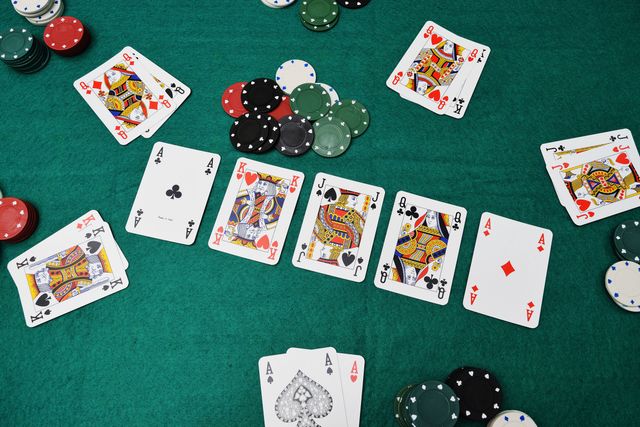
Poker
API
Initialize environment
>>> env = PokerEnv(n_players=2, infinite_game=True)
n_players: specify the number of players2<=n_players<=9(default:2)infinite_game:TrueorFalse, specify if players get their starting credit back after each round (default:True)
Set actions
>>> env.step(action)
action: can be0-> small blind1-> big blind2-> fold3-> check4-> bet5-> call6-> raise to 257-> raise to 508-> raise to 1009-> raise to 50010-> raise to 100011-> all in
Checkers
API
Initialize environment
>>> env = CheckersEnv()
Set actions
>>> env.step(action)
action: mark a position, could be0<=action<1024
To encode the coordinates use something like this:
// positions -> [[from_row, from_col], [to_row, to_col]]
fn positions_to_action(&self, positions: &Vec<BoardPosition>) -> usize {
    let from = positions[0].row * 4 + (
        positions[0].column - if positions[0].row % 2 == 0 {0} else {1}
    ) / 2;
    let to = positions[1].row * 4 + (
        positions[1].column - if positions[1].row % 2 == 0 {0} else {1}
    ) / 2;
    from * 32 + to
}
Get State
>>> print(env.get_state()) // Return (current_player, board, is_game_over)
Board:
[[0, 3, 0, 3, 0, 3, 0, 3],
[3, 0, 3, 0, 3, 0, 3, 0],
[0, 3, 0, 3, 0, 3, 0, 3],
[0, 0, 0, 0, 0, 0, 0, 0],
[0, 0, 0, 0, 0, 0, 0, 0],
[1, 0, 1, 0, 1, 0, 1, 0],
[0, 1, 0, 1, 0, 1, 0, 1],
[1, 0, 1, 0, 1, 0, 1, 0]]
Every integer represents a piece.
Piece IDs:
0: empty1: man_12: king_13: man_24: king_2
Set State
>>> // state -> (current_player, board)
>>> env.set_state(state) // Return observation

References
- https://github.com/PyO3/maturin
- https://github.com/genyrosk/gym-chess (Thanks to genyrosk for gym-chess)
- https://github.com/deepmind/open_spiel
Contrbutions
Pull Request Are Welcomed!
License
Social
1 maintainer

Metadata
1 maintainer
Release files for zarena 0.2.2
For a detailed explanation of source distributions (sdists) and built distributions (wheels), please see the package formats documentation.
File added late
1 file was uploaded more than 14 days after the first file in this release.
While project maintainers occasionally add legitimate files to an existing release, late additions can also indicate a security compromise.
We recommend inspecting the release files before installing.
Source distribution (sdist)
| File | Size | Uploaded | |
|---|---|---|---|
| zarena-0.2.2.tar.gz | 84.5 kB | Details |
Built distributions (wheels)
| File | Reset | |||
|---|---|---|---|---|
| zarena-0.2.2-cp36-abi3-win_amd64.whl | CPython 3.6 | abi3 | Windows x86-64 | Details |
| zarena-0.2.2-cp36-abi3-manylinux_2_17_x86_64.manylinux2014_x86_64.whl | CPython 3.6 | abi3 | Linux glibc 2.17+ x86-64 | Details |
| zarena-0.2.2-cp36-abi3-manylinux_2_5_x86_64.manylinux1_x86_64.whl | CPython 3.6 | abi3 | Linux glibc 2.5+ x86-64 | Details |
| zarena-0.2.2-cp36-abi3-manylinux_2_5_i686.manylinux1_i686.whl | CPython 3.6 | abi3 | Linux glibc 2.5+ x86-32 | Details |
| zarena-0.2.2-cp36-abi3-macosx_10_9_x86_64.macosx_11_0_arm64.macosx_10_9_universal2.whl | CPython 3.6 | abi3 | macOS 10.9+ universal2 (ARM64, x86-64), macOS 11.0+ ARM64, macOS 10.9+ x86-64 | Details |
| zarena-0.2.2-cp36-abi3-macosx_10_7_x86_64.whl | CPython 3.6 | abi3 | macOS 10.7+ x86-64 | Details |
Total release size: 5.0 MB
Release files / zarena-0.2.2.tar.gz
| Download URL | zarena-0.2.2.tar.gz |
|---|---|
| Size | 84.5 kB |
| Tags | Source |
|
SHA-256 checksum How to use checksums |
4359db93f4e251e4a7b3638655ea359f3eb93a3a91cbbadb7b0a993cac176eb9
|
|
BLAKE2b-256 checksum How to use checksums |
b5b9f452e2323212d223f995af4efd2bc8e2964fe44d6223ebbd639fa54dfbb2
|
| Upload date | |
|
Uploaded using Trusted Publishing? What is trusted publishing? |
No |
| Uploaded via |
maturin/0.12.11
|
Release files / zarena-0.2.2-cp36-abi3-win_amd64.whl
| Download URL | zarena-0.2.2-cp36-abi3-win_amd64.whl |
|---|---|
| Size | 255.3 kB |
| Tags | CPython 3.6 Windows x86-64 abi3 |
|
SHA-256 checksum How to use checksums |
a8242f27cb6d62045b7fb580eb0e555d2e87586b7849225733ac4e01b0ac8163
|
|
BLAKE2b-256 checksum How to use checksums |
c57b53abf07c7c138261983c7f7b92d04b5c091a780e5f29fe8e2b0ec8107d23
|
| Upload date | |
|
Uploaded using Trusted Publishing? What is trusted publishing? |
No |
| Uploaded via |
maturin/0.12.11
|
Release files / zarena-0.2.2-cp36-abi3-manylinux_2_17_x86_64.manylinux2014_x86_64.whl
File added late
This file was uploaded more than 14 days after the first file in this release.
While project maintainers occasionally add legitimate files to an existing release, late additions can also indicate a security compromise.
We recommend inspecting the release file before installing.
| Download URL | zarena-0.2.2-cp36-abi3-manylinux_2_17_x86_64.manylinux2014_x86_64.whl |
|---|---|
| Size | 1.2 MB |
| Tags | CPython 3.6 Linux glibc 2.17+ x86-64 abi3 |
|
SHA-256 checksum How to use checksums |
a435bb00c6c2720fc802275722659b7a90e97ab59401001fb6f7285410b91d1e
|
|
BLAKE2b-256 checksum How to use checksums |
633bea5aef50d1a86403b06a64f4fdfc0bfad8c89ba0b8d424a4025e5e6e9877
|
| Upload date | |
|
Uploaded using Trusted Publishing? What is trusted publishing? |
No |
| Uploaded via |
maturin/0.13.6
|
Release files / zarena-0.2.2-cp36-abi3-manylinux_2_5_x86_64.manylinux1_x86_64.whl
| Download URL | zarena-0.2.2-cp36-abi3-manylinux_2_5_x86_64.manylinux1_x86_64.whl |
|---|---|
| Size | 1.1 MB |
| Tags | CPython 3.6 Linux glibc 2.5+ x86-64 abi3 |
|
SHA-256 checksum How to use checksums |
6afb2ea4a1c301b089b8e1efab95002835be24117260de295f1b9b452a1ce4e3
|
|
BLAKE2b-256 checksum How to use checksums |
02e9557ea1c96875637779a17b1e32b3c01deb3ca60ff08a1771c3ffa28a5b73
|
| Upload date | |
|
Uploaded using Trusted Publishing? What is trusted publishing? |
No |
| Uploaded via |
maturin/0.12.11
|
Release files / zarena-0.2.2-cp36-abi3-manylinux_2_5_i686.manylinux1_i686.whl
| Download URL | zarena-0.2.2-cp36-abi3-manylinux_2_5_i686.manylinux1_i686.whl |
|---|---|
| Size | 1.2 MB |
| Tags | CPython 3.6 Linux glibc 2.5+ x86-32 abi3 |
|
SHA-256 checksum How to use checksums |
c846eeb8e22f54b333627afb59fc2127384e12dc781d1d6fd532d94660536141
|
|
BLAKE2b-256 checksum How to use checksums |
3ccad077f79e8c30c8e7650338d06befac4c6a7388bd7f3e42bf4e03df331e07
|
| Upload date | |
|
Uploaded using Trusted Publishing? What is trusted publishing? |
No |
| Uploaded via |
maturin/0.12.11
|
Release files / zarena-0.2.2-cp36-abi3-macosx_10_9_x86_64.macosx_11_0_arm64.macosx_10_9_universal2.whl
| Download URL | zarena-0.2.2-cp36-abi3-macosx_10_9_x86_64.macosx_11_0_arm64.macosx_10_9_universal2.whl |
|---|---|
| Size | 712.7 kB |
| Tags | CPython 3.6 abi3 macOS 10.9+ universal2 (ARM64, x86-64) macOS 10.9+ x86-64 macOS 11.0+ ARM64 |
|
SHA-256 checksum How to use checksums |
41658ec331249740238dd3426b382e9057865bd78ef2ece88838be112346e5f9
|
|
BLAKE2b-256 checksum How to use checksums |
ee328d1830327ec2e95da113d802ab980ae62da8af4de11af906a0c9029c83c4
|
| Upload date | |
|
Uploaded using Trusted Publishing? What is trusted publishing? |
No |
| Uploaded via |
maturin/0.12.11
|
Release files / zarena-0.2.2-cp36-abi3-macosx_10_7_x86_64.whl
| Download URL | zarena-0.2.2-cp36-abi3-macosx_10_7_x86_64.whl |
|---|---|
| Size | 377.3 kB |
| Tags | CPython 3.6 abi3 macOS 10.7+ x86-64 |
|
SHA-256 checksum How to use checksums |
bce4d95dc5d1f3c29937312865c6b35f01ae96c26a6dfa0c0040d056aea79731
|
|
BLAKE2b-256 checksum How to use checksums |
78279f1018aa40aaf642d6d783c3b3f2d46f52c5279b44342b2896b2a7c49a5c
|
| Upload date | |
|
Uploaded using Trusted Publishing? What is trusted publishing? |
No |
| Uploaded via |
maturin/0.12.11
|














