

A Zensical and MkDocs plugin that provides a focus-slide widget, see live-example.


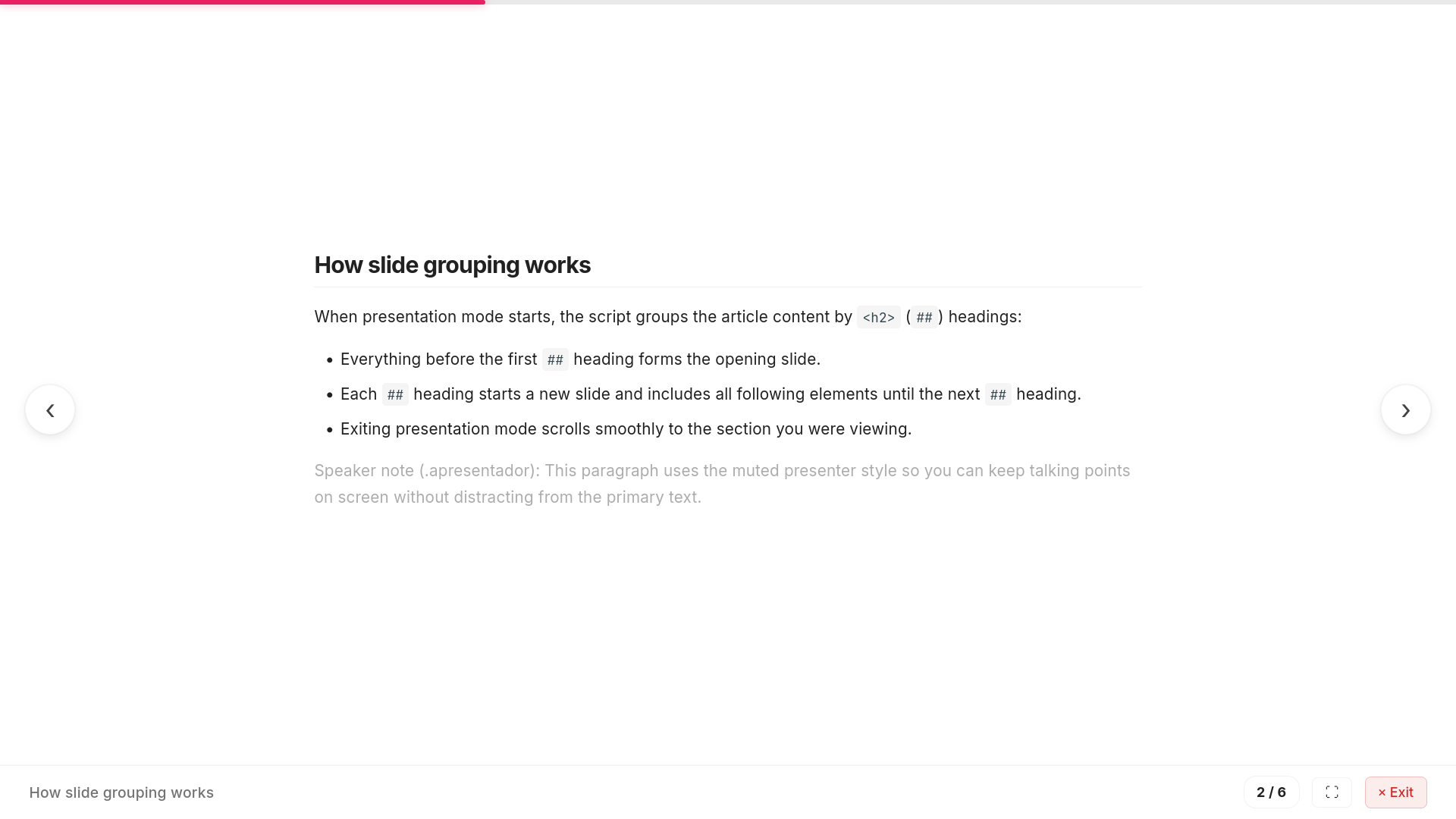
Instant Slide Deck · Automatic Sectioning · Progression Bar · URL Sync & Reload Persistence · Keyboard Controls · Mermaid Diagrams · Multilingual
Purpose
To avoid creating slides in a separate presentation software, this plugin provides a focus-slide widget that allows you to create slides directly in your project documentation.
Installation
Option 1: Direct URL (Recommended for now, no installation required)
Because Zensical does not provide an official public plugin API module system yet, linking minified assets directly via CDN is the quickest method. No package installation is needed.
Add the assets to zensical.toml (or mkdocs.yml):
Latest version:
[project]
extra_css = [
	"https://cdn.jsdelivr.net/gh/BeyondMagic/zensical-slides@1.0.6/dist/zensical-slides.min.css",
]
extra_javascript = [
	"https://cdn.jsdelivr.net/gh/BeyondMagic/zensical-slides@1.0.6/dist/zensical-slides.min.mjs",
]
Versioned (pinned):
[project]
extra_css = [
	"https://cdn.jsdelivr.net/gh/BeyondMagic/zensical-slides@1.0.6/dist/zensical-slides.min.css",
]
extra_javascript = [
	"https://cdn.jsdelivr.net/gh/BeyondMagic/zensical-slides@1.0.6/dist/zensical-slides.min.mjs",
]
Option 2: Markdown Extension (MkDocs and Zensical)
Install the Python package:
pip install zensical-slides
Enable zensical_slides in your markdown extensions. This works in both standard MkDocs and Zensical, inlining bundled assets directly with full offline support.
In zensical.toml:
[project.markdown_extensions.zensical_slides]
progress_bar = "top"  # "top" (default), "bottom", or "none"
language = "en"       # "en" (default), "ja", or "pt"
assets = "local"      # "local" (default, bundled offline), "cdn", or "none"
In mkdocs.yml:
markdown_extensions:
  - zensical_slides:
      progress_bar: top
      language: en
      assets: local
Option 3: Local CLI Installer (zensical-slides install)
This method copies assets into your project's docs_dir and configures them in zensical.toml. It is provided now for compatibility and ahead of future official Zensical module API support.
pip install zensical-slides
zensical-slides install
The command copies logic.mjs and ui.css into <docs_dir>/assets/plugin/zensical-slides/ and adds them to zensical.toml:
[project]
extra_css = [
	"assets/plugin/zensical-slides/ui.css",
]
extra_javascript = [
	"assets/plugin/zensical-slides/logic.mjs",
]
When using Option 3, re-run zensical-slides install whenever you change settings in [project.theme] or [project.extra.slides].
Configuration
Depending on your installation method:
- Option 1 (Direct URL): Configure the language via
[project.theme](language = "en") or HTML documentlangattributes. - Option 2 (Markdown Extension): Configure settings directly in
[project.markdown_extensions.zensical_slides](ormarkdown_extensionsinmkdocs.yml). - Option 3 (CLI Installer): Configure settings in
[project.theme]and[project.extra.slides]:
[project.theme]
language = "en" # "en" (English), "ja" (Japanese), or "pt" (Portuguese)

[project.extra.slides]
progress_bar = "top" # "top" (default), "bottom", or "none"
License
This project is licensed under LGPLv3.
1 maintainer

Metadata
1 maintainer
Release files for zensical-slides 1.0.6
For a detailed explanation of source distributions (sdists) and built distributions (wheels), please see the package formats documentation.
Source distribution (sdist)
| File | Size | Uploaded | Provenance | |
|---|---|---|---|---|
| zensical_slides-1.0.6.tar.gz | 48.8 kB | With provenance | Details |
Built distribution (wheel)
| File | Interpreter | ABI | Platform | Reset |
|---|---|---|---|---|
| zensical_slides-1.0.6-py3-none-any.whl | Python 3 | none | any | Details |
Total release size: 105.5 kB
Release files / zensical_slides-1.0.6.tar.gz
| Download URL | zensical_slides-1.0.6.tar.gz |
|---|---|
| Size | 48.8 kB |
| Tags | Source |
|
SHA-256 checksum How to use checksums |
5e4675bd03e5dc5da3b2ecafccf433a6df21e4e36f70e175d39c989fe32f4468
|
|
BLAKE2b-256 checksum How to use checksums |
e56d46a14f191782c0f303651ed790309270a07eee509c0b8bac5f92feb09cb6
|
| Upload date | |
|
Uploaded using Trusted Publishing? What is trusted publishing? |
Yes |
| Uploaded via |
twine/7.0.0 CPython/3.13.14
|
Provenance
Provenance describes where a file came from. On PyPI, provenance is shared via attestations, which provide a verifiable record of the build or publishing details. View details, limitations and caveats.


PyPI Publish Attestation
PyPI verified that this artifact, at this checksum, originated from the publisher listed below.
Signed by GitHub Actions, verified by PyPI on Oct 20, 2026.
Transparency logRelease files / zensical_slides-1.0.6-py3-none-any.whl
| Download URL | zensical_slides-1.0.6-py3-none-any.whl |
|---|---|
| Size | 56.7 kB |
| Tags | Python 3 |
|
SHA-256 checksum How to use checksums |
5f81eb5ebea3721fcb77dff7ac2cd8e67364c5b64b504a3eeaa080ec92fa456d
|
|
BLAKE2b-256 checksum How to use checksums |
181337c10506c9b63b8cb73a9c005b0dcdec61f02b9f501a045098002cfef485
|
| Upload date | |
|
Uploaded using Trusted Publishing? What is trusted publishing? |
Yes |
| Uploaded via |
twine/7.0.0 CPython/3.13.14
|
Provenance
Provenance describes where a file came from. On PyPI, provenance is shared via attestations, which provide a verifiable record of the build or publishing details. View details, limitations and caveats.
PyPI Publish Attestation
PyPI verified that this artifact, at this checksum, originated from the publisher listed below.
Signed by GitHub Actions, verified by PyPI on Oct 20, 2026.
Transparency logSecurity for zensical-slides 1.0.6
Provenance
Provenance describes where a file came from. On PyPI, provenance is shared via attestations, which provide a verifiable record of the build or publishing details. View details, limitations and caveats.
Full provenance
All 2 files in this release have been uploaded with provenance metadata.
Attestation for zensical_slides-1.0.6.tar.gz
PyPI Publish Attestation
PyPI verified that this artifact, at this checksum, originated from the publisher listed below.
Signed by GitHub Actions, verified by PyPI on Oct 20, 2026.
Transparency logA note on package security
PyPI is a repository for distributing packages, not a service for auditing them. While third-party security researchers and our staff do their best to detect and remove malicious packages, PyPI cannot guarantee the quality, security or suitability of any given package.














