
Zero-Employee Orchestrator – AI Orchestration Platform for multi-agent business automation with human approval and full auditability
Verified details
These details have been verified by PyPIProject links
GitHub Statistics
Maintainers

Project description
Language: English | 日本語 | 简体中文 | 繁體中文 | 한국어 | Português (Brasil) | Türkçe
Zero-Employee Orchestrator


AI Orchestration Platform — Design · Execute · Verify · Improve
The platform for running AI as an organization — not just a chatbot.
Define business workflows in natural language, orchestrate multiple AI agents with role-based delegation, and execute tasks with human approval gates and full auditability. Built with a 9-layer architecture featuring Self-Healing DAG, Judge Layer, and Experience Memory.
ZEO itself is free and open source. LLM API costs are paid directly by users to each provider.
Getting Started
Choose your path:
| Method | Best for | Time | API key needed? |
|---|---|---|---|
| Desktop App | Non-technical users | 2 min | No (subscription mode) |
| CLI (pip install) | Developers | 2 min | No (subscription or Ollama) |
| Docker | Self-hosting / production | 5 min | No (subscription or Ollama) |
System Requirements: Python 3.12+ (CLI), Node.js 22+ (frontend dev), 4 GB RAM minimum. Ollama local models need 8 GB+ RAM.
🖥️ Download Desktop App
Pre-built desktop installers are available on the Releases page.
| OS | File | Description |
|---|---|---|
| Windows | -setup.exe |
Windows installer (x64) |
| macOS | .dmg |
macOS Universal (Intel + Apple Silicon) |
| Linux | .AppImage |
Portable (no install needed, amd64) |
| Linux | .deb / .rpm |
Debian/Ubuntu / Fedora/RHEL (amd64/x86_64) |
After installation, a setup wizard will guide you through:
- Language — Choose English, 日本語, 中文, 한국어, Português, or Türkçe (changeable later in Settings)
- LLM provider — Pick how the AI runs (no API key needed for subscription mode)
- First task — Start using the platform immediately
🚀 Quick Start (CLI)
Step 1: Install
# PyPI (recommended)
pip install zero-employee-orchestrator

# or from source
git clone https://github.com/OrosiTororo/Zero-Employee-Orchestrator.git
cd Zero-Employee-Orchestrator && pip install .

# or Docker (see Docker section below for details)
docker compose -f docker/docker-compose.yml up -d
Step 2: Configure
Pick one of these options:
# Option A: No API key needed — uses free web AI services via g4f
zero-employee config set DEFAULT_EXECUTION_MODE subscription

# Option B: Fully offline — local models via Ollama (no internet needed)
zero-employee config set DEFAULT_EXECUTION_MODE free
zero-employee pull qwen3:8b

# Option C: API key — best quality, pay-per-use to provider
zero-employee config set OPENROUTER_API_KEY <your-key>  # or GEMINI_API_KEY, etc.
ZEO itself is free. LLM costs (if any) are paid directly to each provider. See USER_SETUP.md for all options.
Step 3: Start
# Option A: start script (starts both backend + frontend automatically)
./start.sh                       # macOS / Linux
.\start.ps1                      # Windows (PowerShell)
# → Open http://localhost:5173

# Option B: Manual start
zero-employee serve              # Start the API server (port 18234)
cd apps/desktop/ui && pnpm dev   # Start the frontend (port 5173) in another terminal
# → Open http://localhost:5173

# Option C: Chat mode only (no Web UI needed)
zero-employee chat               # Default settings
zero-employee local --model qwen3:8b  # Ollama
Note:
zero-employee servestarts the API server only. The Web UI runs separately on port 5173. Usestart.sh(orstart.ps1on Windows) for the easiest setup.
Step 4: Verify
zero-employee health              # Check server status
zero-employee models              # List available models
zero-employee config list         # Review your settings
Changing Language
The default language is English. Change it system-wide (CLI, AI responses, and Web UI all switch together):
# At startup
zero-employee chat --lang ja      # Japanese
zero-employee chat --lang zh      # Chinese
zero-employee chat --lang ko      # Korean
zero-employee chat --lang pt      # Portuguese
zero-employee chat --lang tr      # Turkish

# Persistently (saved to ~/.zero-employee/config.json)
zero-employee config set LANGUAGE ja

# At runtime (inside chat mode)
/lang en                          # Switch to English
/lang ja                          # Switch to Japanese
/lang zh                          # Switch to Chinese
/lang ko                          # Switch to Korean
/lang pt                          # Switch to Portuguese
/lang tr                          # Switch to Turkish
In the desktop app, change language anytime via Settings.
🐳 Docker
API + Frontend (recommended)
docker compose -f docker/docker-compose.yml up -d
# → Open http://localhost:5173
This starts three services: API server (port 18234), Frontend (port 5173), and a background worker.
Note: Requires
SECRET_KEYenvironment variable. Generate one:python -c "import secrets; print(secrets.token_urlsafe(32))"
API only
docker compose up -d
# → API available at http://localhost:18234/api/v1/
This starts only the API server. Use this with the Desktop App or your own frontend.
The Guides

|

|

|
| Quickstart Guide First workflow, CLI basics. |
Architecture Deep Dive 9-layer architecture, DAG, Judge Layer. |
Security Guide Prompt defense, approval gates, sandbox. |
📦 What's Inside
Zero-Employee-Orchestrator/
├── apps/
│   ├── api/                  # FastAPI backend
│   │   └── app/
│   │       ├── core/               # Config, DB, security, i18n
│   │       ├── api/routes/         # 41 REST API route modules
│   │       ├── api/ws/             # WebSocket
│   │       ├── models/             # SQLAlchemy ORM
│   │       ├── schemas/            # Pydantic DTO
│   │       ├── services/           # Business logic
│   │       ├── repositories/       # DB I/O abstraction
│   │       ├── orchestration/      # DAG, Judge, state machine
│   │       ├── providers/          # LLM gateway, Ollama, RAG
│   │       ├── security/           # IAM, secrets, sanitize, prompt defense
│   │       ├── policies/           # Approval gates, autonomy boundaries
│   │       ├── integrations/       # Sentry, MCP, external skills, Browser Assist
│   │       └── tools/              # External tool connectors
│   ├── desktop/              # Tauri v2 + React UI
│   ├── edge/                 # Cloudflare Workers
│   └── worker/               # Background workers
├── skills/                   # 8 built-in skills
├── plugins/                  # 10 plugin manifests
├── extensions/               # 11 extension manifests
│   └── browser-assist/
│       └── chrome-extension/ # Chrome extension for Browser Assist
├── packages/                 # Shared NPM packages
├── docs/                     # Multi-language docs & guides
│   ├── ja-JP/                # 日本語
│   ├── zh-CN/                # 简体中文
│   ├── zh-TW/                # 繁體中文
│   ├── ko-KR/                # 한국어
│   ├── pt-BR/                # Português (Brasil)
│   ├── tr/                   # Türkçe
│   └── guides/               # Architecture, security, quickstart guides
└── assets/
    └── images/
        ├── guides/           # Guide header images
        └── logo/             # Logo assets
🏗️ 9-Layer Architecture
┌─────────────────────────────────────────┐
│  1. User Layer       — Natural language input          │
│  2. Design Interview — Requirements exploration        │
│  3. Task Orchestrator — DAG decomposition & scheduling  │
│  4. Skill Layer      — Specialized Skills + Context     │
│  5. Judge Layer      — Two-stage + Cross-Model QA       │
│  6. Re-Propose       — Rejection → dynamic DAG rebuild  │
│  7. State & Memory   — Experience Memory               │
│  8. Provider         — LLM Gateway (LiteLLM)           │
│  9. Skill Registry   — Publish / Search / Import        │
└─────────────────────────────────────────┘
🎯 Key Features
Core Orchestration
| Feature | Description |
|---|---|
| Design Interview | Natural language requirements exploration and refinement |
| Spec / Plan / Tasks | Structured intermediate artifacts — reusable, auditable, reversible |
| Task Orchestrator | DAG-based planning with cost estimation and quality mode switching |
| Judge Layer | Rule-based first pass + Cross-Model high-accuracy verification |
| Self-Healing / Re-Propose | Automatic re-planning on failure with dynamic DAG reconstruction |
| Experience Memory | Learns from past executions to improve future performance |
Extensibility
| Feature | Description |
|---|---|
| Skill / Plugin / Extension | 3-tier extensibility with full CRUD management |
| Natural Language Skill Generation | Describe in plain language → AI auto-generates (with safety checks) |
| Skill Marketplace | Community skill publishing, search, review, and installation |
| External Skill Import | Import skills from GitHub repositories |
| Self-Improvement | AI analyzes and improves its own skills (with approval) |
| Meta-Skills | AI learns how to learn (Feeling / Seeing / Dreaming / Making / Learning) |
AI Capabilities
| Feature | Description |
|---|---|
| Browser Assist | Chrome extension overlay — AI sees your screen in real-time |
| Media Generation | Image, video, audio, music, 3D — with dynamic provider registration |
| App Connector Hub | 34+ apps (Obsidian, Notion, Google Workspace, Microsoft 365, etc.) |
| AI Tool Integration | 55+ external tools across 21 categories |
| A2A Communication | Peer-to-peer agent messaging, channels, and negotiation |
| Avatar AI | Learns your decision patterns and evolves with you |
| Secretary AI | Brain dump → structured tasks, bridges you and the AI org |
| Repurpose Engine | Auto-convert 1 content to 10 media formats |
Security
| Feature | Description |
|---|---|
| Prompt Injection Defense | 5 categories, 28+ detection patterns |
| Approval Gates | 12 categories of dangerous operations require human approval |
| File Sandbox | AI can only access user-permitted folders (default: STRICT) |
| Data Protection | Upload/download policy control (default: LOCKDOWN) |
| PII Protection | Auto-detect and mask 13 categories of personal information |
| IAM | Human/AI account separation, AI denied admin/secret access |
| Red-team Security | 8-category, 20+ test self-vulnerability assessment |
Operations
| Feature | Description |
|---|---|
| Multi-model Support | Dynamic catalog, auto-fallback, per-task provider override |
| i18n | 6 languages (EN / JA / ZH / KO / PT / TR) — UI, AI responses, CLI |
| Autonomous Operation | Docker / Cloudflare Workers — runs when your PC is off |
| 24/365 Scheduler | 9 trigger types: cron, ticket creation, budget threshold, etc. |
| iPaaS Integration | n8n / Zapier / Make webhook integration |
| Cloud Native | AWS / GCP / Azure / Cloudflare abstraction layer |
| Governance & Compliance | GDPR / HIPAA / SOC2 / ISO27001 / CCPA / APPI |
🔒 Security
ZEO is designed security-first with multi-layered defense:
| Layer | Description |
|---|---|
| Prompt Injection Defense | Detects and blocks instruction injection from external inputs (5 categories, 28+ patterns) |
| Approval Gates | 12 categories of dangerous operations (send, delete, billing, permission changes) require human approval |
| Autonomy Boundaries | Explicitly limits what AI can do autonomously |
| IAM & Tool Permissions | Separate human/AI accounts; role-based tool permissions (5 default policies: secretary, researcher, reviewer, executor, admin) enforce least privilege per agent |
| Kill Switch | Emergency halt of all active executions via UI button or API (/kill-switch/activate). Blocks new executions until resumed. |
| Tiered Judge | Three-tier verification: LIGHTWEIGHT (rules only) → STANDARD (+policy) → HEAVY (+cross-model). Reduces cost for low-risk ops while maintaining full verification for high-risk ones. |
| Memory Trust | Experience Memory entries track source type, trust level (0.0-1.0), verification status, and expiry. Only trustworthy memories (≥0.7, not expired) are used. |
| Secret Management | Fernet encryption, auto-masking, rotation support |
| Sanitization | Auto-removal of API keys, tokens, and PII |
| Security Headers | CSP, HSTS, X-Frame-Options on all responses |
| Rate Limiting | slowapi-based API rate limiting |
| Audit Logging | All critical operations recorded (built-in from design, not bolted on) |
See SECURITY.md for vulnerability reporting.
🖥️ CLI Reference
zero-employee serve              # Start API server
zero-employee serve --port 8000  # Custom port
zero-employee serve --reload     # Hot reload

zero-employee chat               # Chat mode (all providers)
zero-employee chat --mode free   # Free mode (Ollama / g4f)
zero-employee chat --lang en     # Language selection

zero-employee local              # Local chat (Ollama)
zero-employee local --model qwen3:8b --lang ja

zero-employee models             # List installed models
zero-employee pull qwen3:8b      # Download model

zero-employee config list        # Show all settings
zero-employee config set <KEY>   # Set a value
zero-employee config get <KEY>   # Get a value

zero-employee db upgrade         # Run DB migrations
zero-employee health             # Health check
zero-employee security status    # Security status
zero-employee update             # Update to latest version
🤖 Supported LLM Models
Managed via model_catalog.json — swap models without code changes.
| Mode | Description | Examples |
|---|---|---|
| Quality | Highest quality | Claude Opus, GPT, Gemini Pro |
| Speed | Fast response | Claude Haiku, GPT Mini, Gemini Flash |
| Cost | Low cost | Haiku, Mini, Flash Lite, DeepSeek |
| Free | Free | Gemini free tier, Ollama local |
| Subscription | No API key needed | via g4f |
Per-task provider override is supported — specify provider, model, and execution mode per task.
🧩 Skill / Plugin / Extension
3-Tier Extensibility
| Type | Description | Examples |
|---|---|---|
| Skill | Single-purpose specialized processing | spec-writer, review-assistant, browser-assist |
| Plugin | Bundles multiple Skills | ai-secretary, ai-self-improvement, youtube |
| Extension | System integration & infrastructure | mcp, oauth, notifications, browser-assist |
Generate Skills with Natural Language
POST /api/v1/registry/skills/generate
{
  "description": "A skill that summarizes long documents into 3 key points"
}
18 dangerous patterns are auto-detected. Only skills passing safety checks are registered.
🌐 Browser Assist
Chrome extension overlay chat — AI sees your screen in real-time and guides you.
- Overlay Chat: Chat UI directly on any website
- Real-time Screen Sharing: AI sees what you see (no manual screenshots)
- Error Diagnosis: AI reads error messages on screen and suggests fixes
- Form Assistance: Step-by-step field-by-field guidance
- Privacy-first: Screenshots processed temporarily, PII auto-masked, password fields blurred
Setup
1. Load extensions/browser-assist/chrome-extension/ in Chrome
   → chrome://extensions → Developer mode → "Load unpacked"
2. Click the chat icon on any website
3. Ask questions or share your screen with the screenshot button
🛠️ Tech Stack
Backend
- Python 3.12+ / FastAPI / uvicorn
- SQLAlchemy 2.x (async) + Alembic
- SQLite (dev) / PostgreSQL (production)
- LiteLLM Router SDK
- bcrypt / Fernet encryption
- slowapi rate limiting
Frontend
- React 19 + TypeScript + Vite
- shadcn/ui + Tailwind CSS
- TanStack Query + Zustand
Desktop
- Tauri v2 (Rust) + Python sidecar
Deploy
- Docker + docker-compose
- Cloudflare Workers (serverless)
❓ FAQ
Do I need API keys to start?
No. You can use subscription mode (no key needed) or Ollama for fully offline local AI. See the Quick Start section above.
How much does it cost?
ZEO itself is free. LLM API costs are paid directly by you to each provider (OpenAI, Anthropic, Google, etc.). You can also run completely free with Ollama local models.
Can I use multiple LLM providers simultaneously?
Yes. ZEO supports per-task provider override — you can use Claude for high-quality spec reviews and GPT for fast task execution in the same workflow.
Is my data safe?
ZEO is self-hosted by design. Your data stays on your infrastructure. File sandbox defaults to STRICT, data transfer defaults to LOCKDOWN, and PII auto-detection is enabled by default.
How is this different from AutoGen / CrewAI / LangGraph?
ZEO is a business workflow platform, not a developer framework. It provides human approval gates, audit logging, a 3-tier extensibility system, browser assist, media generation, and a complete REST API — all designed for running AI as an organization, not just chaining prompts.
🧪 Development
# Setup
git clone https://github.com/OrosiTororo/Zero-Employee-Orchestrator.git
cd Zero-Employee-Orchestrator
pip install -e ".[dev]"

# Start (hot reload)
zero-employee serve --reload

# Test
pytest apps/api/app/tests/

# Lint
ruff check apps/api/app/
ruff format apps/api/app/
🤝 Contributing
Contributions are welcome.
- Fork → Branch → PR (standard flow)
- Security issues: follow SECURITY.md for private reporting
- Coding standards: ruff format, type hints required, async def
💜 Sponsors
This project is free and open source. Sponsors help keep it maintained and growing.
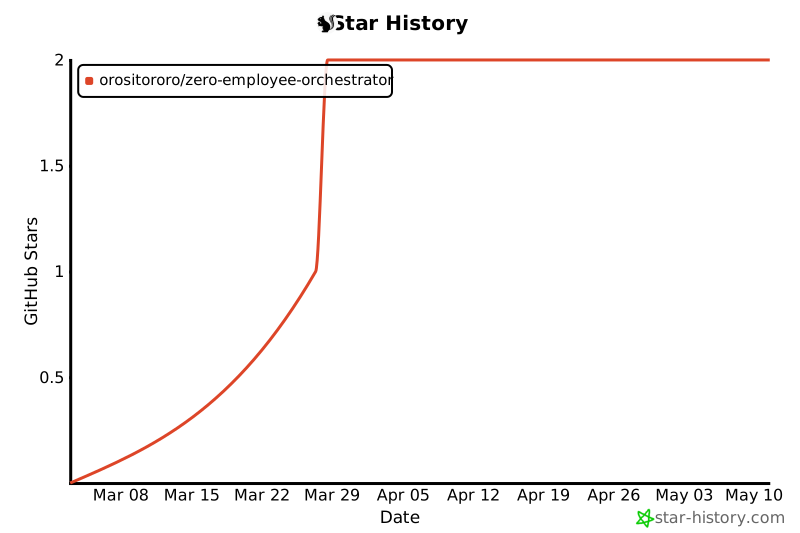
🌟 Star History
📄 License
MIT — Use freely, modify as needed, contribute back if you can.
Zero-Employee Orchestrator — Run AI as an organization.
Built with security, auditability, and human oversight in mind.
Project details
Verified details
These details have been verified by PyPIProject links
GitHub Statistics
Maintainers


Download files
Download the file for your platform. If you're not sure which to choose, learn more about installing packages.
Source Distribution
Built Distribution
Filter files by name, interpreter, ABI, and platform.
If you're not sure about the file name format, learn more about wheel file names.
Copy a direct link to the current filters
File details
Details for the file zero_employee_orchestrator-0.1.1.tar.gz.
File metadata
- Download URL: zero_employee_orchestrator-0.1.1.tar.gz
- Upload date:
- Size: 560.0 kB
- Tags: Source
- Uploaded using Trusted Publishing? Yes
- Uploaded via: twine/6.1.0 CPython/3.13.7
File hashes
| Algorithm | Hash digest | |
|---|---|---|
| SHA256 |
ab452ac40a1a93a1eb13cebd41dd80b0cd8a0870bad074439af0f4b014e60bb2
|
|
| MD5 |
134507c48db6ab8eaff44767610bb562
|
|
| BLAKE2b-256 |
b62219294fa5118520b4b5f65fac6cb1d56acc6227edd13d0647bbf88d6101ce
|
Provenance
The following attestation bundles were made for zero_employee_orchestrator-0.1.1.tar.gz:
Publisher:
publish-pypi.yml on OrosiTororo/Zero-Employee-Orchestrator
-
Statement:
-
Statement type:
https://in-toto.io/Statement/v1 -
Predicate type:
https://docs.pypi.org/attestations/publish/v1 -
Subject name:
zero_employee_orchestrator-0.1.1.tar.gz -
Subject digest:
ab452ac40a1a93a1eb13cebd41dd80b0cd8a0870bad074439af0f4b014e60bb2 - Sigstore transparency entry: 1199302775
- Sigstore integration time:
-
Permalink:
OrosiTororo/Zero-Employee-Orchestrator@29bc00be3c4652dae1365616ff003f02731035f8 -
Branch / Tag:
refs/heads/master - Owner: https://github.com/OrosiTororo
-
Access:
public
-
Token Issuer:
https://token.actions.githubusercontent.com -
Runner Environment:
github-hosted -
Publication workflow:
publish-pypi.yml@29bc00be3c4652dae1365616ff003f02731035f8 -
Trigger Event:
workflow_dispatch
-
Statement type:
File details
Details for the file zero_employee_orchestrator-0.1.1-py3-none-any.whl.
File metadata
- Download URL: zero_employee_orchestrator-0.1.1-py3-none-any.whl
- Upload date:
- Size: 601.9 kB
- Tags: Python 3
- Uploaded using Trusted Publishing? Yes
- Uploaded via: twine/6.1.0 CPython/3.13.7
File hashes
| Algorithm | Hash digest | |
|---|---|---|
| SHA256 |
2039e1f37e23c279c171dac296cd2f5c1db80ad86fbc77a886b57c8cdc734da3
|
|
| MD5 |
b72815281157f82b203132b40caa801e
|
|
| BLAKE2b-256 |
46f4af41f9df9172848e0f795f81ae97c9f0c07d4cf1ea395ecd9cded9d83c36
|
Provenance
The following attestation bundles were made for zero_employee_orchestrator-0.1.1-py3-none-any.whl:
Publisher:
publish-pypi.yml on OrosiTororo/Zero-Employee-Orchestrator
-
Statement:
-
Statement type:
https://in-toto.io/Statement/v1 -
Predicate type:
https://docs.pypi.org/attestations/publish/v1 -
Subject name:
zero_employee_orchestrator-0.1.1-py3-none-any.whl -
Subject digest:
2039e1f37e23c279c171dac296cd2f5c1db80ad86fbc77a886b57c8cdc734da3 - Sigstore transparency entry: 1199302777
- Sigstore integration time:
-
Permalink:
OrosiTororo/Zero-Employee-Orchestrator@29bc00be3c4652dae1365616ff003f02731035f8 -
Branch / Tag:
refs/heads/master - Owner: https://github.com/OrosiTororo
-
Access:
public
-
Token Issuer:
https://token.actions.githubusercontent.com -
Runner Environment:
github-hosted -
Publication workflow:
publish-pypi.yml@29bc00be3c4652dae1365616ff003f02731035f8 -
Trigger Event:
workflow_dispatch
-
Statement type:






