
zetaforge installer

Project description





Open source AI platform for rapid development of advanced AI and AGI pipelines.
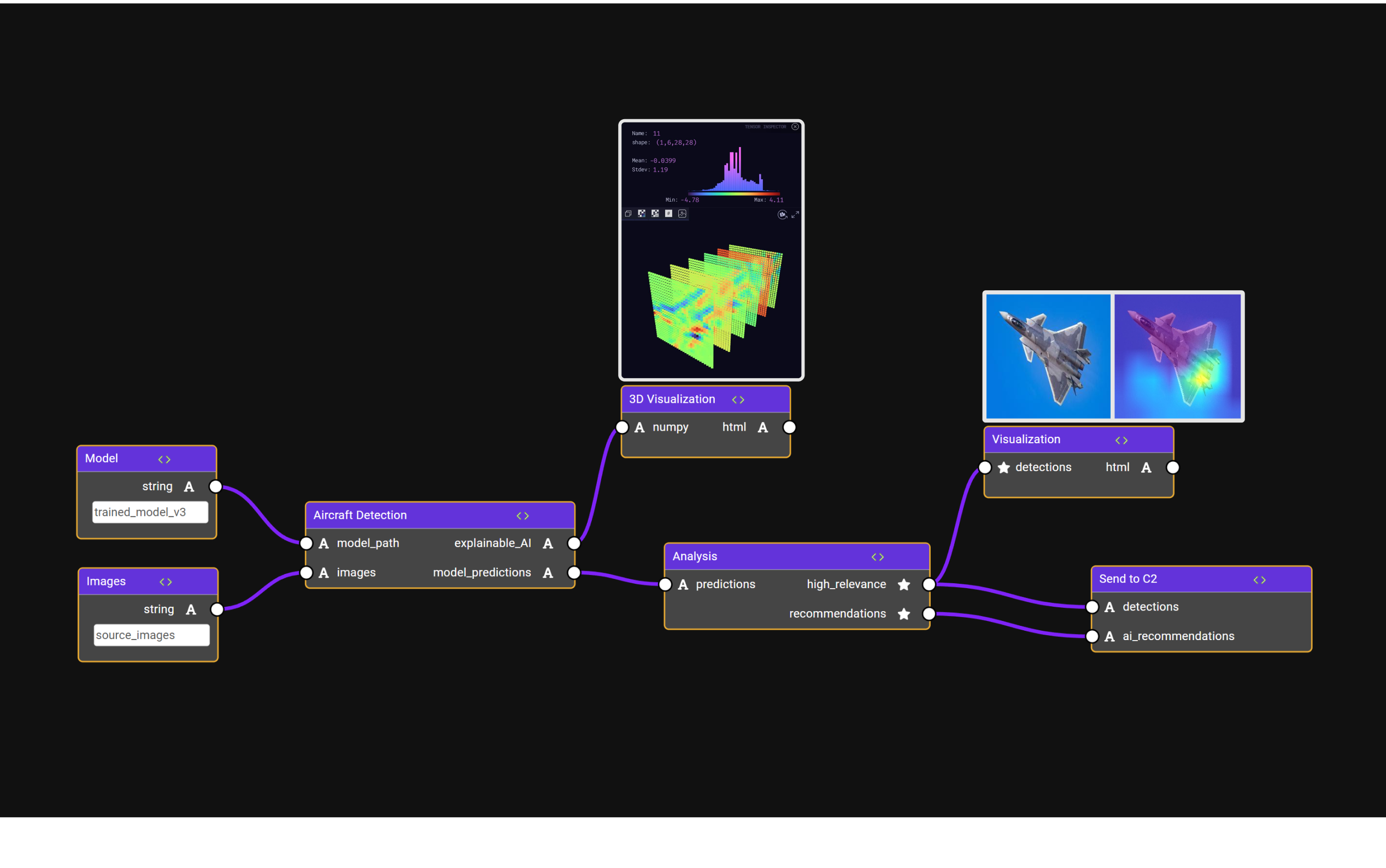
🔥 Why ZetaForge?
ZetaForge is an AI platform designed to accelerate the development and deployment of advanced AI solutions. It allows users to assemble reusable, customizable, and containerized Blocks into highly visual AI Pipelines, enabling rapid experimentation and collaboration.
- Language Agnostic: Work with AI technologies in any programming language.
- Dynamic: Easily modify and update AI pipelines with new or improved components.
- Full Code Accessibility: Dive into the code whenever needed while enjoying a user-friendly interface.
- Community and Sharing: Utilize community-driven blocks and pipelines, and share your own creations.
⭐ Support us by starring this repo.
📰 Breaking News
We've launched the first release of ZetaForge! Start building AI pipelines with our core features.
Expect regular updates with new enhancements.
👁 Watch this repo to stay in the loop about changes and updates.
Getting Started
Installation You can install ZetaForge Python Package through pip by running the following command in your terminal:
pip install zetaforge
Or, you can clone the ZetaForge GitHub repository and install from source by running:
git clone https://github.com/zetane/zetaforge
cd zetaforge
pip install .
Install Docker Desktop and Enable Kubernetes
You need to install Docker Desktop or any other container runtime that includes Kubernetes integration. Follow the instructions to install Docker Desktop from their official website. You will need to enable Kubernetes to use ZetaForge.
Note: We recommend OrbStack to macOS users for efficiency and performance reasons.
Launch ZetaForge
To launch ZetaForge, run the following command after installing via pip:
zetaforge launch
This will set up the correct services in Kubernetes, check that they are running, and then launch ZetaForge.
If something goes wrong, you can run:
zetaforge setup
to reconfigure the container services.
To teardown and remove the Kubernetes services, you can run:
zetaforge teardown
Run your First Pipeline
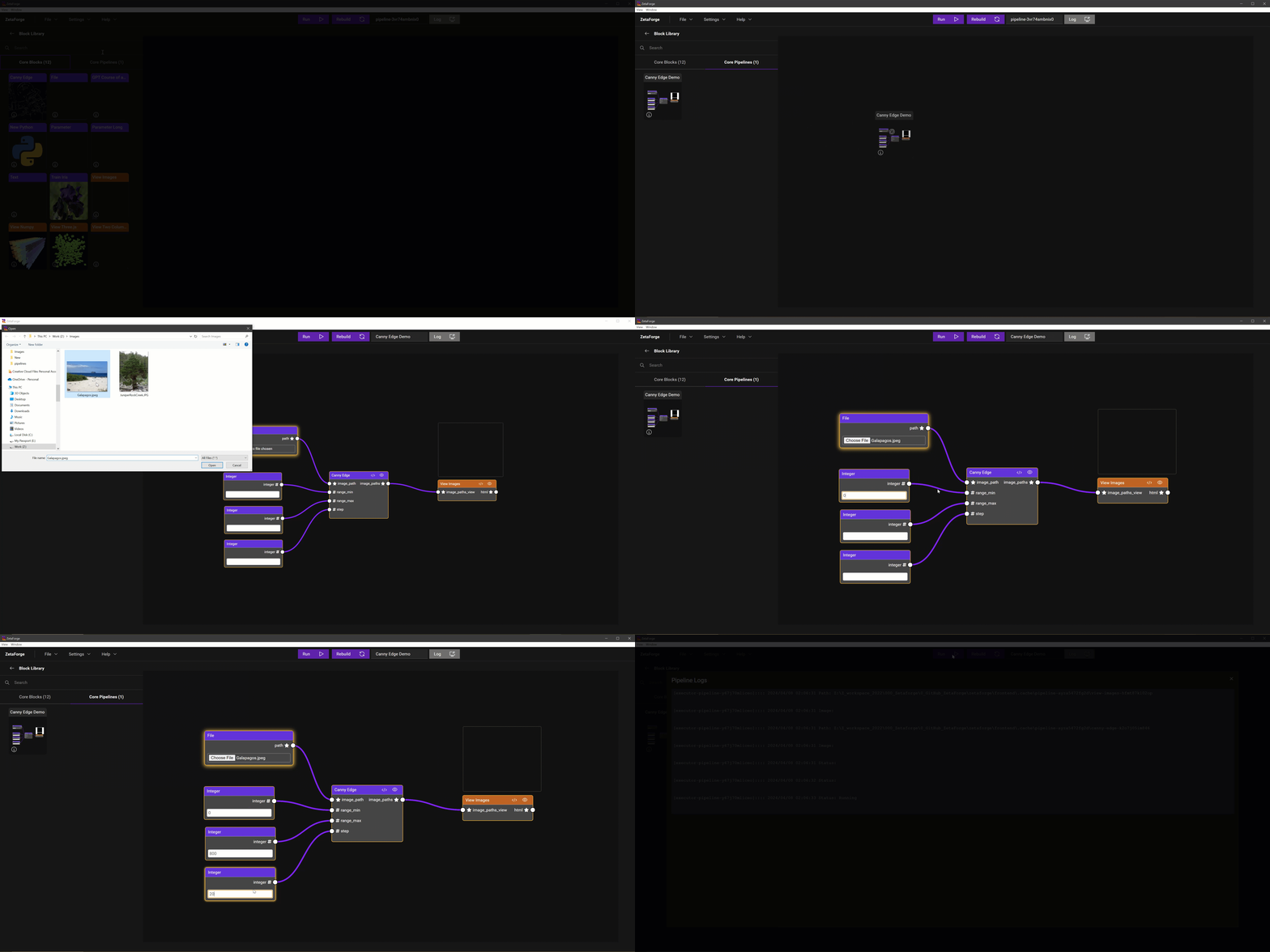
To experience ZetaForge in action, start by dragging and dropping a core pipeline, such as the "Canny Edge Pipeline," from the Core Pipelines Library into your workspace. Once the pipeline is loaded, click the "Run" button to see the magic happen!
Documentation
Explore our official documentation for a guide on using ZetaForge. Learn how to create your own ZetaForge blocks, assemble custom pipelines, and more. You'll also find tutorials and best practices to enhance your ZetaForge experience.
Pipeline Gallery
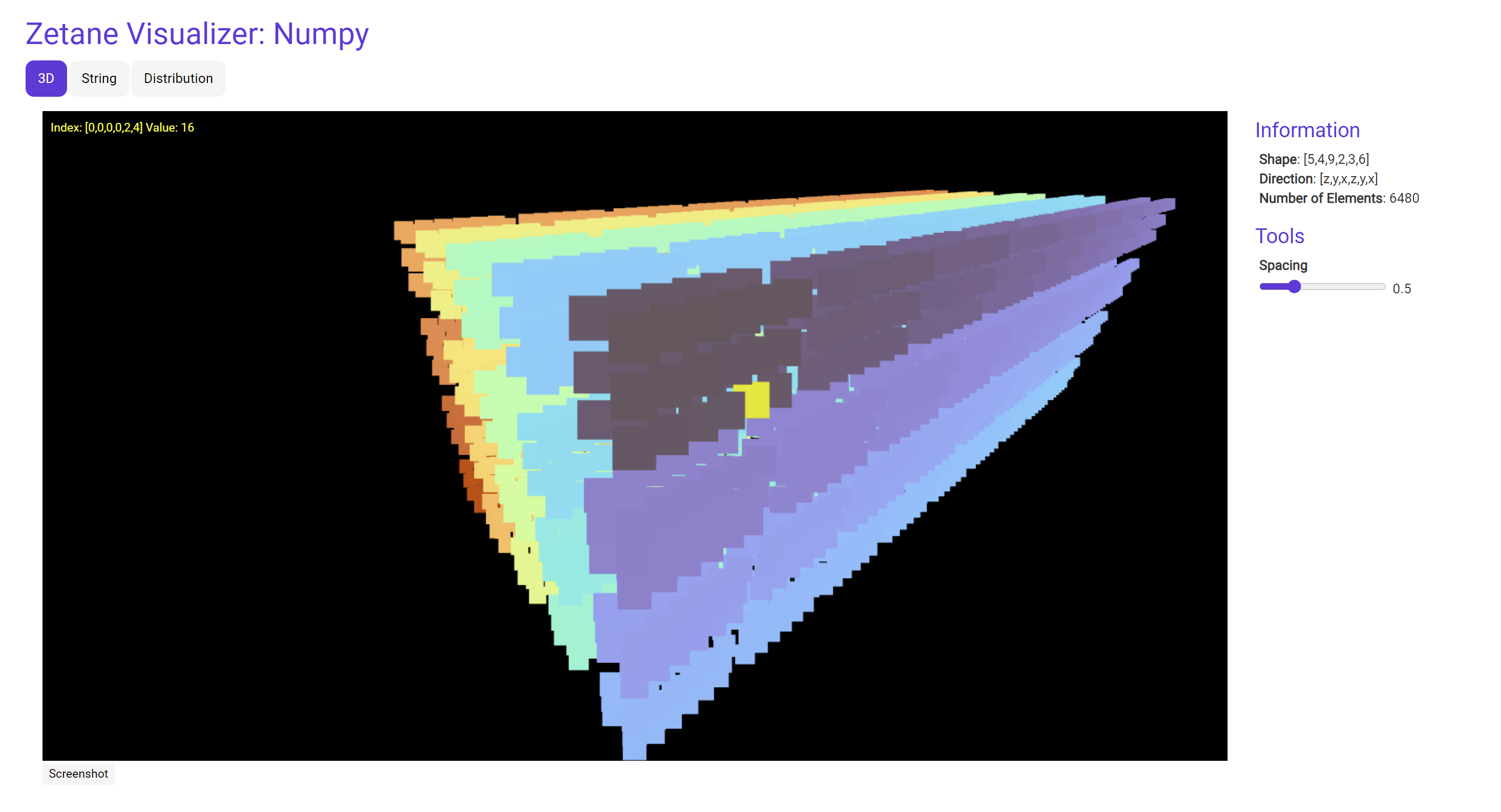
Visualize Multidimensional Numpy Arrays
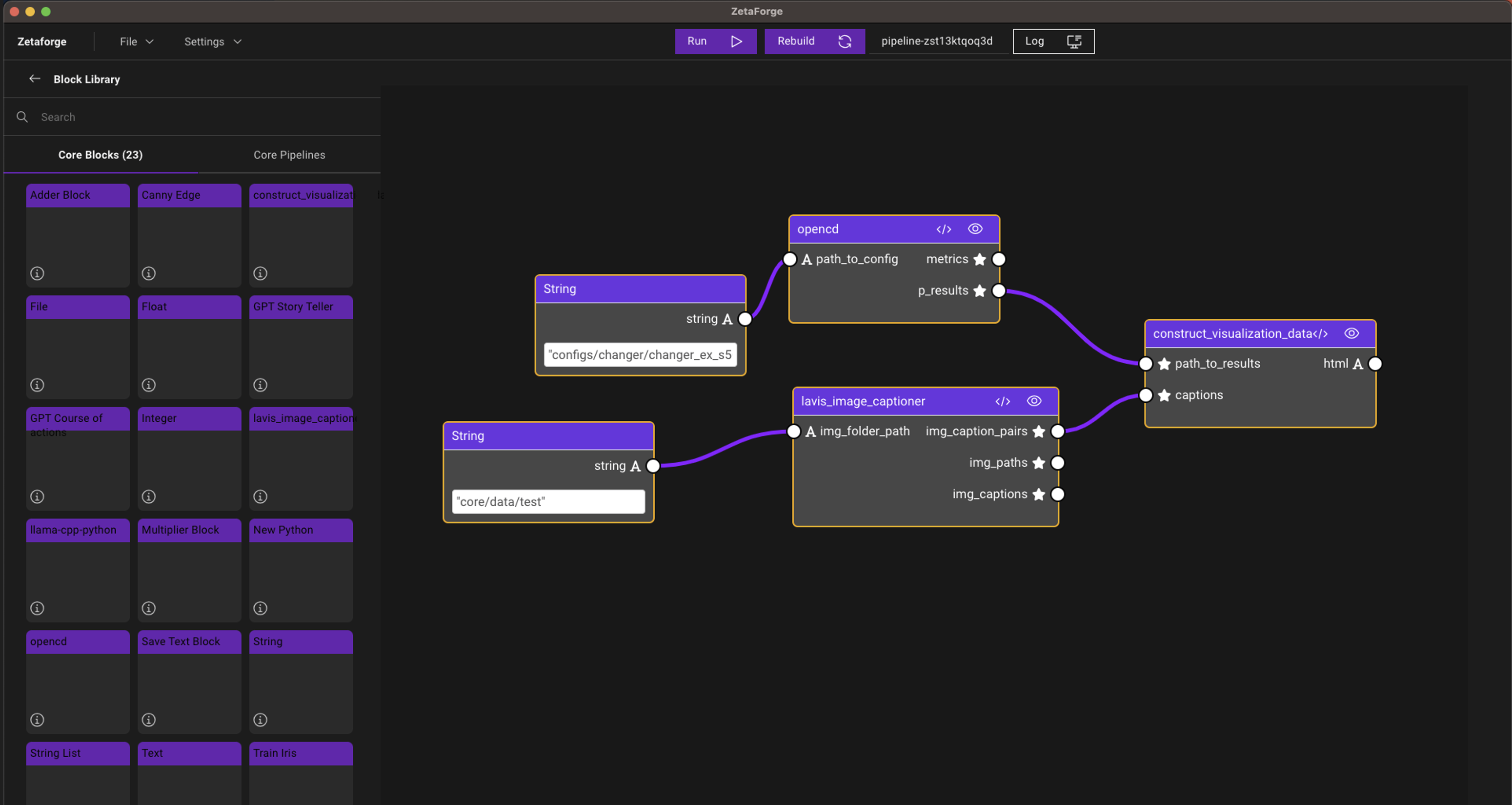
Integrate Popular GitHub Repos in AI Pipeline (LAVIS and Open-CD)
Use Three.js Visualization Blocks
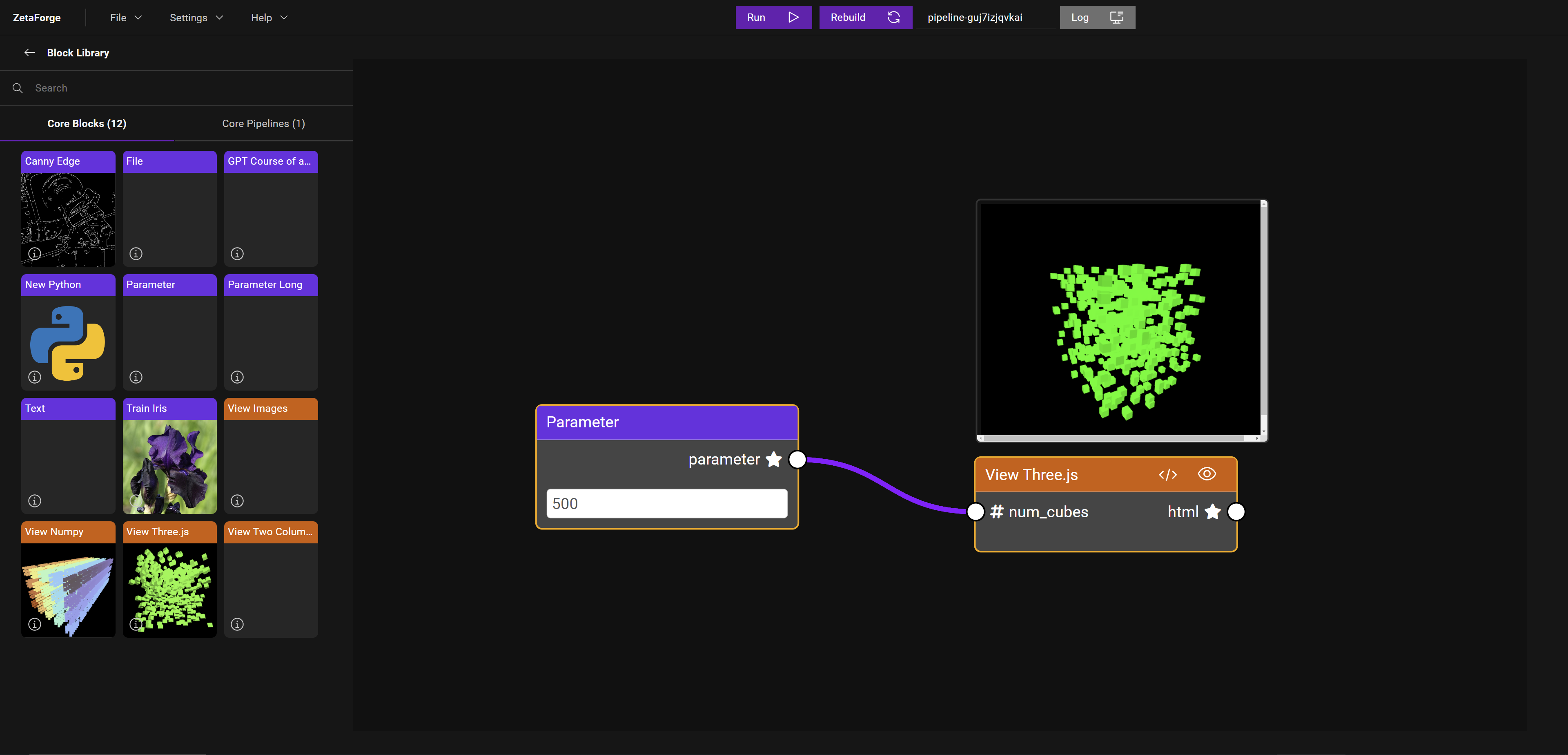
Share a Pipeline
To share a pipeline with your team, follow these steps:
- Save: Go to
File->SaveorSave As, choose a target folder, and name your pipeline. - Package and Send: Zip the saved folder, which contains all necessary files, and share it with your team.
- Load and Run: Team members can unzip the folder, load the pipeline via
File->Load->Pipeline, and clickRunto replicate the results.
This streamlined process ensures easy sharing and consistent results across your team.
Contributing
ZetaForge is under active development. We welcome contributions from the community to make our project even better!
Before contributing, please take a moment to review our Contribution Guide to see our guidelines. Whether it's improving documentations, reporting bugs, suggesting new features, or submitting code changes, your contributions help us improve the project for everyone.
License
- AGPL license
- If you need another type of license please contact us here.
Contact
- Reach out to us on Discord if you have any questions or issues.
- ZetaForge Homepage: https://www.zetaforge.com/
Release history Release notifications | RSS feed


Download files
Download the file for your platform. If you're not sure which to choose, learn more about installing packages.
Source Distribution
Built Distribution
Filter files by name, interpreter, ABI, and platform.
If you're not sure about the file name format, learn more about wheel file names.
Copy a direct link to the current filters
File details
Details for the file zetaforge-0.4.3.tar.gz.
File metadata
- Download URL: zetaforge-0.4.3.tar.gz
- Upload date:
- Size: 44.7 kB
- Tags: Source
- Uploaded using Trusted Publishing? No
- Uploaded via: twine/5.1.1 CPython/3.12.6
File hashes
| Algorithm | Hash digest | |
|---|---|---|
| SHA256 |
9cc32ead2dac5621eac57f65857168d09ffee750d88f08027ef9423fbc5f73ef
|
|
| MD5 |
748fec5496b3f74288cc39cff6b5f06e
|
|
| BLAKE2b-256 |
c2ef049dc38dbbc6ddde3d6e1a43fb3f5e6934315de26876e603ffb9ba161d47
|
File details
Details for the file zetaforge-0.4.3-py3-none-any.whl.
File metadata
- Download URL: zetaforge-0.4.3-py3-none-any.whl
- Upload date:
- Size: 45.1 kB
- Tags: Python 3
- Uploaded using Trusted Publishing? No
- Uploaded via: twine/5.1.1 CPython/3.12.6
File hashes
| Algorithm | Hash digest | |
|---|---|---|
| SHA256 |
0f149913e46daa21cd661e32c571ba23a9a97149c73f717e9708f684bc2bcb1d
|
|
| MD5 |
ee51cd7549cd7f579ce2d4867f8fef08
|
|
| BLAKE2b-256 |
8ea0371ae087753acfb032e002b5a4db2c82a85639891f2b41cce7114c6bdce2
|






