
Zonaite




Zonaite 是一个用于气象数据处理的 Python 工具包,提供了天气预报数据下载和观测数据解码的功能。
功能特点
-
GFS 数据下载:支持从 NOAA 的 GFS(全球预报系统)公共 S3 存储桶中选择性下载特定变量和层次的数据
- 支持通过 idx 文件进行高效的部分下载
- 提供性能监控和日志记录
- 使用数据类进行类型安全的数据结构处理
-
SYNOP 观测数据解码:支持从 Skyviewor 开放数据平台获取和解码 SYNOP 格式的气象观测数据
- 提供 WMO 国际交换气象站点信息查询(目前数据仅包括中国大陆地区)
- 支持查询可用的气象要素信息
- 支持按时间范围和站点批量获取数据
安装
使用 pip 安装
pip install zonaite
使用示例
GFS 数据下载
更多 GFS 变量要素的代码和含义请参考:Inventory of File gfs.t00z.pgrb2.0p25.f003
本项目使用的 GFS 数据源来自 AWS 的 Open-Data 项目的 GFS 存储桶,具体参考:https://registry.opendata.aws/noaa-gfs-bdp-pds/ 本项目支持有限的历史 GFS 数据检索查询,具体支持的时间区间请从数据源那里查询。
from datetime import datetime, timezone
from zonaite.forecast import download_gfs_data

# 定义要下载的气象要素
elements = [
    {"name": "TMP", "level": "2 m above ground"},  # 2米温度
    {"name": "UGRD", "level": "10 m above ground"},  # 10米U风
    {"name": "VGRD", "level": "10 m above ground"}   # 10米V风
]

# 设置时间参数(使用 UTC 时间)
dt = datetime(2024, 4, 1, tzinfo=timezone.utc)  # UTC时间
forecast_hour = 3  # 预报时效(小时)

# 设置输出路径
output_path = "gfs_data.grib2"

# 下载数据
result = download_gfs_data(
    init_dt=dt,
    forecast_hour=forecast_hour,
    elements=elements,
    output_path=output_path,
    quiet=False  # 显示下载进度
)

# 检查下载结果
if result.success:
    print(f"下载成功!文件大小:{result.file_size_mb:.2f}MB")
    print(f"下载速度:{result.download_speed_mbs:.2f}MB/s")
    print(f"下载时间:{result.download_time_s:.2f}秒")
else:
    print(f"下载失败:{result.error_message}")
IFS 数据下载
本项目支持从 ECMWF 的 IFS(集成预报系统)数据存储中下载特定变量和层次的数据。IFS 数据提供了更高分辨率的全球预报数据。
from datetime import datetime, timezone
from zonaite.forecast import download_ifs_data

# 定义要下载的气象要素
elements = [
    {"param": "2t", "levtype": "sfc"},  # 2米温度
    {"param": "10u", "levtype": "sfc"},  # 10米U风
    {"param": "10v", "levtype": "sfc"}   # 10米V风
]

# 设置时间参数(使用 UTC 时间)
dt = datetime(2024, 4, 1, tzinfo=timezone.utc)  # UTC时间
forecast_hour = 0  # 预报时效(小时)

# 设置输出路径
output_path = "ifs_data.grib2"

# 下载数据
result = download_ifs_data(
    dt=dt,
    forecast_hour=forecast_hour,
    elements=elements,
    output_path=output_path
)

# 检查下载结果
if result.success:
    print(f"下载成功!文件大小:{result.file_size_mb:.2f}MB")
    print(f"下载速度:{result.download_speed_mbs:.2f}MB/s")
    print(f"下载时间:{result.download_time_s:.2f}秒")
else:
    print(f"下载失败:{result.error_message}")
SYNOP 观测数据解码
本项目的 SYNOP 观测数据源来自于 ogimet.com,经过了一些整理和处理。
from datetime import datetime, timezone
from zonaite.obser import get_decoded_synop_data

# 设置时间范围和站点
start_date = datetime(2024, 1, 1, tzinfo=timezone.utc)
end_date = datetime(2024, 1, 31, tzinfo=timezone.utc)
station_id = "54511"  # 北京站

# 获取观测数据
df = get_decoded_synop_data(start_date, end_date, station_id)

# 查看数据
if df is not None:
    print("数据预览:")
    print(df.head())
    print("\n数据信息:")
    print(df.info())
目前仅支持中国大陆的 290+ 个观测站,如果想要查看支持哪些站点和要素,可以使用下面的代码:
from zonaite.obser import DecodedSynopCollector

collector = DecodedSynopCollector()

print("Available variables:")
print(collector.available_variables)

print("Available stations:")
print(collector.available_stations)
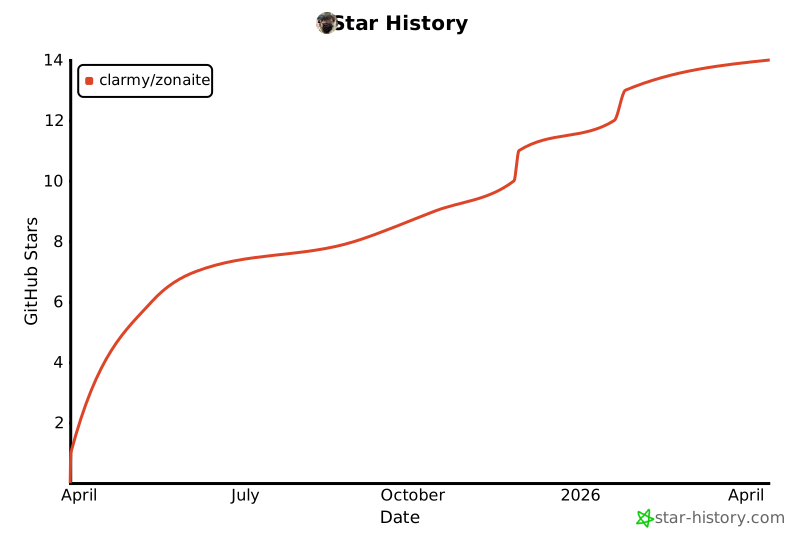
Star 历史
1 maintainer

Metadata
1 maintainer
Release files for zonaite 0.2.0
For a detailed explanation of source distributions (sdists) and built distributions (wheels), please see the package formats documentation.
Source distribution (sdist)
| File | Size | Uploaded | |
|---|---|---|---|
| zonaite-0.2.0.tar.gz | 64.2 kB | Details |
Built distribution (wheel)
| File | Interpreter | ABI | Platform | Reset |
|---|---|---|---|---|
| zonaite-0.2.0-py3-none-any.whl | Python 3 | none | any | Details |
Total release size: 81.1 kB
Release files / zonaite-0.2.0.tar.gz
| Download URL | zonaite-0.2.0.tar.gz |
|---|---|
| Size | 64.2 kB |
| Tags | Source |
|
SHA-256 checksum How to use checksums |
eda47db290cb4c93fed293d036f853ad8d8d23cc7bd851beecb475c261790a94
|
|
BLAKE2b-256 checksum How to use checksums |
58fd82e3aa95c9be55a495ba5d1789586d361dfe9d6635225d3f6368f1c2e9a7
|
| Upload date | |
|
Uploaded using Trusted Publishing? What is trusted publishing? |
Yes |
| Uploaded via |
twine/6.1.0 CPython/3.12.9
|
Provenance
Provenance describes where a file came from. On PyPI, provenance is shared via attestations, which provide a verifiable record of the build or publishing details. View details, limitations and caveats.


PyPI Publish Attestation
PyPI verified that this artifact, at this checksum, originated from the publisher listed below.
Signed by GitHub Actions, verified by PyPI on Apr 6, 2025.
Transparency logRelease files / zonaite-0.2.0-py3-none-any.whl
| Download URL | zonaite-0.2.0-py3-none-any.whl |
|---|---|
| Size | 16.9 kB |
| Tags | Python 3 |
|
SHA-256 checksum How to use checksums |
59874c08254e93c6e8fc2b2a6179eb96f2ae8095e791e56ce561765df9580d00
|
|
BLAKE2b-256 checksum How to use checksums |
9ae6c856f37036cb0d15b8a24f7b43a4caf24bf3af66259b3701441ca5d11493
|
| Upload date | |
|
Uploaded using Trusted Publishing? What is trusted publishing? |
Yes |
| Uploaded via |
twine/6.1.0 CPython/3.12.9
|
Provenance
Provenance describes where a file came from. On PyPI, provenance is shared via attestations, which provide a verifiable record of the build or publishing details. View details, limitations and caveats.
PyPI Publish Attestation
PyPI verified that this artifact, at this checksum, originated from the publisher listed below.
Signed by GitHub Actions, verified by PyPI on Apr 6, 2025.
Transparency log













