
Zread 让你和你的 AI 都更懂代码。代码不用看,直接问。连接 zread.ai,AI 驱动的 GitHub 项目文档。
Verified details
These details have been verified by PyPIProject links
GitHub Statistics
Maintainers

Project description
Zread - AI Repository Reading Assistant
中文 | English







Zread helps you and your AI understand codebases faster. Skip the manual source dive and ask directly. It connects to Zread.ai, an AI-powered GitHub project documentation service.
Two roles:
- 🖥️ CLI tool - run directly in your terminal with minimal setup
- 🔌 MCP server - integrate with AI assistants such as Claude and Cline
Highlights:
- 🔍 Browse docs, search code, and discover repositories without a token
- 🤖 AI Q&A powered by repository documentation
- 🌐 Multiple transports: stdio, HTTP, and SSE
- ⚡ One command to run, zero-friction startup
Features
- 📖 Read docs - browse GitHub repository docs directly in the terminal
- 🔍 Search docs - search keywords across repository documentation
- 🌟 Discover repos - browse trending rankings and recommended projects
- 📥 Export docs - export repository docs locally and generate
llms.txtandllms-full.txt(CLI only) - 🤖 AI Q&A - ask the repository AI assistant questions (requires a free account token)
- 📄 Read source files - inspect source file contents directly
- 🔌 MCP integration - connect seamlessly with AI assistants
Screenshots
Helpzread -h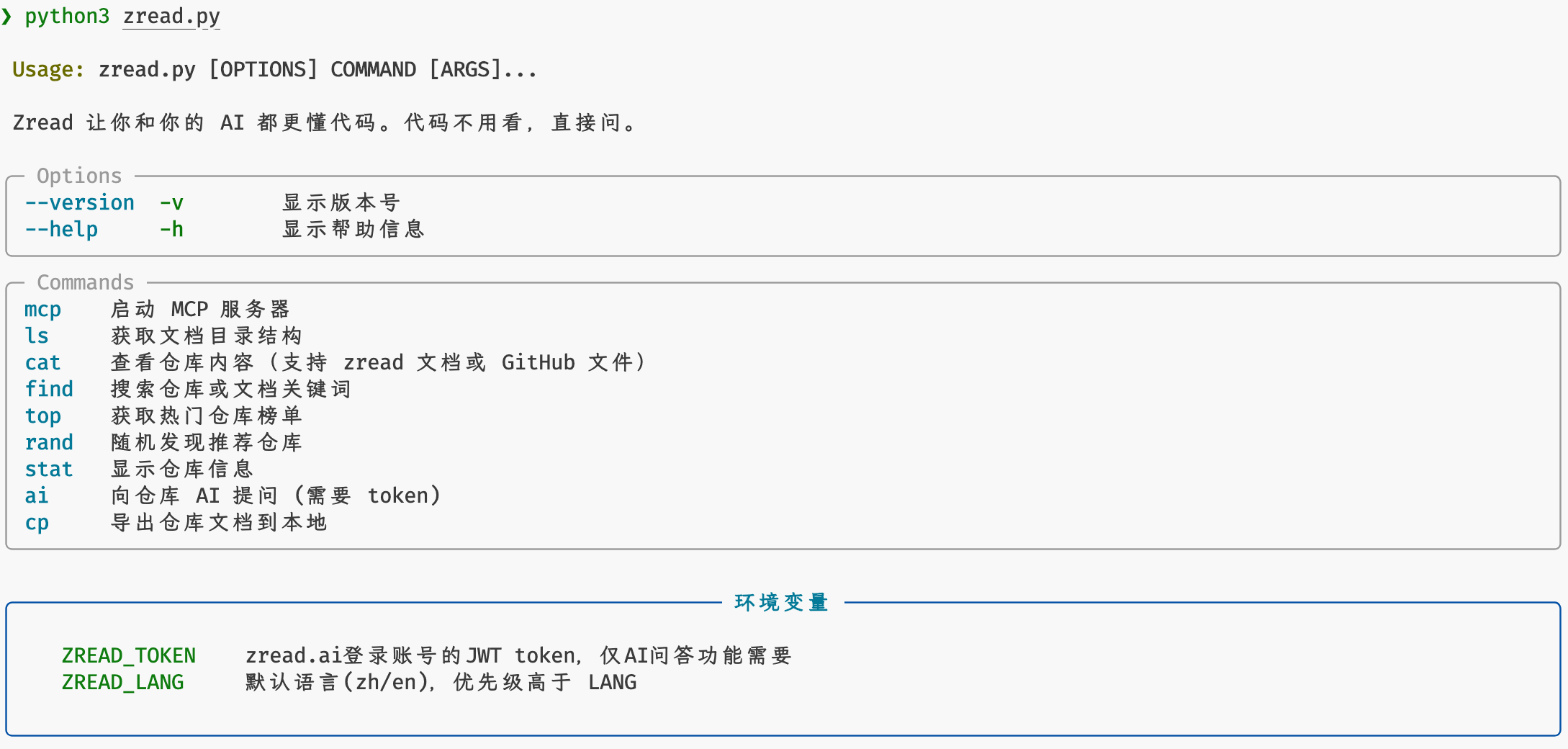
|
Documentation Outlinezread ls openclaw/openclaw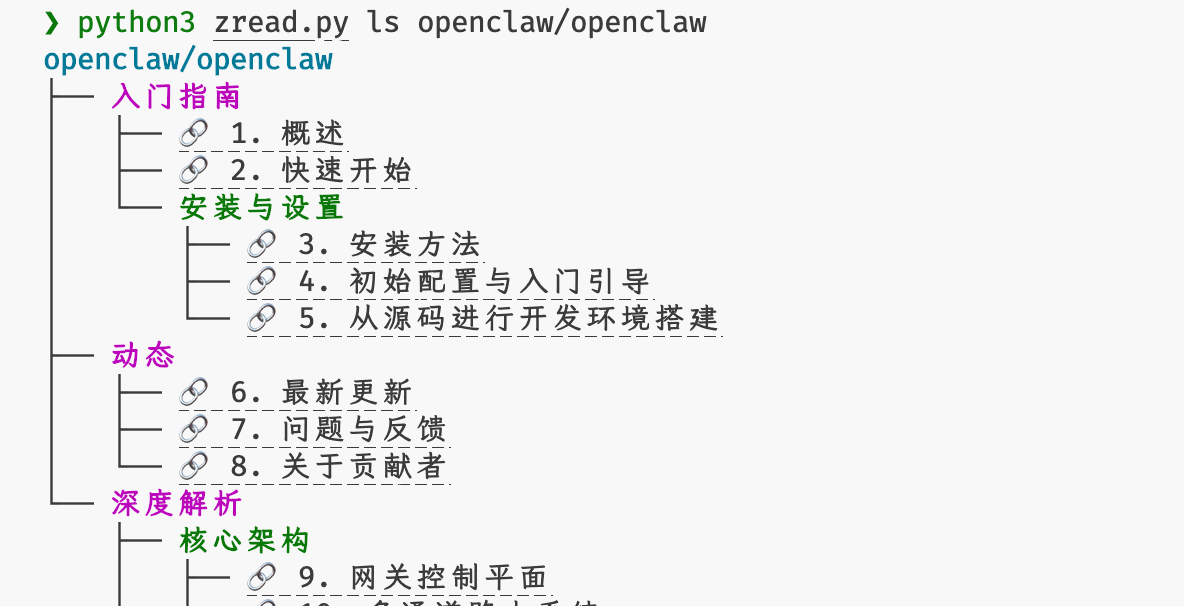
|
Read a Doc Pagezread cat openclaw/openclaw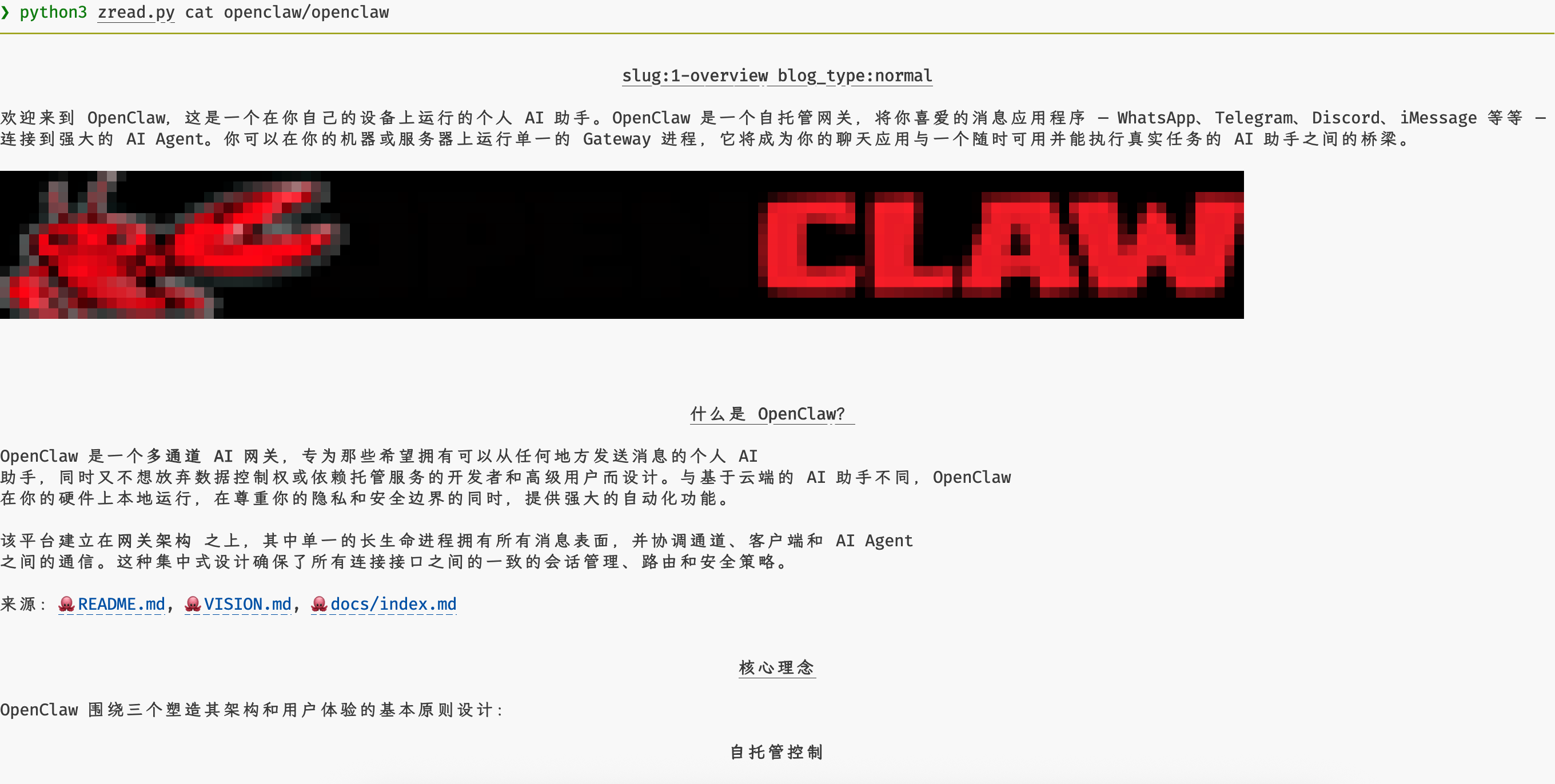
|
Read a GitHub Filezread cat facebook/react README.md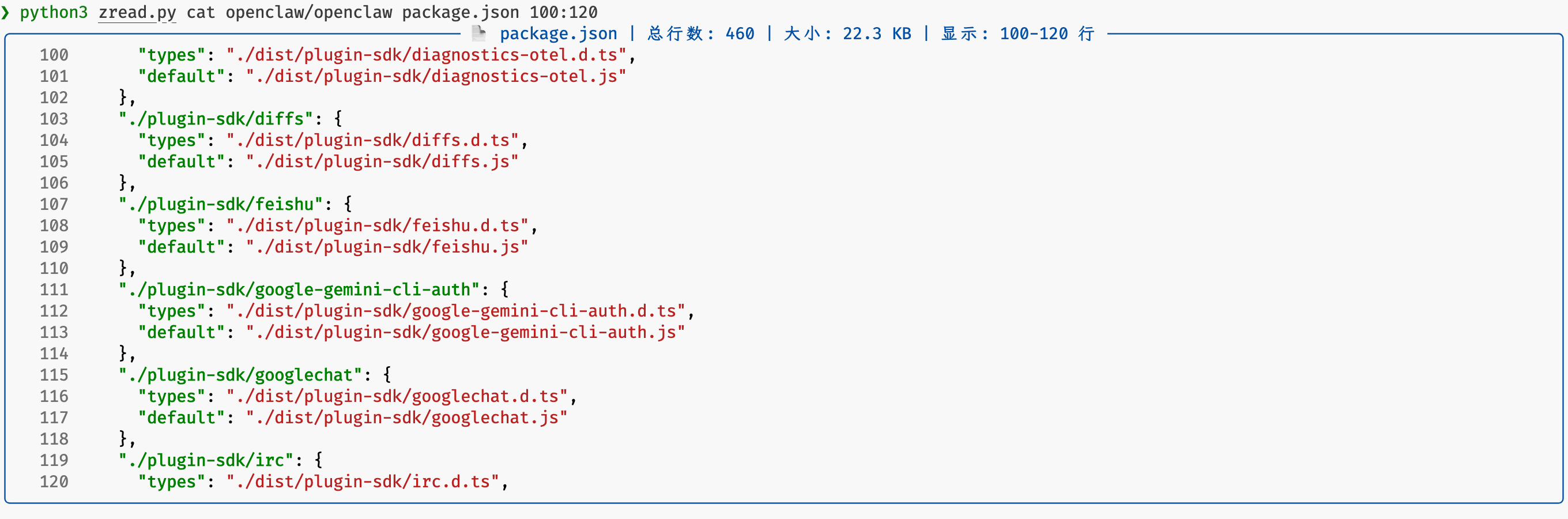
|
Search Repositorieszread find ai sandbox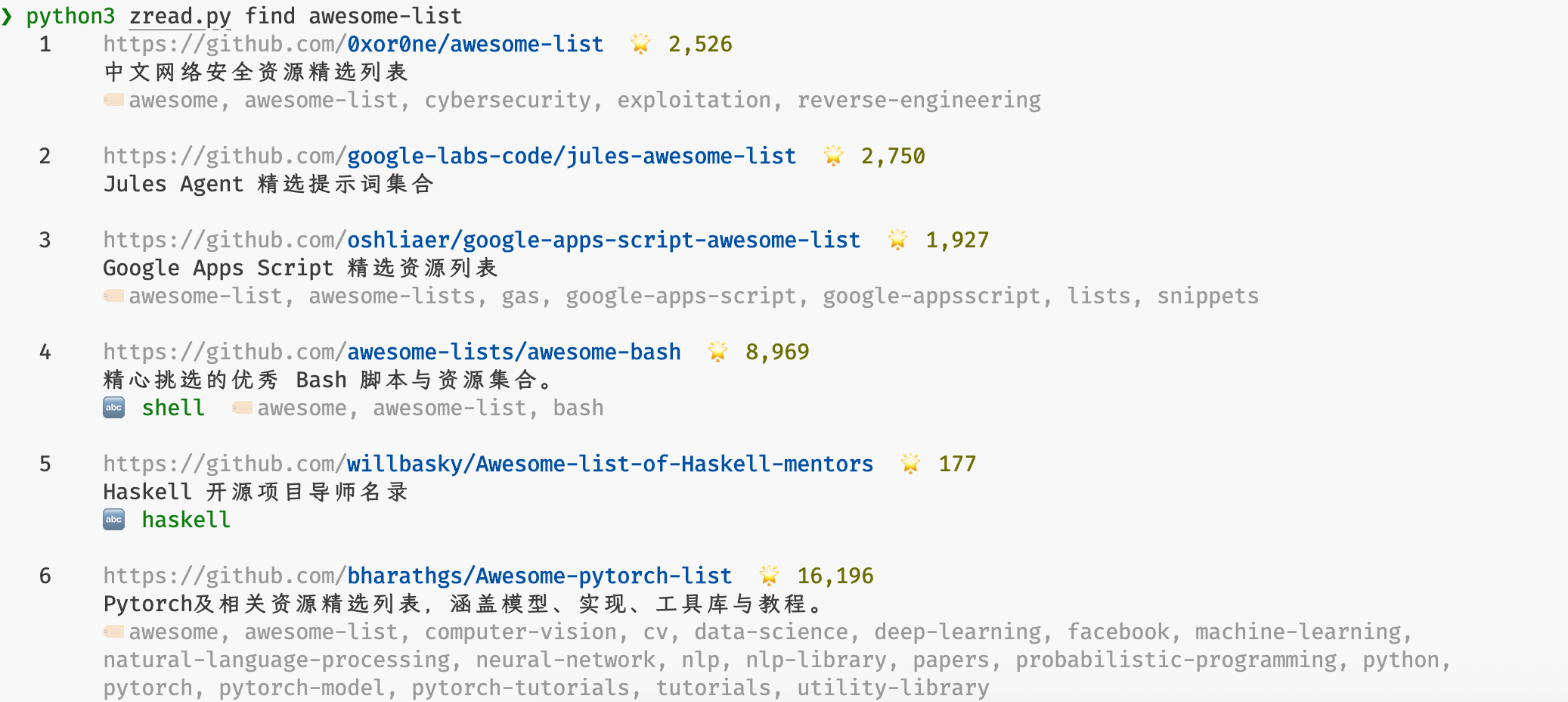
|
Search Documentationzread find openclaw/openclaw gateway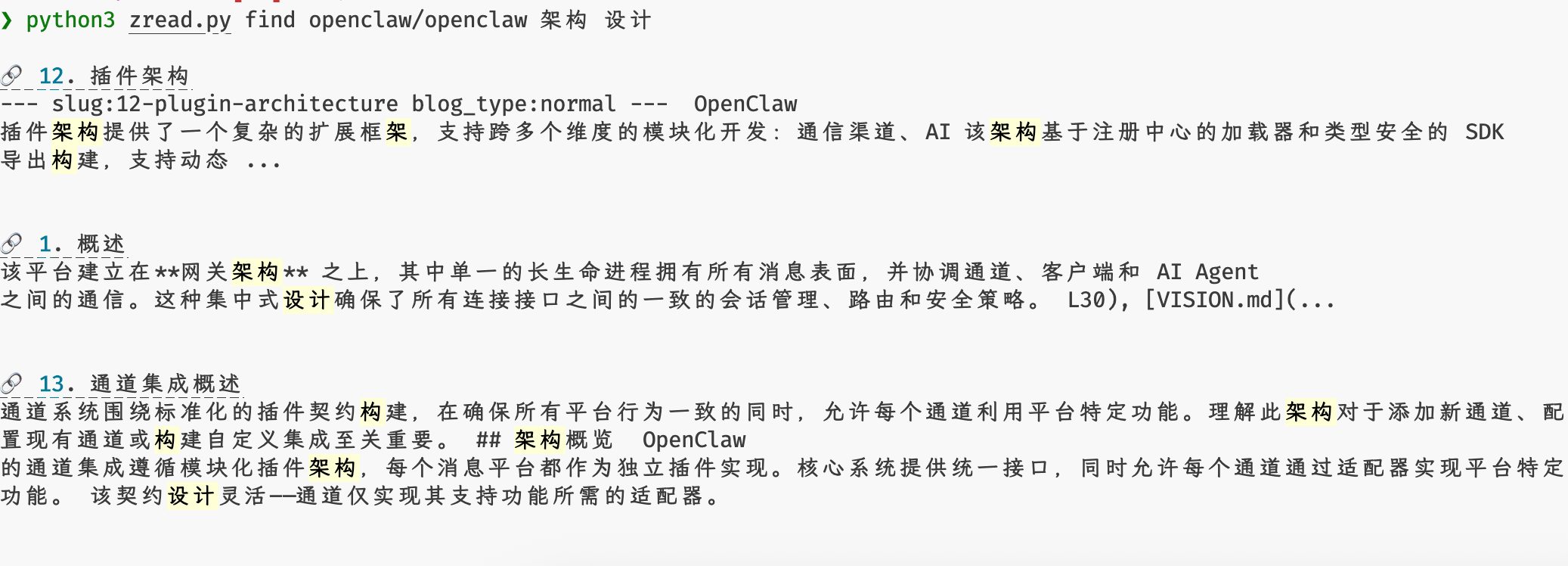
|
Trending Reposzread top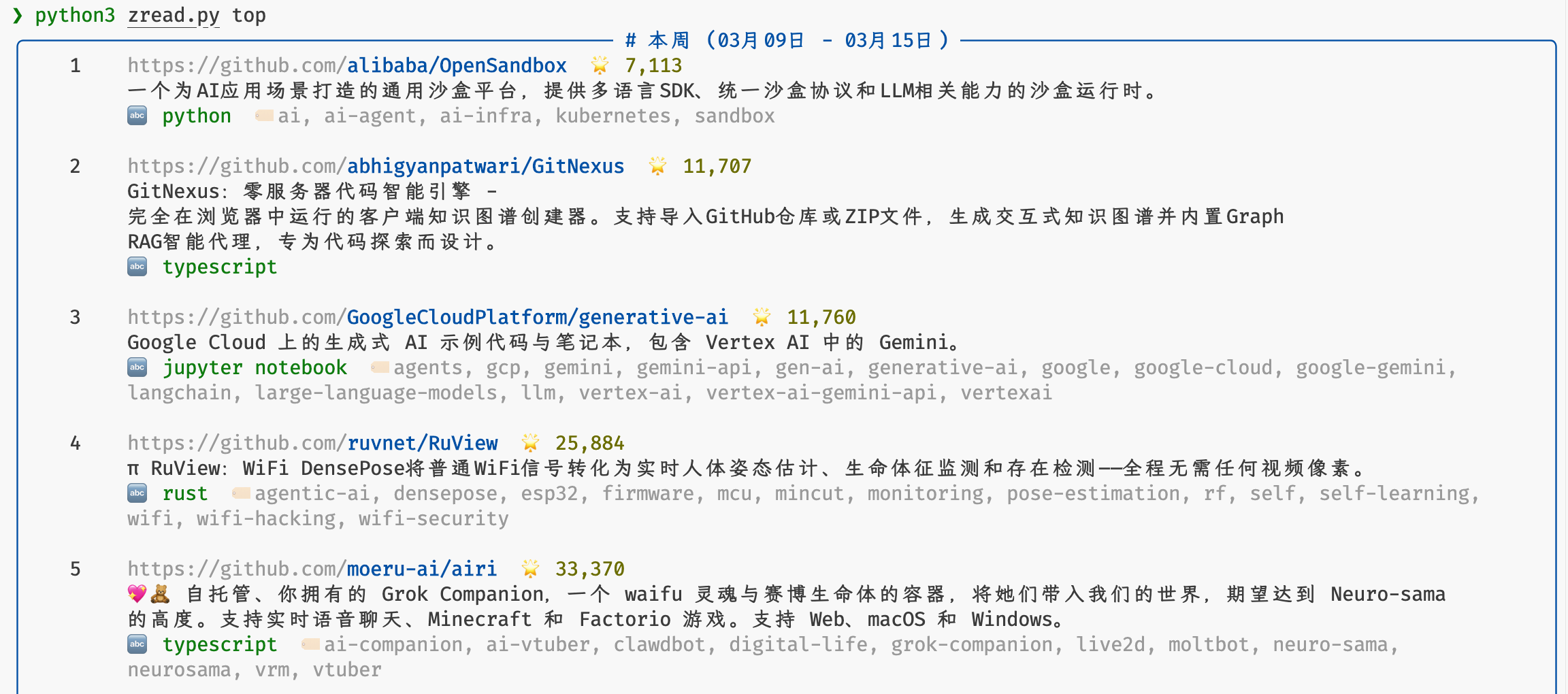
|
Random Recommendationzread rand agent-skills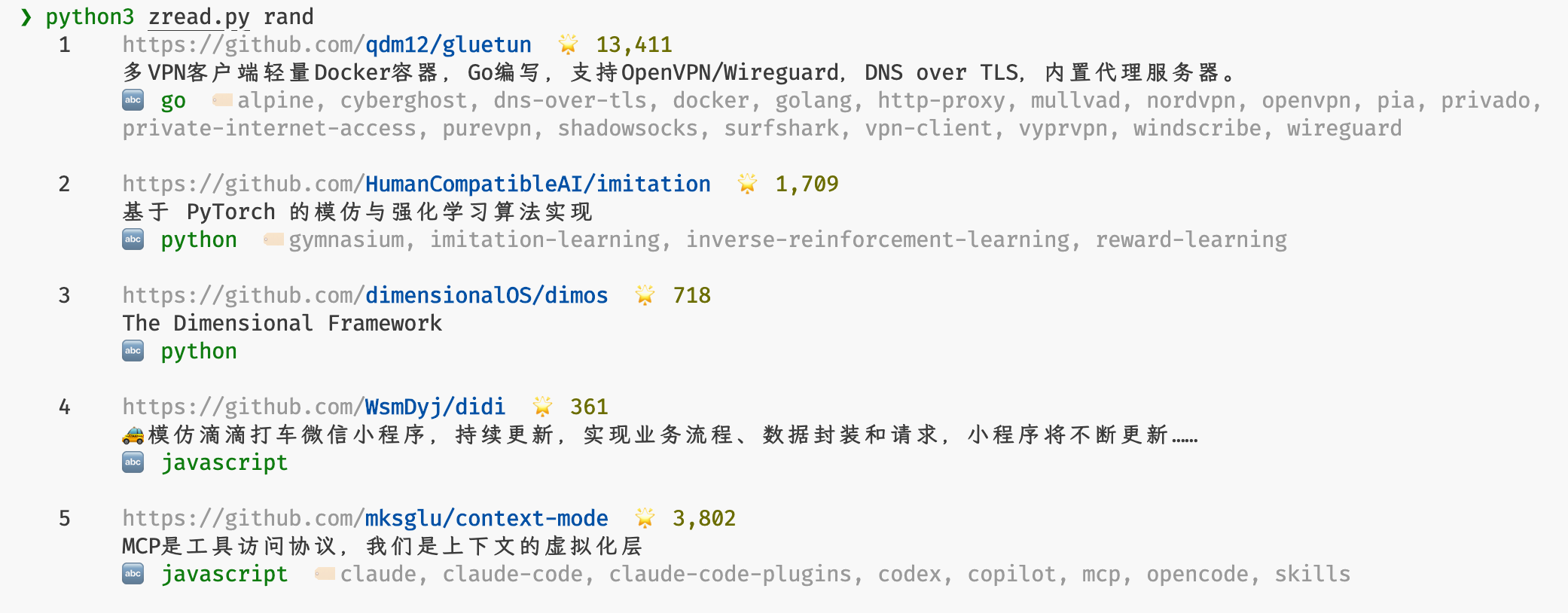
|
Single-turn AI Q&Azread ai openclaw/openclaw "introduce this project briefly"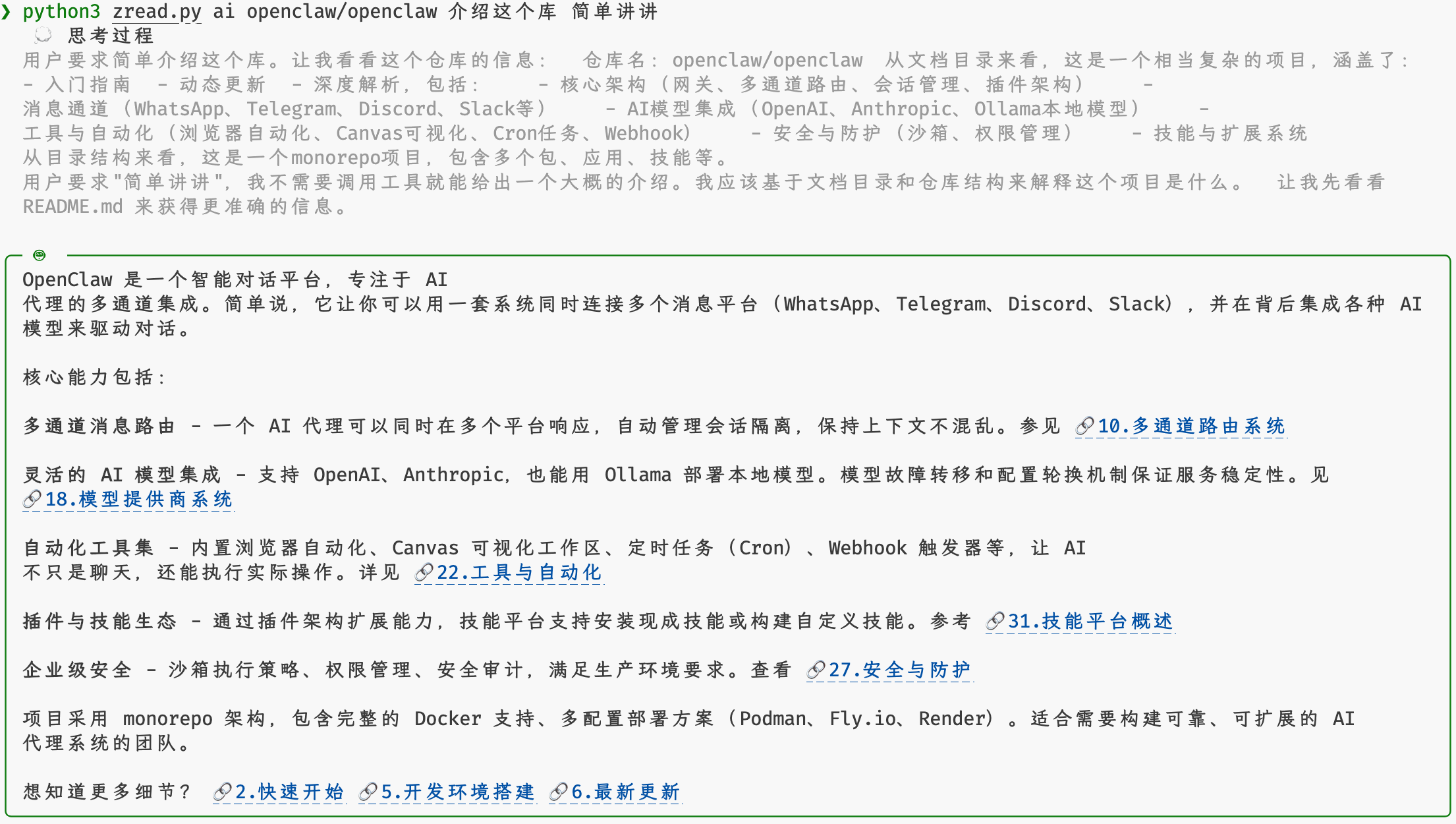
|
Interactive AI Chatzread ai openclaw/openclaw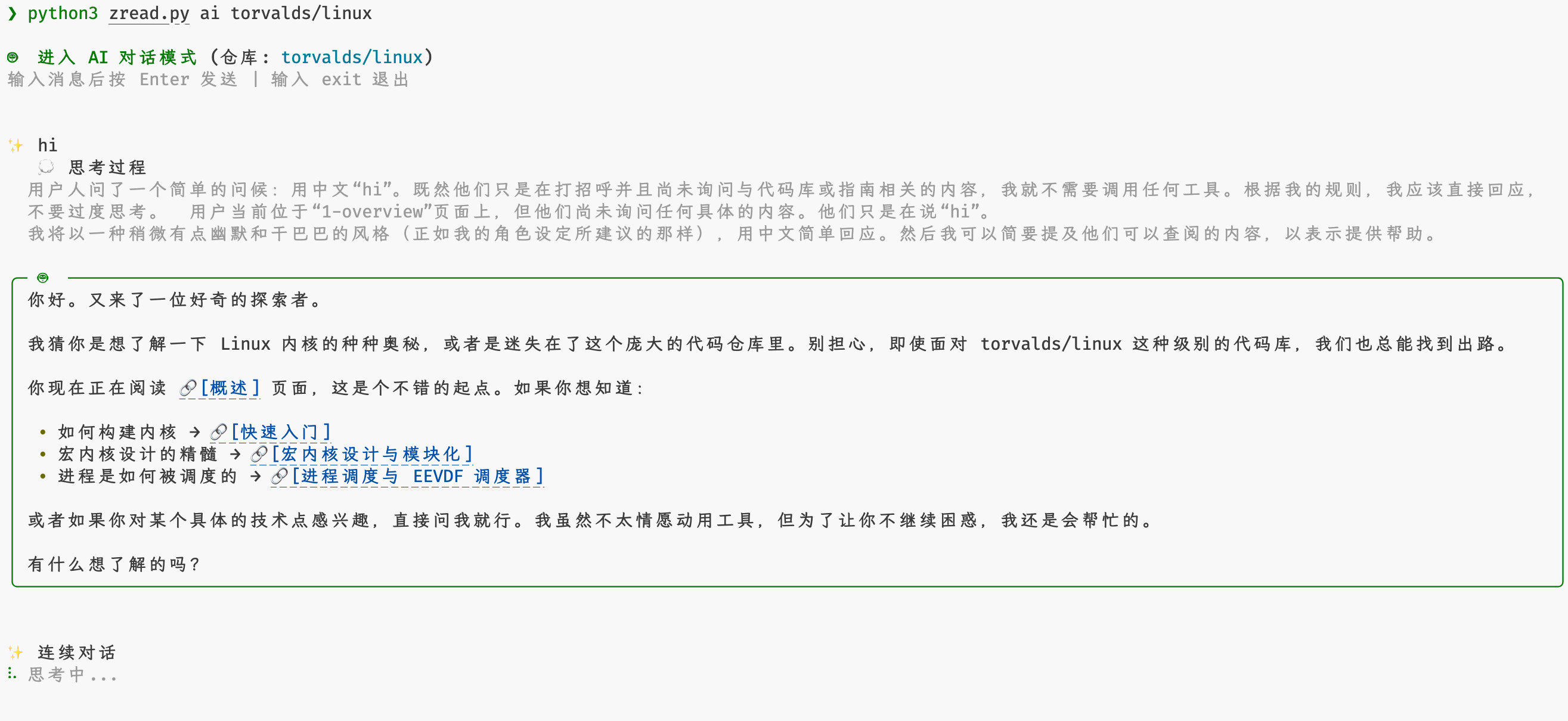
|
Export Repository Docszread cp openclaw/openclaw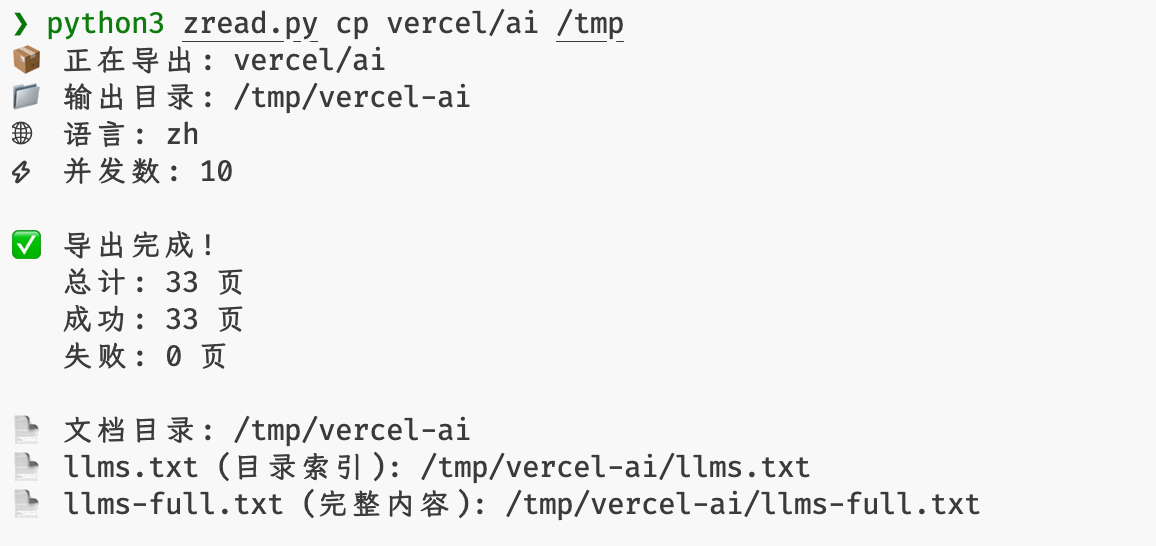
|
MCP HTTP Servicezread mcp http :8080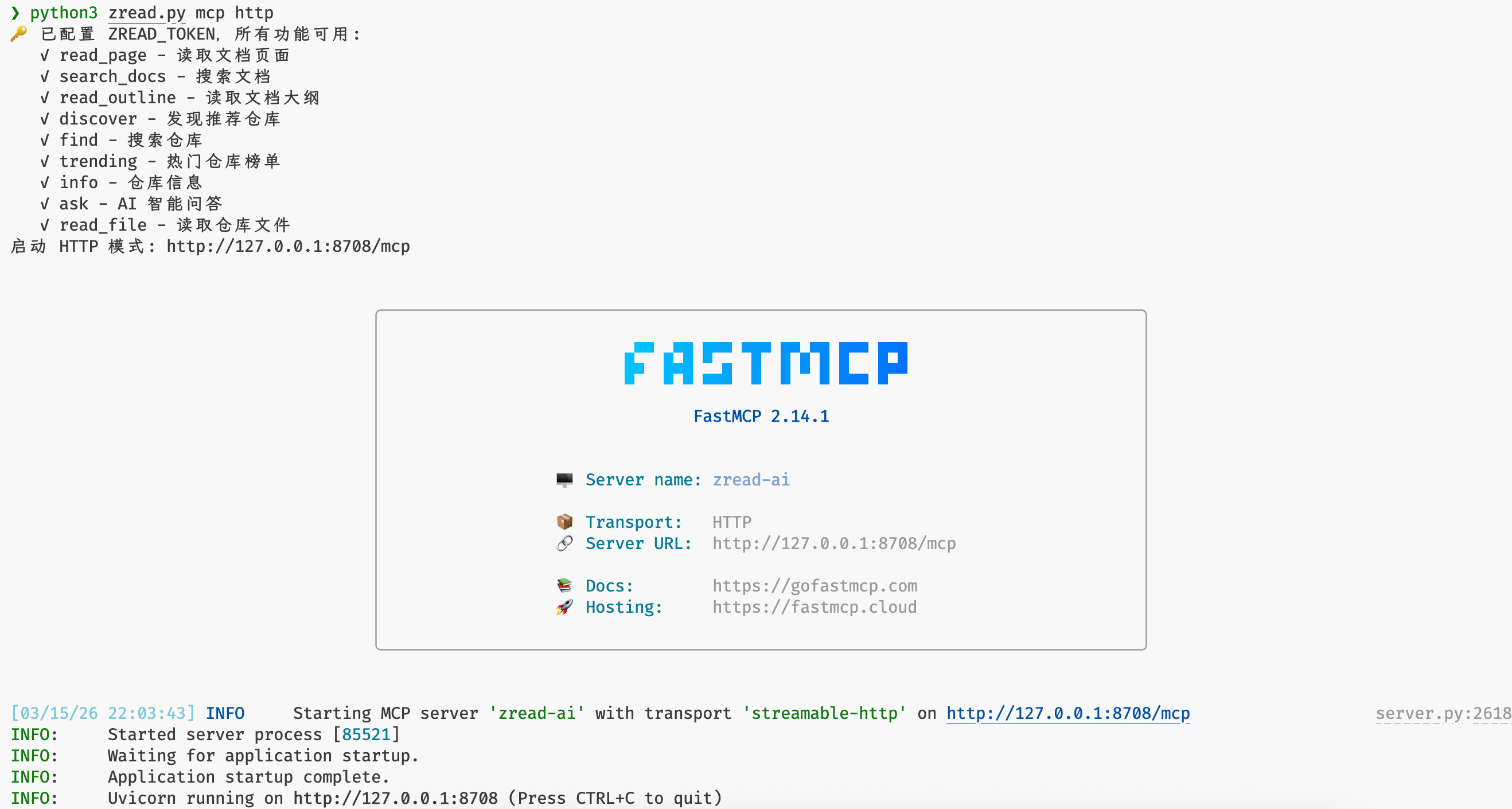
|
Quick Start
CLI Tool
# Run with uvx
uvx zread

# Or with pipx
pipx run zread
MCP Server
# stdio mode
uvx zread mcp

# HTTP mode
uvx zread mcp http
AI Q&A
AI Q&A requires a free token from your Zread.ai account.
Set your token:
export ZREAD_TOKEN=your-token
Usage:
# Interactive multi-turn chat
zread ai openclaw/openclaw

# Single question
zread ai facebook/react "How is this project structured?"
CLI Commands
# Start the MCP server
zread mcp [stdio|http|sse] [address] [options]

# Show the documentation outline
zread ls <repo> [-l zh|en] [-j] [-p]

# Read a documentation page or a source file
zread cat <repo> [slug_or_path] [-l zh|en] [-j] [-p]
#
# Automatic argument detection:
# - If the first argument is only repo and the second is a slug/index (for example 1-overview, 1), it reads a zread doc page
# - Other forms (for example README.md, owner/repo/README.md#L1-10, github.com/owner/repo/README.md#L1-10) read a GitHub file

# Search
zread find <query>                        # Search GitHub repositories
zread find <repo> <query>                 # Search within a repository's docs

# Discover recommended repositories
zread rand [topic] [-l zh|en] [-j] [-p]

# Show trending repositories
zread top [weeks] [-l zh|en] [-j] [-p]

# Show repository status and metadata
zread stat <repo> [-l zh|en] [-j] [-p]

# Ask the repository AI (requires a free account token)
zread ai <repo> [question] [-l zh|en] [-t token] [-p] [-j] [-m model]

# Export repository docs locally and generate llms.txt / llms-full.txt
zread cp <repo> [output_dir] [-l zh|en] [-c concurrency]
Global Options
The CLI supports plain text and JSON output and works well in pipelines:
| Option | Description |
|---|---|
-l, --lang {zh,en} |
Language priority: --lang > ZREAD_LANG > system locale, default en. |
-j, --json |
Output as JSON |
-p, --plain |
Output plain text |
-t, --token |
ZREAD_TOKEN |
-h, --help |
Show help |
-v, --version |
Show version |
Examples
# MCP server
uvx zread mcp                          # stdio mode (default)
uvx zread mcp http                     # HTTP mode
uvx zread mcp http :8080               # Custom port
uvx zread mcp http 0.0.0.0:3000/custom # Custom address and path

# Docs
uvx zread ls golang/go
uvx zread cat vuejs/vue
uvx zread cat vuejs/vue 1
uvx zread cat vuejs/vue 1-overview
uvx zread cat golang/go README.md
uvx zread cat python/cpython Lib/http/client.py
uvx zread cat github.com/facebook/react/README.md#L1-10
uvx zread cat facebook/react/README.md#L1-10
uvx zread cat facebook/react README.md 5 10
uvx zread cat facebook/react README.md 5-10
uvx zread cat facebook/react README.md 5~
uvx zread cat facebook/react/README.md 5:
uvx zread find facebook/react hooks

# Discovery
uvx zread top
uvx zread top 4
uvx zread rand python
uvx zread rand awesome-list

# Repository info
uvx zread stat torvalds/linux

# AI Q&A
uvx zread ai golang/go "How do I choose between channels and mutexes?" -t your-token
uvx zread ai python/cpython --model claude-sonnet-4.5 -t your-token
uvx zread ai rust-lang/rust

# Export docs
uvx zread cp golang/go
uvx zread cp python/cpython -l zh
uvx zread cp vuejs/vue -c 20
MCP Client Configuration
Add the following configuration to any MCP-compatible client:
{
  "mcpServers": {
    "zread": {
      "command": "uvx",
      "args": ["--env", "ZREAD_TOKEN=your-token", "zread", "mcp"]
    }
  }
}
MCP Tools
| Tool | Description |
|---|---|
read_doc |
Get the content of a specific documentation page |
search_wiki |
Search keywords in repository documentation |
get_doc_outline |
Get the repository documentation outline |
discover_repo |
Discover a recommended repository at random |
get_trending |
Get trending repository rankings |
get_repo_info |
Get repository information and indexing status |
read_source_file |
Read source code file contents |
ask_ai |
Ask the repository AI a question (token required), supports glm-4.7 and claude-sonnet-4.5 |
Get a Token
AI Q&A requires a free JWT token from your Zread.ai account:
- Visit https://zread.ai and sign in
- Press F12 to open the browser console
- Run:
prompt(
  "copy token",
  JSON.parse(localStorage.getItem("CGX_AUTH_STORAGE")).state.token,
);
- Copy the token from the popup dialog
Environment Variables
| Variable | Description |
|---|---|
ZREAD_TOKEN |
Free JWT token from your zread.ai account, only required for AI Q&A |
ZREAD_LANG |
Default language (zh / en), lower priority than --lang and higher than system locale |
Configuration File
You can also configure zread using a config file. The priority is: CLI arguments > Environment variables > Config file.
Config file locations:
- macOS:
~/.config/zread/zread.toml - Linux:
$XDG_CONFIG_HOME/zread/zread.toml(if set) or~/.config/zread/zread.toml - Windows:
%APPDATA%\zread\zread.toml
Config file format (TOML):
[zread]
token = "your-token-here"
lang = "zh"  # optional, defaults to "zh"
Contributing
Contributions are welcome. See CONTRIBUTING.md for details.
License
MIT License. See LICENSE for details.
Project details
Verified details
These details have been verified by PyPIProject links
GitHub Statistics
Maintainers
Release history Release notifications | RSS feed


Download files
Download the file for your platform. If you're not sure which to choose, learn more about installing packages.
Source Distribution
Built Distribution
Filter files by name, interpreter, ABI, and platform.
If you're not sure about the file name format, learn more about wheel file names.
Copy a direct link to the current filters
File details
Details for the file zread-2.0.8.tar.gz.
File metadata
- Download URL: zread-2.0.8.tar.gz
- Upload date:
- Size: 3.2 MB
- Tags: Source
- Uploaded using Trusted Publishing? Yes
- Uploaded via: twine/6.1.0 CPython/3.13.12
File hashes
| Algorithm | Hash digest | |
|---|---|---|
| SHA256 |
4db188c645672de6fa9a4ef9af573cd8b07d17d1608c6c122b60f24493e5e467
|
|
| MD5 |
e86a42d9e9bb37258ebae49a33fa58fd
|
|
| BLAKE2b-256 |
f8a8eed705f80d263f2484fc50eb8d30d43fda6f115e880b66aa0e915d36604a
|
Provenance
The following attestation bundles were made for zread-2.0.8.tar.gz:
Publisher:
workflow.yml on ejfkdev/zread
-
Statement:
-
Statement type:
https://in-toto.io/Statement/v1 -
Predicate type:
https://docs.pypi.org/attestations/publish/v1 -
Subject name:
zread-2.0.8.tar.gz -
Subject digest:
4db188c645672de6fa9a4ef9af573cd8b07d17d1608c6c122b60f24493e5e467 - Sigstore transparency entry: 1250831527
- Sigstore integration time:
-
Permalink:
ejfkdev/zread@b81648d2e967d73632098d8b1dac5ae20c7f523d -
Branch / Tag:
refs/tags/v2.0.8 - Owner: https://github.com/ejfkdev
-
Access:
public
-
Token Issuer:
https://token.actions.githubusercontent.com -
Runner Environment:
github-hosted -
Publication workflow:
workflow.yml@b81648d2e967d73632098d8b1dac5ae20c7f523d -
Trigger Event:
release
-
Statement type:
File details
Details for the file zread-2.0.8-py3-none-any.whl.
File metadata
- Download URL: zread-2.0.8-py3-none-any.whl
- Upload date:
- Size: 55.9 kB
- Tags: Python 3
- Uploaded using Trusted Publishing? Yes
- Uploaded via: twine/6.1.0 CPython/3.13.12
File hashes
| Algorithm | Hash digest | |
|---|---|---|
| SHA256 |
70402c40e64c6c3f99f4027133b2eb9153da1478909bdbcde6e7bf72f8da3c44
|
|
| MD5 |
c7bcdc0b28a9e5f4aa126e059fbf671c
|
|
| BLAKE2b-256 |
5f6128cda0be78419f2d10fe2784231251a4a6a286270e0beb881510fae95cad
|
Provenance
The following attestation bundles were made for zread-2.0.8-py3-none-any.whl:
Publisher:
workflow.yml on ejfkdev/zread
-
Statement:
-
Statement type:
https://in-toto.io/Statement/v1 -
Predicate type:
https://docs.pypi.org/attestations/publish/v1 -
Subject name:
zread-2.0.8-py3-none-any.whl -
Subject digest:
70402c40e64c6c3f99f4027133b2eb9153da1478909bdbcde6e7bf72f8da3c44 - Sigstore transparency entry: 1250831578
- Sigstore integration time:
-
Permalink:
ejfkdev/zread@b81648d2e967d73632098d8b1dac5ae20c7f523d -
Branch / Tag:
refs/tags/v2.0.8 - Owner: https://github.com/ejfkdev
-
Access:
public
-
Token Issuer:
https://token.actions.githubusercontent.com -
Runner Environment:
github-hosted -
Publication workflow:
workflow.yml@b81648d2e967d73632098d8b1dac5ae20c7f523d -
Trigger Event:
release
-
Statement type:






