



install
pip3 install zvc
help
> zvc --help

 Usage: zvc [OPTIONS] COMMAND [ARGS]...

╭─ Options ────────────────────────────────────────────────────────────────────╮
│ --install-completion          Install completion for the current shell.      │
│ --show-completion             Show completion for the current shell, to copy │
│                               it or customize the installation.              │
│ --help                        Show this message and exit.                    │
╰──────────────────────────────────────────────────────────────────────────────╯
╭─ Commands ───────────────────────────────────────────────────────────────────╮
│ init    Initialize the blog structure with required directories and config   │
│         file.                                                                │
│ clean   Clean the generated files                                            │
│ build   Build the static site.                                               │
╰──────────────────────────────────────────────────────────────────────────────╯
init
> mkdir blog
> cd blog
> zvc init
Initializing blog structure...
Created directory: contents
Created directory: themes
Created directory: themes/default
Created directory: themes/default/assets
Created file: config.yaml
Created file: themes/default/index.html
Created file: themes/default/post.html
Created file: themes/default/assets/style.css
Created directory: docs
Initialization complete!
build
> zvc build
Building static site...
Cleared directory: docs
Copying theme assets from: themes/default/assets
Theme assets copied to: ./docs/assets
  Converting markdown files... ━━━━━━━━━━━━━━━━━━━━━━━━━━━━━━━━━━━━━━━━ 100%
Created index.html: docs/index.html
Build complete!
run
> python -m http.server 8000 --directory ./docs
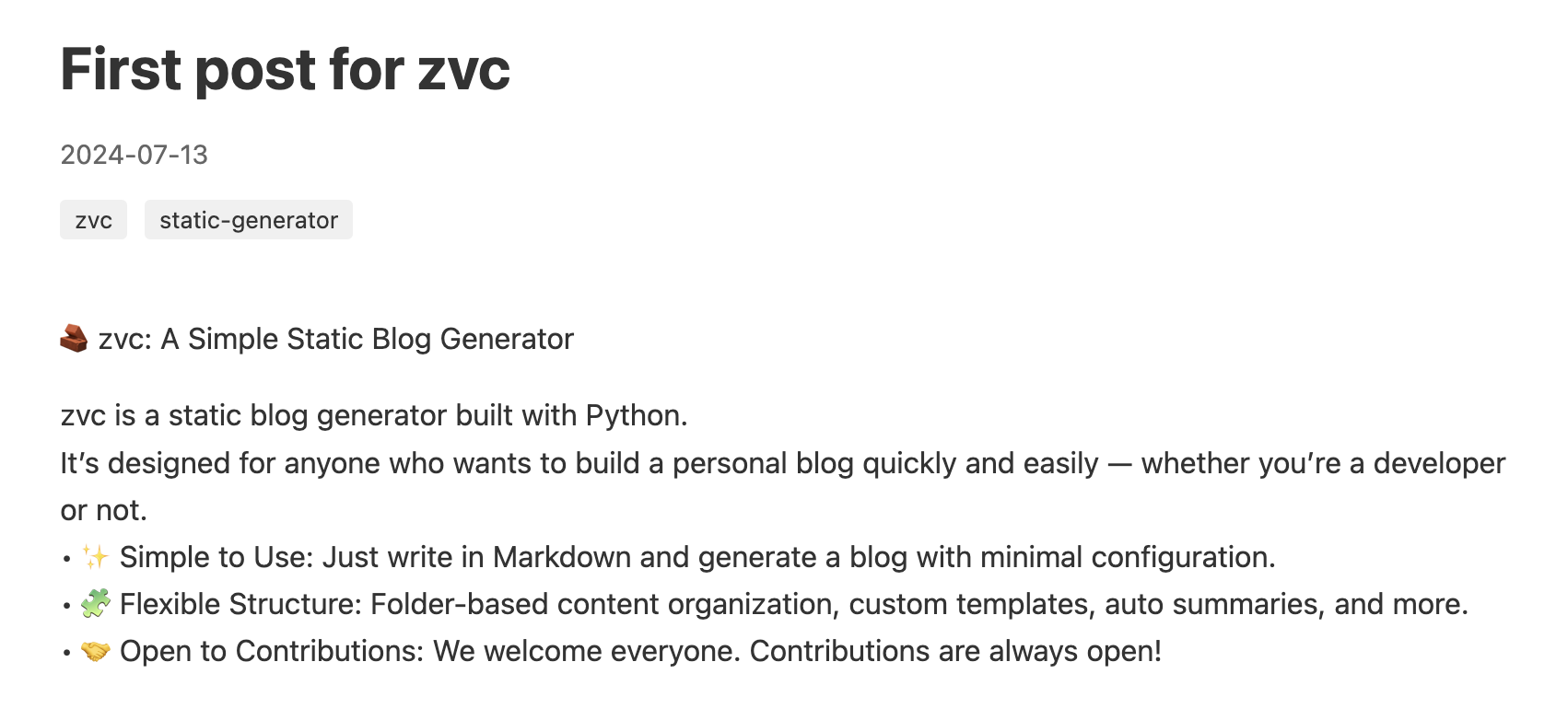
Markdown Frontmatter
zvc supports frontmatter in markdown files. You can add metadata at the top of your markdown files using YAML format.
Supported Fields
title: Post titleauthor: Post author (optional)status: Post status -draftorpublished(default:published). Draft posts are excluded from build output.pub_date: Publication date (YYYY-MM-DD format)description: Post descriptionfeatured_image: URL to featured imagetags: List of tags
Example
---
title: 'My First Post'
author: 'John Doe'
status: 'published'
pub_date: '2024-07-13'
description: 'This is my first blog post'
featured_image: ''
tags: ['blog', 'tutorial']
---

# Your Content Here

Write your blog post content below the frontmatter.
The author field will be displayed in both the post page and the index page alongside the publication date.
Setting status: 'draft' will exclude the post from the build output. If not specified, the default is published.
1 maintainer

Metadata
1 maintainer
Release files for zvc 0.1.8
For a detailed explanation of source distributions (sdists) and built distributions (wheels), please see the package formats documentation.
Source distribution (sdist)
| File | Size | Uploaded | |
|---|---|---|---|
| zvc-0.1.8.tar.gz | 8.7 kB | Details |
Built distribution (wheel)
| File | Interpreter | ABI | Platform | Reset |
|---|---|---|---|---|
| zvc-0.1.8-py3-none-any.whl | Python 3 | none | any | Details |
Total release size: 16.2 kB
Release files / zvc-0.1.8.tar.gz
| Download URL | zvc-0.1.8.tar.gz |
|---|---|
| Size | 8.7 kB |
| Tags | Source |
|
SHA-256 checksum How to use checksums |
c9f3615057fb8f729ce89d32dae20b9ae9742e3b32b745f52cc62d3f8ff700ba
|
|
BLAKE2b-256 checksum How to use checksums |
492c8d535d72d35d04a2a27f5b70c794b86d9aa03a4d2e1afe3d2b98a159d249
|
| Upload date | |
|
Uploaded using Trusted Publishing? What is trusted publishing? |
Yes |
| Uploaded via |
twine/6.1.0 CPython/3.13.7
|
Provenance
Provenance describes where a file came from. On PyPI, provenance is shared via attestations, which provide a verifiable record of the build or publishing details. View details, limitations and caveats.


PyPI Publish Attestation
PyPI verified that this artifact, at this checksum, originated from the publisher listed below.
Signed by GitHub Actions, verified by PyPI on Feb 12, 2026.
Transparency logRelease files / zvc-0.1.8-py3-none-any.whl
| Download URL | zvc-0.1.8-py3-none-any.whl |
|---|---|
| Size | 7.5 kB |
| Tags | Python 3 |
|
SHA-256 checksum How to use checksums |
6a013238f39da739ff0569e657b5436e2c9afec64069b58b0c075fb6afbc6988
|
|
BLAKE2b-256 checksum How to use checksums |
e4a37ee8b7a3c042bbee51ea9d1bf5aa80936db6a43c4fdc12c579316f798313
|
| Upload date | |
|
Uploaded using Trusted Publishing? What is trusted publishing? |
Yes |
| Uploaded via |
twine/6.1.0 CPython/3.13.7
|
Provenance
Provenance describes where a file came from. On PyPI, provenance is shared via attestations, which provide a verifiable record of the build or publishing details. View details, limitations and caveats.
PyPI Publish Attestation
PyPI verified that this artifact, at this checksum, originated from the publisher listed below.
Signed by GitHub Actions, verified by PyPI on Feb 12, 2026.
Transparency log













