
Zylo-docs seamlessly integrates with FastAPI to automatically generate OpenAPI-compliant specs—so you can write your API docs faster and go home early.


Project description

Build the world’s best API docs highly integrated with FastAPI for developers

Writing technical documentation like API specs is often a burden for software engineers — it’s not their expertise, and rarely a top priority. That’s where Zylo-docs comes in. Zylo-docs seamlessly integrates with FastAPI and automatically generates OpenAPI-compliant specs. With powerful AI assistance, it helps developers create clear, user-friendly, and rich documentation with minimal effort. Think of it as a more intuitive, AI-powered alternative to Swagger.
[1/7] Get Started (Add boilerplate code)
from fastapi import FastAPI
# 👇 [1/2] Add this import at the top
from zylo_docs import zylo_docs

app = FastAPI()

@app.get("/")
async def read_root():
    return {"message": "Hello, FastAPI!"}

...
...
...

# 👇 [2/2] Add this at the bottom of your entry point file (e.g., main.py)
zylo_docs(app)
[2/7] Run the FastAPI Server
uvicorn main:app --reload
You need to start the server using Uvicorn.
⚡️ If your server is already running, you can skip this step.
Once the server is running, open your browser and go to: 👉 http://localhost:8000/zylo-docs
(⚠️ If your development server runs on a different port, update the URL accordingly!)
[3/7] Tada! You can now view beautifully structured API specs with zylo-docs.
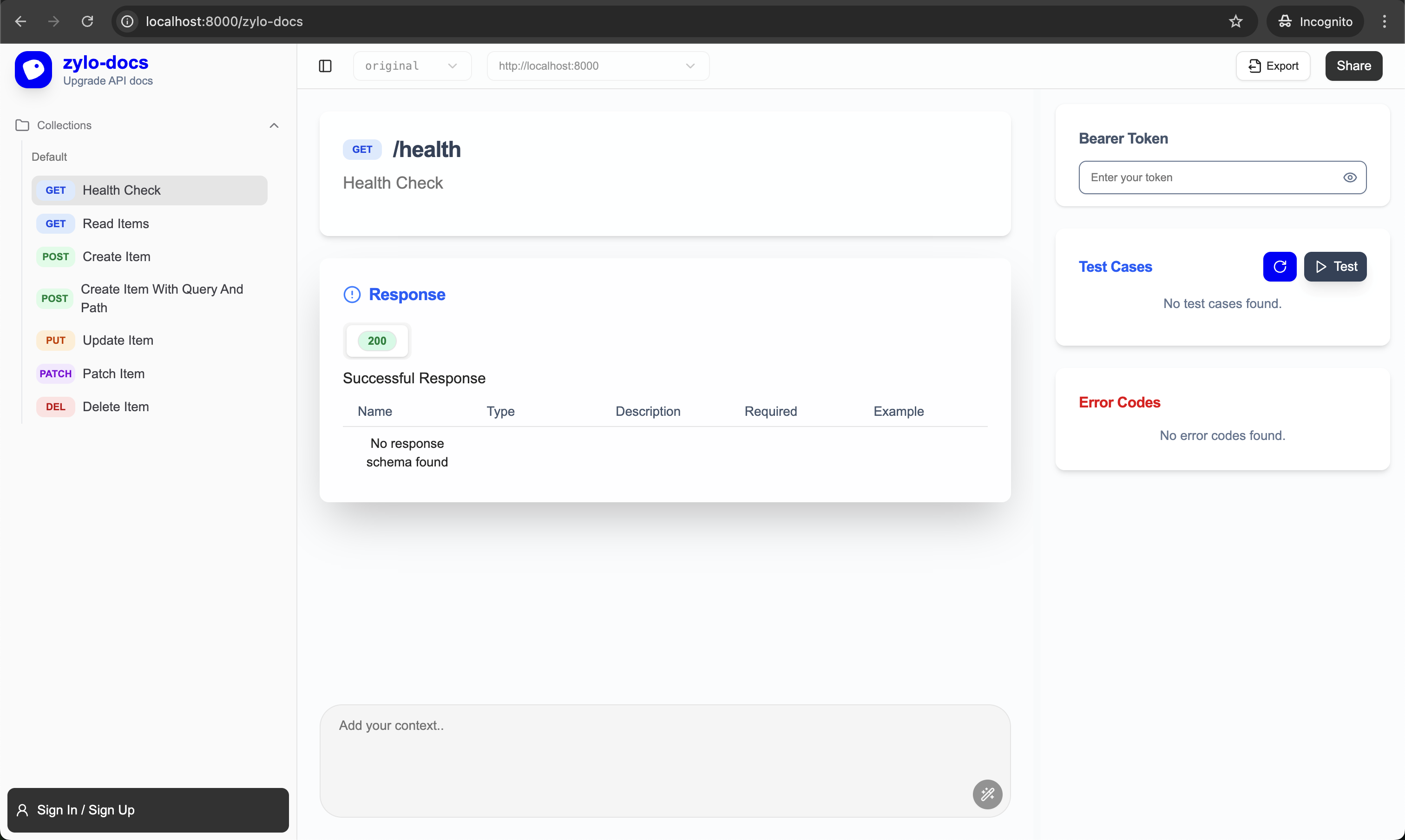
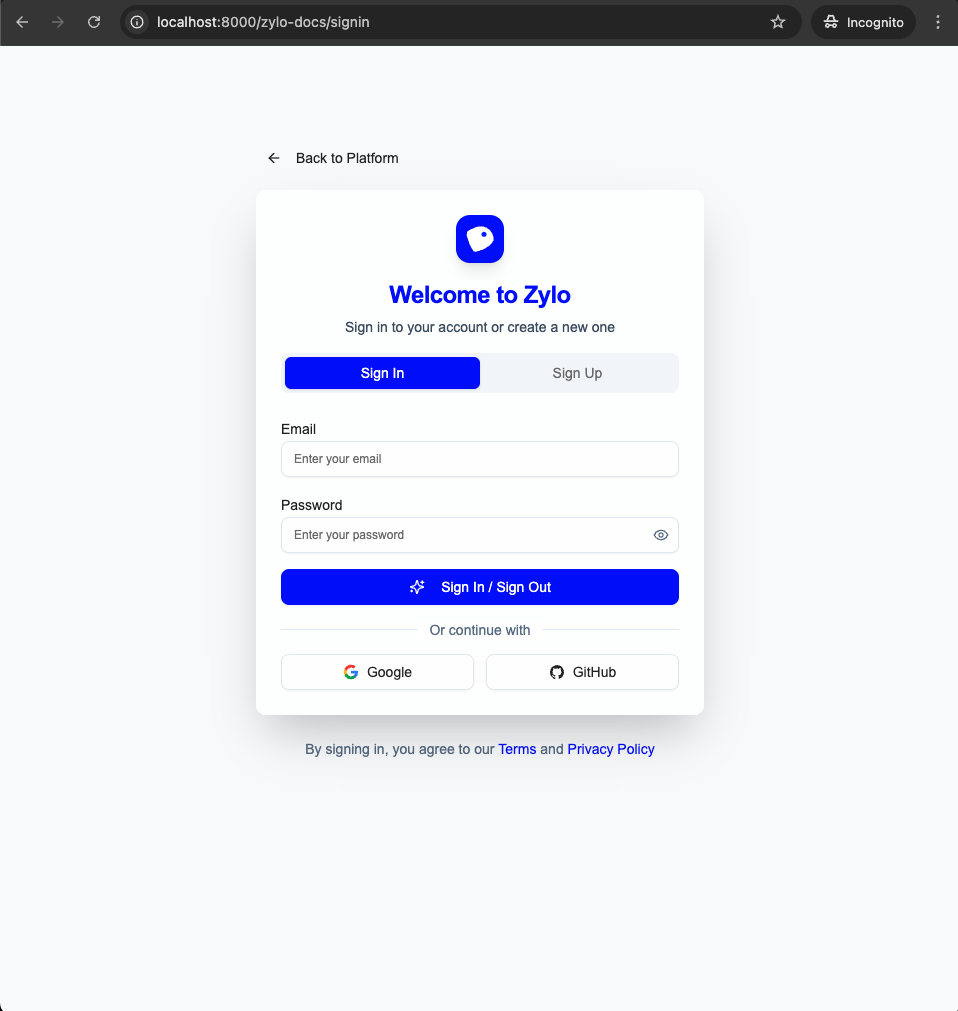
[4/7] To use Zylo AI, sign up and sign in to zylo.
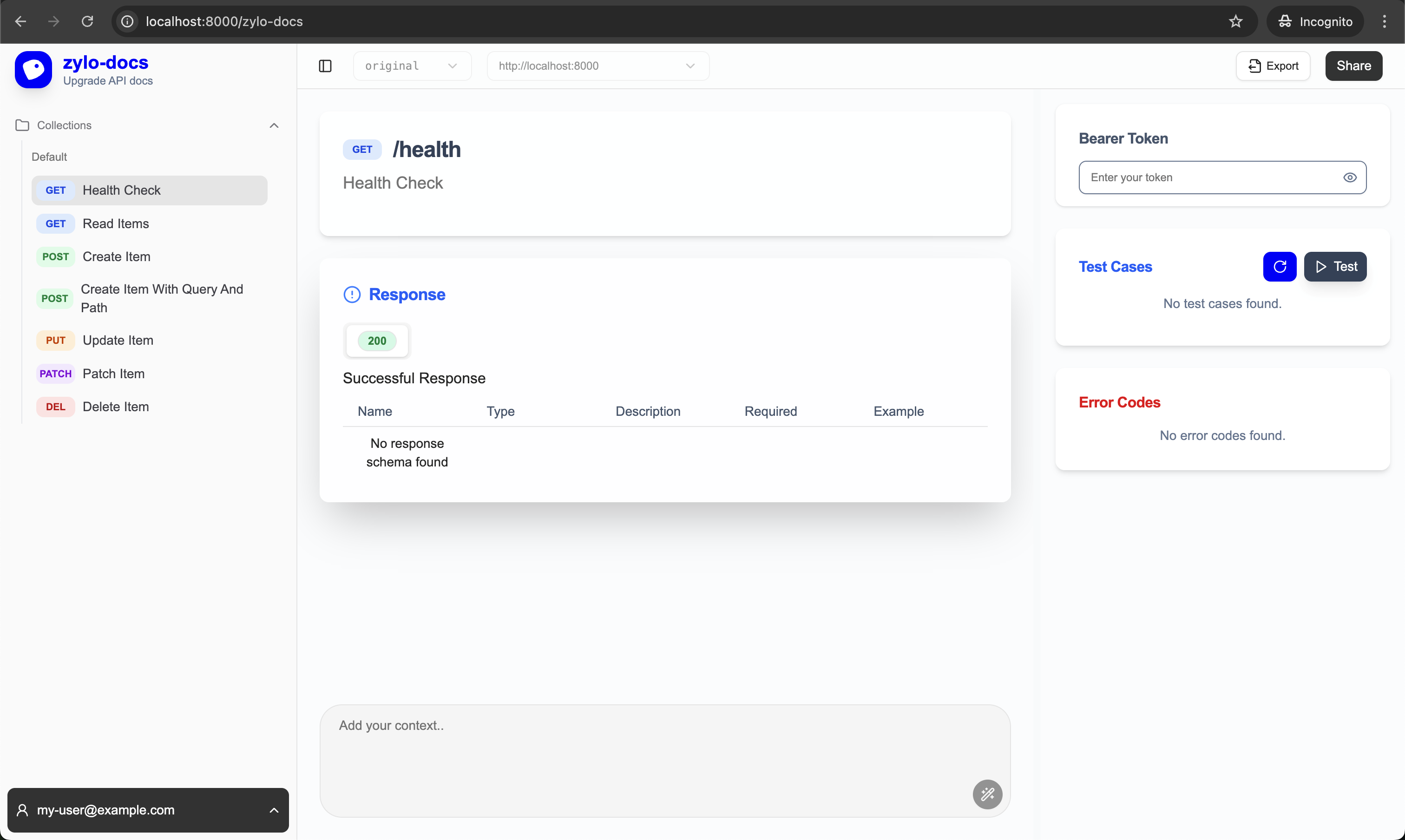
[5/7] Use the Zylo AI function to upgrade your docs
[6/7] Tada! Look at the red dot in the top-left corner! It is completed. Let's check this out!
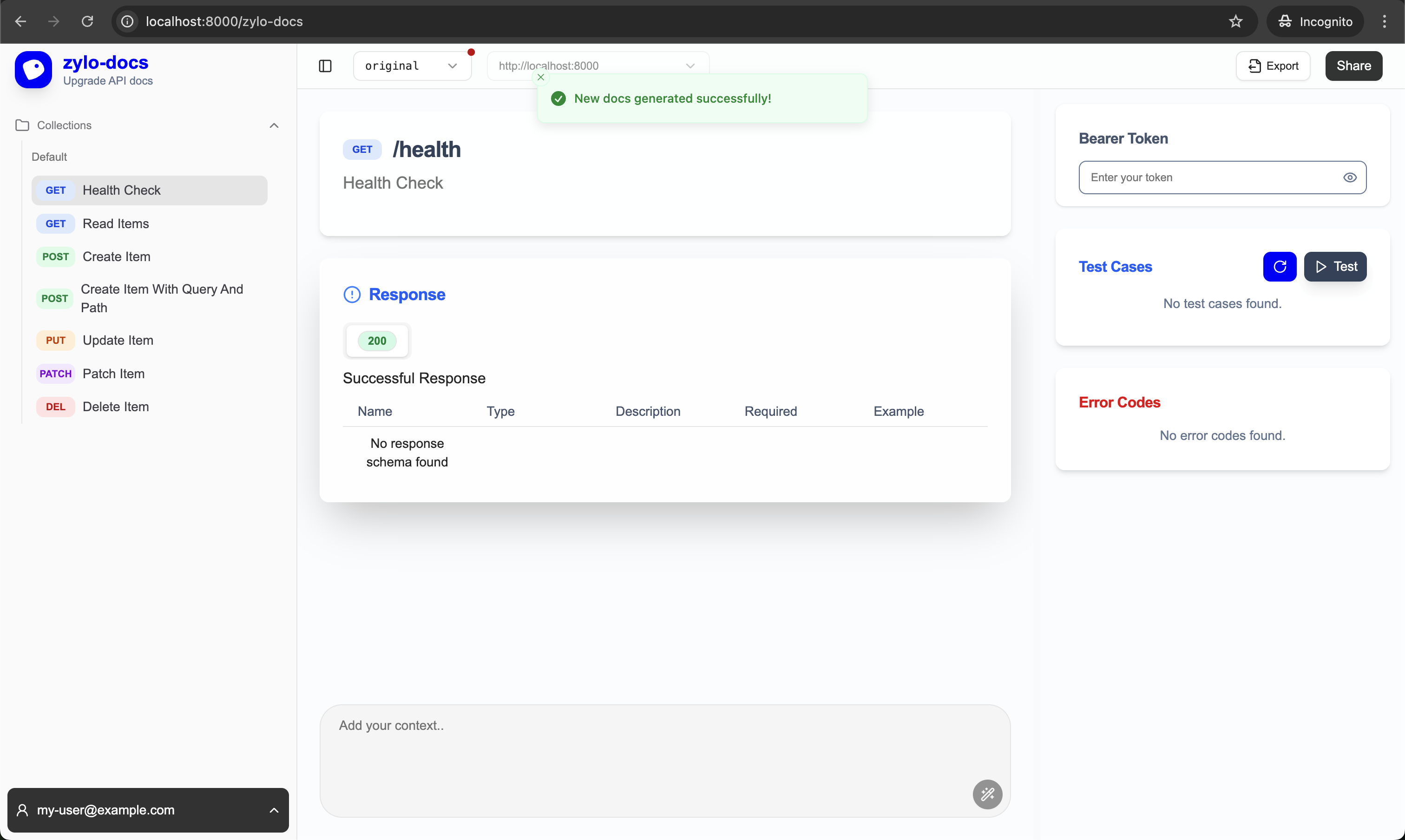 After you find the red dot on the version selector, it means that our API specs are now upgraded and more user-friendly with zylo-docs. you can find the lastest one. Once you click it, you can check the new one filled with rich content.
[6.2/7] Compare the generated docs with the previous version
Your browser doesn’t support embedded video. Open the video.[6.5/7] Regenerate specific parts, such as test cases
Your browser doesn’t support embedded video. Open the video.[7/7] Share your API docs with your team
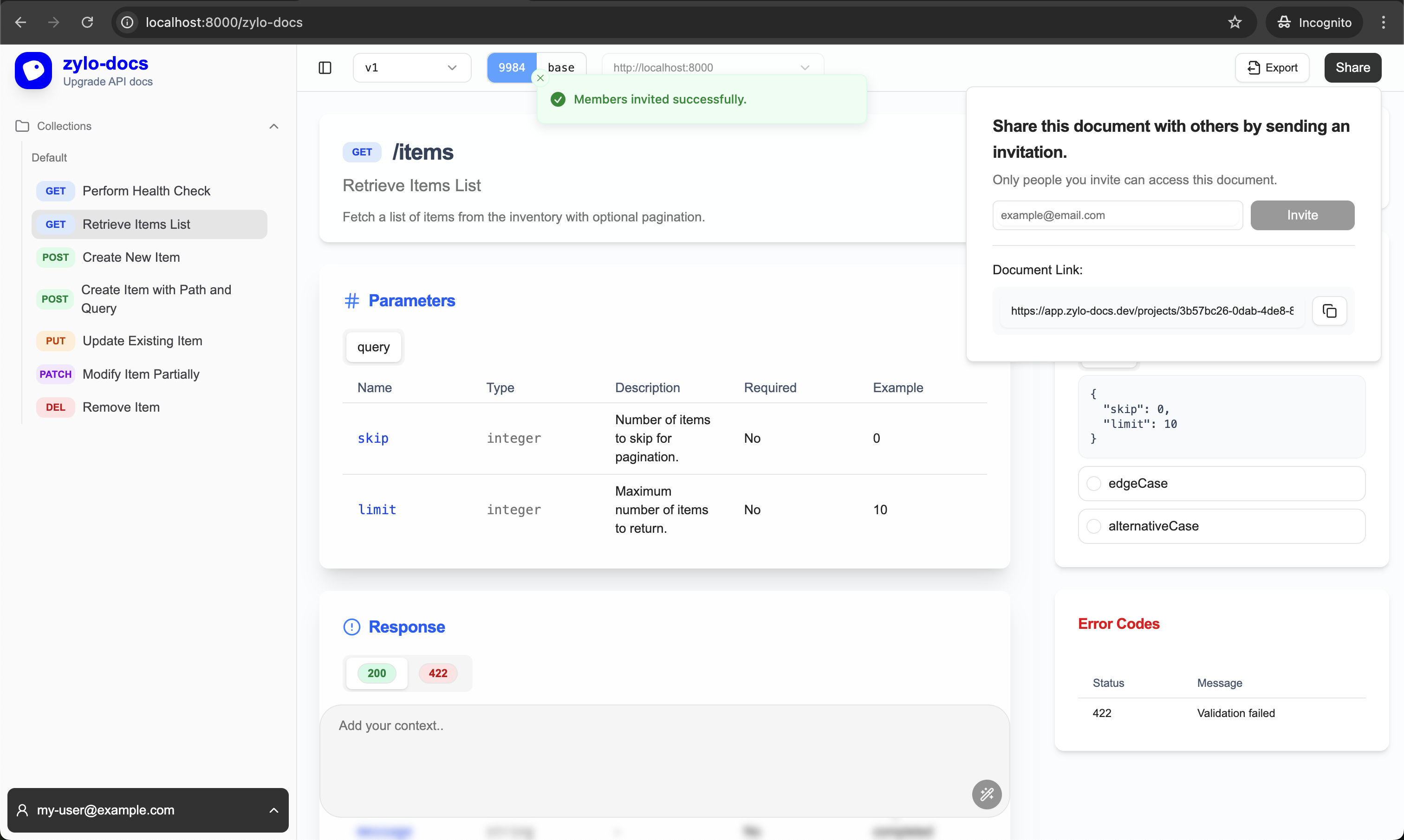
Click the Publish button to share your API documentation via email.
Development
- Python 3.10+
- FastAPI, Uvicorn
License
MIT License
Release history Release notifications | RSS feed


Download files
Download the file for your platform. If you're not sure which to choose, learn more about installing packages.
Source Distribution
Built Distribution
Filter files by name, interpreter, ABI, and platform.
If you're not sure about the file name format, learn more about wheel file names.
Copy a direct link to the current filters
File details
Details for the file zylib_test-1.2.3.tar.gz.
File metadata
- Download URL: zylib_test-1.2.3.tar.gz
- Upload date:
- Size: 293.4 kB
- Tags: Source
- Uploaded using Trusted Publishing? No
- Uploaded via: twine/6.2.0 CPython/3.12.3
File hashes
| Algorithm | Hash digest | |
|---|---|---|
| SHA256 |
fdd820a66e992274b2b4f2c176724dce11e299128bbfe0063dca4ac3390bb13e
|
|
| MD5 |
f9218ea1a04c3b97e6f8aee3dd3e2ef0
|
|
| BLAKE2b-256 |
0c15a7ba5a1d33bb6a46097517cfc255e20eeb98dc140215944b59d0598942df
|
File details
Details for the file zylib_test-1.2.3-py3-none-any.whl.
File metadata
- Download URL: zylib_test-1.2.3-py3-none-any.whl
- Upload date:
- Size: 298.7 kB
- Tags: Python 3
- Uploaded using Trusted Publishing? No
- Uploaded via: twine/6.2.0 CPython/3.12.3
File hashes
| Algorithm | Hash digest | |
|---|---|---|
| SHA256 |
0e1110bb75c4d5ae08236f28e05ad6cda928f0b239d38e5e0277bab358bd93c2
|
|
| MD5 |
374e856e66760b8a87852b88dfe84680
|
|
| BLAKE2b-256 |
b1552dd2d5f0b438f8d7ed0fe92f43493e23369d8ec9a4f943672313c5284deb
|






