
django-quill-editor

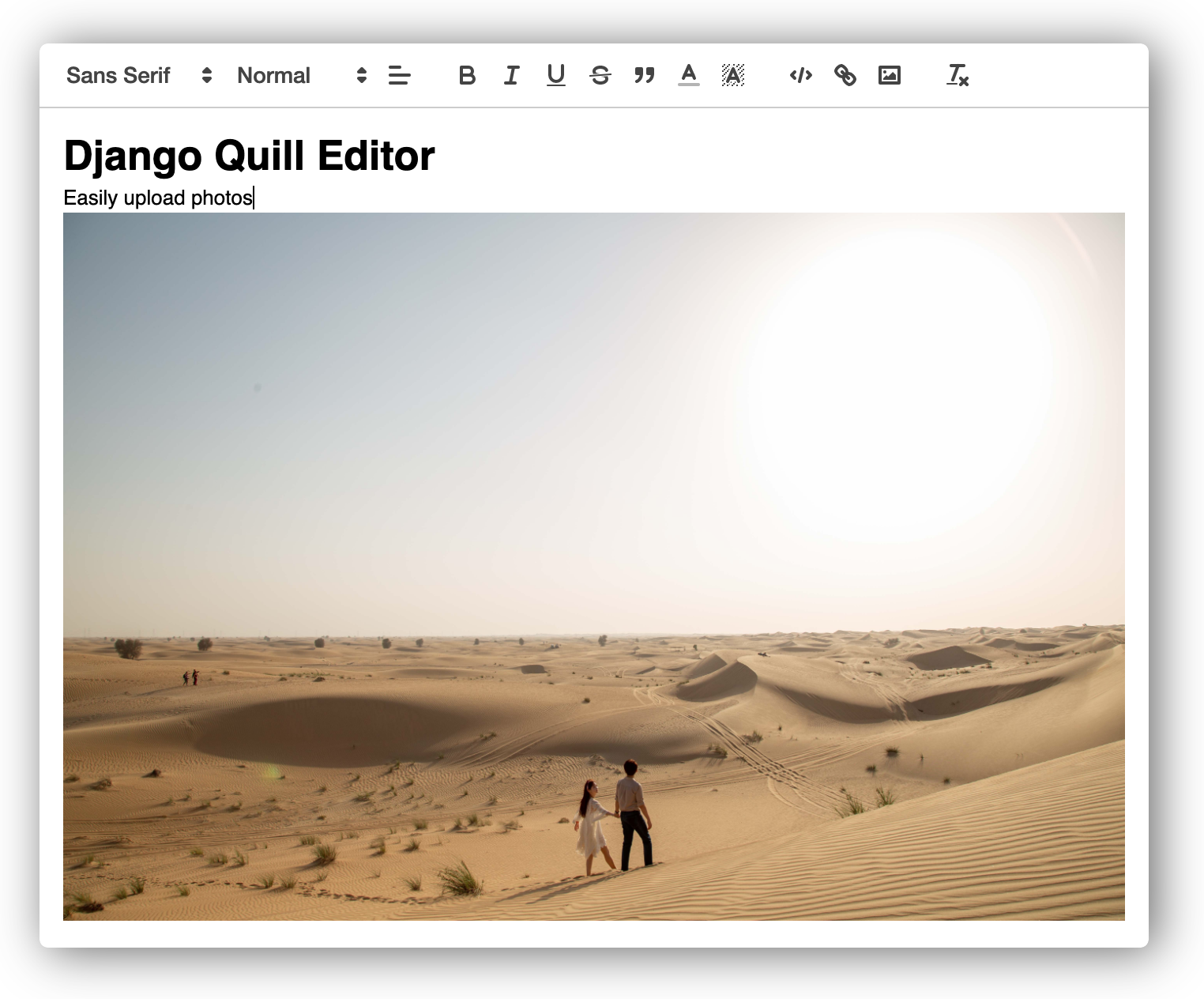
django-quill-editor makes Quill.js easy to use on Django Forms and admin sites
- No configuration required for static files!
- The entire code for inserting WYSIWYG editor is less than 30 lines
- It can be used in both admin and Django views
Warning
The content entered in django-quill-editor can be used for XSS attacks because it is marked_safe by Django.
Only authorized administrators should use it in important projects.
Live Demo
https://quill.lhy.kr/
- Form | https://quill.lhy.kr/posts/create/normal/
- ModelForm | https://quill.lhy.kr/posts/create/
- Form (Initial HTML) | https://quill.lhy.kr/posts/create/normal/html/
- Form (Initial Text) | https://quill.lhy.kr/posts/create/normal/text/
- Admin | https://quill.lhy.kr/admin/login/
Documentation
The full document is in https://django-quill-editor.readthedocs.io/, including everything about how to use the Form or ModelForm, and where you can add custom settings.
Please refer to the QuickStart section below for simple usage.
QuickStart
Setup
-
Install
django-quill-editorto your Python environmentRequires Python 3.7 or higher and Django 3.1 or higher.
pip install django-quill-editor
-
Add
django_quilltoINSTALLED_APPSinsettings.py# settings.py INSTALLED_APPS = [ 'django.contrib.admin', ... 'django_quill', ]
Making Model
Add QuillField to the Model class you want to use.
- App containing models.py must be added to INSTALLED_APPS
- After adding the app, you need to run makemigrations and migrate to create the DB table.
# models.py
from django.db import models
from django_quill.fields import QuillField

class QuillPost(models.Model):
    content = QuillField()
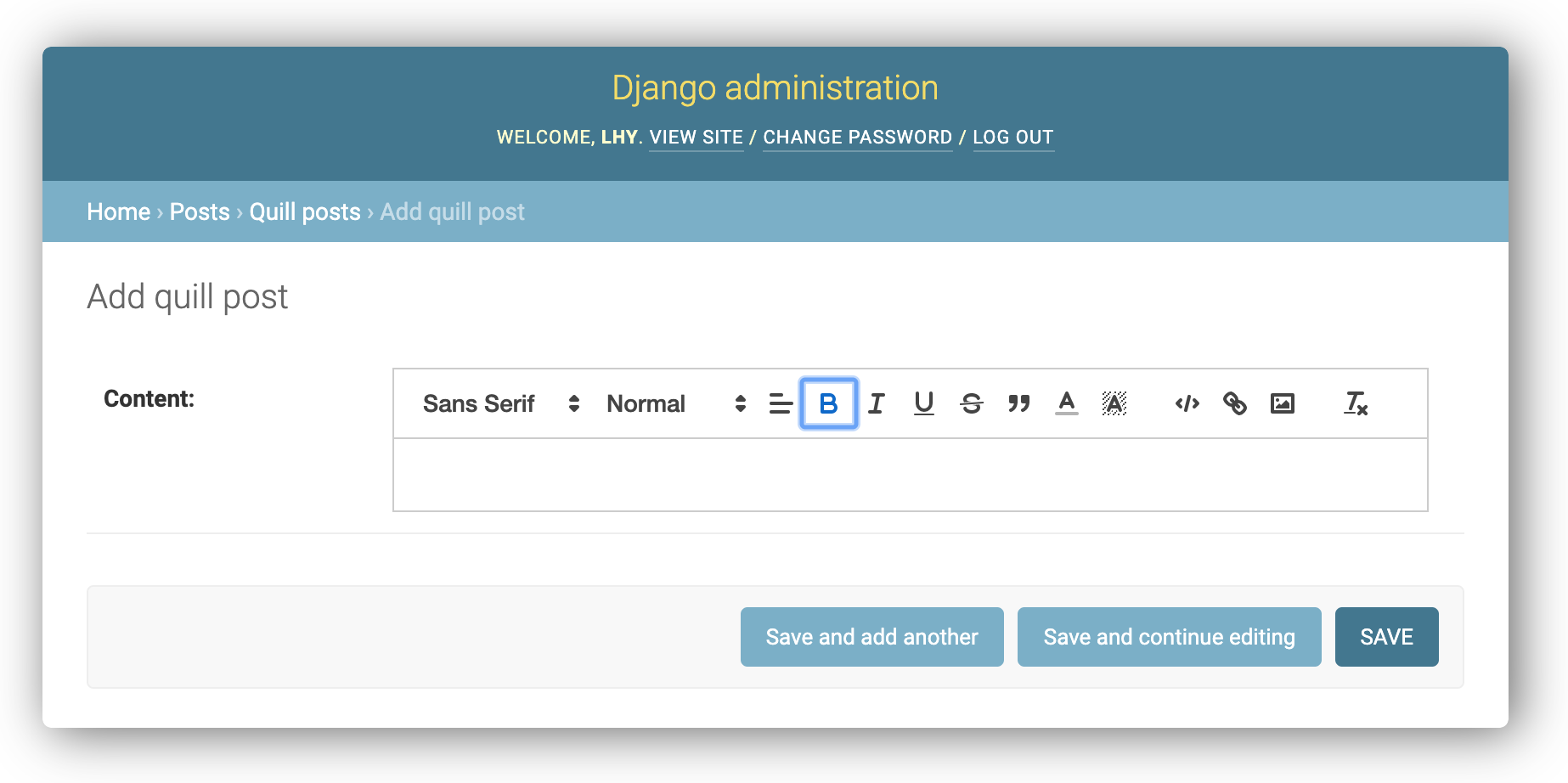
Using in admin
Just register the Model in admin.py of the app.
from django.contrib import admin
from .models import QuillPost

@admin.register(QuillPost)
class QuillPostAdmin(admin.ModelAdmin):
    pass
Running the Live Demo project in local
The live demo is a deployment of the "playground" package, which is a django application within this library.
After cloning or downloading the repository, you can try running the live demo locally.
A Python virtual environment is required to run the project.
# [Optional] We recommend that you start after creating a folder for your project.
mkdir ~/projects
cd projects

# Clone repository
git clone git@github.com:LeeHanYeong/django-quill-editor.git

# Go to the project directory and apply the virtual environment
cd django-quill-editor
# [apply venv]

# Go to the playground package
cd playground

# Install requirements
pip install -r requirements.txt

# Run migrate and runserver
python manage.py migrate
python manage.py runserver
After the above operation, the live demo site works at localhost:8000.
Contributing
As an open source project, we welcome contributions. The code lives on GitHub
Distribution tips (for owners)
Installation
# black
brew install black

# pre-commit
brew install pre-commit
pre-commit install
PyPI Release
poetry install  # Install PyPI distribution packages
python deploy.py
Sphinx docs
brew install sphinx-doc # macOS
Local
cd docs
make html
# ...
# The HTML pages are in _build/html.

cd _build/html
python -m http.server 3001
docker-compose up
# local
docker-compose --env-file .deploy/.env.local up --build --force-recreate --remove-orphans
# production
docker-compose --env-file .deploy/.env.production up --build --force-recreate --remove-orphans
1 maintainer

Metadata
1 maintainer
Release files for django-quill-editor 0.1.42
For a detailed explanation of source distributions (sdists) and built distributions (wheels), please see the package formats documentation.
Source distribution (sdist)
| File | Size | Uploaded | Provenance | |
|---|---|---|---|---|
| django_quill_editor-0.1.42.tar.gz | 23.6 kB | Without provenance | Details |
Built distribution (wheel)
| File | Interpreter | ABI | Platform | Reset |
|---|---|---|---|---|
| django_quill_editor-0.1.42-py3-none-any.whl | Python 3 | none | any | Details |
Total release size: 55.2 kB
Release files / django_quill_editor-0.1.42.tar.gz
| Download URL | django_quill_editor-0.1.42.tar.gz |
|---|---|
| Size | 23.6 kB |
| Tags | Source |
|
SHA-256 checksum How to use checksums |
c25ed551459f1aef6582671f426ee57e42e59d0959bca4e544ea8c92a4a5c941
|
|
BLAKE2b-256 checksum How to use checksums |
dc6453ab5800e25b02947ff38cd06c0a97088f753994622a10ce1b493ec5bc91
|
| Upload date | |
|
Uploaded using Trusted Publishing? What is trusted publishing? |
No |
| Uploaded via |
twine/5.1.1 CPython/3.12.4
|
Release files / django_quill_editor-0.1.42-py3-none-any.whl
| Download URL | django_quill_editor-0.1.42-py3-none-any.whl |
|---|---|
| Size | 31.6 kB |
| Tags | Python 3 |
|
SHA-256 checksum How to use checksums |
fc145148a282c20d2072952971c45be82f80901115061a031bc9f74d54602b93
|
|
BLAKE2b-256 checksum How to use checksums |
77b2f8b02e7bea89766a00f03d2ae260969bbe608e5797595f3bfcad29845a2d
|
| Upload date | |
|
Uploaded using Trusted Publishing? What is trusted publishing? |
No |
| Uploaded via |
twine/5.1.1 CPython/3.12.4
|
Security for django-quill-editor 0.1.42
Provenance
Provenance describes where a file came from. On PyPI, provenance is shared via attestations, which provide a verifiable record of the build or publishing details. View details, limitations and caveats.
No provenance found
None of the files in this release were uploaded with provenance metadata.
A note on package security
PyPI is a repository for distributing packages, not a service for auditing them. While third-party security researchers and our staff do their best to detect and remove malicious packages, PyPI cannot guarantee the quality, security or suitability of any given package.
To learn more about protecting yourself from malicious actors, visit our package security documentation.














