


Installation
pip install fastapi-router-viz
# or
uv add fastapi-router-viz

router-viz --demo  # open localhost:8000 to visit demo page
Dependencies
- FastAPI
- pydantic-resolve
Feature
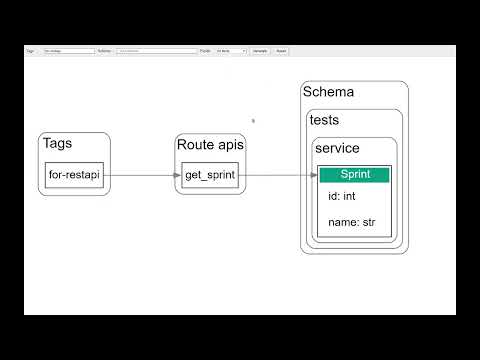
For scenarios of using FastAPI as internal API integration endpoints, fastapi-router-viz helps to see the internal dependencies.
This repo is still in early stage.
router-viz -m tests.demo
           --server --port=8001
           --module_color=tests.service:blue
           --module_color=tests.demo:tomato
pick tag, rotue (optional) and click generate.
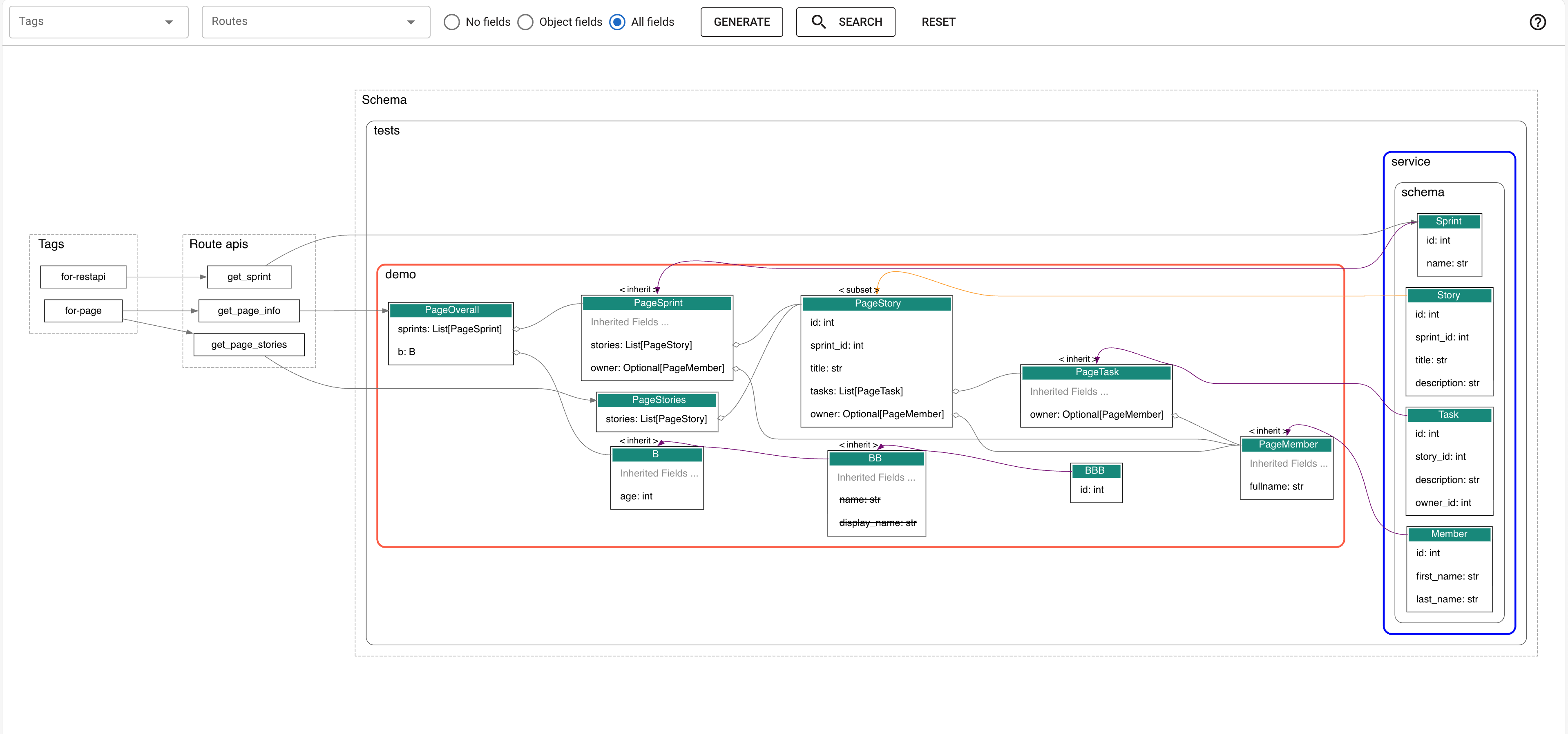
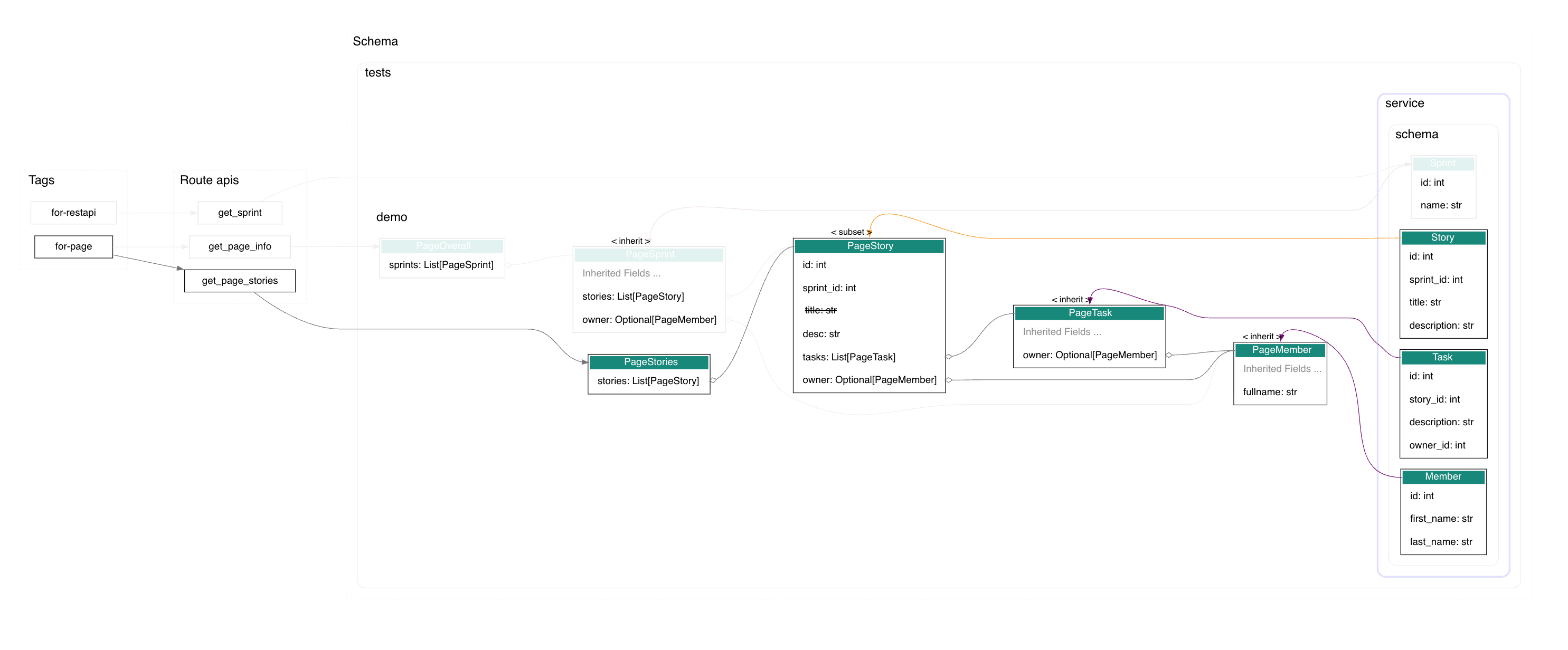
click a node to highlight it's upperstream and downstream nodes. figure out the related models of one page, or homw many pages are related with one model.
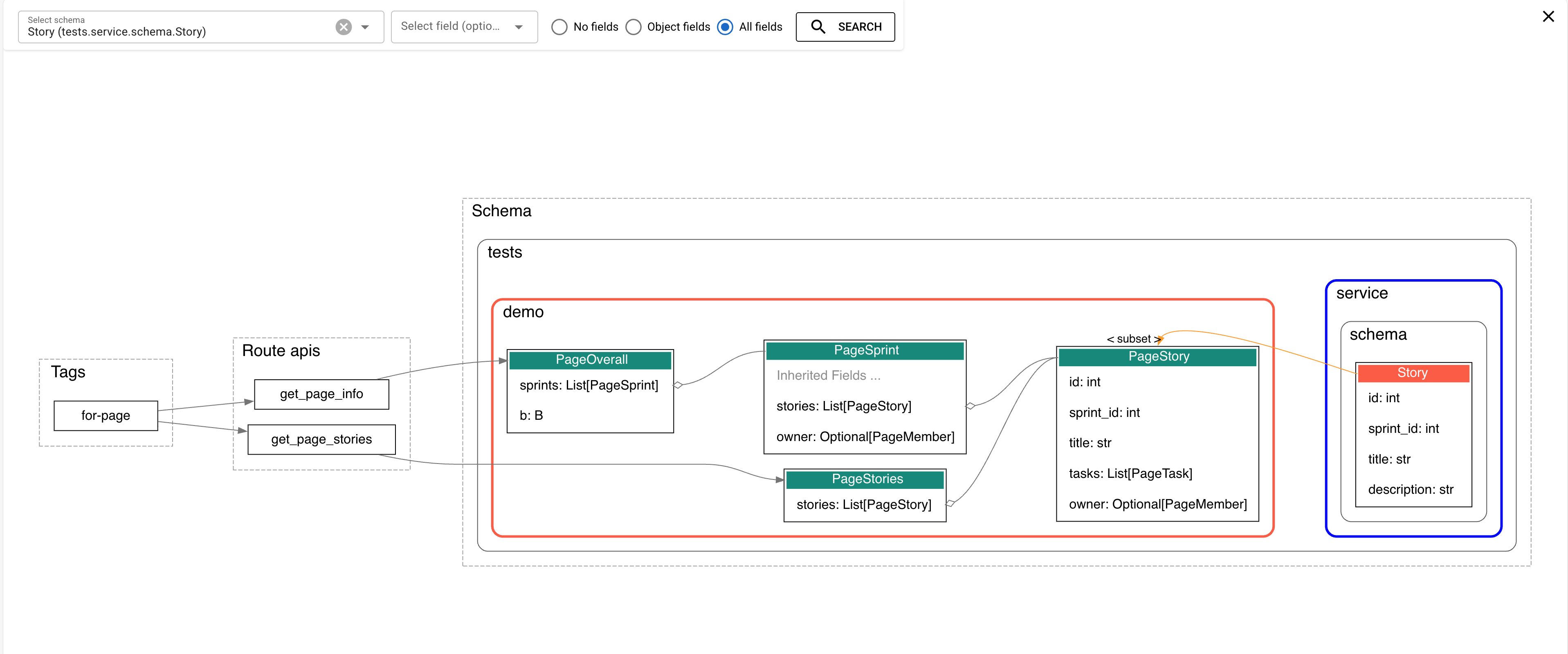
shift click a node to check related nodes.
pick a field to narrow the result.
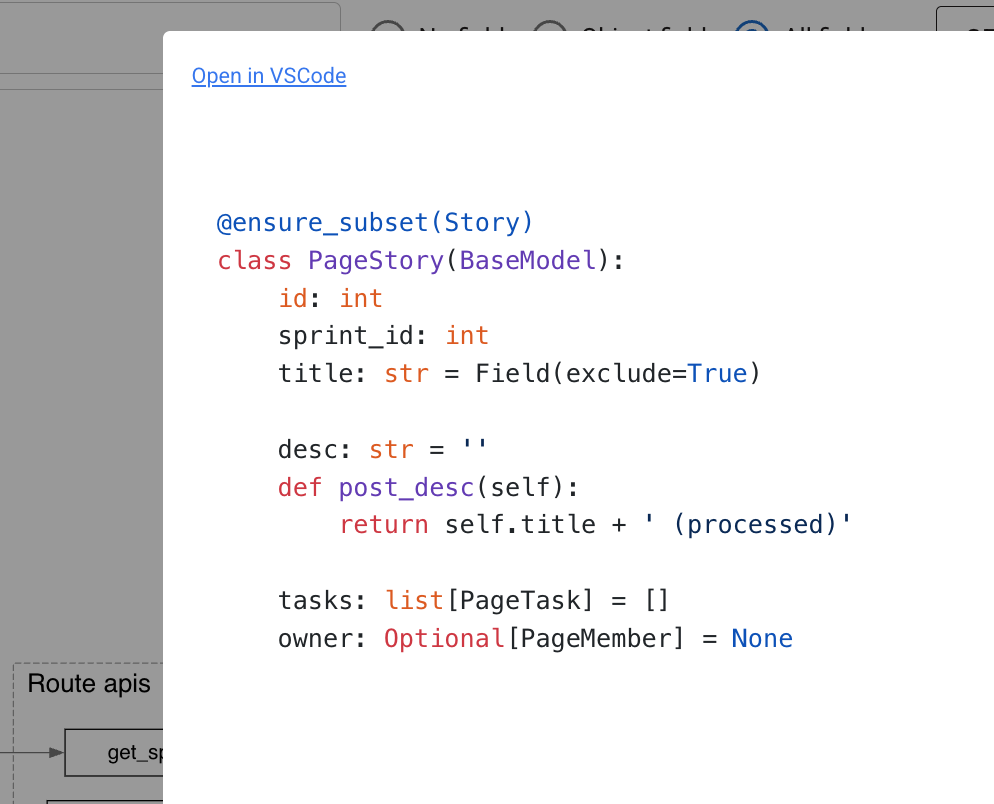
alt click a node to show source code or open file in vscode.
more in video:
Command Line Usage
# Basic usage - assumes your FastAPI app is named 'app' in app.py
router-viz tests/demo.py

# Specify custom app variable name
router-viz tests/demo.py --app app

# filter tag name
router-viz tests/demo.py --app app --tags page

# filter schema name, display related nodes
router-viz tests/demo.py --app app --schema Task

# show fields
router-viz tests/demo.py --app app --show_fields all

# highlight module
router-viz tests/demo.py --app app --module_color=tests.demo:red

# Custom output file
router-viz tests/demo.py -o my_visualization.dot

# server mode
router-viz tests/demo.py --app app --server --show_fields --module_color=tests.demo:red

# Show help
router-viz --help

# Show version
router-viz --version
The tool will generate a DOT file that you can render using Graphviz:
# Install graphviz
brew install graphviz  # macOS
apt-get install graphviz  # Ubuntu/Debian

# Render the graph
dot -Tpng router_viz.dot -o router_viz.png

# Or view online at: https://dreampuf.github.io/GraphvizOnline/
or you can open router_viz.dot with vscode extension graphviz interactive preview
Next
features:
- group schemas by module hierarchy
- module-based coloring via Analytics(module_color={...})
- view in web browser
- config params
- make a explorer dashboard, provide list of routes, schemas, to make it easy to switch and search
- support programmatic usage
- better schema /router node appearance
- hide fields duplicated with parent's (show
parent fieldsinstead) - refactor the frontend to vue, and tweak the build process
- find dependency based on picked schema and it's field.
- optimize static resource (cdn -> local)
- add configuration for highlight (optional)
- alt+click to show field details
- display source code of routes (including response_model)
- user can generate nodes/edges manually and connect to generated ones
- support dataclass
- handle excluded field
- integration with pydantic-resolve
- show difference between resolve, post fields
- strikethrough for excluded fields
- display loader as edges
bugs:
- fix duplicated link from class and parent class, it also break clicking highlight
Credits
- https://github.com/tintinweb/vscode-interactive-graphviz, for web visualization.
1 maintainer

Metadata
1 maintainer
Release files for fastapi-router-viz 0.4.1
For a detailed explanation of source distributions (sdists) and built distributions (wheels), please see the package formats documentation.
Source distribution (sdist)
| File | Size | Uploaded | Provenance | Actions |
|---|---|---|---|---|
| fastapi_router_viz-0.4.1.tar.gz | 240.8 kB | Without provenance | Details for fastapi_router_viz-0.4.1.tar.gz |
Built distribution (wheel)
| File | Interpreter | ABI | Platform | Actions Reset |
|---|---|---|---|---|
| fastapi_router_viz-0.4.1-py3-none-any.whl | Python 3 | none | any | Details for fastapi_router_viz-0.4.1-py3-none-any.whl |
Total release size: 467.6 kB
Release files / fastapi_router_viz-0.4.1.tar.gz
| Download URL | fastapi_router_viz-0.4.1.tar.gz |
|---|---|
| Size | 240.8 kB |
| Tags | Source |
|
SHA-256 checksum How to use checksums |
799034c96244423e2b1e9ce5cfbd4bfc67f970d154842ba518c852bba66708ea
|
|
BLAKE2b-256 checksum How to use checksums |
6dcb1c190a3dbce5845c05771f6f0f77238480aed8eb93711ba3570b2ac3f80a
|
| Upload date | |
|
Uploaded using Trusted Publishing? What is trusted publishing? |
No |
| Uploaded via |
uv/0.8.13
|
Release files / fastapi_router_viz-0.4.1-py3-none-any.whl
| Download URL | fastapi_router_viz-0.4.1-py3-none-any.whl |
|---|---|
| Size | 226.8 kB |
| Tags | Python 3 |
|
SHA-256 checksum How to use checksums |
7e16e0d923cb54ee19c1219cc55fc33e8b005bc753ba9b4c40b23db1fbe96f68
|
|
BLAKE2b-256 checksum How to use checksums |
e2d78e492fb1e0b9725cb87a8bbad0a8c746cbd6d4817debaa2abc992836452a
|
| Upload date | |
|
Uploaded using Trusted Publishing? What is trusted publishing? |
No |
| Uploaded via |
uv/0.8.13
|
Security for fastapi-router-viz 0.4.1
Provenance
Provenance describes where a file came from. On PyPI, provenance is shared via attestations, which provide a verifiable record of the build or publishing details. View details, limitations and caveats.
No provenance found
None of the files in this release were uploaded with provenance metadata.
A note on package security
PyPI is a repository for distributing packages, not a service for auditing them. While third-party security researchers and our staff do their best to detect and remove malicious packages, PyPI cannot guarantee the quality, security or suitability of any given package.
To learn more about protecting yourself from malicious actors, visit our package security documentation.














