
HTML to PDF rendering server


The name says it all. You request a POST with an HTML, and then you will get the response with the rendered PDF.
HTTP API
Send POST / request with Content-Type: text/html e.g.:
POST / HTTP/1.1
Content-Type: text/html; charset=utf-8
Accept: application/pdf

<!DOCTYPE>
<html>
<body>
  <h1>HTML to be rendered to PDF</h1>
  <p>This document will be rendered to PDF.</p>
</body>
</html>
(Note that you have to set Accept: application/pdf header.)
And then you will get a PDF document through its response e.g.:
HTTP/1.1 200 OK
Content-Type: application/pdf
Server: html2pdf-server

(...omitted...)
Available mime types
You can set Accept header to various mime types.
- application/pdf
respond a PDF document. this type is the default type.
- image/png
respond a PNG image.
- image/jpeg
respond a JPEG image.
Session in curl
$ cat input.html
<!DOCTYPE>
<html>
<body>
  <h1>HTML to be rendered to PDF</h1>
  <p>This document will be rendered to PDF.</p>
</body>
</html>
$ curl --header 'Content-Type: text/html' \
       --data "`cat input.html`" \
       --output output.pdf \
       http://localhost:8080/
$ open output.pdf  # Use xdg-open on Linux
Result screenshot:
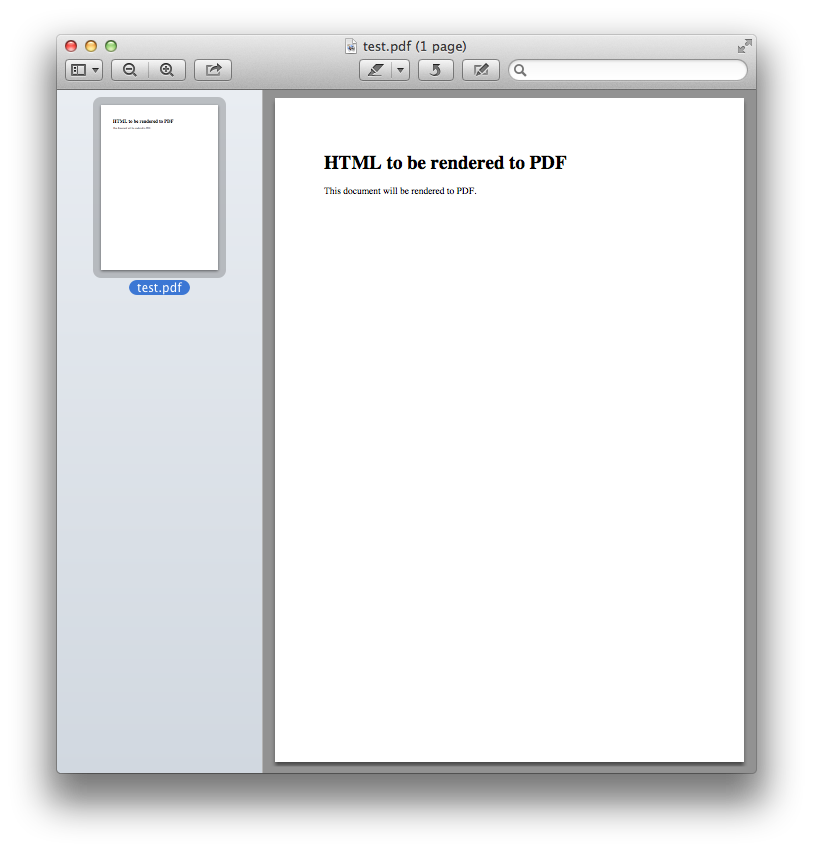
Getting started using Docker
Due to its non-Python dependencies the easist way to use this is using Docker. The official Docker image exposes 8080 port for HTTP server.
$ docker run -p 8080:8080 spoqa/html2pdf-serverIf you need a pong endpoint for health check specify PONG_PATH environment variable:
$ docker run -e PONG_PATH=/ping/ -p 8080:8080 spoqa/html2pdf-server
Serving on http://0.0.0.0:8080
Getting started without Docker
Installation
You can install it using pip:
$ pip install --user git+git://github.com/spoqa/html2pdf-server.gitNote that WeasyPrint has several dependencies that need to be installed using system package managers e.g. APT, Homebrew. Read the docs.
Running server
Use html2pdfd command:
$ html2pdfd --port 8080
Serving on http://0.0.0.0:8080
Or you can use your preferred WSGI server as well (WSGI endpoint is html2pdfd:app):
$ aiohttp-wsgi-serve html2pdfd:app
Serving on http://:::8080 http://0.0.0.0:8080
License
Distributed under AGPLv3 or later.
Changelog
Version 1.2.2
Released on January 31, 2017.
Fixed a crash during the server prints the first log.
Version 1.2.1
Released on January 31, 2017.
Docker image now includes built-in fonts for Chinese/Japanese/Korean.
Version 1.2.0
Released on January 27, 2017.
The prerequisite Python version became 3.5 or higher. Python 3.4 or lower are no more supported.
Replaced waitress with aiohttp-wsgi.
The Docker image now uses Python 3.5 instead of 3.4.
Version 1.1.0
Released on January 26, 2017.
Added an option to enable pong endpoint for health check.
PONG_PATH environment variable for Docker.
--pong-path option for CLI.
Fixed a bug that --help option crashed while it’s trying to render default values.
Version 1.0.0
Initial release. Released on January 25, 2017.
1 maintainer

Metadata
1 maintainer
Release files for html2pdf-server 1.2.2
For a detailed explanation of source distributions (sdists) and built distributions (wheels), please see the package formats documentation.
Source distribution (sdist)
| File | Size | Uploaded | Provenance | |
|---|---|---|---|---|
| html2pdf-server-1.2.2.tar.gz | 5.1 kB | Without provenance | Details |
Built distribution (wheel)
| File | Interpreter | ABI | Platform | Reset |
|---|---|---|---|---|
| html2pdf_server-1.2.2-py3-none-any.whl | Python 3 | none | any | Details |
Total release size: 14.4 kB
Release files / html2pdf-server-1.2.2.tar.gz
| Download URL | html2pdf-server-1.2.2.tar.gz |
|---|---|
| Size | 5.1 kB |
| Tags | Source |
|
SHA-256 checksum How to use checksums |
d72f2e42102b7603233bd5d2f8c48477915a0875ede257cd1bc187d421f5dc07
|
|
BLAKE2b-256 checksum How to use checksums |
eb6753dcf60b7f1cabc4c6045df9fdac70fab7cabec12969ba61a6a72021c959
|
| Upload date | |
|
Uploaded using Trusted Publishing? What is trusted publishing? |
No |
Release files / html2pdf_server-1.2.2-py3-none-any.whl
| Download URL | html2pdf_server-1.2.2-py3-none-any.whl |
|---|---|
| Size | 9.3 kB |
| Tags | Python 3 |
|
SHA-256 checksum How to use checksums |
1b844692841f974ad6e3a51dff3455a97d4a82e62cd917eaf622d76f0dd019ad
|
|
BLAKE2b-256 checksum How to use checksums |
a0026fe669a4a9f407515d99e443f9670578159ccff9d6d522d4809bd13d4423
|
| Upload date | |
|
Uploaded using Trusted Publishing? What is trusted publishing? |
No |
Security for html2pdf-server 1.2.2
Provenance
Provenance describes where a file came from. On PyPI, provenance is shared via attestations, which provide a verifiable record of the build or publishing details. View details, limitations and caveats.
No provenance found
None of the files in this release were uploaded with provenance metadata.
A note on package security
PyPI is a repository for distributing packages, not a service for auditing them. While third-party security researchers and our staff do their best to detect and remove malicious packages, PyPI cannot guarantee the quality, security or suitability of any given package.
To learn more about protecting yourself from malicious actors, visit our package security documentation.














