
ipylab






Control JupyterLab from Python notebooks.
The goal is to provide access to most of the JupyterLab environment from Python notebooks. For example:
- Adding widgets to the main area
DockPanel, left, right or top area - Build more advanced interfaces leveraging
SplitPanel,Toolbarand other Lumino widgets - Launch arbitrary commands (new terminal, change theme, open file and so on)
- Open a workspace with a specific layout
- Listen to JupyterLab signals (notebook opened, console closed) and trigger Python callbacks
Try it online
Try it in your browser with Binder:
Or with JupyterLite:
Examples
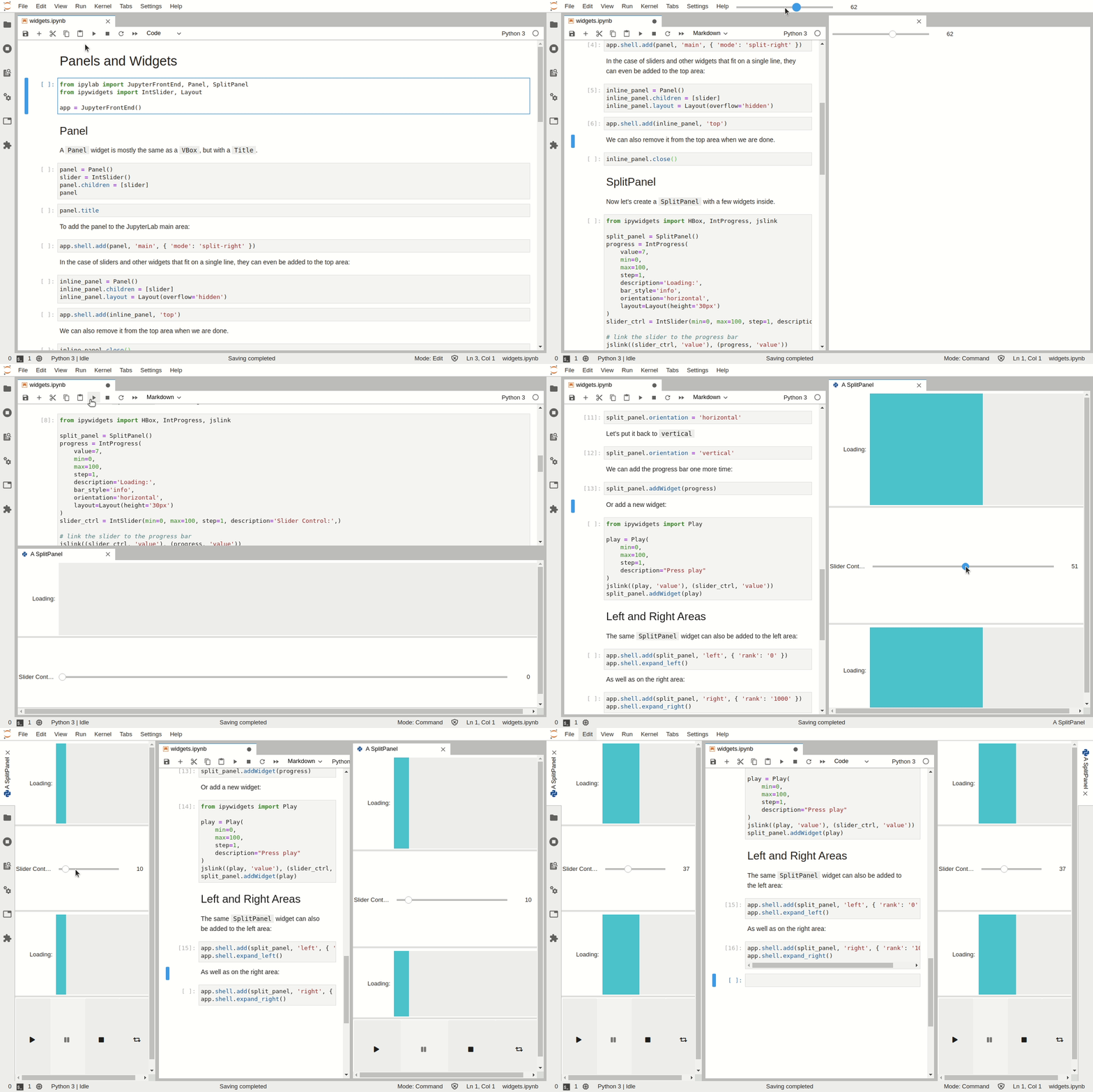
Add Jupyter Widgets to the JupyterLab interface
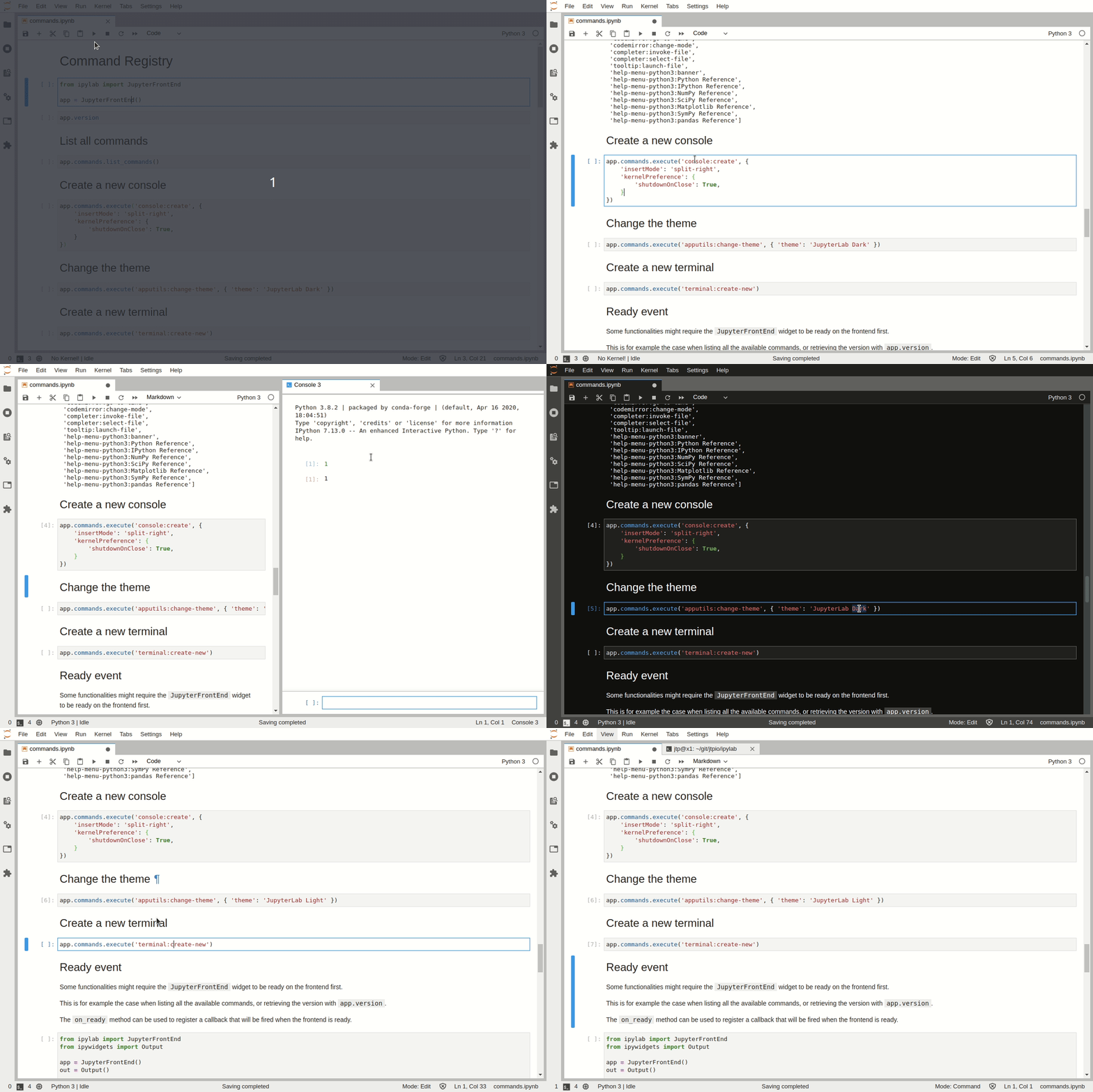
Execute Commands
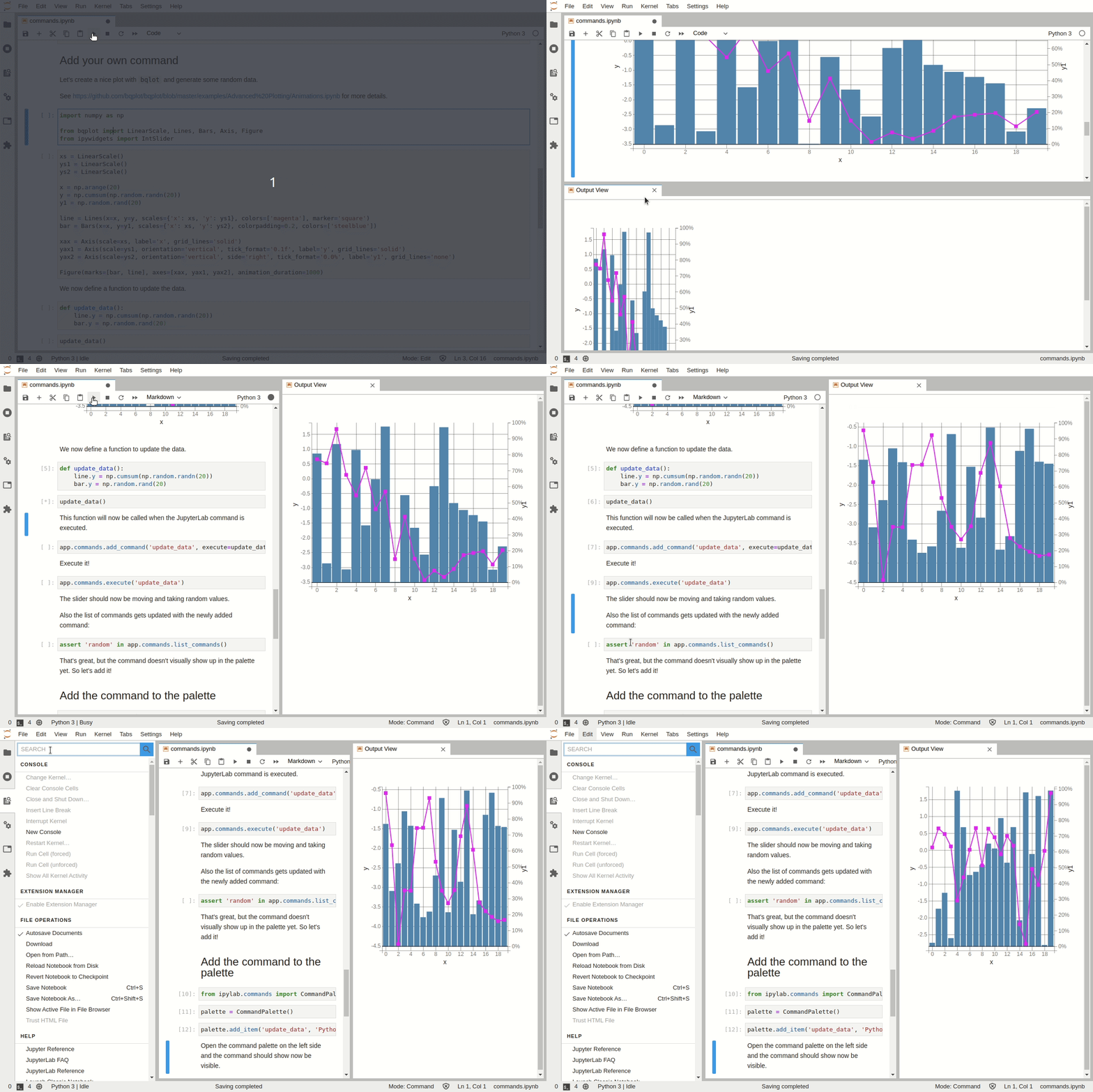
Custom Python Commands and Command Palette
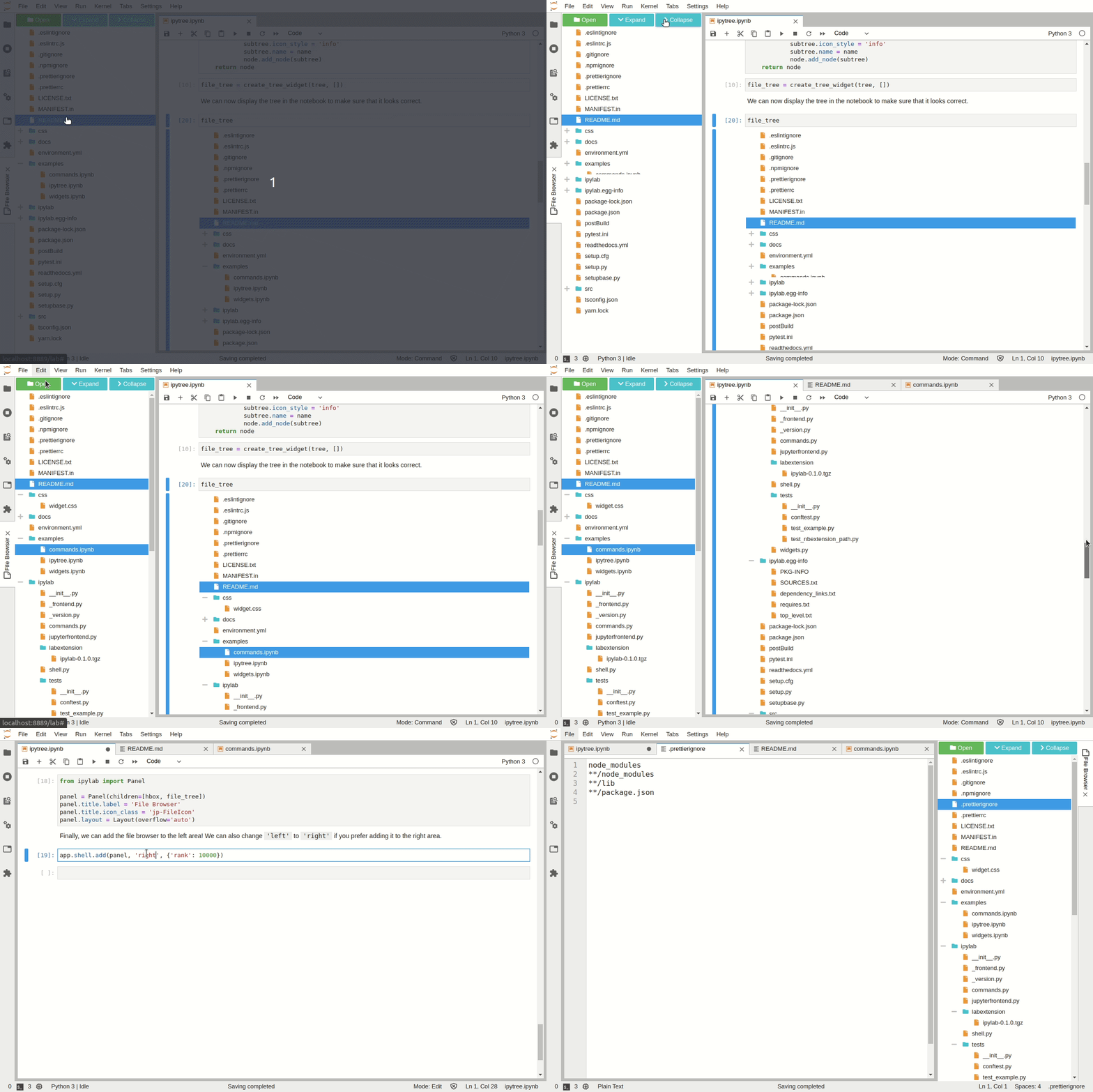
Build small applications
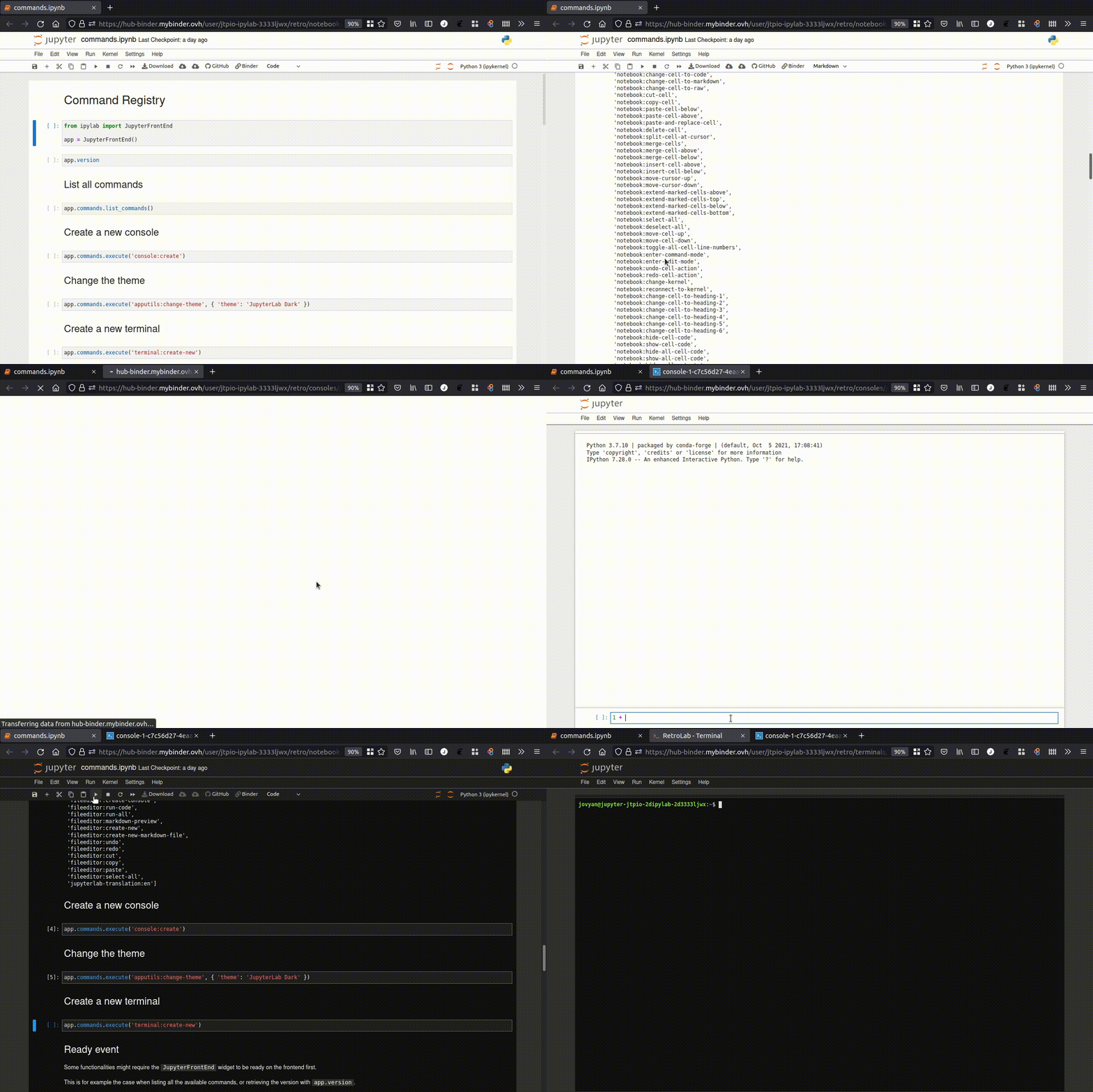
Compatibility with RetroLab
A subset of the features can be used in RetroLab:
Installation
You can install using pip:
pip install ipylab
Or with mamba / conda:
mamba install -c conda-forge ipylab
Running the examples locally
To try out the examples locally, the recommended way is to create a new environment with the dependencies:
# create a new conda environment
conda create -n ipylab-examples -c conda-forge jupyterlab ipylab ipytree bqplot ipywidgets numpy
conda activate ipylab-examples

# start JupyterLab
jupyter lab
Under the hood
ipylab can be seen as a proxy from Python to JupyterLab over Jupyter Widgets:

Development
# create a new conda environment
mamba create -n ipylab -c conda-forge jupyter-packaging nodejs python -y

# activate the environment
conda activate ipylab

# install the Python package
python -m pip install -e ".[dev]"

# link the extension files
jupyter labextension develop . --overwrite

# compile the extension
jlpm && jlpm run build
Related projects
There are a couple of projects that also enable interacting with the JupyterLab environment from Python notebooks:
- wxyz: experimental widgets (including
DockPanel) - jupyterlab-sidecar: add widgets to the JupyterLab right area
- jupyterlab_commands: add arbitrary Python commands to the jupyterlab command palette
1 maintainer

Metadata
1 maintainer
Release files for ipylab 1.1.0
For a detailed explanation of source distributions (sdists) and built distributions (wheels), please see the package formats documentation.
Source distribution (sdist)
| File | Size | Uploaded | Provenance | |
|---|---|---|---|---|
| ipylab-1.1.0.tar.gz | 1.3 MB | Without provenance | Details |
Built distribution (wheel)
| File | Interpreter | ABI | Platform | Reset |
|---|---|---|---|---|
| ipylab-1.1.0-py3-none-any.whl | Python 3 | none | any | Details |
Total release size: 1.4 MB
Release files / ipylab-1.1.0.tar.gz
| Download URL | ipylab-1.1.0.tar.gz |
|---|---|
| Size | 1.3 MB |
| Tags | Source |
|
SHA-256 checksum How to use checksums |
f39858a4d9ef6ecb82f8efeeb9f6b5a01a3a64d4f3c4f2a5fe2d58ae594de212
|
|
BLAKE2b-256 checksum How to use checksums |
64cb6c8cf1e58472ddd910a4f7a99491e5b368ba64c02cf79bbf746dcc55b2cf
|
| Upload date | |
|
Uploaded using Trusted Publishing? What is trusted publishing? |
Yes |
| Uploaded via |
twine/6.1.0 CPython/3.12.11
|
Release files / ipylab-1.1.0-py3-none-any.whl
| Download URL | ipylab-1.1.0-py3-none-any.whl |
|---|---|
| Size | 101.6 kB |
| Tags | Python 3 |
|
SHA-256 checksum How to use checksums |
a24c29aeb7d6d8b26c150794ef30c8d9ac2e387c47ea49f9afd8fa19dcd07b62
|
|
BLAKE2b-256 checksum How to use checksums |
9818f08867a10c1c67064c5cf42c99884de7b9395ca2f0468ff346b1d2351021
|
| Upload date | |
|
Uploaded using Trusted Publishing? What is trusted publishing? |
Yes |
| Uploaded via |
twine/6.1.0 CPython/3.12.11
|
Security for ipylab 1.1.0
Provenance
Provenance describes where a file came from. On PyPI, provenance is shared via attestations, which provide a verifiable record of the build or publishing details. View details, limitations and caveats.
No provenance found
None of the files in this release were uploaded with provenance metadata.
A note on package security
PyPI is a repository for distributing packages, not a service for auditing them. While third-party security researchers and our staff do their best to detect and remove malicious packages, PyPI cannot guarantee the quality, security or suitability of any given package.
To learn more about protecting yourself from malicious actors, visit our package security documentation.














