
PyG2Plot
🎨 Python3 binding for
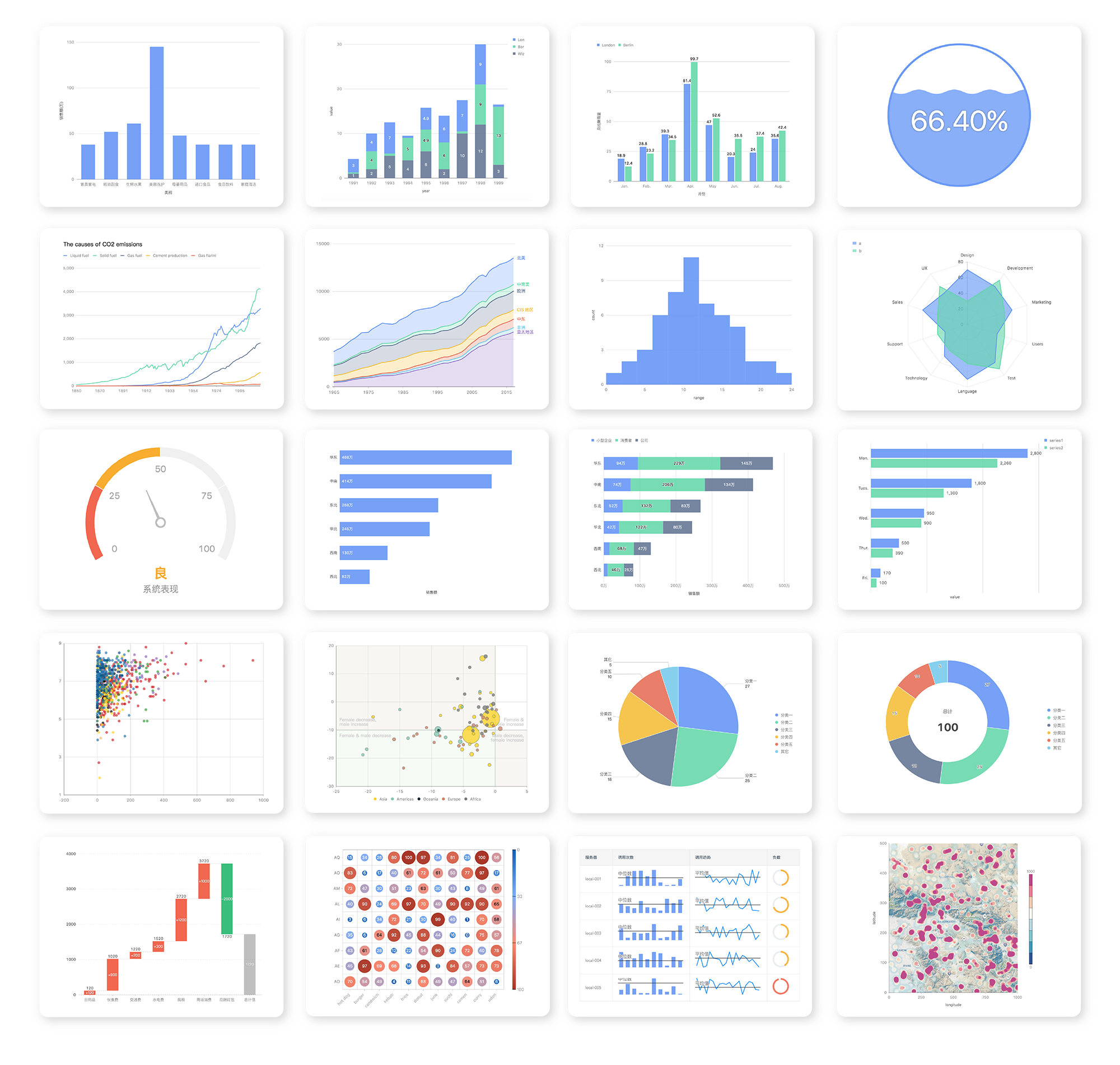
@AntV/G2Plotwhich an interactive and responsive charting library. Based on the grammar of graphics, you can easily make superior statistical charts through a few lines of code.PyG2Plotis inspired by pyecharts.



Document: 中文说明文档 · Drawing statistical plots · In Jupyter Notebook · Principles
Installation
$ pip install pyg2plot
Usage
render HTML
from pyg2plot import Plot

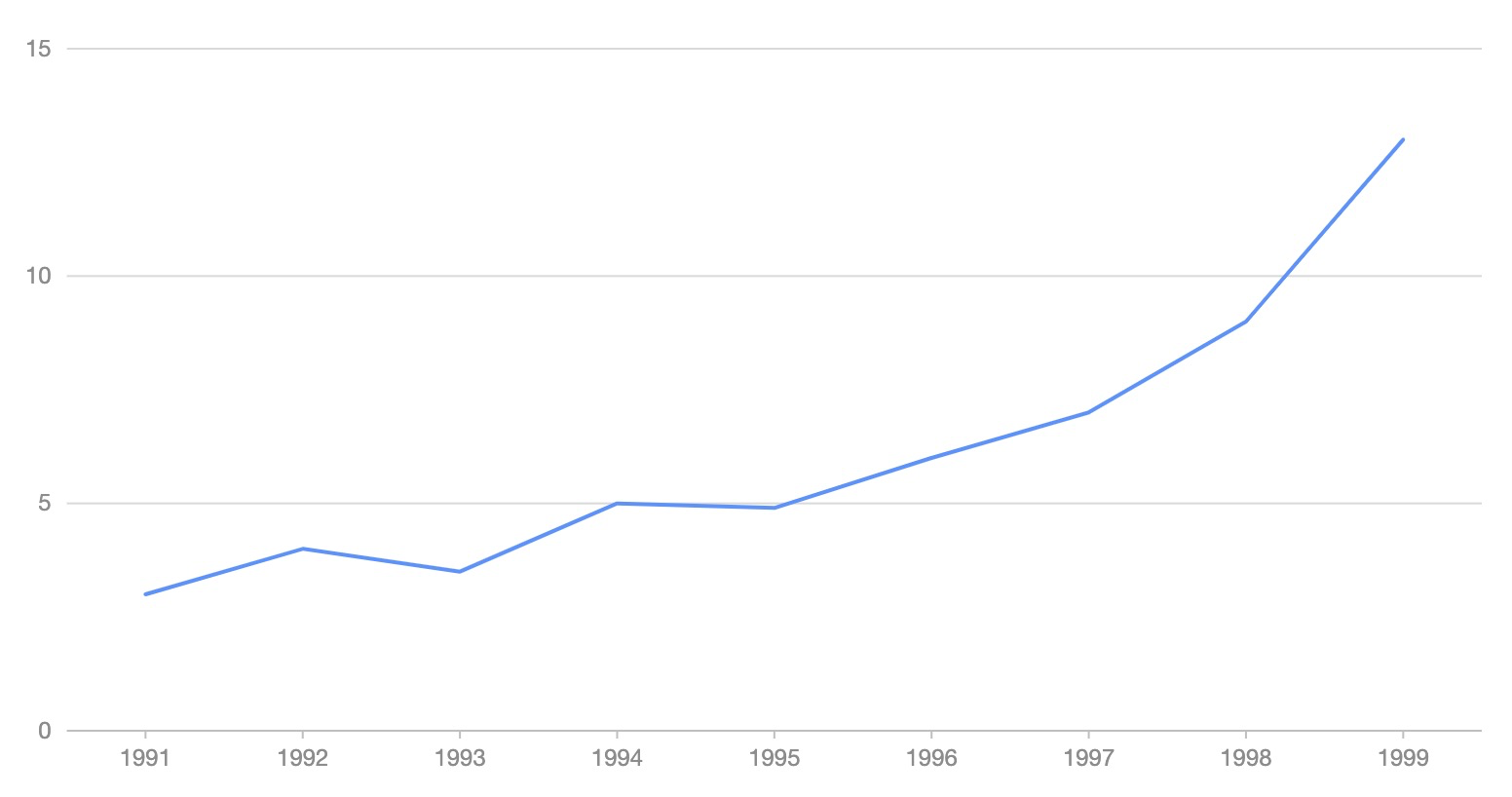
line = Plot("Line")

line.set_options({
  "data": [
    { "year": "1991", "value": 3 },
    { "year": "1992", "value": 4 },
    { "year": "1993", "value": 3.5 },
    { "year": "1994", "value": 5 },
    { "year": "1995", "value": 4.9 },
    { "year": "1996", "value": 6 },
    { "year": "1997", "value": 7 },
    { "year": "1998", "value": 9 },
    { "year": "1999", "value": 13 },
  ],
  "xField": "year",
  "yField": "value",
})

# 1. render html file
line.render("plot.html")
# 2. render html string
line.render_html()
render Jupyter
from pyg2plot import Plot

line = Plot("Line")

line.set_options({
  "height": 400, # set a default height in jupyter preview
  "data": [
    { "year": "1991", "value": 3 },
    { "year": "1992", "value": 4 },
    { "year": "1993", "value": 3.5 },
    { "year": "1994", "value": 5 },
    { "year": "1995", "value": 4.9 },
    { "year": "1996", "value": 6 },
    { "year": "1997", "value": 7 },
    { "year": "1998", "value": 9 },
    { "year": "1999", "value": 13 },
  ],
  "xField": "year",
  "yField": "value",
})

# 1. render in notebook
line.render_notebook()

# 2. render in jupyter lab
line.render_jupyter_lab()
use JavaScript callback
from pyg2plot import Plot, JS

line = Plot("Line")

line.set_options({
  "height": 400, # set a default height in jupyter preview
  "data": [
    { "year": "1991", "value": 3 },
    { "year": "1992", "value": 4 },
    { "year": "1993", "value": 3.5 },
    { "year": "1994", "value": 5 },
    { "year": "1995", "value": 4.9 },
    { "year": "1996", "value": 6 },
    { "year": "1997", "value": 7 },
    { "year": "1998", "value": 9 },
    { "year": "1999", "value": 13 },
  ],
  "xField": "year",
  "yField": "value",
  "lineStye": JS('''function() {
    return { stroke: 'red' };
  }''')
})
Use JS API, you can use JavaScript syntax for callback.
API
Now, only has one API of pyg2plot.
- Plot
-
Plot(plot_type: str): get an instance of
Plotclass. -
plot.set_options(options: object): set the options of G2Plot into instance.
-
plot.render(path, env, **kwargs): render out html file by setting the path, jinja2 env and kwargs.
-
plot.render_notebook(env, **kwargs): render plot on jupyter preview.
-
plot.render_jupyter_lab(env, **kwargs): render plot on jupyter lab preview.
-
plot.render_html(env, **kwargs): render out html string by setting jinja2 env and kwargs.
-
plot.dump_js_options(env, **kwargs): dump js options by setting jinja2 env and kwargs, use it for HTTP request.
More apis is on the way.
License
MIT@hustcc.
1 maintainer

Metadata
1 maintainer
Release files for pyg2plot 0.1.8
For a detailed explanation of source distributions (sdists) and built distributions (wheels), please see the package formats documentation.
Built distribution (wheel)
| File | Interpreter | ABI | Platform | Actions Reset |
|---|---|---|---|---|
| pyg2plot-0.1.8-py3-none-any.whl | Python 3 | none | any | Details for pyg2plot-0.1.8-py3-none-any.whl |
Release files / pyg2plot-0.1.8-py3-none-any.whl
| Download URL | pyg2plot-0.1.8-py3-none-any.whl |
|---|---|
| Size | 8.5 kB |
| Tags | Python 3 |
|
SHA-256 checksum How to use checksums |
d1633dfd7fc0adac49549aea58bcdb5f0cc694181536ccc95f8700d45df312e7
|
|
BLAKE2b-256 checksum How to use checksums |
62649df0ac398660d170c08d668fc565ddbd0c21ae94d63f9936e14bd898773b
|
| Upload date | |
|
Uploaded using Trusted Publishing? What is trusted publishing? |
No |
| Uploaded via |
twine/3.3.0 pkginfo/1.6.1 requests/2.25.1 setuptools/49.2.1 requests-toolbelt/0.9.1 tqdm/4.56.0 CPython/3.9.1
|
Security for pyg2plot 0.1.8
Provenance
Provenance describes where a file came from. On PyPI, provenance is shared via attestations, which provide a verifiable record of the build or publishing details. View details, limitations and caveats.
No provenance found
None of the files in this release were uploaded with provenance metadata.
A note on package security
PyPI is a repository for distributing packages, not a service for auditing them. While third-party security researchers and our staff do their best to detect and remove malicious packages, PyPI cannot guarantee the quality, security or suitability of any given package.
To learn more about protecting yourself from malicious actors, visit our package security documentation.














