







Introduction
Reflex is a library to build full-stack web apps in pure Python.
Key features:
- Pure Python - Write your app's frontend and backend all in Python, no need to learn Javascript.
- Full Flexibility - Reflex is easy to get started with, but can also scale to complex apps.
See our architecture page to learn how Reflex works under the hood.
⚙️ Installation
Important: We strongly recommend using a virtual environment to ensure the reflex command is available in your PATH.
🥳 Create your first app
Create a project, add Reflex, and start the development server with uv:
mkdir my_app_name
cd my_app_name
uv init

uv add reflex
uv run reflex init
uv run reflex run
You should see your app running at http://localhost:3000.
Now you can modify the source code in my_app_name/my_app_name.py. Reflex has fast refreshes so you can see your changes instantly when you save your code.
🫧 Example App
Build an image generation app in Python with Reflex: define the UI, manage state in a class, and call an image model from an event handler.
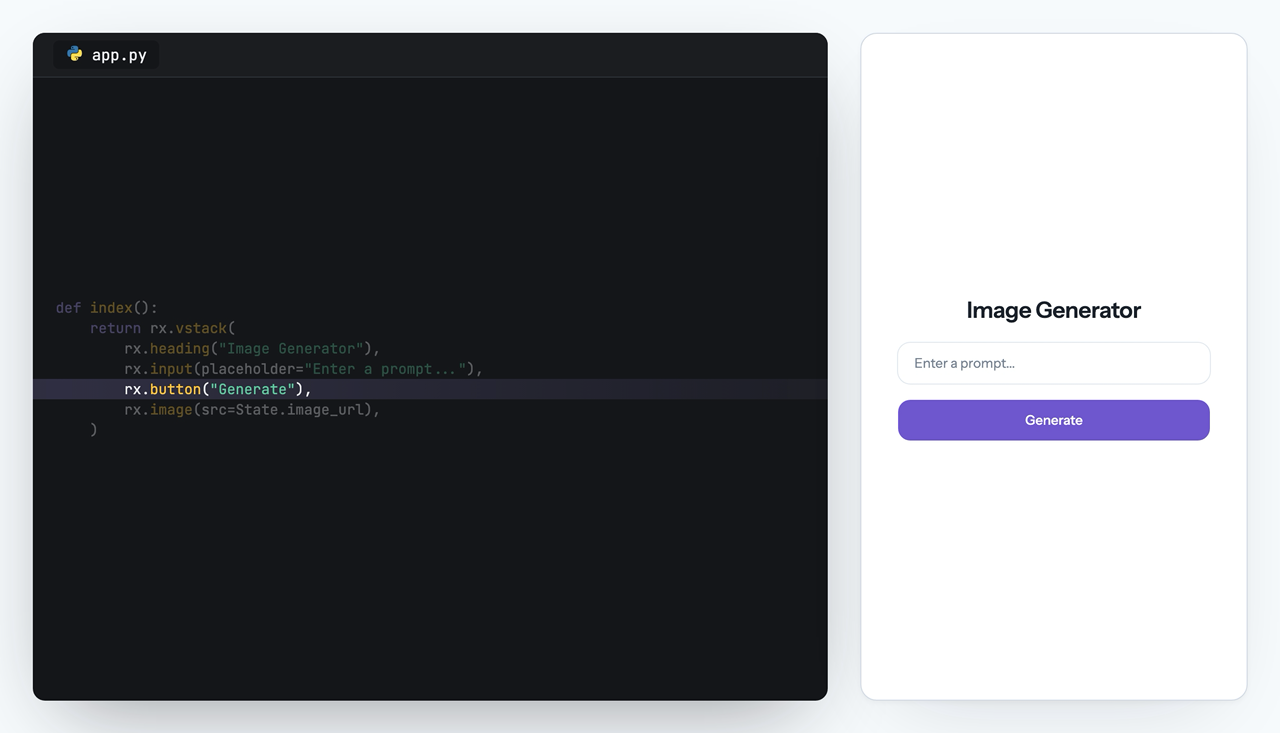
import reflex as rx
import openai

client = openai.AsyncOpenAI()


class State(rx.State):
    prompt: str = ""
    image_url: str = ""
    processing: bool = False

    @rx.event
    def set_prompt(self, value: str):
        self.prompt = value

    @rx.event
    async def generate(self):
        self.processing = True
        yield
        response = await client.images.generate(
            model="gpt-image-1.5",
            prompt=self.prompt,
        )
        self.image_url = f"data:image/png;base64,{response.data[0].b64_json}"
        self.processing = False


def index():
    return rx.vstack(
        rx.heading("Image Generator"),
        rx.input(placeholder="Enter a prompt...", on_change=State.set_prompt),
        rx.button("Generate", on_click=State.generate, loading=State.processing),
        rx.image(src=State.image_url),
    )


app = rx.App()
app.add_page(index, title="Reflex:Image Generation")
All Thanks To Our Contributors:

Metadata
Release files for reflex 0.10.0
For a detailed explanation of source distributions (sdists) and built distributions (wheels), please see the package formats documentation.
Source distribution (sdist)
| File | Size | Uploaded | Provenance | |
|---|---|---|---|---|
| reflex-0.10.0.tar.gz | 266.6 kB | Without provenance | Details |
Built distribution (wheel)
| File | Interpreter | ABI | Platform | Reset |
|---|---|---|---|---|
| reflex-0.10.0-py3-none-any.whl | Python 3 | none | any | Details |
Total release size: 575.5 kB
Release files / reflex-0.10.0.tar.gz
| Download URL | reflex-0.10.0.tar.gz |
|---|---|
| Size | 266.6 kB |
| Tags | Source |
|
SHA-256 checksum How to use checksums |
dec47f9e71562803c65bcc9d389a208f63e5dcc3378b7be1656c9c8b75773a82
|
|
BLAKE2b-256 checksum How to use checksums |
de9cf36dc8571050b9ee0bb18f2ec79691f5a85f2c73571e0e1a1c2c6c67c357
|
| Upload date | |
|
Uploaded using Trusted Publishing? What is trusted publishing? |
Yes |
| Uploaded via |
uv/0.12.5 {"installer":{"name":"uv","version":"0.12.5","subcommand":["publish"]},"python":null,"implementation":{"name":null,"version":null},"distro":{"name":"Ubuntu","version":"24.04","id":"noble","libc":null},"system":{"name":null,"release":null},"cpu":null,"openssl_version":null,"setuptools_version":null,"rustc_version":null,"ci":true}
|
Release files / reflex-0.10.0-py3-none-any.whl
| Download URL | reflex-0.10.0-py3-none-any.whl |
|---|---|
| Size | 308.9 kB |
| Tags | Python 3 |
|
SHA-256 checksum How to use checksums |
1f65a1feee3e6ade6213c71f0622fa5e8d788e7b1faa766d7a5667505ec9eaa2
|
|
BLAKE2b-256 checksum How to use checksums |
0388471c241aaa771f1601e190c0a21fa8f39188a7f5e7e03ce9d27db42c23a7
|
| Upload date | |
|
Uploaded using Trusted Publishing? What is trusted publishing? |
Yes |
| Uploaded via |
uv/0.12.5 {"installer":{"name":"uv","version":"0.12.5","subcommand":["publish"]},"python":null,"implementation":{"name":null,"version":null},"distro":{"name":"Ubuntu","version":"24.04","id":"noble","libc":null},"system":{"name":null,"release":null},"cpu":null,"openssl_version":null,"setuptools_version":null,"rustc_version":null,"ci":true}
|
Security for reflex 0.10.0
Provenance
Provenance describes where a file came from. On PyPI, provenance is shared via attestations, which provide a verifiable record of the build or publishing details. View details, limitations and caveats.
No provenance found
None of the files in this release were uploaded with provenance metadata.
A note on package security
PyPI is a repository for distributing packages, not a service for auditing them. While third-party security researchers and our staff do their best to detect and remove malicious packages, PyPI cannot guarantee the quality, security or suitability of any given package.
To learn more about protecting yourself from malicious actors, visit our package security documentation.














