
AnimeDlp - Command-line downloader for anime1.me and anime1.pw





AnimeDlp extracts or downloads from anime1.me and anime1.pw. yt-dlp fetches the media. On a terminal with no arguments, the text menu opens. The menu does not start a download by itself and does not call pip.
Features
- Text menu on a terminal: download (1), system-log (3), language (4), self-management (8), and Exit (9). When
mpvis installed andmpv --versionnames mplayer2, row 2 is stream to mpv player. Paste one page URL. One video plays in mpv. Several videos show a numbered title list, and the chosen title plays in mpv. mpv receives the media URL and the program does not save a file. Without that mpv, row 2 is omitted - The first row shows the current directory on the left and a local clock (
HH:MM:SS) on the right when the row has room - Paste one
http://orhttps://page URL in the bottom box. The menu runs that page through the downloader and then shows the result - Hosts anime1.me and anime1.pw. Flags
-v/--debug,-x/--extract,-cf,-ua,-o/--output-dir, and--show-cookies - On a terminal, a flashing bullet and the saved-language words for please wait show the file being saved, the file total, the percent finished, and the time until finish. The line disappears when the downloads return
help,version,about, and the pip words are menu rows and typed verbs.versionshows the installed version and does not call pip
Advantages
- Dual-mode interface. On a terminal with no arguments, the text menu opens. The front rows are download (1), system-log (3), language (4), self-management (8), and Exit (9). Row 2, stream to mpv player, is shown only when
mpv --versionnames mplayer2. That row plays the extracted media URL in mpv and does not save a file. One video plays immediately. Several videos show a numbered title list. Without that mpv, row 2 is omitted. Paste a page URL in the bottom box. A supported page URL on the command line downloads or extracts and does not open that menu.--debugwith no URL still opens the menu. With no terminal and no arguments, the program prints help and returns 0. - Built-in languages. Row 4 lists thirteen languages: English, Simplified Chinese, Traditional Chinese, Spanish, Arabic, French, Portuguese, Russian, German, Japanese, Korean, Dutch, and Greek. The choice is saved for the next run.
- USB-safe staging. Intermediate files are written beside the output when that folder can be written, including on a removable drive. The finished file is published with
shutil.move. When that folder cannot be written, the stage uses the system temporary directory. - Lifecycle and diagnostics.
version-check,self-update,self-install, andself-uninstallare menu rows 84–87 and typed verbs.self-uninstallon the command line needs--force. They call pip and do not use root. system-log (3) views a log, clears a log, and shows the log folder. about (83) stays in English.
Quick Installation
Python 3.8+. Pip installs ChronicleLogger>=1.2.3, requests, beautifulsoup4, lxml, and yt-dlp with the package.
pip install AnimeDlp
From a checkout:
python3 -m venv venv
source venv/bin/activate
pip install -e .
After install, on a terminal, anime-dlp with no URL paints this screen. This transcript is that screen when mpv --version names mplayer2, so row 2 is present. The verb is bold and the note after the colon is italic. 9 leaves. 0 on a submenu goes back. The pictures in Screenshots are the same screen.
Path: /tmp/work                                                       13:47:39

1. **download**            : *paste one http(s) page URL*
2. **stream to mpv player**: *paste one http(s) page URL*
3. **system-log**          : *view, clear, and the log folder*
4. **language**            : *display language for this menu*
8. **self-management**     : *version, about, and pip lifecycle*
9. **Exit**                : *leave*

╭─────────────────────────────────────────────────────────────────────────────╮
│ >                                                                           │
╰─────────────────────────────────────────────────────────────────────────────╯
  AnimeDlp 1.5.2  │  main menu  │  Up/Down  •  Enter
system-log (3):
Path: /tmp/work                                                       13:47:39

31. **view-log**  : *list a log file and show it*
32. **clear-log** : *empty one log file*
33. **log-folder**: *show the log folder*
 0. **Back**      : *return to the main menu*

╭─────────────────────────────────────────────────────────────────────────────╮
│ >                                                                           │
╰─────────────────────────────────────────────────────────────────────────────╯
  AnimeDlp 1.5.2  │  system-log  │  Up/Down  •  Enter
language (4). The short on each language row is that language's own name. 0 goes back and does not save.
Path: /tmp/work                                                       13:47:43

41. **English**   : *use English for this menu*
42. **简体中文**  : *use 简体中文 for this menu*
43. **繁體中文**  : *use 繁體中文 for this menu*
44. **Español**   : *use Español for this menu*
45. **العربية**   : *use العربية for this menu*
46. **Français**  : *use Français for this menu*
47. **Português** : *use Português for this menu*
48. **Русский**   : *use Русский for this menu*
49. **Deutsch**   : *use Deutsch for this menu*
50. **日本語**    : *use 日本語 for this menu*
51. **한국어**    : *use 한국어 for this menu*
52. **Nederlands**: *use Nederlands for this menu*
53. **Ελληνικά**  : *use Ελληνικά for this menu*
 0. **Back**      : *return to the main menu*

╭─────────────────────────────────────────────────────────────────────────────╮
│ >                                                                           │
╰─────────────────────────────────────────────────────────────────────────────╯
  AnimeDlp 1.5.2  │  language  │  Up/Down  •  Enter
self-management (8):
Path: /tmp/work                                                       13:47:41

82. **version**       : *show the installed version*
83. **about**         : *version, yt-dlp, and this computer*
84. **version-check** : *compare this install with pip*
85. **self-update**   : *upgrade this package with pip*
86. **self-uninstall**: *remove this package with pip*
87. **self-install**  : *install this package with pip*
 0. **Back**          : *return to the main menu*

╭─────────────────────────────────────────────────────────────────────────────╮
│ >                                                                           │
╰─────────────────────────────────────────────────────────────────────────────╯
  AnimeDlp 1.5.2  │  self-management  │  Up/Down  •  Enter
Usage
anime-dlp
# or
python -m AnimeDlp
On a terminal, that opens the main menu above. It does not download yet, and it does not call pip. When mpv --version names mplayer2, row 2 streams one page in mpv and does not save a file. With no terminal, the same command prints help and returns 0.
A page URL stays in the terminal. It downloads or extracts and does not open the menu. --debug with no URL still opens the menu. Esc returns from a menu question to the front board.
anime-dlp "https://anime1.me/your-series-or-episode-url"
anime-dlp "https://anime1.pw/your-page-url" --extract
anime-dlp "https://anime1.me/..." --cloudflare "your_cf_clearance_value" --user-agent "Mozilla/5.0 ..." --verbose
usage: anime-dlp [-h] [-v] [--debug] [-x] [-cf CLOUDFLARE] [-ua USER_AGENT]
                 [-o OUTPUT_DIR] [--show-cookies] [--force] [--version]
                 [url]

Clean downloader for anime1.me and anime1.pw.
With no URL on a terminal, opens the text menu.
With no URL and no terminal, prints this help and stops.
A page URL downloads or extracts and does not open the menu.
Verbs: help, version, about, self-install, version-check,
self-update, self-uninstall. language is not a verb.

positional arguments:
  url                   Page URL from anime1.me or anime1.pw

options:
  -h, --help            show this help message and exit
  -v, --verbose         Enable debug output
  --debug               Same as --verbose. With no URL, still opens the text menu
  -x, --extract         Extract URLs only (no download)
  -cf CLOUDFLARE, --cloudflare CLOUDFLARE
                        cf_clearance cookie value
  -ua USER_AGENT, --user-agent USER_AGENT
                        Custom User-Agent string
  -o OUTPUT_DIR, --output-dir OUTPUT_DIR
                        Directory for downloads (default: current directory)
  --show-cookies        Print full playback cookie values in --extract mode (default: redacted)
  --force               Confirm self-uninstall. Required on the command line
  --version             show program's version number and exit
anime-dlp help
anime-dlp version
anime-dlp about
anime-dlp version-check
anime-dlp self-update
anime-dlp self-install
anime-dlp self-uninstall --force
version prints AnimeDlp 1.5.2 and does not call pip. about shows one English page: the product identity and a host check of this computer. It does not call pip. version-check runs python -m pip index versions AnimeDlp. self-update runs python -m pip install --upgrade AnimeDlp. self-install runs python -m pip install AnimeDlp. self-uninstall runs python -m pip uninstall -y AnimeDlp and needs --force on the command line. Those pip verbs do not use sudo. Empty arguments on a terminal open the menu and do not install or update.
Menu Exit (9) returns 0. An unsupported host exits non-zero.
Screenshots
Each heading is the file name. The paragraph is what that picture shows: the words on the screen, the characters in the input box, or the scene. Package 1.5.2. The package index can fetch a picture only after that file is on the public main branch.
language-menu.png
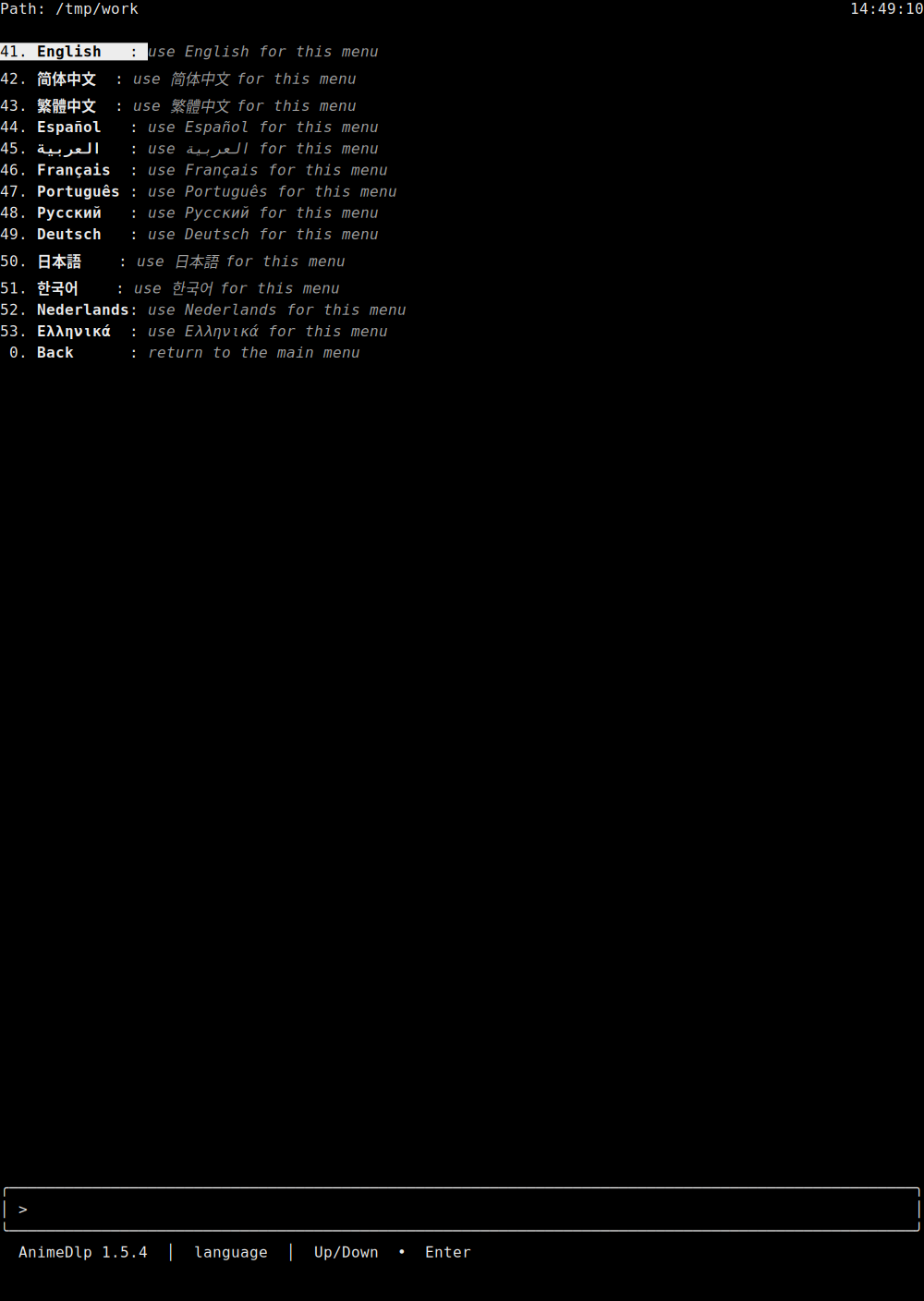
Row 4 has opened the language list. 41 English is highlighted, with the note "use English for this menu." The other rows are 42 简体中文, 43 繁體中文, 44 Español, 45 العربية, 46 Français, 47 Português, 48 Русский, 49 Deutsch, 50 日本語, 51 한국어, 52 Nederlands, and 53 Ελληνικά. Each note says to use that language for this menu. 0 Back says "return to the main menu." The path label is Path. The clock is on the right of that row. The status line says AnimeDlp 1.5.2 and language.
main-menu-en.png
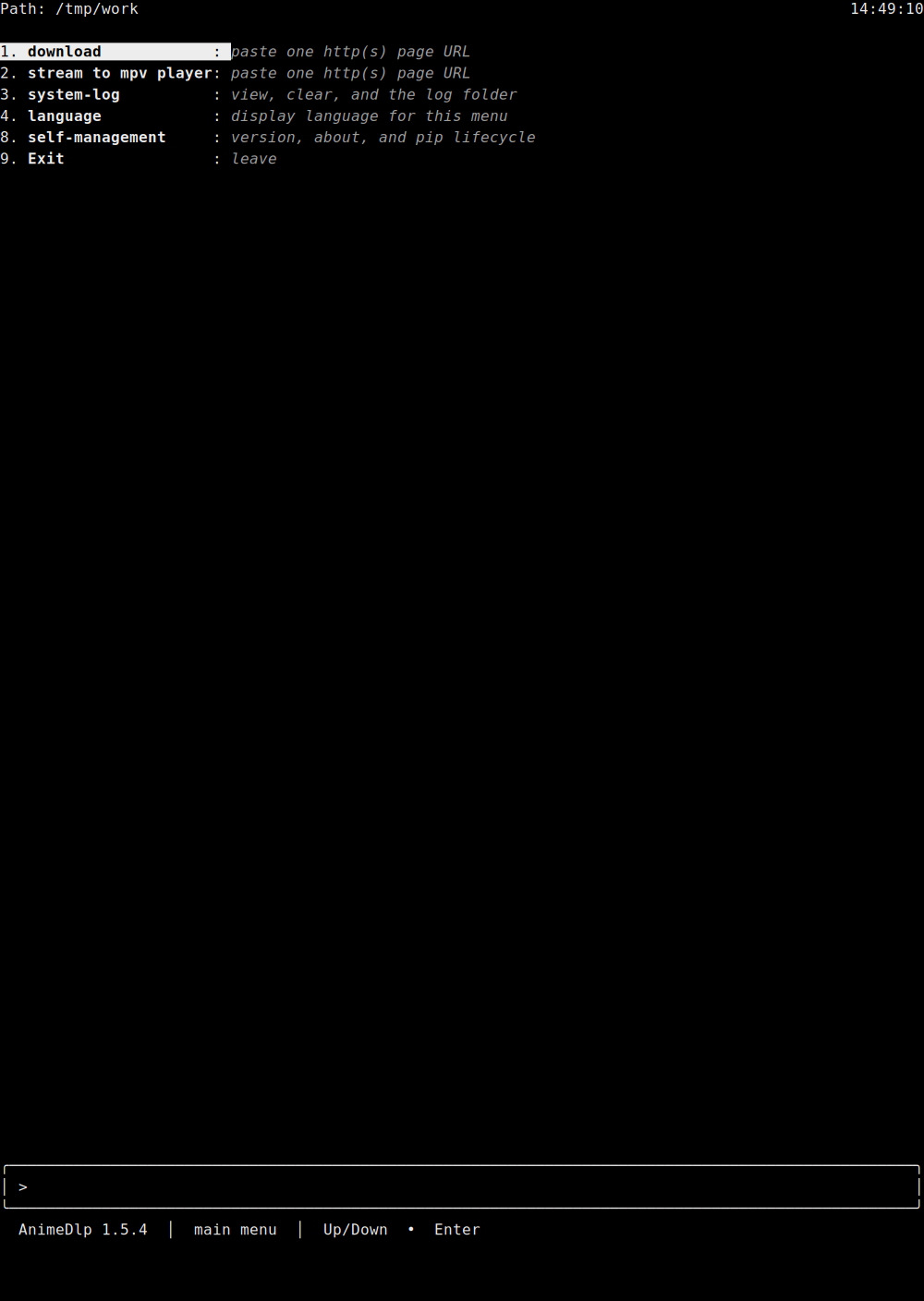
English main menu. There is no saved-language line above the box. The path label is Path. The clock is on the right of that row. 1 download is highlighted: "paste one http(s) page URL." Then 2 stream to mpv player "paste one http(s) page URL," 3 system-log "view, clear, and the log folder," 4 language "display language for this menu," 8 self-management "version, about, and pip lifecycle," and 9 Exit "leave." The status line says AnimeDlp 1.5.2 and main menu.
main-menu-zh-hans.png
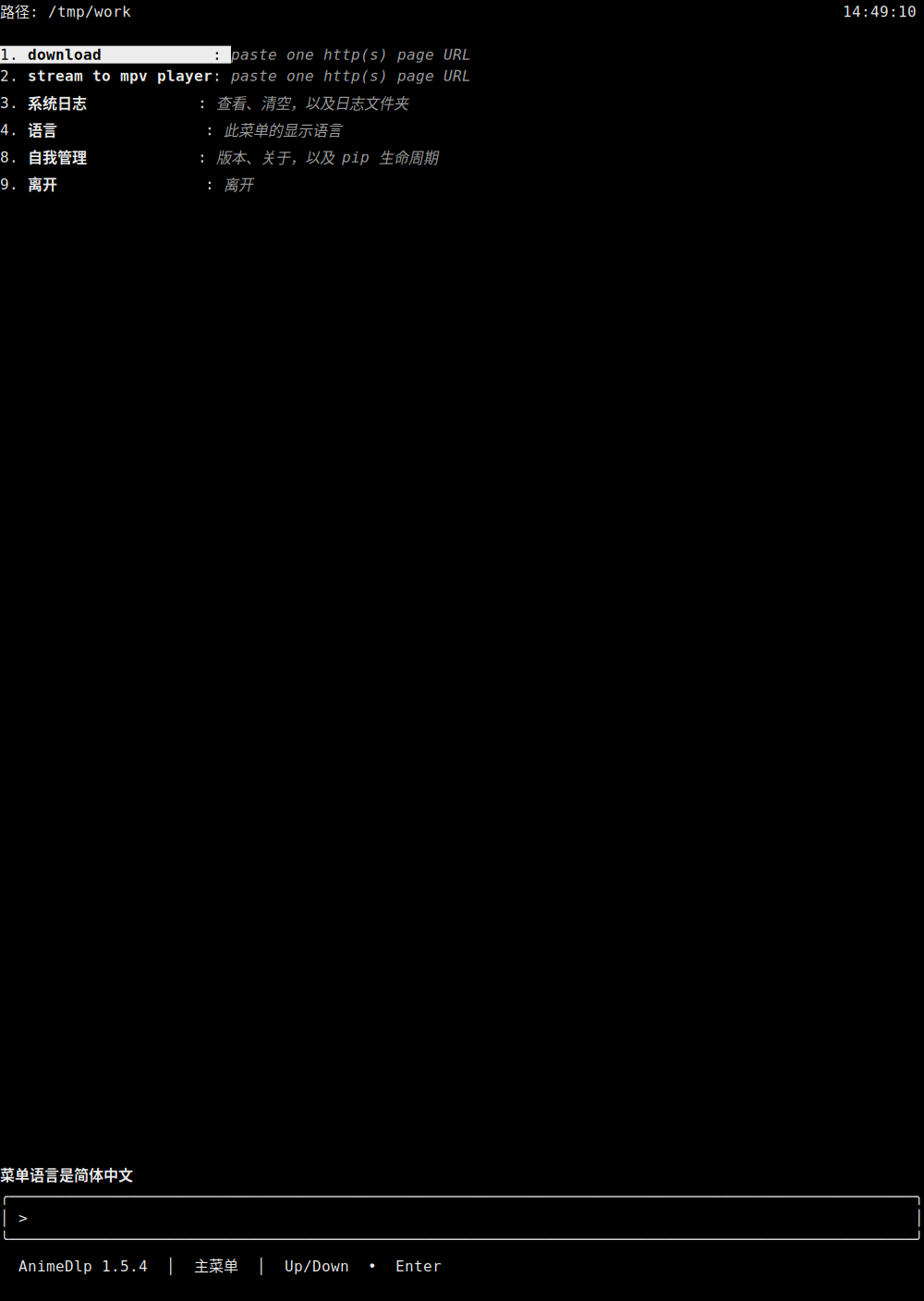
Simplified Chinese main menu. The line above the box says 菜单语言是简体中文. The path label is 路径. The clock is on the right of that row. 1 download is highlighted and stays download: "paste one http(s) page URL." 2 stays stream to mpv player: "paste one http(s) page URL." 3 is 系统日志, 4 is 语言, 8 is 自我管理, and 9 is 离开. The status line says AnimeDlp 1.5.2 and 主菜单.
main-menu-zh-hant.png
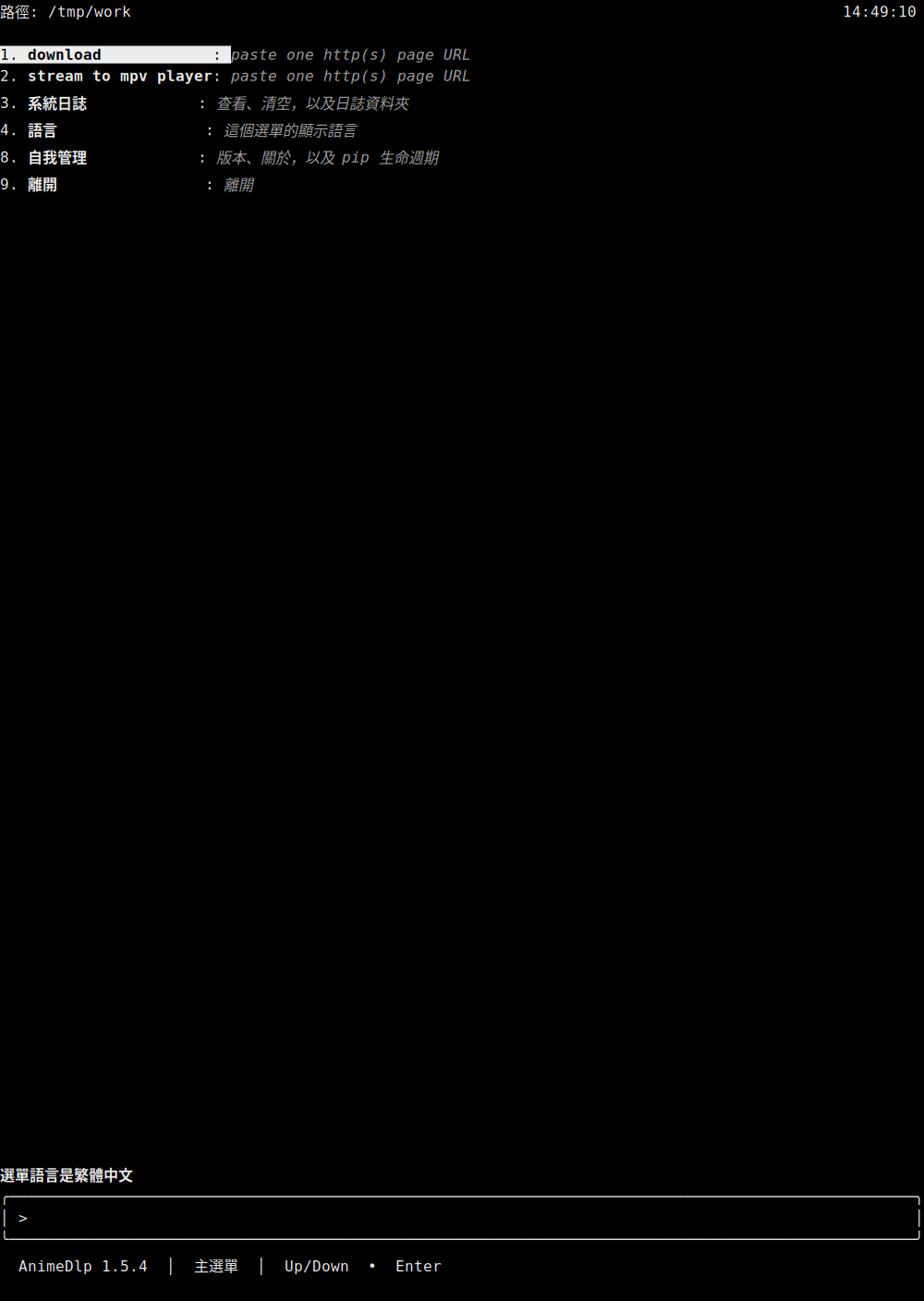
Traditional Chinese main menu. The line above the box says 選單語言是繁體中文. The path label is 路徑. The clock is on the right of that row. 1 download is highlighted and stays download: "paste one http(s) page URL." 2 stays stream to mpv player: "paste one http(s) page URL." 3 is 系統日誌, 4 is 語言, 8 is 自我管理, and 9 is 離開. The status line says AnimeDlp 1.5.2 and 主選單.
main-menu-es.png
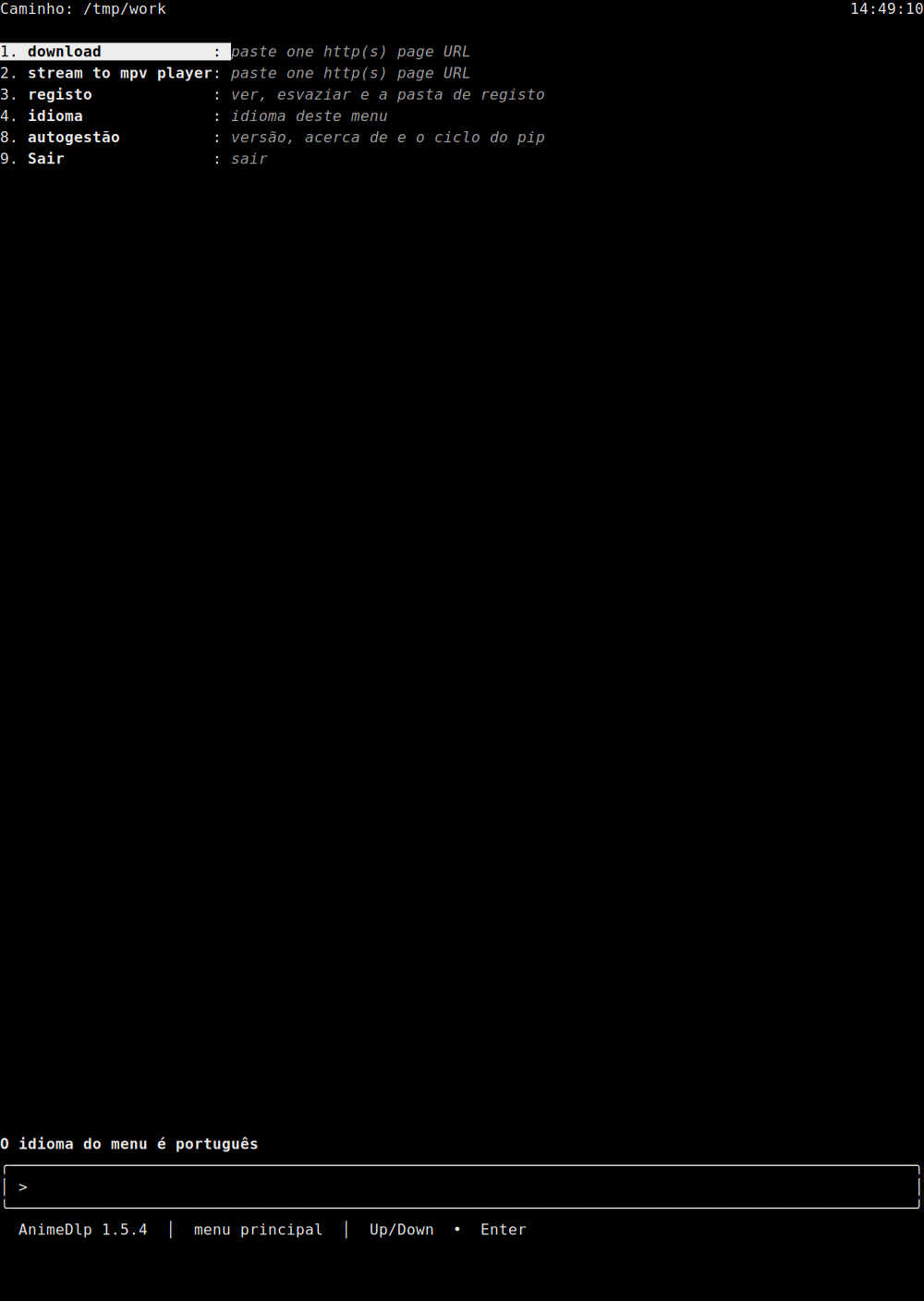
Spanish main menu. The line above the box says El idioma del menú es español. The path label is Ruta. The clock is on the right of that row. 1 download is highlighted and stays download: "paste one http(s) page URL." 2 stays stream to mpv player: "paste one http(s) page URL." 3 is registro, 4 is idioma, 8 is autogestión, and 9 is Salir. The status line says AnimeDlp 1.5.2 and menú principal.
main-menu-ar.png
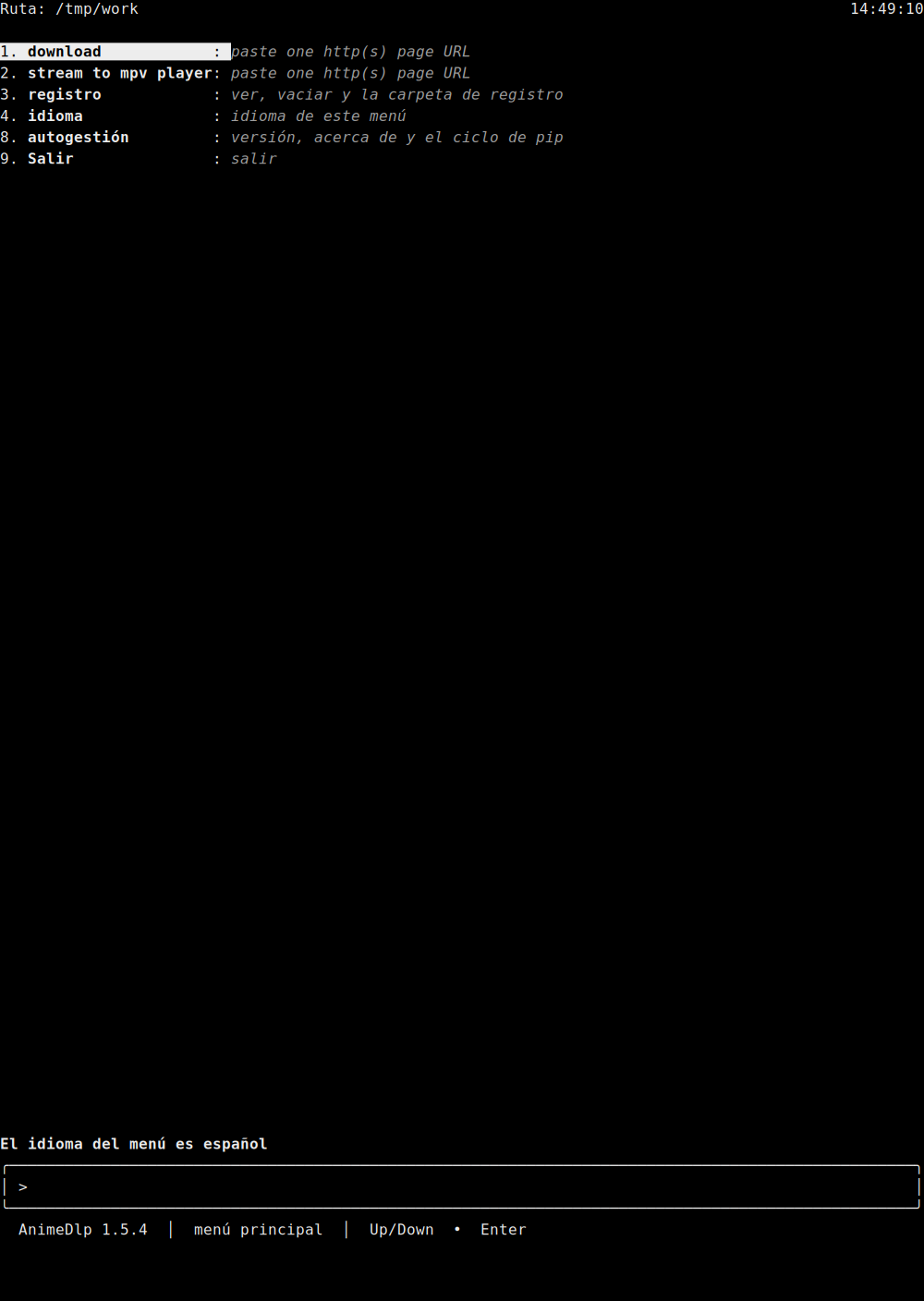
Arabic main menu. The line above the box says لغة القائمة هي العربية. The path label is المسار. The clock is on the right of that row. The numbers stay on the left. Arabic words on each row are shaped and read right to left. 1 download is highlighted and stays download: "paste one http(s) page URL." 2 stays stream to mpv player: "paste one http(s) page URL." 3 is سجل النظام, 4 is لغة, 8 is إدارة ذاتية, and 9 is خروج. The status line says AnimeDlp 1.5.2 and القائمة الرئيسية.
main-menu-fr.png
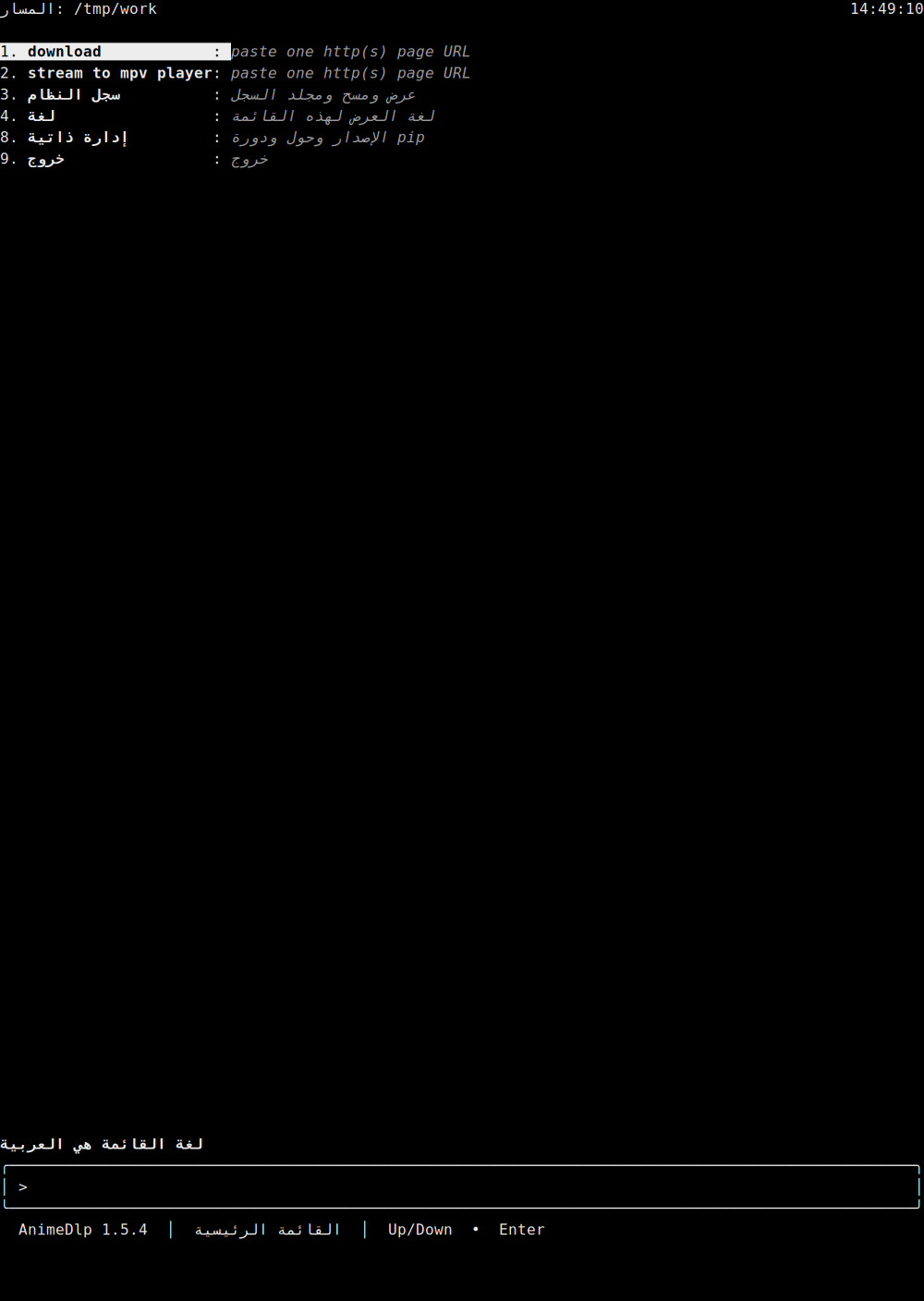
French main menu. The line above the box says La langue du menu est le français. The path label is Chemin. The clock is on the right of that row. 1 download is highlighted and stays download: "paste one http(s) page URL." 2 stays stream to mpv player: "paste one http(s) page URL." 3 is journal, 4 is langue, 8 is autogestion, and 9 is Quitter. The status line says AnimeDlp 1.5.2 and menu principal.
main-menu-pt.png
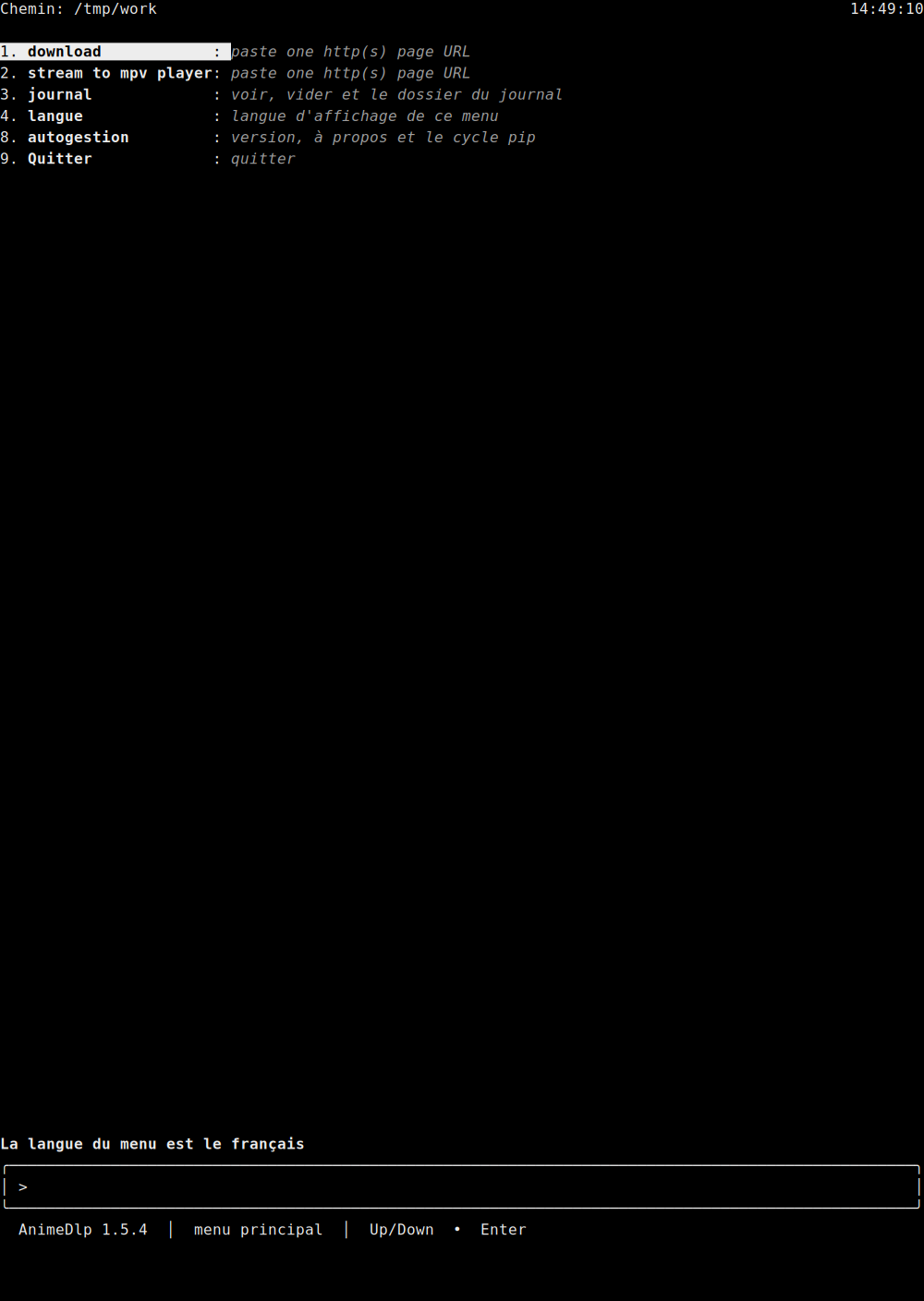
Portuguese main menu. The line above the box says O idioma do menu é português. The path label is Caminho. The clock is on the right of that row. 1 download is highlighted and stays download: "paste one http(s) page URL." 2 stays stream to mpv player: "paste one http(s) page URL." 3 is registo, 4 is idioma, 8 is autogestão, and 9 is Sair. The status line says AnimeDlp 1.5.2 and menu principal.
main-menu-ru.png
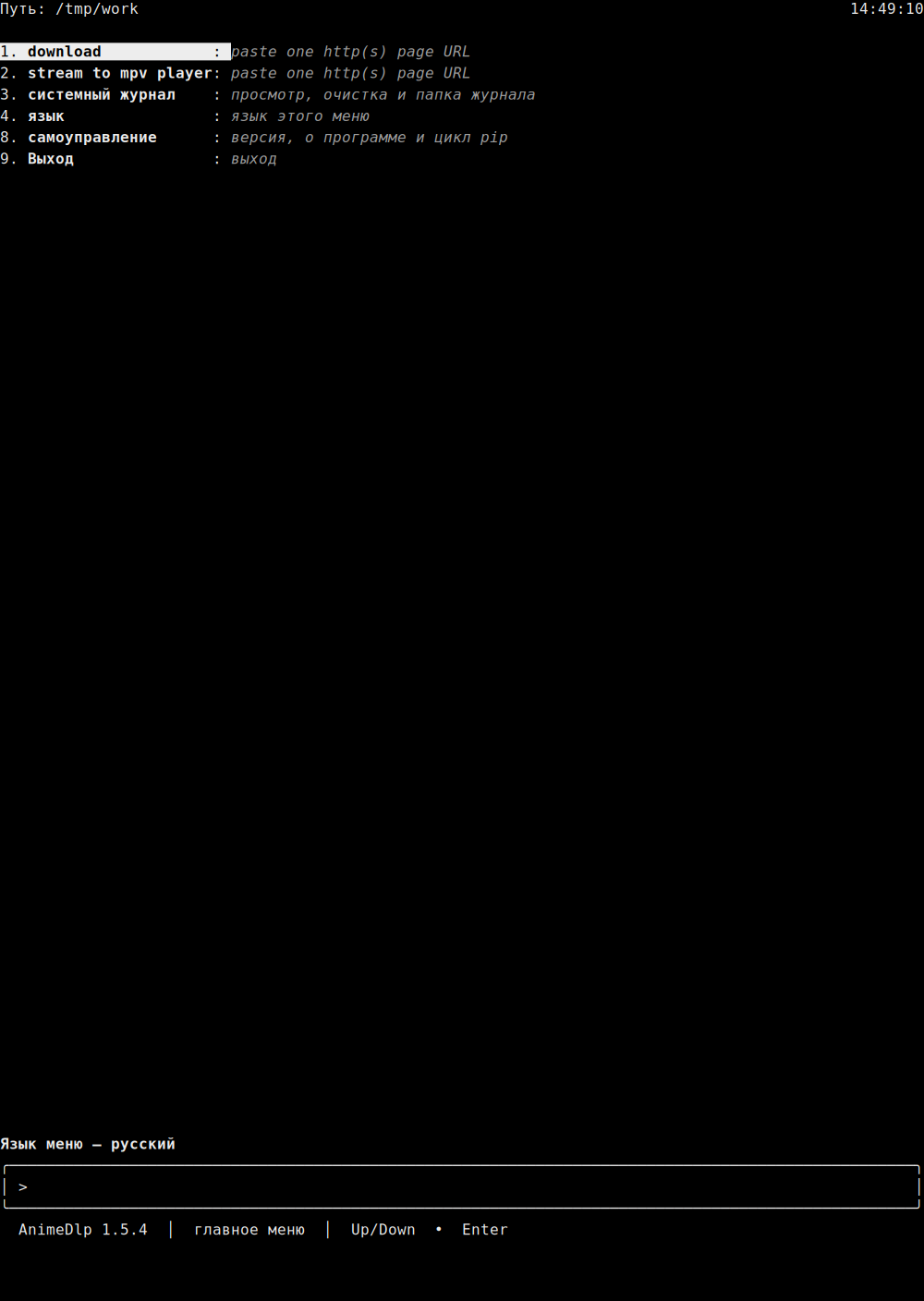
Russian main menu. The line above the box says Язык меню — русский. The path label is Путь. The clock is on the right of that row. 1 download is highlighted and stays download: "paste one http(s) page URL." 2 stays stream to mpv player: "paste one http(s) page URL." 3 is системный журнал, 4 is язык, 8 is самоуправление, and 9 is Выход. The status line says AnimeDlp 1.5.2 and главное меню.
main-menu-de.png
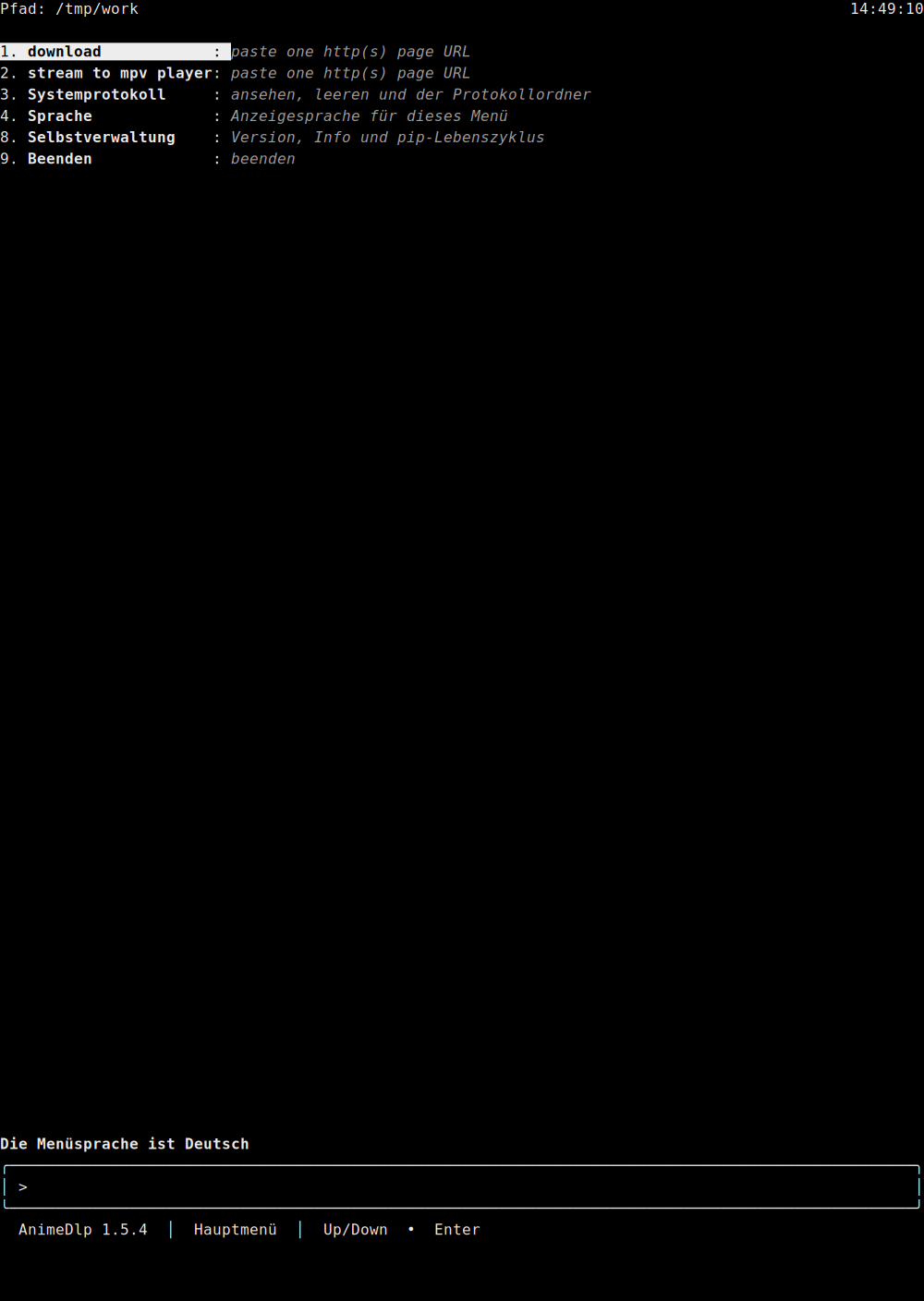
German main menu. The line above the box says Die Menüsprache ist Deutsch. The path label is Pfad. The clock is on the right of that row. 1 download is highlighted and stays download: "paste one http(s) page URL." 2 stays stream to mpv player: "paste one http(s) page URL." 3 is Systemprotokoll, 4 is Sprache, 8 is Selbstverwaltung, and 9 is Beenden. The status line says AnimeDlp 1.5.2 and Hauptmenü.
main-menu-ja.png
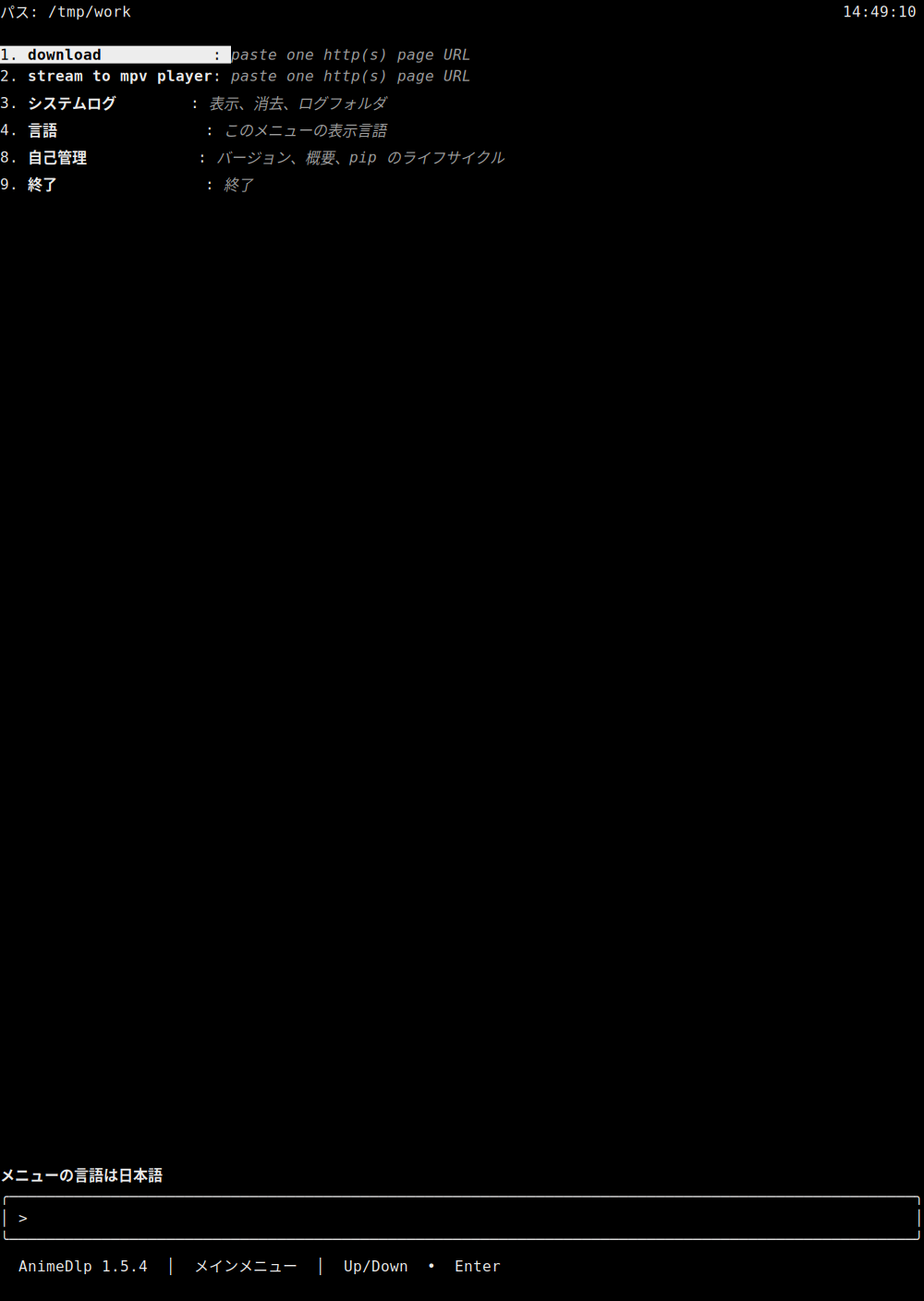
Japanese main menu. The line above the box says メニューの言語は日本語. The path label is パス. The clock is on the right of that row. 1 download is highlighted and stays download: "paste one http(s) page URL." 2 stays stream to mpv player: "paste one http(s) page URL." 3 is システムログ, 4 is 言語, 8 is 自己管理, and 9 is 終了. The status line says AnimeDlp 1.5.2 and メインメニュー.
main-menu-ko.png
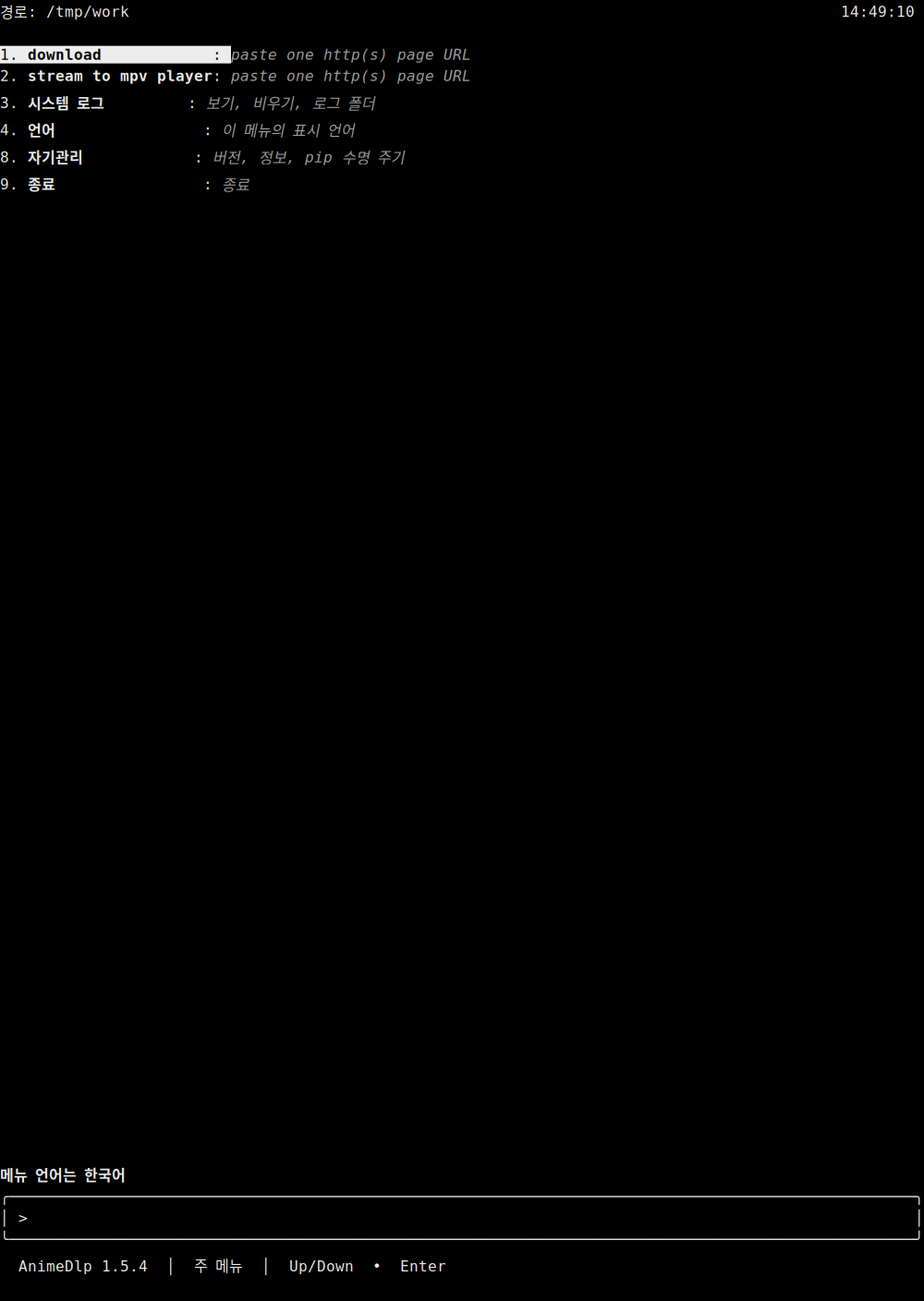
Korean main menu. The line above the box says 메뉴 언어는 한국어. The path label is 경로. The clock is on the right of that row. 1 download is highlighted and stays download: "paste one http(s) page URL." 2 stays stream to mpv player: "paste one http(s) page URL." 3 is 시스템 로그, 4 is 언어, 8 is 자기관리, and 9 is 종료. The status line says AnimeDlp 1.5.2 and 주 메뉴.
main-menu-nl.png
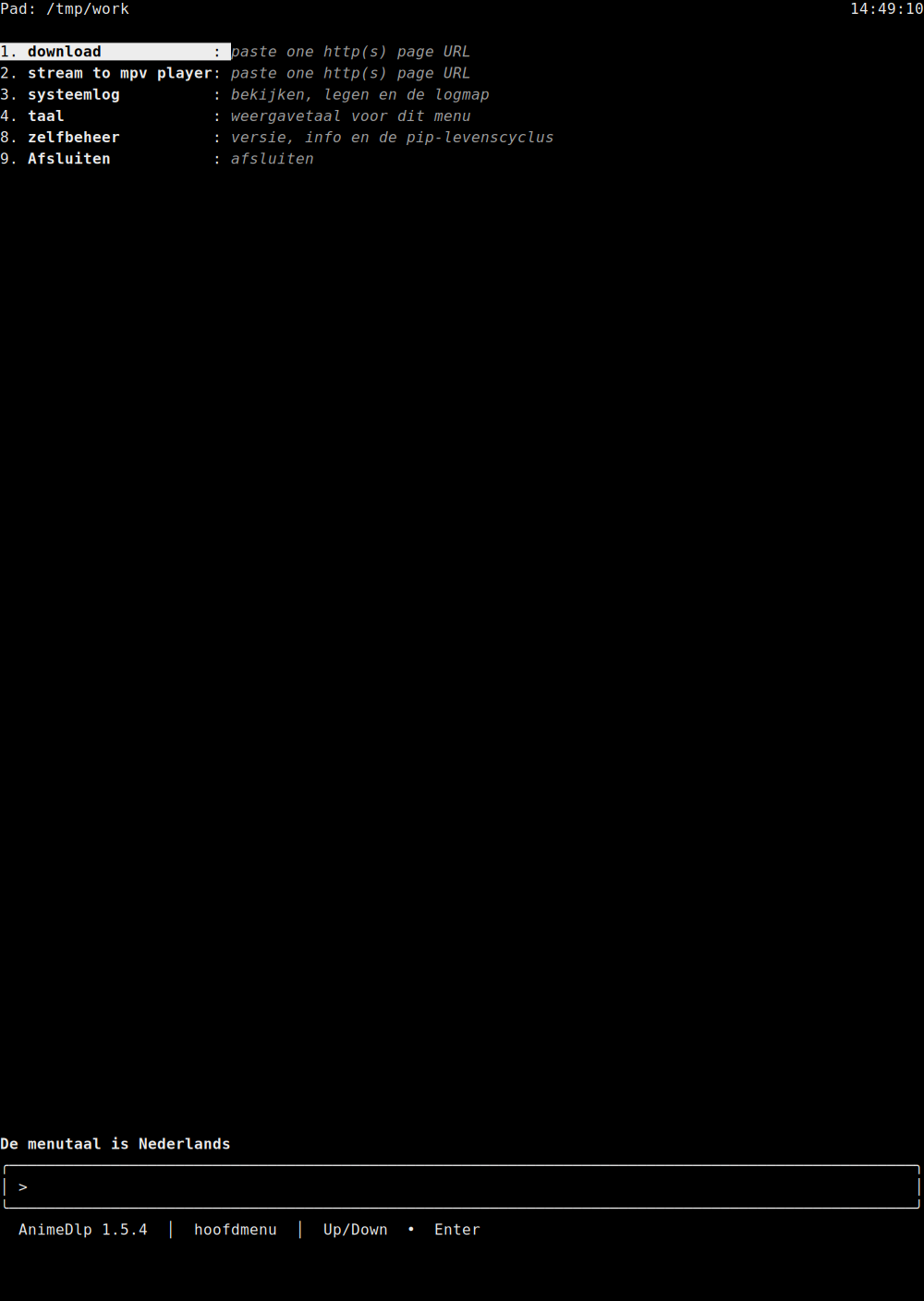
Dutch main menu. The line above the box says De menutaal is Nederlands. The path label is Pad. The clock is on the right of that row. 1 download is highlighted and stays download: "paste one http(s) page URL." 2 stays stream to mpv player: "paste one http(s) page URL." 3 is systeemlog, 4 is taal, 8 is zelfbeheer, and 9 is Afsluiten. The status line says AnimeDlp 1.5.2 and hoofdmenu.
main-menu-el.png
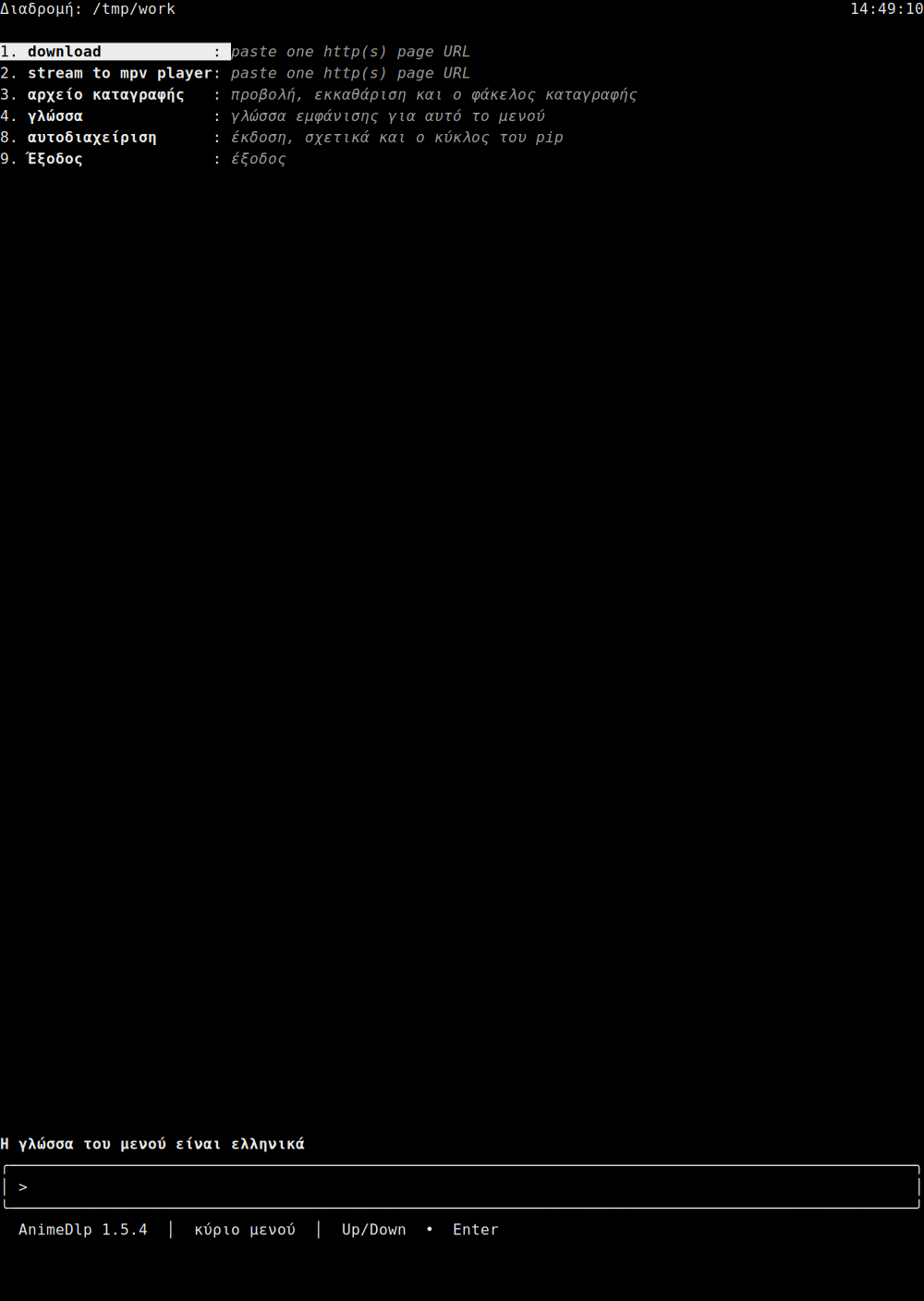
Greek main menu. The line above the box says Η γλώσσα του μενού είναι ελληνικά. The path label is Διαδρομή. The clock is on the right of that row. 1 download is highlighted and stays download: "paste one http(s) page URL." 2 stays stream to mpv player: "paste one http(s) page URL." 3 is αρχείο καταγραφής, 4 is γλώσσα, 8 is αυτοδιαχείριση, and 9 is Έξοδος. The status line says AnimeDlp 1.5.2 and κύριο μενού.
self-management.png
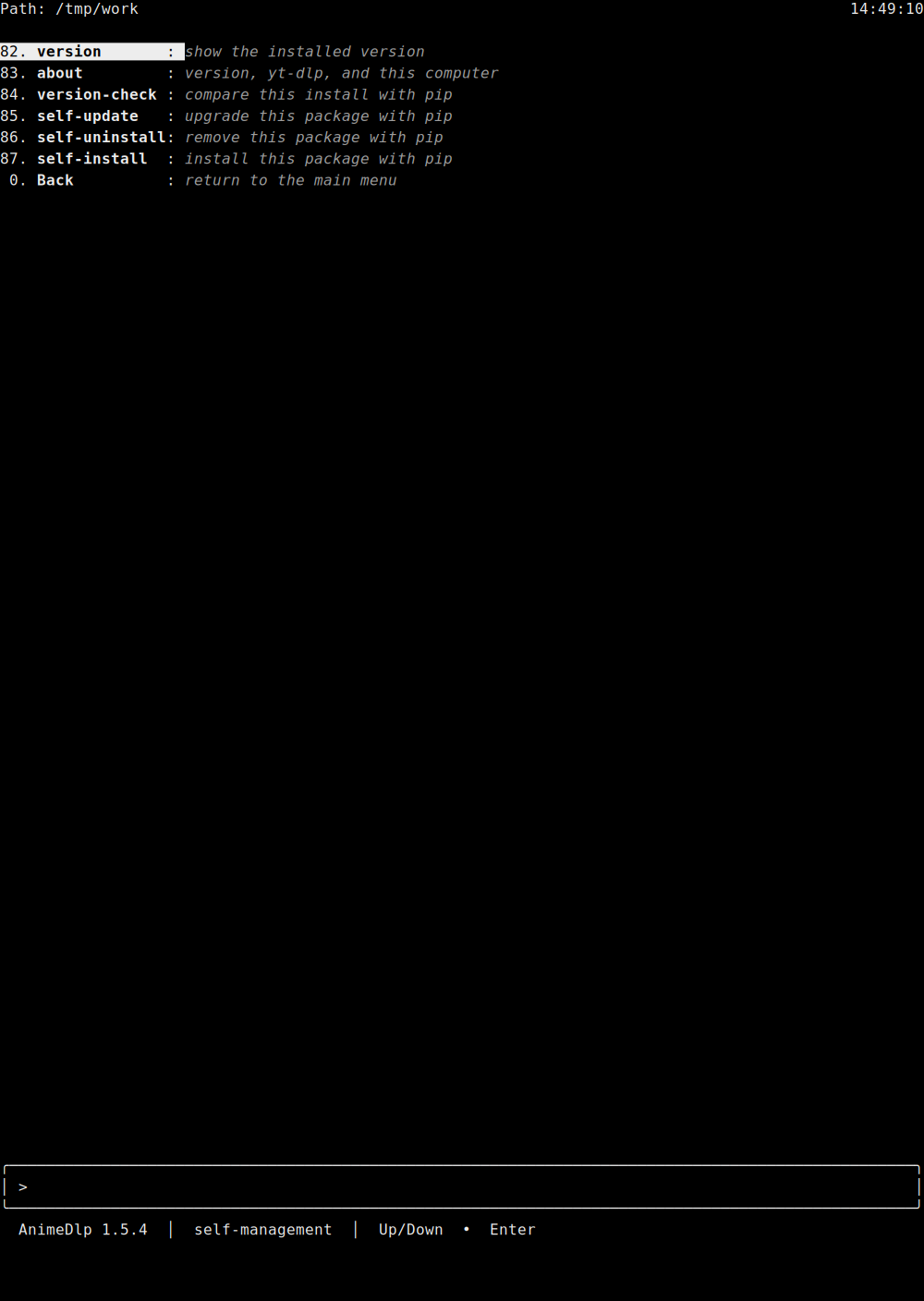
Row 8 has opened self-management. 82 version is highlighted: "show the installed version." Then 83 about "version, yt-dlp, and this computer", 84 version-check "compare this install with pip", 85 self-update "upgrade this package with pip", 86 self-uninstall "remove this package with pip", 87 self-install "install this package with pip", and 0 Back "return to the main menu." The path label is Path. The path is /tmp/work. The clock is on the right of that row. The status line says AnimeDlp 1.5.2 and self-management.
tui-about.png
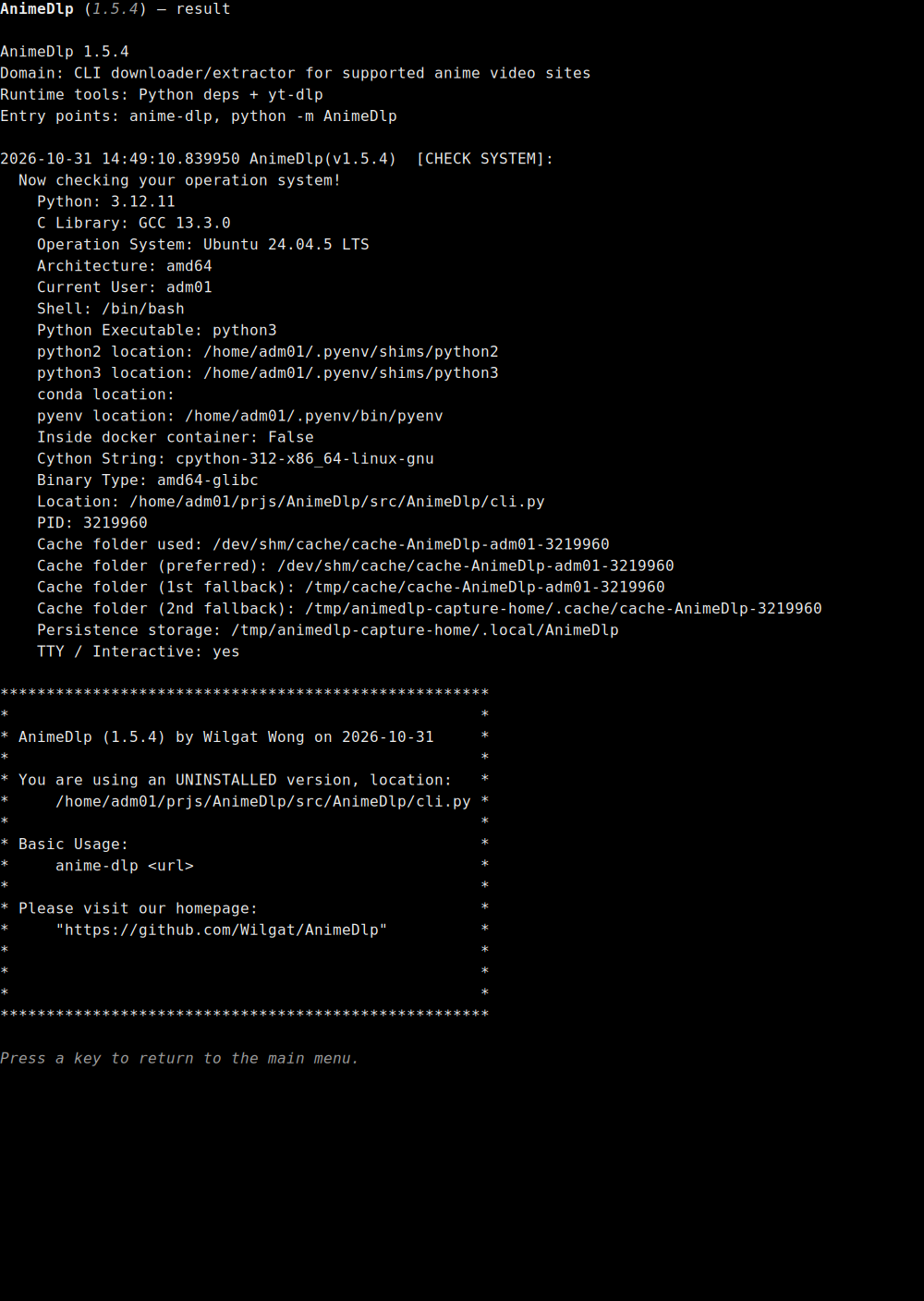
about (83) on the result page. The title is AnimeDlp (1.5.2) — result. The page prints AnimeDlp 1.5.2, Domain: CLI downloader/extractor for supported anime video sites, Runtime tools: Python deps + yt-dlp, and Entry points: anime-dlp, python -m AnimeDlp. The host check is stamped 2026-10-07 13:47:41.959185 and headed [CHECK SYSTEM]:. Visible lines include Python 3.12.11, C Library GCC 13.3.0, Ubuntu 24.04.5 LTS, amd64, the current user, the shell, the Python executable, python2 location, python3 location, conda location, pyenv location, Inside docker container: False, Cython String: cpython-312-x86_64-linux-gnu, binary type, the program location, the process id, the cache folders, persistence storage, and TTY / Interactive: yes. The star box names package 1.5.2, the date 2026-10-07, and says this copy is uninstalled. The footer says Press a key to return to the main menu. There is no input box and no clock. The page stays in English.
system-log.png
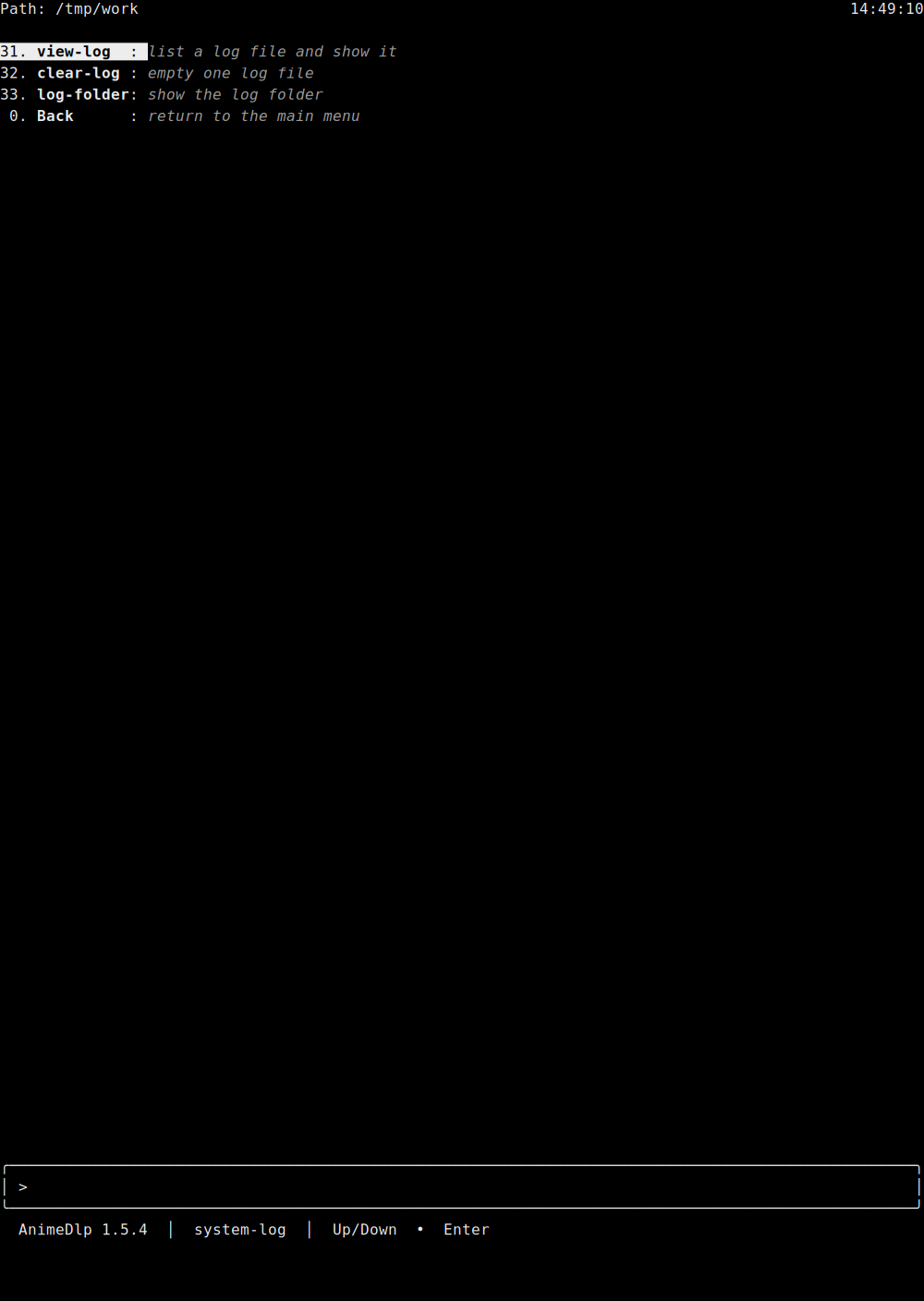
Row 3 has opened system-log. 31 view-log is highlighted: "list a log file and show it." Then 32 clear-log "empty one log file", 33 log-folder "show the log folder", and 0 Back "return to the main menu." The path label is Path. The clock is on the right of that row. The status line says AnimeDlp 1.5.2 and system-log.
stream-titles.png
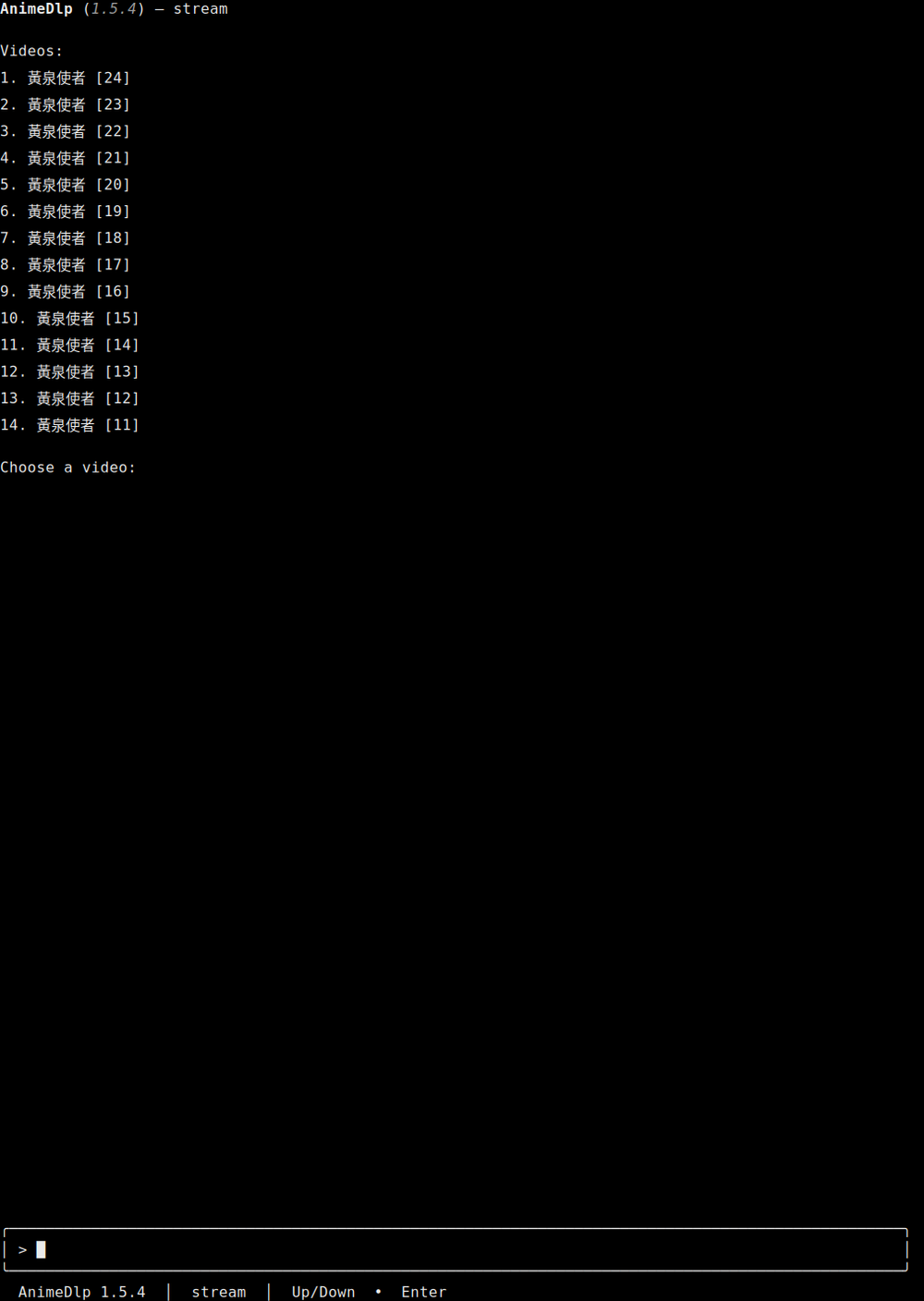
The stream title list. The title is AnimeDlp (1.5.2) — stream. The heading is Videos:. Fourteen titles run from 1. 黃泉使者 [24] through 14. 黃泉使者 [11]. The question is Choose a video:. The input box holds a caret. The status line says AnimeDlp 1.5.2 and stream. The first title is the one that was played.
stream-mpv.png
A frame from mpv, not a text-menu capture. The played title is 黃泉使者 [24]. The scene is a wooden corridor. A girl with blonde braids wears a red hoodie. A man in a black suit stands behind her. A person in a white coat holds a raised fist. A small purple creature with many eyes floats on the left. Red sparks hang by the open side. The subtitle reads 你那自命不凡的Nonsense.

download-progress-file-1.png
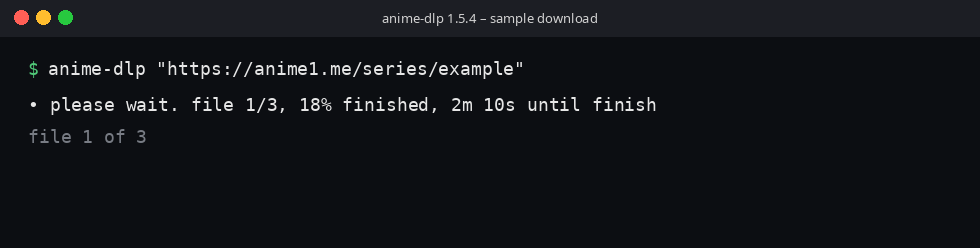
A sample download frame, not a text-menu capture. The window title is anime-dlp 1.5.2 — sample download. The command is anime-dlp "https://anime1.me/series/example". The line is • please wait. file 1/3, 18% finished, 2m 10s until finish. The bullet is drawn. A dimmer line says file 1 of 3.
download-progress-file-2.png
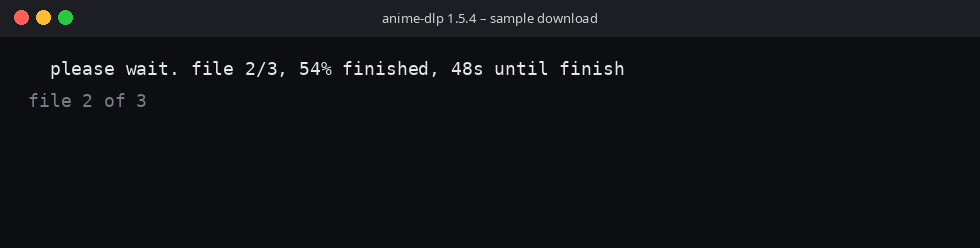
A sample download frame, not a text-menu capture. The window title is anime-dlp 1.5.2 — sample download. There is no command line. The line is please wait. file 2/3, 54% finished, 48s until finish. The bullet cell is a space, so the words stay put. A dimmer line says file 2 of 3.
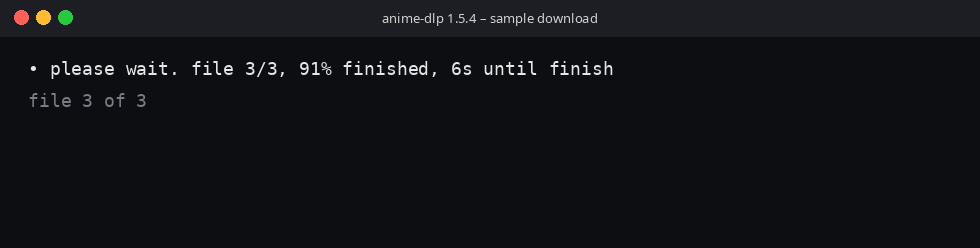
download-progress-file-3.png
A sample download frame, not a text-menu capture. The window title is anime-dlp 1.5.2 — sample download. There is no command line. The line is • please wait. file 3/3, 91% finished, 6s until finish. The bullet is drawn. A dimmer line says file 3 of 3.
Examples
anime-dlp
anime-dlp --debug
anime-dlp "https://anime1.me/your-series-or-episode-url"
Empty anime-dlp on a terminal opens the menu. --debug with no URL still opens the menu. A supported page URL stays in the terminal and does not open the menu.
Platform Compatibility
Linux is the primary platform. macOS and Windows work when Python 3.8+ is present. The text menu needs a terminal. There is no FFmpeg gate.
Related Projects
- AnimeDlp source — this program's source.
- AnimeDlp on PyPI — this program on PyPI.
- ChronicleLogger — status logger this program depends on (
ChronicleLogger>=1.2.3). - CIAO — Caution, Intentional, Anti-fragile, Over-engineered.
- CIAO-Lite — short agent contract.
- safe-rm — guarded
rm.
Contributing
Keep product law in docs/requirements/ in sync with the program. Version strings stay together: pyproject.toml and src/AnimeDlp/__init__.py.
License
MIT — see LICENSE.md. Reporting contact and design posture are in SECURITY.md. This tool is for personal, educational use. Respect the terms of the sites you use it with.
Last Update
Package 1.5.2. The Screenshots section links every picture in screenshots/: the language list, one main menu for each of the thirteen languages, self-management, about, system-log, the stream title list, a frame of that video in mpv, and the three sample download frames.
1 maintainer

Metadata
1 maintainer
Release files for AnimeDlp 1.5.2
For a detailed explanation of source distributions (sdists) and built distributions (wheels), please see the package formats documentation.
Source distribution (sdist)
| File | Size | Uploaded | Provenance | Actions |
|---|---|---|---|---|
| animedlp-1.5.2.tar.gz | 70.3 kB | Without provenance | Details for animedlp-1.5.2.tar.gz |
Built distribution (wheel)
| File | Interpreter | ABI | Platform | Actions Reset |
|---|---|---|---|---|
| animedlp-1.5.2-py3-none-any.whl | Python 3 | none | any | Details for animedlp-1.5.2-py3-none-any.whl |
Total release size: 129.6 kB
Release files / animedlp-1.5.2.tar.gz
| Download URL | animedlp-1.5.2.tar.gz |
|---|---|
| Size | 70.3 kB |
| Tags | Source |
|
SHA-256 checksum How to use checksums |
20e167a610e7ca2d56177f3c0b00645e6f0d7fd478f46ffe15895e2be9b9b53a
|
|
BLAKE2b-256 checksum How to use checksums |
2ac3796dfc38e21976f152f8dcb09f3132ec7f9616cf76ba20d64b6905903779
|
| Upload date | |
|
Uploaded using Trusted Publishing? What is trusted publishing? |
No |
| Uploaded via |
twine/6.2.0 CPython/3.12.11
|
Release files / animedlp-1.5.2-py3-none-any.whl
| Download URL | animedlp-1.5.2-py3-none-any.whl |
|---|---|
| Size | 59.3 kB |
| Tags | Python 3 |
|
SHA-256 checksum How to use checksums |
e92802da05f180b937e199c16be4f40334c6005b434d89c9f1aa6d86636cd6ed
|
|
BLAKE2b-256 checksum How to use checksums |
2a5a8c0e740a095f7e6449f9dc2c3d56360f237980d19dc83438a65c117cf85c
|
| Upload date | |
|
Uploaded using Trusted Publishing? What is trusted publishing? |
No |
| Uploaded via |
twine/6.2.0 CPython/3.12.11
|
Security for AnimeDlp 1.5.2
Provenance
Provenance describes where a file came from. On PyPI, provenance is shared via attestations, which provide a verifiable record of the build or publishing details. View details, limitations and caveats.
No provenance found
None of the files in this release were uploaded with provenance metadata.
A note on package security
PyPI is a repository for distributing packages, not a service for auditing them. While third-party security researchers and our staff do their best to detect and remove malicious packages, PyPI cannot guarantee the quality, security or suitability of any given package.
To learn more about protecting yourself from malicious actors, visit our package security documentation.














