







Brazil Fiscal Report
Python library for generating Brazilian auxiliary fiscal documents in PDF from XML documents.
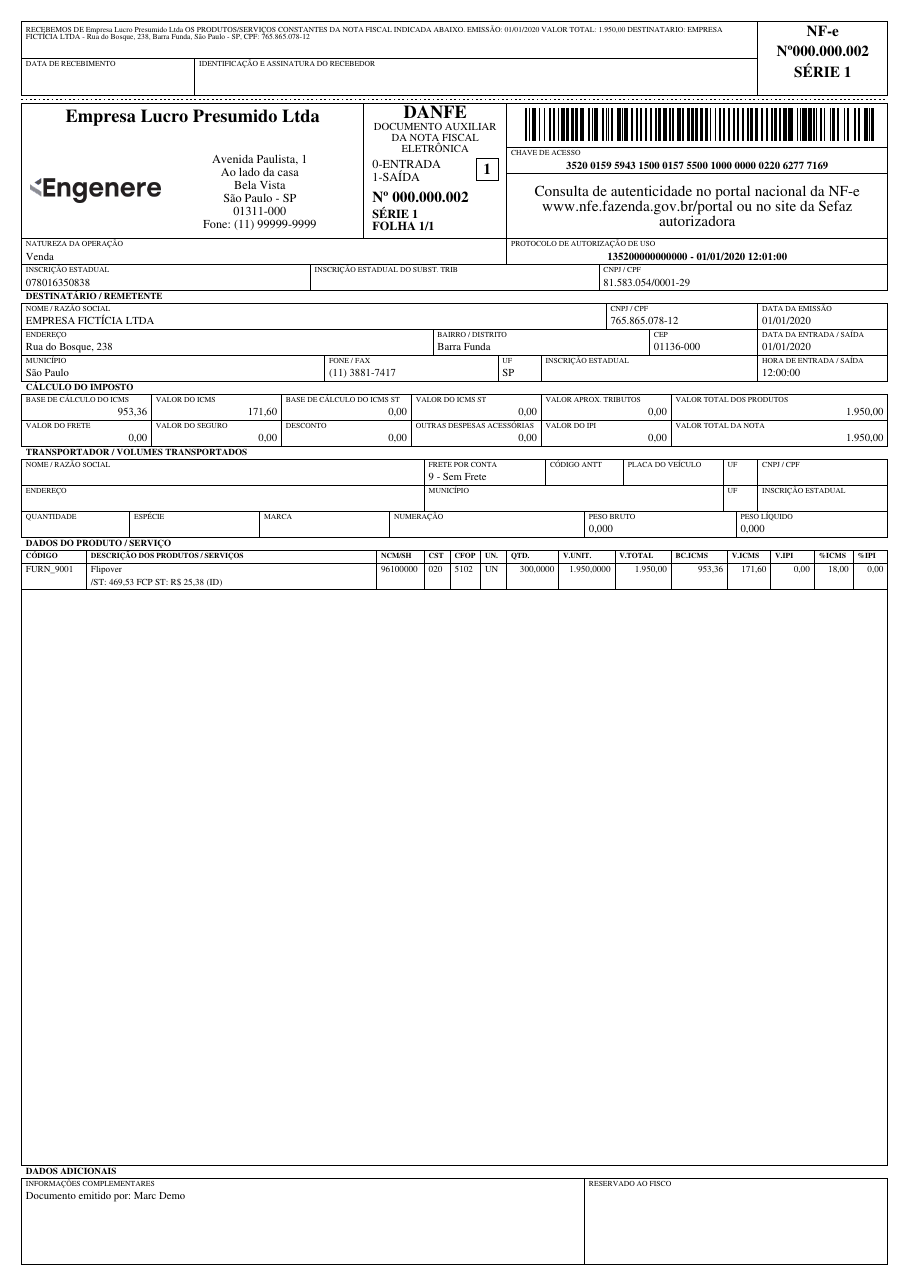
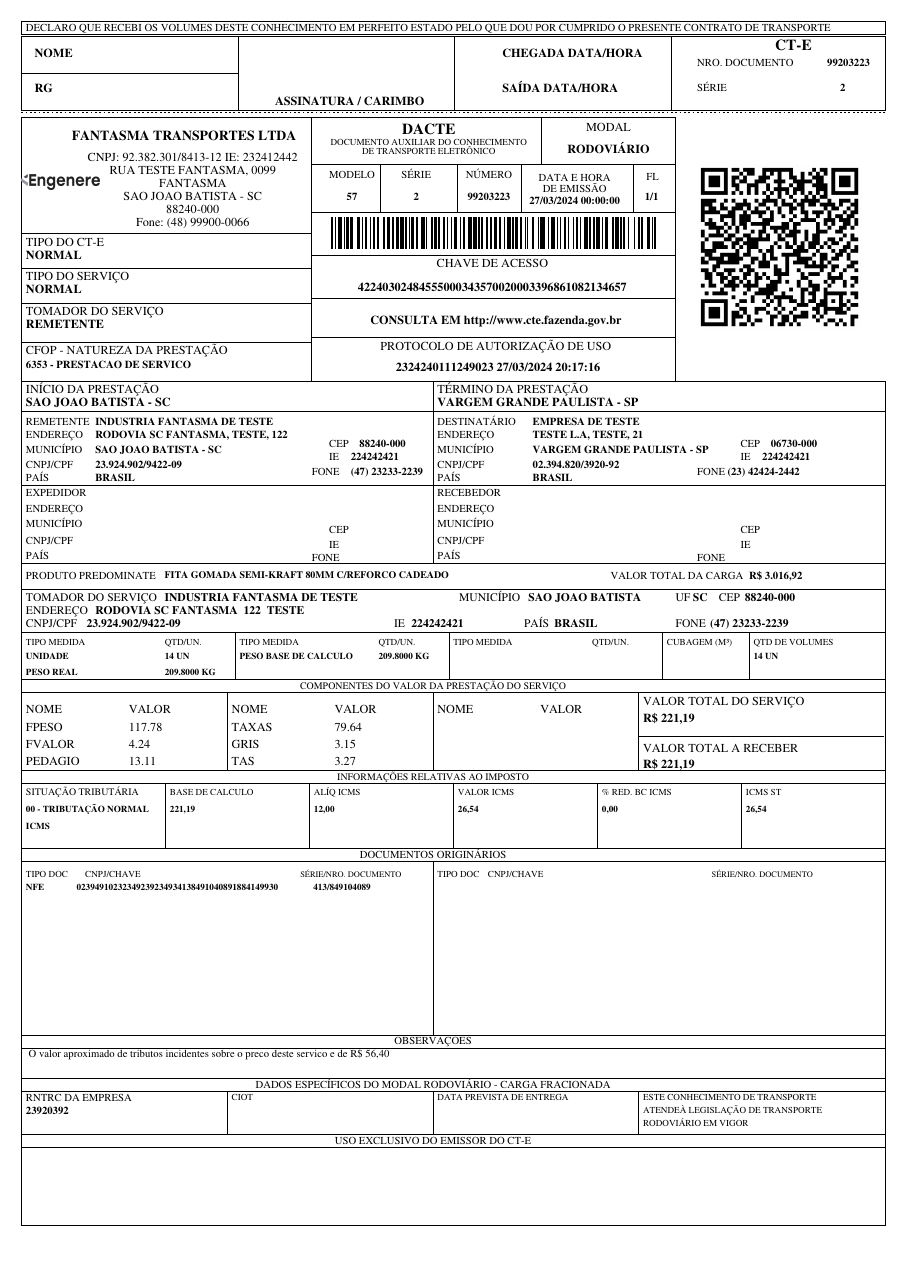
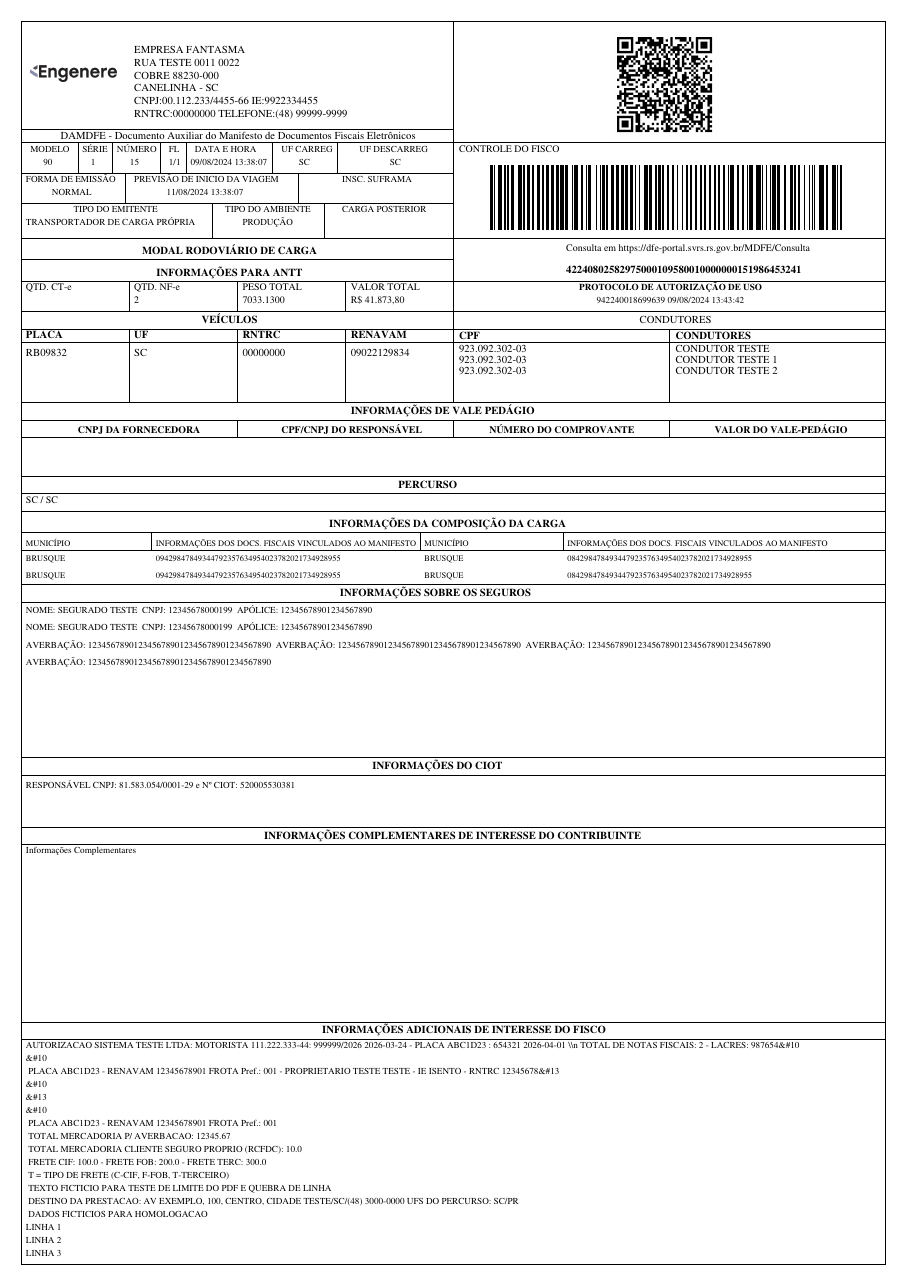
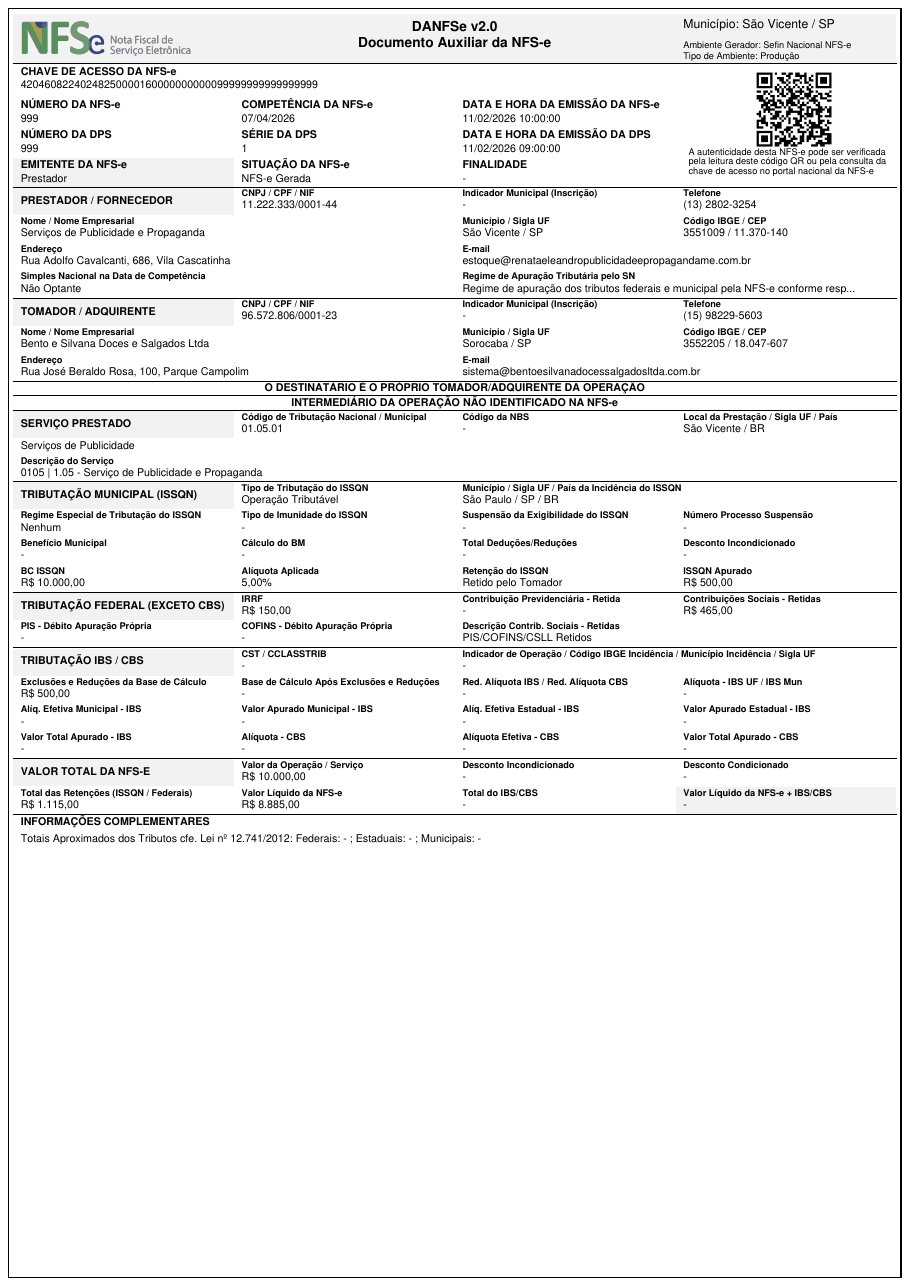
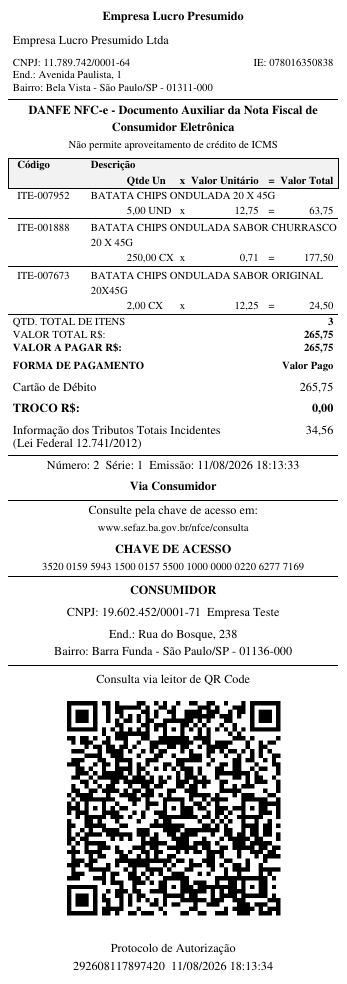
Every Brazilian electronic invoice is issued by the tax authority as an XML file. This library turns that XML into the official, printable PDF that has to accompany the goods or service: NF-e → DANFE, CT-e → DACTE, MDF-e → DAMDFE, NFS-e → DANFSe and NFC-e → DANFCe. It also renders the DACCe, the printout for the NF-e correction-letter event (CC-e).
🇧🇷 Biblioteca Python para gerar em PDF os documentos fiscais auxiliares — DANFE, DACTE, DAMDFE, DANFSe e DANFCe — a partir do XML de NF-e, CT-e, MDF-e, NFS-e e NFC-e. Também gera a DACCe, representação da carta de correção (CC-e) da NF-e. Documentação em português →
Documentation | PyPI | Try it Online
Output Examples
| DANFE | DACTE | DAMDFE | DANFSe | DANFCe |
 |
 |
 |
 |
 |
| NF-e → PDF Electronic invoice (goods) |
CT-e → PDF Freight bill |
MDF-e → PDF Cargo manifest |
NFS-e → PDF Service invoice |
NFC-e → PDF Consumer receipt |
Why BrazilFiscalReport?
- 🐍 Pure Python — built on fpdf2; no wkhtmltopdf, no headless browser, no HTML templates
- 📄 5 document types — DANFE, DACTE, DAMDFE, DANFSe and DANFCe (plus the DACCe correction-letter event), straight from the official XML
- 🎨 Customizable — issuer logo, margins, fonts, decimal precision, cancellation watermarks and more
- ⚡ 3 ways to use it — Python API,
bfrepcommand line, or the online demo - ✅ Python 3.10+ — tested on Python 3.10 through 3.14
Installation
pip install brazilfiscalreport
This installs every document type. For the bfrep command line tool:
pip install 'brazilfiscalreport[cli]'
The dacte, damdfe, danfse and danfce extras are no longer needed; they are kept so existing install commands keep working.
Quick Start
from brazilfiscalreport.danfe import Danfe

with open("nfe.xml", "r", encoding="utf8") as file:
    xml_content = file.read()

danfe = Danfe(xml=xml_content)
danfe.output("danfe.pdf")
nfe.xmlis the authorized XML your ERP or the SEFAZ portal returns once the invoice is approved.
The same pattern works for every document type — import the matching class (Dacte, Damdfe, Danfse, Danfce, DaCCe), pass the XML and call .output().
Customization
Need a logo, custom margins or a different font? Pass a config object:
from brazilfiscalreport.danfe import Danfe, DanfeConfig, Margins, FontType

with open("nfe.xml", encoding="utf8") as file:
    xml_content = file.read()

config = DanfeConfig(
    logo="logo.png",
    margins=Margins(top=5, right=5, bottom=5, left=5),
    font_type=FontType.TIMES,
)
danfe = Danfe(xml=xml_content, config=config)
danfe.output("danfe.pdf")
See the documentation for every option — watermarks, decimal precision, receipt position and more.
🚀 No setup? Try it online — upload your fiscal XML or pick a sample, then download the PDF.
CLI
pip install 'brazilfiscalreport[cli]'

bfrep danfe nfe.xml        # writes nfe.pdf in the current folder
bfrep ships one subcommand per document — danfe, dacte, damdfe, danfse and danfce (plus dacce for the NF-e correction letter and danfe-etiqueta for the DANFE Simplificado – Etiqueta) — each turning its XML into the matching PDF. Drop a config.yaml next to your files to set issuer data, logo and margins.
See the CLI documentation for all options.
License
BrazilFiscalReport is free software licensed under the LGPL-3.0 license.
Maintainer
Developed and maintained by Engenere. Issues and pull requests are welcome — see the contributing guide.
1 maintainer

Metadata
1 maintainer
Release files for BrazilFiscalReport 1.3.1
For a detailed explanation of source distributions (sdists) and built distributions (wheels), please see the package formats documentation.
Source distribution (sdist)
| File | Size | Uploaded | |
|---|---|---|---|
| brazilfiscalreport-1.3.1.tar.gz | 274.9 kB | Details |
Built distribution (wheel)
| File | Interpreter | ABI | Platform | Reset |
|---|---|---|---|---|
| brazilfiscalreport-1.3.1-py3-none-any.whl | Python 3 | none | any | Details |
Total release size: 539.9 kB
Release files / brazilfiscalreport-1.3.1.tar.gz
| Download URL | brazilfiscalreport-1.3.1.tar.gz |
|---|---|
| Size | 274.9 kB |
| Tags | Source |
|
SHA-256 checksum How to use checksums |
4e660a3ecc1b02cc67ff3dbdecfc449f4238b64851bc68d7d48c8ef69c23ec8c
|
|
BLAKE2b-256 checksum How to use checksums |
aaca6d9f12f7fd41c086526b608cf68f33583c3c1e7af1a4060c741380f6c916
|
| Upload date | |
|
Uploaded using Trusted Publishing? What is trusted publishing? |
Yes |
| Uploaded via |
twine/7.0.0 CPython/3.13.14
|
Release files / brazilfiscalreport-1.3.1-py3-none-any.whl
| Download URL | brazilfiscalreport-1.3.1-py3-none-any.whl |
|---|---|
| Size | 265.1 kB |
| Tags | Python 3 |
|
SHA-256 checksum How to use checksums |
80bb3a29cfaeb246a5da506fca39e0e9f7aada990af772cf092a03248a41f29b
|
|
BLAKE2b-256 checksum How to use checksums |
b7cc939f32a41b5a567c60ce54ae5d43592a8b75b29a925d7accdbf01bf6337f
|
| Upload date | |
|
Uploaded using Trusted Publishing? What is trusted publishing? |
Yes |
| Uploaded via |
twine/7.0.0 CPython/3.13.14
|














