
Flat is a web-based linguistic annotation environment based around the FoLiA format (http://proycon.github.io/folia), a rich XML-based format for linguistic annotation. Flat allows users to view annotated FoLiA documents and enrich these documents with new annotations, a wide variety of linguistic annotation types is supported through the FoLiA paradigm.

Project description
Flat is a web-based linguistic annotation environment based around the FoLiA format (http://proycon.github.io/folia), a rich XML-based format for linguistic annotation. Flat allows users to view annotated FoLiA documents and enrich these documents with new annotations, a wide variety of linguistic annotation types is supported through the FoLiA paradigm.
The project is in its early stages but already quite functional and in practical use in an academic setting.
The tool is written in Python, using the Django framework and the FoLiA library in pynlpl.
Features
Web-based, multi-user environment
Server-side document storage, divided into ‘namespaces’, by default each user has his own namespace. Active documents are held in memory server-side. Read and write permissions to access namespaces are fully configurable.
Concurrency (multiple users may edit the same document similtaneously) [not completed yet]
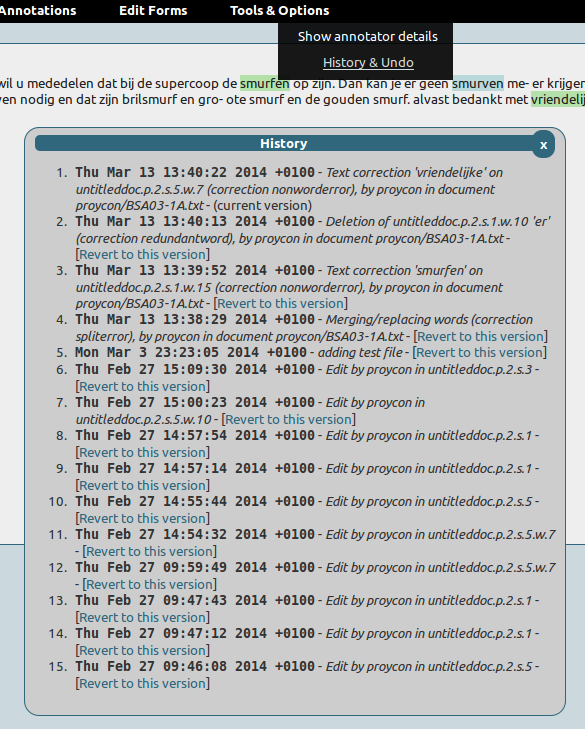
Full versioning control for documents (using git), allowing limitless undo operations.
Full annotator information, with timestamps, is stored in the FoLiA XML and can be displayed by the interface. The git log also contains verbose information on annotations.
Highly configurable interface; interface options may be disabled on a per-configuration basis. Multiple configurations can be deployed on a single installation
Displays and retains document structure (divisions, paragraphs, sentence, lists, etc)
Support for corrections, of text or linguistic annotations, and alternative annotations. Corrections are never mere substitutes, originals are always preserved!
Spelling corrections for runons, splits, insertions and deletions are supported.
Supports FoLiA Set Definitions
Supports Token Annotation and Span Annotation
Architecture
The FLAT architecture consists of three layers:
The FoLiA Document Server
The FLAT server
The user-interface
At the far back-end is the FoLiA Document Server, which loads the requested FoLiA documents, and passes these as JSON and HTML to the middle layer, the FLAT server, this layer in turn passes edits formulated in FoLiA Query Language to the Document Server. The user-interface is a modern web-application interacting with the FLAT server and translates interface actions to FoLiA Query Language.
The FoLiA Document Server is written in Python with CherryPy and acts as a RESTful webservice. The FLAT server is written in Python using the Django framework. The user interface is written using javascript with jquery.
Installation
FLAT runs on Python 3 (the document server requires Python 3, the rest will also work on Python 2) and uses these libraries.
FLAT can be installed through the Python Package Index:
$ pip install FoLiA-Linguistic-Annotation-Tool
Or from the cloned git repository:
$ pip install -r requires.txt    #(to install the dependencies)
$ python3 setup.py install
You may need sudo for a global installation, but we recommend installation in virtualenv.
The following dependencies will be pulled in automatically if you follow either of the above steps:
foliadocserve (https://github.com/proycon/foliadocserve)
pynlpl (https://github.com/proycon/pynlpl) (contains the FoLiA and FQL library)
django
Copy the settings.py that comes with FLAT (or grab it from https://github.com/proycon/flat/blob/master/settings.py) to some custom location, edit it and add a configuration for your system. The file is heavily commented to guide you along with the configuration.
The development server can be started now using your settings.py by setting PYTHONPATH to the directory that contains it:
$ export PYTHONPATH=/your/settings/path/
$ django-admin runserver --settings settings
We are not done yet, as we need to start the FoLiA document server, it is a required component that needs not necessarily be on the same host. Your copy of settings.py should point to the host and port where FLAT can reach the document server, start it as follows:
$ foliadocserve -d /path/to/document/root -P 8080
The document path will be a directory that will contain all FoLiA documents. Create a root directory and ensure the user the foliadocserve is running under has sufficient write permission there. The document server needs no further configuration. Note that it does not provide any authentication features so it should run somewhere where the outside world can not reach it, only FLAT needs to be able to connect there. Often, FLAT and the document server run on the same host, so a localhost connection is sufficient.
Screenshots
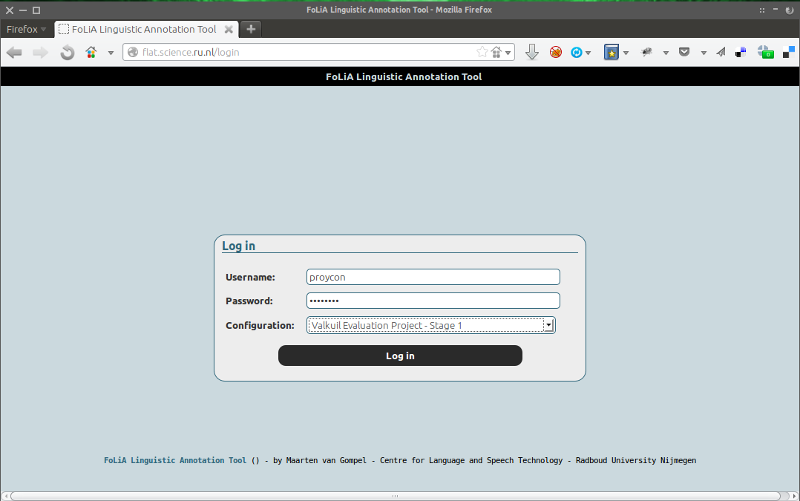
The login screen:
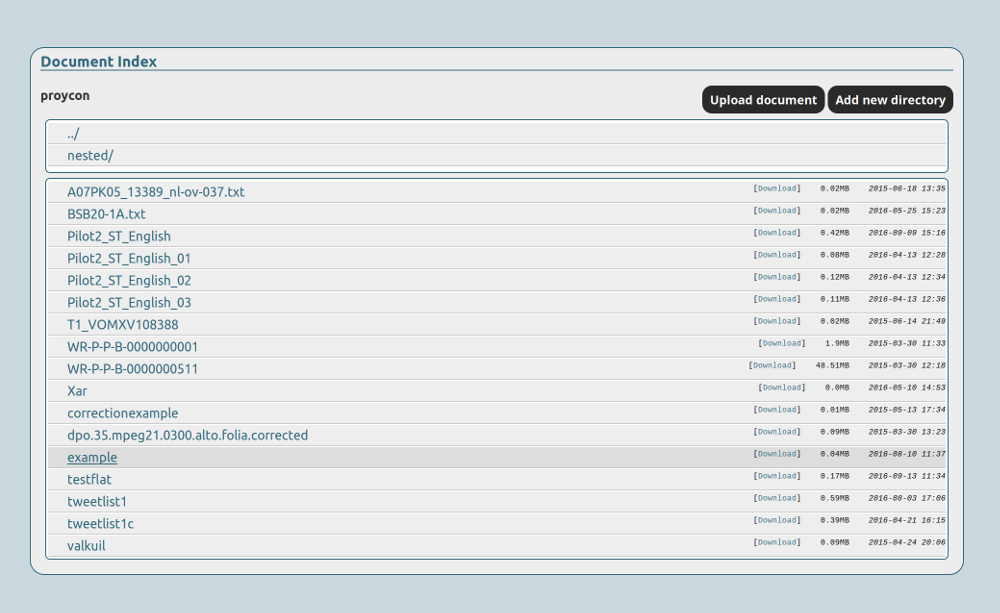
Document index, showing namespaces accessible to the user and the documents within.
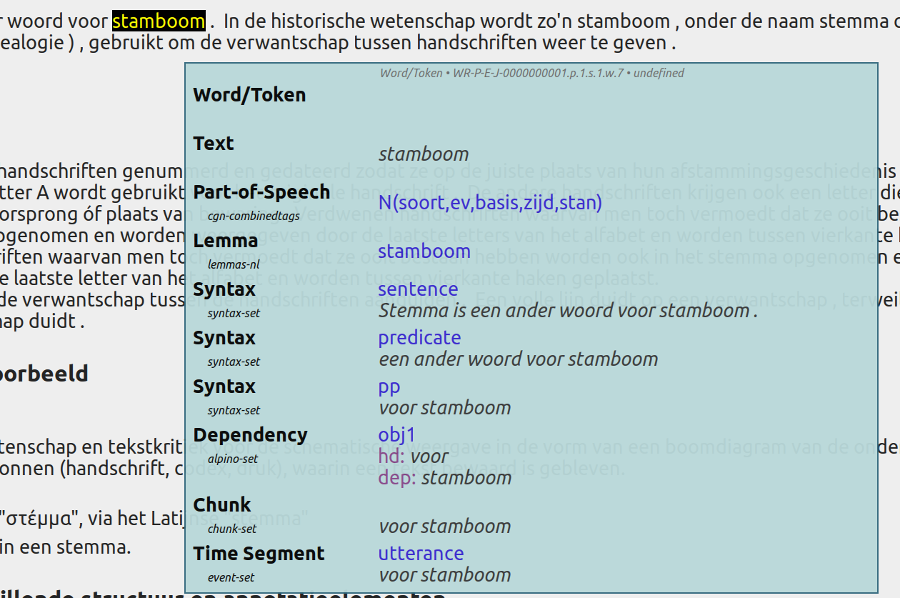
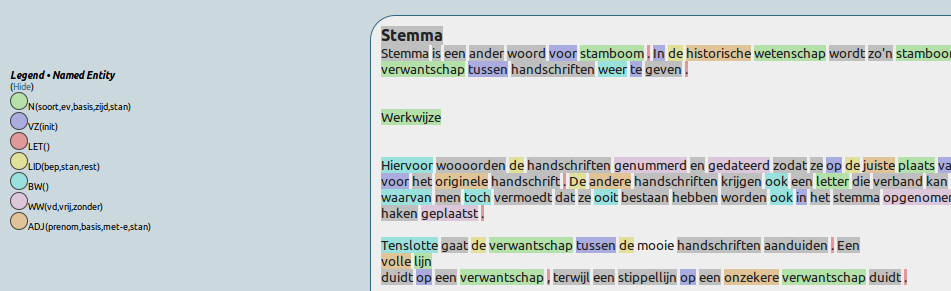
Hovering over words reveals annotations:
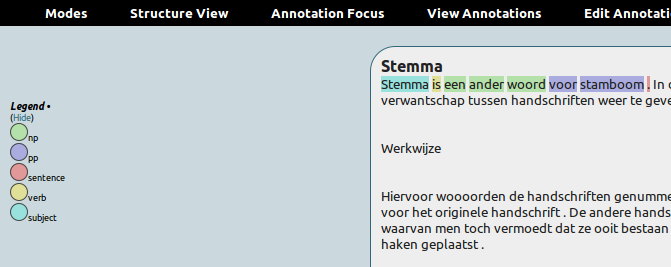
A particular annotation focus can be set to highlight the most frequent classes in that set:
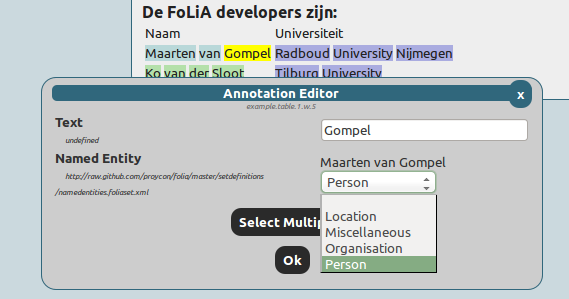
Editing a named entity in a set for which a set definition is available:
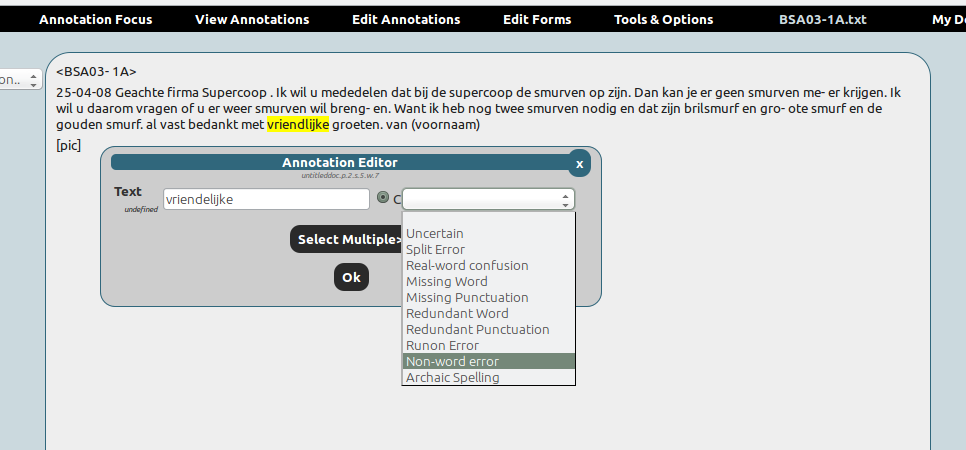
Correcting a word in a spelling-annotation project:
Extensive history with limitless undo ability, git-based:
Release history Release notifications | RSS feed


Download files
Download the file for your platform. If you're not sure which to choose, learn more about installing packages.
Source Distribution
File details
Details for the file FoLiA-Linguistic-Annotation-Tool-0.3.0.1.tar.gz.
File metadata
- Download URL: FoLiA-Linguistic-Annotation-Tool-0.3.0.1.tar.gz
- Upload date:
- Size: 216.2 kB
- Tags: Source
- Uploaded using Trusted Publishing? No
File hashes
| Algorithm | Hash digest | |
|---|---|---|
| SHA256 |
c01004b879ff849a9323d6d60dd661417dd6d4497dad23a8fe31ed60a9a0df1c
|
|
| MD5 |
c726663bbd379e4f459bb8bdcc590ee1
|
|
| BLAKE2b-256 |
dbc5d31d69cee427465ba13c5a41207ef78463d508825b5537e5cf12897f4433
|






