



FotoKilof - GUI for ImageMagick
GUI for the most used (by me) ImageMagick functionality for processing pictures. If ImageMagick or Wand are unavailable, Pillow is in use. There are small limitation, but works in general.
Screenshots
Linux
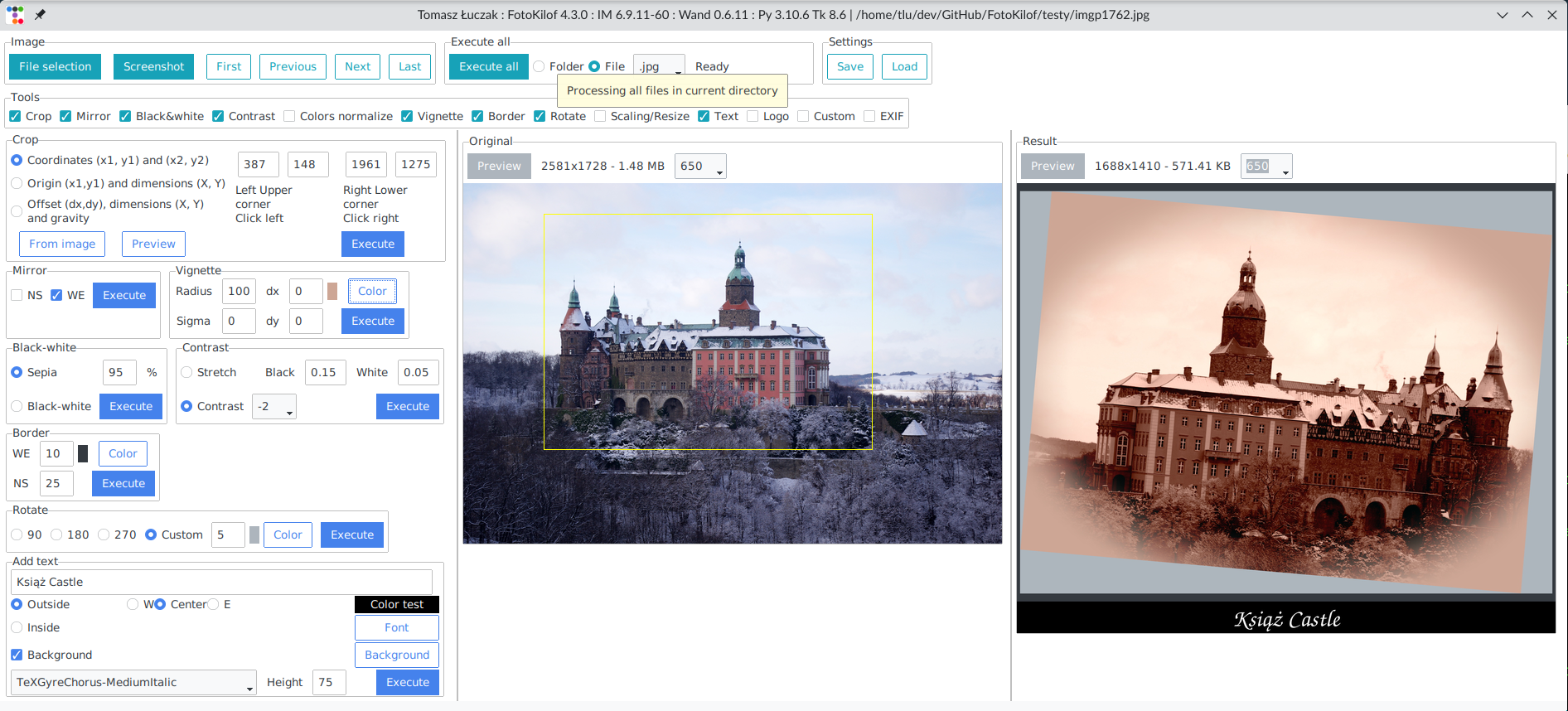
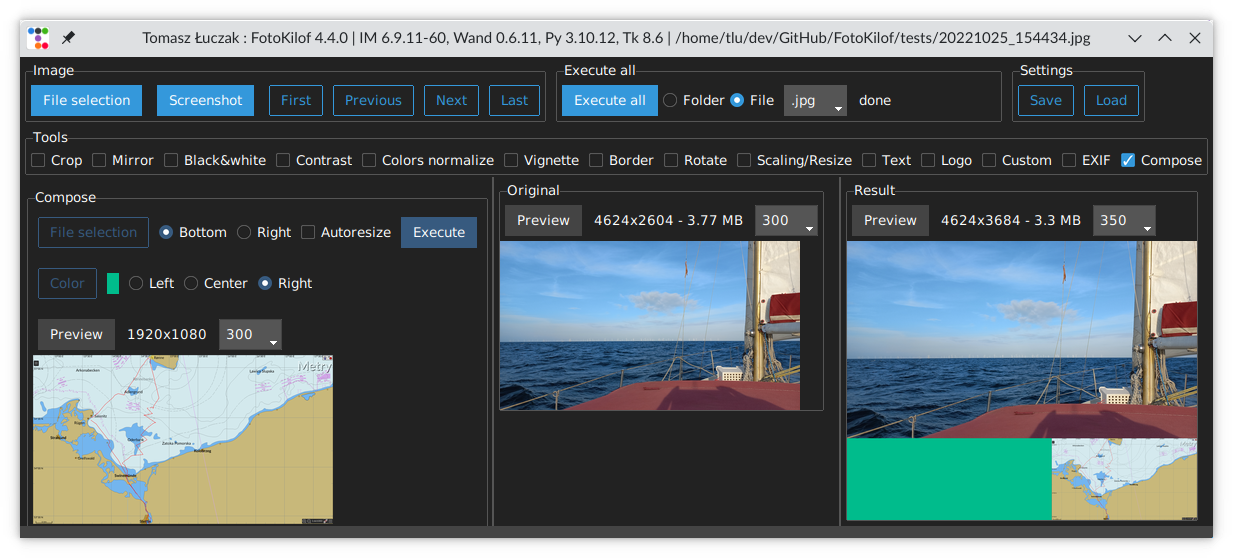
Linux dark mode
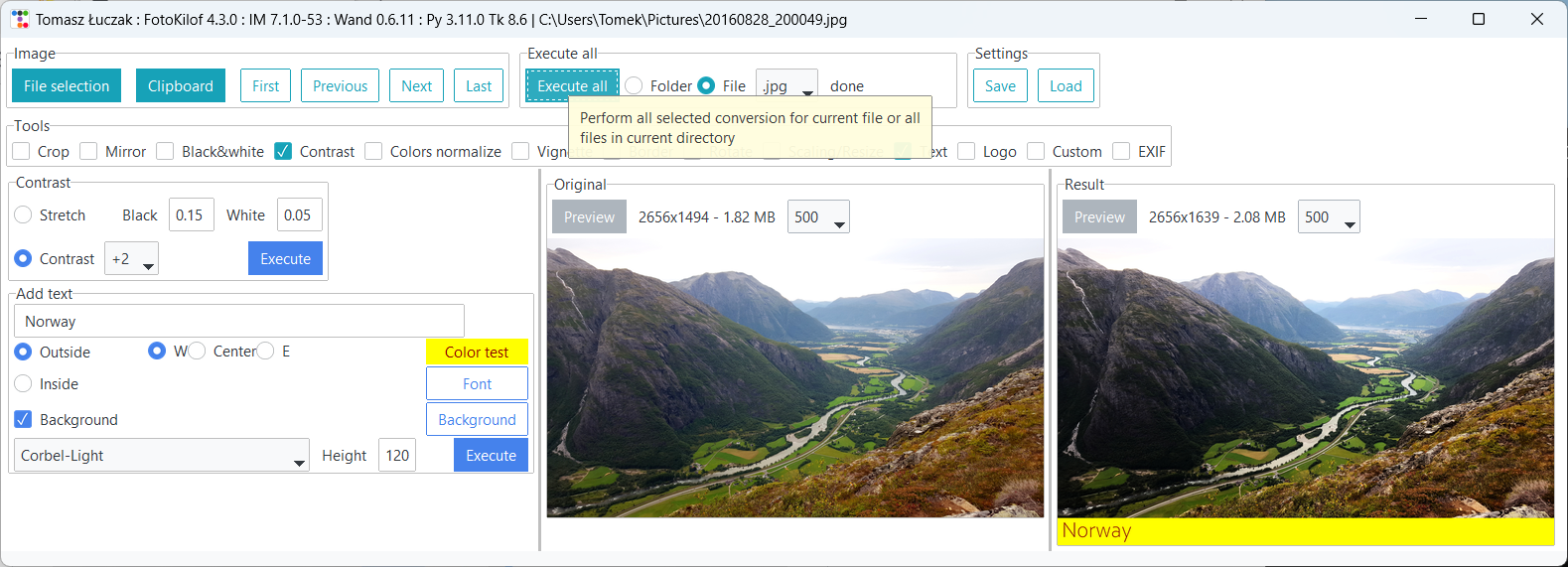
Windows
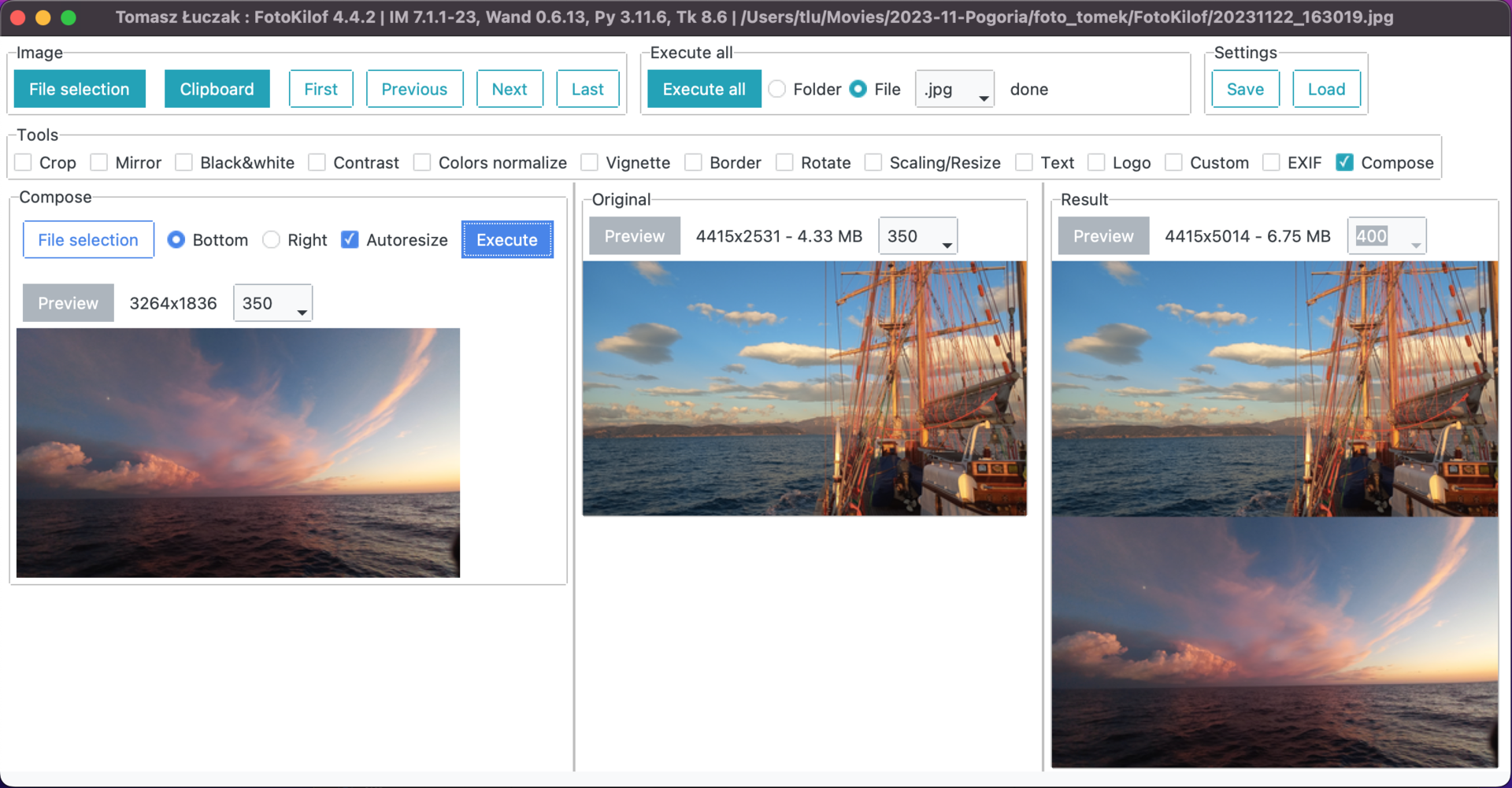
macOS compose
Graphics conversion
- scaling/resize,
- crop,
- text annotation, inside or outside of picture (mems generator),
- border around picture,
- rotation,
- mirroring (vertical or horizontal),
- black-white,
- sepia - only with Wand and ImageMagick,
- contrast increase/decrease or normalize or histogram stretching,
- color auto-level or equalize,
- vignette - only with Wand and ImageMagick,
- adding logo image on picture,
- compose two image in one picture,
- file formats: JPG, PNG, TIFF, SVG,
- format conversion into JPG, PNG, TIFF.
Functionality:
- processing JPG, PNG, SVG and TIFF images,
- processing picture in the fly, originals are safe,
- processing single file or whole directory,
- get picture from clipboard and use it as source picture,
- after processing results is copied into clipboard,
- display selected tools,
- tools selection,
- preview orignal and result,
- predefined rotation: 90, 180 and 270 degree or custom,
- crop selection via click on preview or coordinates,
- crop coordinates:
- two corners (upper left and lower right),
- upper left corner and width plus height,
- gravity, width plus height plus offset,
- text: color, font and size selection, background, rotation,
- text position:
- outside: bottom, left/center/right
- inside: by gravity or by position and rotate
- customized sepia - only with Wand and ImageMagick,
- equalize by channel,
- contrast between -5 and +5,
- customized contrast stretching,
- vignette:
- can be sharp or blured,
- corners can be filled by selected color,
- offset in both direction
- logo position by gravity, size and offset,
- compose:
- add picture on right side
- add picture on bottom
- autoresize picture
- fill color if no autoresize
- fast file navigation: First, Prev, Next, Last or keys: Home, PgUp, PgDn, End,
- command editor: possible to use ImageMagick commands for convert: eg. -gaussian-blur 10x10 or -monochrome, etc.
- dark and light mode
Processing
Is possible to run one conversion or all selected conversion. Processing order for all selected conversion:
- crop,
- mirror,
- black-white,
- sepia - only with Wand and ImageMagick,
- contrast,
- color normalize,
- vignette - only with Wand and ImageMagick,
- rotate,
- border,
- resize,
- text,
- compose two image in one picture,
- logo.
Processed is always on clone of picture in memory. Originals are not touched.
User manual, a bit outdated
Available translations
Available: Bulgarian, English, German, Indonesian, Polish and Turkish.
Install and run
Requirements
- Windows, Linux, MacOS X, BSD,
- FullHD screen for comfort work,
- ImageMagick, remember to add path into
%PATH%environment variable, enable install libraries! - Python3.10+, remember to add path into
%PATH%environment variable.
Install
Linux
Install requirements:
apt-get install python3-pip python3-tk python3-wand imagemagick xclip
Install as PyPi package by PIP:
python3 -m pip install fotokilof
Windows
Download and install requirements:
- Python3.10+ - add path into
%PATH%environment variable, - ImageMagick - add path into
%PATH%environment variable, enable install libraries!
python -m pip install fotokilof
MacOS
Install requirements:
brew install imagemagick python@3.13 python-tk@3.13
For Apple Silicon (M1, M2, M3) based Macs, the default Homebrew install directory differs from that on Homebrew Intel installs. The following environment variable allows FotoKilof to correctly locate the Homebrew-installed ImageMagick on Apple Silicon Macs:
export MAGICK_HOME=/opt/homebrew
Install as PyPi package by PIP:
python3 -m pip install fotokilof
FreeBSD
FotoKilof is available via ports
pkg install py311-fotokilof
Upgrade
python3 -m pip install --upgrade fotokilof
Run
fotokilof
or
python -m fotokilof
Dark or Light mode
Press F2 to toggle from Light to Dark or opposite.
Thanks
- Friends - some ideas and testing,
- Max von Forell - German translation,
- Bozhidar Kirev - Bulgarian translation,
- Alexander Ignatov - Bulgarian translation,
- Afif Hendrawan - Indonesian translation,
- Sebastian Hiebl - python packaging,
- Matt Sephton - ideas for packing gui,
- emsspree - update german translation, jpeg,
- Olm - testing on Windows,
- Carbene Hu - idea to fix issue
- Mert Cobanov - Turkish translation
- Giancarlo Dessì - Italian translation, Slackware package
- Danny (dchenz) - logging in proper way
- Nicola Vitale - support with debug and find solution
- CiteClimb - improved imagemagick error message output
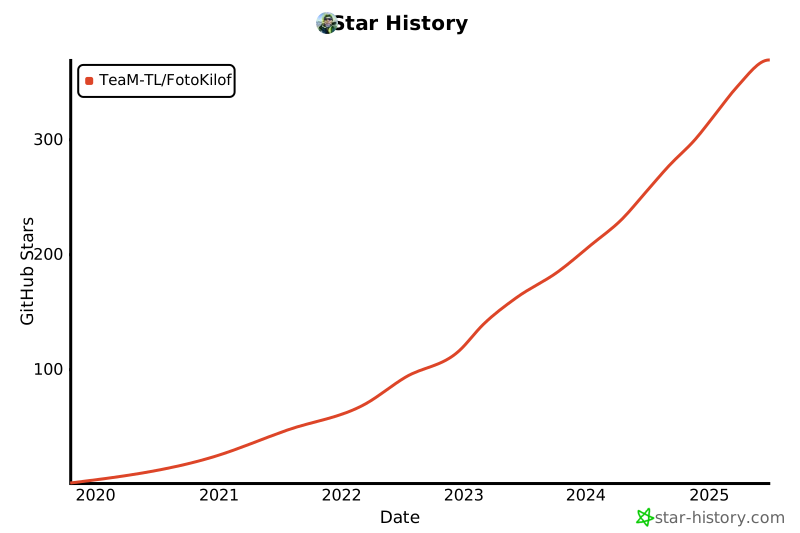
Star History
Powered by


1 maintainer

Metadata
1 maintainer
Release files for FotoKilof 5.3.0
For a detailed explanation of source distributions (sdists) and built distributions (wheels), please see the package formats documentation.
Source distribution (sdist)
| File | Size | Uploaded | |
|---|---|---|---|
| fotokilof-5.3.0.tar.gz | 98.2 kB | Details |
Built distribution (wheel)
| File | Interpreter | ABI | Platform | Reset |
|---|---|---|---|---|
| fotokilof-5.3.0-py3-none-any.whl | Python 3 | none | any | Details |
Total release size: 190.8 kB
Release files / fotokilof-5.3.0.tar.gz
| Download URL | fotokilof-5.3.0.tar.gz |
|---|---|
| Size | 98.2 kB |
| Tags | Source |
|
SHA-256 checksum How to use checksums |
967e7c31b4e2d1a70d0dd72ea859288f98223debdda1d2c700e5889ee1f59b9c
|
|
BLAKE2b-256 checksum How to use checksums |
3b3b2ca0c286e687d1d106b71fefc3ed1dac6e1e5b6256a5c433f1e352dc981f
|
| Upload date | |
|
Uploaded using Trusted Publishing? What is trusted publishing? |
Yes |
| Uploaded via |
twine/6.1.0 CPython/3.13.14
|
Provenance
Provenance describes where a file came from. On PyPI, provenance is shared via attestations, which provide a verifiable record of the build or publishing details. View details, limitations and caveats.


PyPI Publish Attestation
PyPI verified that this artifact, at this checksum, originated from the publisher listed below.
Signed by GitHub Actions, verified by PyPI on Jul 23, 2026.
Transparency logRelease files / fotokilof-5.3.0-py3-none-any.whl
| Download URL | fotokilof-5.3.0-py3-none-any.whl |
|---|---|
| Size | 92.6 kB |
| Tags | Python 3 |
|
SHA-256 checksum How to use checksums |
01a00c85d46e922632bb999b72263c5e43542991a056af57864c9c28f7ed1262
|
|
BLAKE2b-256 checksum How to use checksums |
8564915809b5472eca0ea59e3090245ba5c9968a26b6c24f7a613e3a9a83c20e
|
| Upload date | |
|
Uploaded using Trusted Publishing? What is trusted publishing? |
Yes |
| Uploaded via |
twine/6.1.0 CPython/3.13.14
|
Provenance
Provenance describes where a file came from. On PyPI, provenance is shared via attestations, which provide a verifiable record of the build or publishing details. View details, limitations and caveats.
PyPI Publish Attestation
PyPI verified that this artifact, at this checksum, originated from the publisher listed below.
Signed by GitHub Actions, verified by PyPI on Jul 23, 2026.
Transparency log













