

GRSdriver package
Driver dedicated to load and prepare data for the GRS processor


GRSdriver loads a Level-1 satellite image into a single xarray.Dataset ready for the
GRS atmospheric and sunglint correction:
- Sentinel-2 L1C (
.SAFE): top-of-atmosphere reflectance of the selected bands on a common grid, with accurate viewing angles computed per band and per detector from the granule metadata - Landsat 8 and 9 Collection-2 L1: reflectance, brightness temperature of the thermal bands, sun/viewing angles and L1 quality flags
- spectral response functions and central wavelengths of each band
- spatial subsetting, lazy (dask) loading and low memory options for full tiles
- visualization tools
Full documentation: https://grsdriver.readthedocs.io
Installation
pip install GRSdriver
No separate GDAL installation is needed: rasterio and geopandas ship with their own GDAL
(including the JPEG2000 driver for Sentinel-2). The grs_driver command line (RGB quicklooks)
needs matplotlib and cartopy:
pip install "GRSdriver[cli]"
Installation from the repository (to use the notebooks and visualization tools)
git clone https://github.com/Tristanovsk/GRSdriver.git
cd GRSdriver
conda env create -f environment.yml
conda activate grs
pip install -e .
For the interactive visualization tools and the notebooks:
conda install -c conda-forge jupyterlab holoviews panel datashader cartopy
Quick start
from GRSdriver import Sentinel2Driver, LandsatDriver

# Sentinel-2: 20 m bands, viewing angles computed on a 60 m grid
l1c = Sentinel2Driver('S2B_MSIL1C_..._.SAFE', resolution=20)
l1c.load_product()
prod = l1c.prod          # bands, vza, raa, sza, SRF, wl_true + metadata

# Landsat 8/9
l1 = LandsatDriver('LC09_L1TP_..._02_T1', resolution=30)
l1.load_product()
The bands are read by 4 threads in parallel: set n_workers (e.g. n_workers=1) to trade speed
for memory. For a full Sentinel-2 tile at 10 m, Sentinel2Driver(..., lazy_geom=True) keeps the
per-band viewing angles lazy and saves several GB of memory. Set GRSDRIVER_USE_DASK=1 before
importing GRSdriver to get a fully lazy (dask-backed) product.
Command line
grs_driver writes an RGB quicklook (PNG) of a Sentinel-2 or Landsat product:
grs_driver S2B_MSIL1C_..._.SAFE --odir ./quicklooks --resolution 60
Tutorials
The notebooks are in docs/source/tutorials/ and rendered with their outputs in the
documentation:
| Notebook | Content |
|---|---|
GRSdriver_basics |
load a Sentinel-2 L1C image, geometry, RGB, NDWI water mask |
GRSdriver_subsetting |
subset a time series of images and build a datacube |
GRSdriver_landsat9_TIR |
Landsat 9 with its thermal bands |
GRSdriver_landsat9_L1_CAMS |
Landsat 9 with CAMS atmospheric data |
sentinel2_download |
download Sentinel-2 L1C images |
The paths to the images are those of the author's machine: set them to your own data. See Updating the tutorials to rerun them for the documentation.
Sentinel-2 viewing geometry
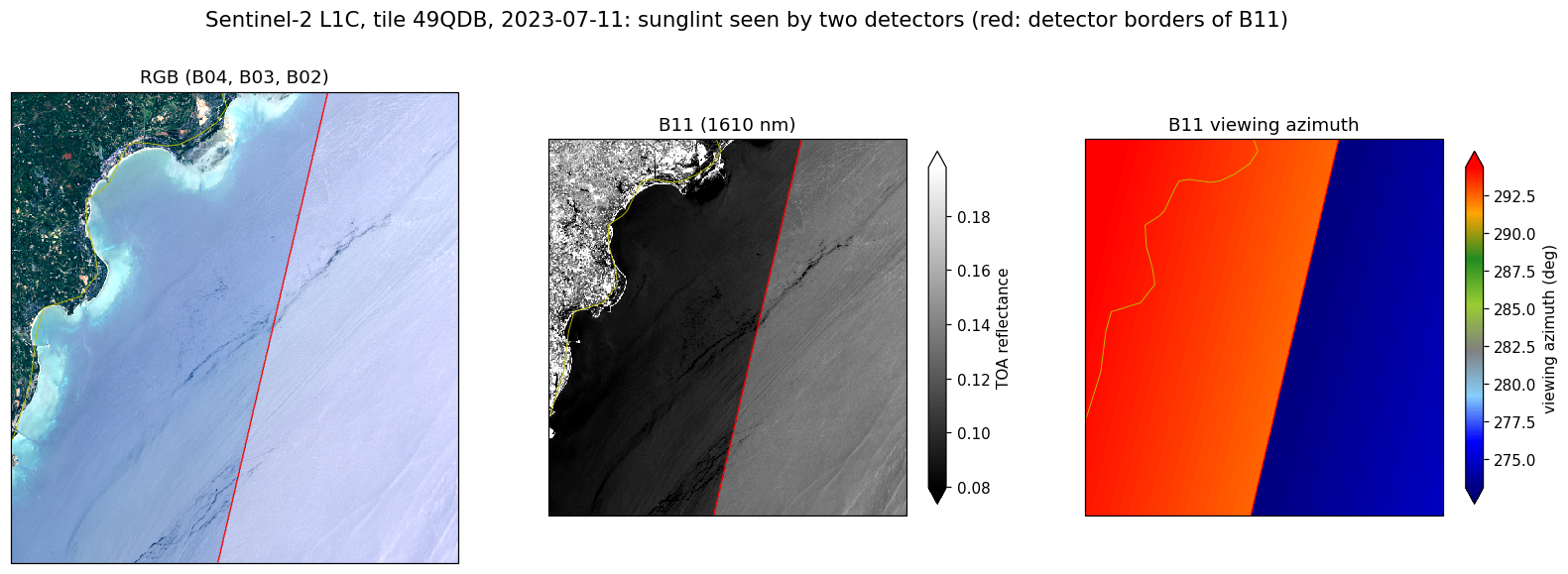
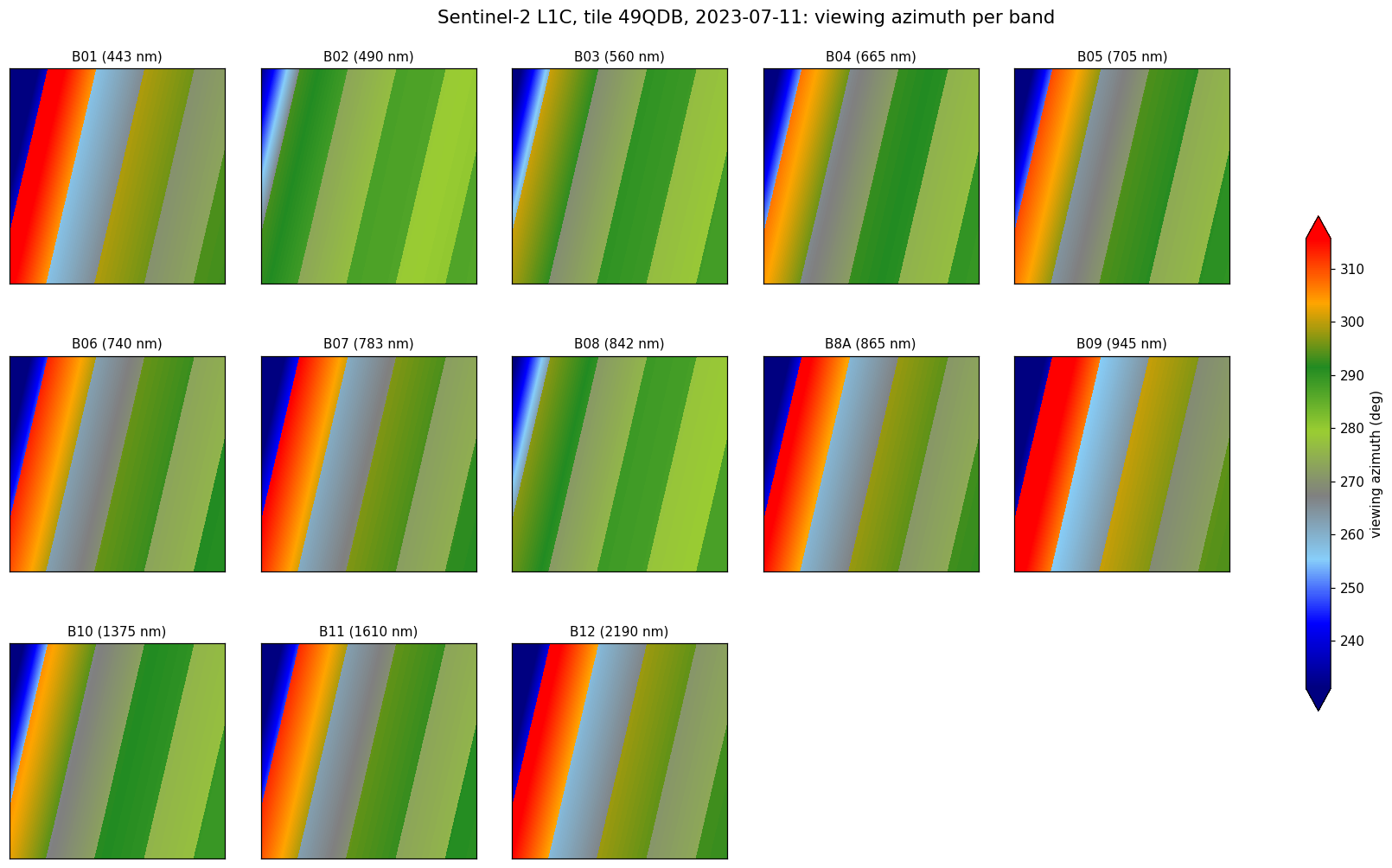
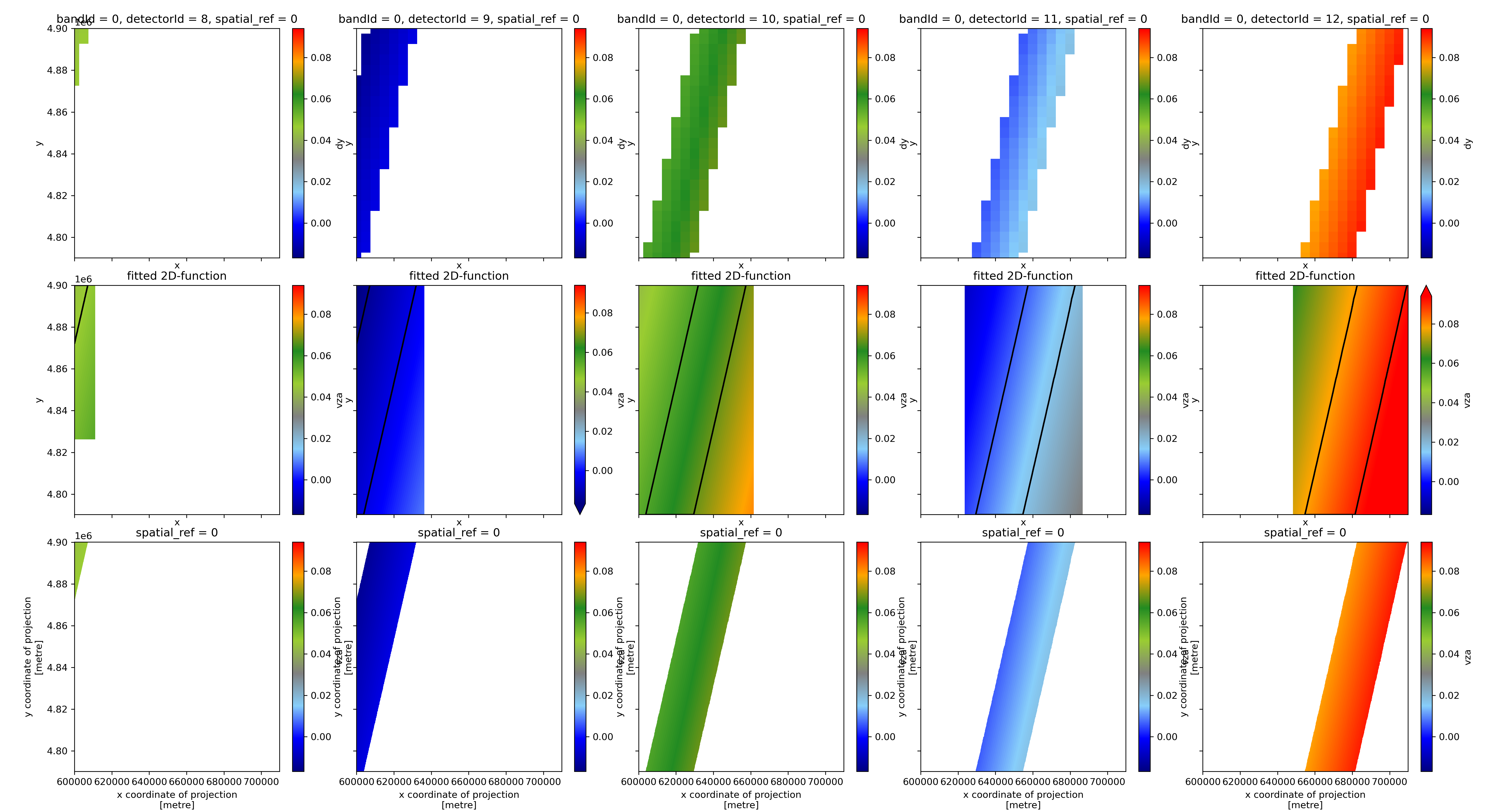
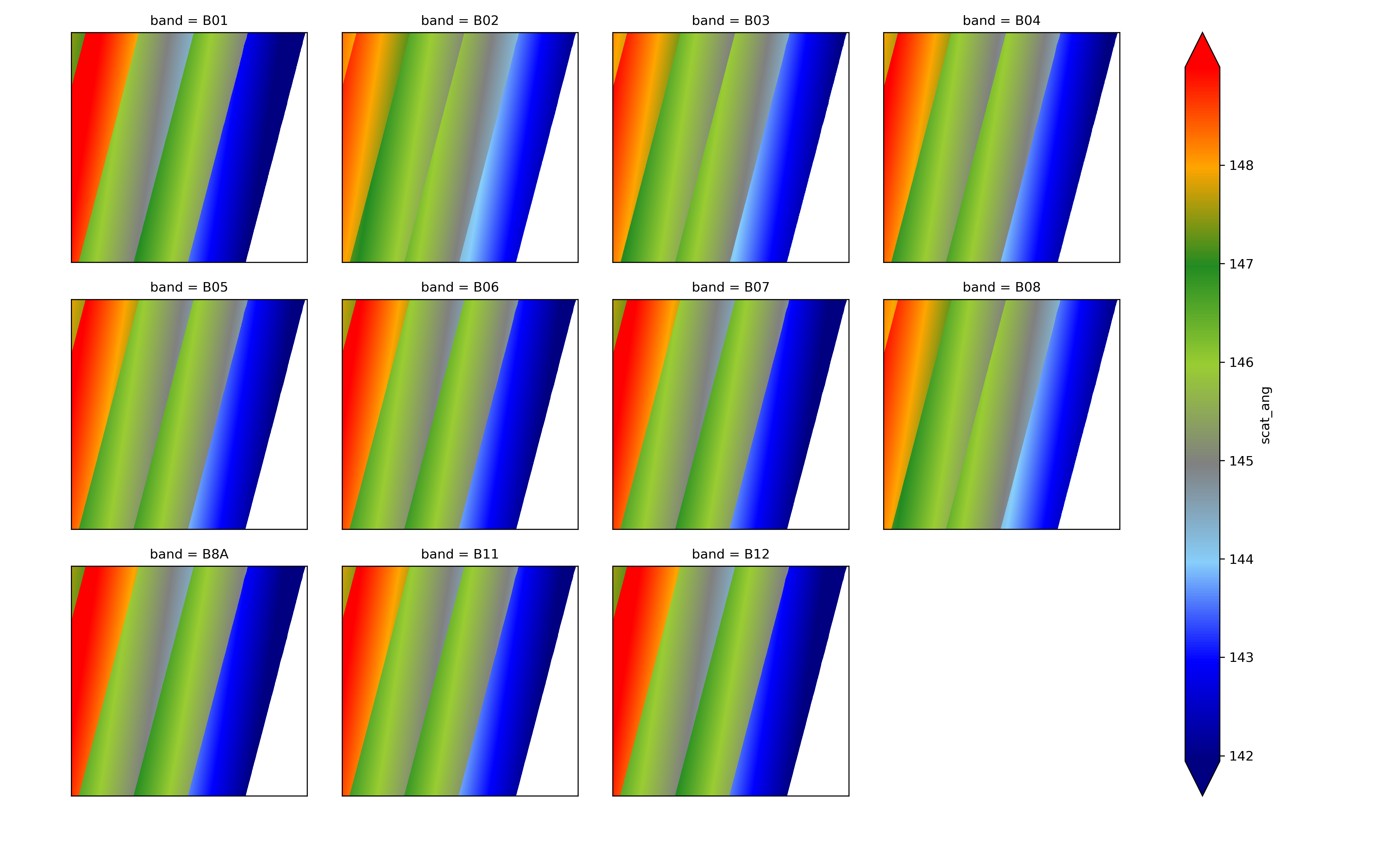
The MSI swath is covered by 12 staggered detectors: odd and even detectors look in opposite directions, and the bands of a detector are shifted in the focal plane. Each band therefore has its own viewing angles, with jumps at the detector borders. GRSdriver computes them per band and per detector from the L1C metadata (see Methods).
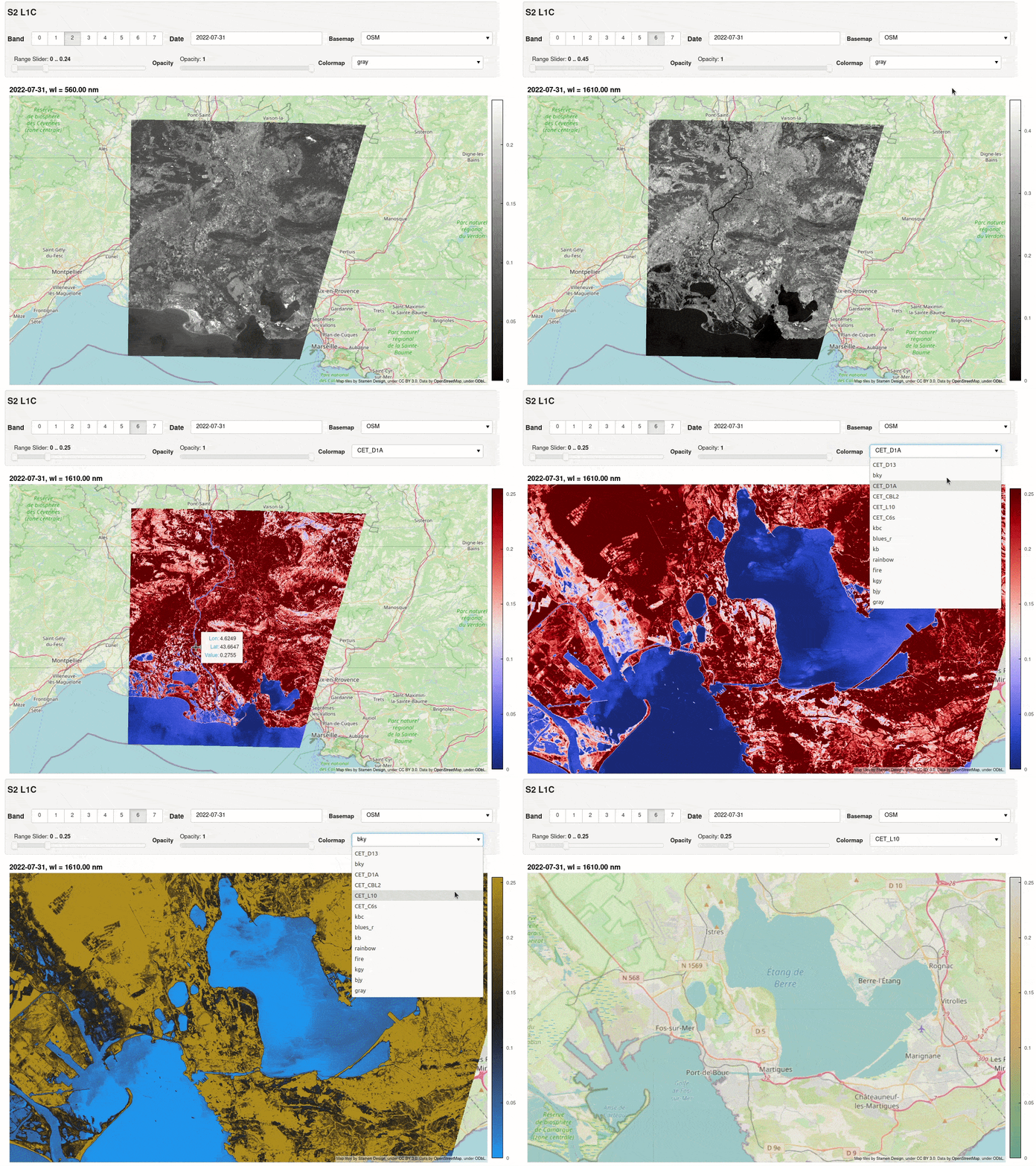
Over water, sunglint is so directional that its reflectance changes abruptly at the detector borders: here +23 % in B11 (1610 nm) between detectors 10 and 11 (right: viewing azimuth). These stripes are a property of the target, not an artifact, and their size depends on the sea roughness, i.e. on the wind speed (Fougnie et al., 2016; Harmel et al., 2018):
Viewing azimuth of each band computed by GRSdriver:
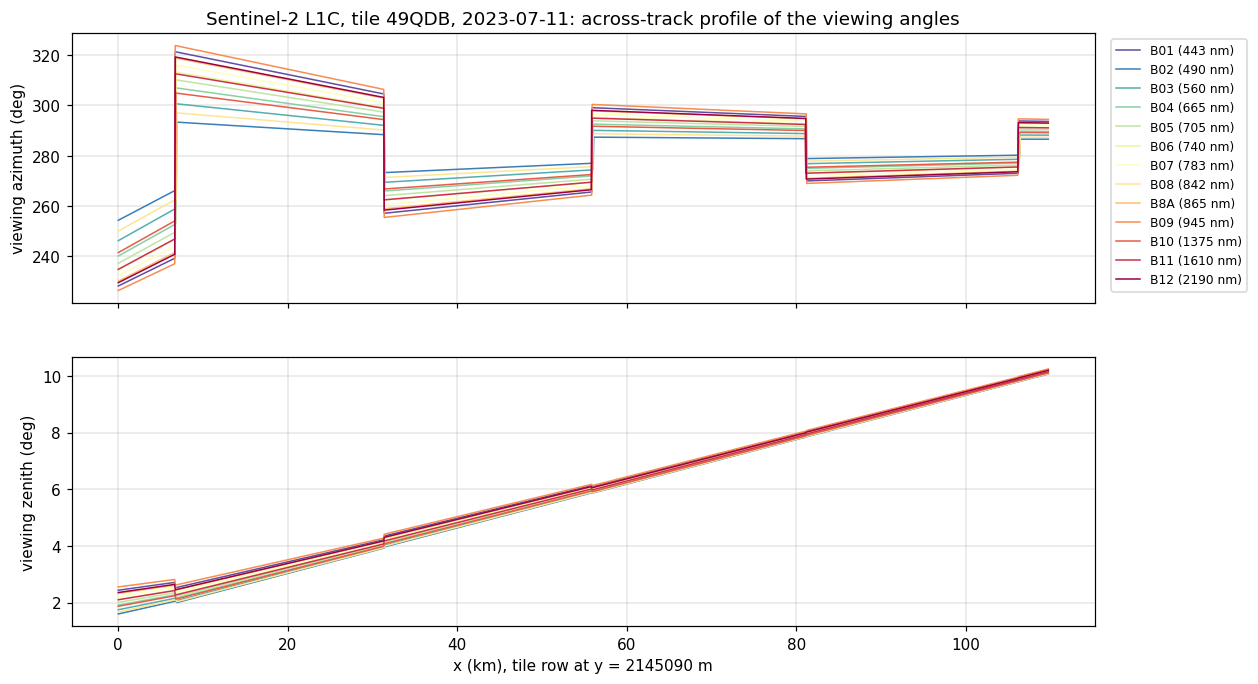
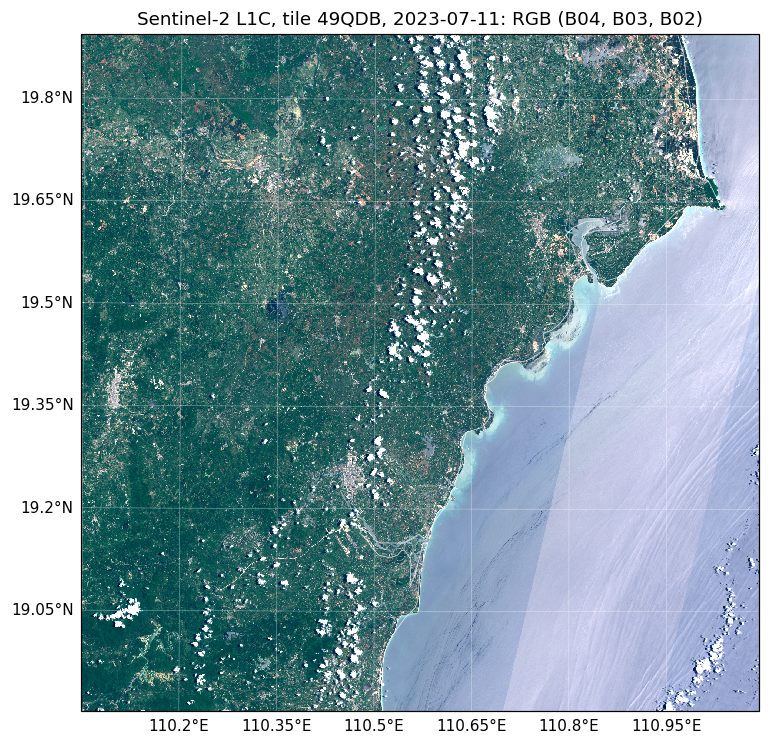
Example
2D-fitting method for angle computation
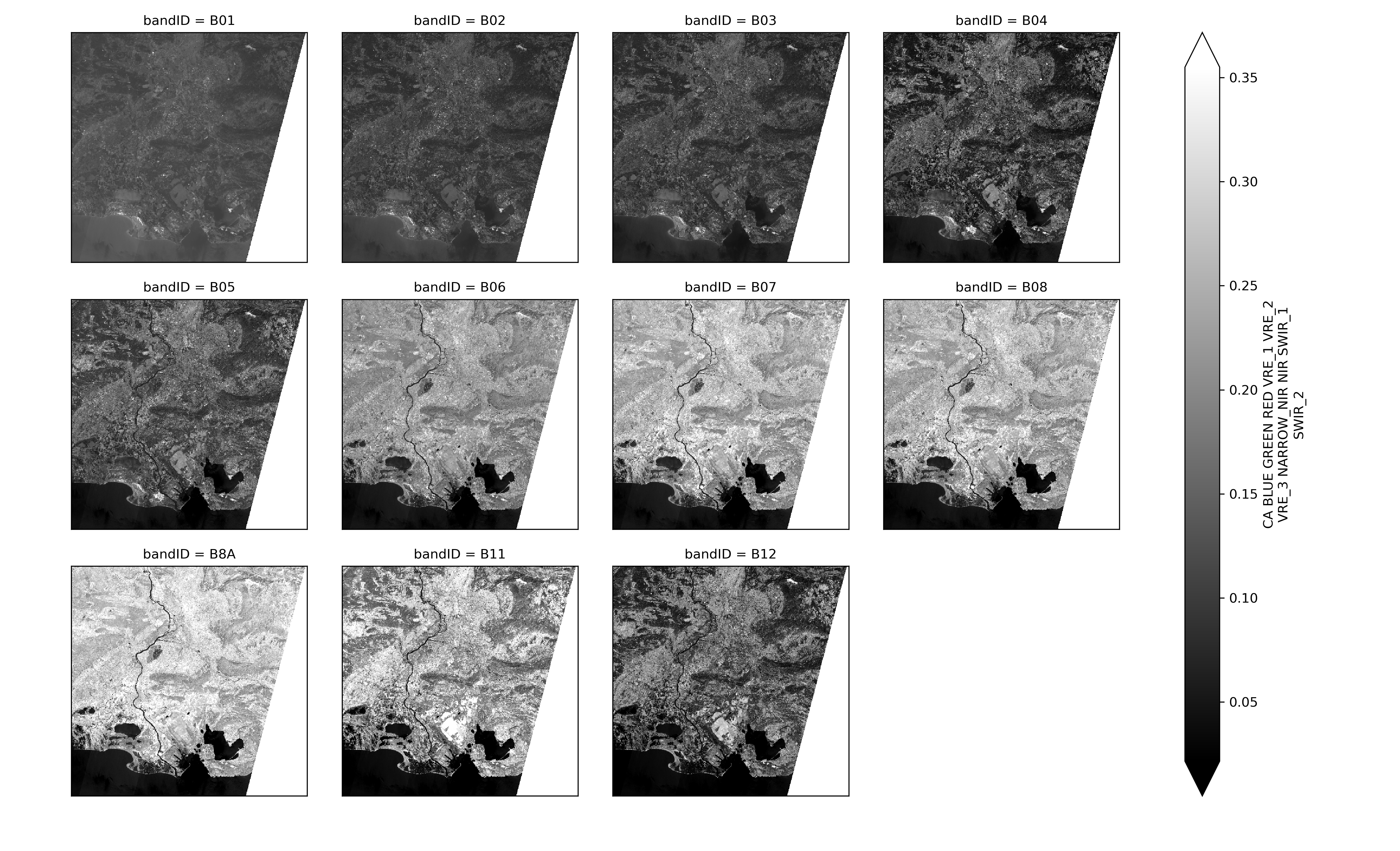
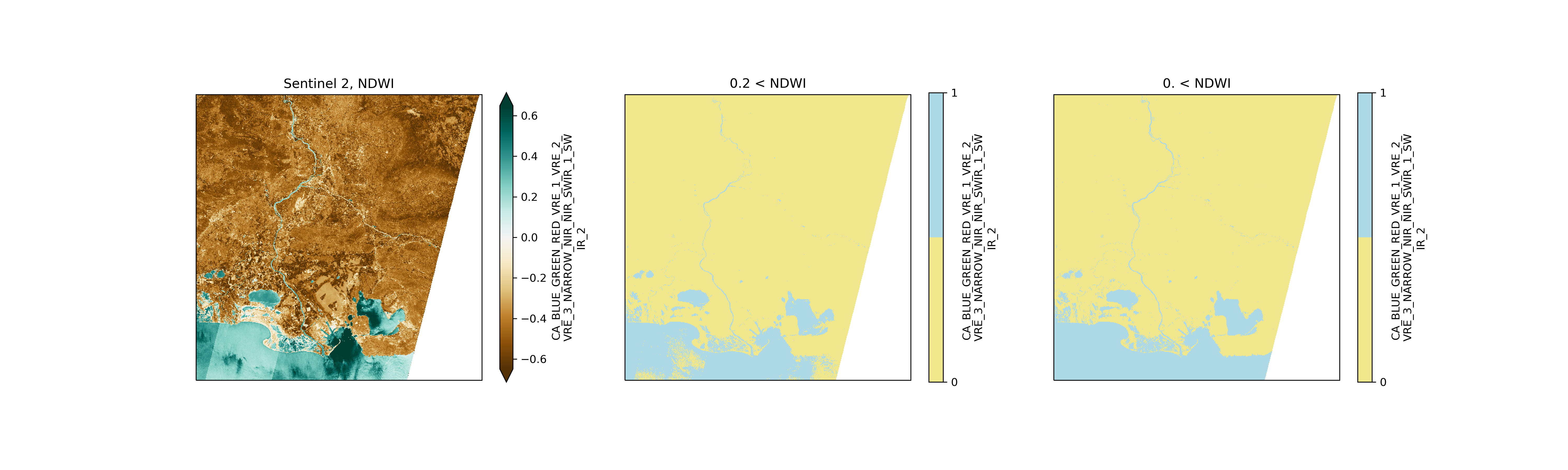
Example of water masking
Changes
See CHANGELOG.md.
1 maintainer

Metadata
1 maintainer
Release files for GRSdriver 2.0.1
For a detailed explanation of source distributions (sdists) and built distributions (wheels), please see the package formats documentation.
Source distribution (sdist)
| File | Size | Uploaded | |
|---|---|---|---|
| grsdriver-2.0.1.tar.gz | 1.7 MB | Details |
Built distribution (wheel)
| File | Interpreter | ABI | Platform | Reset |
|---|---|---|---|---|
| grsdriver-2.0.1-py3-none-any.whl | Python 3 | none | any | Details |
Total release size: 3.4 MB
Release files / grsdriver-2.0.1.tar.gz
| Download URL | grsdriver-2.0.1.tar.gz |
|---|---|
| Size | 1.7 MB |
| Tags | Source |
|
SHA-256 checksum How to use checksums |
0f564f6b2c215c3daecfea3f1cdb7a072a80973164dfa4bcaf78d5c609f7d2b7
|
|
BLAKE2b-256 checksum How to use checksums |
0b9cc23dce8c8651e1e0584b629d826488c6c850d7697b729fea939086d020de
|
| Upload date | |
|
Uploaded using Trusted Publishing? What is trusted publishing? |
No |
| Uploaded via |
twine/6.2.0 CPython/3.12.4
|
Release files / grsdriver-2.0.1-py3-none-any.whl
| Download URL | grsdriver-2.0.1-py3-none-any.whl |
|---|---|
| Size | 1.7 MB |
| Tags | Python 3 |
|
SHA-256 checksum How to use checksums |
0315b015d67beaddffdb392d6d547b3b1f6178b7cfc8b8d1f45da0386a299a6b
|
|
BLAKE2b-256 checksum How to use checksums |
b3d338991bef58054153da176664e8cc4007dfcfc9666399665e209c09ef1b2a
|
| Upload date | |
|
Uploaded using Trusted Publishing? What is trusted publishing? |
No |
| Uploaded via |
twine/6.2.0 CPython/3.12.4
|














