
neofetch with flags <3

Project description
HyFetch
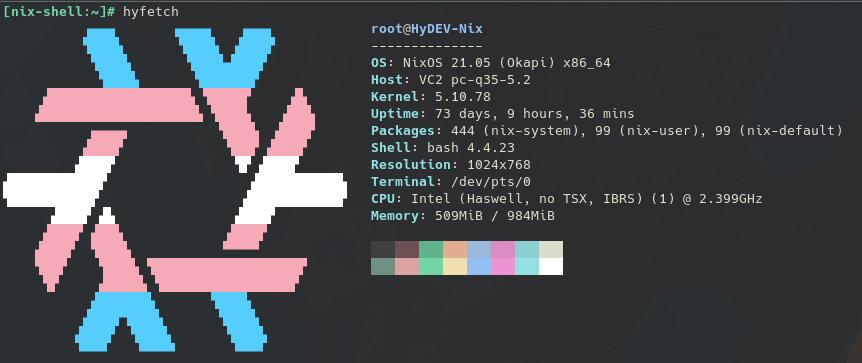
neofetch with pride flags <3
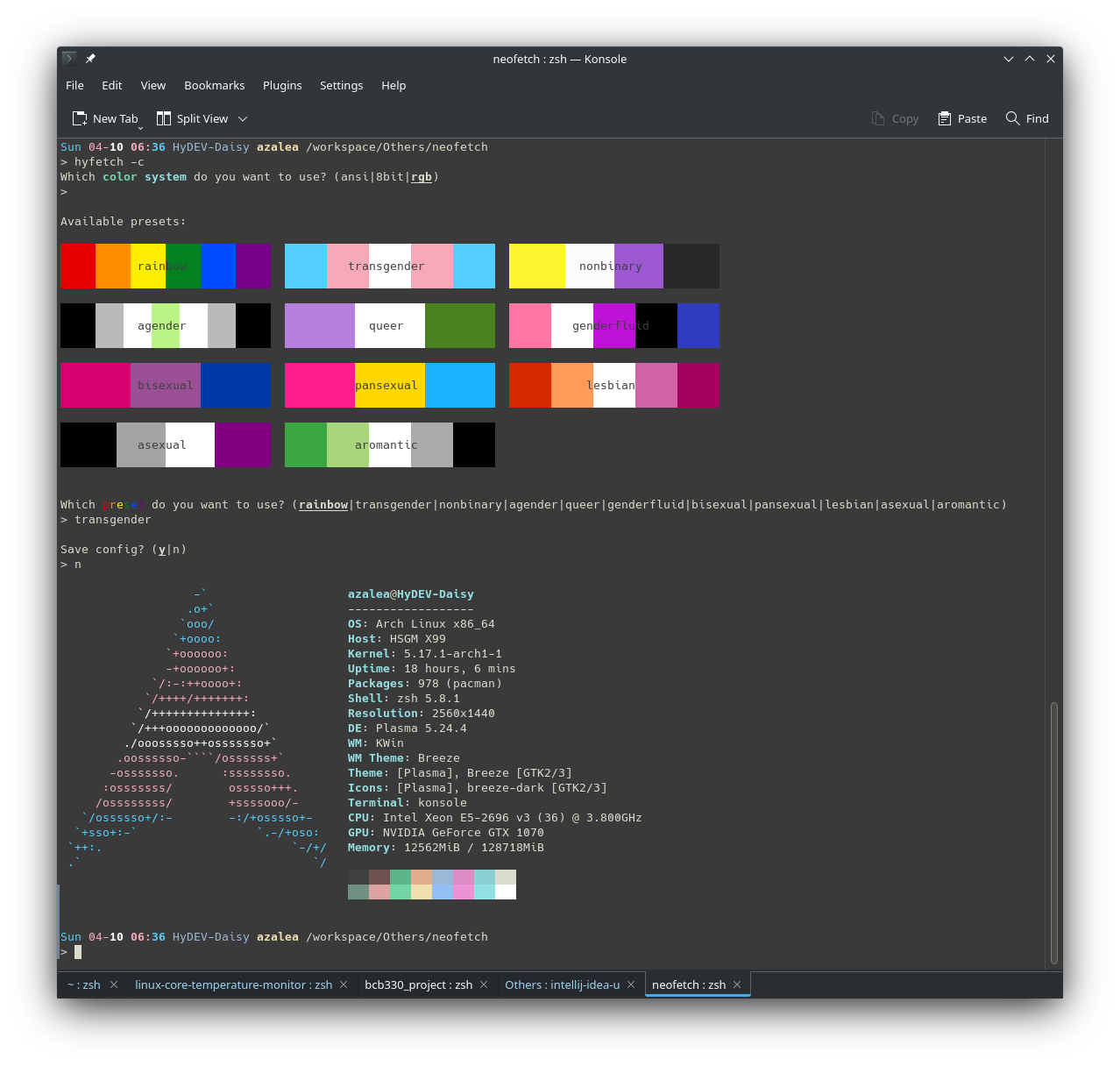
Running Updated Original Neofetch
This repo also serves as an updated version of the original neofetch since the upstream dylanaraps/neofetch doesn't seem to be maintained anymore (as of Jul 30, 2022, the original repo hasn't merged a pull request for 6 months). If you only want to use the updated neofetch without pride flags, you can use the neofetch script from this repo. To prevent command name conflict, I call it neowofetch :)
- Method 1:
pip install hyfetchthen runneowofetch - Method 2:
npx neowofetch - Method 3:
bash <(curl -sL neowofetch.hydev.org)
Installation
Method 1: Install using Python pip (Recommended)
Install Python >= 3.7 first. Then, just do:
pip install hyfetch
Method 2: Install using system package manager
Currently, these distributions have existing packages for HyFetch:
- ArchLinux:
yay -S hyfetch(Thanks to @ Aleksana) - Nix:
nix-env -i hyfetch(Thanks to @ YisuiDenghua) - Guix:
guix install hyfetch(Thanks to @ WammKD)
Usage
When you run hyfetch for the first time, it will prompt you to choose a color system and a preset. Just follow the prompt, and everything should work (hopefully). If something doesn't work, feel free to submit an issue!
If you want to use the updated neofetch without LGBTQ flags, check out this section
Q: How do I change my config?
A: Use hyfetch -c
Q: What do I do if the color is too dark/light for my theme?
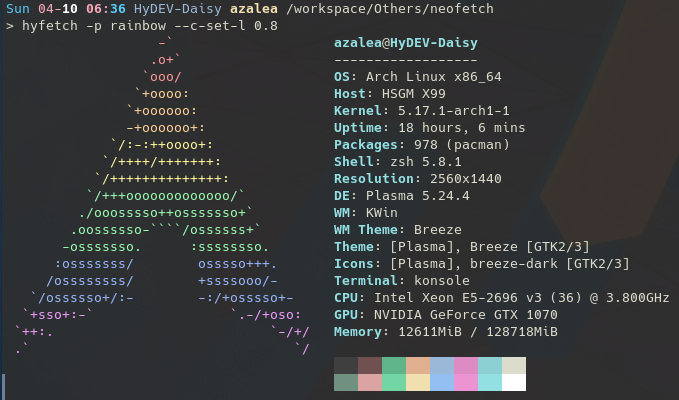
A: You can try setting the colors' "lightness" in the configuration menu. The value should be between 0 and 1. For example, if you are using dark theme and the rainbow flag is too dark to display, you can set lightness to 0.7.
Feel free to experiment with it!
Change Log
About Notation
Updates to HyFetch begins with the emoji 🌈
Updates to neowofetch begins with the emoji 🖼️
TODO
- Allow left-right arrow keys for pagination
- Implement light/dark background detection based on https://github.com/muesli/termenv
Unpublished 1.4.1
- 🌈 Paginate flags (#14)
- 🌈 Add release workflow (#15)
- 🌈 Config page - Give warning when terminal size is too small
- 🌈 Config page - Optimize color arrangement selection on small screens
- 🌈 Add Windows support
- 🖼️ Distro - Add ravynOS (dylanaraps/neofetch#2182)
- 🖼️ Distro - Add ChonkySealOS (dylanaraps/neofetch#2180)
- 🖼️ Distro - Fix ChromeOS identification (dylanaraps/neofetch#1949)
- 🖼️ Bug Fix - Fix hostname detection when
inetutilsis not installed - 🖼️ Bug Fix - Fix empty brackets displayed when no theme is found (dylanaraps#1713)
- 🖼️ Bug Fix - Fix
$escape bug instrip_escape_codes()(dylanaraps/neofetch#1543)
1.4.0
- 🌈 Add finsexual flag (#12)
- 🚀 Addressed a total of 128 currently open pull requests from neofetch
🖼️ Meta Changes
- Meta - Fixed shellcheck warnings in
neowofetch - Meta - Moved shellcheck from travis to GitHub Actions
- Meta - Created a script to automatically generate distro list
- Colors - Allow RGB colors in neofetch
--ascii_colorsargument (dylanaraps#1726)
🖼️ Distro/OS Support Changes
- Distro - Update Ubuntu logo (dylanaraps#2125)
- Distro - Add Exodia OS Predator (dylanaraps#2174)
- Distro - Add Parch (dylanaraps#2045)
- Distro - Add VzLinux (dylanaraps#1971)
- Distro - Add Twister OS (dylanaraps#1890)
- Distro - Add BlackPantherOS (dylanaraps#1761)
- Distro - Add TorizonCore (dylanaraps#1744)
- Distro - Add KrassOS (dylanaraps#1631)
- Distro - Add Synology DSM (dylanaraps#1666)
- Distro - Add MatuusOS (dylanaraps#1902)
- Distro - Add HarDClanZ Linux (dylanaraps#1797)
🖼️ Device Support Changes
- Host - Identify iMac, Mac mini, Mac Pro Models (dylanaraps#1944)
- Host - Identify FreeBSD host model (dylanaraps#1588)
- Font - Better font matching for st (dylanaraps#1877)
- Theme - Use XSETTINGS to get theme without a DE (dylanaraps#1831)
- Theme - Add QT theme detection (dylanaraps#1713)
- Theme - Add LeftWM theme detection (dylanaraps#1963)
- Cursor - Add cursor theme detection (dylanaraps#1149)
- Terminal - Improve NixOS terminal identification (dylanaraps#1134)
- Terminal - Use
/proc/.../cmdlineinstead of.../comm(dylanaraps#2034) - Packages - Improve scoop/choco package count (dylanaraps#1642)
🖼️ Bug Fixes
- Bug Fix - Fix prepended
=for kitty (dylanaraps#2116) - Bug Fix - Hide domain in hostname by default (dylanaraps#2095)
- Bug Fix - Respect TMPDIR if it exists (dylanaraps#1891)
- Bug Fix - Fix terminal size over slow connection (dylanaraps#1895)
- Bug Fix - Fix GPU detection for bumblebee dual-GPU (dylanaraps#1131)
- Bug Fix - Strip colors in ASCII length calculation (dylanaraps#1543)
1.3.0
🖼️ Ascii Art Changes
- Ascii - Improve Trisquel (dylanaraps#1946)
- Ascii - Improve LangitKetujuh (dylanaraps#1948)
- Ascii - Improve Artix small (dylanaraps#1872)
- Ascii - Update Archcraft (dylanaraps#1919)
🖼️ Distro/OS Support Changes
- OS - Support Old macOS 10.4 and 10.5 (dylanaraps#2151)
- OS - Identify Hackintosh VM (dylanaraps#2005)
- Distro - Fix model detection for Ubuntu Touch (dylanaraps#2167)
- Distro - Add EncryptOS (dylanaraps#2158)
- Distro - Add BigLinux (dylanaraps#2061)
- Distro - Add AmogOS (dylanaraps#1904)
- Distro - Add CutefishOS (dylanaraps#2054)
- Distro - Add PearOS (dylanaraps#2049)
- Distro - Add FusionX (dylanaraps#2011)
- Distro - Add Q4OS (dylanaraps#1973)
- Distro - Add CachyOS (dylanaraps#2026)
- Distro - Add Soda Linux (dylanaraps#2023)
- Distro - Add Elive Linux (dylanaraps#1957)
- Distro - Add Uos (dylanaraps#1991)
- Distro - Add MassOS (dylanaraps#1947)
- Distro - Add CalinixOS (dylanaraps#1988)
- Distro - Add Kaisen Linux (dylanaraps#1958)
- Distro - Add yiffOS (dylanaraps#1920)
- Distro - Add Sulin (dylanaraps#1896)
- Distro - Add Wii Linux (dylanaraps#1929)
- Distro - Add Linspire (dylanaraps#1905)
- Distro - Add Ubuntu Kylin (dylanaraps#1974)
- Distro - Add OPNsense (dylanaraps#1055)
- Distro - Improve BSD machine arch detection (dylanaraps#2015)
- Distro - Improve Manjaro version detection (dylanaraps#1879)
🖼️ Device Support Changes
- Terminal - Add Fig (dylanaraps#2077)
- Terminal - Identify font for Apple Terminal (dylanaraps#2017)
- CPU - Identify core count for Apple M1 (dylanaraps#2038)
- GPU - Identify OpenCL GPU without PCIe (dylanaraps#1928)
- Host - Identify MacBook & Update iDevice models (dylanaraps#1944)
- Battery - Identify power adapter for MacBooks (dylanaraps#1945)
- DE - Identify KF5 and Qt versions for Plasma (dylanaraps#2019)
- Packages - Improve GUIX package detection (dylanaraps#2021)
- Packages - Add
pmandcargo(dylanaraps#1876) - Network - Identify network capabilities (dylanaraps#1511)
🖼️ Bug Fixes
- Bug Fix - Fix
col_offset(dylanaraps#2042) - Bug Fix - Prioritize
/etc/os-release(dylanaraps#2067) - Bug Fix - Ignore case when counting
.appimage(dylanaraps#2006) - Bug Fix - Fix BSD freezing if pkg is not bootstrapped (dylanaraps#2014)
- Bug Fix - Fix wrong icon theme (dylanaraps#1873)
1.2.0
- 🚀 Take over
neofetchwithneowofetch
🖼️ Ascii Art Changes
- Ascii - Add uwuntu (#9) (use it with
hyfetch --test-distro uwuntuorneowofetch --ascii_distro uwuntu) - Ascii - Better Void ascii art (#10)
- Ascii - Update old NixOS logo for compatibility (dylanaraps#2114)
🖼️ Distro/OS Support Changes
- OS - Identify macOS 13 Ventura (#8)
- OS - Windows 11 Fluent (dylanaraps#2109)
- Distro - Add Asahi Linux (dylanaraps#2079)
- Distro - Add CenterOS (dylanaraps#2097)
- Distro - Add Finnix (dylanaraps#2099)
- Distro - Add Miracle Linux (dylanaraps#2085)
- Distro - Add Univalent (dylanaraps#2162)
- Distro - Add NomadBSD (dylanaraps#2147)
- Distro - Add GrapheneOS (dylanaraps#2146)
- Distro - Add ShastraOS (dylanaraps#2149)
- Distro - Add Ubuntu Touch (dylanaraps#2167)
- Distro - Add Ubuntu Sway (dylanaraps#2136)
- Distro - Add Orchid Linux (dylanaraps#2144)
- Distro - Add AOSC OS/Retro (dylanaraps#2124)
- Distro - Add Ultramarine Linux (dylanaraps#2115)
- Distro - Improve NixOS version detection (dylanaraps#2157)
🖼️ Device/Program Support Changes
- Terminal - Add Termux (dylanaraps#1923)
- CPU - Add loongarch64 (dylanaraps#2140)
- CPU - Identify CPU name for ARM / RISCV (dylanaraps#2139)
- Battery - Fix file not found (dylanaraps#2130)
- GPU - Identify open-kernal Nvidia driver version (dylanaraps#2128)
🖼️ Bug Fixes
- Bug Fix - Fix broken fedora output (dylanaraps#2084)
1.1.3rc1
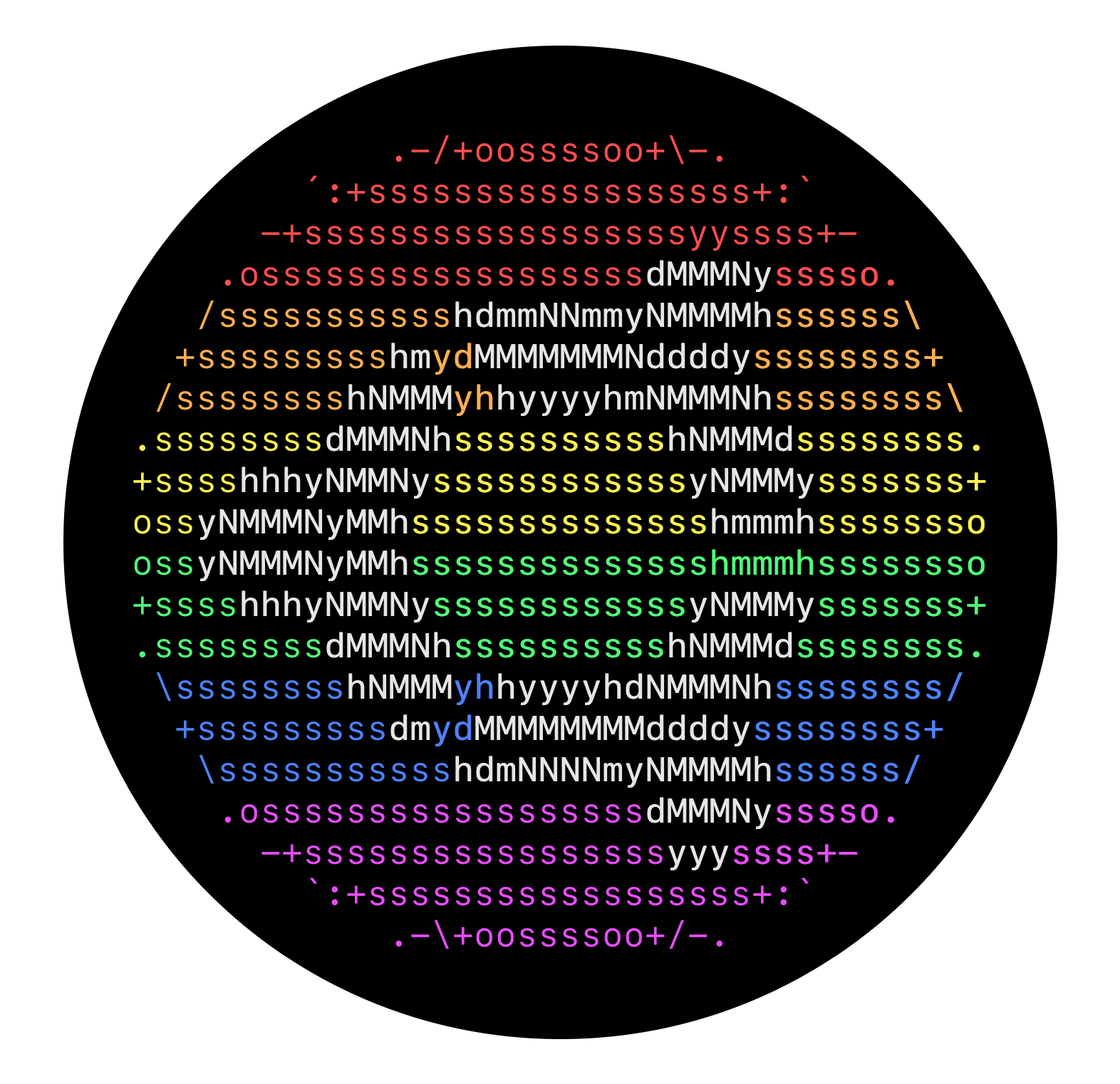
- 🌈 Add foreground-background color arrangement to make Fedora and Ubuntu look nicer
- 🌈 Allow typing abbreviations in flag selection
- 🌈 Fix: Duplicate random color arrangements are appearing in selection screen
- 🌈 Fix: Inconsistant color arrangement when saved to config file
1.1.2
- Add more flags (#5)
- Removed
numpydependency that was used in 1.1.0

1.1.0
- Refactored a lot of things
- Added Beiyang flag xD
- Added interactive configurator for brightness adjustment
- Added dark/light mode selection
- Added color bar preview for RGB/8bit mode selection
- Added random color arrangement feature (for NixOS)
1.0.7
- Fix: Make config path not on init but when it's actually needed.
1.0.6
- Remove
hypy_utilsdependency to make packaging easier.
1.0.5
- Fix terminal emulator detection (PR #2)
1.0.4
- Add more flags (PR #1)
1.0.3
- Fix missing dependency for setuptools
1.0.2
- Implement RGB to 8bit conversion
- Add support for Python 3.7 and 3.8
1.0.1
- Included 11 flag presets
- Ability to lighten colors with
--c-set-l <lightness> - Command-line flag chooser
- Supports Python >= 3.9
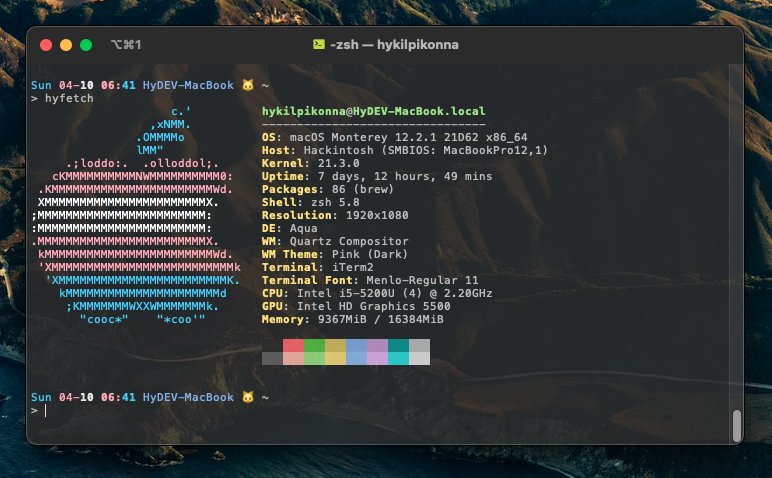
More Screenshots
Original Readme from Neofetch Below

A command-line system information tool written in bash 3.2+



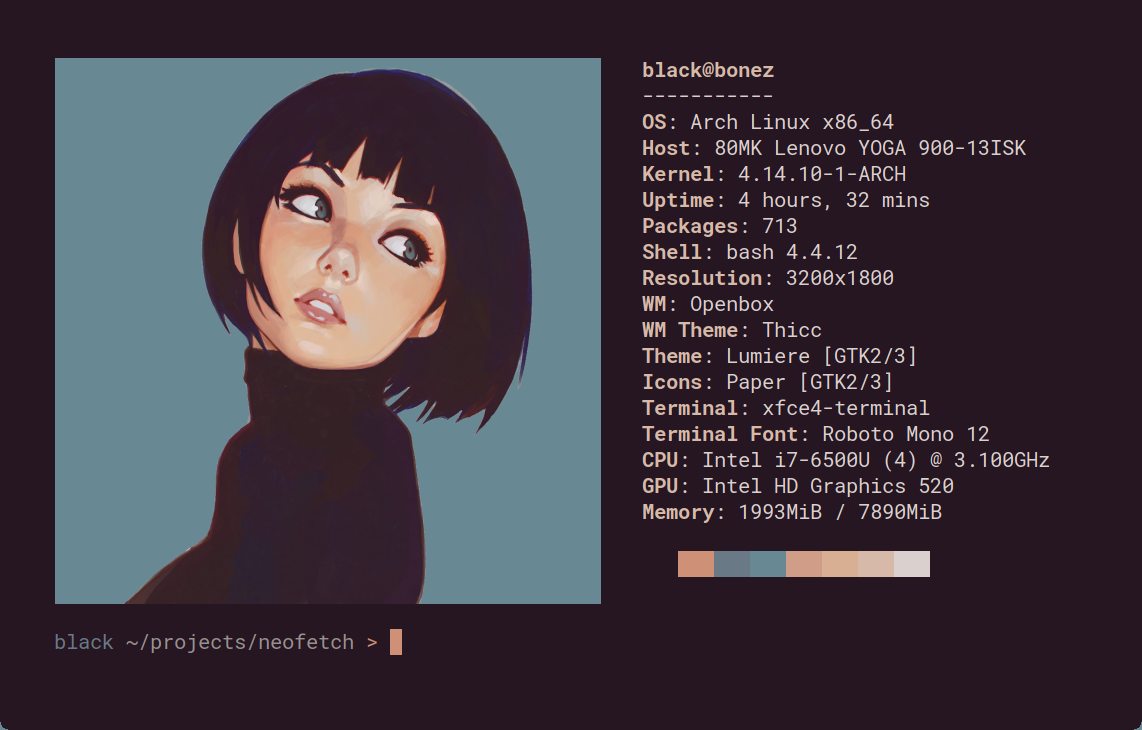
Neofetch is a command-line system information tool written in bash 3.2+. Neofetch displays information about your operating system, software and hardware in an aesthetic and visually pleasing way.
The overall purpose of Neofetch is to be used in screen-shots of your system. Neofetch shows the information other people want to see. There are other tools available for proper system statistic/diagnostics.
The information by default is displayed alongside your operating system's logo. You can further configure Neofetch to instead use an image, a custom ASCII file, your wallpaper or nothing at all.
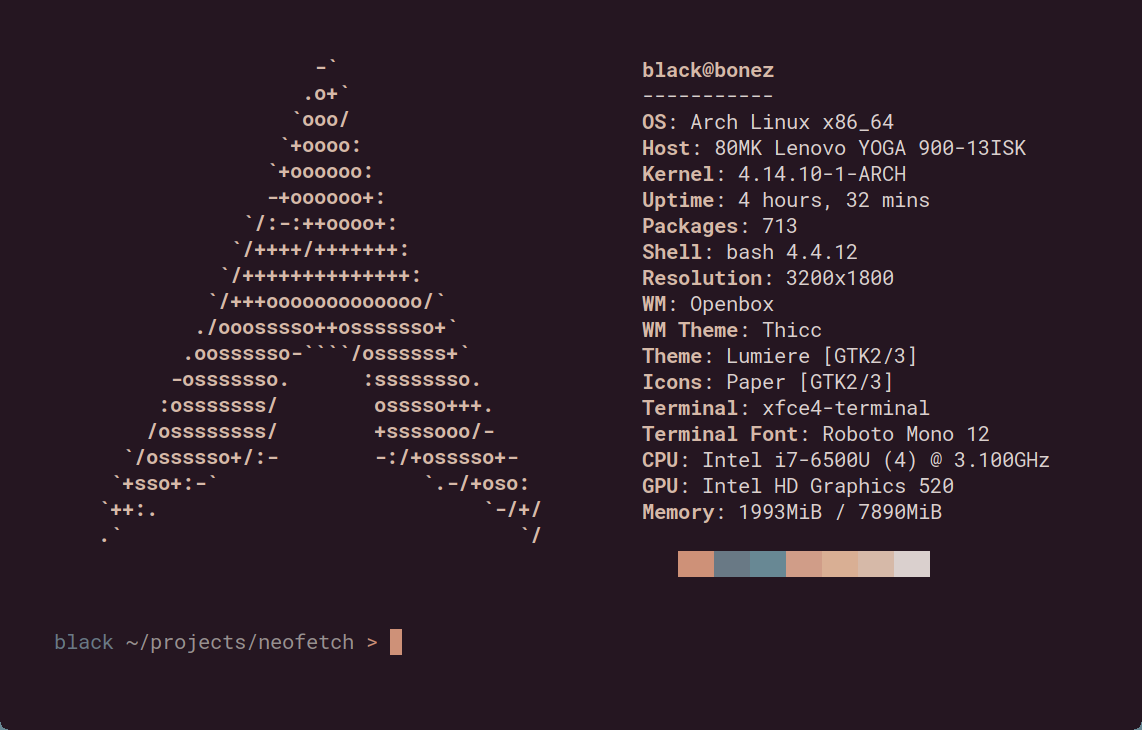
You can further configure Neofetch to display exactly what you want it to. Through the use of command-line flags and the configuration file you can change existing information outputs or add your own custom ones.
Neofetch supports almost 150 different operating systems. From Linux to Windows, all the way to more obscure operating systems like Minix, AIX and Haiku. If your favourite operating system is unsupported: Open up an issue and support will be added.
More: [Dependencies] [Installation] [Wiki]
Release history Release notifications | RSS feed


Download files
Download the file for your platform. If you're not sure which to choose, learn more about installing packages.
Source Distribution
Built Distribution
Filter files by name, interpreter, ABI, and platform.
If you're not sure about the file name format, learn more about wheel file names.
Copy a direct link to the current filters
File details
Details for the file HyFetch-1.4.1rc2.tar.gz.
File metadata
- Download URL: HyFetch-1.4.1rc2.tar.gz
- Upload date:
- Size: 139.8 kB
- Tags: Source
- Uploaded using Trusted Publishing? No
- Uploaded via: twine/3.8.0 pkginfo/1.8.2 readme-renderer/34.0 requests/2.27.1 requests-toolbelt/0.9.1 urllib3/1.26.9 tqdm/4.63.0 importlib-metadata/4.11.3 keyring/23.5.0 rfc3986/2.0.0 colorama/0.4.4 CPython/3.9.11
File hashes
| Algorithm | Hash digest | |
|---|---|---|
| SHA256 |
d64fd6f2d0b787ca510ed7ebdd03f17415a0034a117afa928cdc9b60295944fa
|
|
| MD5 |
da62f16b28cb060cb8e04280d234e1db
|
|
| BLAKE2b-256 |
eaf750159b7411e7d572c2a8b2b413486a853d35483040e462db6e394e15ce45
|
File details
Details for the file HyFetch-1.4.1rc2-py3-none-any.whl.
File metadata
- Download URL: HyFetch-1.4.1rc2-py3-none-any.whl
- Upload date:
- Size: 252.1 kB
- Tags: Python 3
- Uploaded using Trusted Publishing? No
- Uploaded via: twine/3.8.0 pkginfo/1.8.2 readme-renderer/34.0 requests/2.27.1 requests-toolbelt/0.9.1 urllib3/1.26.9 tqdm/4.63.0 importlib-metadata/4.11.3 keyring/23.5.0 rfc3986/2.0.0 colorama/0.4.4 CPython/3.9.11
File hashes
| Algorithm | Hash digest | |
|---|---|---|
| SHA256 |
6743207779808479209ef5baa796a736c42ac48cb8e893d3d6d076216f86b2d3
|
|
| MD5 |
152dfb0c54032cf37e1d4141e24215a9
|
|
| BLAKE2b-256 |
ce6e0812d90a6e5da242ce3e6c639853b75d7885eb17b2949eb7d17dbe8ea7c2
|






