
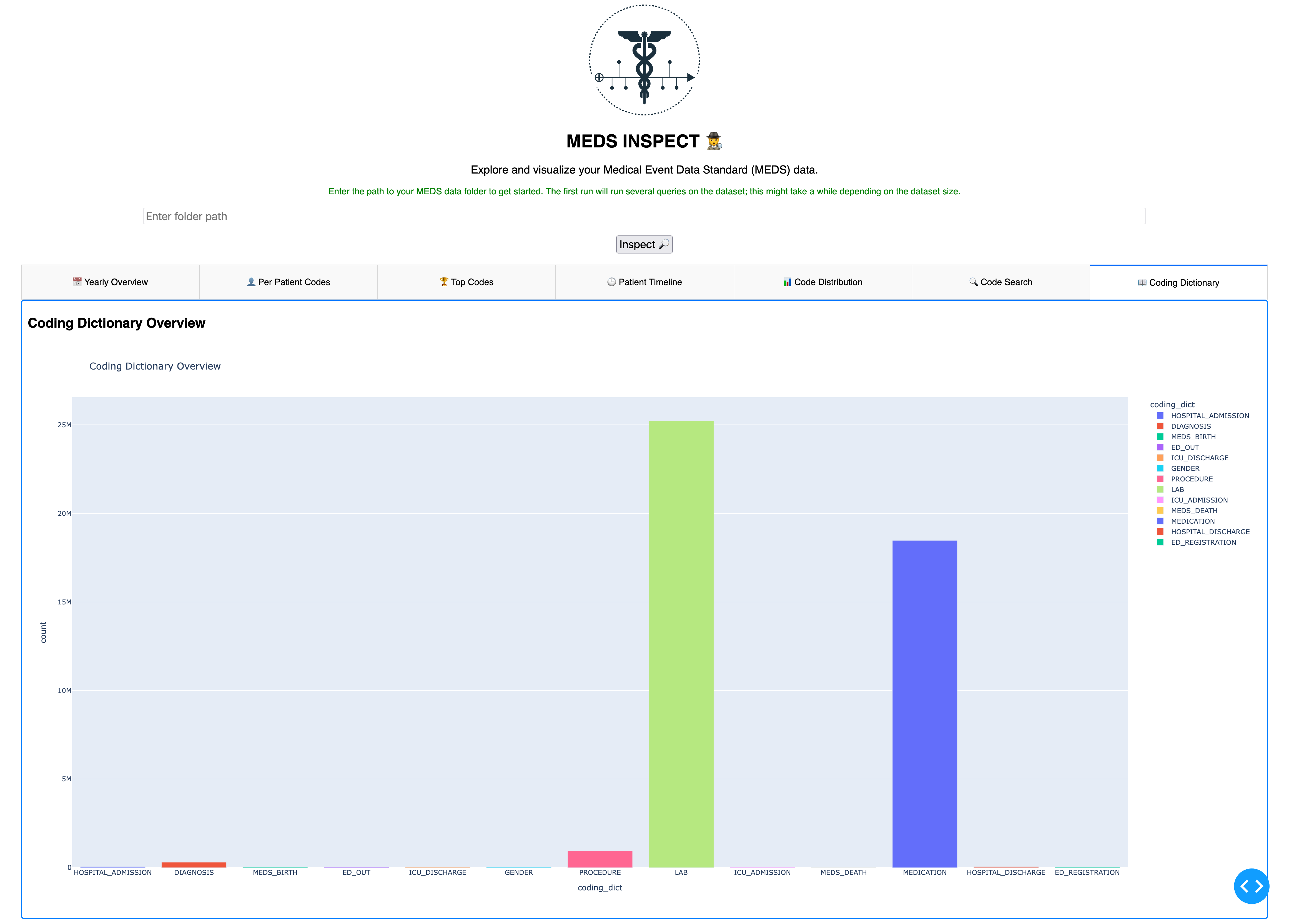
MEDS-Inspect is an interactive data visualization app that supports you in your data exploration.

Project description
🕵️ MEDS-Inspect







MEDS (Medical Event Data Standard) is "the simplest possible standard for health AI" (https://medical-event-data-standard.github.io/).
But after building your own MEDS ETL you might be wondering:
- Is my ETL missing data?
- What codes are contained in my dataset?
- How does my data compare to other MEDS datasets?
- What preprocessing steps are still needed in order to train models?
.. and many more questions related to data exploration.
MEDS-Inspect is an interactive data visualization app that supports you in your data quest.
Getting started
pip install MEDS-Inspect
Then start a server with the following:
MEDS_Inspect --port=8060 --file_path="path/to/your/meds/dataset"
This will start a local web app that you can access in your browser. Running this command without a file path will default to the MIMIC-IV Demo data in MEDS
You should also be able to enter an arbitrary filepath from the GUI.
Getting started (development)
Clone repository:
git clone https://github.com/rvandewater/MEDS-Inspect.git
cd MEDS-Inspect
Create environment:
conda create -n "meds-inspect" python=3.12
conda activate meds-inspect
Install requirements:
pip install -r requirements.txt
Launch app:
python src/MEDS_Inspect/__main__.py
This should start a locally hosted web app.
Functionality
You can start the caching directly from the command line. Caching creates the folder .meds-inspect-cache
python MEDS_Inspect_cache path/to/your/favorite/meds/dataset
Impression:
Release history Release notifications | RSS feed


Download files
Download the file for your platform. If you're not sure which to choose, learn more about installing packages.
Source Distribution
Built Distribution
Filter files by name, interpreter, ABI, and platform.
If you're not sure about the file name format, learn more about wheel file names.
Copy a direct link to the current filters
File details
Details for the file meds_inspect-0.0.10.tar.gz.
File metadata
- Download URL: meds_inspect-0.0.10.tar.gz
- Upload date:
- Size: 4.9 MB
- Tags: Source
- Uploaded using Trusted Publishing? Yes
- Uploaded via: twine/6.1.0 CPython/3.12.8
File hashes
| Algorithm | Hash digest | |
|---|---|---|
| SHA256 |
c7d8700f69107ac88e8f8ae427e08c609243594bcc063f966111876c0b962377
|
|
| MD5 |
f53ee531ee087a34a0700e3f54bc70b2
|
|
| BLAKE2b-256 |
a0855f61ea5ae478ea2e705a10e3c447f5bb5b6239633c7bd9adc10077570a90
|
Provenance
The following attestation bundles were made for meds_inspect-0.0.10.tar.gz:
Publisher:
python-build.yaml on rvandewater/MEDS-Inspect
-
Statement:
-
Statement type:
https://in-toto.io/Statement/v1 -
Predicate type:
https://docs.pypi.org/attestations/publish/v1 -
Subject name:
meds_inspect-0.0.10.tar.gz -
Subject digest:
c7d8700f69107ac88e8f8ae427e08c609243594bcc063f966111876c0b962377 - Sigstore transparency entry: 172413876
- Sigstore integration time:
-
Permalink:
rvandewater/MEDS-Inspect@34ae930b922acf60da8debb1a7657d47a4fc1225 -
Branch / Tag:
refs/tags/0.0.10 - Owner: https://github.com/rvandewater
-
Access:
public
-
Token Issuer:
https://token.actions.githubusercontent.com -
Runner Environment:
github-hosted -
Publication workflow:
python-build.yaml@34ae930b922acf60da8debb1a7657d47a4fc1225 -
Trigger Event:
push
-
Statement type:
File details
Details for the file MEDS_Inspect-0.0.10-py3-none-any.whl.
File metadata
- Download URL: MEDS_Inspect-0.0.10-py3-none-any.whl
- Upload date:
- Size: 4.9 MB
- Tags: Python 3
- Uploaded using Trusted Publishing? Yes
- Uploaded via: twine/6.1.0 CPython/3.12.8
File hashes
| Algorithm | Hash digest | |
|---|---|---|
| SHA256 |
dc615d4ad6c9c41ae848bfa2aaf74e4705fe02107b75e035aeb765f53c246e59
|
|
| MD5 |
a6e81c955a2a66a6d8a8cf5acddd500c
|
|
| BLAKE2b-256 |
058afaac2b908c3e6585475e49df470cd39c81c6dda13a93d5e296fb1fa5cf08
|
Provenance
The following attestation bundles were made for MEDS_Inspect-0.0.10-py3-none-any.whl:
Publisher:
python-build.yaml on rvandewater/MEDS-Inspect
-
Statement:
-
Statement type:
https://in-toto.io/Statement/v1 -
Predicate type:
https://docs.pypi.org/attestations/publish/v1 -
Subject name:
meds_inspect-0.0.10-py3-none-any.whl -
Subject digest:
dc615d4ad6c9c41ae848bfa2aaf74e4705fe02107b75e035aeb765f53c246e59 - Sigstore transparency entry: 172413878
- Sigstore integration time:
-
Permalink:
rvandewater/MEDS-Inspect@34ae930b922acf60da8debb1a7657d47a4fc1225 -
Branch / Tag:
refs/tags/0.0.10 - Owner: https://github.com/rvandewater
-
Access:
public
-
Token Issuer:
https://token.actions.githubusercontent.com -
Runner Environment:
github-hosted -
Publication workflow:
python-build.yaml@34ae930b922acf60da8debb1a7657d47a4fc1225 -
Trigger Event:
push
-
Statement type:






