
MetaX
MetaX is a novel tool for linking peptide sequences with taxonomic and functional information in Metaproteomics. We introduce the Operational Taxon-Function (OTF) concept to explore microbial roles and interactions ("who is doing what and how") within ecosystems.
MetaX also features statistical modules and plotting tools for analyzing peptides, taxa, functions, proteins, and taxon-function contributions across groups.
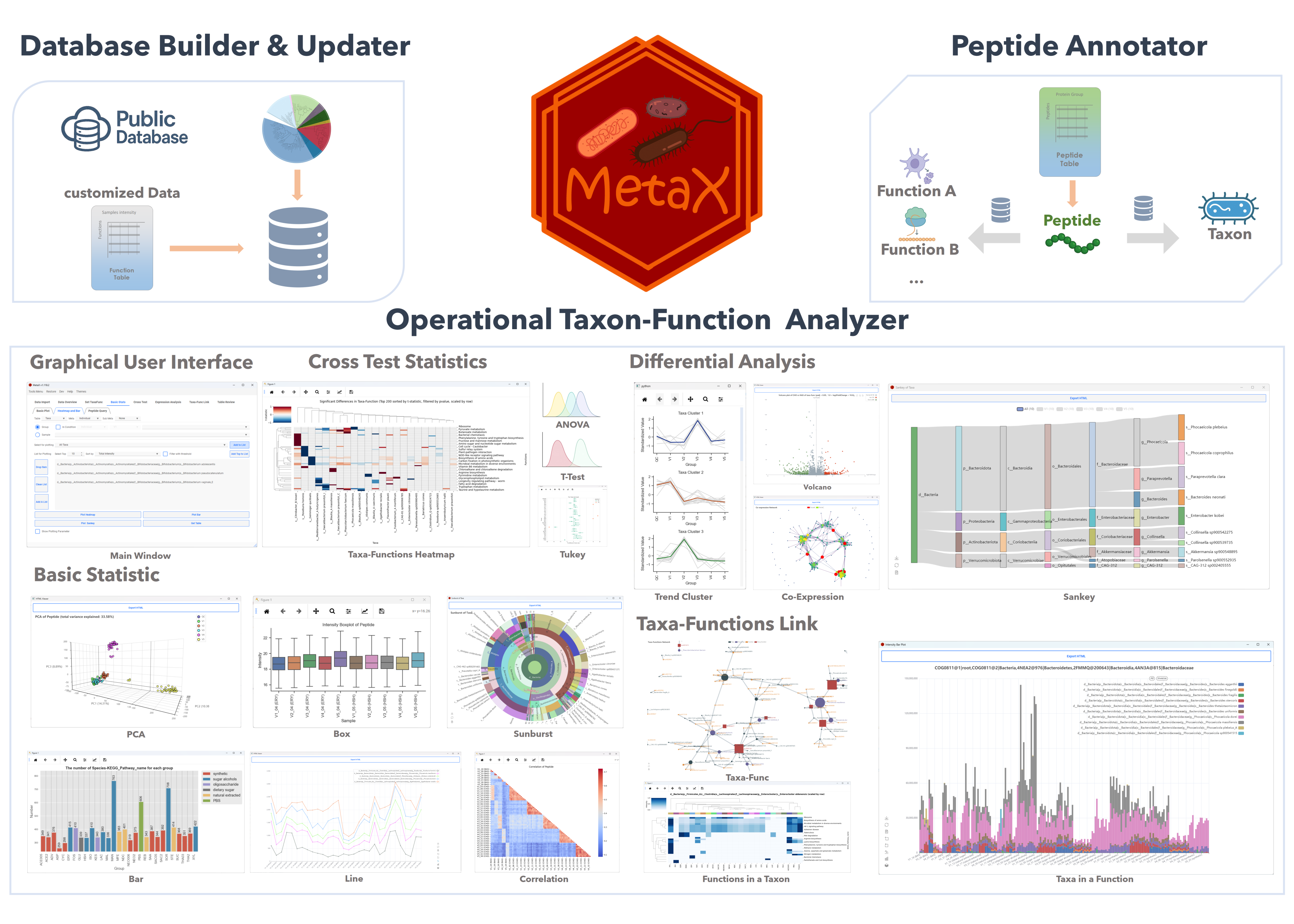
Operational Taxon-Function (OTF)
Operational Taxon-Function (OTF) Unit: An operational unit which represents the association between specific taxa and biological functions.
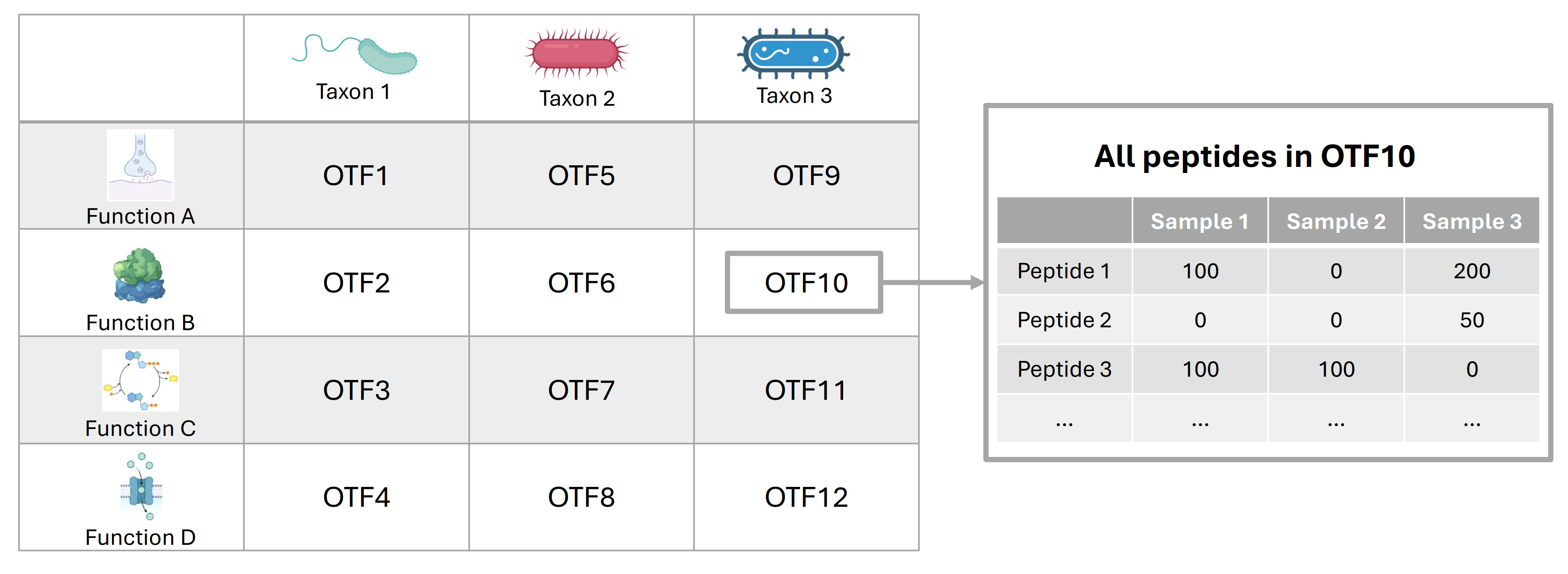
OTF Analyzer
The Tools in OTF Analyzer
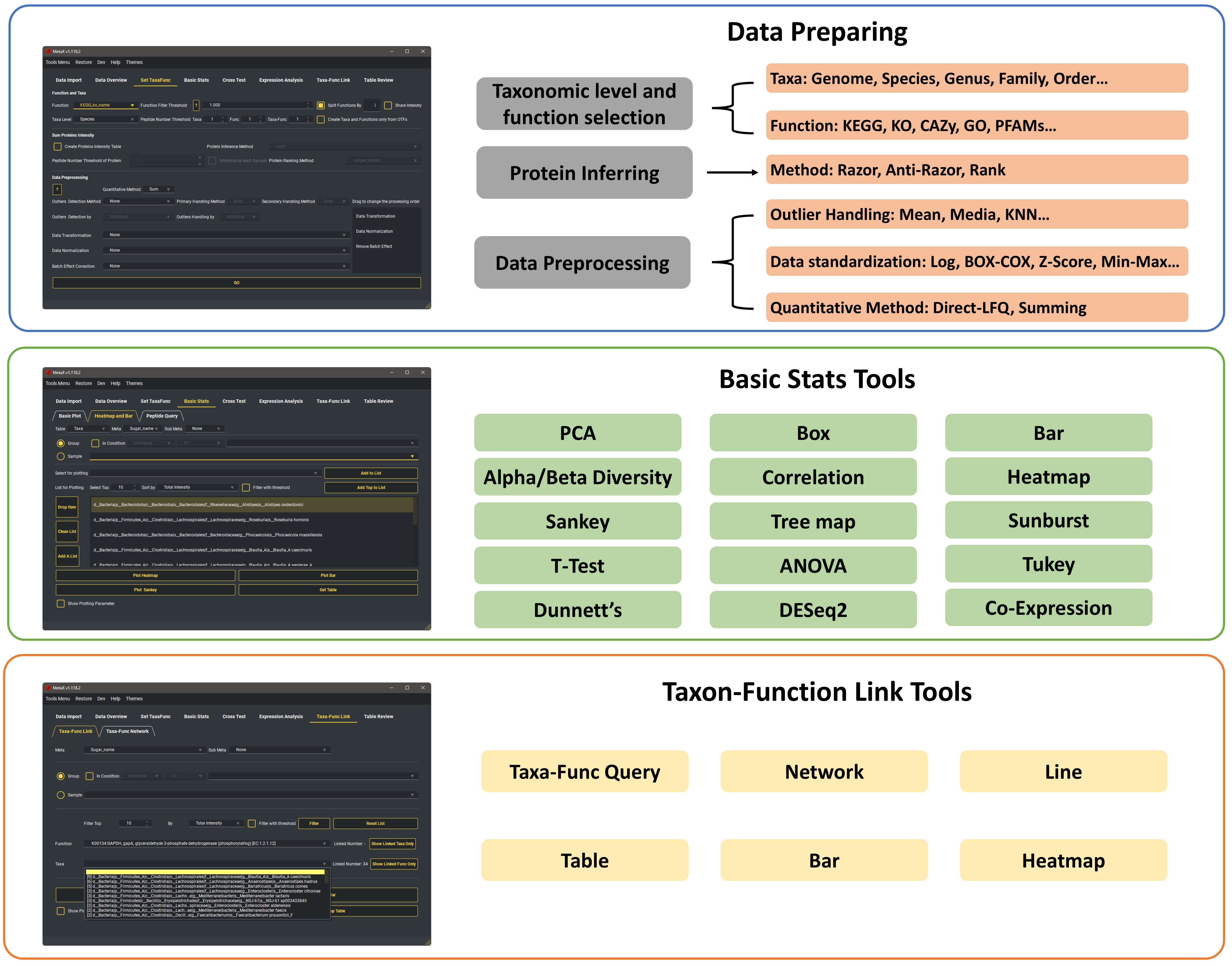
OTF Examples
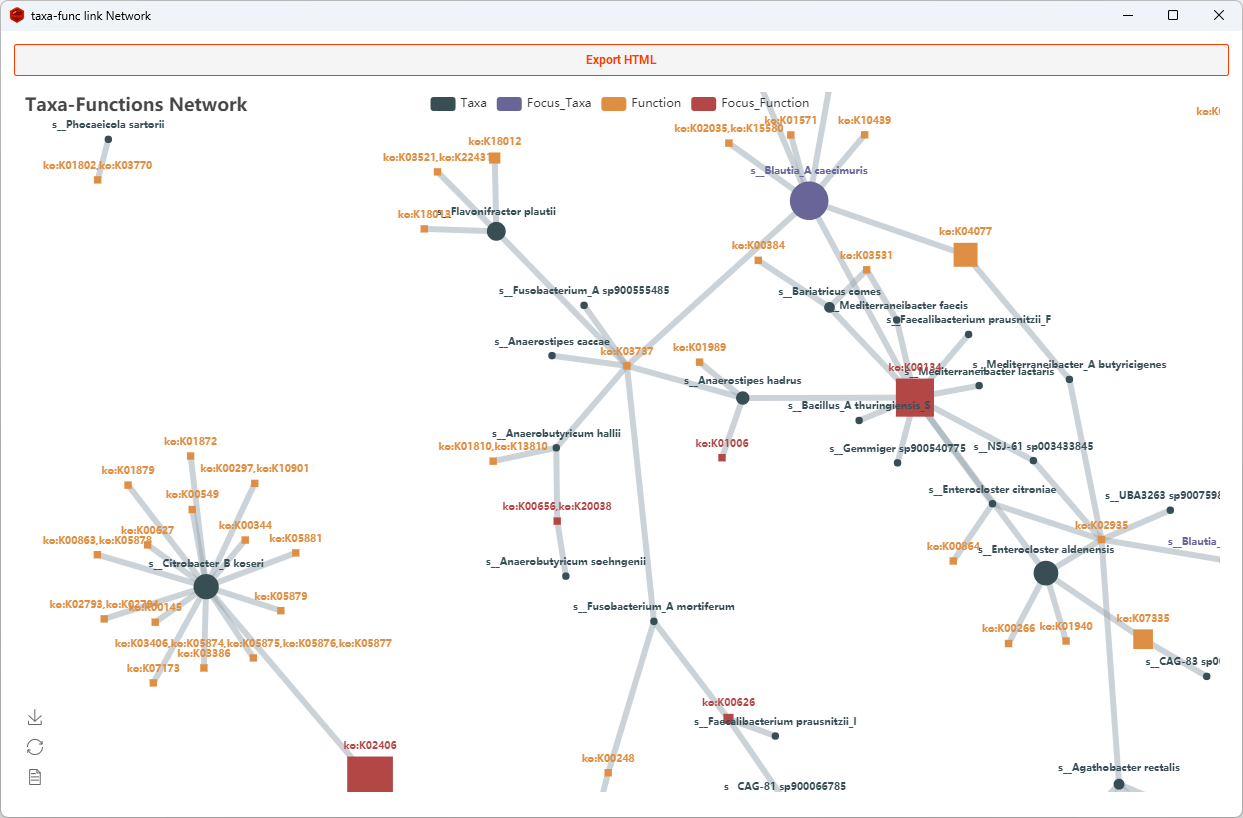
Linking Taxa and Functions in different levels of the hierarchy, and various functional categories. e.g., Species-KO, Genus-CAZy, Phylum-EC, etc. Lots of visualization tools can be selected.
Network
Dots represent taxa and squares represent functions in the network.
Heatmap
Show all Taxa of a function.
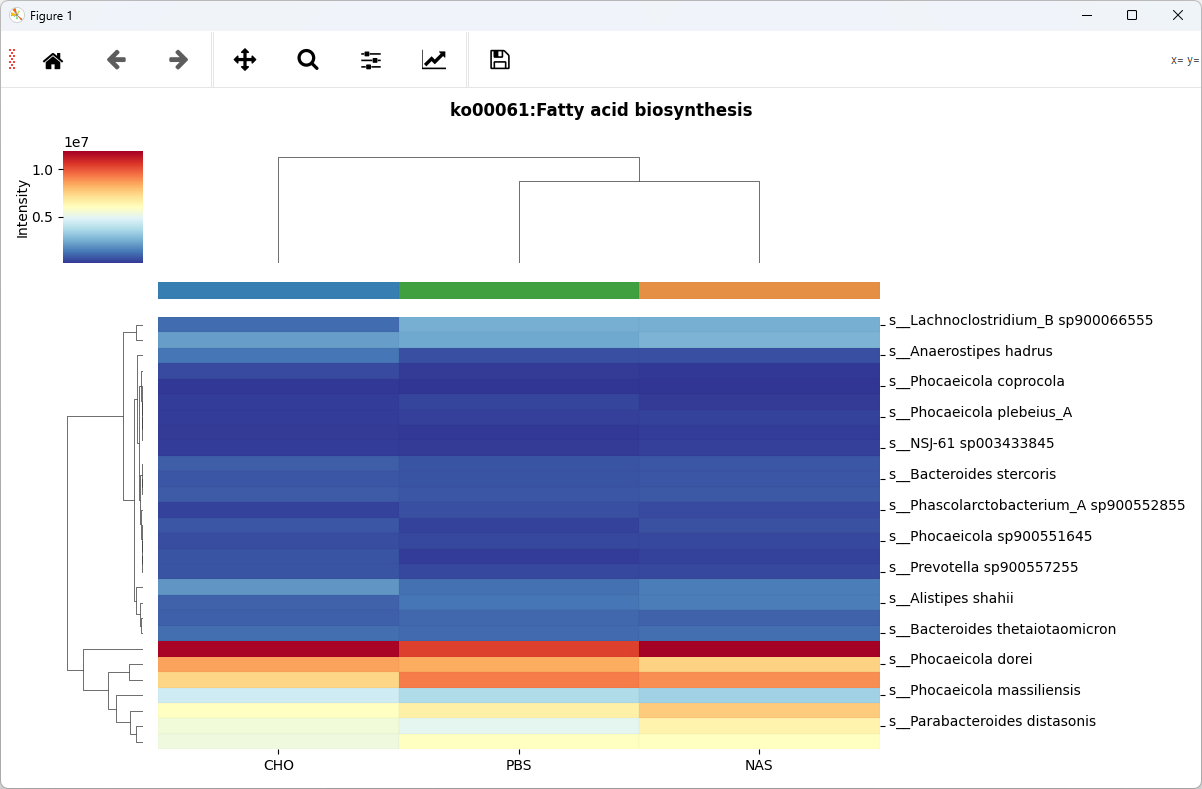
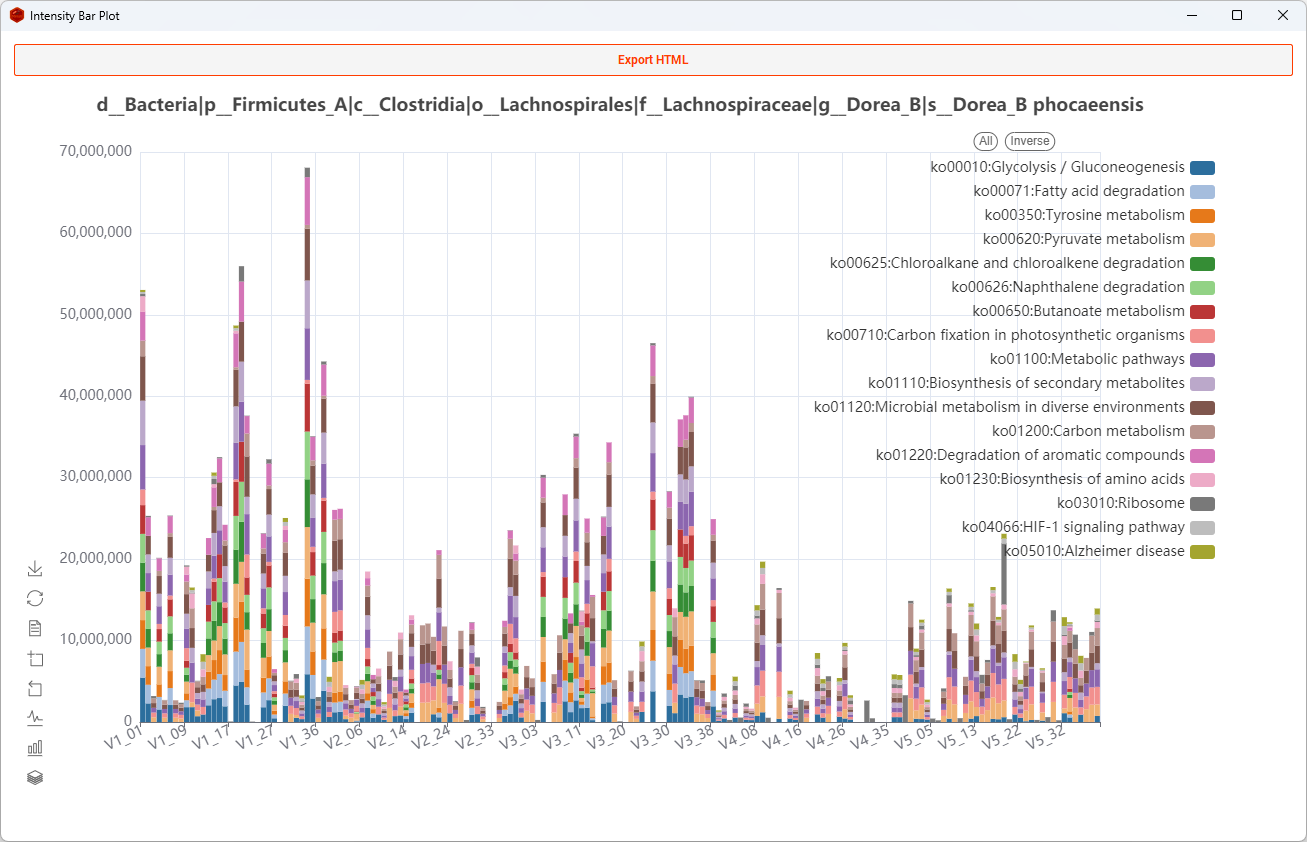
Bar
Show all functions of a taxon
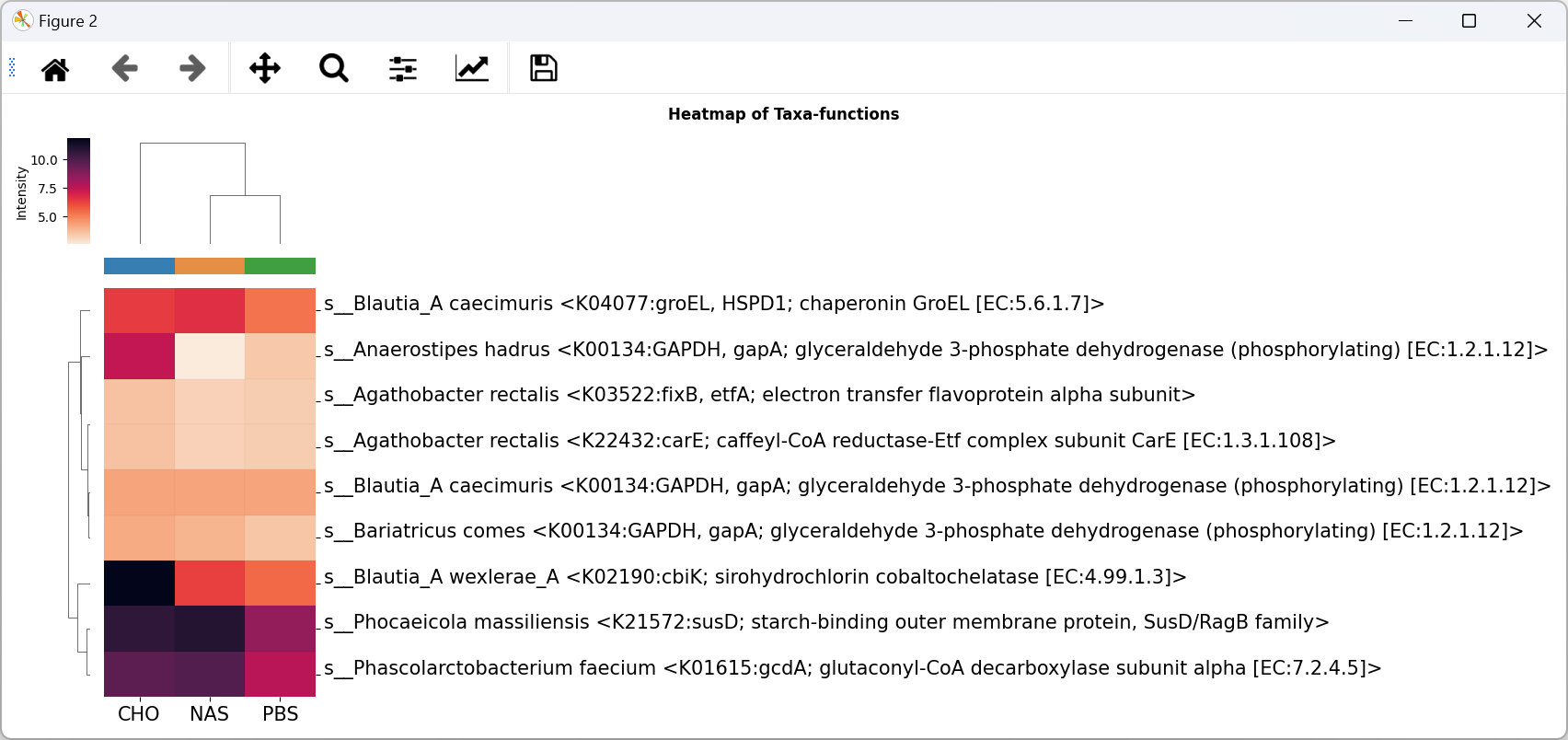
OTF Heatmap
Show OTFS intensity in groups(samples), e.g., Species-KO OTF Heatmap
Download & Installation
-
Desktop Version (Recommended)
The desktop version comes fully set up and ready to use, including all required dependencies and a graphical user interface.
-
Lightweight annotation CLI
The default PyPI installation contains the OTF annotation backend and CLI without Qt:
python -m pip install MetaXTools
Run annotation with the same Python environment that installed MetaX:
python -m metax.cli.annotate --config annotation.yaml
-
Headless Analyzer and Report
Install the Analyzer without Qt, or install the complete headless Report stack:
python -m pip install "MetaXTools[analyzer]"
python -m pip install "MetaXTools[report]"
python -m metax.cli.report --capabilities
metax-report --config report.yaml --result-json metax_report_result.json
-
Desktop GUI / complete installation
The desktop profile includes Analyzer, statistics, plotting, Report, notebook export, and Qt:
python -m pip install "MetaXTools[full]"
metax
If an optional stack is missing,
metaxandmetax-reportexit with a clear message identifying the required extra.
Guidebook
Desktop Version(desktop):- Refer to the MetaX Cookbook for detailed instructions on how to use MetaX with the graphical user interface.
Command-line version:- See the Annotation CLI integration guide for global and unit-specific commands, configuration files, result JSON, exit codes, and subprocess integration.
- Read the example documentation in the Notebook for analysis examples.
Citing
If you use MetaX in your research, please cite the following publication:
Operational Taxon-Function Framework in MetaX: Unveiling Taxonomic and Functional Associations in Metaproteomics. Wu, Q., Ning, Z., Zhang, A., Zhang, X., Sun, Z., & Figeys, D. (2025). Analytical Chemistry. DOI: 10.1021/acs.analchem.4c06645.
1 maintainer

Metadata
1 maintainer
Release files for MetaXTools 2.6.4
For a detailed explanation of source distributions (sdists) and built distributions (wheels), please see the package formats documentation.
Source distribution (sdist)
| File | Size | Uploaded | |
|---|---|---|---|
| metaxtools-2.6.4.tar.gz | 8.8 MB | Details |
Built distribution (wheel)
| File | Interpreter | ABI | Platform | Reset |
|---|---|---|---|---|
| metaxtools-2.6.4-py3-none-any.whl | Python 3 | none | any | Details |
Total release size: 17.7 MB
Release files / metaxtools-2.6.4.tar.gz
| Download URL | metaxtools-2.6.4.tar.gz |
|---|---|
| Size | 8.8 MB |
| Tags | Source |
|
SHA-256 checksum How to use checksums |
78099798e7301470f3c6885dc871b0e05d53300946018cdfaf7d3d8d1eed9831
|
|
BLAKE2b-256 checksum How to use checksums |
967a8c7a0fc9c866bcea5a68914962cca0f4a2ee757ea7177aa1d84f5ba61dcc
|
| Upload date | |
|
Uploaded using Trusted Publishing? What is trusted publishing? |
No |
| Uploaded via |
twine/6.0.1 CPython/3.10.20
|
Release files / metaxtools-2.6.4-py3-none-any.whl
| Download URL | metaxtools-2.6.4-py3-none-any.whl |
|---|---|
| Size | 8.9 MB |
| Tags | Python 3 |
|
SHA-256 checksum How to use checksums |
c092844358ed453b64f1db4955f6159753eccca7785b40d8fdcab4f975465ea5
|
|
BLAKE2b-256 checksum How to use checksums |
aca3c8f6eabf02d682d096b6bf9c4ae1e1dbd1a41be6095bd46c62132ac7ef31
|
| Upload date | |
|
Uploaded using Trusted Publishing? What is trusted publishing? |
No |
| Uploaded via |
twine/6.0.1 CPython/3.10.20
|














