
A Python package for analytics in dam management workflows.

Project description
OptiDamTool















About
OptiDamTool is a Python package designed for analytics and decision-making in dam management. Conceptualized and released on May 29, 2025, the package offers tools for modeling and analyzing hydrological flow across a network of connected dams.
Leveraging functionalities from the open-source GeoAnalyze package, OptiDamTool provides classes that that assist users in preparing inputs for simulating water erosion and sediment transport, and supports decision-making in dam network deployment aimed at environmental sustainability.
Classes
OptiDamTool.WatemSedem
Provides tools to prepare inputs for the WaTEM/SEDEM model, which simulates soil erosion, sediment transport capacity, and sediment delivery to stream networks at the watershed scale. While this class includes built-in methods for generating most required inputs, it is still recommended to consult the GeoAnalyze documentation for any geospatial operations not covered by its methods.
- Convert Digital Elevation Model (DEM) data into the stream files required for the WaTEM/SEDEM model with the
river routing = 1extension enabled. - Extend input rasters beyond the model region and fills NoData cells with valid values, as WaTEM/SEDEM does not support NoData.
- Perform reprojection, clipping, resolution rescaling, and reclassification of rasters.
- Processe open-source Esri land cover data.
- Generate a land management factor raster from land cover inputs.
- Compute the product of soil erodibility and rainfall erosivity factors.
- Convert raster files to the Idrisi raster format, with the
.rstfile extension. - Generate effective upstream drainage area polygons for selected dam locations within a stream network.
OptiDamTool.Network
Offers methods for establishing hydrological and sedimentation flow connectivity between dams using the stream network.
- Identify connectivity between adjacent upstream and downstream dams.
- Compute the controlled upstream drainage areas for selected dam locations within a stream network.
- Estimate sediment inflow to dams based on controlled upstream drainage areas.
- Simulate storage dynamics of individual dams in a system due to sedimentation, using a mass balance approach.
- Generate updated dam location points and their corresponding controlled drainage polygons when dams become inactive during system-wide storage dynamics simulation.
OptiDamTool.Analysis
Provides methods for analyzing simulation outputs and generating insights.
- Integrate sediment delivery to stream segments.
- Generate stream shapefiles with comprehensive information of each segment's drainage area and sediment input.
- Summarize total sediment dynamics for the model region.
- Assign a Coordinate Reference System and the default
GTiffdriver to output Idrisi raster files from a WaTEM/SEDEM simulation.
OptiDamTool.SystemDesign
Provides methods for optimizing dam systems within a watershed using a multi-objective evolutionary computation framework.
- For a fixed number of dams, it determines optimal locations and storage capacities based on annual sediment inflows along watershed drainage pathways.
- Retrieve detailed simulation results for a selected solution scenario.
OptiDamTool.Visual
Provides methods for visualizing simulation outputs.
-
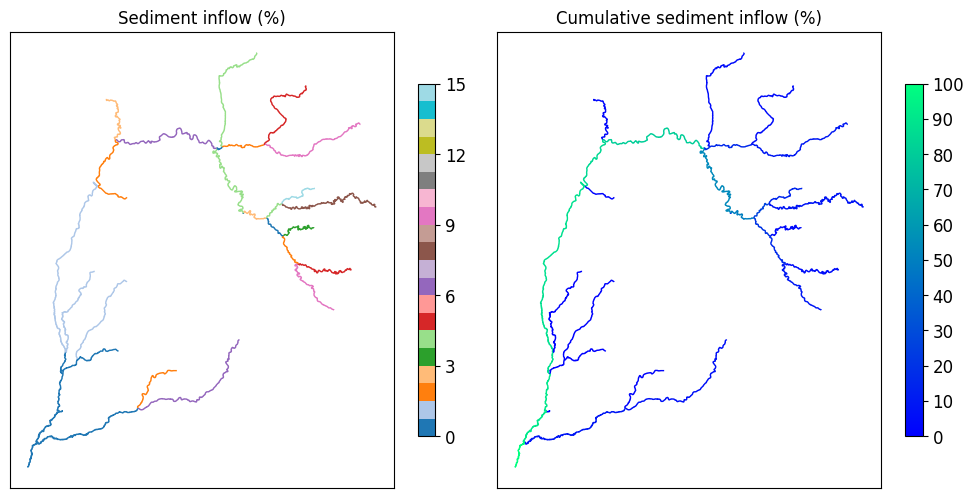
Produces a figure showing sediment inflow percentages to stream segments, relative to the total sediment input across all stream segments.
-
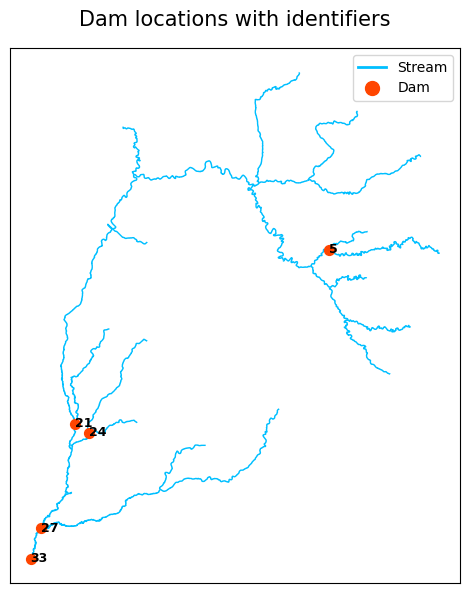
Creates a figure showing dam locations along the stream path.
-
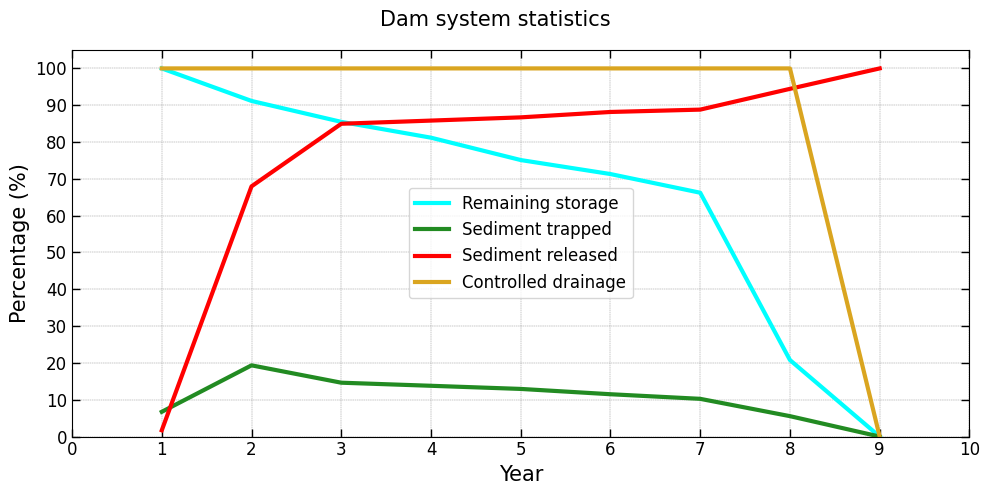
Produces a figure showing dam system-level statistics, including controlled drainage area, remaining storage, sediment trapped, and sediment released.
-
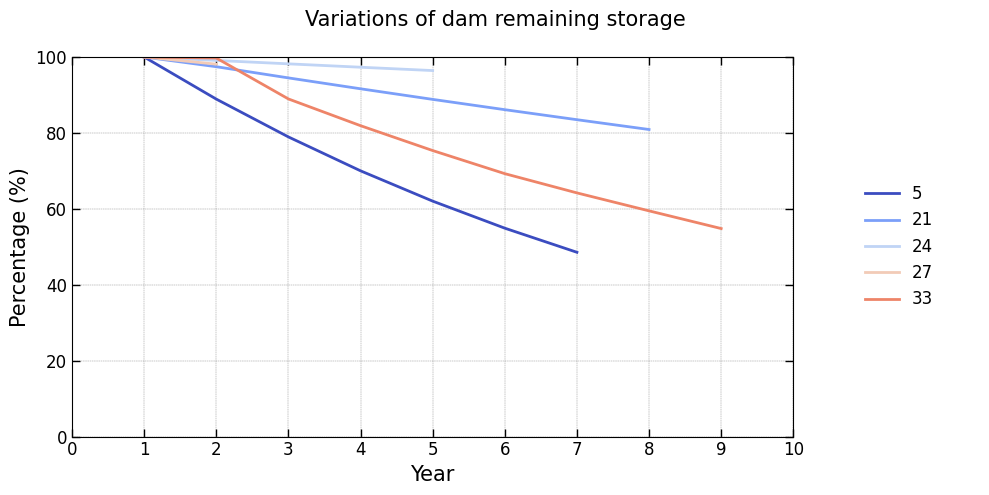
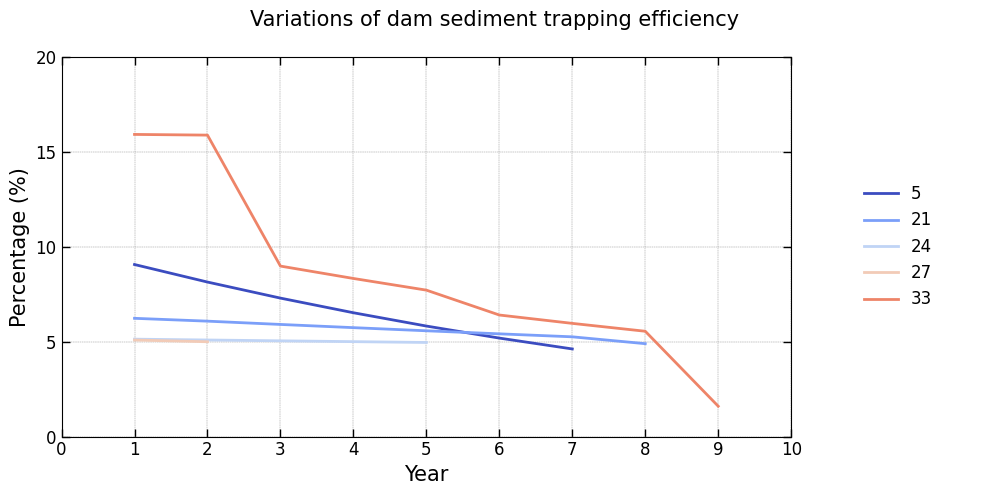
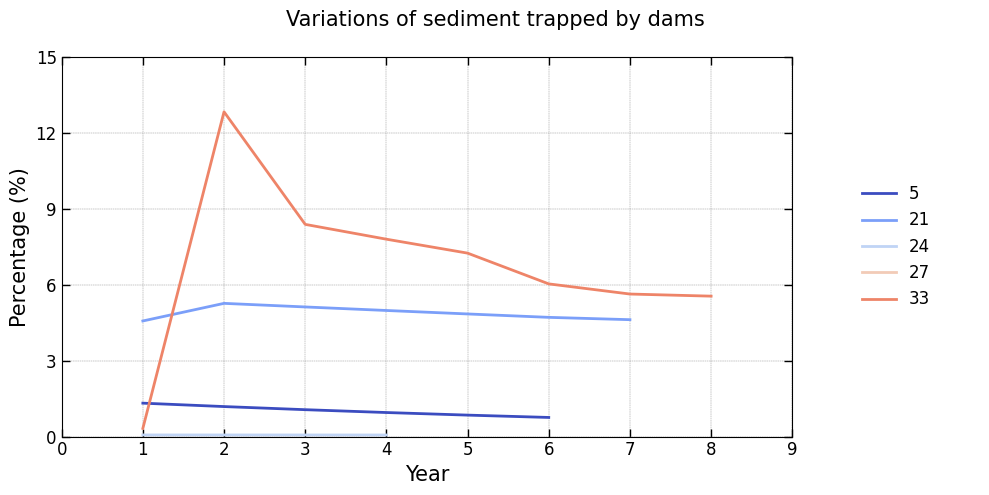
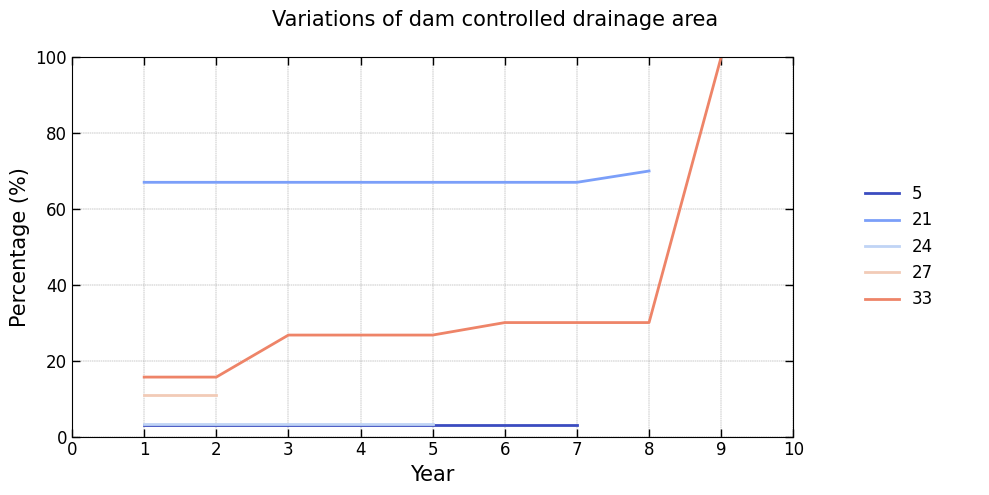
Displays figures illustrating the annual variability of key features for each dam in the system:
Controlled drainage area: Percentage of the drainage area managed by each dam, relative to the total stream drainage area, evaluated at the start of the simulation year.Remaining storage: Percentage of storage capacity remaining relative to the dam’s initial storage, evaluated at the start of the simulation year.Trap efficiency: Efficiency of sediment trapping expressed as a percentage, evaluated at the start of the simulation year.Trapped sediment: Percentage of sediment retained by the dam, relative to the total sediment input across all stream segments, evaluated at the end of the simulation year.
The examples below show typical outputs produced by these visualization methods:
Installation
To install, use pip:
pip install OptiDamTool
Quickstart
A brief example of how to start:
import OptiDamTool
watem_sedem = OptiDamTool.WatemSedem()
network = OptiDamTool.Network()
Documentation
For detailed information, see the documentation.
Support
If this project has been helpful and you'd like to contribute to its development, consider sponsoring with a coffee! Support will help maintain, improve, and expand this open-source project, ensuring continued valuable tools for the community.

Release history Release notifications | RSS feed


Download files
Download the file for your platform. If you're not sure which to choose, learn more about installing packages.
Source Distribution
Built Distribution
Filter files by name, interpreter, ABI, and platform.
If you're not sure about the file name format, learn more about wheel file names.
Copy a direct link to the current filters
File details
Details for the file optidamtool-0.5.2.tar.gz.
File metadata
- Download URL: optidamtool-0.5.2.tar.gz
- Upload date:
- Size: 51.4 kB
- Tags: Source
- Uploaded using Trusted Publishing? No
- Uploaded via: twine/6.1.0 CPython/3.13.5
File hashes
| Algorithm | Hash digest | |
|---|---|---|
| SHA256 |
575a49bea448e63aab3cf31407a3de1e1a510655cdd18b1a29a793e57df27275
|
|
| MD5 |
c48b501470ae343775aefec8611a47e6
|
|
| BLAKE2b-256 |
3e51bb2b9c1da8773f62eaeb9a20da810dd8caadd2b5670e16b9db688e4322f9
|
File details
Details for the file optidamtool-0.5.2-py3-none-any.whl.
File metadata
- Download URL: optidamtool-0.5.2-py3-none-any.whl
- Upload date:
- Size: 48.4 kB
- Tags: Python 3
- Uploaded using Trusted Publishing? No
- Uploaded via: twine/6.1.0 CPython/3.13.5
File hashes
| Algorithm | Hash digest | |
|---|---|---|
| SHA256 |
12b338c3915af593fd907007dd5738ace69c0bcee1e94befa558c5cbd3424e15
|
|
| MD5 |
e3f497563575597a2a9f98d75f29d182
|
|
| BLAKE2b-256 |
6f4d2016a1f9209eb76811bb4f4b4e6f035ea2e73786cb21dbe83eacc357abcb
|






