
Pycracks
| PyPI |      |
|---|---|
| Quality |      |
| Format |      |
| Legal |    |
💢🔍 breaking change detection in Python - Compatible with Semantic Version and Semantic Release
Usage
Use the --help flag for detailed options:
pycracks --help
Pycracks can be used in different ways, the most straightforward one is:
pycracks --paths "tests" --target-version "<to-be-release-version>" --test-command "pytest tests"
The test-command could be any command and does not need to be Python specific
Combine with scripts
It is also possible to simplify the test-command by always using something like pipenv scripts or npm scripts
So in the project.json / Pipfile, one could define the test command and use pycracks with npm run test or pipenv run test instead:
pycracks --paths "tests" --target-version "<to-be-release-version>" --test-command "pipenv run test"
pycracks --paths "tests" --target-version "<to-be-release-version>" --test-command "npm run test"
Semantic Release
If using the Python-Semantic-Release module, installable with:
pipx install python-semantic-release
One can integrate it with PyCracks by using:
pycracks -t "$(semantic-release -v version --print)"
Installation
With Pipx
Recommended instalation for CICD is through pipx with a pinned version:
pip install pipx==1.2.0
pipx run pycracks==0.18.0 --paths "tests" --target-version "<to-be-release-version>" --test-command "pytest tests"
That command will create a virtual environment just for pycracks and run the test command from there.
With pip
Instalation can be done with pip as usual:
pip install pycracks
Pipenv and poetry equivalents can be used as well.
F.A.Q.
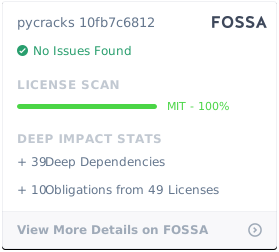
License
1 maintainer

Metadata
1 maintainer
Release files for pycracks 0.21.0
For a detailed explanation of source distributions (sdists) and built distributions (wheels), please see the package formats documentation.
Source distribution (sdist)
| File | Size | Uploaded | |
|---|---|---|---|
| pycracks-0.21.0.tar.gz | 9.3 kB | Details |
Built distribution (wheel)
| File | Interpreter | ABI | Platform | Reset |
|---|---|---|---|---|
| pycracks-0.21.0-py3-none-any.whl | Python 3 | none | any | Details |
Total release size: 16.1 kB
Release files / pycracks-0.21.0.tar.gz
| Download URL | pycracks-0.21.0.tar.gz |
|---|---|
| Size | 9.3 kB |
| Tags | Source |
|
SHA-256 checksum How to use checksums |
33941c3e3fe76e0628ea06ad19809ffa096492f13b408ba79410246617a2dfbd
|
|
BLAKE2b-256 checksum How to use checksums |
93dc3dadbb6f4b706b57b72c512e33eca6423272f27d4b57b2697d131011ce88
|
| Upload date | |
|
Uploaded using Trusted Publishing? What is trusted publishing? |
Yes |
| Uploaded via |
twine/5.0.0 CPython/3.12.10
|
Release files / pycracks-0.21.0-py3-none-any.whl
| Download URL | pycracks-0.21.0-py3-none-any.whl |
|---|---|
| Size | 6.8 kB |
| Tags | Python 3 |
|
SHA-256 checksum How to use checksums |
7a65a6d642603f423f0e4d59493d3ff141e81993862c2297da06954309f2d13c
|
|
BLAKE2b-256 checksum How to use checksums |
0591c2b8af3e02b73c9ef4443b4a48ae1db914cb828942b6daab2c7809d47c61
|
| Upload date | |
|
Uploaded using Trusted Publishing? What is trusted publishing? |
Yes |
| Uploaded via |
twine/5.0.0 CPython/3.12.10
|














