
No project description provided
Verified details
These details have been verified by PyPIProject links
GitHub Statistics
Maintainers

Project description
Pycracks
| PyPI |      |
|---|---|
| Quality |      |
| Format |      |
| Legal |    |
💢🔍 breaking change detection in Python - Compatible with Semantic Version and Semantic Release
Usage
Use the --help flag for detailed options:
pycracks --help
Pycracks can be used in different ways, the most straightforward one is:
pycracks --paths "tests" --target-version "<to-be-release-version>" --test-command "pytest tests"
The test-command could be any command and does not need to be Python specific
Combine with scripts
It is also possible to simplify the test-command by always using something like pipenv scripts or npm scripts
So in the project.json / Pipfile, one could define the test command and use pycracks with npm run test or pipenv run test instead:
pycracks --paths "tests" --target-version "<to-be-release-version>" --test-command "pipenv run test"
pycracks --paths "tests" --target-version "<to-be-release-version>" --test-command "npm run test"
Semantic Release
If using the Python-Semantic-Release module, installable with:
pipx install python-semantic-release
One can integrate it with PyCracks by using:
pycracks -t "$(semantic-release -v version --print)"
Installation
With Pipx
Recommended instalation for CICD is through pipx with a pinned version:
pip install pipx==1.2.0
pipx run pycracks==0.18.0 --paths "tests" --target-version "<to-be-release-version>" --test-command "pytest tests"
That command will create a virtual environment just for pycracks and run the test command from there.
With pip
Instalation can be done with pip as usual:
pip install pycracks
Pipenv and poetry equivalents can be used as well.
F.A.Q.
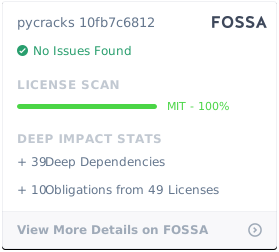
License
Project details
Verified details
These details have been verified by PyPIProject links
GitHub Statistics
Maintainers
Release history Release notifications | RSS feed


Download files
Download the file for your platform. If you're not sure which to choose, learn more about installing packages.
Source Distribution
Built Distribution
Filter files by name, interpreter, ABI, and platform.
If you're not sure about the file name format, learn more about wheel file names.
Copy a direct link to the current filters
File details
Details for the file pycracks-0.20.3.tar.gz.
File metadata
- Download URL: pycracks-0.20.3.tar.gz
- Upload date:
- Size: 9.4 kB
- Tags: Source
- Uploaded using Trusted Publishing? Yes
- Uploaded via: twine/5.0.0 CPython/3.12.10
File hashes
| Algorithm | Hash digest | |
|---|---|---|
| SHA256 |
985b0fa6cc50414086663e77ae5b0d3cbaf3247ea199fb1aafda520b3a642d43
|
|
| MD5 |
24fe91a053340b39d20bb0413a13534f
|
|
| BLAKE2b-256 |
032499367a5da4cab5c53ddf0c746ad4ba20360bff7382d9b7712a7d7330ea01
|
File details
Details for the file pycracks-0.20.3-py3-none-any.whl.
File metadata
- Download URL: pycracks-0.20.3-py3-none-any.whl
- Upload date:
- Size: 6.7 kB
- Tags: Python 3
- Uploaded using Trusted Publishing? Yes
- Uploaded via: twine/5.0.0 CPython/3.12.10
File hashes
| Algorithm | Hash digest | |
|---|---|---|
| SHA256 |
721f11544aef25c314435c51a3afa558a8227cf6dd7515d9bf98f5a42bfa6c4e
|
|
| MD5 |
70e36165865a8472918d703a9d16398e
|
|
| BLAKE2b-256 |
ce8b9329bec69d3c2c409a5aada307c477394e5673793628896598a8d123de69
|






