
PDF Form Automation Simplified - Create, Inspect, Style, and Fill Forms in Python or from the Command Line.


Introduction
PyPDFForm is a Python library and command line tool for working with PDF forms. It provides Python APIs and CLI commands for creating, inspecting, updating, and filling forms, plus common PDF utilities.
With PyPDFForm, you can:
- Create PDF forms, form fields, and raw elements.
- Inspect form fields, metadata, and values.
- Update field styling, behavior, and scripts.
- Fill PDF forms.
- Extract pages and merge PDFs.
The goal is to make PDF form work straightforward, whether you are handling one document or building a larger workflow.
Installing
To use PyPDFForm as a Python library, install the base package with pip:
pip install PyPDFForm
To use the CLI, install PyPDFForm with the cli extra using pipx:
pipx install "PyPDFForm[cli]"
Quick Example
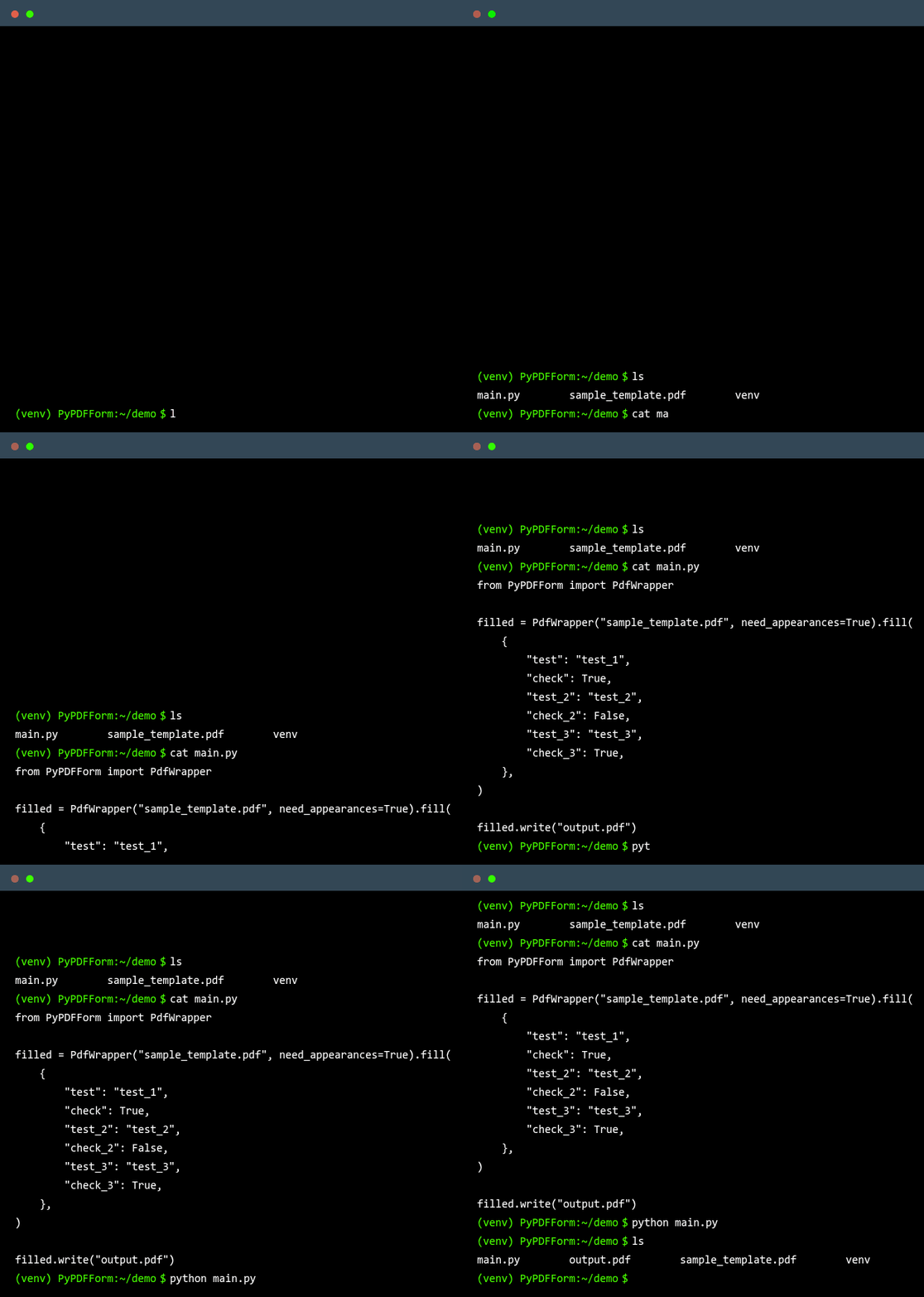
The GIF above shows the CLI filling a PDF form. To try the same workflow with the Python library, download the sample PDF form and run:
from PyPDFForm import PdfWrapper

filled = PdfWrapper("sample_template.pdf", need_appearances=True).fill(
    {
        "test": "test_1",
        "check": True,
        "test_2": "test_2",
        "check_2": False,
        "test_3": "test_3",
        "check_3": True,
    },
)

filled.write("output.pdf")
After running this snippet, output.pdf will be written to the location you specified and should look like this.
Documentation
The official documentation can be found on the GitHub page of this repository.
Other Resources
1 maintainer

Metadata
1 maintainer
Release files for PyPDFForm 6.1.0
For a detailed explanation of source distributions (sdists) and built distributions (wheels), please see the package formats documentation.
Source distribution (sdist)
| File | Size | Uploaded | Provenance | Actions |
|---|---|---|---|---|
| pypdfform-6.1.0.tar.gz | 118.7 kB | Without provenance | Details for pypdfform-6.1.0.tar.gz |
Built distribution (wheel)
| File | Interpreter | ABI | Platform | Actions Reset |
|---|---|---|---|---|
| pypdfform-6.1.0-py3-none-any.whl | Python 3 | none | any | Details for pypdfform-6.1.0-py3-none-any.whl |
Total release size: 239.7 kB
Release files / pypdfform-6.1.0.tar.gz
| Download URL | pypdfform-6.1.0.tar.gz |
|---|---|
| Size | 118.7 kB |
| Tags | Source |
|
SHA-256 checksum How to use checksums |
9569f89b0002fac37e512e1424d482fcd61863b705f5cf11d3c53ff73de77b8c
|
|
BLAKE2b-256 checksum How to use checksums |
4ad9b599ecabe684bd170b6b328929cddecc0a40928cce5bddd7f6c751fb7ecc
|
| Upload date | |
|
Uploaded using Trusted Publishing? What is trusted publishing? |
Yes |
| Uploaded via |
uv/0.13.6 {"installer":{"name":"uv","version":"0.13.6","subcommand":["publish"]},"python":null,"implementation":{"name":null,"version":null},"distro":{"name":"Ubuntu","version":"24.04","id":"noble","libc":null},"system":{"name":null,"release":null},"cpu":null,"openssl_version":null,"setuptools_version":null,"rustc_version":null,"ci":true}
|
Release files / pypdfform-6.1.0-py3-none-any.whl
| Download URL | pypdfform-6.1.0-py3-none-any.whl |
|---|---|
| Size | 121.0 kB |
| Tags | Python 3 |
|
SHA-256 checksum How to use checksums |
418474c5497008cd21eb101ef6855e4475719bbb23b58f840cf0dfb411091e77
|
|
BLAKE2b-256 checksum How to use checksums |
089befd758ab319d1f24f184d3549d6ec7dbd267947650e650f990f6769390a5
|
| Upload date | |
|
Uploaded using Trusted Publishing? What is trusted publishing? |
Yes |
| Uploaded via |
uv/0.13.6 {"installer":{"name":"uv","version":"0.13.6","subcommand":["publish"]},"python":null,"implementation":{"name":null,"version":null},"distro":{"name":"Ubuntu","version":"24.04","id":"noble","libc":null},"system":{"name":null,"release":null},"cpu":null,"openssl_version":null,"setuptools_version":null,"rustc_version":null,"ci":true}
|
Security for PyPDFForm 6.1.0
Provenance
Provenance describes where a file came from. On PyPI, provenance is shared via attestations, which provide a verifiable record of the build or publishing details. View details, limitations and caveats.
No provenance found
None of the files in this release were uploaded with provenance metadata.
A note on package security
PyPI is a repository for distributing packages, not a service for auditing them. While third-party security researchers and our staff do their best to detect and remove malicious packages, PyPI cannot guarantee the quality, security or suitability of any given package.
To learn more about protecting yourself from malicious actors, visit our package security documentation.














