


A serial port dual-channel oscilloscope. Python 3 only.
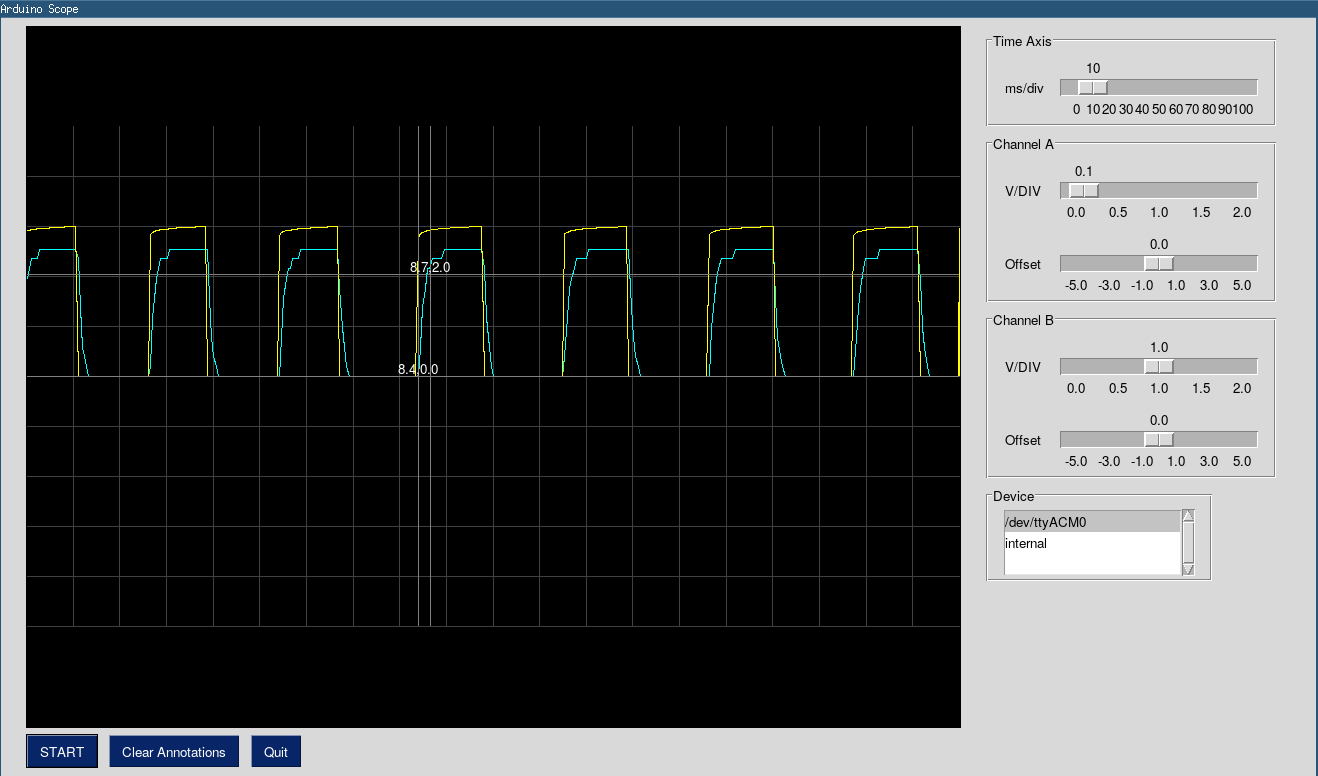
$ pip install SerialScope --user # just for you
or,
$ sudo -E pip install SerialScope # for all users
After installation, launch it.
$ serialscope
Path ~/.local/bin should be in your PATH environment variable.
or,
$ python3 -m SerialScope
The default baud rate is 115200. The oscilloscope will automatically
find any serial port which has arduino connected to it.
TODO/FIXME You can change these values from command line
usage: serialscope [-h] [--port PORT] [--baudrate BAUDRATE]

Arduino NeuroScope.

optional arguments:
  -h, --help            show this help message and exit
  --port PORT, -p PORT  Serial port.
  --baudrate BAUDRATE, -B BAUDRATE
                        Baudrate of Arduino board.
Dependencies
- pyserial
- pysimplegui
- screeninfo (optional)
How it works
This oscilloscope has two channels. It assumes that 1 byte of data is sent
for each channel. If you are using arduino's analog pins to read data, then
your resolution would be 5/255 volts.
Arduino board
Function analogRead returns 10 bit value i.e., between 0 and 1023. You should
scale it to 255, cast it to char before writing to serial port. This is for efficiency.
Sending 10 bits data requires sending 2 bytes. For 2 channels, this would slow
down the sampling rate by 4X compared to when only 1 byte is sent per channel.
You can use following snippets in your sketch.
Make sure that your arduino is set to use maximum possible baud-rate. I have used 115200 baud rate.,
// Two critical functions.
char intToChar( int val)
{
    // analogRead is 10 bits. Change it to 8 bits.
    char x = (char) (255.0 * val/1023.0);
    return x;
}

void write_data_line( )
{
    // channel A is on pin A0 and channel B is on A1
    char a = intToChar(analogRead(A0));
    char b = intToChar(analogRead(A1));
    Serial.print(a);
    Serial.print(b);
    Serial.flush();
}
A sketch is available in SerialScopeArduino/ directory. Open it in your
arduino IDE and upload to your Arduino board.
1 maintainer

Metadata
1 maintainer
Release files for SerialScope 0.2.2
For a detailed explanation of source distributions (sdists) and built distributions (wheels), please see the package formats documentation.
Source distribution (sdist)
| File | Size | Uploaded | |
|---|---|---|---|
| SerialScope-0.2.2.tar.gz | 86.8 kB | Details |
Release files / SerialScope-0.2.2.tar.gz
| Download URL | SerialScope-0.2.2.tar.gz |
|---|---|
| Size | 86.8 kB |
| Tags | Source |
|
SHA-256 checksum How to use checksums |
d601d8863d090ddf9e223131f62bc177b02e641e8ddaabc8760c1261c21ac556
|
|
BLAKE2b-256 checksum How to use checksums |
646eaa3b057eca81aa048c554263457959f8f2b2f5d59b859284b490be857153
|
| Upload date | |
|
Uploaded using Trusted Publishing? What is trusted publishing? |
No |
| Uploaded via |
twine/1.13.0 pkginfo/1.4.2 requests/2.22.0 setuptools/41.0.1 requests-toolbelt/0.9.1 tqdm/4.32.1 CPython/3.7.3
|














