
ShadowB 1.6.1






ShadowB is an all-in-one Python toolkit that bundles a wide range of everyday utilities — system info, image steganography, temporary email, QR codes, CAPTCHA generation, password tools, file safety checks, and more — into a single, easy-to-import package.
Instead of installing and learning a dozen different libraries for a dozen small tasks, ShadowB collects the most commonly needed helper functions in one place.
100% open source. No telemetry, no analytics, no external server. Every function runs locally on the user's own machine — nothing is collected or transmitted by the library's maintainers.
Installation
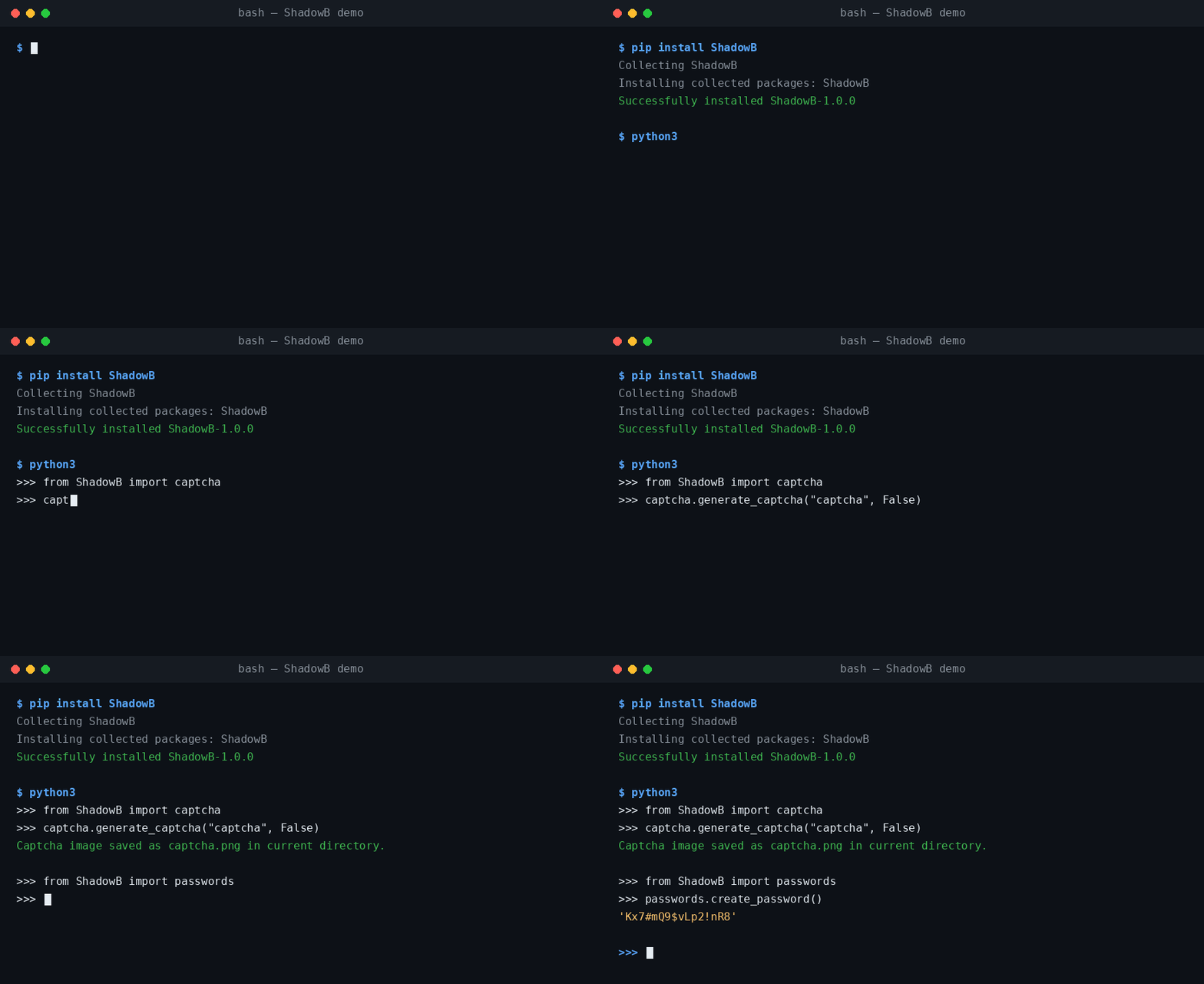
pip install ShadowB
Table of Contents
- core
- system
- captcha
- qrcode
- safe
- image
- passwords
- console
- timer
- emoji
- fake
- test
- Responsible Use
- License
core
Basic package metadata and bootstrapping.
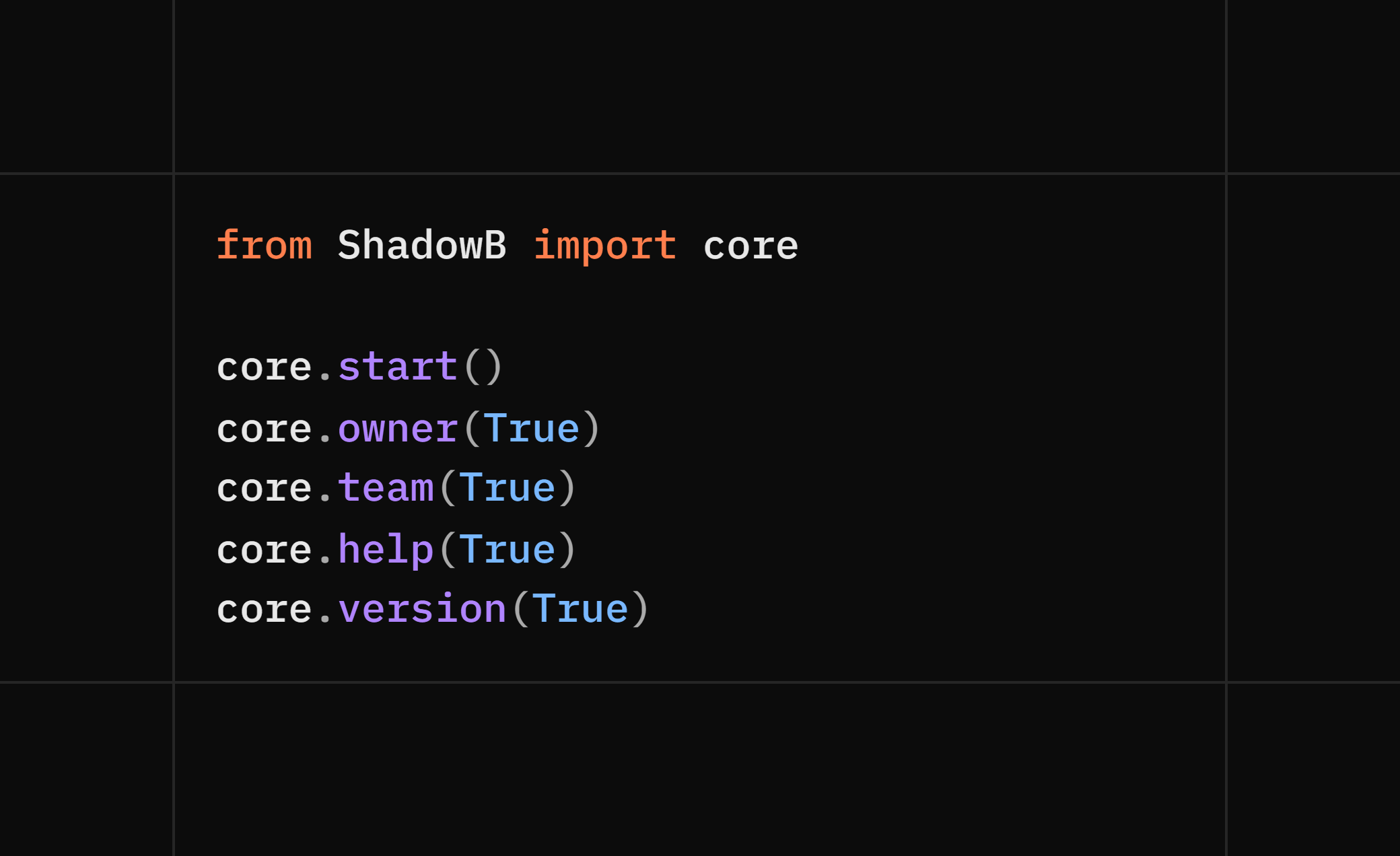
from ShadowB import core

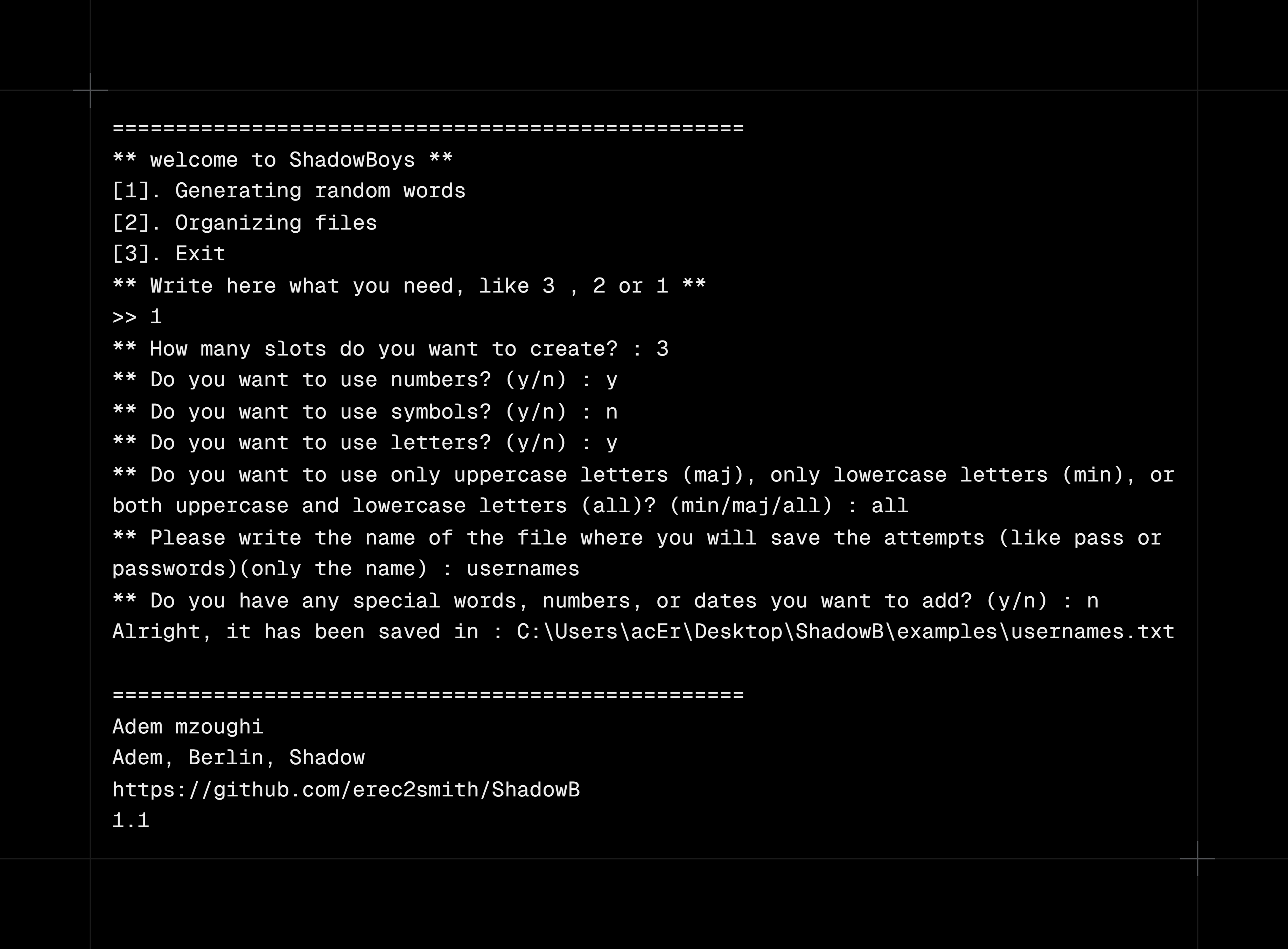
core.start()        # run core app for : create passwords or usernames / organize the working files
core.owner(True/False)        # -> "Adem mzoughi"
core.team(True/False)         # -> "Adem mzoughi, Berlin, Shadow"
core.help(True/False)           # print help / usage info
core.version(True/False)           # print current version

# True/False => print the result on the console
Code :
Output :
system
Local system & network diagnostics — useful for things like monitoring your own machine's load, debugging your own network setup, or quick scripting.
from ShadowB import system

# filename => "file" or "data" not "file.txt" or "data.txt"

system.ip(False/True) # return => (local_ip,public_ip,country)

# True or False (It means whether it prints on the console what it found or not)


system.informations(filename,save) # return => (username, hostname, local_ip, country, os_name, os_release, arch, ram_gb, total_gb, used_gb, free_gb)

# save => True or False (It means do you want to save the data in a filetxt, and if yes give a name for the file, if not just put False with nothing else)


system.cookies(filename)   # export your own browser's cookies to a local .txt file


system.scan_open_ports(ip)    # return => (open_ports)


system.path()                # print the current working directory (e.g. C:/Users/Pc/Desktop)


system.domain_informations(domain) # return ip address from a domain name

system.remove_file(path) # Deletes the selected file, return => 200 or 404 or 400
# If the file is in the same path, you can just put its name and extension, but if it's in another path, you need to put the full path including its name and extension

system.spider(url) # he is looking for all the paths that exist / return => ["/path1","/path2"....]
# url like => "https://mysite.com"

system.wifi_speed(True/False) # measuring Wi-Fi speed / return => (donload_speed:float, upload_speed:float)
# True or False (It means whether it prints on the console what it found or not)
⚠️
cookies()reads cookies from your own browser profile andscan_open_ports()should only be run against hosts you own or are authorized to test. See Responsible Use.
captcha
Generate CAPTCHA images.
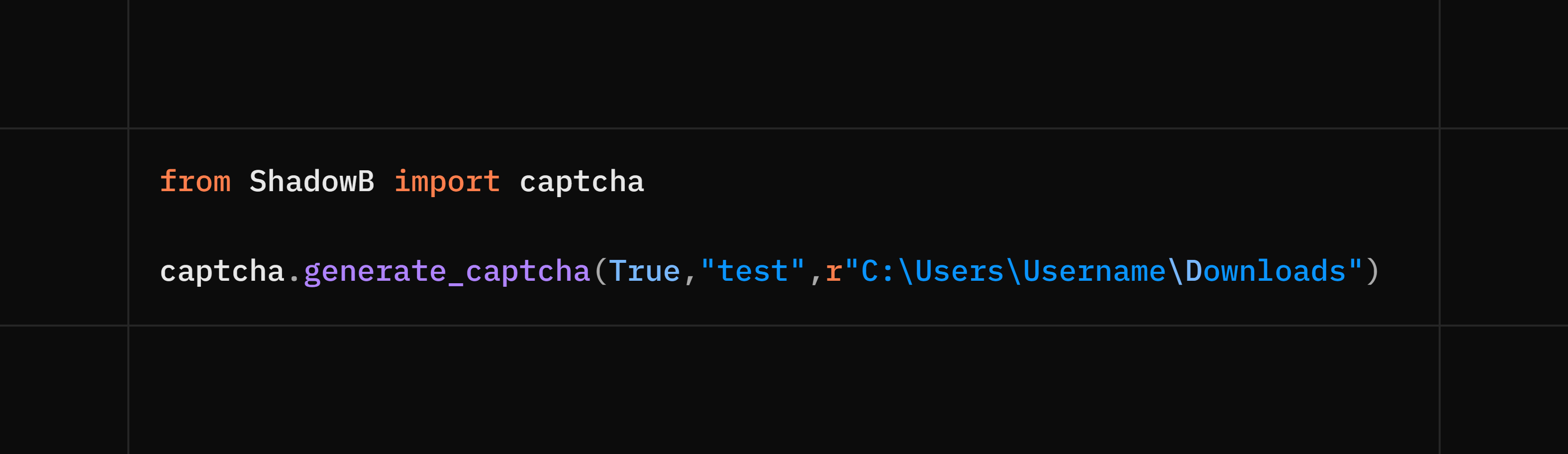
from ShadowB import captcha

captcha.generate_captcha(True/False,image_name,path) # image_name like ("qr") (only the name without .png or .jpeg ...)(not required)
# True => print the code in the console , False => it means not printing the code in the console
# return => captcha code : str
# True/False (required)
# path like => r"C:\Users\Username\Downloads" (not required) (r => raw string avoids backslash escape errors on Windows paths)
Code :
Output :

qrcode
Generate and read QR codes.
from ShadowB import qrcode

qrcode.generate_qrcode(text, image_name, path)   # create a QR code image
# text like => "hello world!"
# path like => r"c:/users/username/dekstop (not required) / Put a dot if you want it to be saved in the current path => "."
# image_name => image name like ("qr") (only the name without .png or .jpeg ...) (not required) (r => raw string avoids backslash escape errors on Windows paths)
mail
Disposable email creation and sending (Gmail SMTP).
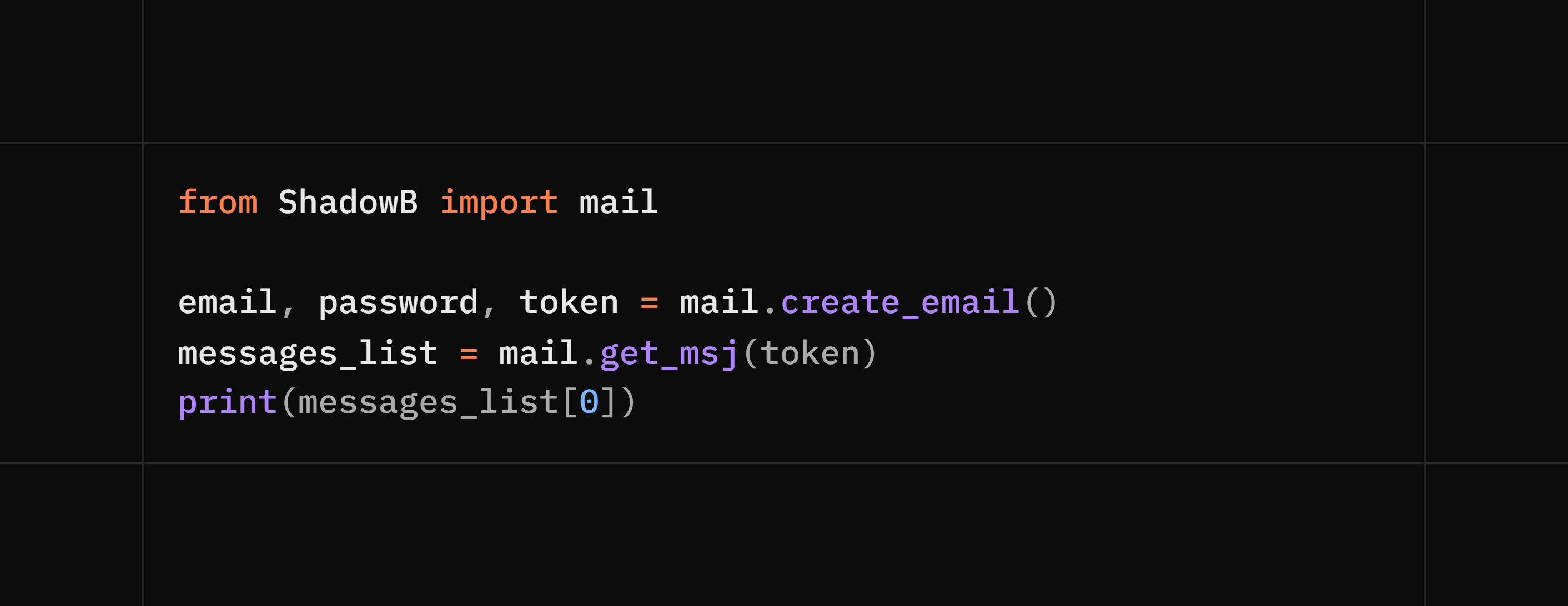
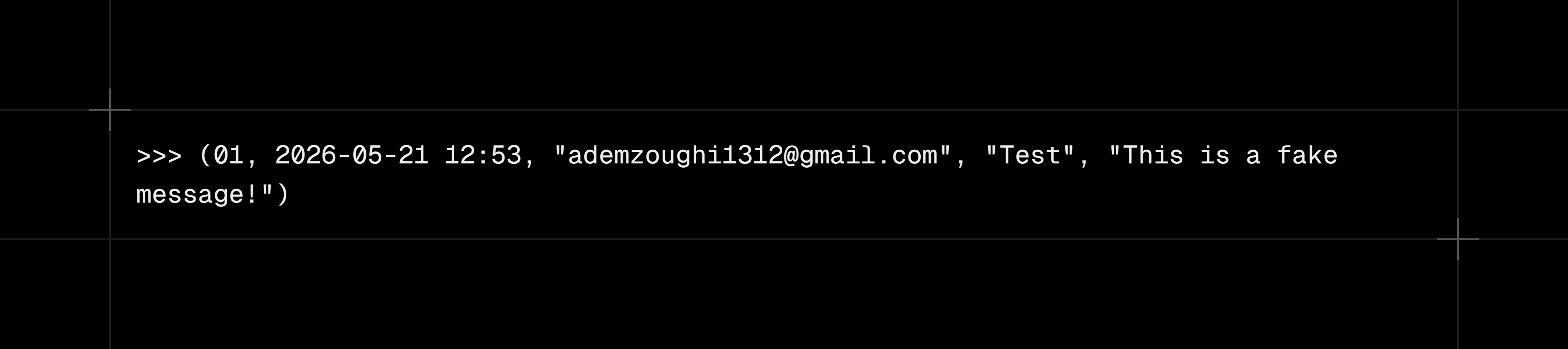
from ShadowB import mail

mail.create_email()                      # return => (email, password, token)
mail.get_msj(token)                      # return => list of received messages => [(msj_id, date, sender, subject, msj),(msj_id, date, sender, subject, msj)]
mail.send_msj(sender, app_password, to, subject, body)   # send via Gmail SMTP, return => 200 or 404
# body => html or normal text
Code :
Output :
safe
File inspection and sanitation helpers.
from ShadowB import safe

safe.is_safe(file)   # -> True / False
# Checking the file and trying to see if it's safe or not (the check isn't super accurate because it depends on checking the real extension, the signature inside it, the contents of the .zip, the size of the .zip after opening, and scanning for malicious stuff in PDF, TXT, and image files)

safe.size(file)                  # -> file size


safe.name(file)                  # -> file name


safe.file_extension(file)        # -> file extension


safe.scan_file(file, check_list)     # -> True / False
# It checks the content of PDF and TXT files only, as it looks for offensive and unwanted words (the check will mostly be inaccurate languages only : English, Arabic, Russian, or French)


safe.validate_text(text, check_list) # -> True / False
# It checks the content of the text, as it looks for offensive and unwanted words (the check will mostly be inaccurate, languages only : English, Arabic, Russian, or French)

safe.clean_text(text,mode="normal") # cleaning the text from symbols and numbers
# (normal:The text remains as it is, lower:Everything is lowert,
# upper:Everything is uppert, capital:every word's
#beginning be uppercase)
or safe.clean_text(text,mode="lower")
or safe.clean_text(text,mode="upper")
or safe.clean_text(text,mode="capital")
image
Metadata and steganography utilities.
from ShadowB import image

image.read_metadata(img)          # read EXIF / metadata
image.has_hidden_data(img)        # -> True / False (contains hidden text/file)
image.extract_file(img)           # extract a hidden file from the image
image.extract_text(img)           # extract hidden text from the image
image.strip_metadata(img)         # strip metadata (useful before sharing photos)
image.embed_text(img, text)       # embed hidden text into the image
image.embed_file(img, file)       # embed a hidden file into the image
passwords
from ShadowB import passwords

passwords.check_strength(password)   # rate password strength
passwords.create_password()          # generate a strong password
console
Printing messages in different colors.
from ShadowB import console

console.success(text) # return a green message like => [+] success
console.error(text) # return a red message like => [-] error
console.warning(text) # return a yellow message like => [!] warning
console.info(text) # return a cyan message like => [*] info
timer
A counter that counts the number of seconds your device took to run the code between timer.start() and timer.stop()
from ShadowB import timer

timer.start() # start timer
timer.stop() # stop timer
timer.reset() # reset timer

ex:

timer.start()

print("hello world")
print("hi ShadowB")
print(timer.stop())
timer.reset()
print("="*50)
print("new timer")
print(timer.stop())

# Note: after timer.stop(), you need to do timer.reset() so you can use multiple timers in the same code
emoji
A feature that lets you display an emoji in your code or choose a random emoji
from ShadowB import emoji

emoji.smile()

{
    .no_words(),
    .birthday(),
    .fire(),
    .death(),
    .coder(),
    .skull(),
    .heart(),
    .sorry(),
    .love_u(),
    .crying(),
    .idk(),
    .insult()
}

emoji.random_emoji() # It gives you a random emoji

exp:

print(emoji.fire()) # 🔥
fake
Generate fake data and export it to a CSV file.
from ShadowB import fake

fake.fake_csv(filename, rows, keys)

# filename => CSV file name without ".csv"
# rows => number of rows to generate
# keys => list of data types to generate

# Available keys:
# "username"
# "age"
# "email"
# "phone"
# "random_country"
# "random_job"
# "salary"

# Example:
fake.fake_csv(
    "users",
    100,
    ["username", "age", "email", "phone", "random_country", "random_job", "salary"]
)

# ==============================
# Individual generators
from ShadowB import fake

fake.username()
fake.age(min_age, max_age)
fake.email()
fake.phone()
fake.random_country()
fake.random_job()
fake.salary(min_salary, max_salary)
# age(min_age, max_age)
# If no values are provided, a random age between 18 and 45 is generated.

# salary(min_salary, max_salary)
# If no values are provided, a random salary between 1000 and 6000 is generated.
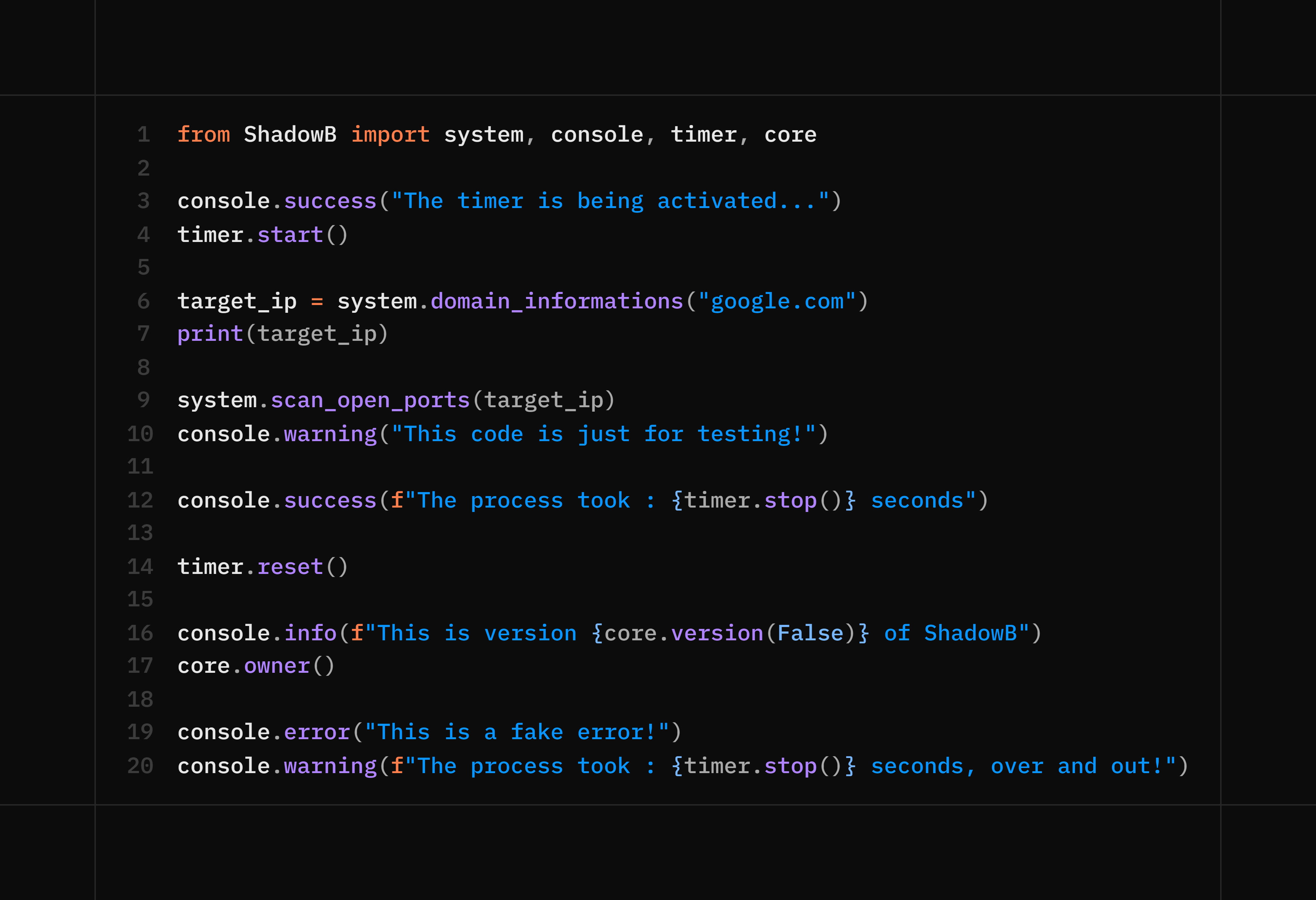
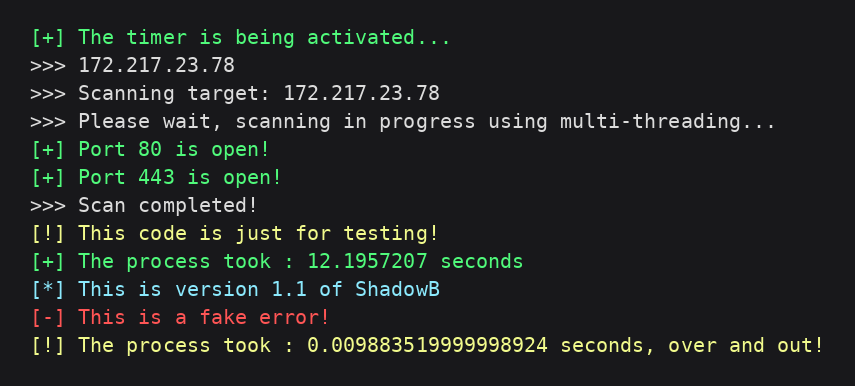
test
Code :
Output :
Comprehensive example :
⚖️ Responsible Use
ShadowB is a general-purpose utility library, similar in spirit to combining tools like browser_cookie3, qrcode, python-nmap, and Pillow-based steganography helpers into one package. It performs no network exfiltration on its own and contacts no third-party server.
That said, several functions are powerful and should be used responsibly:
- Only run
cookies()against your own browser profile. - Only use
scan_open_ports()on systems/websites you own or are explicitly authorized to test. - Respect each platform's Terms of Service and applicable privacy laws when using
system.scan_open_ports()orsystem.domain_informations(). - Don't use the steganography functions (
hide_text,hide_file) to conceal malicious payloads or to deceive other people.
You are responsible for complying with local laws and the terms of any service you interact with through this library.
📄 License
This project is licensed under the MIT License.
👤 Author
Adem mzoughi — 2026/23/06
1 maintainer

Metadata
1 maintainer
Release files for ShadowB 1.6.1
For a detailed explanation of source distributions (sdists) and built distributions (wheels), please see the package formats documentation.
Source distribution (sdist)
| File | Size | Uploaded | |
|---|---|---|---|
| shadowb-1.6.1.tar.gz | 28.3 kB | Details |
Built distribution (wheel)
| File | Interpreter | ABI | Platform | Reset |
|---|---|---|---|---|
| shadowb-1.6.1-py3-none-any.whl | Python 3 | none | any | Details |
Total release size: 60.9 kB
Release files / shadowb-1.6.1.tar.gz
| Download URL | shadowb-1.6.1.tar.gz |
|---|---|
| Size | 28.3 kB |
| Tags | Source |
|
SHA-256 checksum How to use checksums |
3f0c131e774c04d88177d0ddbab1dd2d98d0c066cd1fbf3580034576f8e49d5c
|
|
BLAKE2b-256 checksum How to use checksums |
3f5ac21867fe2b67830d109548853a03999887c165c7a44555f085b704ffb58b
|
| Upload date | |
|
Uploaded using Trusted Publishing? What is trusted publishing? |
No |
| Uploaded via |
twine/6.1.0 CPython/3.8.8
|
Release files / shadowb-1.6.1-py3-none-any.whl
| Download URL | shadowb-1.6.1-py3-none-any.whl |
|---|---|
| Size | 32.7 kB |
| Tags | Python 3 |
|
SHA-256 checksum How to use checksums |
5042bea3dbf2e1db07f9a7eebf895d057d92d6a0ff86917b3040cc573d04588c
|
|
BLAKE2b-256 checksum How to use checksums |
009af28398246b21823be5657a014087e2d01173aeb962140dd1a2c0f4dc611d
|
| Upload date | |
|
Uploaded using Trusted Publishing? What is trusted publishing? |
No |
| Uploaded via |
twine/6.1.0 CPython/3.8.8
|














