
ShadowB





ShadowB is an all-in-one Python toolkit that bundles a wide range of everyday utilities — system info, image steganography, temporary email, QR codes, CAPTCHA generation, password tools, file safety checks, and more — into a single, easy-to-import package.
Instead of installing and learning a dozen different libraries for a dozen small tasks, ShadowB collects the most commonly needed helper functions in one place.
100% open source. No telemetry, no analytics, no external server. Every function runs locally on the user's own machine — nothing is collected or transmitted by the library's maintainers.
Installation
pip install ShadowB
Table of Contents
core
Basic package metadata and bootstrapping.
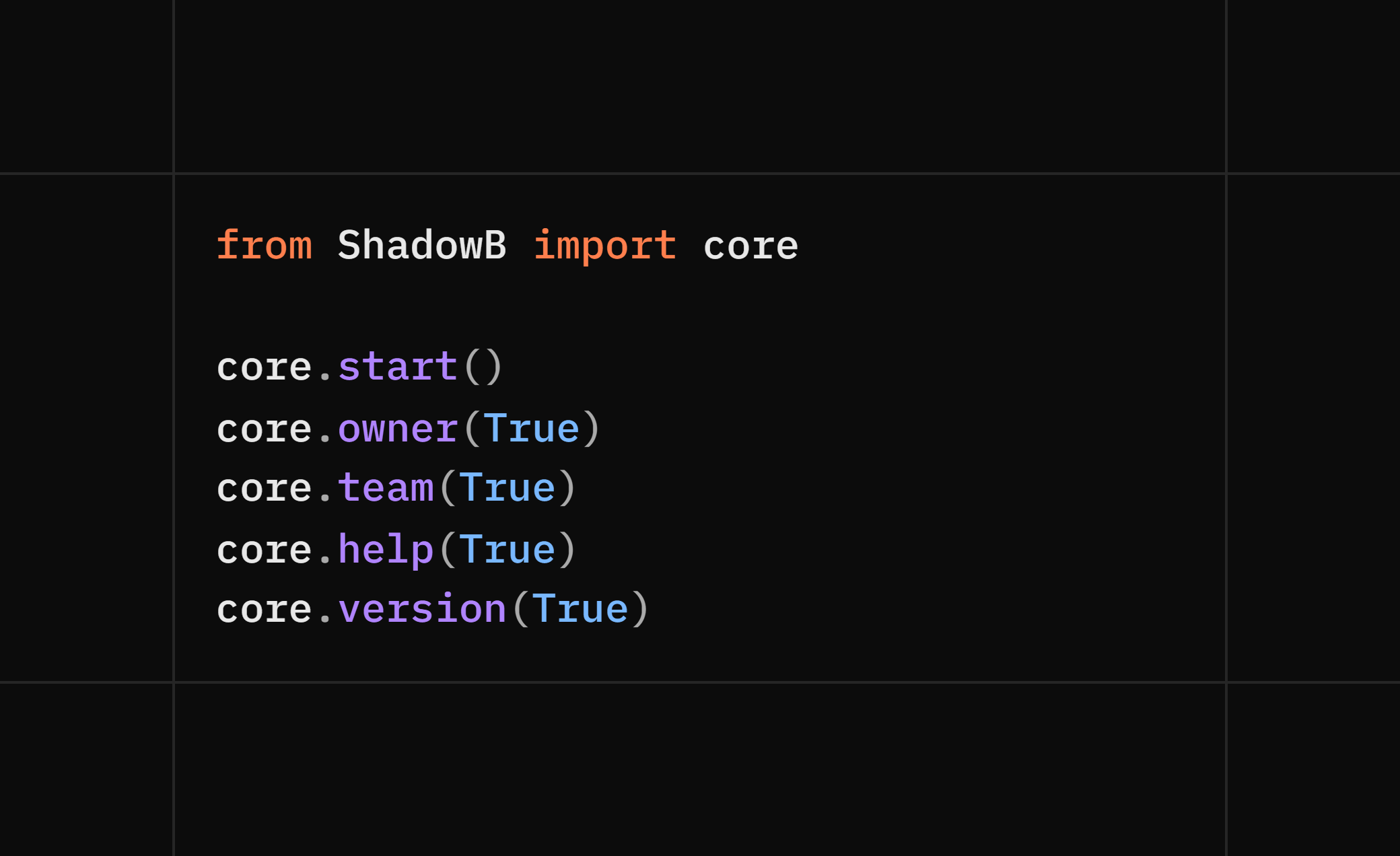
from ShadowB import core

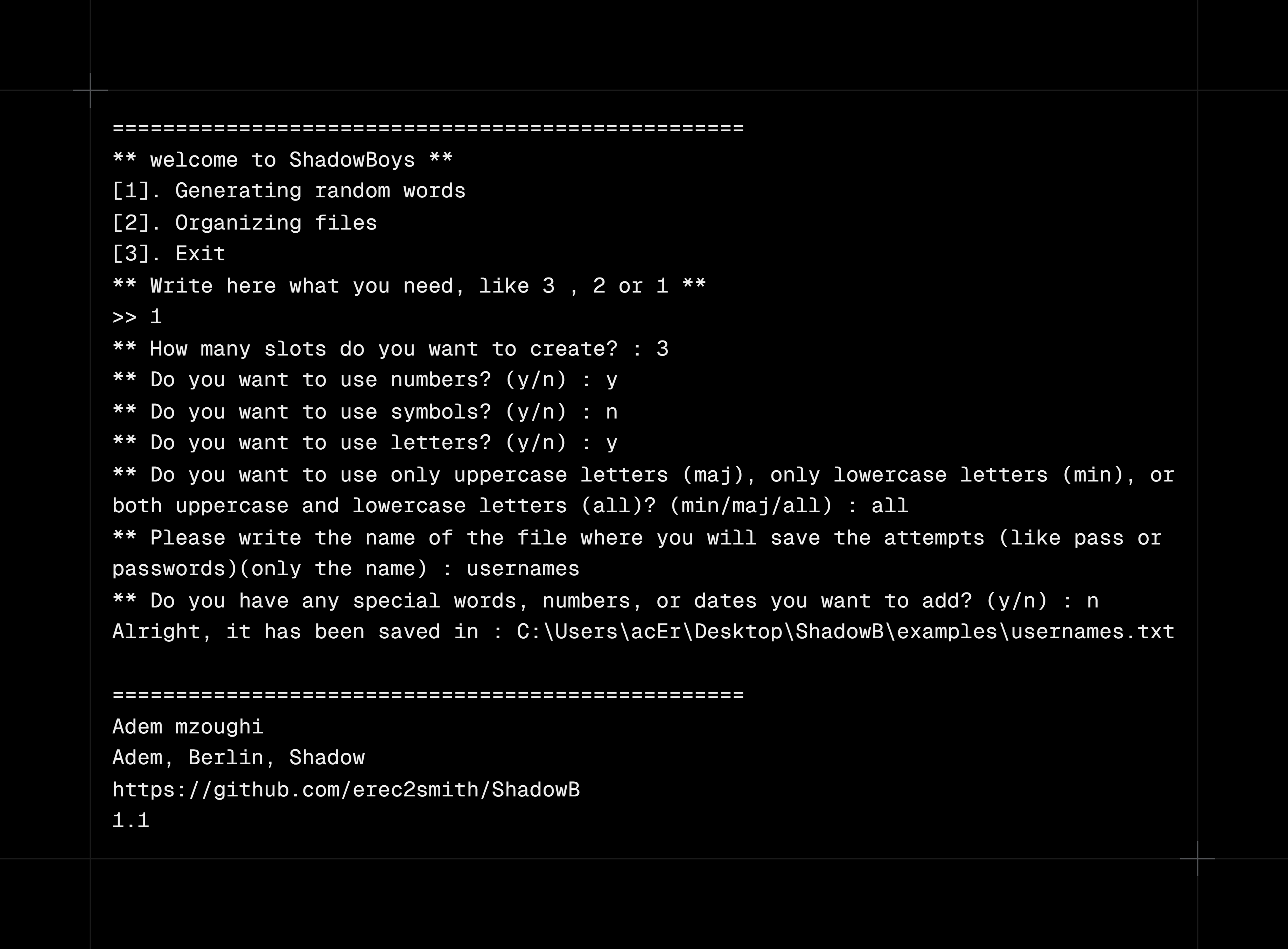
core.start()        # run core app for : create passwords or usernames / organize the working files
core.owner(True/False)        # -> "Adem mzoughi"
core.team(True/False)         # -> "Adem mzoughi, Berlin, Shadow"
core.help(True/False)           # print help / usage info
core.version(True/False)           # print current version

# True/False => print the result on the console
Code :
Output :
system
Local system & network diagnostics — useful for things like monitoring your own machine's load, debugging your own network setup, or quick scripting.
from ShadowB import system

# filename => "file" or "data" not "file.txt" or "data.txt"

system.ip(False/True) # return => (local_ip,public_ip,country)

# True or False (It means whether it prints on the console what it found or not)


system.informations(save,filename) # return => (username, hostname, local_ip, country, os_name, os_release, arch, ram_gb, total_gb, used_gb, free_gb)

# save => True or False (It means do you want to save the data in a filetxt, and if yes give a name for the file, if not just put False with nothing else)


system.cookies(filename)   # export your own browser's cookies to a local .txt file


system.scan_open_ports(ip)    # return => (open_ports)


system.path()                # print the current working directory (e.g. C:/Users/Pc/Desktop)


system.domain_informations(domain) # return ip address from a domain name
⚠️
cookies()reads cookies from your own browser profile andscan_open_ports()should only be run against hosts you own or are authorized to test. See Responsible Use.
captcha
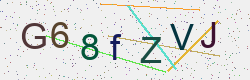
Generate CAPTCHA images.
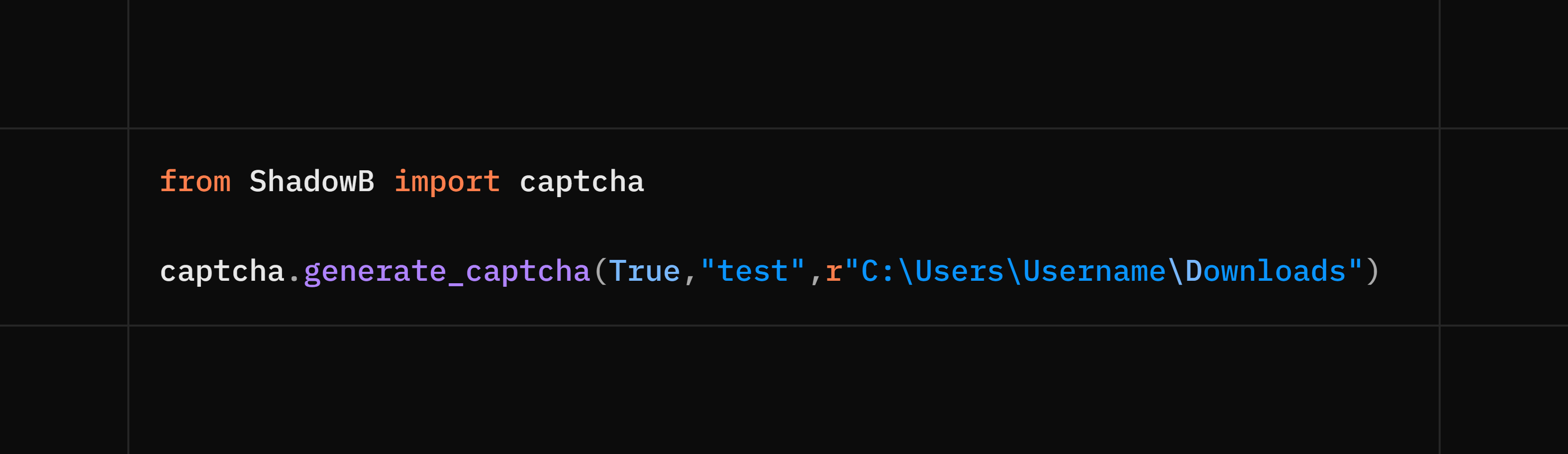
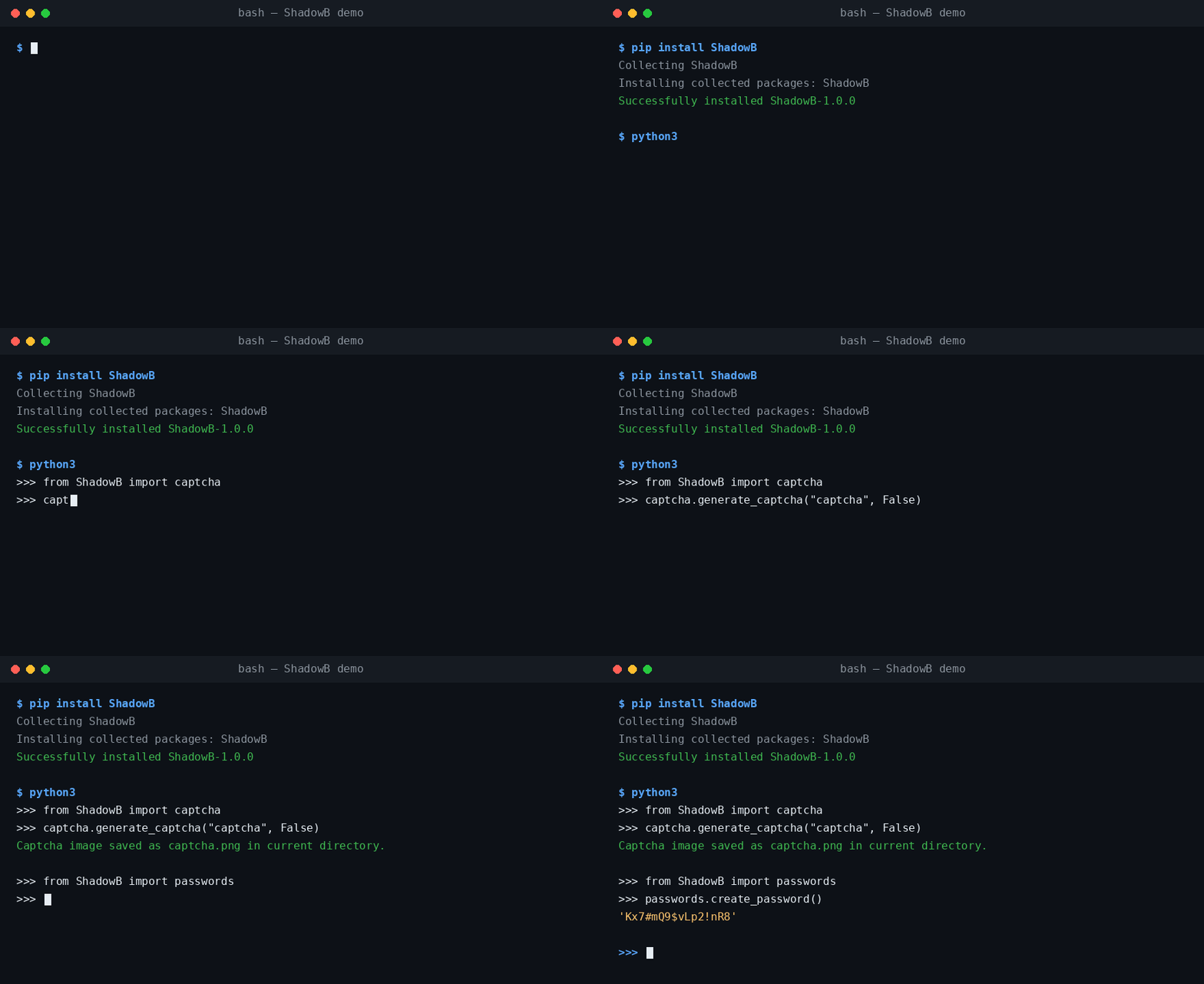
from ShadowB import captcha

captcha.generate_captcha("captcha",True/False) # image name (not required)
# True => print the code in the console , False => it means not printing the code in the console
# return => captcha code : str
# True/False (required)
Code :
Output :
qrcode
Generate and read QR codes.
from ShadowB import qrcode

qrcode.generate_qrcode(text, "qr")   # create a QR code image
# text like => "hello world!"
# qr => image name (not required)
mail
Disposable email creation and sending (Gmail SMTP).
from ShadowB import mail

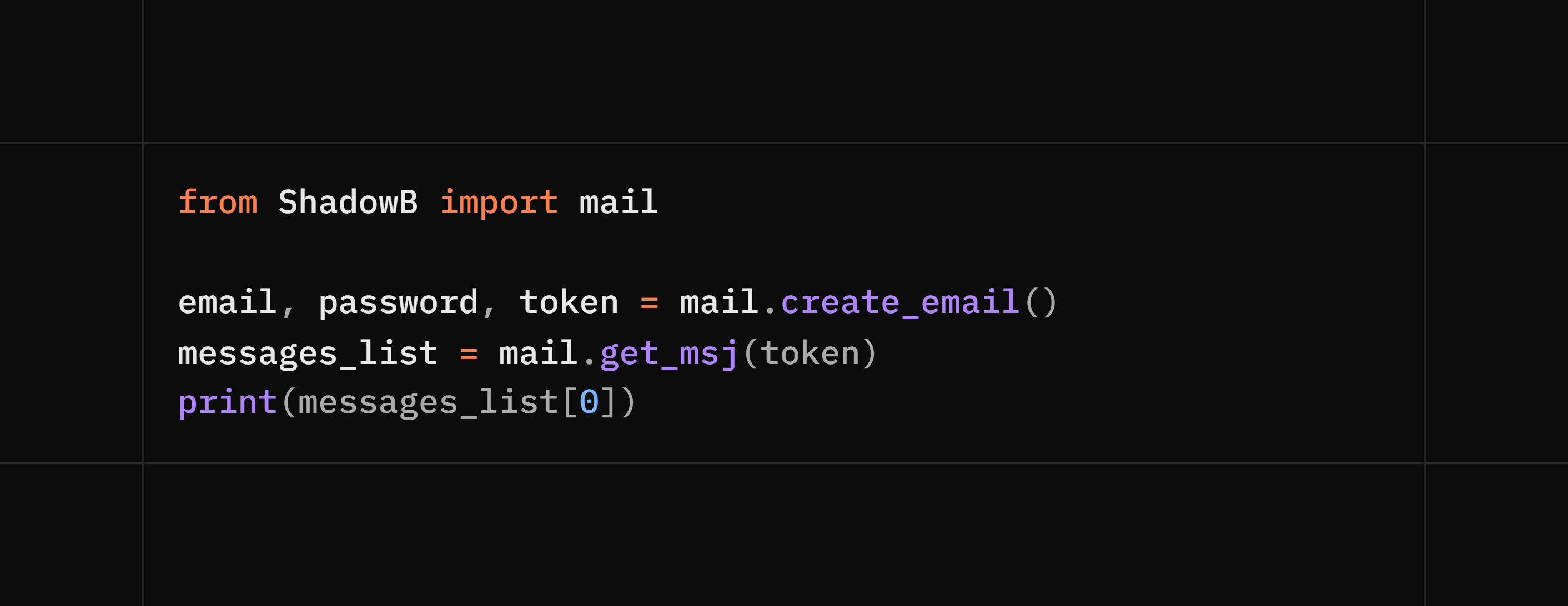
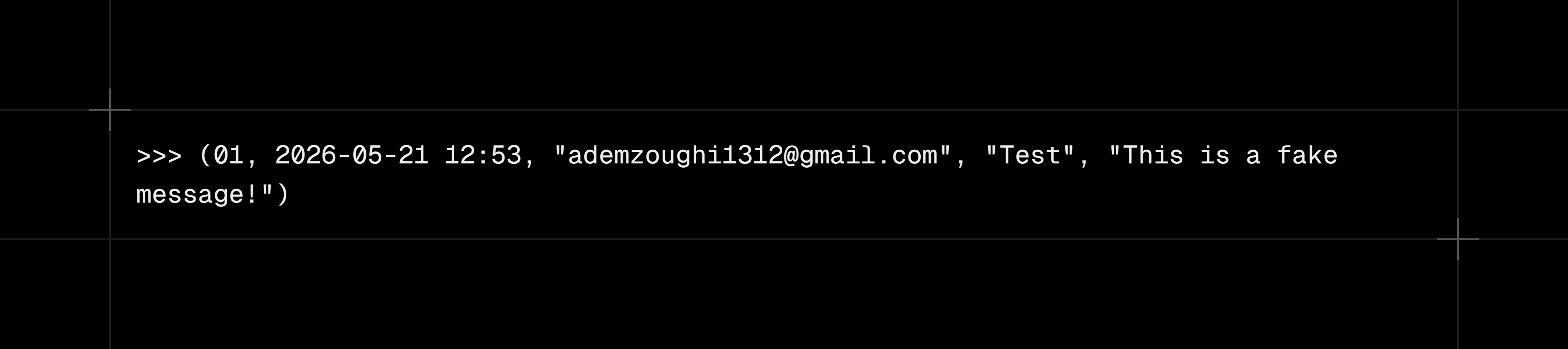
mail.create_email()                      # return => (email, password, token)
mail.get_msj(token)                      # return => list of received messages => [(msj_id, date, sender, subject, msj),(msj_id, date, sender, subject, msj)]
mail.send_msj(sender, app_password, to, subject, body)   # send via Gmail SMTP, return => 200 or 404
# body => html or normal text
Code :
Output :
safe
File inspection and sanitation helpers.
from ShadowB import safe

safe.is_safe(file)   # -> True / False
# Checking the file and trying to see if it's safe or not (the check isn't super accurate because it depends on checking the real extension, the signature inside it, the contents of the .zip, the size of the .zip after opening, and scanning for malicious stuff in PDF, TXT, and image files)

safe.size(file)                  # -> file size


safe.name(file)                  # -> file name


safe.file_extension(file)        # -> file extension


safe.scan_file(file, check_list)     # -> True / False
# It checks the content of PDF and TXT files only, as it looks for offensive and unwanted words (the check will mostly be inaccurate languages only : English, Arabic, Russian, or French)


safe.validate_text(text, check_list) # -> True / False
# It checks the content of the text, as it looks for offensive and unwanted words (the check will mostly be inaccurate, languages only : English, Arabic, Russian, or French)
image
Metadata and steganography utilities.
from ShadowB import image

image.expMetadata(img)          # read EXIF / metadata
image.check_img(img)            # -> True / False (contains hidden text/file)
image.extr_file(img)            # extract a hidden file from the image
image.extr_text(img)            # extract hidden text from the image
image.removeMetadata(img)       # strip metadata (useful before sharing photos)
image.hide_text(img, text)      # embed hidden text into the image
image.hide_file(img, file)      # embed a hidden file into the image
passwords
from ShadowB import passwords

passwords.check_strength(password)   # rate password strength
passwords.create_password()          # generate a strong password
console
Printing messages in different colors.
from ShadowB import console

console.success(text) # return a green message like => [+] success
console.error(text) # return a red message like => [-] error
console.warning(text) # return a yellow message like => [!] warning
console.info(text) # return a cyan message like => [*] info
timer
A counter that counts the number of seconds your device took to run the code between timer.start() and timer.stop()
from ShadowB import timer

timer.start() # start timer
timer.stop() # stop timer
timer.reset() # reset timer

ex:

timer.start()

print("hello world")
print("hi ShadowB")
print(timer.stop())
timer.reset()
print("="*50)
print("new timer")
print(timer.stop())

# Note: after timer.stop(), you need to do timer.reset() so you can use multiple timers in the same code
test
Code :
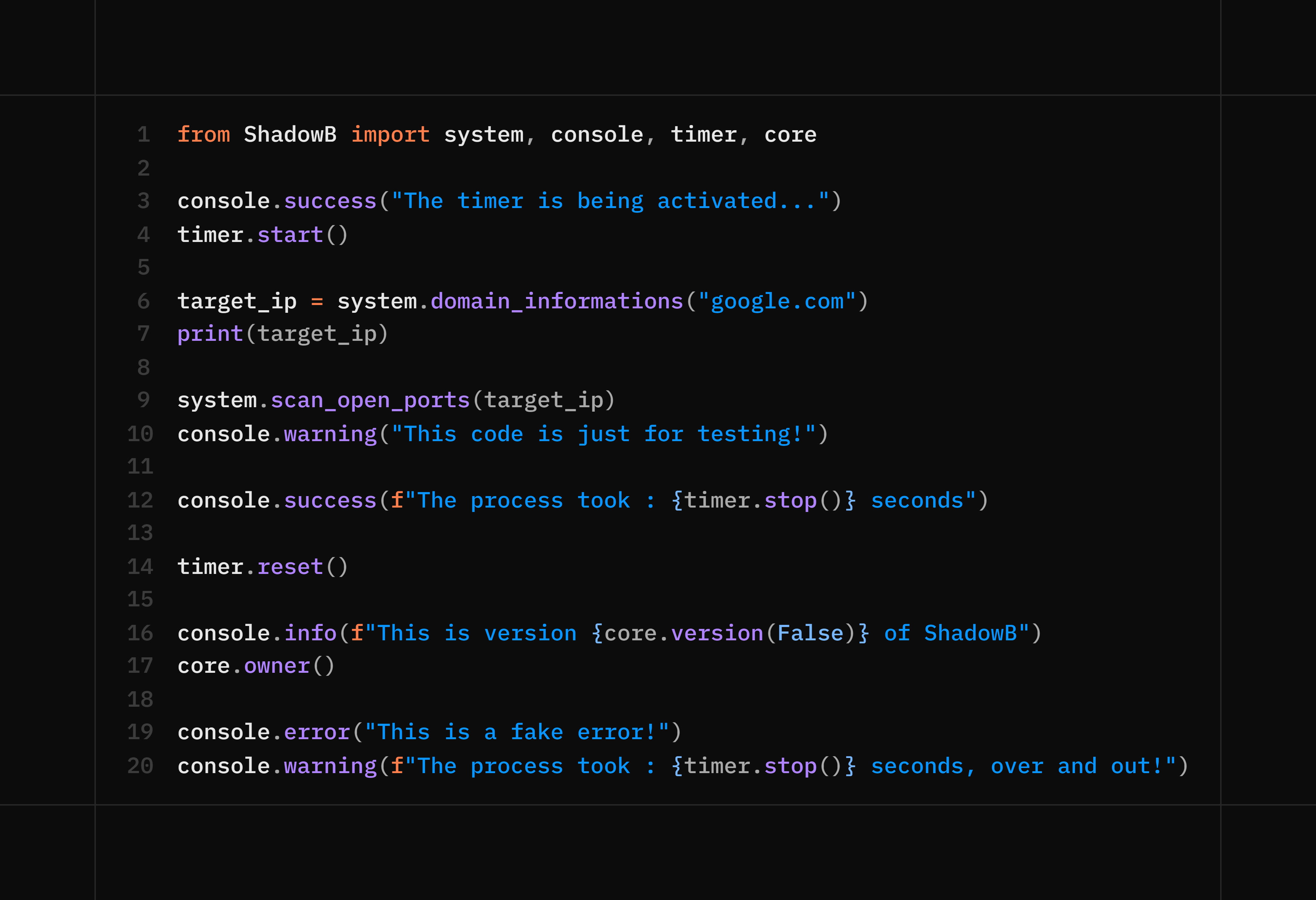
Output :
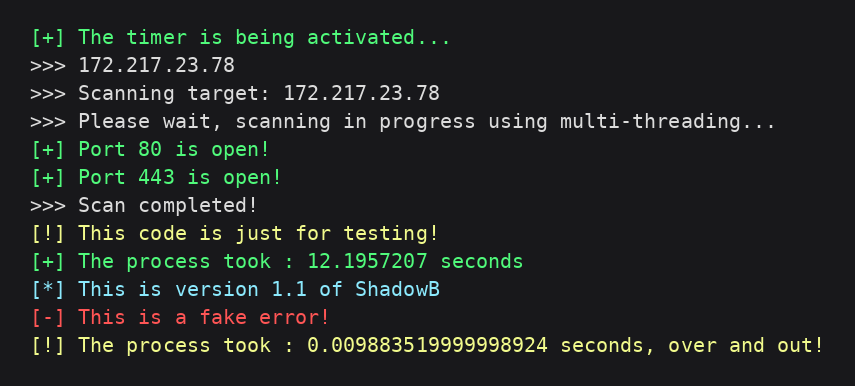
Comprehensive example :
⚖️ Responsible Use
ShadowB is a general-purpose utility library, similar in spirit to combining tools like browser_cookie3, qrcode, python-nmap, and Pillow-based steganography helpers into one package. It performs no network exfiltration on its own and contacts no third-party server.
That said, several functions are powerful and should be used responsibly:
- Only run
cookies()against your own browser profile. - Only use
scan_open_ports()on systems/websites you own or are explicitly authorized to test. - Respect each platform's Terms of Service and applicable privacy laws when using
system.scan_open_ports()orsystem.domain_informations(). - Don't use the steganography functions (
hide_text,hide_file) to conceal malicious payloads or to deceive other people.
You are responsible for complying with local laws and the terms of any service you interact with through this library.
📄 License
This project is licensed under the MIT License.
👤 Author
Adem mzoughi — 2026/23/06
1 maintainer

Download files
Download the file for your platform. If you're not sure which to choose, learn more about installing packages.
Source Distribution
Built Distribution
Filter files by name, interpreter, ABI, and platform.
If you're not sure about the file name format, learn more about wheel file names.
Copy a direct link to the current filters
File details
Details for the file shadowb-1.1.tar.gz.
File metadata
- Download URL: shadowb-1.1.tar.gz
- Upload date:
- Size: 23.7 kB
- Tags: Source
- Uploaded using Trusted Publishing? No
- Uploaded via:
twine/6.1.0 CPython/3.8.8
File hashes
| Algorithm | Hash digest | |
|---|---|---|
| SHA256 |
e2507f96746fe4cc3848b3bfdf99e4d67307f0a3f04c6008624e10b6ed385019
|
|
| MD5 |
9583c3aed905ba4d5b19e039c0bb47f3
|
|
| BLAKE2b-256 |
a10fae0d77c4e2352326a829cdfbef4edcc979094c9300638388a0eaf8c8f513
|
File details
Details for the file shadowb-1.1-py3-none-any.whl.
File metadata
- Download URL: shadowb-1.1-py3-none-any.whl
- Upload date:
- Size: 28.7 kB
- Tags: Python 3
- Uploaded using Trusted Publishing? No
- Uploaded via:
twine/6.1.0 CPython/3.8.8
File hashes
| Algorithm | Hash digest | |
|---|---|---|
| SHA256 |
a68bfd0bedf050a985f8d5b93603ba73f2e1cd1c02ae8186c3fde4e0e29370dd
|
|
| MD5 |
f37b6f4b8b4c00d01383bd63b42f5097
|
|
| BLAKE2b-256 |
1c59bbbfcdbbc77cc4bdc023bdd1b28df3f87b8217ddec341d00ae2d3b90f751
|














