
A static optimizing tensor compiler with a Python frontend, autodifferentiation, and a more "shader-like" syntax.

Project description
🔢🥶 TensorFrost







A static optimizing tensor compiler with a Python frontend, autodifferentiation, and a more "shader-like" syntax.
Currently working platforms:
| Backend/OS | CodeGen Only | C++/OpenMP | GLSL/OpenGL | CUDA | GLSL/Vulkan | WGSL/WebGPU |
|---|---|---|---|---|---|---|
| Windows | ✅ | 🚧 | 🚧 | ⛔ | ⛔ | ⛔ |
| Linux | ✅ | 🚧 | 🚧 | ⛔ | ⛔ | ⛔ |
| MacOS | ✅ | ⛔ | ⛔ | ⛔ | ⛔ | ⛔ |
For more detail about this project, please read my blog post! Writing an optimizing tensor compiler from scratch
The current version of the library is still in early beta, and at this point I would strongly recommend not to use this for any serious projects. It is also very likely that there will be breaking updates in the future, as a lot of the code is not finalized.
Examples
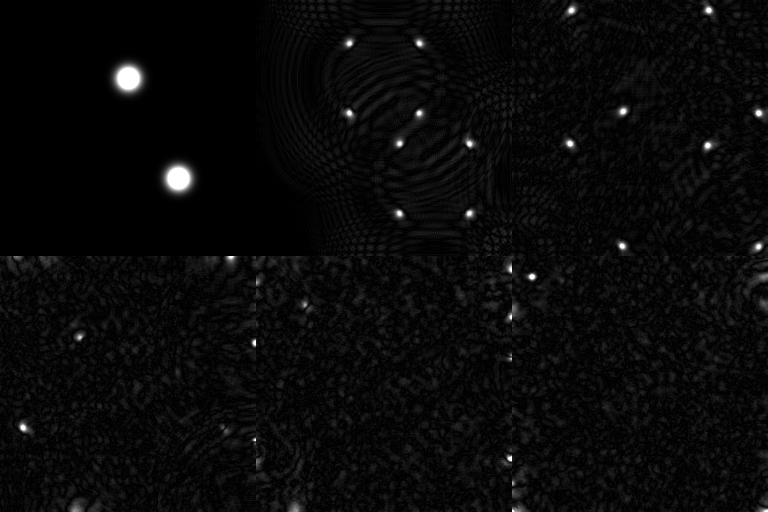



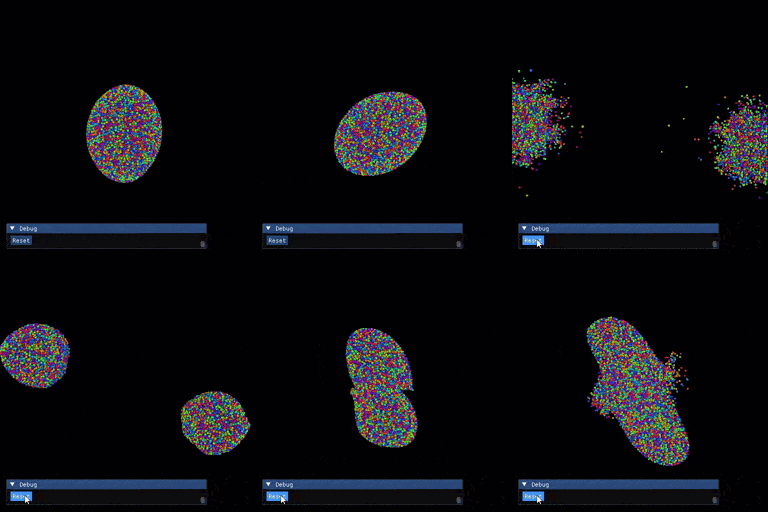
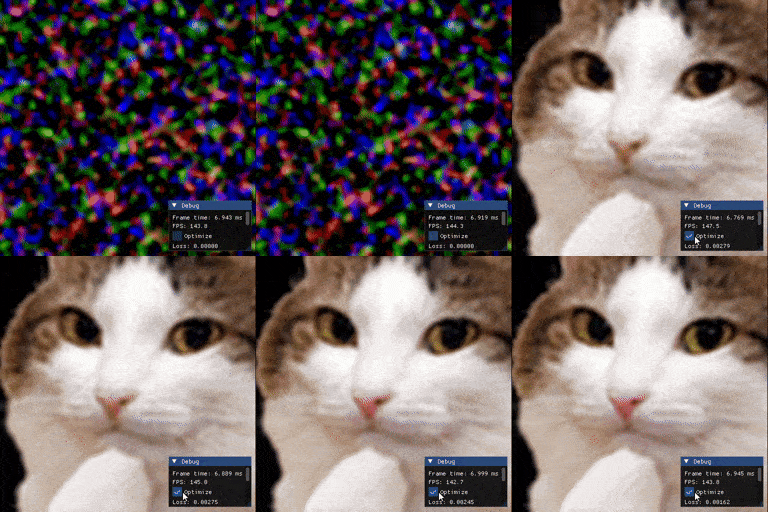
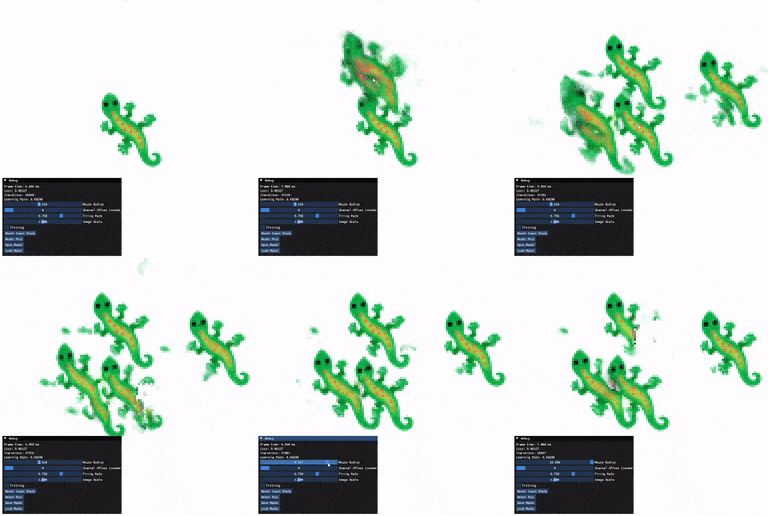
Installation
From PyPI
You can install the latest version of the library from PyPI:
pip install tensorfrost
From source
You need to have CMake installed to build the library.
First clone the repository:
git clone --recurse-submodules https://github.com/MichaelMoroz/TensorFrost.git
cd TensorFrost
Then run cmake to build the library.
cmake -S . -B build && cmake --build build
[!TIP] If you are using a Linux distribution that doesn't support installing packages through pip (e.g. Arch Linux), read Using a Virtual Environment.
The cmake script will automatically install the compiled python module into your python environment.
Using a Virtual Environment
Certain Linux distributions (e.g. Arch Linux) want you to use their package manager to manage system-wide Python packages instead of pip. TensorFrost uses pip to install itself once built, so before running CMake you will need to activate a Virtual Environment.
-
From the TensorFrost directory, create a venv:
python -m venv ./venv
-
Activate the venv:
source venv/bin/activate
-
Install
jinja(required for building)pip install jinja
-
Now, you can use CMake as usual.
cmake -S . -B build && cmake --build build
[!TIP] The newly-created venv is treated like a fresh Python installation, so you may need to reinstall any needed packages such as
numpy,matplotlib, andtqdmif you are trying out the examples.pipworks fine once the venv is active (e.g.pip install numpy).
Usage
Setup
For the library to work you need a C++ compiler that supports C++17 (Currently only Microsoft Visual Studio Compiler on Windows, and gcc on Linux)
First you need to import the library:
import TensorFrost as tf
Then you need to initialize the library with the device you want to use and the kernel compiler flags (different for each platform):
tf.initialize(tf.cpu) # or tf.opengl
TensorFrost will find any available MSVC(Windows) or GCC(Linux) compiler and use it to compile the main code and the kernels. In OpenGL mode the driver compiles the kernels. (TODO: compile the main code into python for faster compile times, MSVC is super slow, 1.5 seconds for a single function)
[!TIP] If you are compiling a large program it is useful to change the compilation flags to just "" to avoid the long compile times. Especially a problem on Windows.
tf.initialize(tf.opengl, "")
You can have TensorFrost in code generation mode instead (you cant run tensor programs here), it is much faster, but you would need to use the code manually afterwards:
tf.initialize(tf.codegen, kernel_lang = tf.hlsl_lang) # or tf.glsl_lang for OpenGL, or tf.cpp_lang for C++
After you compiled all the tensor programs you need, you can get all the generated code and save it to a file:
# Save all the compiled functions
cpp_header = tf.get_cpp_header()
all_main_functions = tf.get_all_generated_main_functions() #always in C++
with open('tensorfrost_main.cpp', 'w') as f:
    f.write(cpp_header)
    for func in all_main_functions:
        f.write(func)

# Save all the compiled kernels
all_kernels = tf.get_all_generated_kernels() #depends on the kernel_lang
for i, kernel in enumerate(all_kernels):
    with open('generated_kernels/kernel_{}.hlsl'.format(i), 'w') as f:
        f.write(kernel)
Right now you cant just compile the code and run it, since it also requires a Kernel compiler and executor as well as memory manager for tensors. In the future I plan to add all the required functions for that too, for better portability.
Basic usage
Now you can create and compile functions, for example here is a very simple function does a wave simulation:
def WaveEq():
    #shape is not specified -> shape is inferred from the input tensor (can result in slower execution)
    u = tf.input([-1, -1], tf.float32)
    #shape must match
    v = tf.input(u.shape, tf.float32)

    i,j = u.indices
    laplacian = u[i-1, j] + u[i+1, j] + u[i, j-1] + u[i, j+1] - u * 4.0
    v_new = v + dt*laplacian
    u_new = u + dt*v_new

    return v_new, u_new

wave_eq = tf.compile(WaveEq)
As you can see, inputs are not arguments to the function, but are created inside the function. This is because some inputs can be constrained by the shape of other inputs, and the shape of the input tensor is not known at compile time. You can give shape arguments to the input function, constants for exactly matching shapes, or -1 for any shape. If you want to constrain the shape of the input tensor, you need to get the shape of the other tensor and use it as an argument to the input function.
The tensor programs take and output tensor memory buffers, which can be created from numpy arrays:
A = tf.tensor(np.zeros([100, 100], dtype=np.float32))
B = tf.tensor(np.zeros([100, 100], dtype=np.float32))
Then you can run the program:
A, B = wave_eq(A, B)
As you can see the inputs are given to the compiled function in the same order as they are created in the function.
To get the result back into a numpy array, you can use the numpy property:
Anp = A.numpy
Operations
TensorFrost supports most of the basic numpy operations, including indexing, arithmetic, and broadcasting.
The core operation is the indexing operation, which is used to specify indices for accessing the tensor data. Depending on the dimensinality of the tensor there can be N indices. This operation is similar to numpy's np.ogrid and np.mgrid functions, but it is basically free due to fusion.
#can be created either from a provided shape or from a tensor
i,j = tf.indices([8, 8])
i,j = A.indices
For example i contains:
[[0, 0, 0, ..., 0, 0, 0],
 [1, 1, 1, ..., 1, 1, 1],
 [2, 2, 2, ..., 2, 2, 2],
    ...,
 [7, 7, 7, ..., 7, 7, 7]]
And analogously for j.
These indices can then be used to index into the tensor data, to either read or write data:
#set elements [16:32, 16:32] to 1.0
i,j = tf.indices([16, 16])
B[i+16, j+16] = 1.0

#read elements [8:24, 8:24]
i,j = tf.indices([16, 16])
C = B[i+8, j+8]
Here we can see that the shape of the "computation" is not the same as the shape of the tensor, and one thread is spawned for each given index. Then all sequential computations of the same shape are fused into a single kernel, if their computaion is not dependent on each other.
When doing out-of-bounds indexing, the index is currently clamped to the tensor shape. This is required to avoid undefined behaviour, in the future I plan to give the user the option to specify the behaviour of out-of-bounds indexing.
You can also use the index_grid operation which is similar to numpy's np.meshgrid function and provides a grid of indices for each dimension:
p, k = tf.index_grid([0, i + 1], [m, n])
Which is equivalent to numpy's np.meshgrid function (only for ints with step 1 for now):
p, k = np.meshgrid(np.arange(0, m), np.arange(i + 1, n))
Slicing is still not implemented, as that would require better shape comparison for undefined shapes, without it, you would get a lot of errors where there should not be any.
Currently supported operations
All the default arithmetic operations are supported:
+, -, *, /, **, ==, !=, >, <, >=, <=, &, |, ~, neg
Note that the boolean operations and, or, not are not overloaded yet, and you should use &, |, ~ instead on boolean tensors. (Might be changed in the future)
Also there are these provided functions:
abs, sign, ceil, floor, round, frac, exp, exp2, log, log2, sqrt, rsqrt, rcp, sin, cos, tan, asin, acos, atan, sinh, cosh, tanh, reversebits, pow, atan2, modf, step, clamp, lerp, fma, smoothstep, select, const.
Additionally, you can use uint, int, float, bool to cast between types, and asuint, asint, asfloat, asbool to reinterpret the bits of the number.
If needed, you can copy a value with the copy operation which is useful as you can not assign a tensor to another tensor directly.
Random number generation
For random number generation you can either implement your own hashing function, or use the provided pcg32 hash.
#generate a random number between 0 and 1
value = tf.pcgf(seed)

#generate a random uint32 number
value = tf.pcg(seed)
Additionally, TensorFrost provides a random submodule with a set of functions for generating random numbers and shuffling indices.
#generate a random number between 0 and 1
value = tf.random.rand(shape, seed=seed)

#generate a random uint32 number
value = tf.random.randint(seed, max_value)

#generate a random normal number
value = tf.random.randn(shape, seed=seed)

#generate a pair of random normal numbers (more efficiently using the box-muller transform)
value1, value2 = tf.random.randn2(shape, seed=seed)

#generate a random normal number with the same shape as the input tensor
value = tf.random.randn_like(tensor, seed=seed)

#generate a random number with the same shape as the input tensor
value = tf.random.rand_like(tensor, seed=seed)

#generate a random permutation of the numbers from 0 to n
value = tf.random.permutation(n, seed=seed)

#generate a random shuffle of the input index value
new_idx = tf.random.shuffle(idx, n, seed=seed, iters=16)
TensorFrost does not have a built-in seed, so its similar to JAX where you need to provide your own seed. This is useful for reproducibility, as you can just provide the same seed to the program and get the same results.
Scatter operations
These operations allow implementing non-trivial reduction operations, and are basically equivalent to atomics in compute shaders. For example, here is a simple example of a scatter operation:
def ScatterMatrixMultiplication():
    A = tf.input([-1, -1], tf.float32)
    N, M = A.shape
    B = tf.input([M, -1], tf.float32) #M must match
    K = B.shape[1]

    C = tf.zeros([N, K])
    i, j, k = tf.indices([N, K, M])
    tf.scatterAdd(C[i, j], A[i, k] * B[k, j])

    return C

matmul = tf.compile(ScatterMatrixMultiplication)
Here the 3D nature of the matrix multiplication is apparent. The scatter operation is used to accumulate the results of the row-column dot products into the elements of the resulting matrix.
The compiler will optimize the scatter operation into a loop in this particular case, so this will not be too slow, but you should prefer to just use A @ B for matrix multiplication.
Reduction operations
Reduction operations are used to reduce the tensor data along one dimension. For example, here is a simple example of a sum reduction:
def MatrixMultiplication():
    A = tf.input([-1, -1], tf.float32)
    N, M = A.shape
    B = tf.input([M, -1], tf.float32) #M must match
    K = B.shape[1]

    i, j, k = tf.indices([N, K, M])
    C = tf.sum(A[i, k] * B[k, j], axis=2) #by default axis is -1 (last axis)

    return C

matmul = tf.compile(MatrixMultiplication)
Here the sum operation is used to sum the dot products of the rows and columns of the input matrices along the k axis.
The following reduction operations are supported: sum, mean, max, min, all, any, prod and norm
In the future I plan to add support for multiple reduction axes.
[!TIP] If the shape is specified explicitly, for reductions >= 1024 elements, the reduction will be split into stages and will have much better performance.
Scan operations
Right now only prefix_sum is supported (numpy's np.cumsum).
An automatic optimization pass that does staged prefix sum is planned for the future, but right now you can use:
def PrefixSum(A, axis = -1):
    axis = len(A.shape) + axis if axis < 0 else axis
    group_size = 64
    grouped = tf.split_dim(A, group_size, axis)
    group_scan = tf.prefix_sum(tf.sum(grouped, axis = axis + 1), axis = axis)
    ids = grouped.indices
    gid, eid = ids[axis], ids[axis + 1]
    ids = [ids[i] for i in range(len(ids)) if i != axis + 1]
    ids[axis] = gid - 1
    group_scan = tf.prefix_sum(grouped + tf.select((gid == 0) | (eid != 0), 0, group_scan[tuple(ids)]), axis = axis + 1)
    full_scan = tf.merge_dim(group_scan, target_size = A.shape[axis], axis = axis + 1)
    return full_scan
Sorting operations
Sort is not yet built-in the library, but you can use a custom implemented one from the sorting test in examples folder. There is a relatively optimized histogram radix sort as well as a simple bitonic sort.
Broadcasting
Broadcasting is used to make the shapes of the input tensors compatible. For example, here is a simple example of a broadcasting operation:
def Broadcasting():
    A = tf.input([1, 3], tf.float32)
    B = tf.input([3, 1], tf.float32)

    C = A + B

    return C
Here the + operation is used to add the two input tensors. The shapes of the input tensors are [1, 3] and [3, 1], and the shape of the output tensor is [3, 3]. The + operation is broadcasted over the input tensors, and the result is a tensor with the shape [3, 3].
The rules are the same as in numpy essentially.
Reshape
Reshape operation is used to change the shape of the tensor. For example, here is a simple example of a reshape operation:
def Reshape():
    A = tf.input([2, 3], tf.float32)

    B = tf.reshape(A, [3, 2])

    return B
Here the reshape operation is used to change the shape of the input tensor from [2, 3] to [3, 2].
At the moment this is implemented in a very crude way, so doing this will always halt kernel fusion, so use it only when you are sure things are unfusable
(usually at the beginning or end of the program).
Additionally, you can also use transpose, unsqueeze and squeeze operations to change the shape of the tensor, which work fine with fusion.
def Transpose():
    A = tf.input([2, 3], tf.float32)

    B = tf.transpose(A) #shape is [3, 2]
    C = B.T #shape is [2, 3]

    return C
def Unsqueeze():
    A = tf.input([2, 3], tf.float32)

    B = tf.unsqueeze(A, 1) #shape is [2, 1, 3]

    return B
Additionally there are merge_dim and split_dim operations that can be used to merge or split dimensions of the tensor.
A = tf.input([2, 3, 4], tf.float32)
B = tf.merge_dim(A, axis = 1) #shape is [2, 12]
A = tf.input([2, 12], tf.float32)
B = tf.split_dim(A, 4, axis = 1) #shapes are [2, 3, 4]
[!TIP] If you want the compiler to be able to merge kernels with reshape, you should try using
merge_dimandsplit_diminstead.
Matrix operations
Matrix operations are used to perform matrix operations on the tensor data. For example, here is a simple example of a matrix multiplication:
def MatrixMultiplication():
    A = tf.input([-1, -1], tf.float32)
    N, M = A.shape
    B = tf.input([M, -1], tf.float32) #M must match

    C = tf.matmul(A, B) #or A @ B

    return C

matmul = tf.compile(MatrixMultiplication)

A = tf.tensor(np.zeros([100, 100], dtype=np.float32))
B = tf.tensor(np.zeros([100, 100], dtype=np.float32))

C = matmul(A, B)
Here the matmul operation is used to multiply the input matrices A and B. The shapes of the input tensors are [N, M] and [M, K], and the shape of the output tensor is [N, K].
The inputs can have any shape of the form [A, B, ..., N, M], and as long as they are broadcastable, the operation will work.
Loops and conditionals
#Mandelbrot set
z_re = tf.const(0.0)
z_im = tf.const(0.0)
with tf.loop(128) as k: #or tf.loop(0, 128) for a range loop, or tf.loop(0, 128, 2) for a range loop with step
    z_re_new = z_re*z_re - z_im*z_im + c_re
    z_im_new = 2.0*z_re*z_im + c_im
    z_re.val = z_re_new
    z_im.val = z_im_new
    with tf.if_cond(z_re*z_re + z_im*z_im > 256.0):
        tf.break_loop()
Scopes in TensorFrost are implemented through python context managers. There are tf.loop and tf.if_cond context managers that can be used to create loops and conditionals. The loop context manager takes the number of iterations as an argument, and the if_cond context manager takes a condition as an argument. The condition can be any tensor operation that returns a boolean tensor.
Also since the setting operation can not be overloaded in python, the set method must be used to update the tensor data outside of this scope, or alternatively the val property can be used to set the value of the tensor.
z_re = tf.const(0.0)
with tf.loop(128):
    z_re.set(z_re_new) #this is fine
    z_re.val = z_re_new #this is also fine
    z_re = z_re_new #this is not fine
Just setting the tensor to a new value will actually create a new tensor on top of the old one, and the old one will not be updated.
Loops and conditionals can be stacked and nested. Usually they are compiled into a single kernel with the scopes inside it, but they can be compiled into separate kernels if the data dependencies are not local (look at the QR decomposition example in the examples folder). Not all possible loop and conditional can be valid here, if the loop iteration count has a shape incompatible with the shapes of the tensors in the loop body, the program will not compile correctly.
PS: You can also provide a function instead of using a context manager, but it is not recommended, as it is less readable.
def loop_body(k):
    z_re_new = z_re*z_re - z_im*z_im + c_re
    z_im_new = 2.0*z_re*z_im + c_im
    z_re.val = z_re_new
    z_im.val = z_im_new
    with tf.if_cond(z_re*z_re + z_im*z_im > 256.0):
        tf.break_loop()

tf.loop(0, 128, 1, loop_body)
Autodifferentiation
Currently only backward mode autodifferentiation is supported, and can not properly be applied at control flow operations.
y_pred = x @ W + b
loss = tf.mean((y - y_pred)**2)
dW = tf.grad(loss, W)
db = tf.grad(loss, b)
In this example, the grad function is used to compute the gradients of the loss with respect to the weights W and the bias b. If the gradient is taken from the same "loss" tensor, the compiler will still only do one backward pass. At the moment doing gradients from gradients might not work correctly.
Additionally, if the loss is not a scalar, the initial gradient tensor will be assumed to be the same shape as the loss tensor and equal to 1.0. For most cases this is quite useful, as you can compute the gradients of multiple outputs at the same time, as long as they are not dependent on each other. Like doing a gradient of a potential for N particles at the same time.
dx = x1 - x2
dist = tf.sqrt(tf.sum(dx**2))
pot = 1.0 / dist
force = - tf.grad(pot, dx)
In this example, the grad function is used to compute the gradient of the potential with respect to the distance between two particles. The force is then computed as the negative gradient of the potential with respect to the distance.
You can also stop the gradient computation for some tensors by tensor.detach_grad(). In that case the autograd algorithm will stop at this tensor.
Or if you want to force the gradient through a operation without applying the operation gradient you can do tensor.pass_grad(). This is useful for example when you want to optimize discrete parameters like a quantized weight.
Registering new operations
You can register a new operation with a custom vector jacobian product (VJP) like this:
def custom_op(inputs, tensor, axes):
    return [tf.tanh(inputs[0])]

def custom_op_vjp(inputs, gradient, tensor):
    return [gradient * (1.0 - tensor * tensor)]

tf.register_custom_operation("new_tanh", ["f_f"], custom_op, custom_op_vjp)
The first argument is the name of the operaiton. The second argument is the list of overloads, that are defined like "xyz_a", where xyz can be any of f, b, u, i for float, boolean, uint, and int types of the input arguments, and a is the output type. The third a fourth argument are the operation implementation and its VJP. This function is used at the "insert algorithmic primitives" stage.
The first function has arguments: list of input arguments, the original custom operation tensor, and the value passed as axes in the custom operation.
The second function also has: list of input arguments, the gradient tensor, and the original custom operation tensor result. This function is used in the "autodiff" stage.
The registered function can then be used like this:
def ProgramTest():
    A = tf.input([-1],tf.float32)
    B = tf.custom("new_tanh", [A])
    dB_dA = tf.grad(B, A)
    return B, dB_dA
Registering custom functions can be useful when having a computation which can not be automatically differentiated, or if the automatically generated gradient is of poor quality.
Modules
TensorFrost has a simple module system similar to PyTorch, where you can define a module with trainable parameters and a forward function that computes the output of the module as well as a loss function.
class SmolNet(tf.Module):
    def __init__(self):
        #specify a custom random scale and offset for the weights when initializing
        self.W = tf.Parameter([16, -1], tf.float32, random_scale=0.01, random_offset=0.0)
        #dont compute gradients for the bias
        self.b = tf.Parameter([-1], tf.float32, optimize=False)

    def assert_parameters(self):
        #makes sure that the compiler knows that b has shape compatible with W
        self.b = tf.assert_tensor(self.b, [self.W.shape[1]], tf.float32)

    def forward(self, x):
        return x @ self.W + self.b

    def loss(self, x, y):
        y_pred = self.forward(x, y)
        return tf.mean((y - y_pred)**2)
When initializing the module you can add 3 types of TensorFrost accessible parameters:
tf.Parameter- a tensor that will be passed to the TensorProgram as an argumenttf.ParameterArray- a dynamic list of parameters, all of them will be passed to the TensorProgram as argumentstf.Module- another module, all of its parameters will be passed to the TensorProgram as arguments
The shape argument of the parameter can be a list of integers, where -1 means that the shape is not specified yet, and will be inferred from the input tensor. If you need to compute an operation over several tensors of unspecified shape, you need to assert the shapes in the assert_parameters function.
random_scale and random_offset are used to initialize the weights with random values, and are optional, by default the weights are initialized with Xavier initialization for normal random values.
optimize is used to specify if the parameter should be trained or not, by default all parameters are trainable. This argument does not stop you from computing tf.grad manually, it is just used to specify if the parameter should be updated by the optimizer module.
By itself the module does not do anything, you need to do a second initialization step to either use it inside a TensorProgram, or initialize it as a container for the tensors outside of the program.
def ComputeForward():
    model = SmolNet()
    #creates tf.input tensors from all the parameters of the module
    model.initialize_input()
    X = tf.input([-1, -1], tf.float32)
    return model.forward(X)

forward = tf.compile(ComputeForward)

model_container = SmolNet()
#creates tf.tensor tensors from all the parameters of the module and initializes them
model_container.initialize_parameters()
#you can change them afterwards too
model_container.W = tf.tensor(np.zeros([16, 100], dtype=np.float32))

X = tf.tensor(np.zeros([100, 100], dtype=np.float32))
#the module is passed as an argument to the compiled function, in the same order as they are created in the function
Y = forward(model_container, X)
model.initialize_input() creates put tf.input() tensors for all the parameters of the module. Afterwards assert_parameters is automatically called for this and all child modules. This is useful if you want to use the module inside a TensorProgram, as you can just pass the module as an argument to the compiled function, and all the parameters will be automatically created and the shapes will be asserted.
model.initialize_parameters() creates tf.tensor() tensors for all the parameters of the module and initializes them with random values. This is useful if you want to use the module outside of a TensorProgram, as you can just pass the module as an argument to the compiled function.
You can not, however, do both at the same time, as the module will not know if it is used inside or outside of a TensorProgram.
Optimizer modules
TensorFrost has a set of built-in optimizer modules that can be used to train the parameters of the module.
tf.optimizers.sgd- Stochastic Gradient Descent, has alearning_rateandgrad_clipparameters, default values are 0.001 and 0.0 respectively.tf.optimizers.adam- Adam optimizer, has alearning_rate,beta1,beta2andgrad_clipparameters, default values are 0.001, 0.9, 0.999 and 0.0 respectively.tf.optimizers.rmsprop- RMSProp optimizer, has alearning_rate,decayandgrad_clipparameters, default values are 0.001, 0.9 and 0.0 respectively.
All optimizer modules are initialized with the module as the first argument, and the training hyperparameters as the rest of the arguments.
def OptimizerStep():
    X = tf.input([-1, -1], tf.float32)
    Y = tf.input([-1, 10], tf.float32)

    model = SmolNet()
    opt = tf.optimizers.adam(model, learning_rate=0.001, beta1=0.9, beta2=0.999)
    opt.initialize_input()

    #do a single step of the optimizer (automatically computes gradients and updates the parameters)
    L = opt.step(X, Y)
    #or
    #L = model.loss(X, Y)
    #opt.step(L)

    params = opt.parameters()
    params.append(L)
    return params

step = tf.compile(OptimizerStep)

model_container = SmolNet()
opt = tf.optimizers.adam(model_container)
opt.initialize_parameters()

X = tf.tensor(np.zeros([100, 100], dtype=np.float32))
Y = tf.tensor(np.zeros([100, 10], dtype=np.float32))
out = step(X, Y, opt)
opt.update_parameters(res[:-1])
loss = res[-1].numpy[0]
Outputting the optimizer state is somewhat inconvenient at the moment, as you can only output a list of tensors from the compiled function, so you need to append the loss to the list of parameters and then extract it from the list afterwards. The optimizer state is not saved in the module, so you need to pass it as an argument to the compiled function, and then update the parameters of the module with the updated parameters from the optimizer.
Optionally you can also enable regularization for the parameters of the module, by specifying the l1 and l2 regularization parameters in the initialize_parameters function. This will apply regularization to the parameters after the optimizer step, meaning the adam optimizer will behave like adamw optimizer.
optimizer = tf.optimizers.adam(model_container, beta1 = 0.0, beta2 = 0.999, reg_type = tf.regularizers.l2, reg = 0.02, clip = 0.01)
optimizer.set_clipping_type(tf.clipping.norm)
You can also specify the clipping type for the gradients, by default the value of clip is zero which turns it off. The clipping type can be tf.clipping.norm or tf.clipping.clamp.
Debugging
For debugging convenience there are 2 function types that you can call inside a tensor program:
tf.renderdoc_start_capture()
tf.renderdoc_end_capture()
These functions will start and end a RenderDoc capture, only if python is started from the RenderDoc GUI. This is useful for debugging the OpenGL backend, as it allows you to inspect compiled kernel execution, its code and buffers.
tf.region_begin('Region name')
tf.region_end('Region name')
When debugging from RenderDoc (or any other OpenGL debugger), these functions will create a region in the RenderDoc capture, which can be useful for profiling and seeing what parts of the program are slow. The placement of these functions might not reflect their position in the code, as the code is heavily optimized and fused, so if you placed a region in the middle of a generated kernel, it will be placed at the beginning or end of the kernel. Placing them in a scoped operation might make the compilation fail or unfuse kernels, so be careful with that.
To debug the generated code you can either look at the generated code in the Temp folder with tf.cpu backend enabled if you need kernel code. If you want to debug the GPU kernel code, you can use RenderDoc.
[!TIP] You can print out tensors at compilation time in the main function by just doing
print(tensor). This will output its debug information, its shape, its data type, what operation it is, shape (inverted), its arguments, etc.
If you want to print out the tensor data at runtime, you can use the tf.print_value(string, tensor_val) function, which will print out the tensor data to the console, only if the value is scalar.
You can also have an assertion that will throw an error if the boolean scalar tensor value is false, with the tf.assert_value(string, tensor_val) function.
Custom kernels
You can also write custom "kernel" scopes which are guaranteed to be compiled to a single kernel. You can use special low level shader features like groupshared memory and barriers in these scopes. At the moment barriers only work correctly on GPU backends.
def FasterMatmul():
    A = tf.input([-1, -1], tf.float32)
    N, M = A.shape
    B = tf.input([M, -1], tf.float32)
    K = B.shape[1]
    C = tf.buffer([N, K], tf.float32)
    BK = 32

    with tf.kernel(C.shape, group_size=[BK,BK]) as (i, j):
        A_tile = tf.group_buffer(BK*BK, tf.float32)
        B_tile = tf.group_buffer(BK*BK, tf.float32)
        tx = i.block_thread_index(1)
        ty = i.block_thread_index(0)

        result = tf.const(0.0)
        with tf.loop(0, K, BK) as blk:
            A_tile[tx * BK + ty] = A[i,  ty + blk]
            B_tile[tx * BK + ty] = B[tx + blk, j]
            tf.group_barrier()

            with tf.loop(BK) as k:
                result.val += A_tile[tx * BK + k] * B_tile[k * BK + ty]

            tf.group_barrier()

        C[i, j] = result.val

    return C
Here is an example of a tiled matrix multiplication kernel. The tf.kernel context manager is used to create a custom kernel scope. The first argument is the shape of the kernel compute, the second argument is the group size, which is optional, if its not specified it will automatically estimated from the kernel shape. The group_size argument is used to specify the size of the thread group, and the block_thread_index method is used to get the thread index in the group. The group_barrier method is used to wait for all threads in the group to reach the barrier.
If the dimension count of the group shape is less than the kernel it will only make the group based on the last dimensions. Only up to 3D groups are supported. The automatic group shape estimation can make an up to 3d group with number of thread <= 1024. If the shape of the kernel is small, the group shape will match the kernel shape of those dimensions.
You can define groupshared memory buffers with the tf.group_buffer function. The first argument is the size of the buffer, and the second argument is the data type of the buffer. You must use a barrier if you want to exchange data between threads in the groupshared memory.
You can also define local memory arrays with tf.local_buffer, which works the same as tf.group_buffer, but is local to the thread.
[!TIP] To check if you are currently with a CPU backend you can do
tf.current_backend() == tf.cpu
GUI and visualization
TensorFrost has simple bindings for the GLFW window library, and some ImGui bindings for GUI. You can render tensors as images (only [-1, -1, 3] float32 tensors for now) and display them in a window. You can also use ImGui to create simple GUIs for your programs. Do note that this only works in the OpenGL backend.
#creates a single global window (can only be one at the moment)
tf.window.show(1280, 720, "a window")

while not tf.window.should_close(): #window will close if you press the close button and this will return True
    mx, my = tf.window.get_mouse_position()
    wx, wy = tf.window.get_size()

    #simple input example
    if tf.window.is_mouse_button_pressed(tf.window.MOUSE_BUTTON_0):
        tf.imgui.text("Mouse button 0 is pressed")

    if tf.window.is_key_pressed(tf.window.KEY_W):
        tf.imgui.text("W is pressed")

    #ImGui example
    tf.imgui.begin("an imgui window")
    tf.imgui.text("some text")
    value = tf.imgui.slider("slider", value, 0.0, 10.0)
    if(tf.imgui.button("a button")):
        print("button pressed")
    tf.imgui.end()

    #exectute a tensorfrost program that outputs a [-1, -1, 3] float32 tensor
    img = render_image(...)

    #display the image (will be stretched to the window size with nearest neighbor interpolation)
    tf.window.render_frame(img)
Currently provided window submodule functions are:
show(width, height, title)- creates a windowhide()- hides the windowshould_close()- returnsTrueif the window should closeget_mouse_position()- returns the mouse positionget_size()- returns the window sizeis_mouse_button_pressed(button)- returnsTrueif the mouse button is pressedis_key_pressed(key)- returnsTrueif the key is pressedrender_frame(tensor)- renders the tensor as an image
Currently provided imgui submodule functions are:
begin(name)- begins an ImGui windowend()- ends an ImGui windowtext(text)- displays textslider(name, value, min, max)- displays a sliderbutton(text)- displays a button, returnsTrueif the button is pressedcheckbox(text, value)- displays a checkboxplotlines(label, values, values_offset, overlay_text, scale_min, scale_max, graph_size, stride)- displays a plotscale_all_sizes(scale)- scales all ImGui sizes by a factoradd_background_text(text, pos, color)- adds background text at the specified position with the specified color
Usage tips
-
Using an explicit shape for the input tensors can help the compiler to optimize the program better, as it can infer the shapes of the tensors in the program better. On top of that some optimizations like loop unrolls or staged reductions only happen if the shape is known at compile time.
-
Large matrix multiplications are currently very much not optimized, as the compiler does not use groupshared memory or any other optimizations for matrix multiplication. This is planned for the future. For now using TensorFrost mostly makes sense for small to medium sized architectures where cache hits are high.
-
Complex operations like convolutions can be implemented through sum + indexing operaitons, example below (taken from here)
While this might seem less optimal than a hand optimized convolution kernel especially when computing its gradient, but it is much more flexible and is actually optimized quite well by the compiler. While the gradient of the indexing operations is an atomicAdd operation, in this case, several of the dimensions of the gradient kernel are not used in the index of the tensors, and get unrolled into sums removing the atomics from the kernel. In such a way you can implement any operation you want, even matrix multiplication works fine (
tf.sum(A[i, k] * B[k, j])), and the compiler will optimize it and its gradient quite well. Not all atomics will get optimized out however, so be careful when taking gradients of indexed tensors, as the current atomicAdd for floats is an emulated operation and is can get extremely slow with high write contention.
def conv2d(self, X, W, b):
        bi, wi, hi, cout, cin, it = tf.indices([X.shape[0], X.shape[1] - W.shape[2] + 1, X.shape[2] - W.shape[3] + 1, W.shape[0], W.shape[1], W.shape[2] * W.shape[3]])
        i, j = it%W.shape[2], it/W.shape[2]
        conv = tf.sum(tf.sum(X[bi, wi + i, hi + j, cin] * W[cout, cin, i, j]))
        return conv + b
- Inplace operation gradients simply don't work, even though it does compile, the gradients are not computed correctly. This is planned to be fixed in the future.
- You can check the compiled code in the Temp folder in
generated_lib_*.cppfiles, it is not very readable, but you can see the operations and the memory allocations, the kernel code is in the same file, only on CPU backend.
Roadmap
Core features:
- Basic operations (memory, indexing, arithmetic, etc.)
- Basic kernel fusion and compilation
- Advanced built-in functions (random, special functions, etc.)
- Advanced operations (loops, conditionals, etc.)
- Kernel code and execution graph export and editing
- Backward mode autodifferentiation
- Module system
- Optimizer modules (SGD, Adam, RMSProp)
- GUI and visualization
- Compiled
TensorProgramexport and import - Forward mode autodifferentiation
- Gradients of control flow operations and gradients from gradients
- Advanced data types and quantization
- Compile from Python AST instead of tracing
- Groupshared and local memory support (no CPU yet)
- Automatic data caching and reuse
Algorithm library:
- Scan, reduction, etc.
- Module system
- Optimizer modules (SGD, Adam, RMSProp)
- Matrix operations (matrix multiplication, etc.)
- Sorting algorithms (module partially done, no autodiff support yet)
- Advanced matrix operations (QR, SVD, eigenvalues, etc.) (some examples already in the examples folder)
- Fast Fourier Transform (some examples already in the examples folder)
- High-level neural network layers (convolution, etc.) (some examples already in the examples folder)
Platforms:
- Windows
- Linux
- MacOS
Backends:
- CPU (C++ OpenMP backend)
- OpenGL (most basic GPU backend, has a lot of driver bugs)
- CUDA
- Vulkan
- ISPC (for better CPU utilization)
- WGPU (for web)
Contributing
Contributions are welcome! If you want to contribute, please open an issue first to discuss the changes you want to make.
Release history Release notifications | RSS feed


Download files
Download the file for your platform. If you're not sure which to choose, learn more about installing packages.
Source Distributions
Built Distributions
Filter files by name, interpreter, ABI, and platform.
If you're not sure about the file name format, learn more about wheel file names.
Copy a direct link to the current filters
File details
Details for the file TensorFrost-0.7.0-cp313-cp313-win_amd64.whl.
File metadata
- Download URL: TensorFrost-0.7.0-cp313-cp313-win_amd64.whl
- Upload date:
- Size: 959.7 kB
- Tags: CPython 3.13, Windows x86-64
- Uploaded using Trusted Publishing? No
- Uploaded via: twine/6.1.0 CPython/3.13.1
File hashes
| Algorithm | Hash digest | |
|---|---|---|
| SHA256 |
1ee8d423c2e1bda571b5c62d3469a22ba3c44da83819914eb8bbd821d95df308
|
|
| MD5 |
1322f5c5dcc20ee49d1aa386d9284e7c
|
|
| BLAKE2b-256 |
4004a73a3f3a8f0ef6bb71d7ddccd3470c5d5ca1bc5973dc74ab3c0bb0838dcf
|
File details
Details for the file TensorFrost-0.7.0-cp313-cp313-manylinux_2_28_x86_64.whl.
File metadata
- Download URL: TensorFrost-0.7.0-cp313-cp313-manylinux_2_28_x86_64.whl
- Upload date:
- Size: 1.5 MB
- Tags: CPython 3.13, manylinux: glibc 2.28+ x86-64
- Uploaded using Trusted Publishing? No
- Uploaded via: twine/6.1.0 CPython/3.13.1
File hashes
| Algorithm | Hash digest | |
|---|---|---|
| SHA256 |
b2c0750b263be209a6c6b0b6947efc35585d9ed3c7633b5605c2a679ef4487ea
|
|
| MD5 |
c433889d377fb40998ce682f2e66dae3
|
|
| BLAKE2b-256 |
19ddc4f87ead6e2972875b8a8b0d8476c05e36b7099861274792ee4d12a6958e
|
File details
Details for the file TensorFrost-0.7.0-cp313-cp313-macosx_14_0_universal2.whl.
File metadata
- Download URL: TensorFrost-0.7.0-cp313-cp313-macosx_14_0_universal2.whl
- Upload date:
- Size: 993.7 kB
- Tags: CPython 3.13, macOS 14.0+ universal2 (ARM64, x86-64)
- Uploaded using Trusted Publishing? No
- Uploaded via: twine/6.1.0 CPython/3.13.1
File hashes
| Algorithm | Hash digest | |
|---|---|---|
| SHA256 |
e2ec844d1dfadd1da3a7c290bf88f930ba6ae2731b96f60f3d860ab88977f8a7
|
|
| MD5 |
c6a54a3ccee7c87c3a177f0db1318be7
|
|
| BLAKE2b-256 |
2b0072843a8beaeccf12eebf85537ee5d7b37030a8c9b67244d5878f32bbb463
|
File details
Details for the file TensorFrost-0.7.0-cp312-cp312-win_amd64.whl.
File metadata
- Download URL: TensorFrost-0.7.0-cp312-cp312-win_amd64.whl
- Upload date:
- Size: 959.8 kB
- Tags: CPython 3.12, Windows x86-64
- Uploaded using Trusted Publishing? No
- Uploaded via: twine/6.1.0 CPython/3.13.1
File hashes
| Algorithm | Hash digest | |
|---|---|---|
| SHA256 |
1b349eaa5e92ee3bf1706c42ae1a3b40563871ffcb303680211f8149f8dc85c7
|
|
| MD5 |
c91b07ad46fc2e0e55bb88797b63dfb5
|
|
| BLAKE2b-256 |
6a2c33446cf0383466f8b499e33d0c696dcb7efe4cbe584f8e769530849d26f4
|
File details
Details for the file TensorFrost-0.7.0-cp312-cp312-manylinux_2_28_x86_64.whl.
File metadata
- Download URL: TensorFrost-0.7.0-cp312-cp312-manylinux_2_28_x86_64.whl
- Upload date:
- Size: 1.5 MB
- Tags: CPython 3.12, manylinux: glibc 2.28+ x86-64
- Uploaded using Trusted Publishing? No
- Uploaded via: twine/6.1.0 CPython/3.13.1
File hashes
| Algorithm | Hash digest | |
|---|---|---|
| SHA256 |
f7d86222a53706becd212f22a429e824db24ee11caf899caae371209338ccb92
|
|
| MD5 |
83b5acf2c1c711475d9feb55f67718c0
|
|
| BLAKE2b-256 |
c4580f4f4aeed63af8e2844ada5dcde0f5bb994edff171f0728227cc6df1a114
|
File details
Details for the file TensorFrost-0.7.0-cp312-cp312-macosx_14_0_universal2.whl.
File metadata
- Download URL: TensorFrost-0.7.0-cp312-cp312-macosx_14_0_universal2.whl
- Upload date:
- Size: 993.6 kB
- Tags: CPython 3.12, macOS 14.0+ universal2 (ARM64, x86-64)
- Uploaded using Trusted Publishing? No
- Uploaded via: twine/6.1.0 CPython/3.13.1
File hashes
| Algorithm | Hash digest | |
|---|---|---|
| SHA256 |
c749fb032a975527af9f88474af8fdfb6d850f24413d12532437b3e642d9d7eb
|
|
| MD5 |
6f66a9621ec671ab376d7b04351662c4
|
|
| BLAKE2b-256 |
fc26075c59aac6ebbf247d69bc356db597fb127e0a6f0fcc8f747102c454fb74
|
File details
Details for the file TensorFrost-0.7.0-cp311-cp311-win_amd64.whl.
File metadata
- Download URL: TensorFrost-0.7.0-cp311-cp311-win_amd64.whl
- Upload date:
- Size: 957.7 kB
- Tags: CPython 3.11, Windows x86-64
- Uploaded using Trusted Publishing? No
- Uploaded via: twine/6.1.0 CPython/3.13.1
File hashes
| Algorithm | Hash digest | |
|---|---|---|
| SHA256 |
444c64de2cc98b0d8a5f8b88a187417b49585fbcee93c6774929237cb1d45c6e
|
|
| MD5 |
32cd1a3dacfd59ab8eb1b3a36e923873
|
|
| BLAKE2b-256 |
df005ce4f3535fe4a9cd05ec7e34fb270bb51d41707f2562816467a5796e8955
|
File details
Details for the file TensorFrost-0.7.0-cp311-cp311-manylinux_2_28_x86_64.whl.
File metadata
- Download URL: TensorFrost-0.7.0-cp311-cp311-manylinux_2_28_x86_64.whl
- Upload date:
- Size: 1.5 MB
- Tags: CPython 3.11, manylinux: glibc 2.28+ x86-64
- Uploaded using Trusted Publishing? No
- Uploaded via: twine/6.1.0 CPython/3.13.1
File hashes
| Algorithm | Hash digest | |
|---|---|---|
| SHA256 |
2a7c86ea72ab23afed4677ab9567775251e59c9931e57b089457d09f2f9458a3
|
|
| MD5 |
0b7c57e662edd54e2adeb0a38426b2aa
|
|
| BLAKE2b-256 |
011596b4e99a8fe32057dd15e828c583a7bc648261546e814f44e65317728ea3
|
File details
Details for the file TensorFrost-0.7.0-cp311-cp311-macosx_14_0_universal2.whl.
File metadata
- Download URL: TensorFrost-0.7.0-cp311-cp311-macosx_14_0_universal2.whl
- Upload date:
- Size: 992.3 kB
- Tags: CPython 3.11, macOS 14.0+ universal2 (ARM64, x86-64)
- Uploaded using Trusted Publishing? No
- Uploaded via: twine/6.1.0 CPython/3.13.1
File hashes
| Algorithm | Hash digest | |
|---|---|---|
| SHA256 |
8c153a0bdcf32fd36d09c73d99d745274f9dd295b2350385e58f8c20c4c2a2ea
|
|
| MD5 |
80106b124a90a1965eb2069980303875
|
|
| BLAKE2b-256 |
0e975b518149ffbff98d087770423cafea0d1fe5bf24292378c50329b505ae27
|
File details
Details for the file TensorFrost-0.7.0-cp310-cp310-win_amd64.whl.
File metadata
- Download URL: TensorFrost-0.7.0-cp310-cp310-win_amd64.whl
- Upload date:
- Size: 956.8 kB
- Tags: CPython 3.10, Windows x86-64
- Uploaded using Trusted Publishing? No
- Uploaded via: twine/6.1.0 CPython/3.13.1
File hashes
| Algorithm | Hash digest | |
|---|---|---|
| SHA256 |
5b9a17698e0d8958ee6f821dea053e61c24dbaae51678e76536635598b1b7ed8
|
|
| MD5 |
5cd38094247d5fa329b3255dc9e803aa
|
|
| BLAKE2b-256 |
e231fff8c4e6a67cc0cb94feabcce1c5e8d6befa07a4aa0d6e6aa322123f42fc
|
File details
Details for the file TensorFrost-0.7.0-cp310-cp310-manylinux_2_28_x86_64.whl.
File metadata
- Download URL: TensorFrost-0.7.0-cp310-cp310-manylinux_2_28_x86_64.whl
- Upload date:
- Size: 1.5 MB
- Tags: CPython 3.10, manylinux: glibc 2.28+ x86-64
- Uploaded using Trusted Publishing? No
- Uploaded via: twine/6.1.0 CPython/3.13.1
File hashes
| Algorithm | Hash digest | |
|---|---|---|
| SHA256 |
57df65ae7b2c7b068e6e775306a5d38cf8124f9c0d7fbbc702016961fe830b76
|
|
| MD5 |
f5b0ad0e7a528ed0e1ba96723ad2d48e
|
|
| BLAKE2b-256 |
f7b722b82c684b578f34790a3d82dc4bc49906e6dc0ee203e94ef963aa3ba0ff
|
File details
Details for the file TensorFrost-0.7.0-cp310-cp310-macosx_14_0_universal2.whl.
File metadata
- Download URL: TensorFrost-0.7.0-cp310-cp310-macosx_14_0_universal2.whl
- Upload date:
- Size: 990.9 kB
- Tags: CPython 3.10, macOS 14.0+ universal2 (ARM64, x86-64)
- Uploaded using Trusted Publishing? No
- Uploaded via: twine/6.1.0 CPython/3.13.1
File hashes
| Algorithm | Hash digest | |
|---|---|---|
| SHA256 |
ce3b1ef62e2129fb1624294c157970fe9c393e0378b03516e0504be842a89b2b
|
|
| MD5 |
aaff526e04194211766e86c3573ed401
|
|
| BLAKE2b-256 |
795ef26d67e8658366487e1a8624ed483c60b3d3351202be1665de916bbbf100
|
File details
Details for the file TensorFrost-0.7.0-cp39-cp39-win_amd64.whl.
File metadata
- Download URL: TensorFrost-0.7.0-cp39-cp39-win_amd64.whl
- Upload date:
- Size: 940.3 kB
- Tags: CPython 3.9, Windows x86-64
- Uploaded using Trusted Publishing? No
- Uploaded via: twine/6.1.0 CPython/3.13.1
File hashes
| Algorithm | Hash digest | |
|---|---|---|
| SHA256 |
fbc9cfc95a9bbe37dc9fb81b31db24acd3fb599310b9e9f29a98f1a7e98f651e
|
|
| MD5 |
abf40a92678ee20c7984a273c9588e2e
|
|
| BLAKE2b-256 |
1b9ccf02ab60520c5a429404ee3ecb50b1ab2dfe131dd13ed1e2baf22e5b1a0e
|
File details
Details for the file TensorFrost-0.7.0-cp39-cp39-manylinux_2_28_x86_64.whl.
File metadata
- Download URL: TensorFrost-0.7.0-cp39-cp39-manylinux_2_28_x86_64.whl
- Upload date:
- Size: 1.5 MB
- Tags: CPython 3.9, manylinux: glibc 2.28+ x86-64
- Uploaded using Trusted Publishing? No
- Uploaded via: twine/6.1.0 CPython/3.13.1
File hashes
| Algorithm | Hash digest | |
|---|---|---|
| SHA256 |
684a8a354f88aacd241104653913e670689a250f7628f6db8ade647025142671
|
|
| MD5 |
a6bb364c9c2bc7f6b39697df36ba427f
|
|
| BLAKE2b-256 |
1064f1d4cc1c064d6cbdc1c543e6cf2369b74261b001e00839a8b659766001fe
|
File details
Details for the file TensorFrost-0.7.0-cp39-cp39-macosx_14_0_universal2.whl.
File metadata
- Download URL: TensorFrost-0.7.0-cp39-cp39-macosx_14_0_universal2.whl
- Upload date:
- Size: 991.1 kB
- Tags: CPython 3.9, macOS 14.0+ universal2 (ARM64, x86-64)
- Uploaded using Trusted Publishing? No
- Uploaded via: twine/6.1.0 CPython/3.13.1
File hashes
| Algorithm | Hash digest | |
|---|---|---|
| SHA256 |
f55346ee0a4212f50014b3233e009d0b4186e9c00e98c0b4c08912d0b6b769af
|
|
| MD5 |
bc09c869641a9f900a8d5c1b313c57ea
|
|
| BLAKE2b-256 |
305b135726a62d55bad5362e8ff89dabe9ed3c2890d4218c6ed5fca22834029d
|
File details
Details for the file TensorFrost-0.7.0-cp38-cp38-win_amd64.whl.
File metadata
- Download URL: TensorFrost-0.7.0-cp38-cp38-win_amd64.whl
- Upload date:
- Size: 952.8 kB
- Tags: CPython 3.8, Windows x86-64
- Uploaded using Trusted Publishing? No
- Uploaded via: twine/6.1.0 CPython/3.13.1
File hashes
| Algorithm | Hash digest | |
|---|---|---|
| SHA256 |
d7bd994c4aa4bb84b12185fa6145dfc7d194a8c8b6434fd2b7192b6903bab8fc
|
|
| MD5 |
d903327135ee406527e382458be08e09
|
|
| BLAKE2b-256 |
8da9a8a0c999397db3677ab5ec5108ae2749164b7145752f3615a26df41517c2
|
File details
Details for the file TensorFrost-0.7.0-cp38-cp38-manylinux_2_28_x86_64.whl.
File metadata
- Download URL: TensorFrost-0.7.0-cp38-cp38-manylinux_2_28_x86_64.whl
- Upload date:
- Size: 1.5 MB
- Tags: CPython 3.8, manylinux: glibc 2.28+ x86-64
- Uploaded using Trusted Publishing? No
- Uploaded via: twine/6.1.0 CPython/3.13.1
File hashes
| Algorithm | Hash digest | |
|---|---|---|
| SHA256 |
2d65f4cf99718d2436bb6b74adb9cfa3859fa9a94ce3c9d3af2e6425a2742832
|
|
| MD5 |
64c4d22330c11ae6dfd266a8aca981a9
|
|
| BLAKE2b-256 |
9f494d934e301c1827bd9c7cd209c726883239da010b6079d81ce3fcc06329e5
|
File details
Details for the file TensorFrost-0.7.0-cp38-cp38-macosx_14_0_universal2.whl.
File metadata
- Download URL: TensorFrost-0.7.0-cp38-cp38-macosx_14_0_universal2.whl
- Upload date:
- Size: 990.6 kB
- Tags: CPython 3.8, macOS 14.0+ universal2 (ARM64, x86-64)
- Uploaded using Trusted Publishing? No
- Uploaded via: twine/6.1.0 CPython/3.13.1
File hashes
| Algorithm | Hash digest | |
|---|---|---|
| SHA256 |
03182bc6e131bce5f01a1d43541da150ceb154269aef88c3149dfc3bbdef6018
|
|
| MD5 |
8d23a8cf74128687ce06f3f3f90bf6e0
|
|
| BLAKE2b-256 |
29d06ab6809c34d76c5c5597bb9cfb1d1761d53e546197c7f9a78edeae49c9c9
|
File details
Details for the file TensorFrost-0.7.0-cp37-cp37m-win_amd64.whl.
File metadata
- Download URL: TensorFrost-0.7.0-cp37-cp37m-win_amd64.whl
- Upload date:
- Size: 950.2 kB
- Tags: CPython 3.7m, Windows x86-64
- Uploaded using Trusted Publishing? No
- Uploaded via: twine/6.1.0 CPython/3.13.1
File hashes
| Algorithm | Hash digest | |
|---|---|---|
| SHA256 |
3c2725ae1a5e4bac53400d26426bccc95c234e396868028dda23cdaf1c4d7968
|
|
| MD5 |
e64d6e733d3717107b3234b90ed617da
|
|
| BLAKE2b-256 |
f7573455b02b899465f70272cb630c93550e31a2d9ac9e9b5fba8344fc71b5c1
|
File details
Details for the file TensorFrost-0.7.0-cp37-cp37m-manylinux_2_28_x86_64.whl.
File metadata
- Download URL: TensorFrost-0.7.0-cp37-cp37m-manylinux_2_28_x86_64.whl
- Upload date:
- Size: 1.5 MB
- Tags: CPython 3.7m, manylinux: glibc 2.28+ x86-64
- Uploaded using Trusted Publishing? No
- Uploaded via: twine/6.1.0 CPython/3.13.1
File hashes
| Algorithm | Hash digest | |
|---|---|---|
| SHA256 |
d9f6662e3d89b45ab89a6799a36302bb3772cc68cd33d8fdbcaabd408caaaffd
|
|
| MD5 |
25eceecb258fd2064e7386849f467179
|
|
| BLAKE2b-256 |
48efa30dfce2ece9a20eedcd173899ff7ea8de0b5e4987d7087af8f7ca315133
|






