
Django AdminLTE 4





Official AdminLTE 4 integration for Django — Bootstrap 5.3, vanilla JS,
Vite-ready. A config-driven sidebar menu with a per-request filter pipeline, an
AdminLTE 4 base layout, a library of django-components,
a themed django.contrib.admin, and first-class hooks into Django's own forms,
tables, auth, messages, pagination and i18n. By Colorlib.
Live demo: django.adminlte.io · Docs: django.adminlte.io/docs
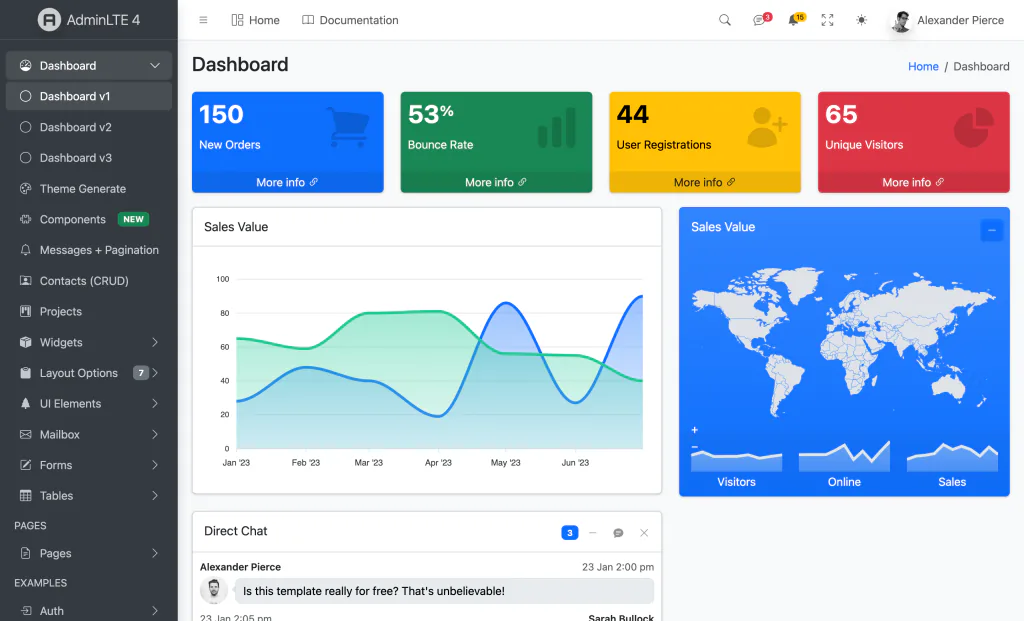
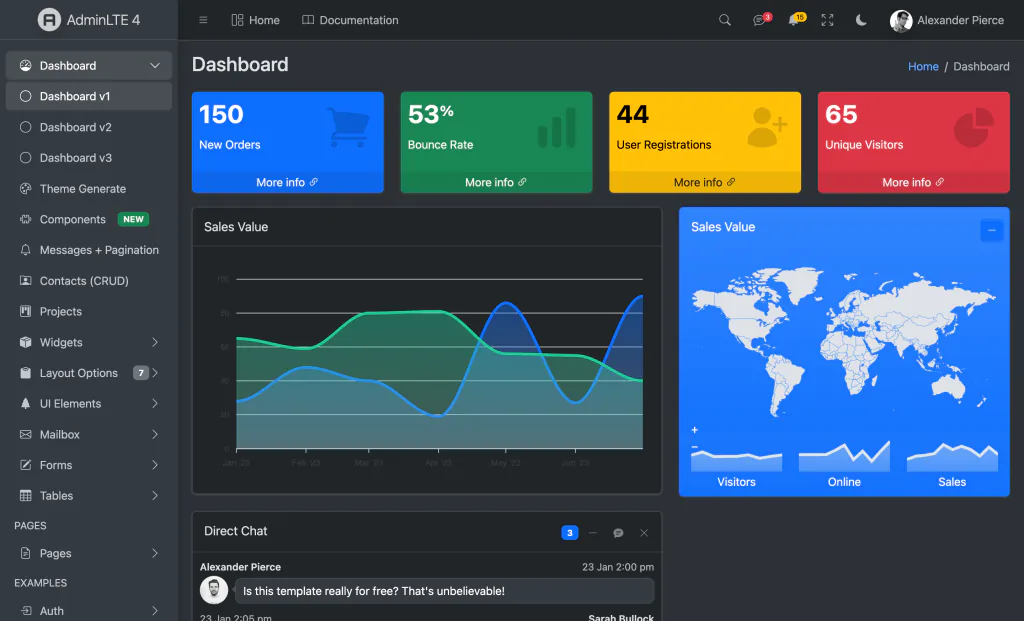
Available for your stack — the same AdminLTE 4 dashboard, in the framework you know best:










v1 scope: layout, menu + filter pipeline, auth pages, and the Form + Widget component families. Tool/plugin components (datatable, charts, calendar, editor, kanban, vector-map) land in v2.
Documentation
Full documentation is published at django.adminlte.io/docs —
Getting started, a complete configuration reference,
components, admin,
forms, tables,
auth, i18n,
assets, deployment
and more. The source lives in docs/ as a MkDocs Material site — build/serve
it locally:
pip install -e .[docs]
mkdocs serve        # http://127.0.0.1:8000  (or: mkdocs build)
Requirements
- Python 3.12+
- Django 6.0+
django-components0.150,django-vite3.1+- Node 18+ (Vite build for the front-end assets)
Installation
pip install adminlte-django
1. Settings
INSTALLED_APPS = [
    "django_components",
    # ... django.contrib.* ...
    "django_vite",
    "django_adminlte4",
]

MIDDLEWARE = [
    # ...
    "django_components.middleware.ComponentDependencyMiddleware",
]

COMPONENTS = {"dirs": [], "app_dirs": ["components"], "autodiscover": True}

TEMPLATES = [{
    "BACKEND": "django.template.backends.django.DjangoTemplates",
    "DIRS": [],
    # IMPORTANT: APP_DIRS must be False because we provide an explicit `loaders`
    # list (required by django-components).
    "APP_DIRS": False,
    "OPTIONS": {
        "context_processors": [
            "django.template.context_processors.request",
            "django.contrib.auth.context_processors.auth",
            "django_adminlte4.context_processors.adminlte",
        ],
        "loaders": [(
            "django.template.loaders.cached.Loader",
            [
                "django.template.loaders.filesystem.Loader",
                "django.template.loaders.app_directories.Loader",
                "django_components.template_loader.Loader",
            ],
        )],
        "builtins": ["django_components.templatetags.component_tags"],
    },
}]

STATICFILES_FINDERS = [
    "django.contrib.staticfiles.finders.FileSystemFinder",
    "django.contrib.staticfiles.finders.AppDirectoriesFinder",
    "django_components.finders.ComponentsFileSystemFinder",
]

DJANGO_VITE = {"default": {"dev_mode": DEBUG, "manifest_path": BASE_DIR / "assets" / "dist" / "manifest.json"}}
2. Front-end assets
python manage.py adminlte_install   # copies assets/app.js, assets/app.scss, vite.config.js stubs
npm install                          # installs admin-lte, bootstrap, overlayscrollbars, ...
npm run dev                          # dev server with HMR (DEBUG=True)
# production: npm run build && python manage.py collectstatic
3. Configure (settings.ADMINLTE)
ADMINLTE = {
    "title": "My Dashboard",
    "logo": "<b>My</b>App",
    "sidebar_theme": "dark",          # dark | light
    "menu": [
        {"text": "Dashboard", "url": "/", "icon": "bi bi-speedometer"},
        {"header": "CONTENT"},
        {"text": "Posts", "icon": "bi bi-file-post", "submenu": [
            {"text": "All posts", "route": "posts:index", "icon": "bi bi-circle"},
            {"text": "New post", "route": "posts:create", "icon": "bi bi-circle", "can": "blog.add_post"},
        ]},
    ],
}
Menu item keys: header, text, route (named route), url (raw), icon,
icon_color, label + label_color (badge), active (URL patterns),
target, can (permission/callable — item hidden if denied), submenu,
topnav/topnav_right.
Topbar dropdowns
The navbar renders Messages/Notifications dropdowns and a rich user card when you provide their data (all optional — omit a key to hide that dropdown):
ADMINLTE = {
    "logo": "<b>My</b>App",          # auth-page lockup (HTML allowed)
    "logo_alt_text": "My App",       # sidebar brand text next to the logo
    "navbar_search": True,           # search trigger icon
    "navbar_messages": {
        "count": 3,
        "items": [
            {"image": "adminlte/img/user1-128x128.jpg", "name": "Brad Diesel",
             "text": "Call me whenever you can...", "time": "4 Hours Ago",
             "star": "danger", "url": "#"},
        ],
    },
    "navbar_notifications": {
        "count": 15,
        "items": [
            {"icon": "bi bi-envelope", "text": "4 new messages", "time": "3 mins", "url": "#"},
        ],
    },
    "usermenu": {                    # rich user card; omit to fall back to the
        "image": "adminlte/img/user2-160x160.jpg",   # Django-user simple menu
        "name": "Alexander Pierce", "description": "Web Developer",
        "since": "Member since Nov. 2023",
        "stats": [{"label": "Followers", "url": "#"}, {"label": "Sales", "url": "#"}],
    },
}
When usermenu is omitted, the topbar shows a minimal menu driven by the
authenticated Django user (with a CSRF-protected POST sign-out to your logout
route). color_mode_toggle and a fullscreen toggle are always shown.
Pages
{% extends "adminlte/page.html" %}
{% block page_title %}Dashboard{% endblock %}
{% block breadcrumb %}
    <li class="breadcrumb-item active">Dashboard</li>
{% endblock %}
{% block content %}
    {% component "adminlte_card" title="Sales" theme="primary" outline=True collapsible=True %}
        Card body…
        {% fill "footer" %}Updated 5 min ago{% endfill %}
    {% endcomponent %}
{% endblock %}
Components (v1)
Widget: adminlte_card, adminlte_small_box, adminlte_info_box,
adminlte_alert, adminlte_callout, adminlte_progress,
adminlte_progress_group, adminlte_timeline, adminlte_description_block,
adminlte_profile_card, adminlte_ratings, adminlte_breadcrumb.
Form: adminlte_input, adminlte_textarea, adminlte_select,
adminlte_input_switch, adminlte_input_color, adminlte_input_file,
adminlte_button. Bind a Django form field for automatic validation feedback:
{% component "adminlte_input" field=form.email type="email" %}{% endcomponent %}
Components (v2 — interactive + plugin-backed)
Bootstrap (no extra libs): adminlte_modal, adminlte_toast,
adminlte_tabs, adminlte_accordion, adminlte_direct_chat,
adminlte_nav_messages, adminlte_nav_notifications.
Plugin-backed Tool components: adminlte_chart (ApexCharts),
adminlte_vector_map (jsVectorMap), adminlte_datatable (Tabulator),
adminlte_editor (Quill), adminlte_sortable (SortableJS). Each renders a
data-* container with a JSON config; the shipped initializer
(assets/adminlte-plugins.js, installed by adminlte_install) lazily imports
each library only when a matching element is on the page — so you install just
the plugins you use:
npm i apexcharts jsvectormap tabulator-tables quill sortablejs # pick what you need
{% component "adminlte_chart" type="area" series=series categories=labels height="300px" %}{% endcomponent %}
{% component "adminlte_datatable" columns=columns data=rows %}{% endcomponent %}
{% component "adminlte_tabs" items=tabs %}{% endcomponent %}
Django admin theme
django.contrib.admin is themed with the AdminLTE 4 shell out of the box — the
topbar, and a sidebar auto-generated from your registered apps/models (it
reuses the same menu builder + filter pipeline as the app sidebar, so it honours
per-user view permissions and active-state). The native admin change-list /
change-form content renders inside the shell.
Enable it by putting django_adminlte4 before django.contrib.admin in
INSTALLED_APPS (so its admin/* template overrides win):
INSTALLED_APPS = [
    "django_components",
    "django_adminlte4",          # must precede django.contrib.admin
    "django.contrib.admin",
    # ...
]
Customise via the ADMINLTE dict: admin_brand (sidebar brand text) and
admin_menu (a list of menu-item dicts to replace the auto app/model menu).
Pre-built assets (no Node required)
The package ships a compiled asset bundle (static/adminlte/dist/), so you can
run with zero Node/npm — just collectstatic. The themed admin always uses
it; switch the front-end layout to it with:
ADMINLTE = {"assets_mode": "static"} # default "vite"
"vite" keeps the HMR/dev pipeline (and the optional plugin set) via
django-vite; "static" serves the shipped bundle (Bootstrap + AdminLTE +
Bootstrap Icons + OverlayScrollbars + color-mode/init). With "static",
django-vite is not imported at all.
Messages, pagination & auth
Messages — Django's messages framework is rendered as dismissible AdminLTE
alerts automatically (included in the base layout). Levels map to Bootstrap
classes with an icon, and error → danger, so no MESSAGE_TAGS config is
required. Override the {% block messages %} to customise.
Pagination — a reusable partial for any Django Paginator page that
preserves the current query string (filters/sort):
{% include "adminlte/partials/pagination.html" with page_obj=page_obj %}
Auth — themed registration/ templates ship for Django's built-in auth
views, so the full login / logout / password change + reset flow works on
the AdminLTE auth card out of the box — just wire the URLs:
path("", include("django.contrib.auth.urls")),
Forms (crispy-forms)
For one-line whole-form rendering of any Django form/ModelForm, install the
[crispy] extra and use the Bootstrap 5 pack (AdminLTE 4 is Bootstrap 5, so
it renders natively — no custom pack needed):
INSTALLED_APPS += ["crispy_forms", "crispy_bootstrap5"]
CRISPY_ALLOWED_TEMPLATE_PACKS = "bootstrap5"
CRISPY_TEMPLATE_PACK = "bootstrap5"
{% load crispy_forms_tags %}
{% crispy form %}      {# renders the <form>, fields, csrf and buttons #}
Drive the layout/buttons from a FormHelper on the form (see the demo's
crud/forms.py). Prefer the bespoke adminlte_input/adminlte_select
components when you want to hand-author a designed form instead.
Tables & filters (CRUD)
For server-rendered data tables, install the [tables] extra
(django-tables2 + django-filter) and point tables2 at the AdminLTE theme:
# settings.py
DJANGO_TABLES2_TEMPLATE = "django_tables2/adminlte.html"
The theme wraps any tables.Table in an AdminLTE card with the pagination in
the card footer — sortable headers, query-string-preserving paging, all native.
A SingleTableMixin + FilterView list view then gets a themed table plus a
filter form for free. The demo's Contacts (CRUD) page shows the full stack
(list + filter + create/update/delete + success messages) end to end.
django-allauth
Install the [allauth] extra to get AdminLTE-themed django-allauth
pages. The package overrides allauth's layouts (base / entrance /
manage) and elements (fields, field, form, button, alert, headings, panel)
— so every allauth page (login, signup, password reset, account management)
renders on the AdminLTE auth card with Bootstrap 5 fields, no per-page work:
INSTALLED_APPS = [
    "django_adminlte4",          # before allauth so its template overrides win
    # ...
    "allauth", "allauth.account",
]
# urls.py:  path("accounts/", include("allauth.urls"))
Internationalization
Templates use {% translate %} / {% blocktranslate %} throughout, and the
package ships a message catalog with a fully-translated Spanish (es)
locale (compiled and included in the wheel). Set USE_I18N = True and a
LANGUAGE_CODE, or add LocaleMiddleware, to translate the UI; run
makemessages to add more locales.
Breadcrumbs
Pages set {% block breadcrumb %} explicitly, or fall back to
{% adminlte_breadcrumb %} — which derives a Home → … trail from
request.path automatically (it's the default content of that block).
Management commands
| Command | Purpose |
|---|---|
adminlte_install |
Copy the Vite front-end stubs and static images into your project |
adminlte_status |
Print version, merged config, component count, Vite manifest status |
adminlte_make_auth |
Scaffold login/register/lockscreen auth views, urls and templates |
adminlte_scaffold <app> |
Scaffold a CRUD app using Card + Form components |
Demo
cd demo
pip install -r requirements.txt   # package + extras + prod deps (env, whitenoise, gunicorn)
cp .env.example .env              # local dev config (DEBUG=True)
npm install && npm run dev        # terminal 1 — Vite dev server / HMR
python manage.py migrate
python manage.py seed_demo         # sample relational data + demo superuser (admin/adminpass)
python manage.py runserver        # terminal 2
The demo ships a small relational schema (Company → Contact, Project ↔ Tag,
Project ↔ Contact team, Project → Task) showcased through the themed admin,
a Contacts CRUD page and a Projects list + detail. Re-run seed_demo
any time to reset the sample data.
Visitors start logged out (sessions end at browser close), and the login
page comes pre-filled with the demo credentials (admin / adminpass) plus a
short tour of what each area shows — so a single click signs you in and the
sign-in-only pages (Contacts, Projects, the Django admin) become explorable.
Deployment
The demo is a twelve-factor starter: everything environment-specific is read
from the environment (a git-ignored .env in development — see .env.example).
Defaults are production-safe. To deploy:
# Set in the environment: SECRET_KEY, DEBUG=False, ALLOWED_HOSTS,
# DATABASE_URL=postgres://…  (and optionally EMAIL_URL, CSRF_TRUSTED_ORIGINS)
npm run build                                  # compile front-end assets (Vite)
python manage.py collectstatic --noinput       # WhiteNoise: compressed + hashed
gunicorn config.wsgi                            # WSGI server
DATABASE_URL swaps SQLite → PostgreSQL (psycopg[binary]), EMAIL_URL swaps
the console backend → SMTP. With DEBUG=False the project automatically enables
HSTS, SSL redirect, secure cookies, and WhiteNoise's manifest static storage.
Upgrade to a Premium Dashboard
Need advanced features, more pages, and dedicated support? Explore Colorlib's collection of professional admin templates on DashboardPack.
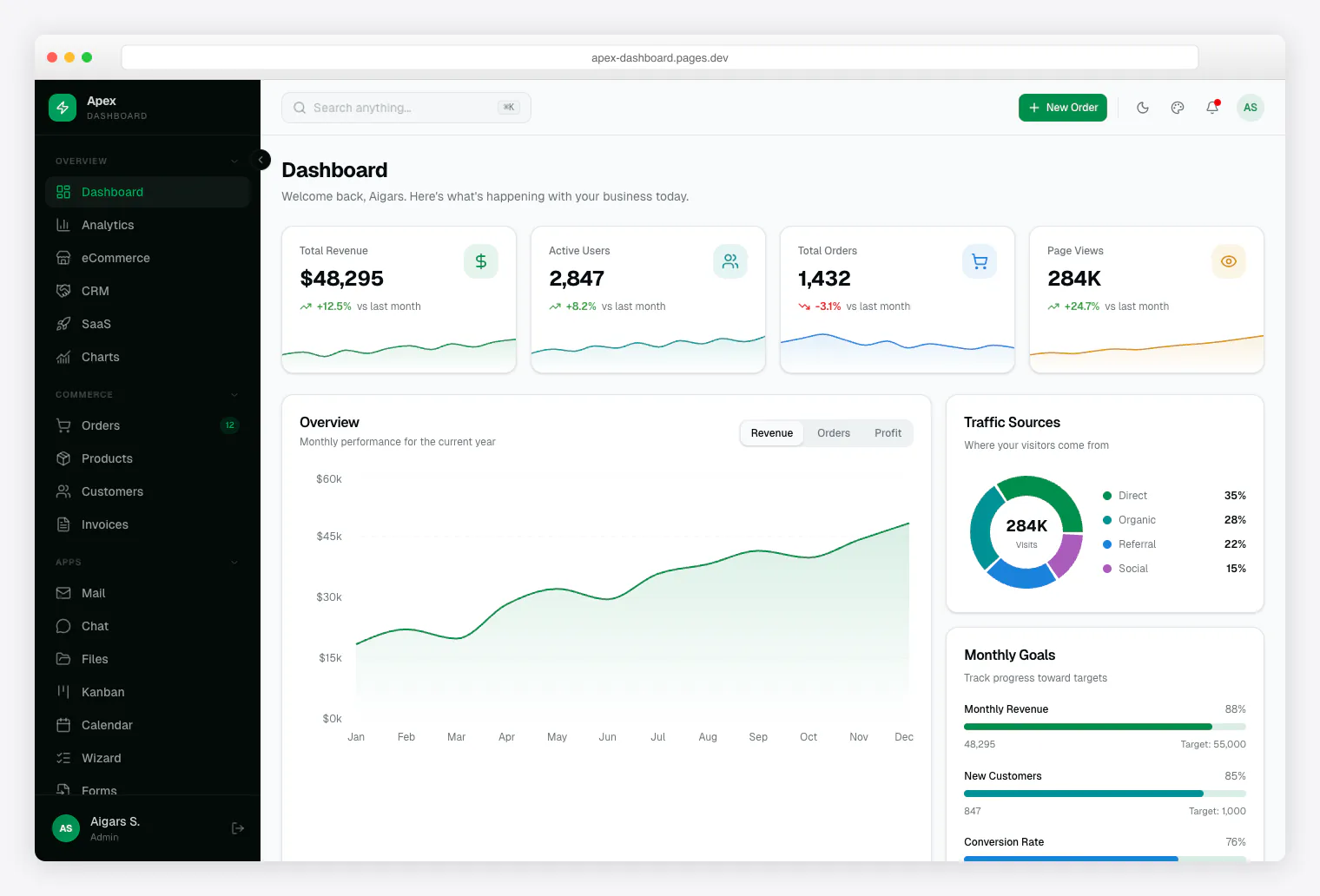
Apex Dashboard Next.js 16 + React 19 + Tailwind CSS v4 + shadcn/ui. 5 dashboard variants, 20+ app pages, 125+ routes, full CRUD. |
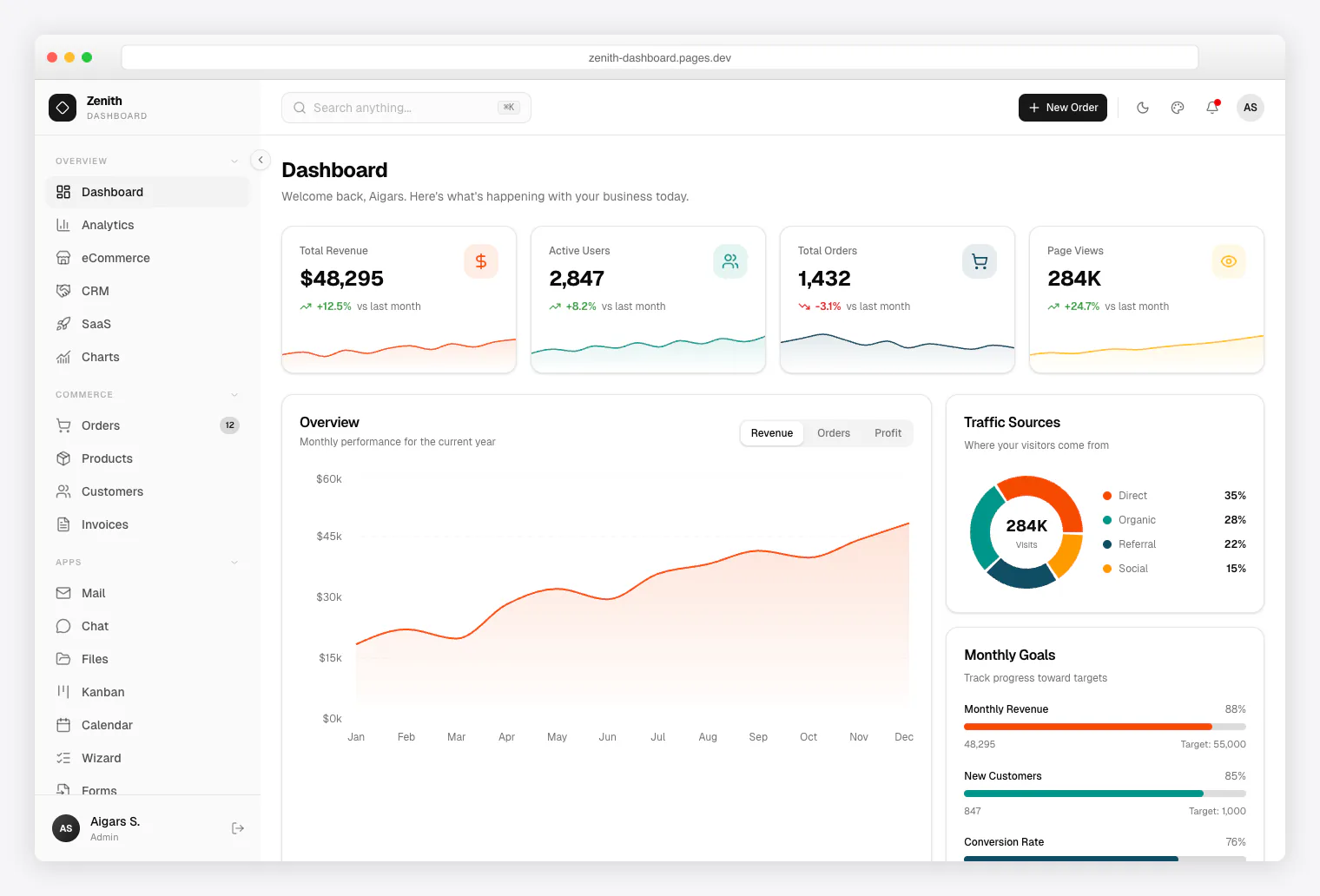
Zenith Dashboard Next.js 16 + React 19 + Tailwind CSS v4 + shadcn/ui. Achromatic design, 50+ pages, 6 dashboards, live theme customizer. |
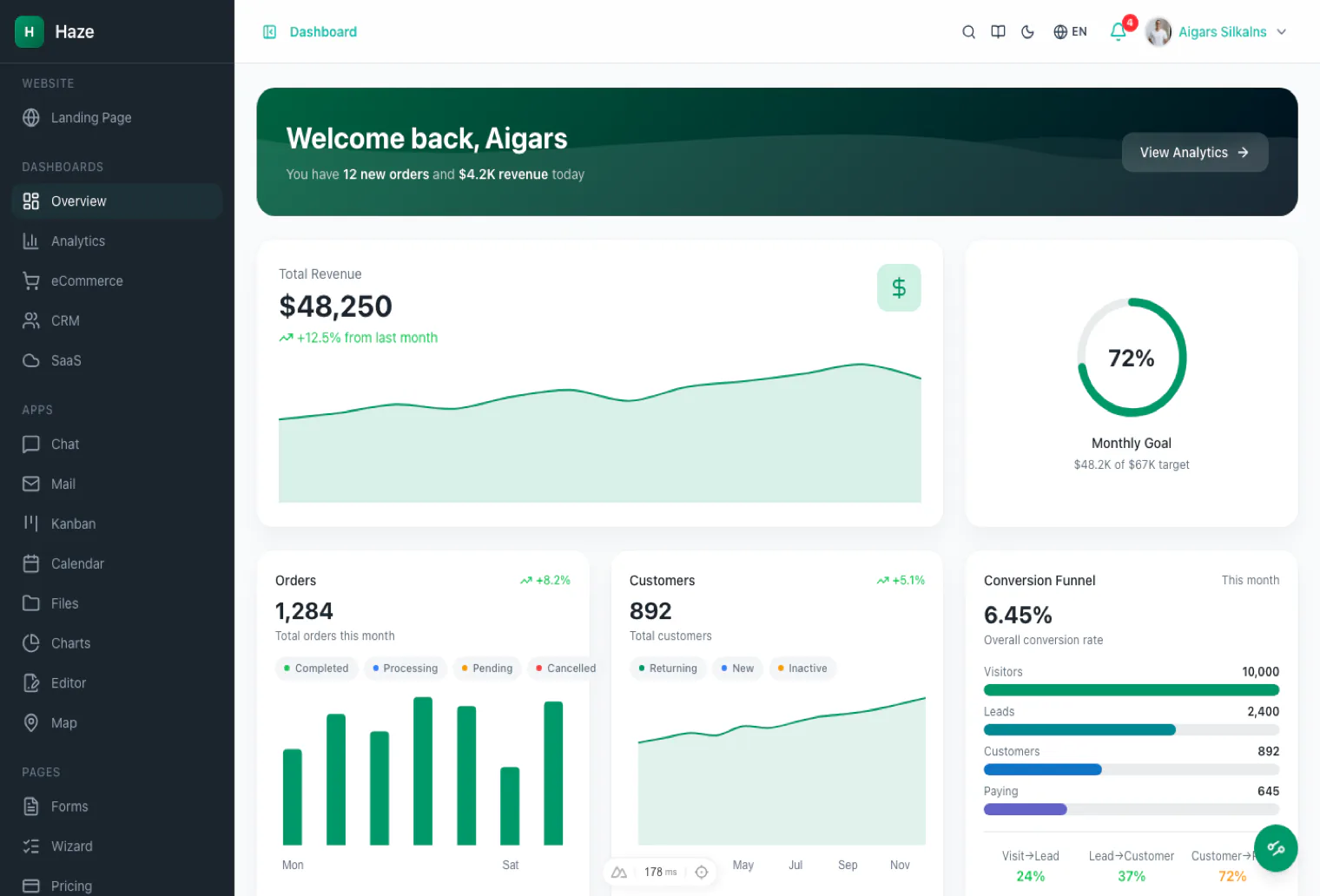
Haze Nuxt 4 + Nuxt UI v4 + Tailwind CSS v4. 92+ pages, 7 layouts, 5 dashboards, RTL, i18n, mock API layer. |
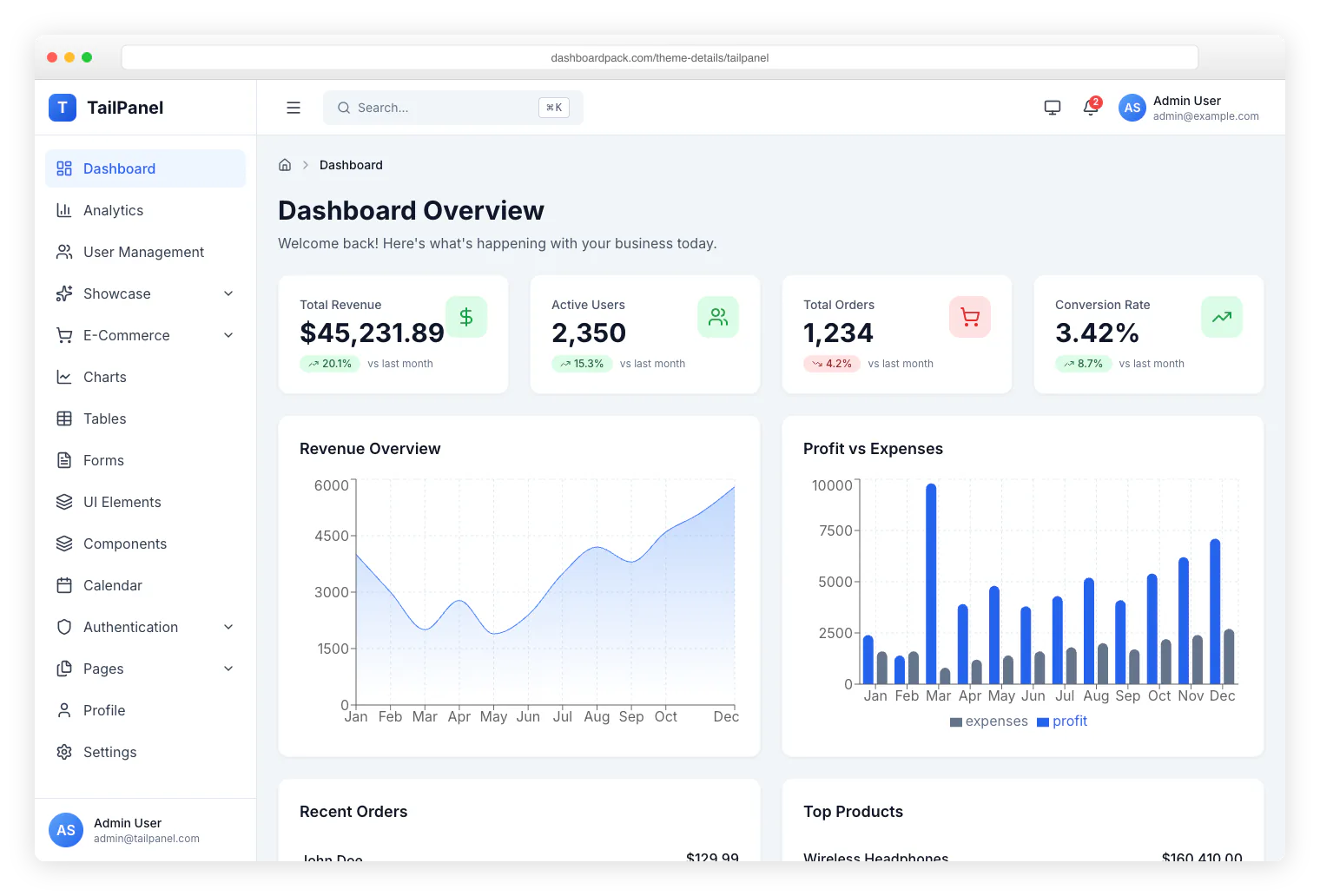
TailPanel React + TypeScript + Tailwind CSS + Vite. 9 dashboard designs, dark and light themes. |
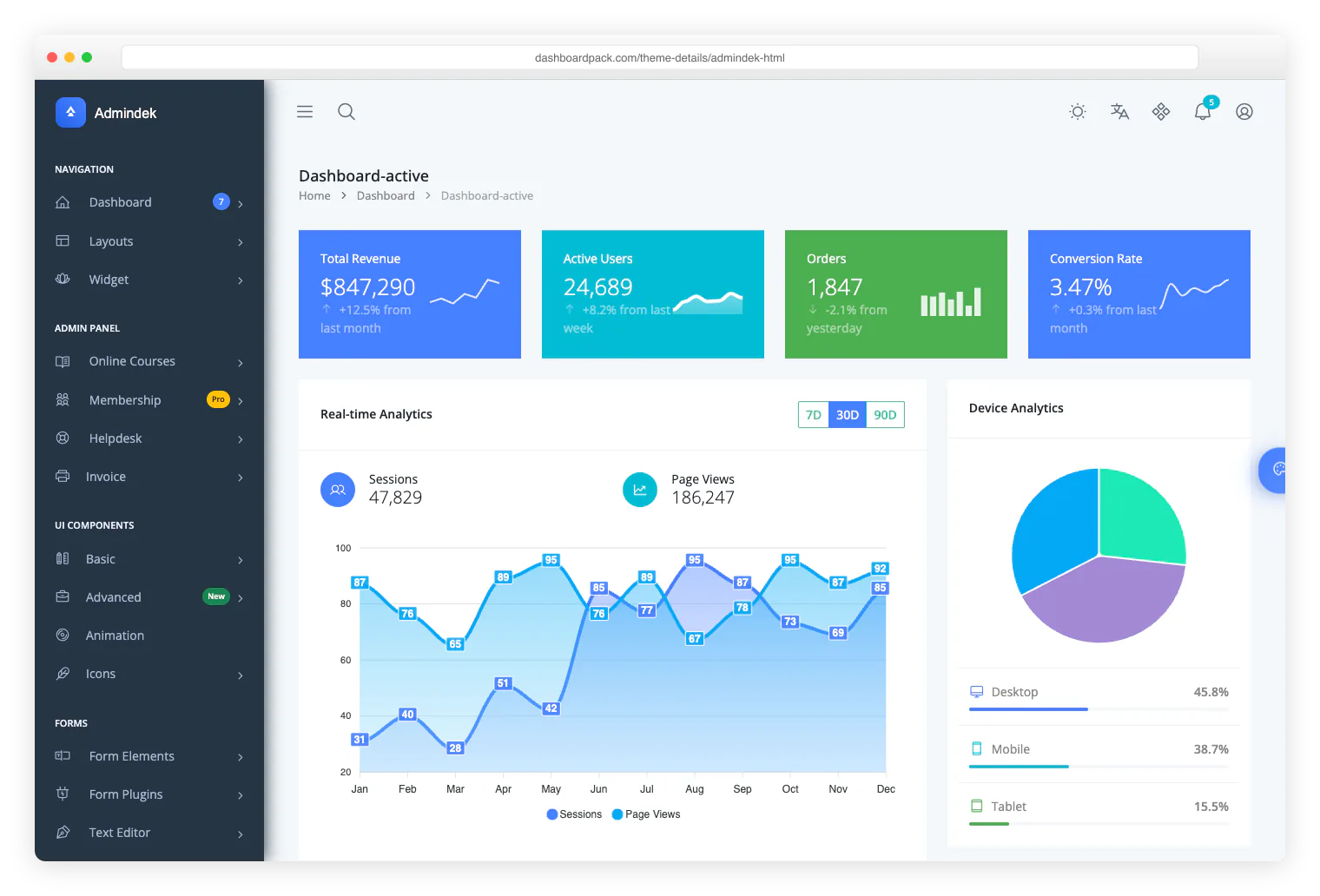
Admindek Bootstrap 5 + vanilla JS. 100+ components, dark/light modes, RTL support, 10 color presets. |
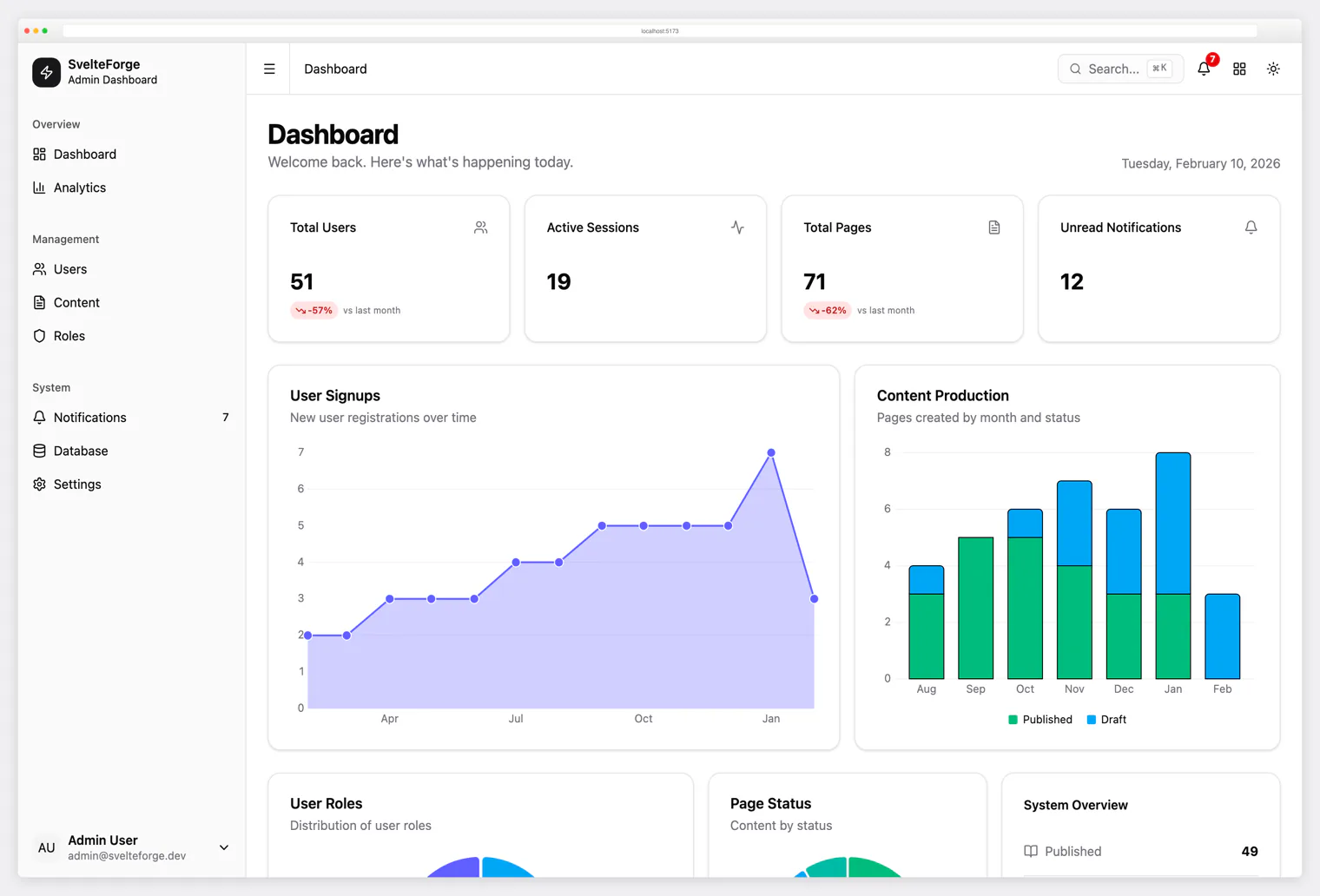
SvelteForge Premium SvelteKit + Tailwind CSS v4. 30+ wired-up modules, multi-tenant from row zero, dark/light/system mode. |
License
MIT © Colorlib
Resources
- Django AdminLTE 4 documentation
- AdminLTE
- Django documentation
- Bootstrap 5 documentation
- Bootstrap Icons
Support
For issues, feature requests, or questions:
1 maintainer

Release files for adminlte-django 0.2.0
For a detailed explanation of source distributions (sdists) and built distributions (wheels), please see the package formats documentation.
Source distribution (sdist)
| File | Size | Uploaded | |
|---|---|---|---|
| adminlte_django-0.2.0.tar.gz | 6.5 MB | Details |
Built distribution (wheel)
| File | Interpreter | ABI | Platform | Reset |
|---|---|---|---|---|
| adminlte_django-0.2.0-py3-none-any.whl | Python 3 | none | any | Details |
Total release size: 7.1 MB
Release files / adminlte_django-0.2.0.tar.gz
| Download URL | adminlte_django-0.2.0.tar.gz |
|---|---|
| Size | 6.5 MB |
| Tags | Source |
|
SHA-256 checksum How to use checksums |
b08904c91a7e8221adbfaf176c8cecd3599c53bf542dee50b6e04d6273db6ebd
|
|
BLAKE2b-256 checksum How to use checksums |
8b06055c282b5b16a22df8c75173711dbaf35654e4e1cd4c6e4b4555dfe5aa08
|
| Upload date | |
|
Uploaded using Trusted Publishing? What is trusted publishing? |
No |
| Uploaded via |
uv/0.11.7 {"installer":{"name":"uv","version":"0.11.7","subcommand":["publish"]},"python":null,"implementation":{"name":null,"version":null},"distro":{"name":"macOS","version":null,"id":null,"libc":null},"system":{"name":null,"release":null},"cpu":null,"openssl_version":null,"setuptools_version":null,"rustc_version":null,"ci":null}
|
Release files / adminlte_django-0.2.0-py3-none-any.whl
| Download URL | adminlte_django-0.2.0-py3-none-any.whl |
|---|---|
| Size | 591.2 kB |
| Tags | Python 3 |
|
SHA-256 checksum How to use checksums |
a4367641f37400aed347c032d92ed7874dd5f9a6d8c462d6a46f98ff6fb945bc
|
|
BLAKE2b-256 checksum How to use checksums |
086c64ad6ced5614a0bccdec8597ae949a87de7e98b23bc7152965dd1338e0f4
|
| Upload date | |
|
Uploaded using Trusted Publishing? What is trusted publishing? |
No |
| Uploaded via |
uv/0.11.7 {"installer":{"name":"uv","version":"0.11.7","subcommand":["publish"]},"python":null,"implementation":{"name":null,"version":null},"distro":{"name":"macOS","version":null,"id":null,"libc":null},"system":{"name":null,"release":null},"cpu":null,"openssl_version":null,"setuptools_version":null,"rustc_version":null,"ci":null}
|














