adsb-map
Live aircraft tracking, traffic history, and a REST API for your ADS-B receiver.


Connect to a dump1090, readsb, or compatible TCP feed to follow aircraft on an interactive map, inspect flight and reception details, and explore the last 24 hours of traffic. Built with pyModeS, FastAPI, React, and Mapbox GL, with aircraft state and position history stored locally in SQLite.
Quickstart · Features · History · Configuration · API · Development · Changelog
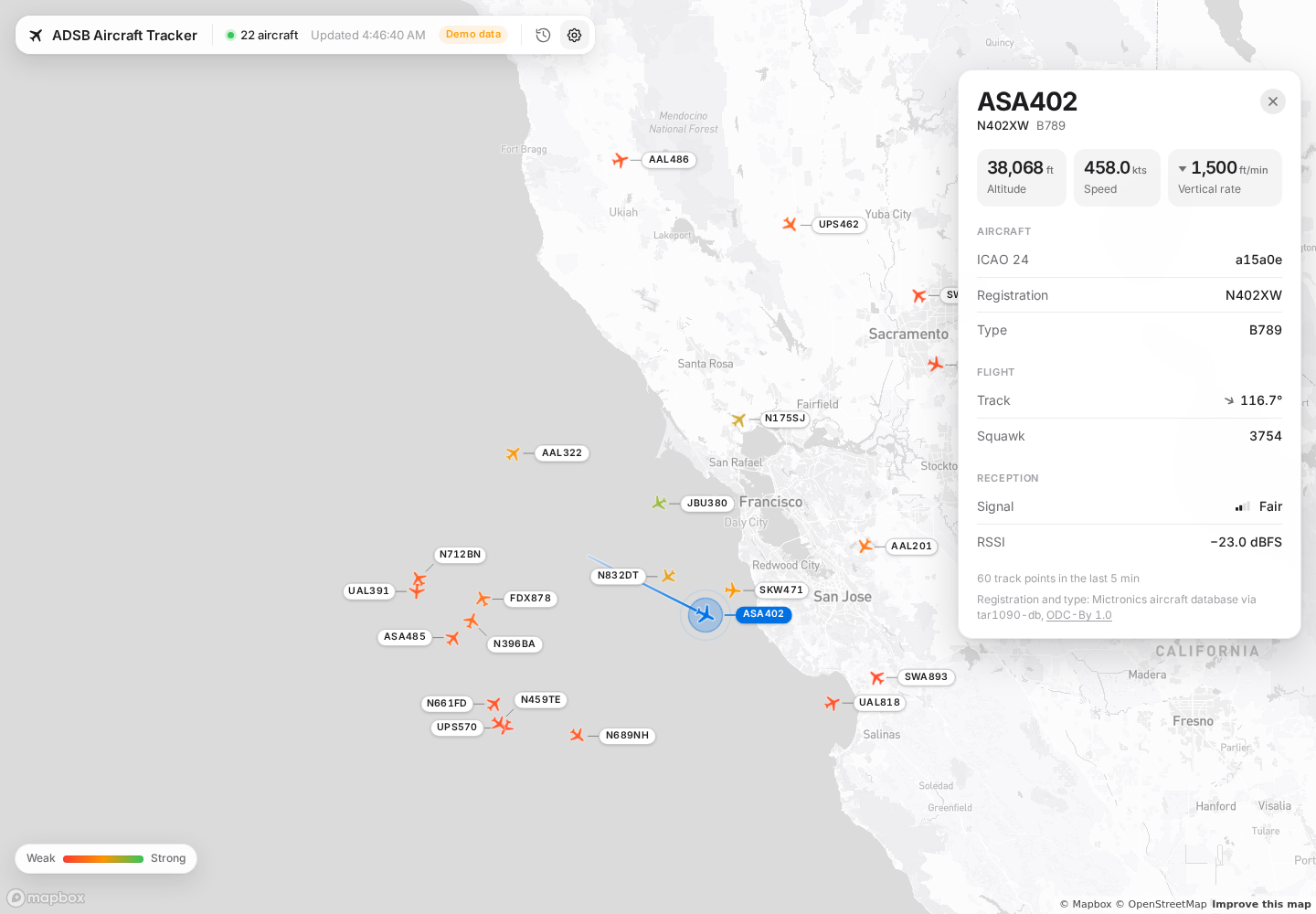
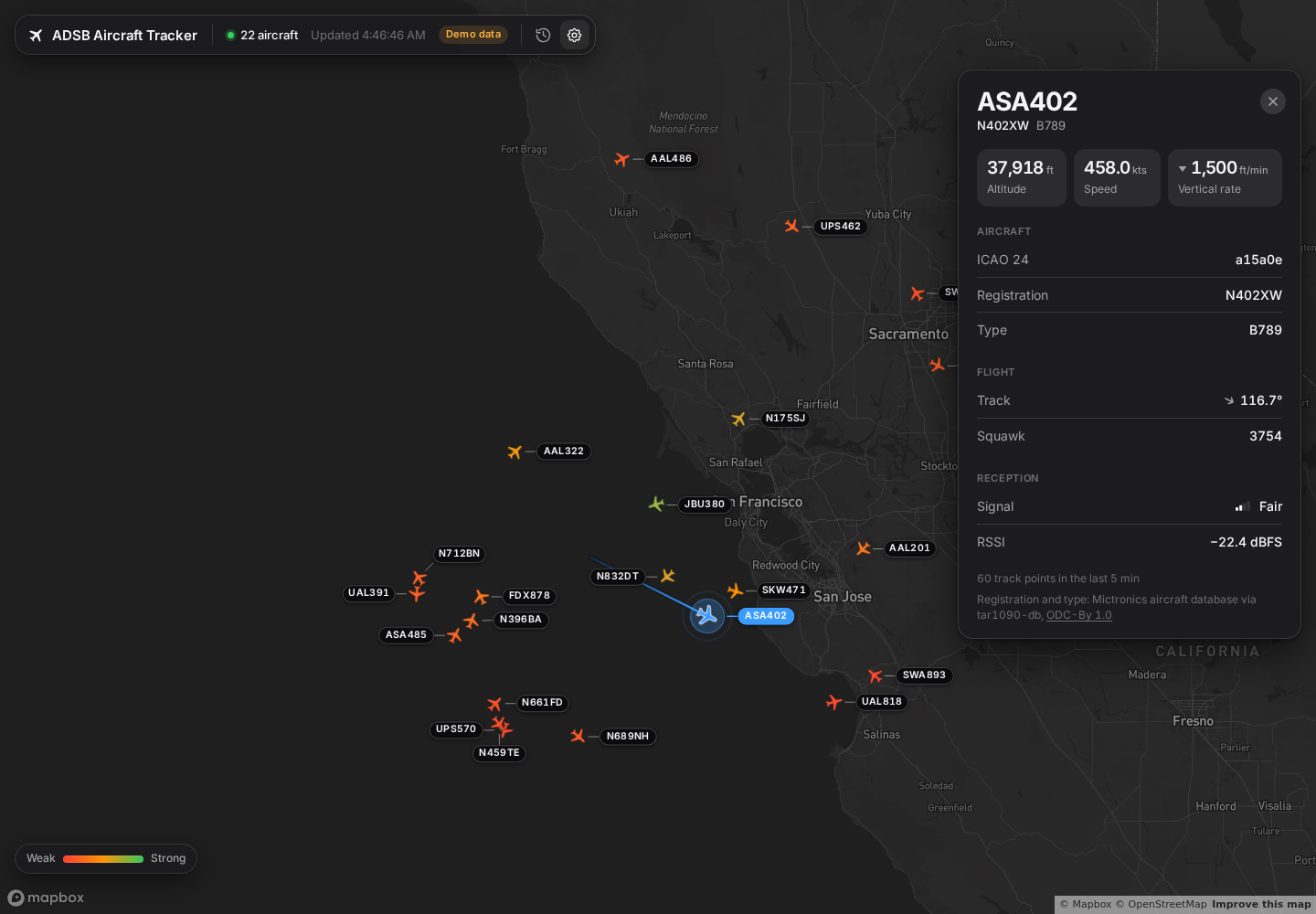
Map in light mode, using simulated traffic. View dark mode.
Features
- Live map and flight details. Callsign labels, individual and fleet-wide tracks, altitude, speed, vertical rate, squawk, registration, and aircraft type.
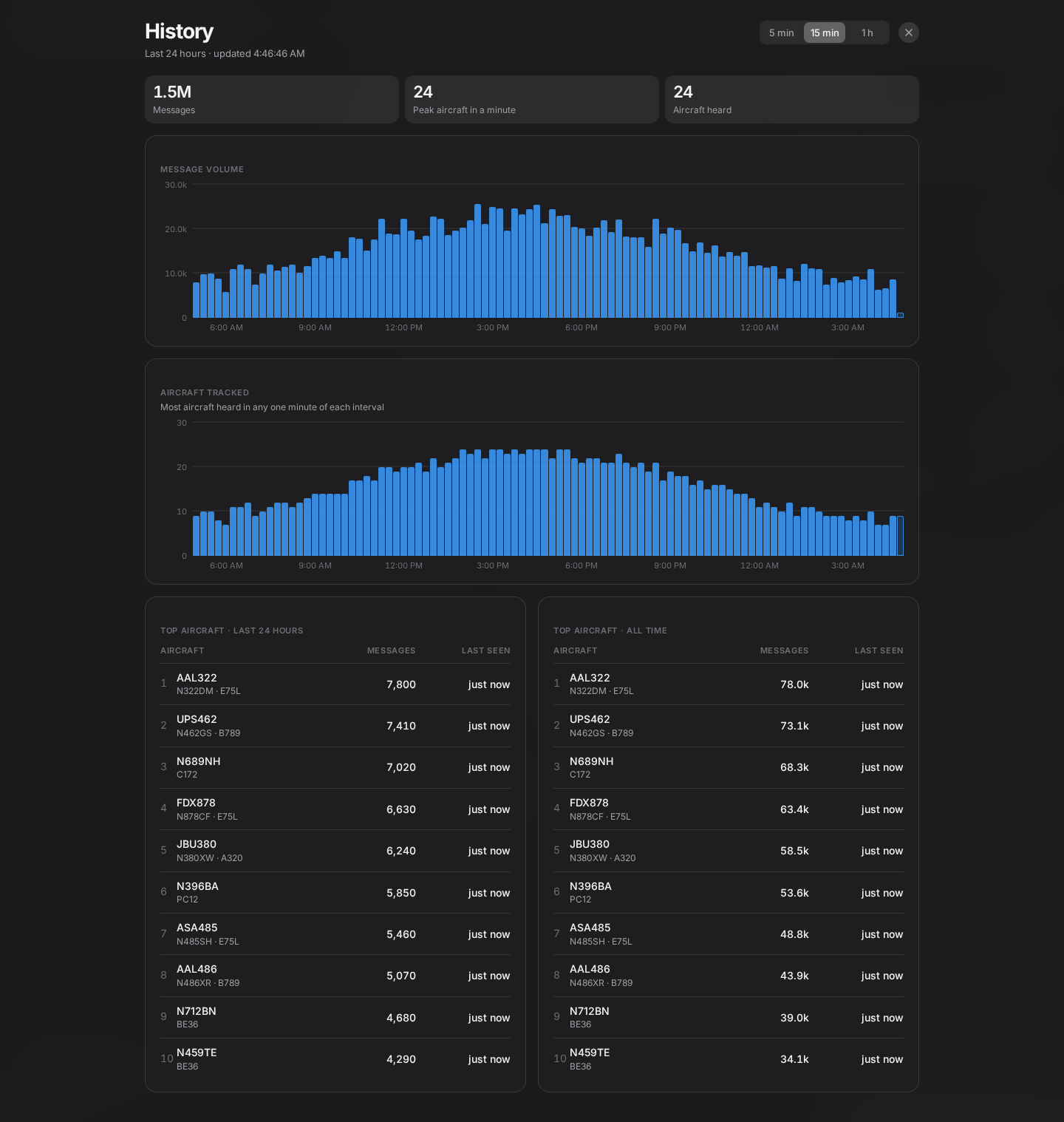
- 24-hour traffic history. Message-volume and aircraft-activity charts, with 5-minute, 15-minute, or hourly intervals and top-aircraft rankings.
- Reception visibility. Per-aircraft RSSI indicators and optional marker coloring by signal strength when using a Beast feed.
- Light and dark themes. Follow the system theme or choose one manually, with responsive controls for desktop and mobile.
- Persistent local data. Retain aircraft and positions for later queries and offline analysis; reception metadata and traffic aggregates use rolling retention.
- Flexible deployment. Run the decoder and map together, or keep the backend on the receiver and serve the frontend from another machine. Published wheels include the prebuilt UI.
- REST API. Read aircraft state, trajectories, receiver information, and traffic statistics from FastAPI endpoints modeled on the jet1090 API.
- Demo mode. Explore the map and history with simulated traffic, without a receiver or backend. A Mapbox token is still required for the base map.
Quickstart
Both options require Python 3.12+ and a public Mapbox token. Replace the feed host and receiver coordinates in the examples with your own.
Install from PyPI
The published release includes the prebuilt UI, so you only need Python.
pip install adsb-map
adsb download
export MAPBOX_TOKEN=pk.your_token_here
adsb start all --source net --connect localhost 30005 beast --lat 40.7 --lon -74.0
Open http://localhost:3000/. The backend listens on port 8000 and the map on
port 3000; start all runs both in one process, bound to 127.0.0.1 by default.
To try the UI without a receiver, run adsb start frontend --demo instead.
Upgrading from 0.2.0? adsb serve is gone; see the
changelog for the
other breaking changes.
Install from source
Building from source also requires
uv
and just.
just bootstrap installs Bun if needed; ensure it is on your PATH before building.
git clone https://github.com/jbencina/adsb-map.git
cd adsb-map
uv sync --locked
just bootstrap
just build

uv run adsb download
export MAPBOX_TOKEN=pk.your_token_here
uv run adsb start all --source net --connect localhost 30005 beast --lat 40.7 --lon -74.0
Open http://localhost:3000/ as above. To try the UI without a receiver, replace the final command with:
uv run adsb start frontend --demo
You can also set MAPBOX_TOKEN in a .env file in the directory where you launch
the frontend. It is a public browser token, served at runtime through /config.js;
you do not need to rebuild the UI when it changes.
The remaining examples use adsb directly. In a source checkout, prefix each
command with uv run, as above.
Using the map
Click an aircraft to view its flight details, reception signal, and stored track. The header count includes aircraft with a position that can be drawn on the map.
Open Settings to choose:
| Control | Behavior |
|---|---|
| Refresh interval | Receive updates every 1–60 seconds; default 1 second |
| Max age | Show aircraft heard within the last 1–60 minutes; default 5 minutes |
| Show callsigns | Toggle labels beside aircraft markers |
| Shade by signal | Color markers by reception strength |
| Show tracks | Display stored tracks for all visible aircraft |
| Theme | Auto, light, or dark |
Track lines on the map
Tracks use positions stored by the backend and follow the map's Max age window. Selecting an aircraft streams only its track. With Show tracks enabled, the stream carries every aircraft's track, including the selected highlight. Both modes receive new positions incrementally and hold the track stream only while tracks are displayed.
The marker heading and the detail card's Track angle come from the aircraft's reported ground track. They may differ slightly from the line joining its recorded positions. Heading changes animate through the shortest turn, including across north.
Traffic history
Open the clock button beside Settings to see the last 24 hours of traffic. The map continues updating underneath; press Escape or the close button to return.
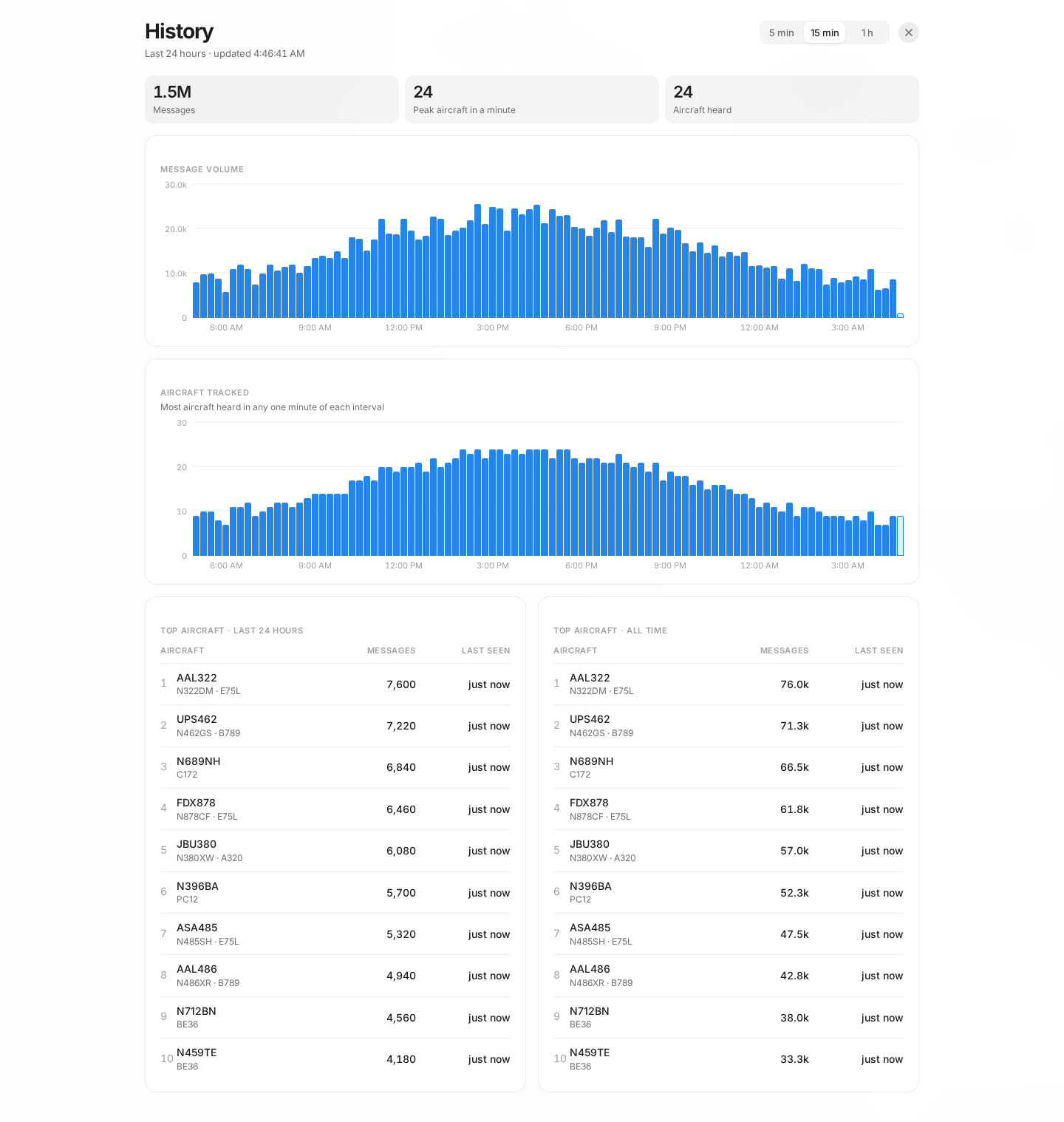
History in light mode, using simulated traffic. View dark mode.
- Summary: total messages, peak aircraft heard in one minute, and aircraft heard across the history window.
- Charts: message volume and peak aircraft per interval; choose 5 minutes, 15 minutes, or 1 hour. The aircraft chart shows the highest one-minute count in each interval, and the current interval is partial.
- Rankings: the top 10 aircraft by messages in the last 24 hours and by lifetime message count for aircraft retained in the database.
History refreshes at the start of each minute. Traffic aggregates are retained for seven days, independently of reception metadata. On upgrade, existing databases seed history from whatever reception metadata is still available; older, deleted metadata cannot be reconstructed. Window rankings and the aircraft-heard total use hourly aggregates, so their starting boundary rounds down to the hour.
Configuration
Configure services with CLI arguments and the frontend token with MAPBOX_TOKEN.
Run adsb start all --help, adsb start backend --help, or
adsb start frontend --help for the complete option list.
Backend and combined service
These options apply to both start backend and start all, except where noted.
| Setting | Default | Option |
|---|---|---|
| Bind address | Backend: 0.0.0.0; all: 127.0.0.1 |
--host HOST |
| Backend port | 8000 |
Backend: --port PORT; all: --backend-port PORT |
| Frontend port | 3000 |
All: --frontend-port PORT |
| SQLite database | ./adsb.db |
--db-path PATH |
| Receiver coordinates | Unset | --lat LAT --lon LON |
| Aircraft database | Per-user data directory | --aircraft-db PATH |
| Default API age window | 60 seconds |
--stale-timeout SECONDS |
| Reception metadata retention | 3600 seconds |
--metadata-retention SECONDS; 0 retains all metadata |
| Feed status interval | 10 seconds |
--stats-interval SECONDS; 0 disables |
| HTTP access logging | Off | --access-log |
Supply receiver coordinates to support reference-based CPR position decoding.
--stale-timeout sets the default API window and determines when a returning aircraft
is treated as a new contact. The map sends its own age window; neither setting deletes
aircraft or position history.
adsb download stores the enrichment database in a per-user directory, such as
~/.local/share/adsb-map/aircraft.csv on Linux. It skips an existing download unless
you pass --force. If you choose a custom --aircraft-db, use the same path for
download and the backend. The option is also available on decode.
The backend prints periodic feed status, including message rate, position updates, aircraft counts, and time since the last message. It flags a feed with no messages for more than 30 seconds as potentially stalled.
Standalone frontend
| Setting | Default | Option |
|---|---|---|
| Backend URL | http://127.0.0.1:8000 |
--api-url URL |
| Bind address | 127.0.0.1 |
--host HOST |
| Port | 3000 |
--port PORT |
| Mapbox token | Required for the map | MAPBOX_TOKEN in the environment or .env |
| Demo mode | Off | --demo |
Running on separate machines
Run the backend on the receiver host and the frontend on any machine that can reach its API port:
# Receiver host
adsb start backend --source net --connect localhost 30005 beast --lat 40.7 --lon -74.0

# Laptop, with MAPBOX_TOKEN configured
adsb start frontend --api-url http://receiver.local:8000
The frontend proxies /api/* to the backend, keeping browser requests on the same
origin without CORS configuration. Add --host 0.0.0.0 to the frontend command to
share the map on your LAN.
To run both services on one host while reading a remote feed:
adsb start all --source net --connect receiver.local 30005 beast --lat 40.7 --lon -74.0
start all --host 0.0.0.0 exposes both services on the LAN. Its internal proxy uses
loopback for wildcard binds and the supplied address for a specific bind.
Network data sources
The decoder reads Mode-S and ADS-B messages from existing receivers over TCP and supports DF4/5/17/18/20/21 messages with CPR position decoding.
| Source | Beast port | Raw hex port |
|---|---|---|
| dump1090 / readsb (typical defaults) | 30005 |
30002 |
| modesdeco2 or another compatible feed | Use the configured port | Use the configured port |
adsb start backend --source net --connect HOST PORT beast --lat LAT --lon LON
# Replace beast with raw for a raw hex feed.
RSSI is available only from Beast feeds, in dBFS. Raw hex feeds carry no signal level;
the API returns null for RSSI and the map displays “No data.”
API endpoints
The backend provides JSON endpoints under /api/. The frontend proxies those paths;
interactive OpenAPI documentation is available directly on the backend at
http://localhost:8000/docs.
| Endpoint | Returns |
|---|---|
GET /api/all?max_age={seconds} |
State vectors for aircraft heard within the age window |
GET /api/icao24?max_age={seconds} |
ICAO24 addresses heard within the age window |
GET /api/track?icao24={icao24}&since={timestamp} |
One aircraft's stored positions; omit since for its full retained track |
GET /api/tracks?max_age={seconds}&since={timestamp} |
Stored positions in the time window, keyed by ICAO24; since overrides max_age |
GET /api/sensors |
Receiver serials present in retained reception metadata |
GET /api/stats?window={seconds}&interval={seconds}&limit={n} |
Traffic chart buckets, aircraft-heard count, and window/lifetime rankings |
GET /api/stream/aircraft?max_age={seconds}&interval={seconds} |
Server-sent events: the /api/all list for the window, resent every interval seconds |
GET /api/stream/tracks?scope=all|{icao24}&max_age={seconds}&interval={seconds} |
Server-sent events: the /api/tracks window first, then only new positions; reconnects resume via Last-Event-ID |
GET /api |
API discovery and aircraft database attribution |
The map subscribes to the two /api/stream/* feeds rather than polling, so each open
tab holds one connection per feed and receives an update event per interval. The
stream works from any device that can reach the UI server, the same as the REST
endpoints. Anything in front of the UI server (nginx, a tunnel) must pass
text/event-stream responses through unbuffered.
max_age defaults to the backend's --stale-timeout (60 seconds). since is a Unix
timestamp in seconds. /api/stats defaults to a 24-hour window, 15-minute intervals,
and 10 aircraft per ranking. It accepts windows from 60 seconds to seven days,
intervals from 60 seconds to one day, and limits from 1 to 100; the interval must
divide the window evenly.
On the backend, / also returns API discovery. On the frontend, / serves the map
and /config.js supplies its runtime configuration. You can use the backend on its
own to build another client or analyze your receiver's data.
Storage and retention
| Data | Retention |
|---|---|
Aircraft state and lifetime message counts (aircraft) |
Retained until manual cleanup |
Position history (aircraft_positions) |
Retained until manual cleanup |
Reception metadata (aircraft_metadata) |
Rolling hour by default; configurable with --metadata-retention |
Per-minute traffic (traffic_minutes) |
Rolling seven days |
Per-aircraft hourly counts (aircraft_hourly) |
Rolling seven days |
The network client periodically trims metadata and traffic aggregates. Aircraft and positions are retained automatically, so the database can grow over time. Use the API or SQLite to query beyond the map's one-hour maximum age window.
adsb cleanup --stale-timeout SECONDS explicitly deletes aircraft older than the
chosen cutoff and their associated positions and reception metadata. Use
adsb db-size to inspect database size and row counts. SQLite uses WAL mode;
adsb.db-wal and adsb.db-shm alongside the database are expected while it is running.
CLI
| Command | Purpose |
|---|---|
adsb start all |
Run the backend and bundled map together |
adsb start backend |
Run the decoder and REST API |
adsb start frontend |
Serve the bundled map, proxy to a backend, or run with --demo |
adsb download |
Download the aircraft enrichment database; --force refreshes it |
adsb init-db |
Create SQLite tables |
adsb decode HEX |
Decode and store one message |
adsb cleanup |
Manually delete stale aircraft and associated data; default cutoff 60 seconds |
adsb db-size |
Show database file size and row counts |
Pass --help to any command for options and examples.
Develop from source
After the source setup in Quickstart, use Vite for hot reload:
just dev --source net --connect localhost 30005 beast --lat 40.7 --lon -74.0

# Or run only the UI with simulated traffic:
cd frontend
bun run dev:demo
For a remote backend, use ADSB_API_URL=http://receiver.local:8000 bun run dev from
frontend/. Vite reads MAPBOX_TOKEN from the repo-root .env and proxies API requests.
The development guide covers toolchain setup, individual services, tests, formatting, package validation, architecture, and the release workflow.
Aircraft database attribution
The registration, type code and type description fields come from the
Mictronics aircraft database, published
under the Open Data Commons Attribution License (ODC-By) v1.0.
adsb download fetches it from wiedehopf/tar1090-db,
which repackages the Mictronics export (with a few community merges) as one gzipped CSV.
tar1090-db is treated as a distribution mirror only: the data and its licence are
Mictronics', and the credit stays with them.
ODC-By asks that the attribution travel with the data, so it is surfaced wherever the
enriched fields appear: the map's detail card, the /api discovery document
(aircraft_db), the end of adsb download, and adsb download --help. If you build
something on top of /api/all and show the registration or type fields, carry the notice
through:
Aircraft registration and type data: Mictronics aircraft database (https://www.mictronics.de/aircraft-database/), Open Data Commons Attribution License v1.0, distributed via wiedehopf/tar1090-db.
See the aircraft database documentation for the file format and attribution details.
License
GNU General Public License v3.0 or later (GPL-3.0-or-later). See LICENSE. The aircraft database is a separate work under ODC-By; see above.
1 maintainer

Release files for adsb-map 1.0.0
For a detailed explanation of source distributions (sdists) and built distributions (wheels), please see the package formats documentation.
Source distribution (sdist)
| File | Size | Uploaded | |
|---|---|---|---|
| adsb_map-1.0.0.tar.gz | 845.5 kB | Details |
Built distribution (wheel)
| File | Interpreter | ABI | Platform | Reset |
|---|---|---|---|---|
| adsb_map-1.0.0-py3-none-any.whl | Python 3 | none | any | Details |
Total release size: 1.5 MB
Release files / adsb_map-1.0.0.tar.gz
| Download URL | adsb_map-1.0.0.tar.gz |
|---|---|
| Size | 845.5 kB |
| Tags | Source |
|
SHA-256 checksum How to use checksums |
7bbffef9611bf06eaa4f489447245a644c5ec4bc0ca90be8f4900bd35957590b
|
|
BLAKE2b-256 checksum How to use checksums |
8780ee507f58aaa771341bc2f95463b24b3786a67127dfec6729cb10d9a72673
|
| Upload date | |
|
Uploaded using Trusted Publishing? What is trusted publishing? |
Yes |
| Uploaded via |
uv/0.12.10 {"installer":{"name":"uv","version":"0.12.10","subcommand":["publish"]},"python":null,"implementation":{"name":null,"version":null},"distro":{"name":"Ubuntu","version":"24.04","id":"noble","libc":null},"system":{"name":null,"release":null},"cpu":null,"openssl_version":null,"setuptools_version":null,"rustc_version":null,"ci":true}
|
Release files / adsb_map-1.0.0-py3-none-any.whl
| Download URL | adsb_map-1.0.0-py3-none-any.whl |
|---|---|
| Size | 625.2 kB |
| Tags | Python 3 |
|
SHA-256 checksum How to use checksums |
5a052cf30a5c19559ab4e4fd299e477f8abad6dc2f8736ac6163ba8c14ec500e
|
|
BLAKE2b-256 checksum How to use checksums |
4b6d601879ab364a97d9d8d60da408d2b1f51cb5e6f4cb389bbb8be6969d10a1
|
| Upload date | |
|
Uploaded using Trusted Publishing? What is trusted publishing? |
Yes |
| Uploaded via |
uv/0.12.10 {"installer":{"name":"uv","version":"0.12.10","subcommand":["publish"]},"python":null,"implementation":{"name":null,"version":null},"distro":{"name":"Ubuntu","version":"24.04","id":"noble","libc":null},"system":{"name":null,"release":null},"cpu":null,"openssl_version":null,"setuptools_version":null,"rustc_version":null,"ci":true}
|