

AgentChat
AgentChat empowers developers to create AI assistants, providing the capability to build sophisticated multi-agent systems. Its features include:
-
Boost Autonomy
AgentChat differ from those in systems like AutoGen. With built-in tools, they operate independently, eliminating the need to rely on other agents for information. This allows them to iterate on a task before delivering results or involving another agent, reducing unnecessary interactions and agents.
-
Tool Integration
Unlike LangChain or AutoGen, which require following serval rules to register functions or tools, AgentChat allows you to simply write a function and add a comment. The agent will automatically use the tool to solve tasks. As shown in the example below, check out sample/agent_tool.py for a quick start.
Agent(
  model_client,
  "Assistant AI", "You are an assistant to solve tasks",
  tools=[wikipedia],
).run()
-
Governed Actions
Actions performed by the AgentChat are regulated by developers with three permission levels:
auto: Requests permission only for actions that modify the system or environment[PromptAgent]always: Requests permission for every action.none: Never requests permission.
-
Multi-Agent System
Transitioning the chat-agent into a multi-agent system a straightforward process. The handoff workflow for orchestrating agents draws inspiration from the post Routines and Handoffs, which details the functionality of the Swarm project. We strive to achieve a harmonious balance, enabling you to create a single agent for specific tasks while effortlessly evolving towards a sophisticated multi-agent framework.
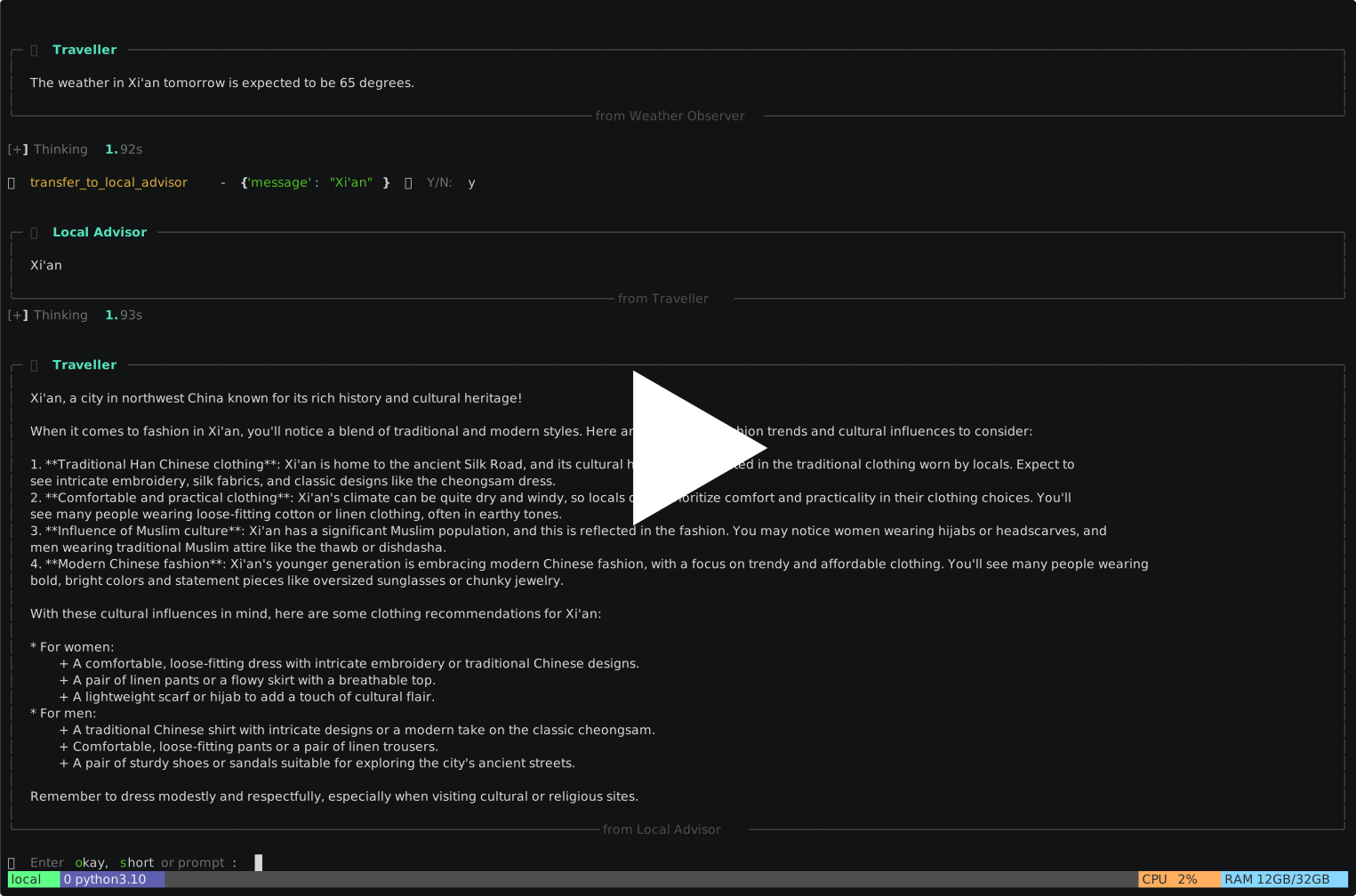
This demo provides advice on what to wear when traveling to a city
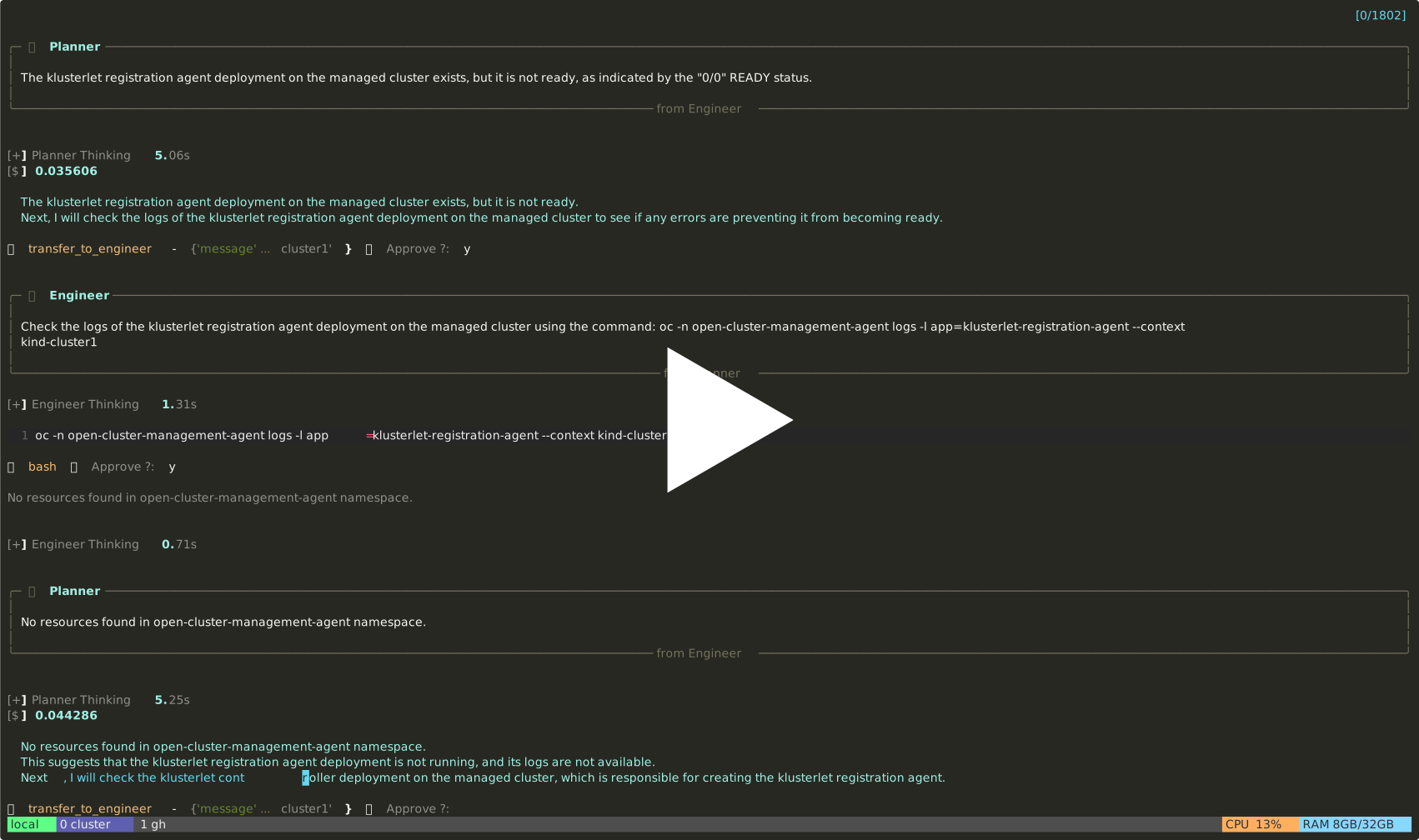
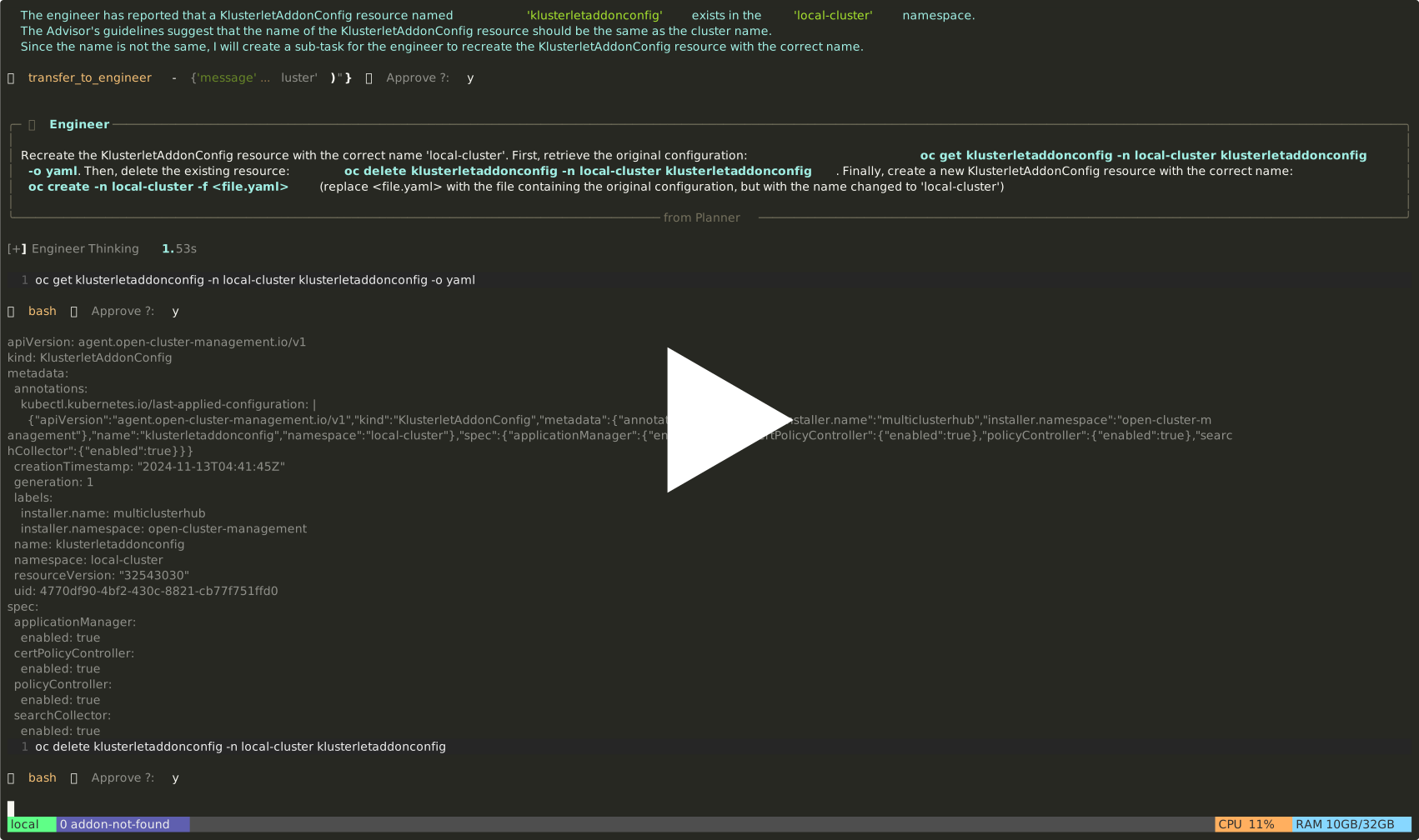
This demo uses multi-agent troubleshooting for issues in RedHat ACM
Cluster Unknown
Addons Aren't Created
-
Memory [PROCESSING]
Memory capabilities enhance accuracy and optimize thought processes by transitioning from stateless to stateful operations. Unlike Retrieval-Augmented Generation (RAG), which builds knowledge from external sources, our approach is based on the agent's own experiences.
Zen-Agent provides an interface called
ChatMemorythat allows you to customize memory for your assistant. We offer two default memory implementations:-
ChatBufferMemoryA short-term memory solution designed to retrieve the most recent message along with the current session context. -
ChatVectorMemoryA long-term memory implementation based on LlamaIndex vector memory.
MemGPT: Towards LLMs as Operating Systems CLIN: A CONTINUALLY LEARNING LANGUAGE AGENT FOR RAPID TASK ADAPTATION AND GENERALIZATION
ChatPgMemory...
-
-
RAG Support
We also provide a retrieval agent capable of integrating local resources or knowledge into the multi-agent system. The default implementation is based on LlamaIndex's ChatEngine.
-
Typed Prompt and Auto Optimizer
-
UI Support
1 maintainer

Metadata
1 maintainer
Release files for agent-chat 0.1.1
For a detailed explanation of source distributions (sdists) and built distributions (wheels), please see the package formats documentation.
Source distribution (sdist)
| File | Size | Uploaded | Provenance | |
|---|---|---|---|---|
| agent_chat-0.1.1.tar.gz | 35.0 kB | Without provenance | Details |
Built distribution (wheel)
| File | Interpreter | ABI | Platform | Reset |
|---|---|---|---|---|
| agent_chat-0.1.1-py3-none-any.whl | Python 3 | none | any | Details |
Total release size: 80.5 kB
Release files / agent_chat-0.1.1.tar.gz
| Download URL | agent_chat-0.1.1.tar.gz |
|---|---|
| Size | 35.0 kB |
| Tags | Source |
|
SHA-256 checksum How to use checksums |
6bdaae689c5e1cb9d6741c771d8386f3c4386d36a9cf7d44d72aaecf63d51d96
|
|
BLAKE2b-256 checksum How to use checksums |
ded7117c2ac2ac11850d5e714153265979928c74c827db19c95df3d0099f6d49
|
| Upload date | |
|
Uploaded using Trusted Publishing? What is trusted publishing? |
No |
| Uploaded via |
twine/5.1.1 CPython/3.10.15
|
Release files / agent_chat-0.1.1-py3-none-any.whl
| Download URL | agent_chat-0.1.1-py3-none-any.whl |
|---|---|
| Size | 45.5 kB |
| Tags | Python 3 |
|
SHA-256 checksum How to use checksums |
96fb934ceb900633118db1d762b948f230d41de8b650571eacd1ba07d16a7b86
|
|
BLAKE2b-256 checksum How to use checksums |
f900923d79f48a4582d1186d6bf9bcb73d7be432affa5801b078f1e497a64240
|
| Upload date | |
|
Uploaded using Trusted Publishing? What is trusted publishing? |
No |
| Uploaded via |
twine/5.1.1 CPython/3.10.15
|
Security for agent-chat 0.1.1
Provenance
Provenance describes where a file came from. On PyPI, provenance is shared via attestations, which provide a verifiable record of the build or publishing details. View details, limitations and caveats.
No provenance found
None of the files in this release were uploaded with provenance metadata.
A note on package security
PyPI is a repository for distributing packages, not a service for auditing them. While third-party security researchers and our staff do their best to detect and remove malicious packages, PyPI cannot guarantee the quality, security or suitability of any given package.
To learn more about protecting yourself from malicious actors, visit our package security documentation.














