
AgentChat facilitates the creation of AI assistant and the development of advanced multi-agent system.

Project description

AgentChat
AgentChat empowers developers to create AI assistants, providing the capability to build sophisticated multi-agent systems. Its features include:
-
Boost Autonomy
AgentChat differ from those in systems like AutoGen. With built-in tools, they operate independently, eliminating the need to rely on other agents for information. This allows them to iterate on a task before delivering results or involving another agent, reducing unnecessary interactions and agents.
-
Tool Integration
Unlike LangChain or AutoGen, which require following serval rules to register functions or tools, AgentChat allows you to simply write a function and add a comment. The agent will automatically use the tool to solve tasks. As shown in the example below, check out sample/agent_tool.py for a quick start.
Agent(
  model_client,
  "Assistant AI", "You are an assistant to solve tasks",
  tools=[wikipedia],
).run()
-
Governed Actions
Actions performed by the AgentChat are regulated by developers with three permission levels:
auto: Requests permission only for actions that modify the system or environment[PromptAgent]always: Requests permission for every action.none: Never requests permission.
-
Multi-Agent System
Transitioning the chat-agent into a multi-agent system a straightforward process. The handoff workflow for orchestrating agents draws inspiration from the post Routines and Handoffs, which details the functionality of the Swarm project. We strive to achieve a harmonious balance, enabling you to create a single agent for specific tasks while effortlessly evolving towards a sophisticated multi-agent framework.
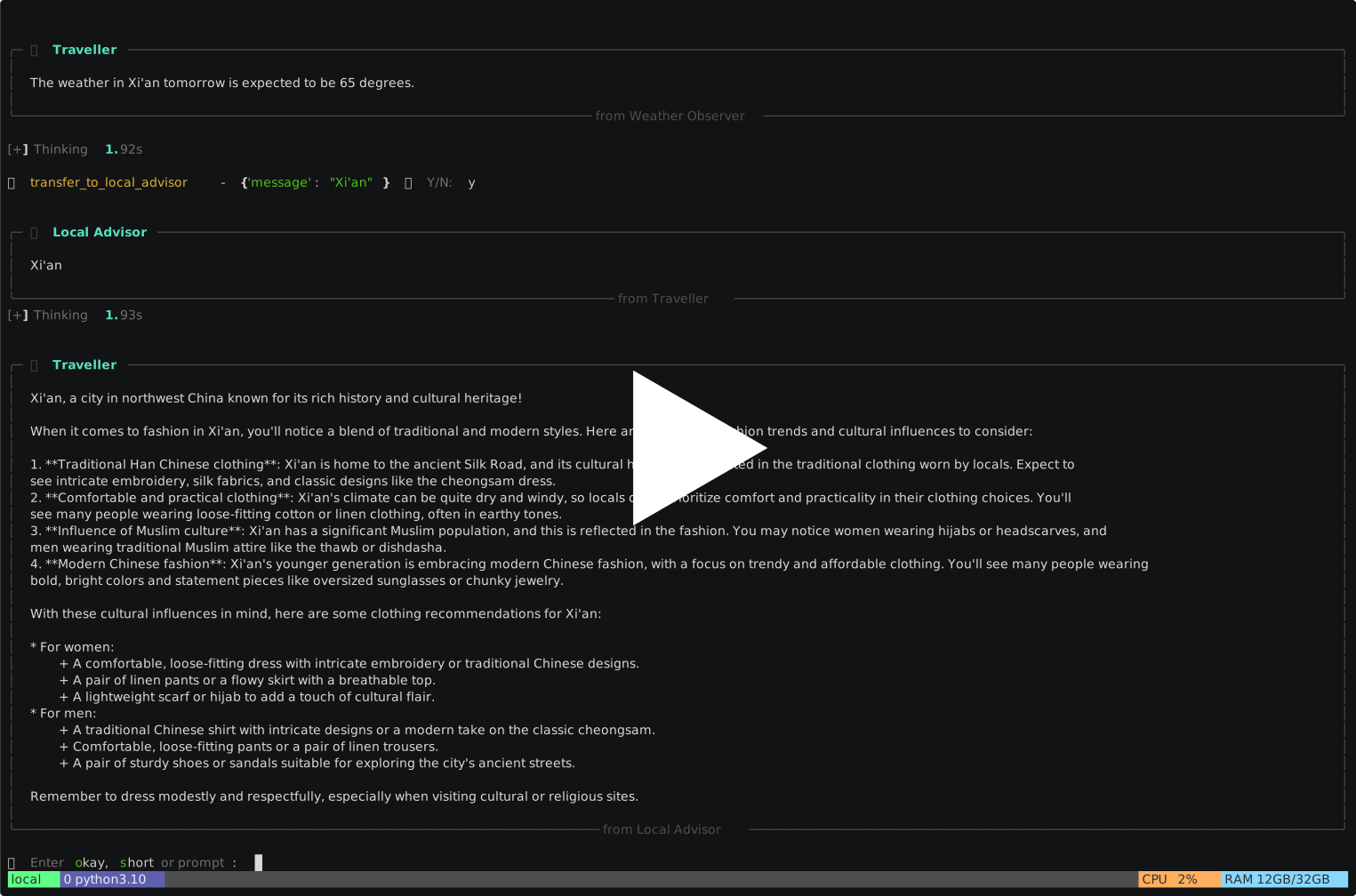
This demo provides advice on what to wear when traveling to a city
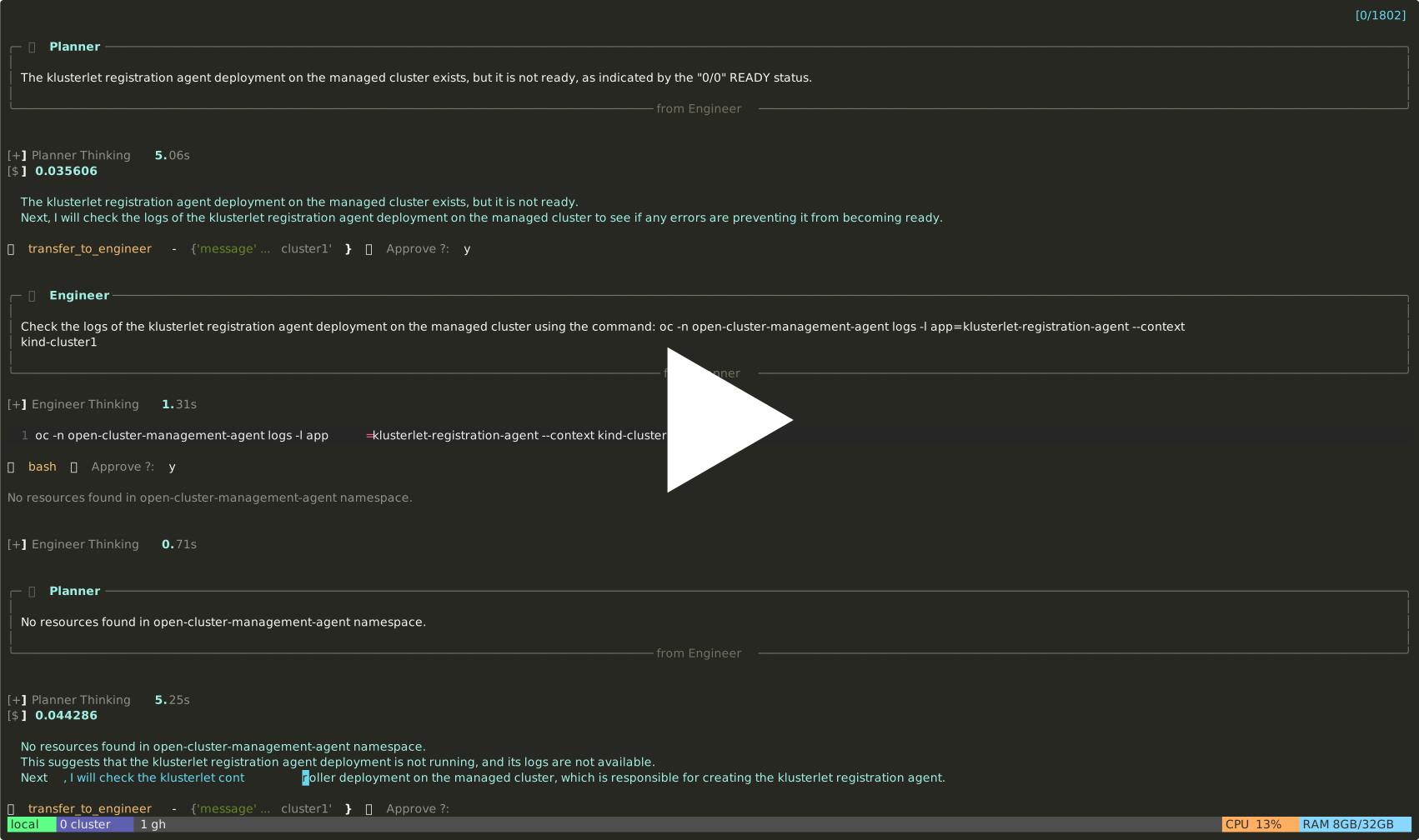
This demo uses multi-agent troubleshooting for issues in RedHat ACM
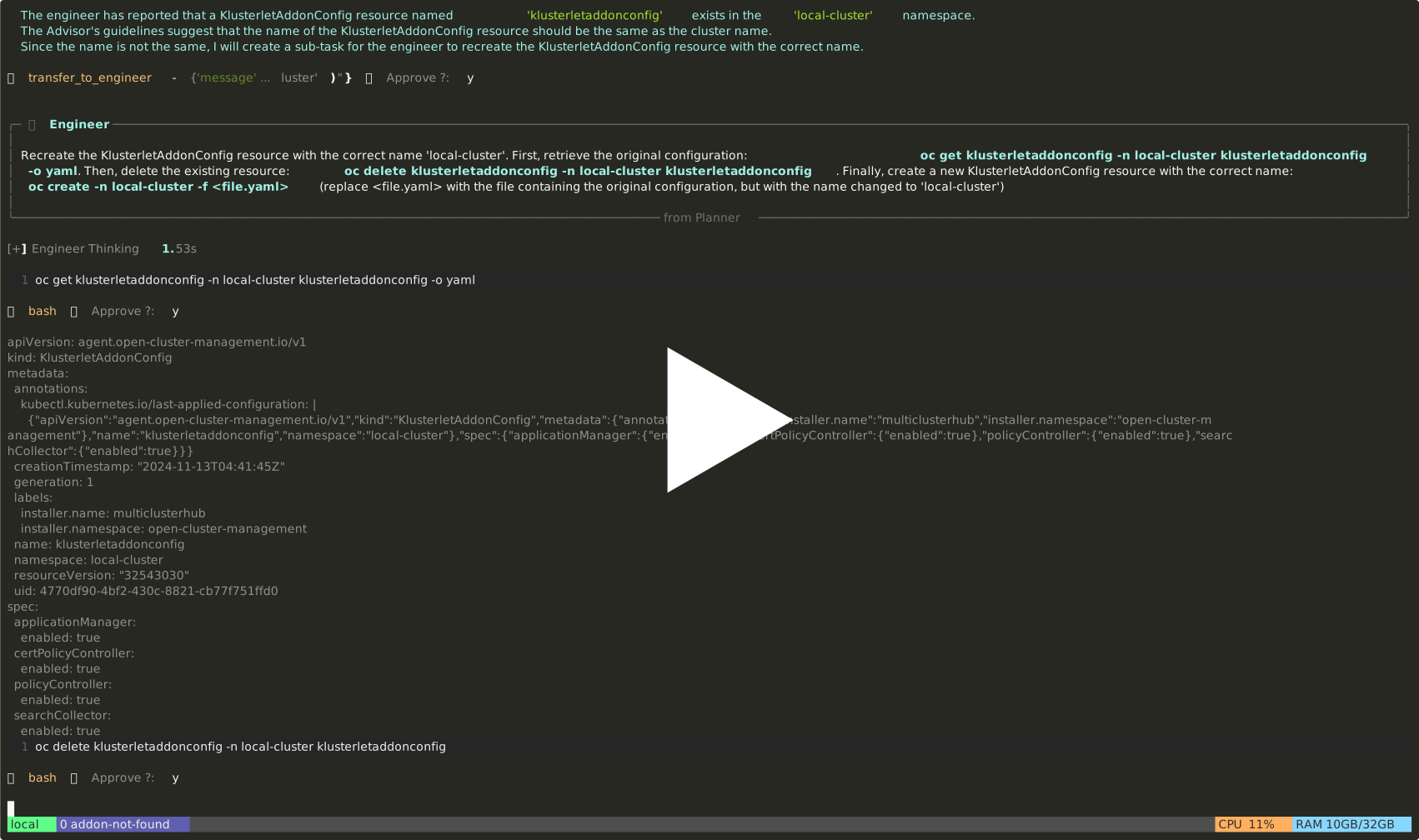
Cluster Unknown
Addons Aren't Created
-
Memory [PROCESSING]
Memory capabilities enhance accuracy and optimize thought processes by transitioning from stateless to stateful operations. Unlike Retrieval-Augmented Generation (RAG), which builds knowledge from external sources, our approach is based on the agent's own experiences.
Zen-Agent provides an interface called
ChatMemorythat allows you to customize memory for your assistant. We offer two default memory implementations:-
ChatBufferMemoryA short-term memory solution designed to retrieve the most recent message along with the current session context. -
ChatVectorMemoryA long-term memory implementation based on LlamaIndex vector memory.
MemGPT: Towards LLMs as Operating Systems CLIN: A CONTINUALLY LEARNING LANGUAGE AGENT FOR RAPID TASK ADAPTATION AND GENERALIZATION
ChatPgMemory...
-
-
RAG Support
We also provide a retrieval agent capable of integrating local resources or knowledge into the multi-agent system. The default implementation is based on LlamaIndex's ChatEngine.
-
Typed Prompt and Auto Optimizer
-
UI Support
Release history Release notifications | RSS feed


Download files
Download the file for your platform. If you're not sure which to choose, learn more about installing packages.
Source Distribution
Built Distribution
Filter files by name, interpreter, ABI, and platform.
If you're not sure about the file name format, learn more about wheel file names.
Copy a direct link to the current filters
File details
Details for the file agent_chat-0.1.1.tar.gz.
File metadata
- Download URL: agent_chat-0.1.1.tar.gz
- Upload date:
- Size: 35.0 kB
- Tags: Source
- Uploaded using Trusted Publishing? No
- Uploaded via: twine/5.1.1 CPython/3.10.15
File hashes
| Algorithm | Hash digest | |
|---|---|---|
| SHA256 |
6bdaae689c5e1cb9d6741c771d8386f3c4386d36a9cf7d44d72aaecf63d51d96
|
|
| MD5 |
706a8e1785979a88260e72a7cc29a718
|
|
| BLAKE2b-256 |
ded7117c2ac2ac11850d5e714153265979928c74c827db19c95df3d0099f6d49
|
File details
Details for the file agent_chat-0.1.1-py3-none-any.whl.
File metadata
- Download URL: agent_chat-0.1.1-py3-none-any.whl
- Upload date:
- Size: 45.5 kB
- Tags: Python 3
- Uploaded using Trusted Publishing? No
- Uploaded via: twine/5.1.1 CPython/3.10.15
File hashes
| Algorithm | Hash digest | |
|---|---|---|
| SHA256 |
96fb934ceb900633118db1d762b948f230d41de8b650571eacd1ba07d16a7b86
|
|
| MD5 |
e80de3f55f2738b93e0b16715c9e772b
|
|
| BLAKE2b-256 |
f900923d79f48a4582d1186d6bf9bcb73d7be432affa5801b078f1e497a64240
|






