
 Agent Eye
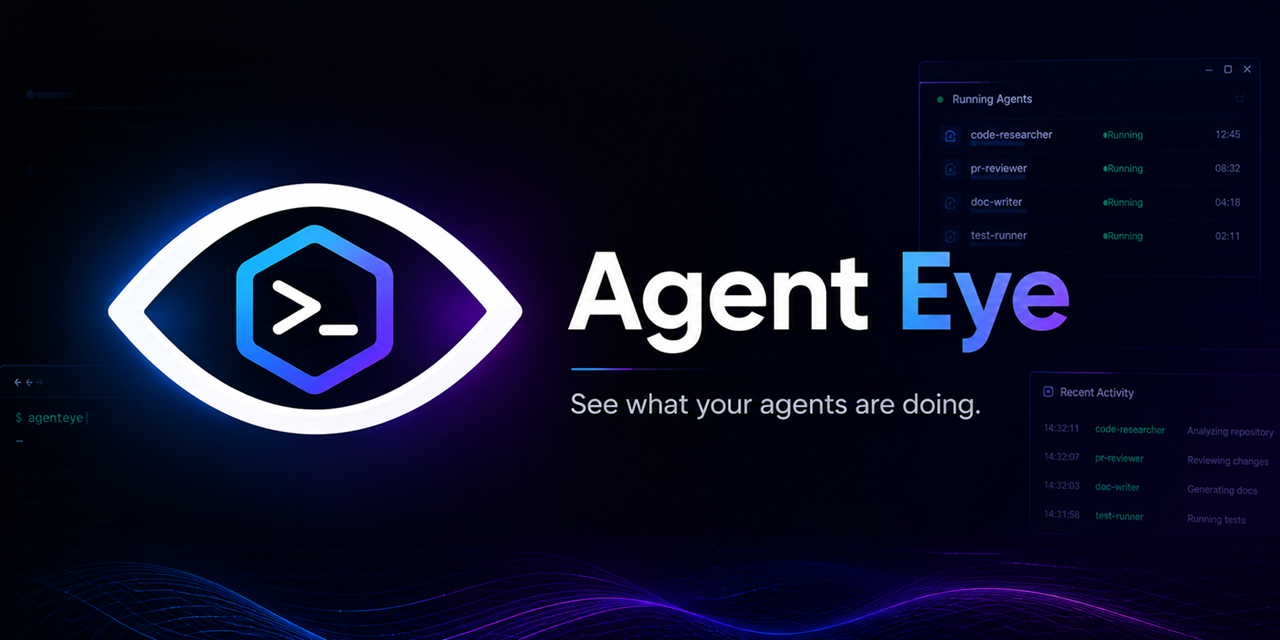







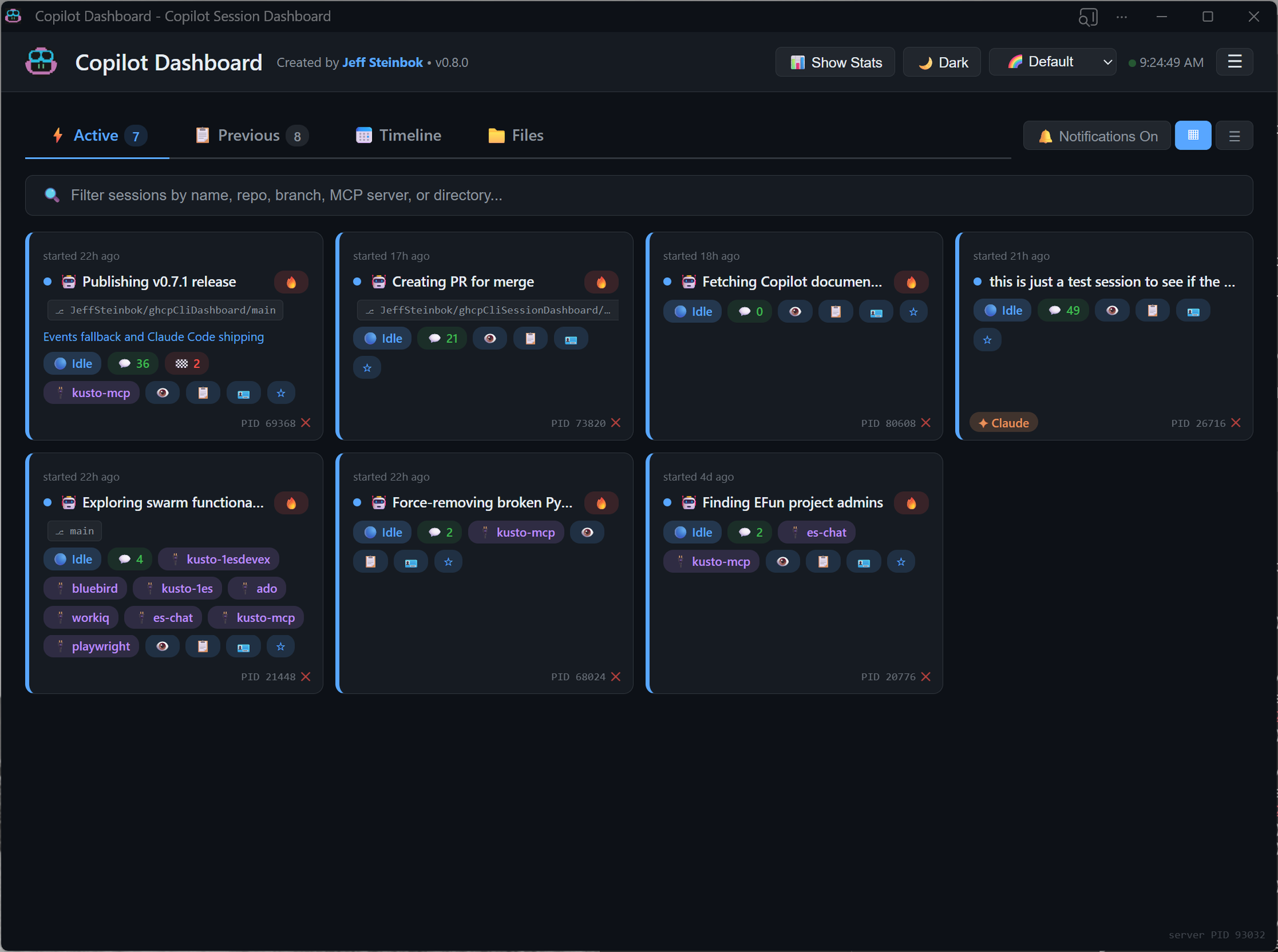
A local web dashboard that monitors all your GitHub Copilot CLI, Claude Code, and Microsoft Scout sessions in real-time. Designed for power users running multiple AI coding sessions simultaneously.
Installation
Option 1: From PyPI
pip install agenteye-app
Option 2: From Source
# Clone the repo
git clone https://github.com/JeffSteinbok/agenteye.git
cd agenteye

# Install in editable mode
pip install -e .
Usage
Native App (Recommended)
Run as a native desktop app with system tray integration:
# Start the tray app (window + tray icon)
agenteye app

# Start minimized to tray
agenteye app --hidden

# Custom port
agenteye app --port 8080
The tray app provides:
- Native window with dark/light title bar matching app theme
- System tray icon with quick access menu
- Close (X) minimizes to tray, quit from tray menu exits
- Native Windows notifications (no browser permission needed)
Browser Mode
Run as a background server and open in your browser:
# Start the dashboard
agenteye start

# Start in background
agenteye start --background

# Check status
agenteye status

# Stop
agenteye stop

# Upgrade to the latest version (restarts automatically if running)
agenteye upgrade
Open http://localhost:5111 in your browser.
Autostart at Login (Windows)
# Start tray app on login (recommended)
agenteye autostart --mode app

# Start background server on login
agenteye autostart --mode server

# Custom port
agenteye autostart --mode app --port 8080

# Remove login startup
agenteye autostart-remove
Features
Session States
- Working / Thinking (green) — session is actively running tools or reasoning
- Waiting (yellow) — session needs your input (
ask_userorask_permissionpending) - Idle (blue) — session is done and ready for your next task
Key Features
- Native tray app —
agenteye appruns as a native desktop application with system tray integration, eliminating the need for a separate browser tab - Dark/light title bar — window title bar automatically matches your chosen theme
- Native notifications — Windows toast notifications with proper app name and icon (no browser permission prompts)
- Start hidden —
--hiddenflag starts the app minimized to tray (great for autostart) - Claude Code support — automatically discovers Claude Code sessions from
~/.claude/projects/. Active Claude sessions appear alongside Copilot sessions with a✦ Claudebadge. - Microsoft Scout support — automatically discovers Scout's embedded Copilot sessions from
~/.scout/copilot/. Active Scout sessions appear with a🧭 Scoutbadge. - Cross-machine sync — see active sessions from all your machines in one dashboard, powered by OneDrive or any cloud-synced folder. See Cross-Machine Sync for details.
- Settings menu — ☰ hamburger menu in the header with toggles for autostart-on-login and remote sync.
- Upgrade command —
agenteye upgradestops the server, upgrades via pip, and restarts automatically. - Desktop notifications — get alerts when sessions transition between states
- Focus window — bring an active session's terminal to the foreground with one click
- Restart commands — copy-pasteable
copilot --resume <id>commands for every session - Dismiss sessions — hide completed/noisy sessions from the dashboard without deleting them on disk
- Waiting context — shows what a waiting session is asking (e.g. the
ask_userquestion and choices) - Background tasks — shows count of running subagents per session
- Session details — click any session to see checkpoints, recent tool output, references, and conversation history
- Tile & List views — compact card grid or detailed expandable rows
- 9 color palettes and light/dark mode
Cross-Machine Sync
See active sessions from all your machines in one dashboard — powered by OneDrive, Google Drive, or any cloud-synced folder. No Git commits needed.
How it works:
- On each poll cycle, the dashboard exports your active sessions as JSON files to a shared cloud folder
- Other machines read those files and display them in a "Remote Sessions" section under Active
- Each machine only writes to its own subfolder — no sync conflicts
Auto-detection (priority order):
OneDriveCommercial(preferred — prevents data leakage to personal accounts)OneDriveConsumer- User Documents folder
Configuration (~/.copilot/dashboard-config.json):
{
  "sync": {
    "enabled": true,
    "folder": "D:\\MyCloudSync"
  }
}
- Set
"enabled": falseto disable sync entirely - Set
"folder"to override auto-detection with a specific path
What remote sessions show:
- Live state indicators (working, waiting, idle)
- Session summary, intent, branch, MCP servers, turn/checkpoint counts
- Machine name badge (e.g.
🖥️ LAPTOP-HOME)
What remote sessions don't show:
- No detail drill-down (checkpoints, turns, files)
- No focus or kill actions (those are local-only)
- No past/previous sessions from remote machines
Prerequisites
| Package | Purpose |
|---|---|
fastapi |
Web framework with auto-generated OpenAPI docs |
uvicorn |
ASGI server |
pywinauto |
Window focus and process detection (Windows-only) |
pywebview |
Native window for tray app |
pystray |
System tray icon |
plyer |
Native OS notifications |
All are installed automatically via pip install agenteye-app.
For more details on architecture, data sources, and API endpoints, see DEVELOPMENT.md.
1 maintainer

Release files for agenteye-app 1.3.0
For a detailed explanation of source distributions (sdists) and built distributions (wheels), please see the package formats documentation.
Source distribution (sdist)
| File | Size | Uploaded | |
|---|---|---|---|
| agenteye_app-1.3.0.tar.gz | 1.8 MB | Details |
Built distribution (wheel)
| File | Interpreter | ABI | Platform | Reset |
|---|---|---|---|---|
| agenteye_app-1.3.0-py3-none-any.whl | Python 3 | none | any | Details |
Total release size: 3.6 MB
Release files / agenteye_app-1.3.0.tar.gz
| Download URL | agenteye_app-1.3.0.tar.gz |
|---|---|
| Size | 1.8 MB |
| Tags | Source |
|
SHA-256 checksum How to use checksums |
5c221de4435cdde7b037c270aeb91b7546f9061b25aa94b411514b5735b77ea5
|
|
BLAKE2b-256 checksum How to use checksums |
6eee631455b74f38d5d6c7f7732051e1541178108045850fef3d845f579589c8
|
| Upload date | |
|
Uploaded using Trusted Publishing? What is trusted publishing? |
Yes |
| Uploaded via |
twine/6.1.0 CPython/3.13.12
|
Provenance
Provenance describes where a file came from. On PyPI, provenance is shared via attestations, which provide a verifiable record of the build or publishing details. View details, limitations and caveats.


PyPI Publish Attestation
PyPI verified that this artifact, at this checksum, originated from the publisher listed below.
Signed by GitHub Actions, verified by PyPI on Jul 17, 2026.
Transparency logRelease files / agenteye_app-1.3.0-py3-none-any.whl
| Download URL | agenteye_app-1.3.0-py3-none-any.whl |
|---|---|
| Size | 1.8 MB |
| Tags | Python 3 |
|
SHA-256 checksum How to use checksums |
22431cd5e0189c25a60c8d64e78815c4ba42b5417b00778f1a76bbfb81106bde
|
|
BLAKE2b-256 checksum How to use checksums |
14bb8a9319e29a8de23f62e979897bf1c1ee9e30eedba392e74904953ee99d09
|
| Upload date | |
|
Uploaded using Trusted Publishing? What is trusted publishing? |
Yes |
| Uploaded via |
twine/6.1.0 CPython/3.13.12
|
Provenance
Provenance describes where a file came from. On PyPI, provenance is shared via attestations, which provide a verifiable record of the build or publishing details. View details, limitations and caveats.
PyPI Publish Attestation
PyPI verified that this artifact, at this checksum, originated from the publisher listed below.
Signed by GitHub Actions, verified by PyPI on Jul 17, 2026.
Transparency log













