
A powerful multi-agent system for adaptive AI reasoning and automation

Project description
AgenticFleet
A powerful multi-agent system for adaptive AI reasoning and automation. AgenticFleet combines Chainlit's interactive interface with AutoGen's multi-agent capabilities to create a flexible, powerful AI assistant platform.






Your browser doesn't support HTML5 video. Here is a link to the video instead.
Table of Contents
- Introduction
- System Architecture
- Quick Start
- Installation Guide
- Model Provider Installation
- Supported Model Providers
- Key Features
- Configuration
- Error Handling
- Community Contributions
- Star History
Introduction
AgenticFleet operates through a coordinated team of specialized agents that work together to provide advanced AI capabilities. This project leverages Chainlit's interactive interface and AutoGen's multi-agent system to deliver robust and adaptive solutions.
System Architecture
graph TD
    User[Chainlit UI] -->|HTTP| App[app.py]
    App --> AgentTeam[MagenticOneGroupChat]
    AgentTeam --> WebSurfer
    AgentTeam --> FileSurfer
    AgentTeam --> Coder
    AgentTeam --> Executor
    WebSurfer -->|Selenium| Web[External Websites]
    FileSurfer -->|OS| FileSystem[Local Files]
    Executor -->|Subprocess| Code[Python/Runtime]
- WebSurfer: Navigates the web, extracts data, and processes screenshots.
- FileSurfer: Manages file operations and extracts information from local files.
- Coder: Generates and reviews code, ensuring quality and efficiency.
- Executor: Executes code safely in an isolated environment and provides feedback.
Quick Start
Installation & Environment Setup
Before starting AgenticFleet, install the package using the uv package manager:
uv pip install agentic-fleet
Then, set up your environment:
-
Copy the Example File
cp .env.example .env
-
Configure Environment Variables
Open the
.envfile and set the required values. At a minimum, configure your Azure OpenAI settings:# Required: Azure OpenAI Configuration AZURE_OPENAI_API_KEY=your_api_key AZURE_OPENAI_ENDPOINT=your_endpoint AZURE_OPENAI_DEPLOYMENT=your_deployment AZURE_OPENAI_MODEL=your_model
Starting AgenticFleet
After installing the package and configuring your environment, start AgenticFleet using one of the following commands:
# Start with OAuth enabled (default)
agenticfleet start

# Or start without OAuth
agenticfleet start no-oauth
Using Docker
If you prefer using Docker, follow these instructions:
# Pull the latest image
docker pull qredence/agenticfleet:latest

# Run with minimum configuration (replace placeholders with your actual values)
docker run -d -p 8001:8001 \
  -e AZURE_OPENAI_API_KEY=your_key \
  -e AZURE_OPENAI_ENDPOINT=your_endpoint \
  -e AZURE_OPENAI_DEPLOYMENT=your_deployment \
  -e AZURE_OPENAI_MODEL=your_model \
  qredence/agenticfleet:latest

# Alternatively, run with additional configuration including OAuth
docker run -d -p 8001:8001 \
  -e AZURE_OPENAI_API_KEY=your_key \
  -e AZURE_OPENAI_ENDPOINT=your_endpoint \
  -e AZURE_OPENAI_DEPLOYMENT=your_deployment \
  -e AZURE_OPENAI_MODEL=your_model \
  -e USE_OAUTH=true \
  -e OAUTH_GITHUB_CLIENT_ID=your_client_id \
  -e OAUTH_GITHUB_CLIENT_SECRET=your_client_secret \
  qredence/agenticfleet:latest

# To run without OAuth:
docker run -d -p 8001:8001 \
  -e AZURE_OPENAI_API_KEY=your_key \
  -e AZURE_OPENAI_ENDPOINT=your_endpoint \
  -e USE_OAUTH=false \
  qredence/agenticfleet:latest
Installation Guide
Prerequisites
- Python Version: 3.10-3.12
- Operating Systems: macOS, Linux, Windows
Installation Steps
-
Install
uvPackage Manageruvis a fast and efficient package manager. Choose your preferred installation method:macOS/Linux
# Using pip
pip install uv

# Using Homebrew (macOS)
brew install uv

# Using curl
curl -LsSf https://astral.sh/uv/install.sh | sh
Windows
# Using pip
pip install uv

# Using winget
winget install uv
-
Create and Activate a Virtual Environment
# Create a new virtual environment
uv venv

# Activate the virtual environment
# On macOS/Linux
source .venv/bin/activate

# On Windows
.venv\Scripts\activate
-
Install AgenticFleet
# Install the latest stable version
uv pip install agentic-fleet

# Install Playwright for web automation and scraping (needed by WebSurfer)
uv pip install playwright
playwright install --with-deps chromium
Playwright Installation Notes:
- Installs the Chromium browser for web automation.
- Includes necessary browser dependencies.
- Required for web scraping and browser-based agents.
- Supports both headless and headed modes.
-
Verify Installation
# Check installed version
uv pip show agentic-fleet

# Run a quick version check
python -c "import agentic_fleet; print(agentic_fleet.__version__)"
Troubleshooting Installation
- Ensure you're using Python 3.10-3.12.
- Update
uvto the latest version:pip install -U uv. - If issues arise, consult our GitHub Issues.
Optional Feature Sets
# Install with optional telemetry features
uv pip install 'agentic-fleet[telemetry]'

# Install with optional tracing features
uv pip install 'agentic-fleet[tracing]'
Warning About Editable Installations
DO NOT use -e unless you are a core contributor.
Editable installations are not supported in production, may introduce unexpected behaviors, and void package support. They are intended solely for package development. If you make local modifications, please file a GitHub issue and submit a pull request.
Model Provider Installation
Please refer to the existing documentation or the docs/installation.md file for details on installing model providers.
Supported Model Providers
AgenticFleet supports multiple LLM providers including OpenAI, Azure OpenAI, Google Gemini, DeepSeek, Ollama, Azure AI Foundry, and CogCache. For specifics on configuration and usage, please refer to the detailed sections in the documentation.
Key Features
- Advanced multi-agent coordination
- Support for several LLM providers
- GitHub OAuth authentication (optional)
- Configurable agent behaviors and execution isolation
- Comprehensive error handling and automated recovery
- Multi-modal content processing (text, images, etc.)
Configuration
For complete configuration details, review the .env.example file and the docs/usage-guide.md for further instructions.
Error Handling
AgenticFleet includes robust error handling:
- Graceful degradation on failures
- Detailed error logging and reporting
- Automatic cleanup and session recovery
- Execution timeout management
Community Contributions
AgenticFleet welcomes contributions from the community. Please review our CONTRIBUTING.md and CODE_OF_CONDUCT.md for guidelines on submitting issues and pull requests.
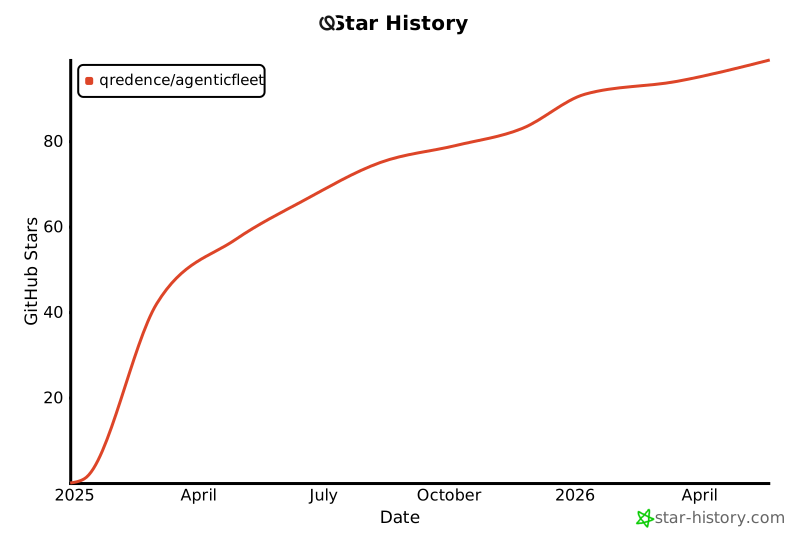
Star History
Release history Release notifications | RSS feed


Download files
Download the file for your platform. If you're not sure which to choose, learn more about installing packages.
Source Distribution
Built Distribution
Filter files by name, interpreter, ABI, and platform.
If you're not sure about the file name format, learn more about wheel file names.
Copy a direct link to the current filters
File details
Details for the file agentic_fleet-0.4.78.tar.gz.
File metadata
- Download URL: agentic_fleet-0.4.78.tar.gz
- Upload date:
- Size: 67.9 kB
- Tags: Source
- Uploaded using Trusted Publishing? No
- Uploaded via: uv/0.5.29
File hashes
| Algorithm | Hash digest | |
|---|---|---|
| SHA256 |
a78c2d6aa3415cf54230a86050ba91bafcf2439044b658945feed9fe60e551b6
|
|
| MD5 |
b87d2b305246079b0246acdce9ce117e
|
|
| BLAKE2b-256 |
f687b82e96b91a88f4f34d5a91d1bbd5b1d3776479e3b3e355b7203a4eccf29a
|
File details
Details for the file agentic_fleet-0.4.78-py3-none-any.whl.
File metadata
- Download URL: agentic_fleet-0.4.78-py3-none-any.whl
- Upload date:
- Size: 10.2 kB
- Tags: Python 3
- Uploaded using Trusted Publishing? No
- Uploaded via: uv/0.5.29
File hashes
| Algorithm | Hash digest | |
|---|---|---|
| SHA256 |
30d439e33ed0b2cd4fea4030334a48855d17205883c1f70d0eb275e274213026
|
|
| MD5 |
90a4bb4a41225528c440ee47e5cf5b73
|
|
| BLAKE2b-256 |
86edfd960e770a7bdec6154ab9ed4ba2dd2b295833a748baed1296cf007a5247
|






