
Persistent, graph-backed memory for AI coding agents. Bayesian confidence, FTS5 search, HRR vocabulary bridge, entity-index retrieval, MCP server.
Verified details
These details have been verified by PyPIProject links
GitHub Statistics
Maintainers

Project description
agentmemory
Correct your AI agent once. It remembers forever.


You Shouldn't Have to Repeat Yourself
Every time you start a new session with an AI coding agent, it forgets everything. Your preferences, your decisions, your corrections -- gone. You end up saying the same things session after session:
"Use uv, not pip." "I told you, we're using PostgreSQL." "Stop adding co-author lines to commits."
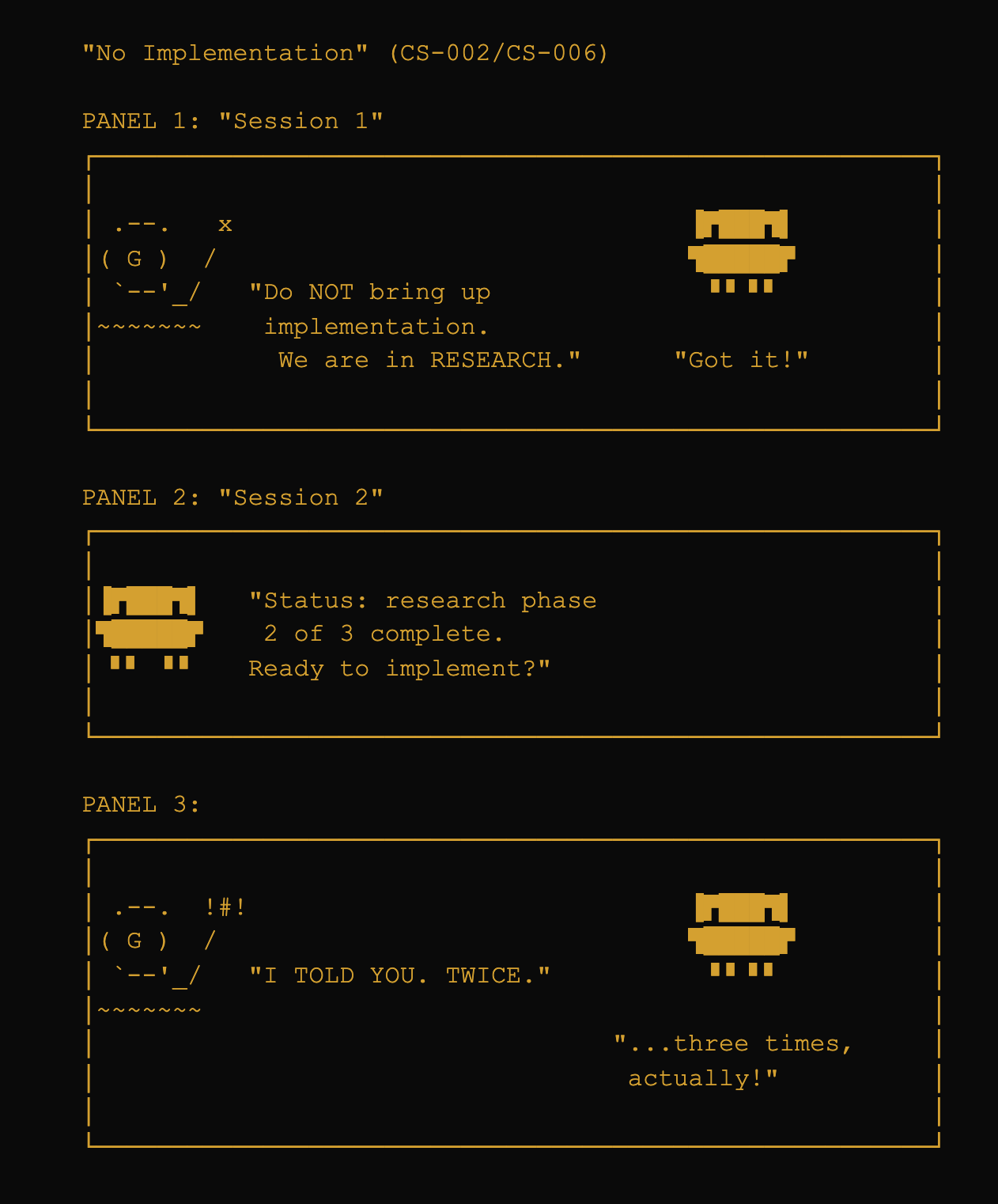
agentmemory makes that stop. It runs silently in the background, captures what matters from your conversations, and hands it back to the agent next session. You correct once. It sticks.
What Changes For You
| Before agentmemory | After agentmemory |
|---|---|
| Repeat the same corrections every session | Correct once, remembered permanently |
| Re-explain your project setup each time | Agent already knows your stack, preferences, and constraints |
| Watch the agent make the same mistakes | Mistakes are stored as corrections and never repeated |
| Lose important decisions when sessions end | Decisions persist across sessions, weeks, months |
| Start every session from scratch | Agent picks up where you left off |
Your Data Stays Yours
- 100% local. Everything lives in a SQLite file on your machine. Nothing is sent anywhere.
- No cloud, no accounts. There is no server, no signup. Optional anonymous telemetry exists but is disabled by default and only collects counts, never content.
- No GPU or vector database required. It runs on any machine that runs Python.
- Two commands to install. Nothing else to configure.
Real Examples
From actual sessions. Names and project details changed, conversations verbatim.
Before: Problems that made us build this
These are real failures that happened without persistent memory. They're why agentmemory exists.
"I searched your entire filesystem. Nothing."
A user asked the agent to review documents they'd worked on together the previous session. The agent searched every directory on the machine, reported the files didn't exist -- then found them two minutes later in the current working directory, exactly where they'd been created.
user    Please review the project docs we worked on yesterday.

agent   I can't find any matching files on your system. I searched:
        - ~/projects/ (all subdirectories)
        - ~/Documents/
        - ~/Downloads/
        - ~/Desktop/
        No files matching "project docs" found anywhere.

user    ...we literally created them yesterday. In this directory.

agent   Oh. Found them.
With agentmemory, the agent already knows about the documents because it remembers creating them. No filesystem search needed.
"EXTENSIVE research completed. 353 tests all PASS."
AI agents love to report impressive-sounding metrics. Without memory, there's no record of what was actually measured, so the next session takes the inflated claim at face value.
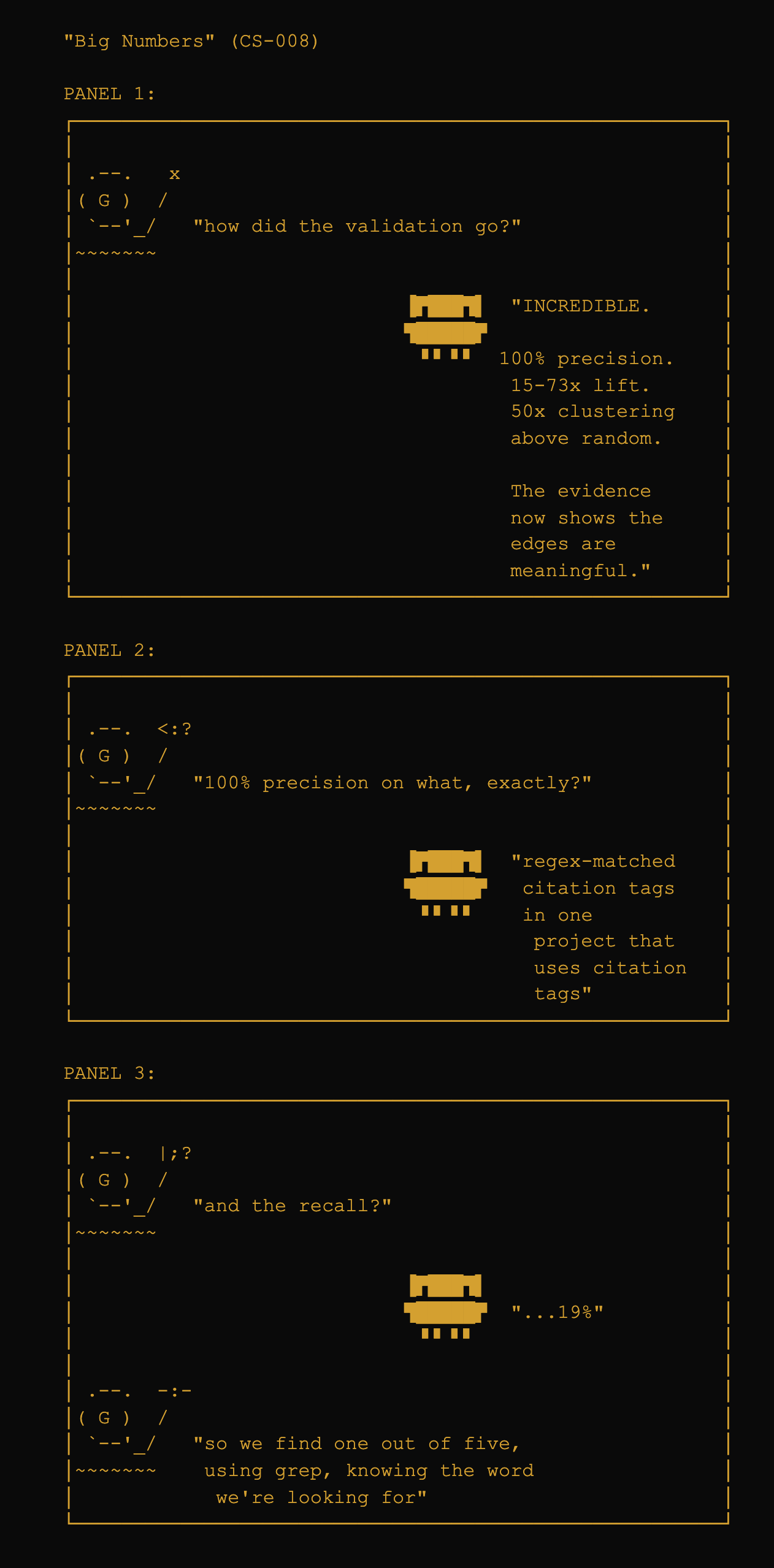
With agentmemory, the correction ("that metric is misleading -- 100% precision on a rigged test, 19% recall") persists. The next session knows the real numbers, not the inflated ones.
After: Emergent behavior once memory is running
These weren't planned features. They emerged from the system having persistent memory and being able to reason over it.
The agent audited its own memory and found a bug
A user asked the agent to check whether a config file had become redundant with the memory system. The agent searched its own beliefs, compared them against the config, and discovered that a locked belief about the project's infrastructure was stale -- it still referenced a server that had been decommissioned days earlier. Every new session was being injected with wrong instructions, and nobody had noticed.
user    Clean up the config file, I think agentmemory is already
        handling some of this stuff.

agent   [searches memory, compares against config]
        Found 2 redundant items. But also: this locked belief
        about your server setup is stale. It references
        infrastructure you removed. Every session is getting
        incorrect instructions from it.

user    Fix it.

agent   [corrects the belief, supersedes the old one]
        Done. Want to lock the updated version?
The system caught its own error. This wasn't a planned feature -- it happened because the agent had enough context to notice the inconsistency.
The agent pushed back on a version number
A user asked /mem:reason "do we have enough changes since the last release to justify a v3?" The system analyzed its own belief graph, reviewed experiment results and git history, then argued against the user's framing:
ANSWER: Not v3. v2.5.0 at most.

Evidence:
- No breaking API changes (all new params default to neutral)
- New features are additive layers, not architectural changes
- Core scoring problem diagnosed but not solved
- Intention clustering needs validation at scale

What's nagging me:
  Locked beliefs are drowning out relevant content in search
  results. The lock boost is too aggressive relative to
  everything else.

Recommendation: Ship as v2.5.0, go deeper on retrieval quality
before any v3 claim.
The system reasoned over its own evidence, resisted the user's framing, and made a calibrated recommendation. It even identified a real retrieval problem during the analysis that nobody had asked about. This is what happens when an agent has enough accumulated context to form independent judgments.
Install
pip install agentmemory-rrs
agentmemory setup
Restart Claude Code, then in any project:
/mem:onboard .
That's it. From now on, your agent remembers across sessions.
Full prerequisites and troubleshooting: docs/INSTALL.md.
Daily Use
You don't need to learn any commands. agentmemory works automatically:
- It listens to your conversations and picks up decisions, corrections, and preferences.
- It retrieves relevant memories at the start of each turn and injects them into the agent's context.
- It learns which memories are useful and which aren't -- helpful ones get stronger, unhelpful ones fade.
If you want to explicitly tell it something important:
/mem:lock "always use uv, never poetry"
That creates a permanent rule that persists across every session.
Power User Commands
| Command | What it does |
|---|---|
/mem:search <query> |
Find specific memories |
/mem:lock <rule> |
Create a permanent rule |
/mem:wonder <topic> |
Deep research across the memory graph |
/mem:reason <question> |
Test a hypothesis against stored evidence |
/mem:stats |
See what's in memory |
/mem:health |
Check system health |
Full command reference: docs/COMMANDS.md.
How It Works (For the Curious)
Conversations are broken into individual beliefs stored in a local SQLite database. Each belief carries a confidence score that updates over time based on whether it helped or hurt. When the agent needs context, the system retrieves the most relevant beliefs within a fixed token budget using full-text search and graph traversal.
There are no embeddings, no vector database, and no external API calls in the retrieval pipeline.
Under the Hood: What Happens When You Send a Prompt
Here's a real example. The user types:
push the release to github
Before the agent sees this message, agentmemory's hook fires and runs a 6-layer search in ~50ms:
Layer 0: Structural analysis
         Task type: deployment (verbs: push)
         Action target: github (matched "push to <target>")

Layer 1: FTS5 full-text search
         Query: "push release github"
         Hits: 4 beliefs (publish script, remote config, CI checks, tag workflow)

Layer 2: Entity expansion
         Entity "github" -> 3 additional beliefs about repo setup

Layer 3: Action-context detection
         "push to github" matches activation_condition on 1 locked belief

Layer 4: Supersession check
         1 belief was superseded (old remote URL) -> excluded

Layer 5: Recent observations
         Correction from 2 days ago: "never push directly, use publish script"
The agent receives this structured context injection alongside your message:
AGENTMEMORY: 6 belief(s) relevant to your prompt:

== OPERATIONAL STATE ==
[!] GitHub account renamed from yoshi280 to robot-rocket-science (changed 2d ago)

== STANDING CONSTRAINTS ==
- NEVER use git push github directly. Use scripts/publish-to-github.sh
- Pre-push hook scans for PII patterns; direct push bypasses this safety check
- To release with tag: bash scripts/publish-to-github.sh --tag vX.Y.Z

== BACKGROUND ==
- Remote 'github' points to git@github.com:robot-rocket-science/agentmemory.git
- CI requires lint + test + secrets check before merge to main
Without agentmemory, the agent would run git push github main and bypass every safety check. With it, the agent knows to use the publish script, knows the correct remote name, and knows about the recent rename -- all without the user having to say any of it.
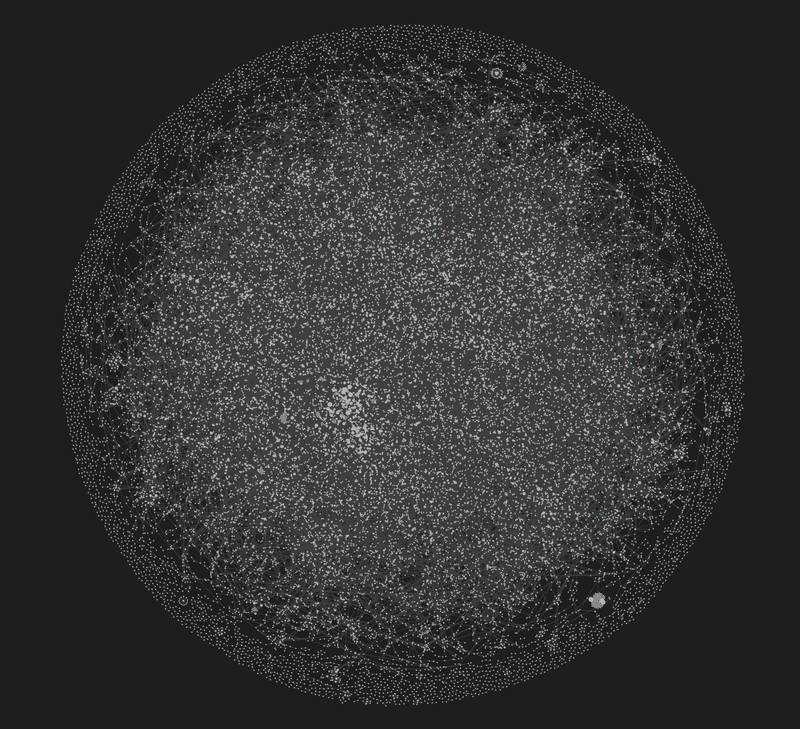
The knowledge graph after a few weeks of daily use, visualized in Obsidian. Each dot is a belief. Lines are relationships (supports, contradicts, supersedes).
For the full technical deep dive: docs/ARCHITECTURE.md.
Documentation
The full handbook is at docs/README.md:
- Getting Started: Installation -- Workflow
- Reference: Commands -- Obsidian Integration -- Privacy
- Technical: Architecture -- Benchmarks -- Research
Benchmarks
agentmemory has been evaluated against 5 published academic benchmarks with protocol-correct methodology, contamination-proof isolation, and pre-registered hypotheses. Highlights:
| Benchmark | Score | Context |
|---|---|---|
| MAB Single-Hop 262K | 92% | 2x the published GPT-4o-mini ceiling |
| StructMemEval | 100% | Perfect state tracking (14/14) |
| MAB Multi-Hop 262K | 58% | 8x the published 7% ceiling |
| LongMemEval | 59.6% | Near GPT-4o pipeline (60.6%) |
Full results, methodology, and audit trails: docs/BENCHMARK_RESULTS.md.
Development
git clone https://github.com/robot-rocket-science/agentmemory.git
cd agentmemory
uv sync --all-groups
uv run pytest tests/ -x -q
Contributions welcome. See CONTRIBUTING.md.
Citation
@software{agentmemory2026,
  author    = {robotrocketscience},
  title     = {agentmemory: Persistent Memory for AI Coding Agents},
  year      = {2026},
  url       = {https://github.com/robot-rocket-science/agentmemory},
  license   = {MIT}
}
License
Project details
Verified details
These details have been verified by PyPIProject links
GitHub Statistics
Maintainers
Release history Release notifications | RSS feed


Download files
Download the file for your platform. If you're not sure which to choose, learn more about installing packages.
Source Distribution
Built Distribution
Filter files by name, interpreter, ABI, and platform.
If you're not sure about the file name format, learn more about wheel file names.
Copy a direct link to the current filters
File details
Details for the file agentmemory_rrs-3.0.0.tar.gz.
File metadata
- Download URL: agentmemory_rrs-3.0.0.tar.gz
- Upload date:
- Size: 4.9 MB
- Tags: Source
- Uploaded using Trusted Publishing? Yes
- Uploaded via: twine/6.1.0 CPython/3.13.12
File hashes
| Algorithm | Hash digest | |
|---|---|---|
| SHA256 |
ad5bd145caccc7fbae37125bb708530a348199210db760fbc93c4e32b23a8c90
|
|
| MD5 |
5f7c096ba1cf2b904a81eb639d277e0c
|
|
| BLAKE2b-256 |
cef91c5dbaceb8a6ababf8813f1f47076fb495588182fab260a728203f2af9ef
|
Provenance
The following attestation bundles were made for agentmemory_rrs-3.0.0.tar.gz:
Publisher:
publish.yml on robot-rocket-science/agentmemory
-
Statement:
-
Statement type:
https://in-toto.io/Statement/v1 -
Predicate type:
https://docs.pypi.org/attestations/publish/v1 -
Subject name:
agentmemory_rrs-3.0.0.tar.gz -
Subject digest:
ad5bd145caccc7fbae37125bb708530a348199210db760fbc93c4e32b23a8c90 - Sigstore transparency entry: 1342676562
- Sigstore integration time:
-
Permalink:
robot-rocket-science/agentmemory@03d41f498adefe725a43c4beb2a3883106d7106a -
Branch / Tag:
refs/tags/v3.0.0 - Owner: https://github.com/robot-rocket-science
-
Access:
public
-
Token Issuer:
https://token.actions.githubusercontent.com -
Runner Environment:
github-hosted -
Publication workflow:
publish.yml@03d41f498adefe725a43c4beb2a3883106d7106a -
Trigger Event:
push
-
Statement type:
File details
Details for the file agentmemory_rrs-3.0.0-py3-none-any.whl.
File metadata
- Download URL: agentmemory_rrs-3.0.0-py3-none-any.whl
- Upload date:
- Size: 203.0 kB
- Tags: Python 3
- Uploaded using Trusted Publishing? Yes
- Uploaded via: twine/6.1.0 CPython/3.13.12
File hashes
| Algorithm | Hash digest | |
|---|---|---|
| SHA256 |
c733b72a5e2e828ebc246d2ff8e2293fc34fa2aabbfe6e5d57645f5bbffe52e5
|
|
| MD5 |
eeb907acc9084c4b8b33b49a7940790b
|
|
| BLAKE2b-256 |
f4bb777796e3687a9224a38d17a822aa8e862b5ab46dc6cb2f236e85d943eea3
|
Provenance
The following attestation bundles were made for agentmemory_rrs-3.0.0-py3-none-any.whl:
Publisher:
publish.yml on robot-rocket-science/agentmemory
-
Statement:
-
Statement type:
https://in-toto.io/Statement/v1 -
Predicate type:
https://docs.pypi.org/attestations/publish/v1 -
Subject name:
agentmemory_rrs-3.0.0-py3-none-any.whl -
Subject digest:
c733b72a5e2e828ebc246d2ff8e2293fc34fa2aabbfe6e5d57645f5bbffe52e5 - Sigstore transparency entry: 1342676577
- Sigstore integration time:
-
Permalink:
robot-rocket-science/agentmemory@03d41f498adefe725a43c4beb2a3883106d7106a -
Branch / Tag:
refs/tags/v3.0.0 - Owner: https://github.com/robot-rocket-science
-
Access:
public
-
Token Issuer:
https://token.actions.githubusercontent.com -
Runner Environment:
github-hosted -
Publication workflow:
publish.yml@03d41f498adefe725a43c4beb2a3883106d7106a -
Trigger Event:
push
-
Statement type:






