
AgentStreamDeck

Mission control for AI coding agents on your Stream Deck. See activity at a glance, then press a key to focus the right session. Jelly, the offline coding companion introduced in v3.0, lives in the keys you are not using.







☕ Support my work
If this project has helped you, consider supporting my work on Buy Me a Coffee. Any one-time or monthly support goes directly back into these open-source projects, the hardware behind them, and the videos and documentation around them.
⭐ If AgentStreamDeck is useful, star the repo. It helps other developers find the project.
AgentStreamDeck connects OpenCode, Claude Code, GitHub Copilot CLI, Copilot in VS Code, Gemini CLI, Cursor CLI and Codex CLI to one local controller over direct USB HID. No Elgato plugin or MCP server is required.
Upgrading from AgentDeck? The Python distribution is now
agentstreamdeck; theocdeckcommand, existing configuration and hook receipts remain compatible. See rename and upgrade steps.
New in 3.0 — Meet your coding Jelly
Your Stream Deck has a little life of its own. Jelly is an offline coding pet, enabled by default, who makes a home at the bottom of an unused button. He scoots, stretches, dances and naps inside his key, then hops across to visit another. Keep coding and he stays fed and active; long quiet spells bring out his sleepy side. A busy deck can leave him feeling overworked, too.
Watch the HD animation · Meet Jelly and customize his personality · 3.0 release notes
- 33 actions, 33 poses and 14 hop styles: a companion who can live within a button, with his resting position anchored to its bottom edge.
- 23 color-changing moods and four personalities: playful, curious, proud, sleepy, helpful and more, shaped by six simulated needs.
- Agent-aware reactions: he looks, points or approaches a free button near an agent that needs attention, and celebrates explicit successful outcomes.
- 1,040 authored thoughts: occasional scrolling text above his head, generated entirely offline. Activity metadata feeds his needs; source code and prompts are never read to feed him.
Jelly only uses unassigned buttons. Agent controls always take priority. Existing
jelly.enabled: false settings remain respected; to opt out, add
"jelly": {"enabled": false} to your configuration. Global animations off also
turns Jelly off. All Jelly settings.
Features carried forward from 2.1
Version 3.0 retains these 20 enhancements introduced in 2.1. Physical-device/native-harness acceptance remains documented in validation status.
| # | Enhancement | What it adds |
|---|---|---|
| 1 | Sound alerts | Optional WAV/default chime, selected states, slot muting and global rate limit |
| 2 | PR test automation | Python and Node suites on Windows/Ubuntu, Python 3.11/3.13, and the CI badge above |
| 3 | Windows toasts | Notifications for newly identified input requests; snapshot deduplication and interruption checks |
| 4 | ocdeck doctor |
PASS/FAIL/MANUAL diagnostics with fixes, JSON output and a no-device option |
| 5 | ocdeck report |
Redacted status, versions, configuration and bounded log excerpts in a ZIP |
| 6 | Structured logs | Rotating JSON logs, request correlation IDs and recent errors in status |
| 7 | Secret-scrubbing tests | Randomized snapshot, rendered-label, log, report and hook-metadata coverage |
| 8 | Release notices | Background latest-release check, notes, once-per-version cache and offline/disable behavior |
| 9 | Pre-commit hooks | Ruff lint/format and a syntax check for every changed JavaScript module |
| 10 | Larger Stream Decks | Mini (6), Original/MK.2 (15), XL (32), automatic capacity and overflow handling |
| 11 | Codex CLI | Project hook installer, managed CLI/BAT launcher and an opt-in live acceptance runner |
| 12 | Input counts | Known OpenCode counts shown as 1–9 or 9+; unknown hook totals remain unknown |
| 13 | Type-check gate | Pyright basic across ocdeck/ with incremental concrete types |
| 14 | Python packaging/releases | Complete wheel/sdist, clean-install check, SBOM/checksums and trusted-publishing attestations workflow |
| 15 | Complete integration uninstall | Project receipt discovery, preflight, dry-run, hook preservation and backups |
| 16 | Actionable errors | Stable AD error codes, fix/check commands and troubleshooting links |
| 17 | High-contrast theme | Sixth palette, renderer example and contrast test |
| 18 | Appearance dry-run | Settings diff and in-memory sample preview without writing files |
| 19 | Appearance sharing | Versioned JSON import/export with strict validation |
| 20 | Elgato conflict detection | Conservative process guard before opening hardware and a doctor check |
Setup · Codex · Deck sizes · Appearance · Alerts · Diagnostics · Configuration · Uninstall · Releases · Detailed feature guide
Demo video
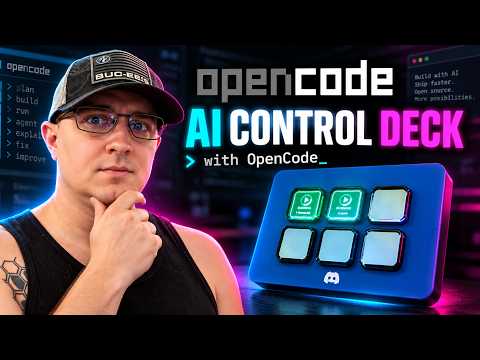
Watch on YouTube. The original demo shows the OpenCode workflow; additional adapters have the coverage described below.

Choose your harness
| Harness | Integration / launch | Pending-input coverage |
|---|---|---|
| OpenCode | Global server plugin; opencode shim or oc |
Permission and structured-question IDs; SDK reconciliation when available |
| Claude Code | Project hooks; Launch-Claude.bat |
Identified AskUserQuestion calls; permission hooks show unknown instead of an invented count |
| GitHub Copilot CLI | Project hooks; Launch-Copilot.bat |
Activity only; approvals may still appear running |
| Copilot in VS Code | Project hooks; Launch-Copilot-VSCode.bat |
Activity only; isolated editor profile, preview integration |
| Gemini CLI | Project hooks; Launch-Gemini.bat |
Activity; recognized permission notifications show unknown |
| Codex CLI | Project hooks; Launch-Codex.bat |
Observed approval state with unknown count; review hooks using /hooks |
Cursor CLI (agent) |
Project hooks; Launch-Cursor.bat |
Activity only; Cursor desktop integration is not included |
All six hook adapters are implemented and fixture-tested. Windows/Ubuntu CI exercises mocked hardware and subprocess transport. Live native-hook loading, interactive Windows focus/notifications and physical USB behavior require local validation. A non-red key does not prove that no approval is waiting. See adapter details for lifecycle and missed-event limitations. Aider and cloud/remote agent integrations are not included.
| Condition | Key appearance |
|---|---|
| Device initialized, no registered launches | Cyan READY on key 1; remaining keys black |
| Reported busy or retry | Green moving ring |
| Reported idle | Amber breathing glow |
| Identified input or observed Codex approval request | Red pulsing attention icon |
| Unknown or snapshots stale for more than 10 seconds | Amber LINK ? |
| Empty slot | Black; pressing it does nothing |
A key press requests focus only. It never types, approves a tool, answers a question,
or changes an agent's state. Windows can deny foreground activation; inspect
lastFocus in ocdeck status and verify physical behavior on your desktop.
Requirements
| Component | Requirement |
|---|---|
| Desktop / hardware | Windows 10 or 11, interactive user session, Stream Deck Mini (6), Original/MK.2 (15), or XL (32) |
| Terminal | Windows Terminal (wt.exe) for dedicated managed windows |
| Python | 3.11+; 64-bit recommended |
| Node.js | 20+ on PATH for every new hook adapter and for JavaScript tests |
| Harness | The desired CLI/editor installed; its native hooks enabled and supported |
| Elgato | Quit Elgato Stream Deck and other HID controllers |
| Installation | Network access for Python dependencies; permanent source directory |
The original scripts/Install.ps1 requires OpenCode and installs its global plugin,
command shims and per-user logon task. Other adapters do not require OpenCode:
use the foreground broker tutorial.
Linux/macOS can run mock/status tests; Windows desktop focus is not implemented there.
The connected device determines slot capacity. Mock tests cover 6, 15 and 32 keys; physical acceptance remains required on each device model.
Get started
Release the deck first: quit Elgato Stream Deck from the tray and close old controller scripts. See advanced coexistence if needed. Two applications writing to the same device cause flicker and unreliable input.
Choose the path that matches your setup:
- Existing AgentStreamDeck installation: add a harness
- Fresh install with OpenCode and automatic logon startup
- Fresh install without OpenCode: foreground broker
- Copilot in VS Code: isolated editor setup
- Physical first-run acceptance
For an existing install, keep this checkout at C:\Tools\AgentStreamDeck (or substitute
your actual permanent location). In PowerShell:
C:\Tools\AgentStreamDeck\scripts\Install-Harness.ps1 -Profile claude -Project C:\Projects\MyApp
C:\Tools\AgentStreamDeck\scripts\Install-Harness.ps1 -Profile copilot-cli -Project C:\Projects\MyApp
cd C:\Projects\MyApp
C:\Tools\AgentStreamDeck\scripts\Launch-Claude.bat
C:\Tools\AgentStreamDeck\scripts\Launch-Copilot.bat
Hooks are installed once per software project. The BAT launchers use the current
working directory; invoking them from the AgentStreamDeck checkout would target that
checkout. Installation preserves unrelated settings, makes backups before changes,
and supports -DryRun and -Remove. Plain claude or copilot launches do not
attach to AgentStreamDeck; use its managed launchers.
For AI-assisted setup, give your coding agent this instruction:
Install AgentStreamDeck from https://github.com/darkmatter2222/AgentStreamDeck in a permanent
source directory. Read docs/QWEN-HANDOFF.md and docs/TUTORIALS.md. Use the setup path
for the harnesses I actually use, preserve my existing configuration, and verify
that Elgato Stream Deck is closed before opening the device. Read docs/NEXT.md
for 2.1 commands, supported deck sizes, Codex trust and current limitations. Run the automated
checks, then guide me through docs/FIRST-RUN.md and the harness-specific acceptance
steps. Record observed results separately from unverified hardware/runtime gates.
Install or update version 3.0
Use main or the v3.0.0 release ZIP in your permanent checkout. Inspect
and preserve any local edits before switching. Close managed sessions and stop the
broker before updating its source and dependencies.
cd C:\Tools\AgentStreamDeck
git fetch origin
git switch main
git pull --ff-only
For an original OpenCode/task installation, rerun
powershell -NoProfile -ExecutionPolicy Bypass -File .\scripts\Install.ps1.
For a foreground setup, run python -m pip install -e . using its existing Python
environment and restart python -m ocdeck broker. Reinstall the affected project
hooks so receipts point to the current scripts, then relaunch managed sessions.
Existing config is retained; sound/toasts remain off until enabled. See
the installation tutorials for fresh setups and custom paths.
Set up Codex CLI
Install and authenticate Codex normally, then install its observer hooks in the software project you will work on:
ocdeck harness-install codex --project C:\Projects\MyApp --dry-run
ocdeck harness-install codex --project C:\Projects\MyApp
cd C:\Projects\MyApp
ocdeck start --profile codex
# Equivalent checkout launcher:
# C:\Tools\AgentStreamDeck\scripts\Launch-Codex.bat
Open /hooks in Codex to review and trust the exact installed hooks. AgentStreamDeck
merges .codex/hooks.json, preserves unrelated settings, creates a receipt and
backs up changes. It never grants hook trust or emits approval decisions.
Prompt/tool events map to RUNNING; Stop/Interrupt map to IDLE; an observed
PermissionRequest maps to INPUT with an unknown count until a result, new turn,
stop or interrupt. This is observed lifecycle state, not confirmation that an
approval dialog remains open. Missing hooks remain UNKNOWN. Paired
request_user_input tool IDs can also establish pending input. Exiting the
managed child removes its slot. Codex coverage and live checks.
Supported decks and slot capacity
| Device family | Agent slots | Selection |
|---|---|---|
| Stream Deck Mini | 6 | Automatic product/driver detection |
| Stream Deck Original / MK.2 | 15 | Automatic product/driver detection |
| Stream Deck XL | 32 | Automatic product/driver detection |
One broker controls one deck. Use ocdeck devices to list models, serials and key
counts. Set serial in config when more than one matching deck is attached.
Capacity resizes on attachment; overflow launches take a freed slot in registration
order. Resizing invalidates stale key-press assignments. These are agent/focus
slots; arbitrary custom action keys and multi-deck aggregation are not included.
The broker conservatively refuses hardware access while an Elgato Stream Deck
process is running. Quit it from the tray. If you have explicitly released this
device in Elgato and need other devices there, "allow_elgato": true disables the
process guard; it does not release a device on your behalf. hardware-check
requires Elgato to be closed. For mock capacity only, configure "slots": 15 or
32; physical hardware supplies its own capacity.
Using HomeAILab or another local-model launcher?
Start it through AgentStreamDeck to make button focus work. A directly launched CLI can report status without a usable window mapping, because Windows Terminal owns the window. The wrapper creates a dedicated window and keeps your existing model configuration inside it.
cd C:\Projects\MyApp
C:\Tools\AgentStreamDeck\scripts\Launch-Agent.bat --profile opencode --launcher "C:\Tools\HomeAILab\harness\opencode\opencode-5090.bat" --
C:\Tools\AgentStreamDeck\scripts\Launch-Agent.bat --profile claude --launcher "C:\Tools\HomeAILab\harness\claude\claude-5090.bat" --
Complete the OpenCode installation or the corresponding project hook setup above first. After updating, restart the broker and relaunch your old sessions through these wrappers. Existing unmanaged windows cannot be retroactively mapped.
Ready-to-use example in scripts/examples/ |
Purpose |
|---|---|
HomeAILab-OpenCode-5090.bat / HomeAILab-OpenCode-Spark.bat |
Wrap your existing local OpenCode scripts |
HomeAILab-Claude-5090.bat / HomeAILab-Claude-Cluster.bat |
Wrap your existing direct/router Claude scripts |
Claude-Local.bat |
Small local Anthropic-compatible endpoint example |
Claude-Cloud.bat |
Normal Anthropic login/API-key route |
OpenCode-Cloud.bat |
Normal OpenCode provider configuration |
HomeAILab examples use HOMEAILAB_ROOT; local Claude uses AGENTDECK_LOCAL_URL
and AGENTDECK_LOCAL_MODEL. No model credentials are bundled. The original
HomeAILab scripts retain their own tuning and permission flags.
Full launcher setup, local/cloud examples, and focus troubleshooting.
Make every key your own

The preview demonstrates several states together. In normal use, READY appears only when no agents are registered. Windows hardware and native harness acceptance gates are tracked in the verification record.
Three layouts. Six palettes. Two text lines you control. Each button can have its own look, brightness, and motion. These examples come directly from AgentStreamDeck's renderer using sample sessions; they are enlarged key previews, not hardware photos. Harness mode uses bundled official app icons and GitHub's Copilot UI icon where available. Codex uses a text identifier and procedural status symbol. Asset sources and attribution are included; no runtime downloads are needed.
Layouts · Themes · Harness icons · Text · Motion · Mixed deck
Real logos, plus ten more ways to customize
Use the actual OpenCode, Claude, Copilot, Gemini, and Cursor icons. Their artwork keeps its source colors; your palette controls the surrounding status indicators.

| New feature | What you can do | Example |
|---|---|---|
| 1. Custom aliases | Give a physical slot a name that replaces its project label | --slot 2 --alias "Reviewer" |
| 2. Scrolling text | Read long labels with clipped, eased, back-and-forth motion | --text-effect scroll |
| 3. Shimmer text | Add a moving highlight across the text | --text-effect shimmer |
| 4. Text sizes | Choose small, normal, or large type | --text-size large |
| 5. Text alignment | Align both lines left, center, or right | --text-align left |
| 6. Status badges | Choose a dot, symbol ring, or short text pill in Harness layout | --badge pill |
| 7. Borders | Solid, double, corner accents, or no border | --border corners |
| 8. Backgrounds | Solid, a soft gradient, or a subtle grid | --background grid |
| 9. Logo sizing | Small, normal, or large official icons in Harness layout | --logo-size large |
| 10. Named presets | Apply Studio, Neon, Focus, Readable, or Marquee styling | --preset neon |
Name your agents and style their text
Aliases belong to slots, so “Reviewer” stays on key 2 even if a different agent later occupies it. An empty alias restores the real project name. Status text and window focus still use the real session state and identity.

ocdeck appearance --slot 2 --alias "Reviewer" --primary alias --secondary status
ocdeck appearance --slot 2 --text-size large --text-align left
Watch the text move
Scroll reveals a long label and pauses at both ends; shimmer moves a highlight
across the letters. Text effects share the animation speed control. steady or
animations: false freezes both icon and text motion. This preview uses 0.5x speed.

ocdeck appearance --slot 2 --alias "Backend review agent" --text-effect scroll --speed 0.5
ocdeck appearance --slot 3 --text-effect shimmer
Customize the frame around the logo
Change the badge, border, background, and logo size independently. The badge stays separate from the brand mark. Ring badges include a state symbol; pill badges use RUN, IDLE, ASK, or ? so you have a cue beyond color.

ocdeck appearance --layout harness --badge ring --border double --background gradient --logo-size large
Start with a preset, then make it yours
Studio leads with your alias, Neon adds glow and shimmer, Focus stays still, Readable emphasizes status, and Marquee scrolls long labels.

ocdeck appearance --preset studio
ocdeck appearance --slot 2 --preset marquee --alias "Backend review agent"
ocdeck appearance --slot 3 --preset neon --theme ocean
ocdeck preview --preset neon --alias "Builder" --output neon-preview.gif
Presets replace visual settings at the selected scope, preserve aliases and custom text, and allow explicit flags to override them. Per-button overrides still take precedence over global settings. Restart the broker after saving.
Three ways to see your agents
Classic puts the state front and center. Harness shows the agent logo with an upper-right status dot. Minimal uses a simple state symbol. Each row below shows RUNNING, IDLE, INPUT, LINK ?, READY, and an empty black key in the same order.

ocdeck appearance --layout harness
Six color palettes
Choose Classic, Aurora, Ocean, Accessible, Mono, or High Contrast. The original five-palette comparison is below; the new high-contrast example follows. State labels stay readable regardless of the palette. Keep a status text line when using harness icons, especially with Mono, so color is not your only cue.

ocdeck appearance --theme aurora
Recognize the harness
OpenCode, Claude, Copilot CLI, Copilot in VS Code, Gemini, Cursor and Codex share the same status language. The gallery below shows the original six adapters; Codex uses its name and a procedural symbol rather than a bundled brand image. Both Copilot adapters use the same icon; use a project name or per-button custom text when you want to distinguish them on the deck.
ocdeck appearance --layout harness --primary harness --secondary status
Choose the text under each icon
Lead with the state, project name, or harness. Show adapter-reported detail, add your own short label, or hide both text lines. Detail availability depends on the adapter. Long text is shortened by default; enable the scrolling text effect to read the full label.

ocdeck appearance --primary project --secondary status --no-show-slot
ocdeck appearance --slot 2 --primary custom --custom-text "Code review"
Breathing, glowing, or still
Watch the same INPUT state with three effects: Breathe pulses its artwork, Glow adds whole-button dimming, and Steady freezes the animation. These are rendered effects; pressing the button still only requests window focus.

ocdeck appearance --effect glow --intensity 0.8 --fps 24
ocdeck appearance --slot 6 --effect steady
Set your pace
Slow motion for a calmer desk, standard speed for everyday use, or faster motion for a key you want to notice. Below: the same running indicator at 0.5x, 1x, and 2x. Speed controls the animation cycle; FPS controls how often the device can update.

ocdeck appearance --speed 0.5
ocdeck appearance --slot 2 --speed 2
Motion uses a 96-step clock with a default 24 FPS target. Actual hardware frame rate depends on USB throughput and active keys; physical Mini performance still needs validation. Existing installations retain their saved FPS setting.
Give individual keys different brightness
Keep a primary session bright and supporting sessions subdued. These settings dim each button's rendered pixels; the deck's hardware brightness remains global.

ocdeck appearance --slot 6 --brightness 0.6
Mix it up, button by button
You do not have to choose one style for the whole deck. This example combines project-first text, a custom review label, a minimal icon, a harness name, a mono key, and a dimmed key. Settings follow physical slots 1–32, not particular agents.

ocdeck appearance --layout harness --theme aurora --effect glow --fps 24
ocdeck appearance --slot 2 --theme ocean --primary custom --custom-text "Code review"
ocdeck appearance --slot 3 --layout minimal --theme accessible
ocdeck appearance --slot 5 --theme mono --effect steady
ocdeck appearance --slot 6 --brightness 0.6
Restart the broker after saving settings. Global preferences apply unless a button overrides that field. Try a temporary preview before changing your deck:
ocdeck preview --layout harness --theme ocean --effect glow --output my-deck.gif
Full appearance guide, settings, and JSON examples.
Contributors can regenerate this gallery with python scripts/render-gallery.py.
High contrast and pending-input counts
ocdeck appearance --theme high-contrast --effect steady --text-size large

OpenCode supplies known pending counts, including questions and permissions. INPUT
keys show 1–9 or 9+. Hook adapters do not claim complete totals: their public slot
pending is null, and the numeric badge is omitted. An unknown count is not zero.
Keep status text enabled for a cue beyond color. Global appearance defaults are
Classic layout/theme, status + project text, Breathe, speed 1, intensity 0.55 and
per-button brightness 1. Per-slot overrides take precedence.
Share a look or preview a change
ocdeck appearance --export my-look.json
ocdeck appearance --import my-look.json --dry-run
ocdeck appearance --import my-look.json
ocdeck appearance --slot 15 --alias Reviewer --dry-run
The schema-version-1 file contains only appearance, buttons and fps, plus
schema_version. Unknown keys, invalid values and slot keys outside 1–32 are
rejected. Import replaces visual settings while retaining serial, alerts and
other broker options; explicit flags apply after the import. Malformed config
JSON is rejected instead of silently overwritten.
--dry-run prints a settings diff and a PNG data URI of sample keys using the
resulting settings. It writes no configuration, preview or export files, even
when combined with --export. This is a sample appearance preview, not a live USB
capture. Use ocdeck preview --output my-look.gif for a saved six-key sample GIF.
Restart the broker after applying saved settings.
Sound alerts and Windows notifications
Merge an alerts object into your existing config, then restart the broker:
{
  "alerts": {
    "sound": true,
    "toast": true,
    "states": ["input"],
    "cooldown_seconds": 10,
    "muted_slots": ["2"]
  }
}
Both channels default off. Sound uses SystemExclamation unless sound_file names
a WAV path, such as "C:\\Sounds\\input.wav". The states list selects sound
transitions: input, running, idle, or unknown. Cooldown is global; repeated
snapshots do not produce another chime. Muted slots are one-based strings and
suppress both channels. Alerts are processed independently of USB rendering.
Toasts require a newly identified request. Multiple new IDs in one snapshot
produce one slot toast. Repeated delivery and stale-state recovery do not repeat
that toast during the broker lifetime. A broker restart resets deduplication
history. INPUT without a request ID can trigger sound but not a request-specific
toast; states does not turn toasts into generic activity notifications.
Windows delivery uses normal-priority notifications, silent toast audio and the shell interruption-state check. The first opted-in toast registers the per-user AgentStreamDeck notification identity. Enable AgentStreamDeck in Windows notification settings. Focus Assist/Do Not Disturb and fullscreen/presentation states may suppress delivery. Sound and desktop toasts are Windows-only; mock tests elsewhere exercise the transition logic. Live notification checks remain required.
Diagnostics, logs and bug reports
ocdeck doctor --project C:\Projects\MyApp
ocdeck doctor --no-device --json
ocdeck status --json
ocdeck report --output agentdeck-report.zip --lines 200
Doctor checks configuration, Node, runtime assets, hook receipts, broker health,
capacity and (unless excluded) device/Elgato state. It also lists interactive
checks for native hook trust, focus and other troubleshooting cases. Every line
includes a fix/check; PASS means verified, FAIL means a detected problem, and
MANUAL means unverified. Exit status is 1 if any check fails, otherwise 0. A MANUAL
result is not a pass. --no-device never enumerates or opens HID; it still checks
whether the broker responds. Errors use stable AD codes and troubleshooting links.
broker.log contains JSON lines, request correlation IDs and up to three rotated
backups, each capped at approximately 2 MB. Status includes at most ten recent
warning/error excerpts. Report ZIPs contain only status.json, versions.json,
config.json and logs.json, with 100 log lines by default and a 2,000-line cap.
An existing output ZIP is never overwritten.
Credential-named fields, recognizable secret patterns and the exact local bearer token are scrubbed. Reports exclude raw hook/launch/discovery files, prompts and transcripts. Automated tests cover metadata, rendered labels, logs and reports; arbitrary prose is not reliably classifiable as a secret. Avoid credentials in custom labels and inspect a report before sharing it. Troubleshooting contains the symptom guide; the API reference describes status fields.
How it works
flowchart TD
    L["Managed launcher"] --> W["Agent window"]
    W --> O["OpenCode plugin"]
    W --> H["Native harness hooks"]
    H --> R["Per-launch relay"]
    O --> B["Local broker"]
    R --> B
    B <--> D["Stream Deck Mini / MK.2 / XL"]
    B -->|"Validate identity and focus"| W
The Python broker owns device access and assignments sized to the connected deck. Both adapter paths use
plugins/core.mjs for authenticated snapshots, discovery, sequence numbers and
reconnection. Short-lived hook commands report metadata to a persistent relay,
which keeps one producer per launch and sends a full snapshot every two seconds.
Supervisor PIDs are paired with exact creation timestamps. A broker restart
restores reported state; confirmed process death releases a slot.
Architecture · Broker API · Environment boundaries
Living Jelly: your coding pet
Jelly is an offline companion enabled by default in v3.0 living on the bottom edge of unused buttons. He rests three native pixels above the floor, scoots and plays inside his key, and occasionally crosses the bezel to a neighboring free button.

Version 3.0 includes 33 visible actions (the original 13 plus 20 local actions), 33 body poses, 14 hop styles, 23 moods, four temperament presets, and 1,040 distinct authored thoughts. Movement is continuous; body poses are held deliberately and scaled with nearest-neighbor pixels.

Jelly's energy, nourishment, stimulation, workload, confidence and sociability respond to session metadata. Sustained running activity nourishes and exercises him while gradually using energy; quiet time restores energy and leads to sleep. Busy sessions can make him overworked; bursts of changes can make him overwhelmed. He responds by becoming quieter. There is no death, neglect penalty, feeding obligation, streak, cloud model, prompt inspection or keystroke tracking.
His contextual thoughts appear above his head, inside his own button. Short text holds still; longer text scrolls once, then disappears. A bounded recent-line history avoids immediate repetition. Arrival, departure, reconnect, pending input, explicit outcomes, and ambient thoughts have separate phrase categories.

Functional agent and system UI always wins. Jelly uses only unassigned off
keys; READY remains reserved. A new assignment immediately removes his body and
text on the next render tick, including during a jump. When an agent needs input,
he can follow a shortest route through free keys to a neighboring key, then scoot
and point toward it. If blocked, he points from where he is. Multiple pending
agents receive stable oldest-first attention; he never crosses occupied keys.

Jelly starts automatically in v3.0; no configuration is required. To update a source checkout:
git fetch origin
git switch main
git pull --ff-only
python -m pip install -e ".[dev]"
To customize Jelly, merge the following into %USERPROFILE%\.opencode-deck\config.json (or the
folder selected by OCDECK_HOME), then restart the broker:
{
  "fps": 24,
  "animations": true,
  "jelly": {
    "enabled": true,
    "virtual_gap": 8,
    "behavior_seed": null,
    "hop_style": "mood",
    "personality": "balanced",
    "mood_colors": true,
    "needs": true,
    "reactions": true,
    "thoughts": "normal",
    "local_movement": "normal",
    "travel": "normal",
    "persistent": false
  }
}
| Setting | Default | Options / behavior |
|---|---|---|
enabled |
true |
On by default; false disables Jelly. |
virtual_gap |
8 |
Integer 0–40 native pixels between key viewports. |
behavior_seed |
null |
Optional integer for reproducible event/timing sequences. |
hop_style |
classic |
One of the 14 styles below, or mood for mood-based selection. |
personality |
balanced |
balanced, mellow, curious, playful. |
mood_colors |
true |
Four-step palette transitions; false keeps the original turquoise. |
needs |
true |
Activity-based needs and autonomous moods; false freezes needs. |
reactions |
true |
Agent-state and successful-focus reactions; false disables these reactions. |
thoughts |
normal |
off, quiet, normal, chatty. Approximate ambient cooldowns: 90/35/15 seconds. |
local_movement |
normal |
low, normal, high relative local-action frequency. |
travel |
normal |
rare, normal, frequent relative cross-key travel frequency. |
persistent |
false |
Save bounded needs/mood/recent phrase IDs in jelly-state.json; no session data. |
Existing global fps remains authoritative (default 24; range 1–30).
animations=false disables Jelly entirely. Schema-version-1 appearance exports
remain compatible and omit Jelly's broker options; appearance imports preserve
them. Restart after changing config. To disable speech alone, set thoughts to
off; to disable Jelly, set enabled to false.
Hop styles: classic, fluid, tiny, bunny, heavy, floaty, nervous,
excited, sleepy, running, sideways, tuck_roll, vault, careful_drop.
tiny has a low arc; the separate bounce action performs an in-key hop.
careful_drop falls downward; an upward request uses classic motion.

The 20 new actions are scoot, crawl, roll, tiptoe, pace, edge peek, retreat, turn, bounce, dance, spin, somersault, yawn, melt, reform, scratch, applaud, cheer, nod, and head shake. All run locally without making a second device connection.
Regenerate previews and measurements without physical hardware:
python scripts/preview_jelly.py --benchmark
python scripts/preview_jelly_life.py
python scripts/preview_jelly_life.py --fps 30 --output docs/jelly-30
The output includes the sprite sheet, four directional hops, full-deck demo,
all-action gallery, all-pose gallery, mood palettes, thought scrolling, all-hop
comparison and an agent-reaction demo. Files live in docs/jelly/.
The ordinary ocdeck preview remains the agent appearance preview.
Close Elgato's app and stop the existing broker before running:
python -m ocdeck broker
Use python -m ocdeck broker --mock for a hardware-free broker. From another
terminal, python -m ocdeck status --json reports device.jelly_life (mood,
action, selected hop and six needs) and device.render_timing (requested/effective
loop FPS, late ticks and composition/conversion/write milliseconds).
Optional persistence checkpoints once per minute and on normal close. Corrupt state is ignored; restored energy is at least 85 and workload resets to zero, so returning after a break is restorative. No elapsed-away decay is applied. A Jelly failure disables the cosmetic subsystem; agent monitoring continues.
Native harness hooks forward explicit failure events and explicit status: "success" on supported terminal stop events. Ordinary Stop/idle, interruptions,
and unknown connections never imply success or failure. Other integrations may
supply outcome: "success" | "failure" plus a stable outcomeId in their normal
snapshot. See the report for the precise contract and limitations.
Physical acceptance remains pending. Automated coverage includes 6/15/32-key layouts; no physical Stream Deck is available here. The primary target is the Mini. An 80px key uses 2× artwork; 72px keys retain crisp smaller 1× art. Real bezel alignment, 24/30 FPS USB delivery and native harness payload support still need physical validation. No new runtime dependency is introduced.
See the engineering report for implementation, configuration, test coverage, measurements, and remaining hardware checks.
Commands and configuration
| Command | Purpose |
|---|---|
opencode … / oc … |
Managed OpenCode launch after global installation; OpenCode utilities pass through the shim |
python -m ocdeck harness-install claude --project C:\Projects\MyApp |
Merge project hooks; add --dry-run or --remove as needed |
python -m ocdeck harness-launch --profile claude -- --resume |
Managed launch, forwarding arguments after -- |
python -m ocdeck harness-launch --profile copilot-cli --executable C:\Tools\copilot.exe |
Select an executable explicitly |
ocdeck status |
Device health, active slots, overflow, recent errors and last focus result |
ocdeck stop |
Stop the broker |
ocdeck focus 1 |
Synthetic focus check for key 1; keys are numbered 1 through the detected capacity |
ocdeck devices |
Detect supported Mini/MK.2/XL devices |
ocdeck hardware-check |
Physical diagnostic; stop the broker first |
ocdeck broker --mock |
Foreground broker with a mock device |
ocdeck preview |
Render the animation preview |
ocdeck --version |
Print the installed version |
ocdeck start --profile codex |
Launch a managed Codex session |
ocdeck doctor --no-device --json |
Diagnose configuration and broker without HID access |
ocdeck report --output report.zip --lines 200 |
Create a redacted diagnostic ZIP |
ocdeck appearance --dry-run |
Inspect settings changes and an in-memory sample preview |
ocdeck appearance --export look.json |
Export visual preferences |
ocdeck appearance --import look.json |
Validate and import visual preferences |
ocdeck uninstall --all --scan C:\Projects --dry-run |
Preview integration and project-hook removal |
Use python -m ocdeck instead of ocdeck if no command shim is installed, with the
Python environment containing this checkout. --current-window on harness-launch
is useful for status tests; it does not promise exact terminal focus.
Broker settings live in %USERPROFILE%\.opencode-deck\config.json (or OCDECK_HOME):
{
  "fps": 24,
  "brightness": 45,
  "animations": true,
  "ready": true,
  "serial": null,
  "allow_elgato": false,
  "check_updates": true,
  "alerts": {
    "sound": false,
    "toast": false,
    "states": ["input"],
    "cooldown_seconds": 10,
    "muted_slots": []
  }
}
Merge settings into existing config rather than replacing unrelated preferences.
| Setting | Default / accepted values |
|---|---|
fps |
24; integers 1–30 |
brightness |
45; hardware backlight 0–100, distinct from per-key image brightness |
animations / ready |
Both true; false disables motion / the initial READY key |
serial |
null; select one detected device serial when necessary |
slots |
6 in mock mode; 6, 15 or 32; real deck capacity is automatic |
allow_elgato |
false; advanced opt-out of the Elgato process guard |
check_updates |
true for hardware broker, false for mock unless explicitly configured |
alerts.sound / alerts.toast |
false; independently opt in |
alerts.sound_file |
Omitted uses system sound; otherwise a WAV path |
alerts.states |
["input"]; sound transitions only |
alerts.cooldown_seconds |
10; finite number 0–3600 |
alerts.muted_slots |
[]; one-based strings "1" through "32" |
appearance / buttons |
Global preferences / per-slot overrides; full field reference |
Restart the broker after edits. FPS is configurable from 1 to 30; new installations target 24. Disable animations for static
images, disable ready for an empty black deck, or select a serial when multiple
decks are connected. Compatibility names remain ocdeck, .opencode-deck and the
OpenCode Deck scheduled task; renaming the project does not rename installed state.
Uninstall and backups
Close managed sessions before removal. The command reads registered projects and
scans specified roots for older .agentdeck receipts, skipping symlinks and
common dependency folders. Supply every root containing older installations;
without --scan, it scans the current directory as well as registered projects.
ocdeck uninstall --all --scan C:\Projects --scan D:\Work --dry-run
ocdeck uninstall --all --scan C:\Projects --scan D:\Work
All project receipts are preflighted before mutation. Unrelated hooks remain,
modified configs are backed up, and moved/malformed project receipts stop removal.
The owned Windows task, managed OpenCode server/TUI integration, PATH/shims and
notification identity are removed. Local config, metadata and token move under a
timestamped backups directory. Logs, backups and the Python environment remain.
Remove the package separately with python -m pip uninstall agentstreamdeck after
integration cleanup. Source paths are absolute: uninstall/reinstall hooks before
moving or deleting the checkout.
scripts/Uninstall.ps1 delegates to this flow and supports -DryRun and -Scan.
To remove just one adapter, use
ocdeck harness-install codex --project C:\Projects\MyApp --remove.
Full uninstall behavior · Troubleshooting.
Updates, packaging and release status
A hardware broker checks GitHub's latest stable release in a background worker
at startup with a three-second network timeout and a bounded response. It announces
newer versions once per cached version, with release notes also in ocdeck status.
Offline failures do not block startup. Set "check_updates": false to disable
lookups. It never automatically downloads or installs an update.
The Python distribution is named agentstreamdeck; the CLI remains ocdeck. Wheel/sdist
builds include Node adapters, PowerShell runtime helpers and renderer assets.
To build/install locally, use the Python environment intended for AgentStreamDeck:
python -m pip install -e ".[dev]"
python -m build
python -m pip install .\dist\agentstreamdeck-3.0.0-py3-none-any.whl
ocdeck --version
Exact PyPI setup and publishing steps.
Install AgentStreamDeck from PyPI.
python -m pip install --upgrade agentstreamdeck
ocdeck --version
If upgrading from the old agentdeck distribution, uninstall it first; see
the migration guide. The automatic OpenCode task and shim
setup still uses scripts/Install.ps1 from a permanent checkout.
The Signed Python release workflow builds
wheel/sdist, SHA-256 checksums and a CycloneDX SBOM. Its publish job is restricted
to this repository's main, the pypi environment and configured trusted
publishing. It creates provenance/PyPI attestations. Maintainers must establish
PyPI project ownership and publisher settings first. Pushing this feature branch
does not publish a PyPI package or GitHub release.
Tests and contributor documentation
On Windows, run scripts\Test.ps1. On a configured development environment:
python -m pip install -e ".[dev]"
pre-commit install
ruff check ocdeck tests
ruff format --check ocdeck tests
pyright
python -m unittest discover -s tests -v
node --test tests/facts.test.mjs tests/harnesses.test.mjs tests/next.test.mjs
PR CI runs the suites on Windows/Ubuntu with Python
3.11/3.13 and Node 22, then lint, formatting, Pyright basic, build and clean-wheel
checks. Pre-commit runs Ruff and per-file Node syntax checks. The type gate covers
all of ocdeck/; concrete annotations are being expanded incrementally.
The tests use real subprocesses and loopback HTTP with fixture harness events and mock hardware. They do not prove that a native agent loads hooks or that Windows can focus a physical window. TEST-RESULTS.md records evidence.
| Location | Contents |
|---|---|
ocdeck/ |
Broker, device, focus, artwork, CLI and both launcher paths |
plugins/ |
Shared transport and OpenCode server/TUI plugins |
plugins/harnesses/ |
Hook profiles, normalization, relay, observer and installer |
scripts/ |
Original installer, project-hook installer, BAT launchers and checks |
tests/ |
Python/Node suites and opt-in live OpenCode/Codex runners |
docs/ |
Documentation index, tutorials, architecture and verification |
Read CONTRIBUTING.md before adding an adapter. Report issues with
harness/runtime versions, redacted ocdeck status, and the failed acceptance step.
Never include model credentials, broker tokens or hook connection descriptors.
Validation status
The implementation passed 61 Python tests and 25 Node tests, plus lint, formatting, type and wheel checks, on the four Windows/Ubuntu CI combinations. Verified implementation CI run. The Windows run caught and verified a native-EXE quote-preservation fix; receipt tests also account for Windows canonical paths. The high-contrast gallery was visually inspected. These results are automated evidence, not physical acceptance.
Before a release, complete:
- Physical Mini/MK.2/XL key order, USB reconnect, overflow and focus checks.
- Interactive Windows focus, toast delivery, Focus Assist and task cleanup checks.
- Native Codex hook loading after trust review, including approval/result/exit.
- PyPI project ownership, environment and trusted-publisher setup.
Run ocdeck hardware-check with the broker stopped for physical input checks.
python tests/live_codex.py is an explicit interactive check requiring a running
broker, trusted hooks and your own native Codex setup; it is not a CI test.
Detailed acceptance checklist ·
Verification record.
Apache-2.0 · Python 3.11+ · Windows desktop · Local controller
1 maintainer

Download files
Download the file for your platform. If you're not sure which to choose, learn more about installing packages.
Source Distribution
Built Distribution
Filter files by name, interpreter, ABI, and platform.
If you're not sure about the file name format, learn more about wheel file names.
Copy a direct link to the current filters
File details
Details for the file agentstreamdeck-3.0.2.tar.gz.
File metadata
- Download URL: agentstreamdeck-3.0.2.tar.gz
- Upload date:
- Size: 268.1 kB
- Tags: Source
- Uploaded using Trusted Publishing? Yes
- Uploaded via:
twine/7.0.0 CPython/3.13.14
File hashes
| Algorithm | Hash digest | |
|---|---|---|
| SHA256 |
c4c6bd7559d946c3f1d8c377f7a25bf29233c8255728675d674a24725da063da
|
|
| MD5 |
ba90e1c3cb560809a57ff9dd1ee1986e
|
|
| BLAKE2b-256 |
f84e395dc5329c5aaaffc9ad8f435ad34e441a8ec07705eb47f7dff763e64f81
|
Provenance
The following attestation bundles were made for agentstreamdeck-3.0.2.tar.gz:
Publisher:
pypi.yml on darkmatter2222/AgentStreamDeck
-
Statement:
-
Statement type:
https://in-toto.io/Statement/v1 -
Predicate type:
https://docs.pypi.org/attestations/publish/v1 -
Subject name:
agentstreamdeck-3.0.2.tar.gz -
Subject digest:
c4c6bd7559d946c3f1d8c377f7a25bf29233c8255728675d674a24725da063da - Sigstore transparency entry: 2821772843
- Sigstore integration time:
-
Permalink:
darkmatter2222/AgentStreamDeck@8e2634bbf956ebb137493ad48d6219187aa926b4 -
Branch / Tag:
refs/heads/main - Owner: https://github.com/darkmatter2222
-
Access:
public
-
Token Issuer:
https://token.actions.githubusercontent.com -
Runner Environment:
github-hosted -
Publication workflow:
pypi.yml@8e2634bbf956ebb137493ad48d6219187aa926b4 -
Trigger Event:
push
-
Statement type:
File details
Details for the file agentstreamdeck-3.0.2-py3-none-any.whl.
File metadata
- Download URL: agentstreamdeck-3.0.2-py3-none-any.whl
- Upload date:
- Size: 233.2 kB
- Tags: Python 3
- Uploaded using Trusted Publishing? Yes
- Uploaded via:
twine/7.0.0 CPython/3.13.14
File hashes
| Algorithm | Hash digest | |
|---|---|---|
| SHA256 |
78b68abc957fcfe40526c81dbc318125398eb113d24422c73f2866ef78dff7a6
|
|
| MD5 |
bd968b0d6f32a4a926a06d688a367bde
|
|
| BLAKE2b-256 |
b9ad3690b49fcbfe136d39fd3f46481cbfdc999dde5b838884b8279cf66dc0b5
|
Provenance
The following attestation bundles were made for agentstreamdeck-3.0.2-py3-none-any.whl:
Publisher:
pypi.yml on darkmatter2222/AgentStreamDeck
-
Statement:
-
Statement type:
https://in-toto.io/Statement/v1 -
Predicate type:
https://docs.pypi.org/attestations/publish/v1 -
Subject name:
agentstreamdeck-3.0.2-py3-none-any.whl -
Subject digest:
78b68abc957fcfe40526c81dbc318125398eb113d24422c73f2866ef78dff7a6 - Sigstore transparency entry: 2821772918
- Sigstore integration time:
-
Permalink:
darkmatter2222/AgentStreamDeck@8e2634bbf956ebb137493ad48d6219187aa926b4 -
Branch / Tag:
refs/heads/main - Owner: https://github.com/darkmatter2222
-
Access:
public
-
Token Issuer:
https://token.actions.githubusercontent.com -
Runner Environment:
github-hosted -
Publication workflow:
pypi.yml@8e2634bbf956ebb137493ad48d6219187aa926b4 -
Trigger Event:
push
-
Statement type:














