
AgentStreamDeck
A physical dashboard for your AI coding agents. Monitor OpenCode, Claude Code, Codex CLI, GitHub Copilot, Gemini CLI and Cursor CLI on an Elgato Stream Deck. See who is working or needs you, press a key to return to that window, and let Jelly bring your spare buttons to life.









⭐ Find this useful? Star AgentStreamDeck on GitHub to help more developers discover it.
☕ Support Ryan’s projects on Buy Me a Coffee. Any amount, one-time or monthly, helps fund development, hardware testing and videos. Thank you for supporting this hobby.


Get started · Watch the video · All features · CLI reference · UI options · Visual gallery · Documentation
Watch AgentStreamDeck on a real Stream Deck
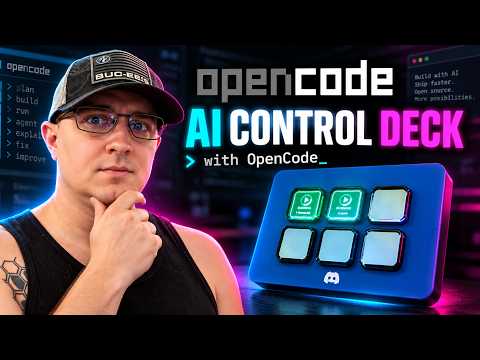
▶ Watch the YouTube demo: AI coding-agent status and one-touch window switching. This is the original OpenCode hardware walkthrough, recorded before later Jelly and customization additions. The source-rendered hero above and full animation gallery show the broader current feature set. The thumbnail opens YouTube; GitHub README pages do not play embedded YouTube iframes.
Keep your attention on the work
Running several coding agents means several windows to check. AgentStreamDeck gives each session a physical key with its project label, agent icon and live status.
- Know where you're needed. Animated status keys distinguish work in progress, idle sessions and supported input requests.
- Get back with one press. Focus the session's Windows window; minimized windows are maximized and brought forward.
- Keep your usual workflow. Launch your CLI or editor normally after installing its integration. No special launcher, Elgato plugin or MCP server required.
- Give spare keys some personality. Jelly, an offline companion, plays on unused buttons and reacts when you tap him.
The hero above uses the actual renderers on a simulated deck. The video demo shows the OpenCode workflow on hardware.
Get started
1. Check your setup
| You'll need | Supported setup |
|---|---|
| Stream Deck | Mini (6 keys), Original/MK.2 (15), or XL (32); one device per broker |
| Python | 3.11 or newer |
| Node.js | 20 or newer for hook adapters |
| Desktop | Windows for USB control and window focus; Linux supports the broker and device rendering, but not desktop focus |
Plug in your deck and quit the Elgato Stream Deck app from the system tray so AgentStreamDeck can use it.
2. Install and start
python -m pip install --upgrade agentstreamdeck
python -m ocdeck install
The second command registers and starts the background broker for your user, including startup at login. It also installs the OpenCode plugin if opencode is on PATH. No repository checkout is needed. The commands use python -m so a missing Scripts folder on PATH won't get in your way.
3. Connect your agent
For Claude Code, run this from a project you want to monitor:
cd C:\Projects\MyApp
python -m ocdeck harness-install claude
claude
For another agent, choose its profile below. Repeat hook installation for each project you want to monitor. Existing unrelated hooks are preserved. OpenCode uses its global plugin, so just launch opencode after step 2; if it wasn't on PATH during setup, run the install command again once it is.
| Agent | Project hook profile | What it can report |
|---|---|---|
| OpenCode | Global plugin; no project profile needed | Activity, permission requests and structured questions |
| Claude Code | claude |
Activity, identified questions; permission counts may be unknown |
| Codex CLI | codex |
Activity and observed approval state; counts unknown |
| GitHub Copilot CLI | copilot-cli |
Activity only |
| Copilot in VS Code | copilot-vscode |
Activity only; preview integration |
| Gemini CLI | gemini |
Activity and recognized permission notifications |
| Cursor CLI | cursor |
Activity only; Cursor desktop isn't included |
For example, use python -m ocdeck harness-install codex, then review and trust the hooks in Codex using /hooks. Agent-specific setup and coverage explains prerequisites and limitations.
4. Try a key
Start an agent in the configured project, send it a task and watch its key change. Press the key to return to that session. Use a separate OS window for each monitored session; several tabs in one terminal window can make focus ambiguous.
python -m ocdeck status
Need more detail? Installation guide · Troubleshooting · Remote and WSL setups
Supported agents
Follow the dedicated setup guide for OpenCode, Claude Code, Codex CLI, Copilot CLI, Copilot in VS Code, Gemini CLI, or Cursor CLI. Each includes install commands, exact shipped hook mappings, verification and removal.
The integrations above share the same deck, but their event coverage differs. These are the default visual signals:
| Key | Meaning |
|---|---|
| Green moving ring | Agent reports work in progress |
| Amber breathing glow | Agent reports idle |
| Red attention indicator | Identified input request or observed approval state |
Amber LINK ? |
Connection or state is unknown |
Activity-only integrations can still look busy while waiting for approval. A green key doesn't guarantee that no input is needed. Input counts appear only when the integration supplies enough information.
Pressing an agent key requests window focus. It never types a reply or approves a tool. Windows can restrict foreground activation; the status output includes the last focus result for diagnosis.
Make it yours
The physical deck is the UI; preferences are configured through the CLI and JSON. See every UI control, every appearance field and default, and all CLI arguments.
Choose recognizable agent logos, project labels, layouts, color palettes and animation styles. Apply a preset across the deck or give individual keys their own look.

python -m ocdeck appearance --preset neon --layout harness
Restart the broker after saving appearance changes. You can preview changes before saving, export a favorite look, or turn animation off. Sound alerts and Windows notifications are optional and off by default.
Appearance gallery and settings · Configuration, alerts and maintenance
Want your Mini beside your screen? The 3D-printable side monitor mount includes separate STL parts, a reinforced wing, a 5° locking hinge, and printing instructions.
Meet Jelly

Jelly makes a home on your spare buttons. He stretches, dances, naps and changes mood with the rhythm of your coding sessions. Tap him for a wobble, cheer or little “Boop!” His thoughts and personality run offline using session activity metadata, without reading your prompts or source code.

With two free keys, Jelly can point to a steaming coffee cup and ask “Coffee?” at a random interval of 1–3 hours. Tap Jelly five times within one minute to start the same routine early when two keys are free. The invitation lasts 60 seconds; pressing Jelly or the cup opens Ryan's Buy Me a Coffee page and dismisses it. The preview speeds up the wait. Agent controls always take priority.
Prefer a quieter deck? Set "jelly": {"coffee": false} to disable coffee invitations or "jelly": {"enabled": false} to turn Jelly off. Merge these preferences into your existing configuration and restart the broker.
Jelly's personality and behavior · Complete Jelly settings · Every action, mood and hop · Tap and coffee interactions
Stay up to date
When an update is available, Jelly settles down with rainbow colors, a red exclamation point, a green upgrade arrow and “Update available” beneath him. He moves at most once every 30 seconds so you can read it.

Press the marked Jelly to install the detected update and restart the broker. Checking for updates never installs anything by itself. You can also update with:
python -m pip install --upgrade agentstreamdeck
A running broker with upgrade monitoring automatically restarts after the new package finishes installing. Use the same Python environment as the broker. First-time setup still needs python -m ocdeck install; older installations may need one restart to enable monitoring. Upgrade details and opt-outs
Release notes · Upgrading from AgentDeck
Explore every feature
| What you want to do | What AgentStreamDeck provides | Full documentation |
|---|---|---|
| Monitor several AI coding sessions | Live running, idle, input and unknown state; automatic slot cleanup and overflow handling | Status and slots |
| Switch back to the right session | One-touch Windows terminal/editor focus, including minimized windows | Window switching |
| Use your existing coding tools | Global OpenCode plugin and six project hook profiles, with honest per-agent coverage | Integration hub |
| Choose the information on each key | Harness icons, project labels, aliases, custom text, status and input badges | UI guide |
| Personalize the whole deck or one key | Three layouts, six themes, five presets, borders, backgrounds and logo sizes | Appearance reference |
| Tune motion and readability | Breathe/glow/steady effects, scrolling/shimmer, font size, alignment, speed and brightness | Animated gallery |
| Share your configuration | Versioned visual import/export, dry-run diff and preview GIF generation | Appearance import/export |
| Hear when you are needed | Optional Windows sounds and request-specific desktop notifications | Alert settings |
| Give unused keys personality | Offline Jelly companion with actions, moods, thoughts and touch reactions | Jelly guide |
| Customize Jelly’s behavior | Four personalities, fourteen hop styles, movement frequency and optional persistence | Jelly settings |
| Take a coffee break | Timed or five-tap invitation with a steaming cup on a second free key | Coffee interactions |
| Keep the package current | Visible update notice, press-to-install and verified restart after pip upgrades | Update guide |
| Start automatically at login | Per-user Windows task or Linux systemd service | Startup controls |
| Use Mini, Original/MK.2 or XL | Automatic 6/15/32-key capacity, serial selection and reconnect handling | Hardware guide |
| Mount a Mini beside your monitor | Multi-part printable holder, reinforced wing and five-degree locking hinge | STLs and assembly |
| Diagnose an issue | Doctor checks, physical-input telemetry, structured logs and scrubbed reports | Diagnostics |
| Understand the local data boundary | Metadata-only hooks, loopback authentication and offline companion | Privacy and offline operation |
| Remove only what was installed | Hook receipts, config-preserving removal, preview and retained backups | Uninstall |
| Extend the project | API, architecture, source map, adapter contracts and test guides | Developer documentation |
More ways to make it yours


Browse layouts, themes, harness logos, labels, typography, borders, brightness and mixed-key examples. Each gallery links to the settings that produce it. These are renderer demonstrations; physical USB speed depends on your deck and active keys.
Documentation shortcuts
- Start here: first run, practical tutorials, FAQ, troubleshooting.
- Complete references: all commands and flags, broker JSON and environment, appearance settings, Jelly settings.
- Advanced workflows: local-model and compatibility launchers, WSL/SSH/container boundaries, local HTTP API.
- Browse everything: documentation index, feature hub, integration hub, media gallery.
Need a hand?
python -m ocdeck doctor --no-device --json
python -m ocdeck report --output agentstreamdeck-report.zip --lines 200
Start with the troubleshooting guide. On Windows, configuration and logs live under %USERPROFILE%\.opencode-deck unless you've set OCDECK_HOME; the main log is broker.log. Review diagnostic reports before sharing them in a GitHub issue.
The controller runs locally. Online update checks can be disabled with "check_updates": false. Configuration and removal instructions cover alerts, startup, backups and uninstalling integrations.
Build with us
Adapter improvements, bug reports and hardware testing are welcome. See CONTRIBUTING.md for development setup, the architecture for the internals, and the documentation index for deeper guides.
CI tests Windows and Ubuntu with Python 3.11/3.13, including package installation and upgrade behavior. USB hardware and interactive window focus also need real desktop testing; verification details distinguish that from automated coverage.
Licensed under Apache 2.0. Agent names and logos belong to their respective owners; see third-party notices.
1 maintainer

Download files
Download the file for your platform. If you're not sure which to choose, learn more about installing packages.
Source Distribution
Built Distribution
Filter files by name, interpreter, ABI, and platform.
If you're not sure about the file name format, learn more about wheel file names.
Copy a direct link to the current filters
File details
Details for the file agentstreamdeck-3.0.9.tar.gz.
File metadata
- Download URL: agentstreamdeck-3.0.9.tar.gz
- Upload date:
- Size: 260.0 kB
- Tags: Source
- Uploaded using Trusted Publishing? Yes
- Uploaded via:
twine/7.0.0 CPython/3.13.14
File hashes
| Algorithm | Hash digest | |
|---|---|---|
| SHA256 |
8656ee854a43112c1c705e152391ea7a4774344b9ff95786278d754c6e1d1fc8
|
|
| MD5 |
1f5d55c08de16e10261e22653b14ee32
|
|
| BLAKE2b-256 |
3e3b51838f2d69ca8356de40a9671667757fbcfc831565ddbcee51bd5aaa4500
|
Provenance
The following attestation bundles were made for agentstreamdeck-3.0.9.tar.gz:
Publisher:
pypi.yml on darkmatter2222/AgentStreamDeck
-
Statement:
-
Statement type:
https://in-toto.io/Statement/v1 -
Predicate type:
https://docs.pypi.org/attestations/publish/v1 -
Subject name:
agentstreamdeck-3.0.9.tar.gz -
Subject digest:
8656ee854a43112c1c705e152391ea7a4774344b9ff95786278d754c6e1d1fc8 - Sigstore transparency entry: 2823808187
- Sigstore integration time:
-
Permalink:
darkmatter2222/AgentStreamDeck@7d406b874b1ab1bb9718b645ea9375134b90abbd -
Branch / Tag:
refs/heads/main - Owner: https://github.com/darkmatter2222
-
Access:
public
-
Token Issuer:
https://token.actions.githubusercontent.com -
Runner Environment:
github-hosted -
Publication workflow:
pypi.yml@7d406b874b1ab1bb9718b645ea9375134b90abbd -
Trigger Event:
push
-
Statement type:
File details
Details for the file agentstreamdeck-3.0.9-py3-none-any.whl.
File metadata
- Download URL: agentstreamdeck-3.0.9-py3-none-any.whl
- Upload date:
- Size: 248.5 kB
- Tags: Python 3
- Uploaded using Trusted Publishing? Yes
- Uploaded via:
twine/7.0.0 CPython/3.13.14
File hashes
| Algorithm | Hash digest | |
|---|---|---|
| SHA256 |
afde7aebdfc70716eab215e12b36f6e77bac22d9d29403fc6e735cab9aed88b3
|
|
| MD5 |
c23f0f992546a19c79e4a1e500ce06a0
|
|
| BLAKE2b-256 |
d02a4ab5e0c6b3582efca11d91db4c74d897ae1fddeb90a9bc29acd0a0970bce
|
Provenance
The following attestation bundles were made for agentstreamdeck-3.0.9-py3-none-any.whl:
Publisher:
pypi.yml on darkmatter2222/AgentStreamDeck
-
Statement:
-
Statement type:
https://in-toto.io/Statement/v1 -
Predicate type:
https://docs.pypi.org/attestations/publish/v1 -
Subject name:
agentstreamdeck-3.0.9-py3-none-any.whl -
Subject digest:
afde7aebdfc70716eab215e12b36f6e77bac22d9d29403fc6e735cab9aed88b3 - Sigstore transparency entry: 2823808257
- Sigstore integration time:
-
Permalink:
darkmatter2222/AgentStreamDeck@7d406b874b1ab1bb9718b645ea9375134b90abbd -
Branch / Tag:
refs/heads/main - Owner: https://github.com/darkmatter2222
-
Access:
public
-
Token Issuer:
https://token.actions.githubusercontent.com -
Runner Environment:
github-hosted -
Publication workflow:
pypi.yml@7d406b874b1ab1bb9718b645ea9375134b90abbd -
Trigger Event:
push
-
Statement type:














