
This release is a pre-release and may not be stable for production use.
| Drop a star to support Aim ⭐ |
Join Aim discord community

|

An easy-to-use & supercharged open-source experiment tracker
Aim logs your training runs and any AI Metadata, enables a beautiful UI to compare, observe them and an API to query them programmatically.
































AimStack offers enterprise support that's beyond core Aim. Contact via hello@aimstack.io e-mail.
About • Demos • Ecosystem • Quick Start • Examples • Documentation • Community • Blog
ℹ️ About
Aim is an open-source, self-hosted ML experiment tracking tool designed to handle 10,000s of training runs.
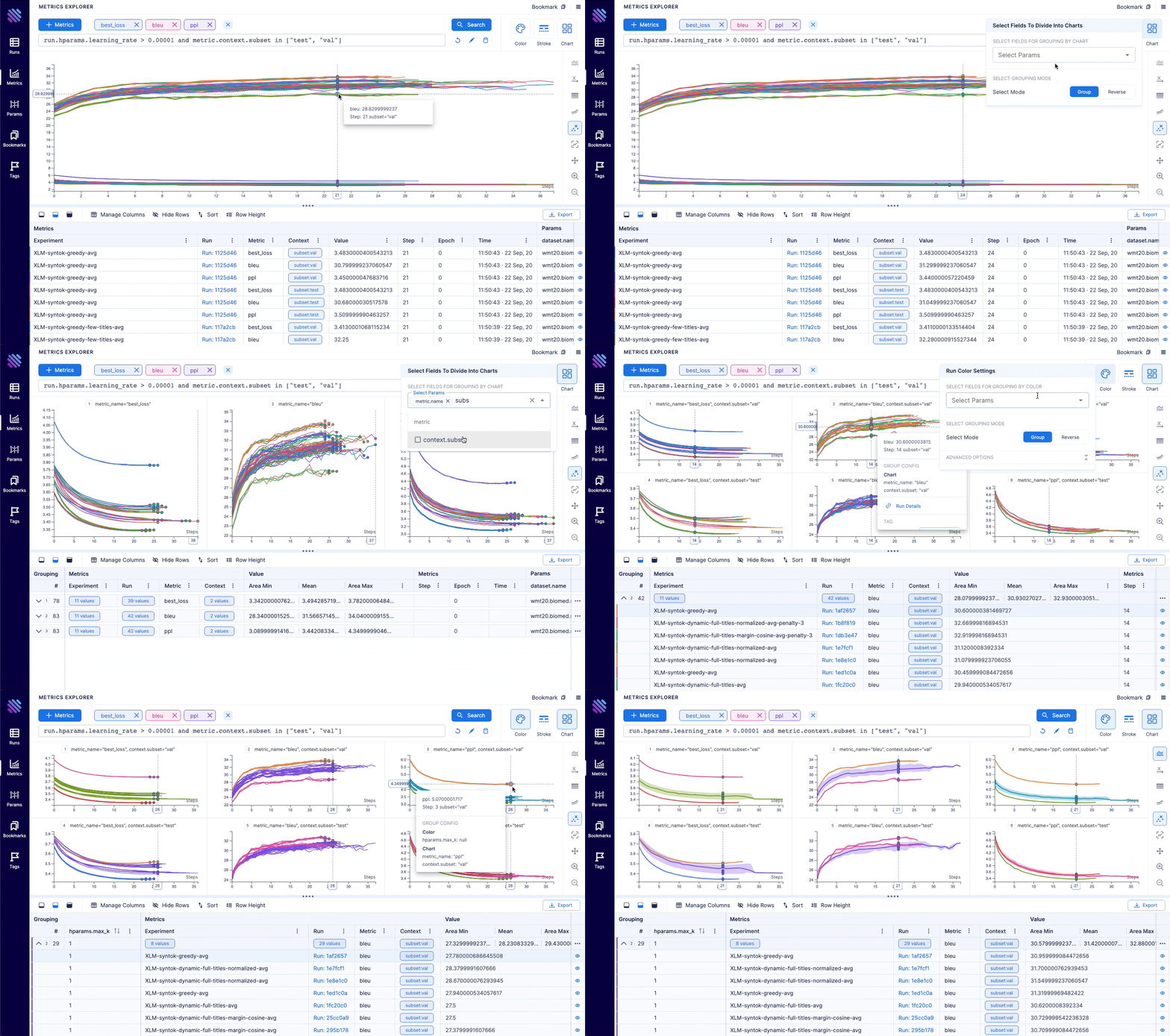
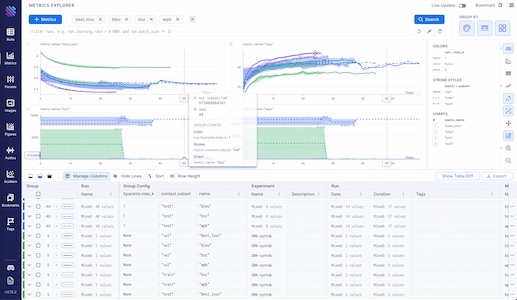
Aim provides a performant and beautiful UI for exploring and comparing training runs. Additionally, its SDK enables programmatic access to tracked metadata — perfect for automations and Jupyter Notebook analysis.
Aim's mission is to democratize AI dev tools 🎯
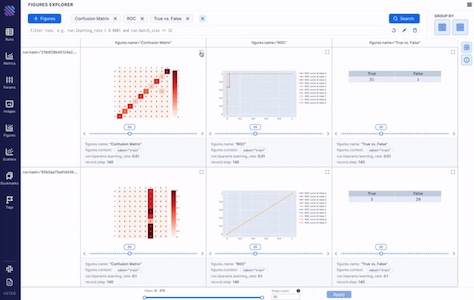
| Log Metadata Across Your ML Pipeline 💾 | Visualize & Compare Metadata via UI 📊 |
|---|---|
|
|
| Run ML Trainings Effectively ⚡ | Organize Your Experiments 🗂️ |
|
|
🎬 Demos
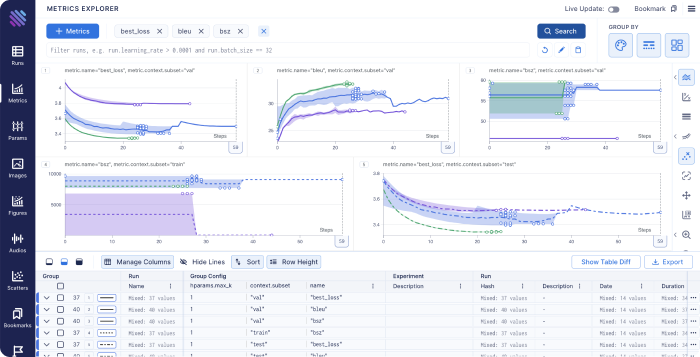
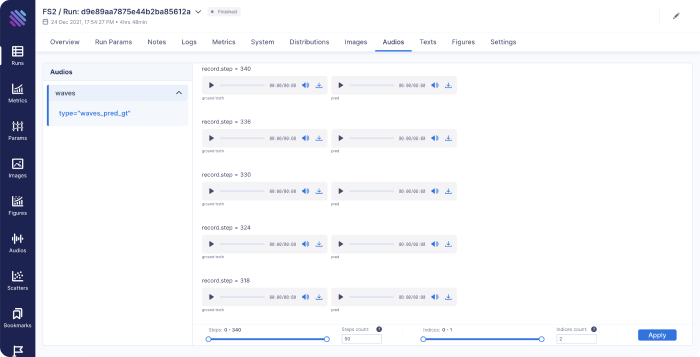
Check out live Aim demos NOW to see it in action.
| Machine translation experiments | lightweight-GAN experiments |
|---|---|
 |
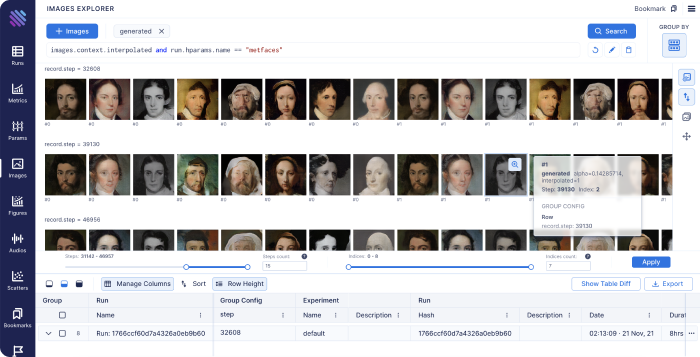 |
| Training logs of a neural translation model(from WMT'19 competition). | Training logs of 'lightweight' GAN, proposed in ICLR 2021. |
| FastSpeech 2 experiments | Simple MNIST |
|---|---|
 |
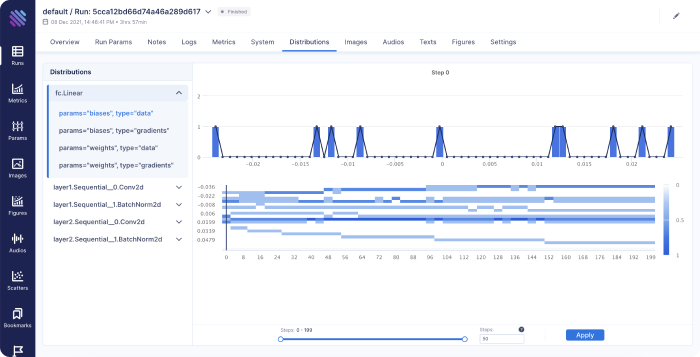 |
| Training logs of Microsoft's "FastSpeech 2: Fast and High-Quality End-to-End Text to Speech". | Simple MNIST training logs. |
🌍 Ecosystem
Aim is not just an experiment tracker. It's a groundwork for an ecosystem. Check out the two most famous Aim-based tools.
| aimlflow | Aim-spaCy |
|---|---|
 |
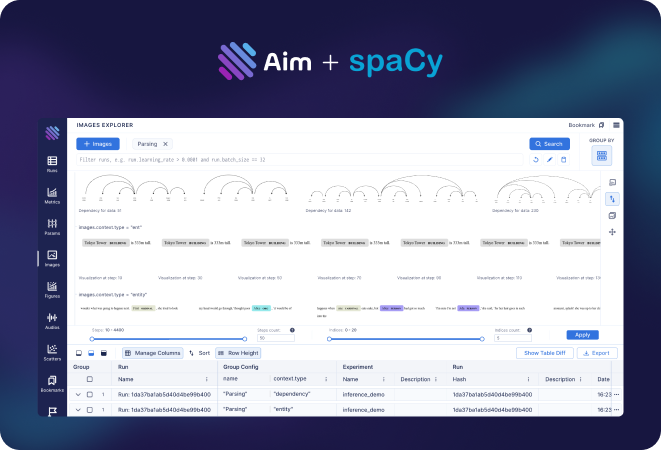 |
| Exploring MLflow experiments with a powerful UI | an Aim-based spaCy experiment tracker |
🏁 Quick start
Follow the steps below to get started with Aim.
1. Install Aim on your training environment
pip3 install aim
2. Integrate Aim with your code
from aim import Run

# Initialize a new run
run = Run()

# Log run parameters
run["hparams"] = {
    "learning_rate": 0.001,
    "batch_size": 32,
}

# Log metrics
for i in range(10):
    run.track(i, name='loss', step=i, context={ "subset":"train" })
    run.track(i, name='acc', step=i, context={ "subset":"train" })
See the full list of supported trackable objects(e.g. images, text, etc) here.
3. Run the training as usual and start Aim UI
aim up
Learn more
Migrate from other tools
Aim has built-in converters to easily migrate logs from other tools. These migrations cover the most common usage scenarios. In case of custom and complex scenarios you can use Aim SDK to implement your own conversion script.
Integrate Aim into an existing project
Aim easily integrates with a wide range of ML frameworks, providing built-in callbacks for most of them.
- Integration with Pytorch Ignite
- Integration with Pytorch Lightning
- Integration with Hugging Face
- Integration with Keras & tf.Keras
- Integration with Keras Tuner
- Integration with XGboost
- Integration with CatBoost
- Integration with LightGBM
- Integration with fastai
- Integration with MXNet
- Integration with Optuna
- Integration with PaddlePaddle
- Integration with Stable-Baselines3
- Integration with Acme
- Integration with Prophet
Query runs programmatically via SDK
Aim Python SDK empowers you to query and access any piece of tracked metadata with ease.
from aim import Repo

my_repo = Repo('/path/to/aim/repo')

query = "metric.name == 'loss'" # Example query

# Get collection of metrics
for run_metrics_collection in my_repo.query_metrics(query).iter_runs():
    for metric in run_metrics_collection:
        # Get run params
        params = metric.run[...]
        # Get metric values
        steps, metric_values = metric.values.sparse_numpy()
Set up a centralized tracking server
Aim remote tracking server allows running experiments in a multi-host environment and collect tracked data in a centralized location.
See the docs on how to set up the remote server.
Deploy Aim on kubernetes
- The official Aim docker image: https://hub.docker.com/r/aimstack/aim
- A guide on how to deploy Aim on kubernetes: https://aimstack.readthedocs.io/en/latest/using/k8s_deployment.html
Read the full documentation on aimstack.readthedocs.io 📖
🆚 Comparisons to familiar tools
TensorBoard vs Aim
Training run comparison
Order of magnitude faster training run comparison with Aim
- The tracked params are first class citizens at Aim. You can search, group, aggregate via params - deeply explore all the tracked data (metrics, params, images) on the UI.
- With tensorboard the users are forced to record those parameters in the training run name to be able to search and compare. This causes a super-tedius comparison experience and usability issues on the UI when there are many experiments and params. TensorBoard doesn't have features to group, aggregate the metrics
Scalability
- Aim is built to handle 1000s of training runs - both on the backend and on the UI.
- TensorBoard becomes really slow and hard to use when a few hundred training runs are queried / compared.
Beloved TB visualizations to be added on Aim
- Embedding projector.
- Neural network visualization.
MLflow vs Aim
MLFlow is an end-to-end ML Lifecycle tool. Aim is focused on training tracking. The main differences of Aim and MLflow are around the UI scalability and run comparison features.
Aim and MLflow are a perfect match - check out the aimlflow - the tool that enables Aim superpowers on Mlflow.
Run comparison
- Aim treats tracked parameters as first-class citizens. Users can query runs, metrics, images and filter using the params.
- MLFlow does have a search by tracked config, but there are no grouping, aggregation, subplotting by hyparparams and other comparison features available.
UI Scalability
- Aim UI can handle several thousands of metrics at the same time smoothly with 1000s of steps. It may get shaky when you explore 1000s of metrics with 10000s of steps each. But we are constantly optimizing!
- MLflow UI becomes slow to use when there are a few hundreds of runs.
Weights and Biases vs Aim
Hosted vs self-hosted
- Weights and Biases is a hosted closed-source MLOps platform.
- Aim is self-hosted, free and open-source experiment tracking tool.
🛣️ Roadmap
Detailed milestones
The Aim product roadmap :sparkle:
- The
Backlogcontains the issues we are going to choose from and prioritize weekly - The issues are mainly prioritized by the highly-requested features
High-level roadmap
The high-level features we are going to work on the next few months:
In progress
- Aim SDK low-level interface
- Dashboards – customizable layouts with embedded explorers
- Ergonomic UI kit
- Text Explorer
Next-up
Aim UI
- Runs management
- Runs explorer – query and visualize runs data(images, audio, distributions, ...) in a central dashboard
- Explorers
- Distributions Explorer
SDK and Storage
- Scalability
- Smooth UI and SDK experience with over 10.000 runs
- Runs management
- CLI commands
- Reporting - runs summary and run details in a CLI compatible format
- Manipulations – copy, move, delete runs, params and sequences
- CLI commands
- Cloud storage support – store runs blob(e.g. images) data on the cloud
- Artifact storage – store files, model checkpoints, and beyond
Integrations
- ML Frameworks:
- Shortlist: scikit-learn
- Resource management tools
- Shortlist: Kubeflow, Slurm
- Workflow orchestration tools
Done
- Live updates (Shipped: Oct 18 2021)
- Images tracking and visualization (Start: Oct 18 2021, Shipped: Nov 19 2021)
- Distributions tracking and visualization (Start: Nov 10 2021, Shipped: Dec 3 2021)
- Jupyter integration (Start: Nov 18 2021, Shipped: Dec 3 2021)
- Audio tracking and visualization (Start: Dec 6 2021, Shipped: Dec 17 2021)
- Transcripts tracking and visualization (Start: Dec 6 2021, Shipped: Dec 17 2021)
- Plotly integration (Start: Dec 1 2021, Shipped: Dec 17 2021)
- Colab integration (Start: Nov 18 2021, Shipped: Dec 17 2021)
- Centralized tracking server (Start: Oct 18 2021, Shipped: Jan 22 2022)
- Tensorboard adaptor - visualize TensorBoard logs with Aim (Start: Dec 17 2021, Shipped: Feb 3 2022)
- Track git info, env vars, CLI arguments, dependencies (Start: Jan 17 2022, Shipped: Feb 3 2022)
- MLFlow adaptor (visualize MLflow logs with Aim) (Start: Feb 14 2022, Shipped: Feb 22 2022)
- Activeloop Hub integration (Start: Feb 14 2022, Shipped: Feb 22 2022)
- PyTorch-Ignite integration (Start: Feb 14 2022, Shipped: Feb 22 2022)
- Run summary and overview info(system params, CLI args, git info, ...) (Start: Feb 14 2022, Shipped: Mar 9 2022)
- Add DVC related metadata into aim run (Start: Mar 7 2022, Shipped: Mar 26 2022)
- Ability to attach notes to Run from UI (Start: Mar 7 2022, Shipped: Apr 29 2022)
- Fairseq integration (Start: Mar 27 2022, Shipped: Mar 29 2022)
- LightGBM integration (Start: Apr 14 2022, Shipped: May 17 2022)
- CatBoost integration (Start: Apr 20 2022, Shipped: May 17 2022)
- Run execution details(display stdout/stderr logs) (Start: Apr 25 2022, Shipped: May 17 2022)
- Long sequences(up to 5M of steps) support (Start: Apr 25 2022, Shipped: Jun 22 2022)
- Figures Explorer (Start: Mar 1 2022, Shipped: Aug 21 2022)
- Notify on stuck runs (Start: Jul 22 2022, Shipped: Aug 21 2022)
- Integration with KerasTuner (Start: Aug 10 2022, Shipped: Aug 21 2022)
- Integration with WandB (Start: Aug 15 2022, Shipped: Aug 21 2022)
- Stable remote tracking server (Start: Jun 15 2022, Shipped: Aug 21 2022)
- Integration with fast.ai (Start: Aug 22 2022, Shipped: Oct 6 2022)
- Integration with MXNet (Start: Sep 20 2022, Shipped: Oct 6 2022)
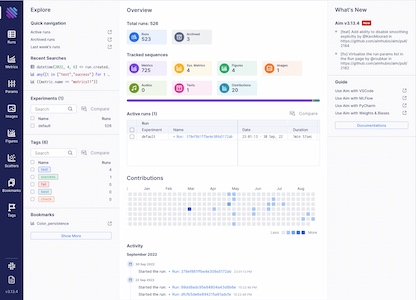
- Project overview page (Start: Sep 1 2022, Shipped: Oct 6 2022)
- Remote tracking server scaling (Start: Sep 11 2022, Shipped: Nov 26 2022)
- Integration with PaddlePaddle (Start: Oct 2 2022, Shipped: Nov 26 2022)
- Integration with Optuna (Start: Oct 2 2022, Shipped: Nov 26 2022)
- Audios Explorer (Start: Oct 30 2022, Shipped: Nov 26 2022)
- Experiment page (Start: Nov 9 2022, Shipped: Nov 26 2022)
- HuggingFace datasets (Start: Dec 29 2022, Feb 3 2023)
👥 Community
Aim README badge
Add Aim badge to your README, if you've enjoyed using Aim in your work:

[](https://github.com/aimhubio/aim)
Cite Aim in your papers
In case you've found Aim helpful in your research journey, we'd be thrilled if you could acknowledge Aim's contribution:
@software{Arakelyan_Aim_2020,
  author = {Arakelyan, Gor and Soghomonyan, Gevorg and {The Aim team}},
  doi = {10.5281/zenodo.6536395},
  license = {Apache-2.0},
  month = {6},
  title = {{Aim}},
  url = {https://github.com/aimhubio/aim},
  version = {3.9.3},
  year = {2020}
}
Contributing to Aim
Considering contibuting to Aim? To get started, please take a moment to read the CONTRIBUTING.md guide.
Join Aim contributors by submitting your first pull request. Happy coding! 😊
Made with contrib.rocks.
More questions?
3 maintainers


Release files for aim 3.29.0.dev20250323
For a detailed explanation of source distributions (sdists) and built distributions (wheels), please see the package formats documentation.
Built distributions (wheels)
Total release size: 36.9 MB
Release files / aim-3.29.0.dev20250323-cp311-cp311-manylinux_2_24_x86_64.whl
| Download URL | aim-3.29.0.dev20250323-cp311-cp311-manylinux_2_24_x86_64.whl |
|---|---|
| Size | 5.9 MB |
| Tags | CPython 3.11 Linux glibc 2.24+ x86-64 |
|
SHA-256 checksum How to use checksums |
ae93f1b7907e2df37daffd58d6d307d2d438a1607e695660725d6b556cb9f000
|
|
BLAKE2b-256 checksum How to use checksums |
0a3c7ae7066edc3ae35421ecfc74cf0add3a3d2cde1e335e45811883e18bd106
|
| Upload date | |
|
Uploaded using Trusted Publishing? What is trusted publishing? |
No |
| Uploaded via |
twine/6.1.0 CPython/3.9.21
|
Release files / aim-3.29.0.dev20250323-cp310-cp310-manylinux_2_24_x86_64.whl
| Download URL | aim-3.29.0.dev20250323-cp310-cp310-manylinux_2_24_x86_64.whl |
|---|---|
| Size | 5.8 MB |
| Tags | CPython 3.10 Linux glibc 2.24+ x86-64 |
|
SHA-256 checksum How to use checksums |
cf1f841f3bdd838727a93cdffd12d1852816bbfbf9e031c756854d885efb5743
|
|
BLAKE2b-256 checksum How to use checksums |
752fe0a4c1eaa9a6ebd988a9704842fbf62fdc743a1dc700d8128515f8361cf8
|
| Upload date | |
|
Uploaded using Trusted Publishing? What is trusted publishing? |
No |
| Uploaded via |
twine/6.1.0 CPython/3.9.21
|
Release files / aim-3.29.0.dev20250323-cp39-cp39-manylinux_2_24_x86_64.whl
| Download URL | aim-3.29.0.dev20250323-cp39-cp39-manylinux_2_24_x86_64.whl |
|---|---|
| Size | 5.8 MB |
| Tags | CPython 3.9 Linux glibc 2.24+ x86-64 |
|
SHA-256 checksum How to use checksums |
bb9696502d2e21f7fe385156d23d7d79c6c574306d0d150652b08f6351275352
|
|
BLAKE2b-256 checksum How to use checksums |
076ac9a96e1ddfcf9a65e54f209ce6a7430bfedac3a0f32001dedab15b7f48fc
|
| Upload date | |
|
Uploaded using Trusted Publishing? What is trusted publishing? |
No |
| Uploaded via |
twine/6.1.0 CPython/3.9.21
|
Release files / aim-3.29.0.dev20250323-cp38-cp38-manylinux_2_24_x86_64.whl
| Download URL | aim-3.29.0.dev20250323-cp38-cp38-manylinux_2_24_x86_64.whl |
|---|---|
| Size | 6.1 MB |
| Tags | CPython 3.8 Linux glibc 2.24+ x86-64 |
|
SHA-256 checksum How to use checksums |
881c6984f7a209814b82320ff9678c9add0b2b14b53feecf426523c01b6a823e
|
|
BLAKE2b-256 checksum How to use checksums |
c0037fea83e07486d8288f1bef8d0fd561c217536d11226f14cdf2cee1aa02bf
|
| Upload date | |
|
Uploaded using Trusted Publishing? What is trusted publishing? |
No |
| Uploaded via |
twine/6.1.0 CPython/3.9.21
|
Release files / aim-3.29.0.dev20250323-cp38-cp38-macosx_11_0_arm64.whl
| Download URL | aim-3.29.0.dev20250323-cp38-cp38-macosx_11_0_arm64.whl |
|---|---|
| Size | 2.5 MB |
| Tags | CPython 3.8 macOS 11.0+ ARM64 |
|
SHA-256 checksum How to use checksums |
48b4179a79b98278b77370c6c6a2af7b10b15dbc5c93c46d99211a77c0c4f071
|
|
BLAKE2b-256 checksum How to use checksums |
d12392fd5a59dc6a3fef51cc3f8f402128aa9b27acec8eb268965dc1d8552193
|
| Upload date | |
|
Uploaded using Trusted Publishing? What is trusted publishing? |
No |
| Uploaded via |
twine/4.0.0 CPython/3.8.13
|
Release files / aim-3.29.0.dev20250323-cp38-cp38-macosx_10_14_x86_64.whl
| Download URL | aim-3.29.0.dev20250323-cp38-cp38-macosx_10_14_x86_64.whl |
|---|---|
| Size | 2.6 MB |
| Tags | CPython 3.8 macOS 10.14+ x86-64 |
|
SHA-256 checksum How to use checksums |
356e1afe467d781fbe9c72ccc5e9968e21475fde707813840babe725ea71e246
|
|
BLAKE2b-256 checksum How to use checksums |
11d3a93b84c807d948f22bee5412ad17f10ac462732cdf63b146338c4728bde8
|
| Upload date | |
|
Uploaded using Trusted Publishing? What is trusted publishing? |
No |
| Uploaded via |
twine/4.0.0 CPython/3.8.13
|
Release files / aim-3.29.0.dev20250323-cp37-cp37m-manylinux_2_24_x86_64.whl
| Download URL | aim-3.29.0.dev20250323-cp37-cp37m-manylinux_2_24_x86_64.whl |
|---|---|
| Size | 5.7 MB |
| Tags | CPython 3.7 CPython 3.7 pymalloc Linux glibc 2.24+ x86-64 |
|
SHA-256 checksum How to use checksums |
09cfab1d6f90dbe0f06013968ed892feacf20d2ab41bb29b7d6aabcdef863ea8
|
|
BLAKE2b-256 checksum How to use checksums |
743570707765c0cf64db366ca7fb847b4ebfb2569930eea5404fc58c18eddf51
|
| Upload date | |
|
Uploaded using Trusted Publishing? What is trusted publishing? |
No |
| Uploaded via |
twine/6.1.0 CPython/3.9.21
|
Release files / aim-3.29.0.dev20250323-cp37-cp37m-macosx_10_14_x86_64.whl
| Download URL | aim-3.29.0.dev20250323-cp37-cp37m-macosx_10_14_x86_64.whl |
|---|---|
| Size | 2.6 MB |
| Tags | CPython 3.7 CPython 3.7 pymalloc macOS 10.14+ x86-64 |
|
SHA-256 checksum How to use checksums |
bd97eaeee72b455ad517269b05b8fd3af46c0cf6fd5b594e5bd0469904a730e3
|
|
BLAKE2b-256 checksum How to use checksums |
6af3e8554b16e6114f62073400079530bb9a54dcf0264a74ff7c5fa5a123ef41
|
| Upload date | |
|
Uploaded using Trusted Publishing? What is trusted publishing? |
No |
| Uploaded via |
twine/4.0.0 CPython/3.7.13
|














