
Algodif
Data processing (ALGO)rithms for (DIF)fraction-based X-ray techniques
Methods and software for calibrating multi-element energy-dispersive X-ray (EDX) detectors, processing and visualizing energy-dispersive X-ray diffraction tomography (EDDT) data acquired at a hard X-ray synchrotron beamline.
A detailed description is provided in the paper: "Algorithms and software tools for energy-dispersive X-ray diffraction tomography," Journal of Synchrotron Radiation.
The core of this work is to address a problem: given a list of measured data points not knowing unit, how to map that into a list of reference points knowing unit. The challenge is that the number of measured data points is not the same as the number of reference points, so there are many local minima in the mapping transformation. For X-ray diffraction techniques, it addresses the problem of how to calibrate an instrument using the diffraction pattern or fluorescence spectrum of a known calibrant in a robust and automated fashion.
Although the work was initially aimed at calibrating the HEX beamline instrument (the GeRM detector), the methods and software can be applied to other instruments given standard diffraction patterns or spectra. The specific GeRM geometry is helpful for determining initial guesses of optimizing methods. However, the algorithms in the software are not restricted to the GeRM detector.
Features
- Methods for peak detection and sub-pixel location.
- Methods for matching measured peaks to reference peaks.
- Methods for energy calibration of an EDX detector.
- Methods for q-calibration of an EDX detector and the GeRM detector.
- GUIs for energy calibration and q-calibration.
- GUIs/CLIs for processing and visualizing EDDT data from the GeRM detector.
Installation
Algodif can be installed using pip or conda:
pip install algodif
conda install -c conda-forge algodif
or from source:
git clone https://github.com/algodif/algodif.git
cd algodif
pip install .
Documentation and usage
Introduction
The multi-strip germanium energy-dispersive X-ray detector, developed by the detector group and combined with a pinhole geometry at the HEX beamline, NSLS-II, enables both spatial cross-sectional imaging of samples and detailed mapping of their crystal structures. This powerful technique has been routinely used at the beamline since 2023.
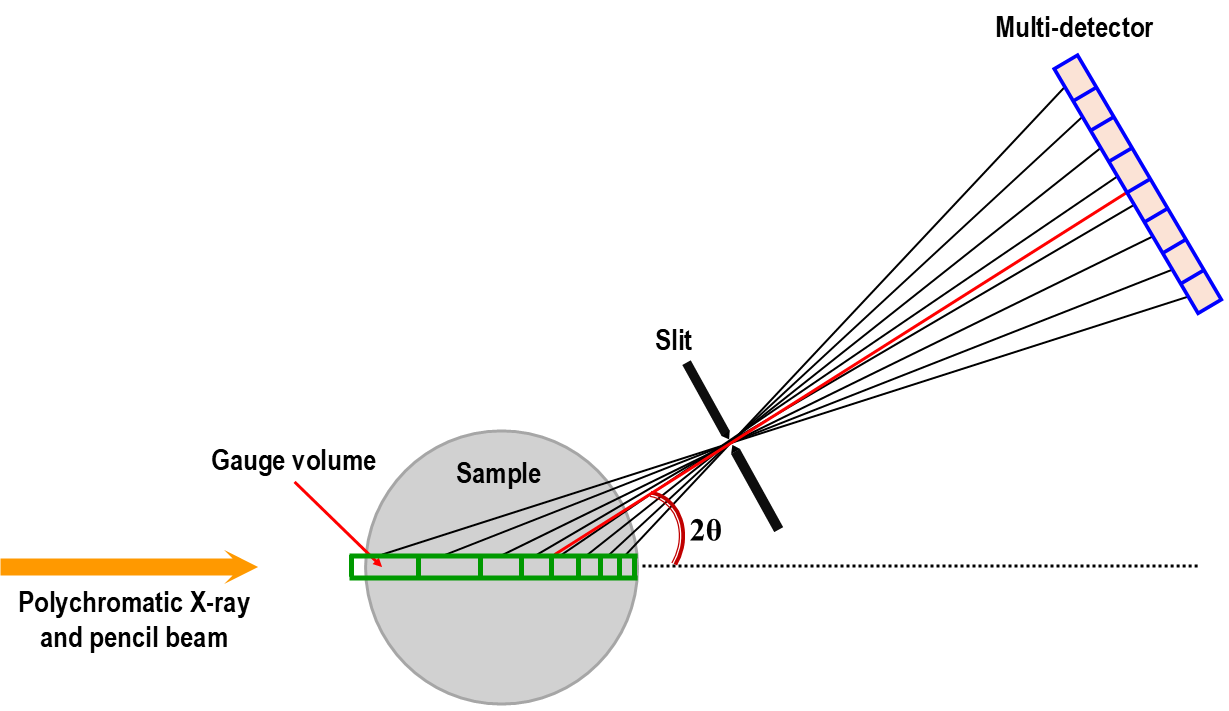
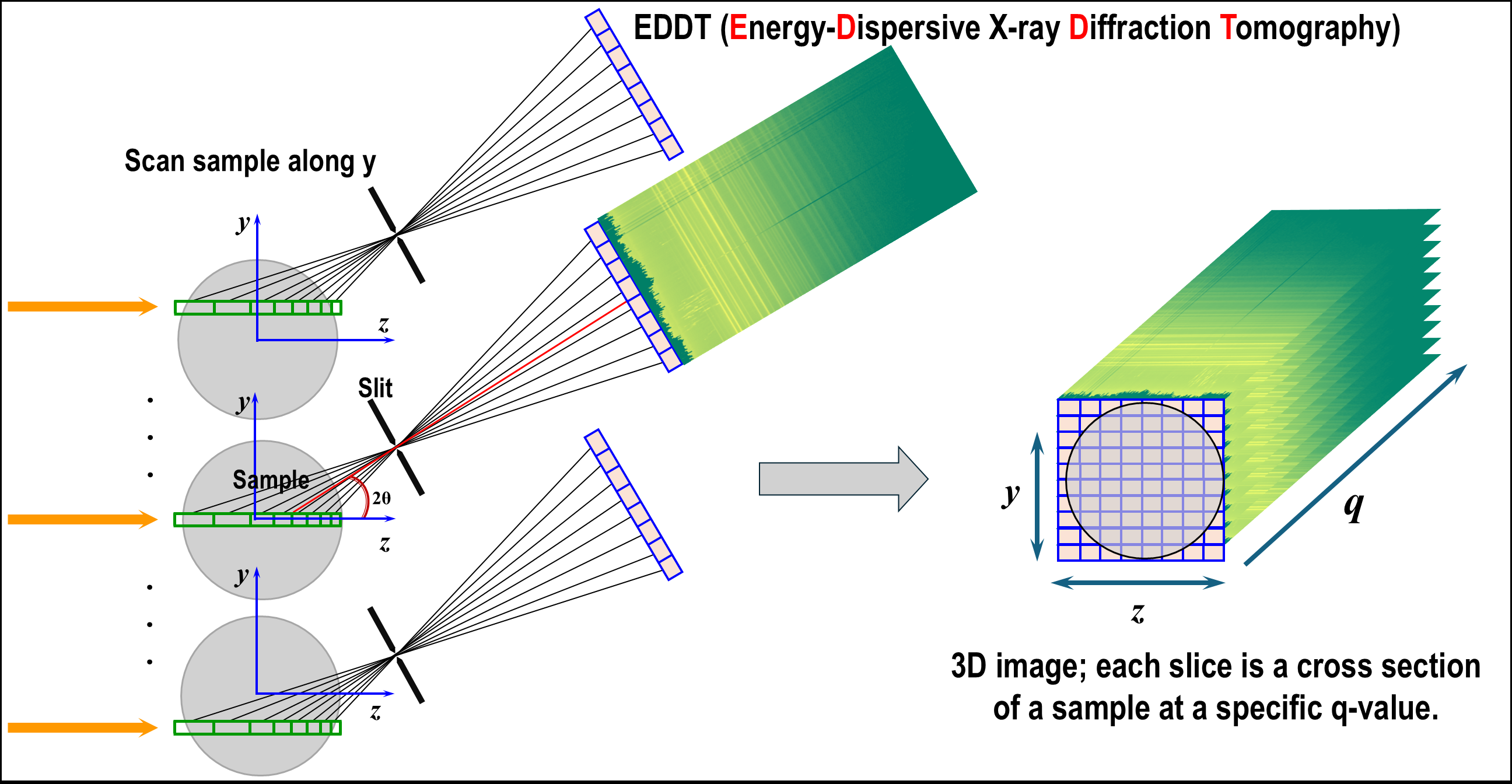
As illustrated, each detector element captures diffraction signals from a specific region of the sample, known as the gauge volume. The multi-strip detector array simultaneously records diffraction signals from different gauge volumes along the X-ray beam, effectively providing 1D spatially resolved measurements without tomographic reconstruction. By scanning the sample along the Y-axis, a 2D cross-sectional map can be constructed. Importantly, each pixel in this map contains a 1D diffraction pattern corresponding to a specific location within the sample. This is why the technique is called energy-dispersive X-ray diffraction tomography (EDDT): it enables direct tomographic imaging without the computation required in conventional tomography.
Calibration
The detector requires frequent calibration for different experimental conditions due to variations in diffraction angles across gauge volumes and the complexity of the detector and readout electronics. Under polychromatic X-ray illumination, the detector can record both fluorescence and diffraction signals, depending on the sample and detector angle. So, two types of calibration are required: energy calibration and reciprocal-space (q) calibration.
Energy calibration
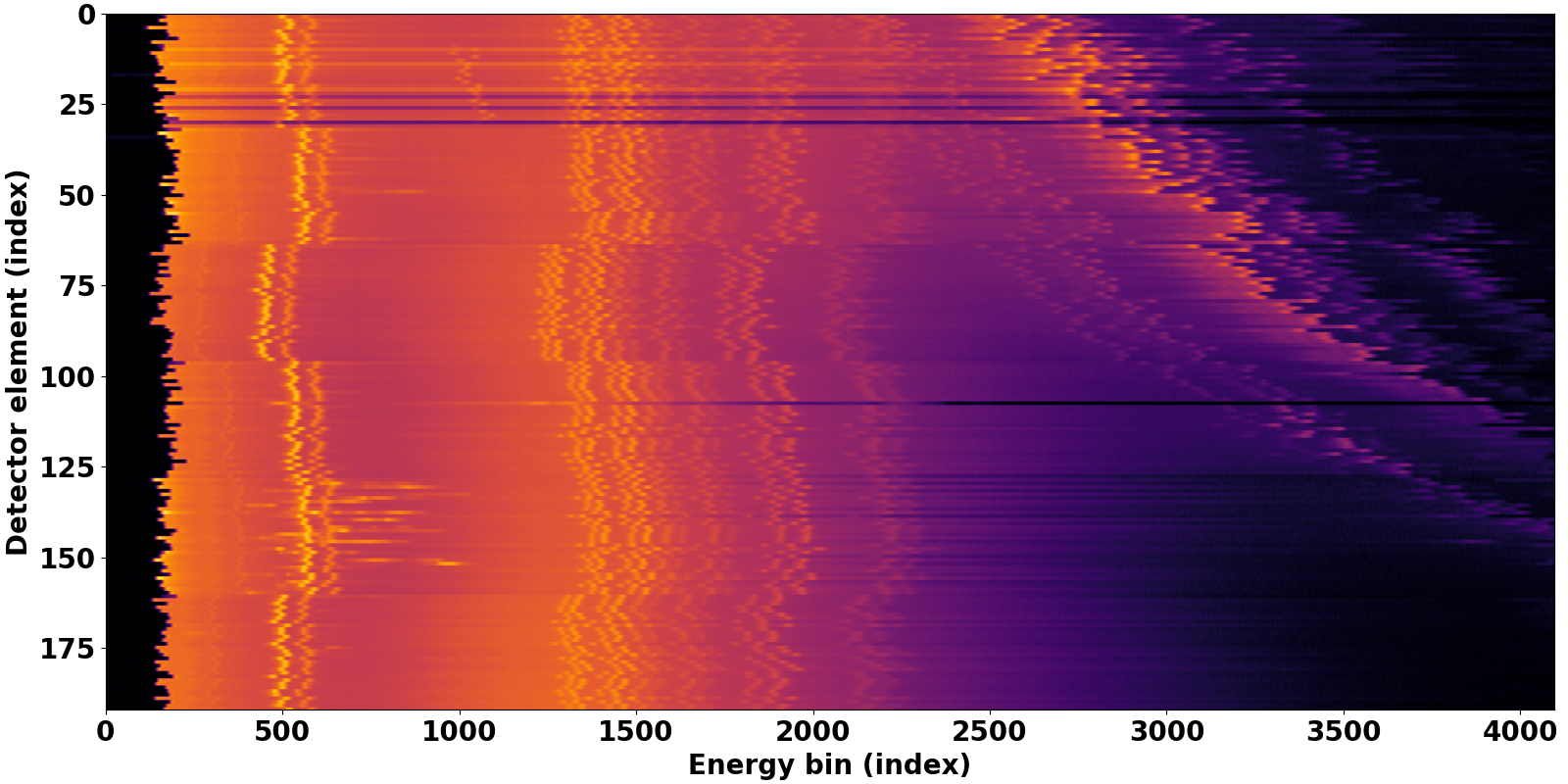
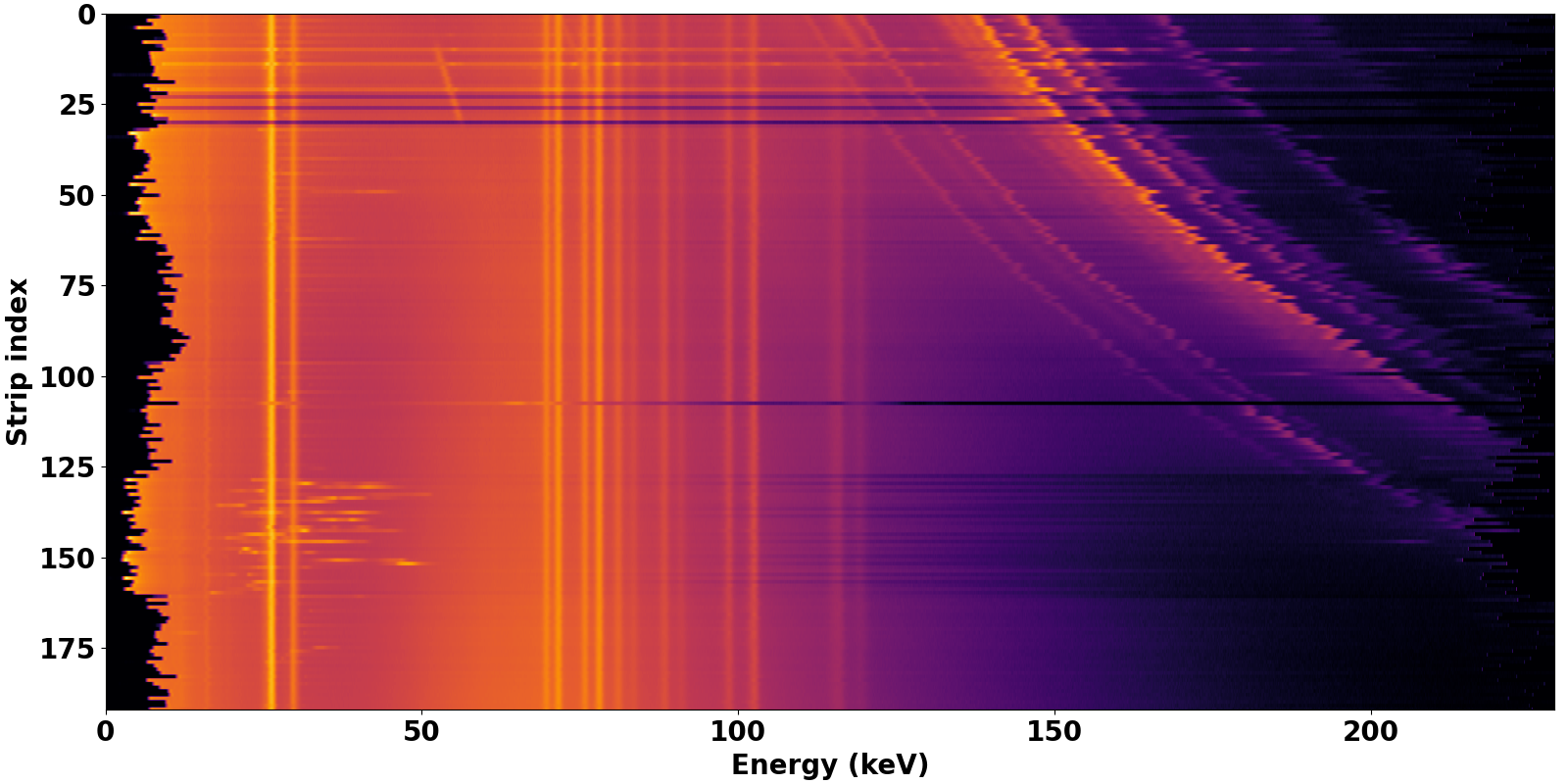
For detector energy calibration, the key idea is to maximize the fluorescence signal while minimizing the diffraction signal. We use a sample composed of thin foils of Sn, Pb, and Au to cover a wide energy range from low to high. A small amount of U is included to extend the calibration range beyond 110 keV. The results before and after energy calibration are shown below.
Q calibration
q-calibration, or reciprocal space calibration, is a major routine in the regular use of this detector at the HEX beamline. The detector needs to be calibrated when the theta angle changes or after a few days of use. In contrast to energy calibration, q-calibration requires minimizing fluorescence and maximizing diffraction signals. We tested several calibrants, including CeO2, Al2O3, Si, and LaB6, and found that Cr2O3 is the best choice for minimizing fluorescence. The tilt of the diffraction lines across the detector strips reflects the variation in scattering angle across the detector.
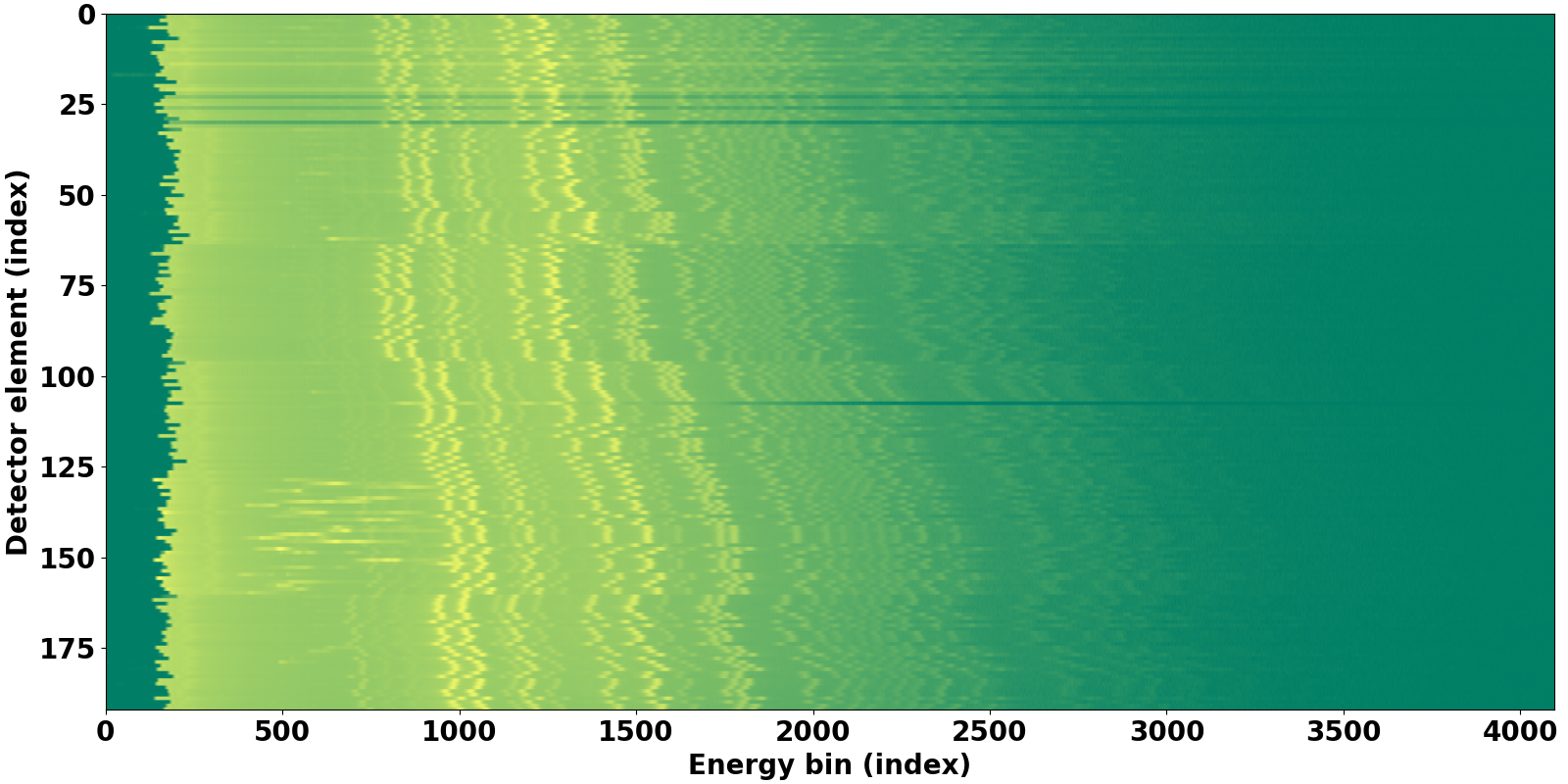
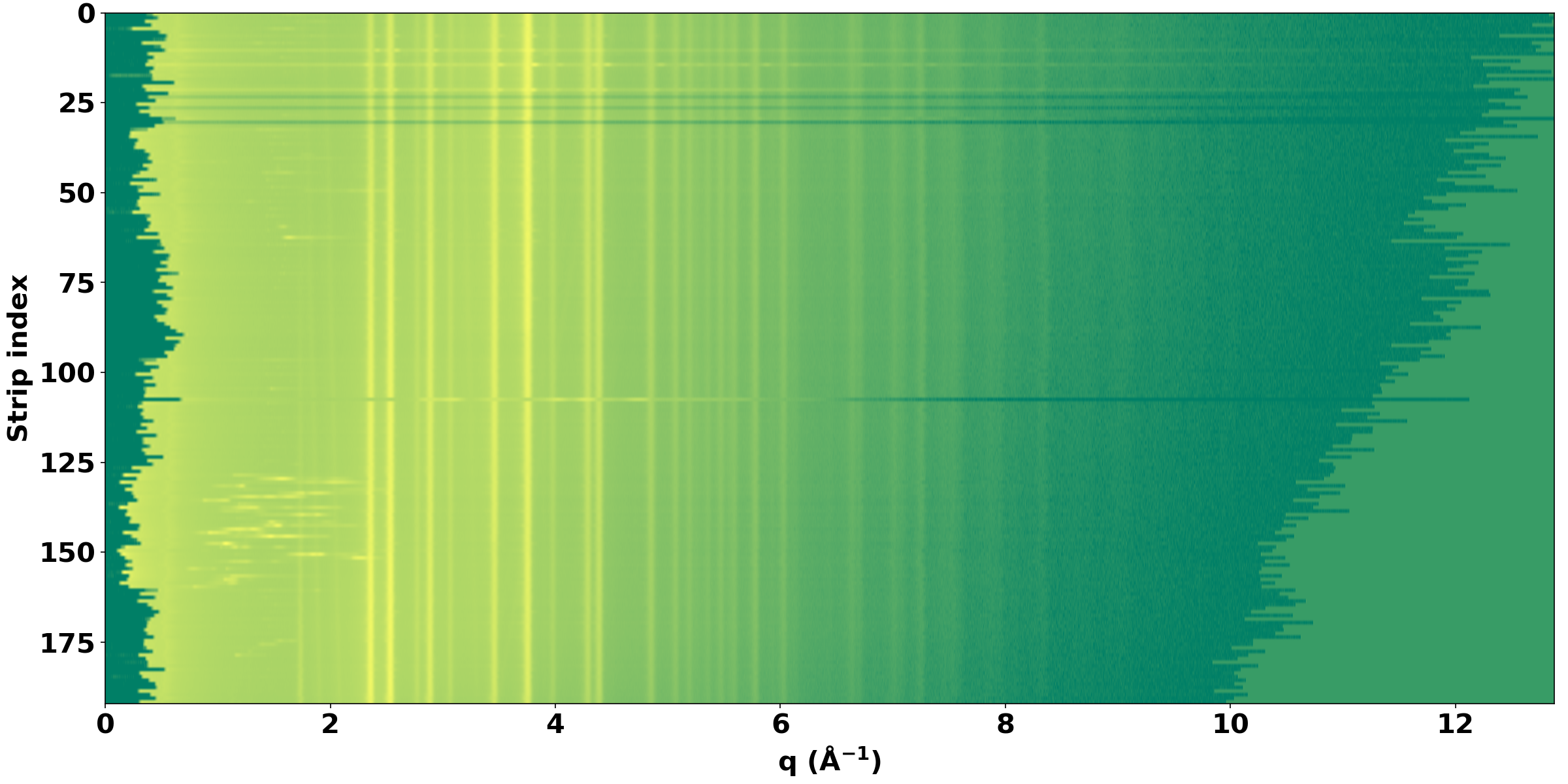
The robustness and reliability of this routine depend critically on the peak detection and peak matching methods, which we have developed and refined over time. Details of these methods are provided in the referenced paper and the source code.
User interface software
We provide separate GUIs for calibration, data processing workflows and visualization tasks. Although combining everything into a single GUI may seem appealing, we chose a modular approach to simplify maintenance and accommodate the diverse needs of beamline operations. These tools (Python scripts) can be organized and launched through the script-runner GUI.
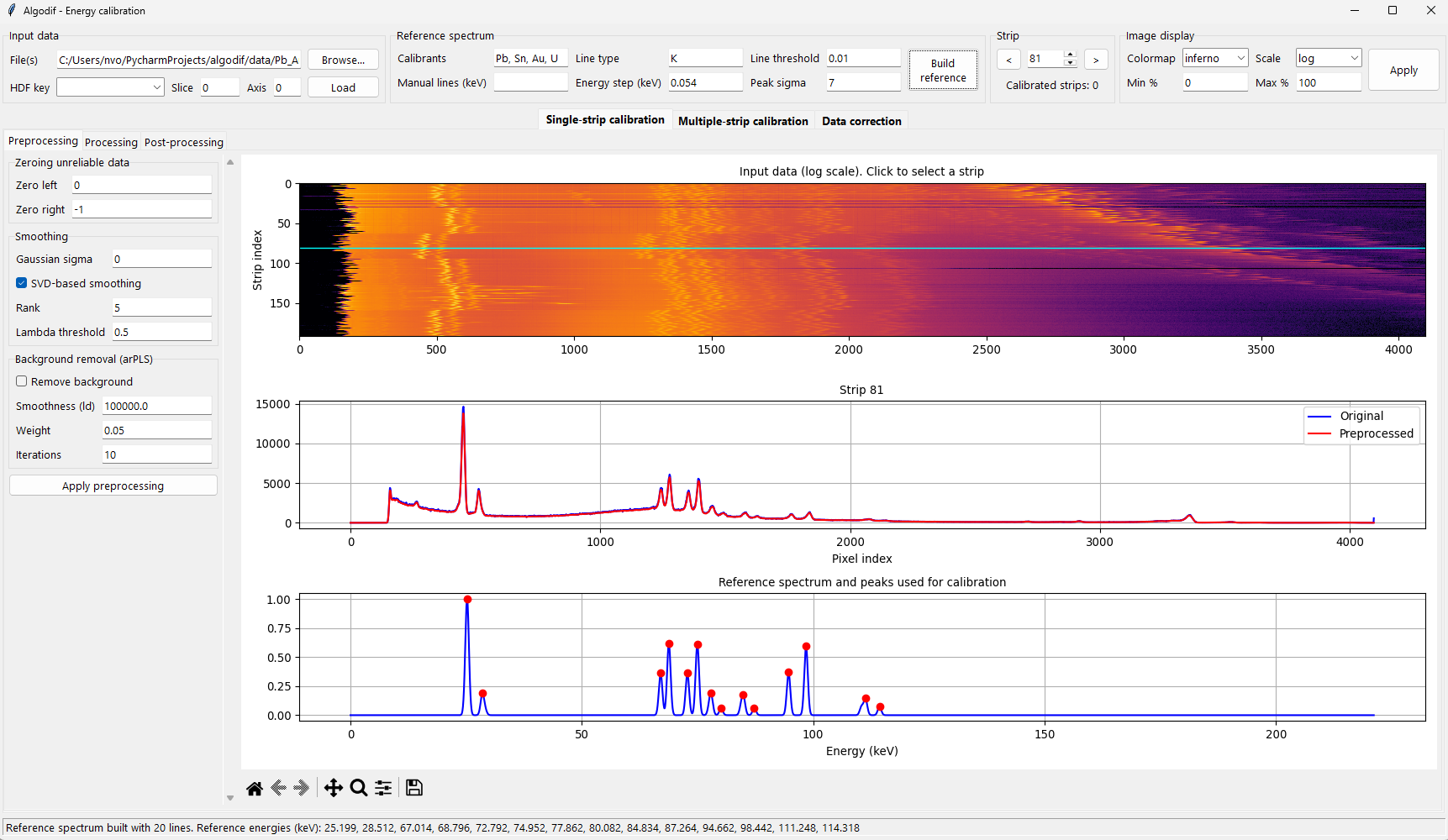
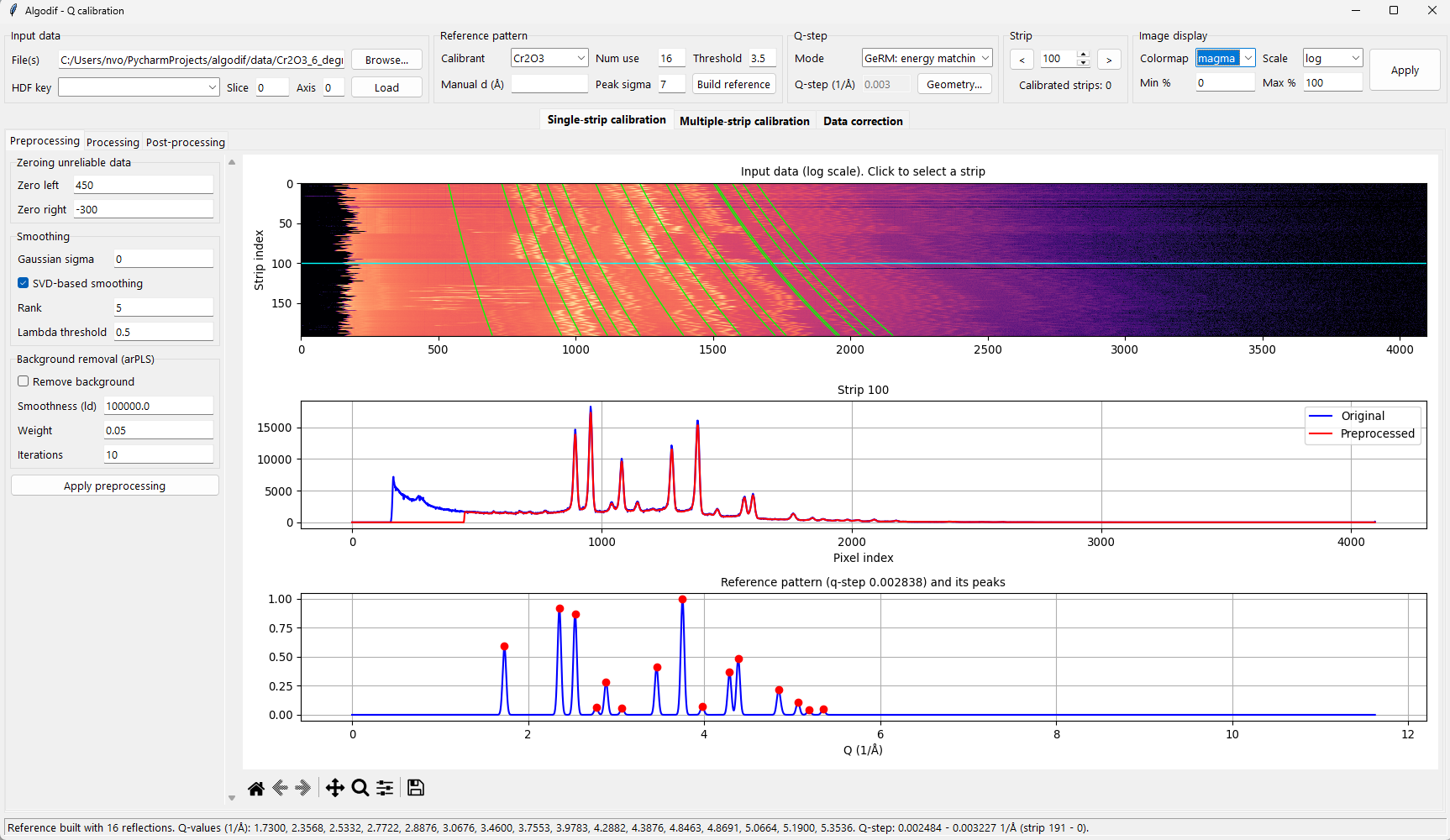
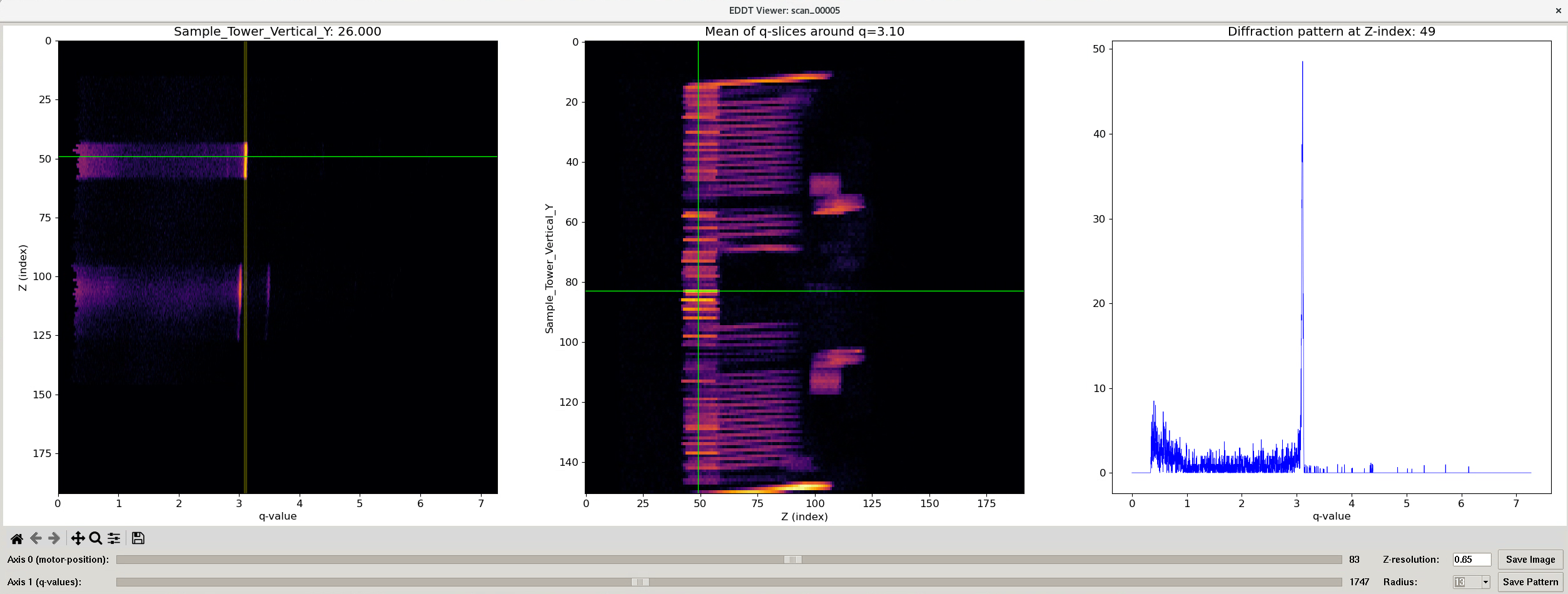
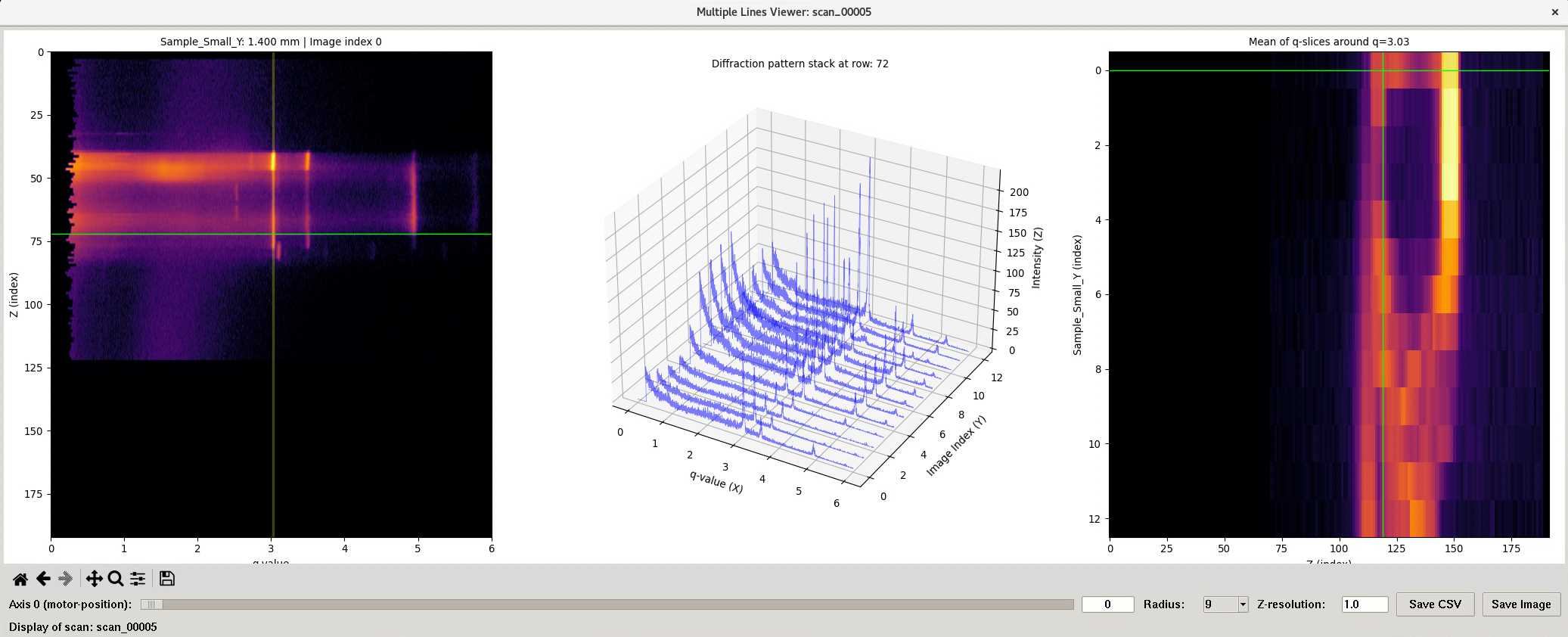
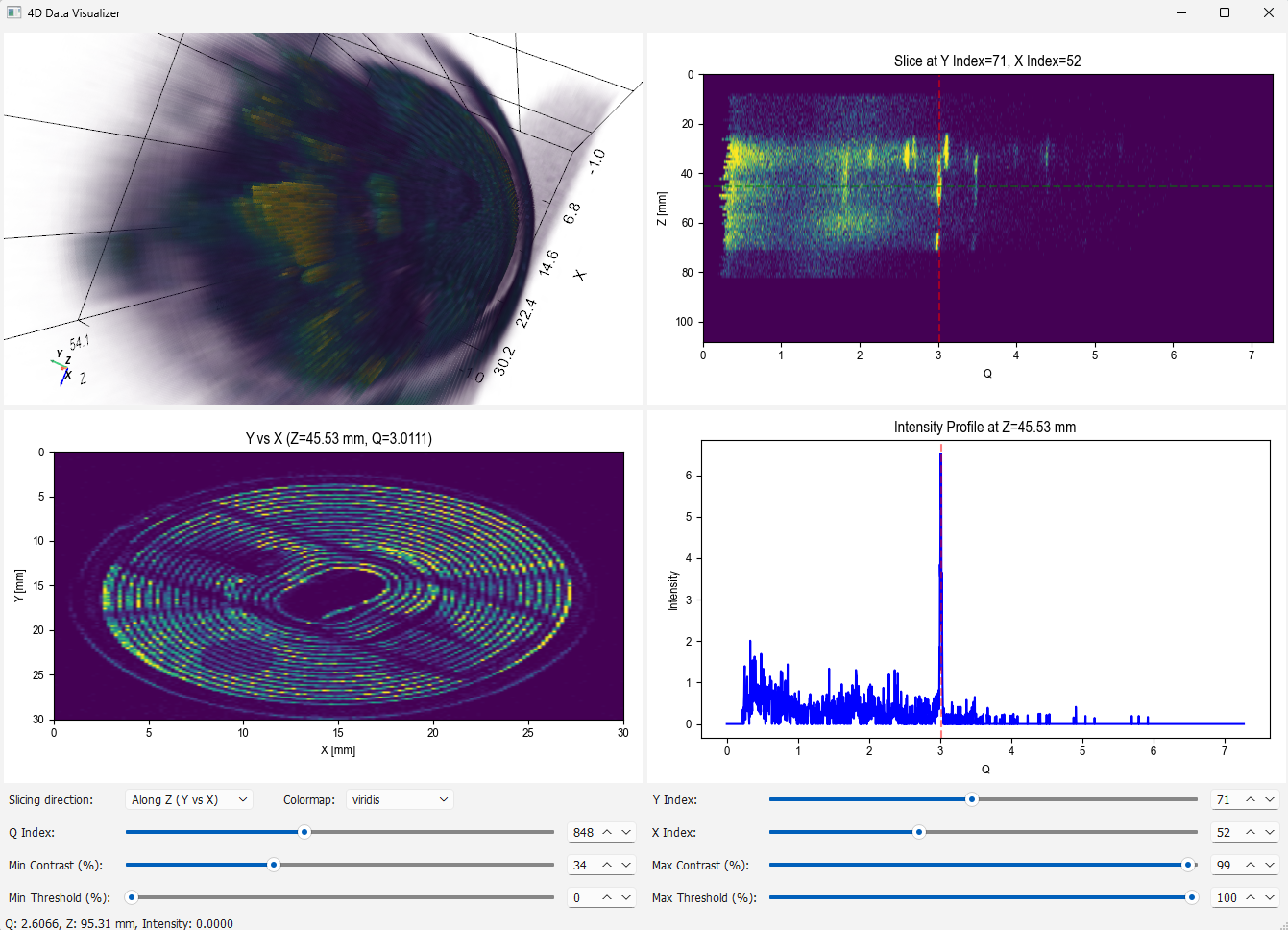
A unified GUI for energy and q calibration is packaged and distributed as EDCal software: https://github.com/algodif/edcal
Author
Nghia T. Vo - National Synchrotron Light Source II, Brookhaven National Lab, USA.
1 maintainer

Metadata
1 maintainer
Release files for algodif 1.1.0
For a detailed explanation of source distributions (sdists) and built distributions (wheels), please see the package formats documentation.
Source distribution (sdist)
| File | Size | Uploaded | Provenance | Actions |
|---|---|---|---|---|
| algodif-1.1.0.tar.gz | 62.4 kB | Without provenance | Details for algodif-1.1.0.tar.gz |
Built distribution (wheel)
| File | Interpreter | ABI | Platform | Actions Reset |
|---|---|---|---|---|
| algodif-1.1.0-py3-none-any.whl | Python 3 | none | any | Details for algodif-1.1.0-py3-none-any.whl |
Total release size: 111.0 kB
Release files / algodif-1.1.0.tar.gz
| Download URL | algodif-1.1.0.tar.gz |
|---|---|
| Size | 62.4 kB |
| Tags | Source |
|
SHA-256 checksum How to use checksums |
e8c485dd6e780bd087d3fd11039c181ff3728ab473df07c25da8a9bc7486866b
|
|
BLAKE2b-256 checksum How to use checksums |
5fc0e9be5bb71d266201199a25d993ae77469884296f57e4b9bb9c11ffcf31f0
|
| Upload date | |
|
Uploaded using Trusted Publishing? What is trusted publishing? |
No |
| Uploaded via |
twine/7.0.0 CPython/3.11.18
|
Release files / algodif-1.1.0-py3-none-any.whl
| Download URL | algodif-1.1.0-py3-none-any.whl |
|---|---|
| Size | 48.6 kB |
| Tags | Python 3 |
|
SHA-256 checksum How to use checksums |
4623e5c6ce15c317c80fdc4c90825c03cba7191fec38675fc7297af6de71fc79
|
|
BLAKE2b-256 checksum How to use checksums |
61cef28ba757f0dd693b50b839e16fb4b6b48b220aefe068e80a9cd3d109ec3f
|
| Upload date | |
|
Uploaded using Trusted Publishing? What is trusted publishing? |
No |
| Uploaded via |
twine/7.0.0 CPython/3.11.18
|
Security for algodif 1.1.0
Provenance
Provenance describes where a file came from. On PyPI, provenance is shared via attestations, which provide a verifiable record of the build or publishing details. View details, limitations and caveats.
No provenance found
None of the files in this release were uploaded with provenance metadata.
A note on package security
PyPI is a repository for distributing packages, not a service for auditing them. While third-party security researchers and our staff do their best to detect and remove malicious packages, PyPI cannot guarantee the quality, security or suitability of any given package.
To learn more about protecting yourself from malicious actors, visit our package security documentation.














