
Mumble Temp Links plugin for Alliance Auth

Project description
Mumble Temp Links
⚠️ This does nothing on it's own you also need to update your authenticator! To my fork found here. More on that in the setup instructions below!
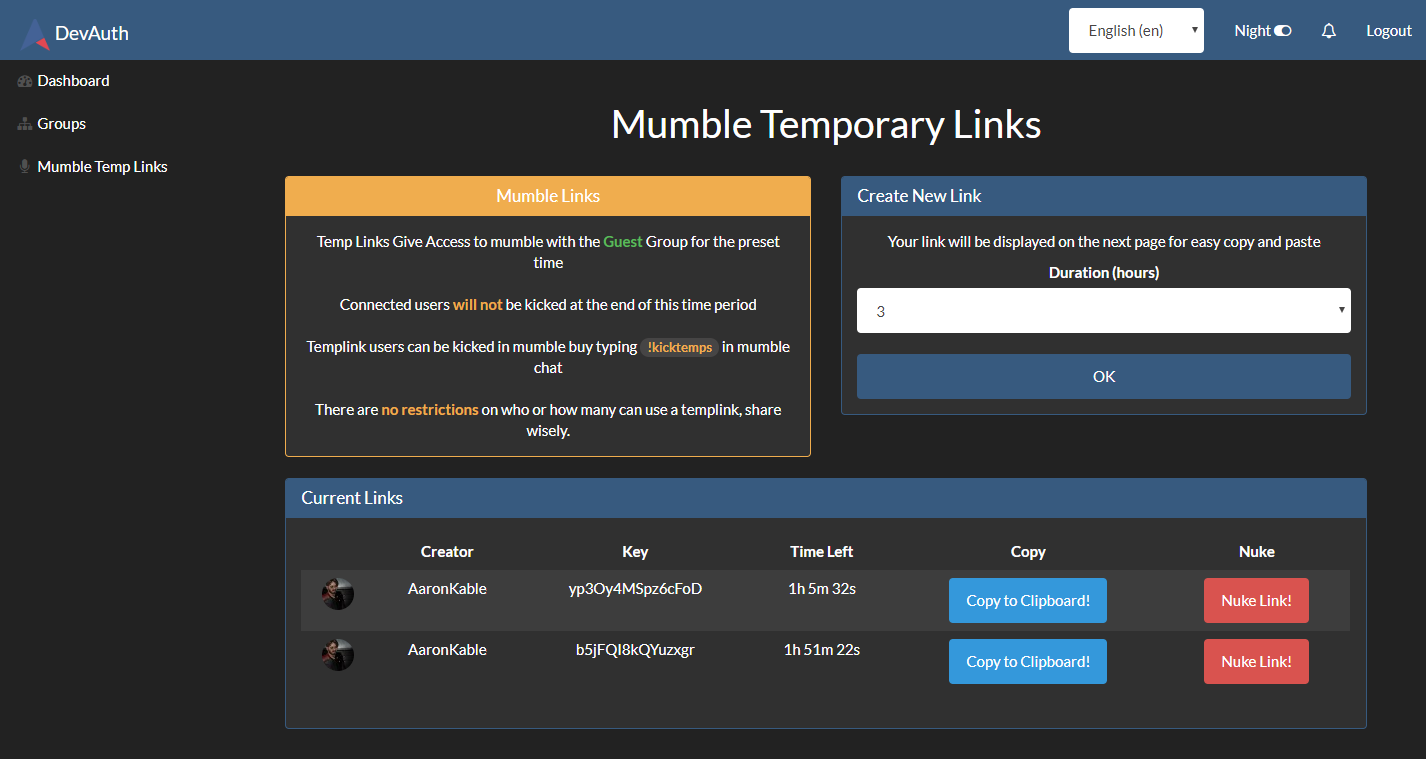
This Alliance Auth module lets you give temp access to your mumble service with ease.
Usage
A user with the create permission creates a link and copies it to the people who need access,
TempLink users will be given the group Guest, mumble ACL's can be setup to restrict access as required.
The mumble chat command !kicktemps will purge the mumble server of all temp users, if they still have a valid Templink they will be able to reconnect until it either expires or is removed from the tool. Only members who have the Kick User permission can use the command.
Setup
⚠️This is assuming you already have configured a fully functioning mumble service.
Auth Plugin
pip install allianceauth-mumbletemps- add
'mumbletemps',to yourINSTALLED_APPSin the local.py, I recommend it is at the top for menu ordering. - run migrations
- restart auth
Settings
| Setting | Default | Description |
|---|---|---|
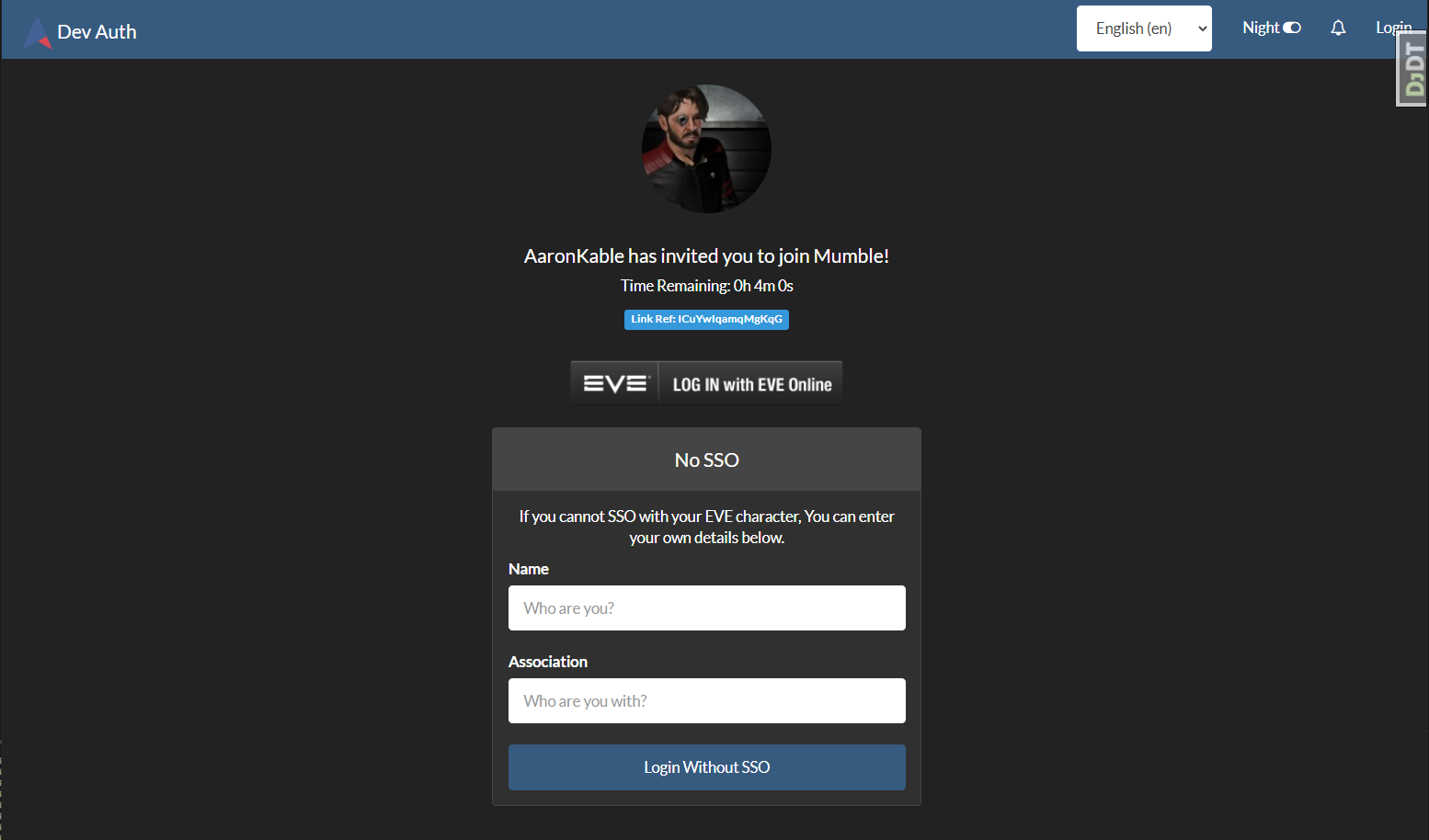
| MUMBLE_TEMPS_FORCE_SSO | True |
Setting this to False will allow users to auth with the non-sso method |
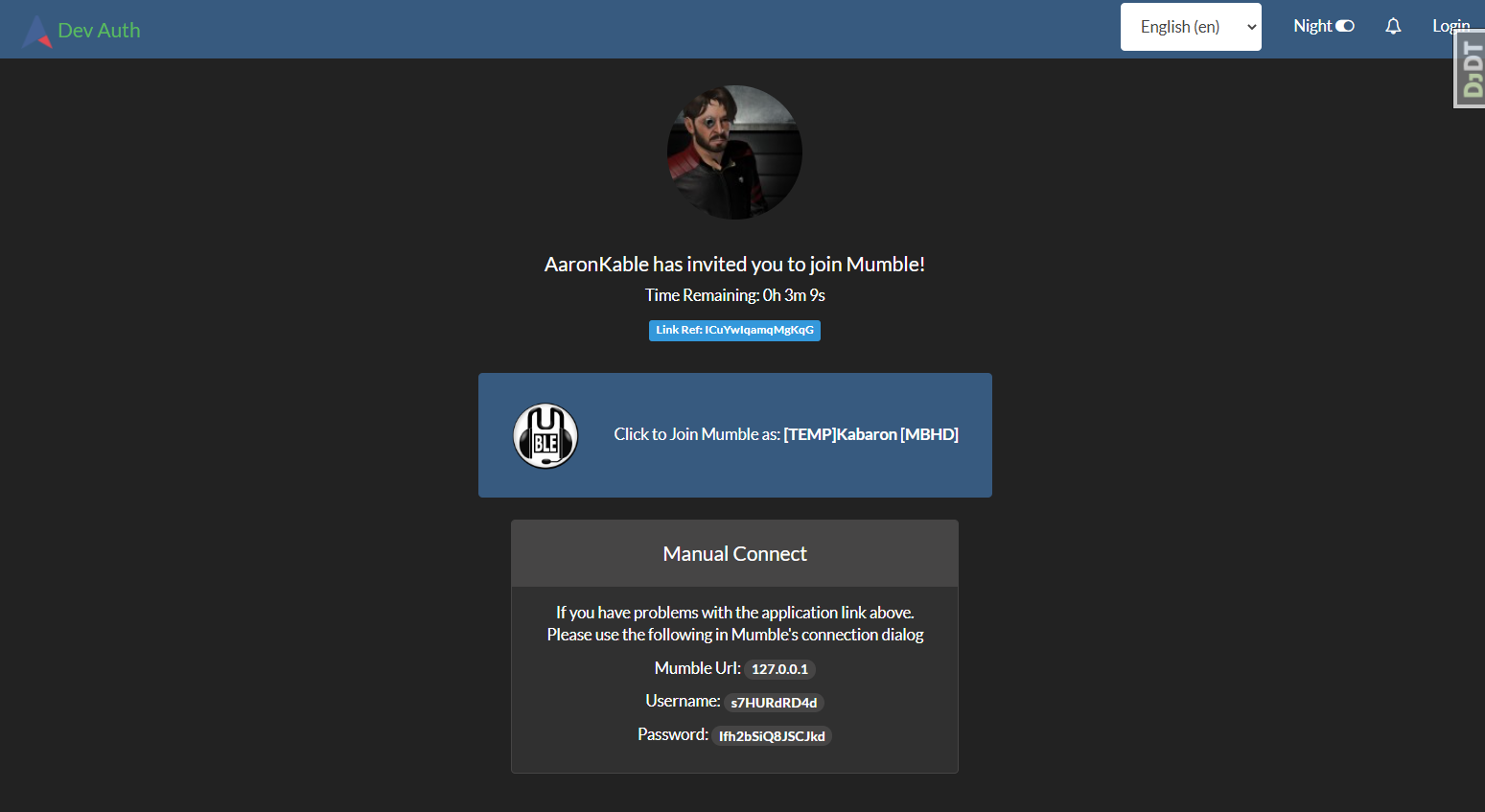
| MUMBLE_TEMPS_SSO_PREFIX | [TEMP] |
Display Name Prefix for an SSO'd temp user in mumble |
| MUMBLE_TEMPS_LOGIN_PREFIX | [*TEMP] |
Display Name Prefix for a non-SSO'd temp user in mumble |
Mumble Authenticator
To update your mumble authenticator if you git cloned the original repo we will add my branch as a remote and checkout the updated code.
⚠️It is a good idea to backup your
authenticator.inifile before starting
cdinto the folder you have the authenticator code in.git statusto confirm it is a git repo and the correct placegit remote add upstream git@gitlab.com:aaronkable/mumble-authenticator.gitto add the remotegit fetch upstreamto grab the updatesgit checkout upstream/masterto roll over to my code- restart your authenticator with supervisor
ℹ️ The authenticator.log should show something like
Starting AllianceAuth mumble authenticator V:1.0.0 - TempLinksIf you are on the correct branch and version, if not you may still be running the default auth version and will need to investigate why. Users will get prompted for passwords when they try to connect with a temp link and you are not running this version. The Authenticator version needs to match this version!
If you did not use the git clone method of installing the authenticator, simply copy the contents of my fork found here on top of your current install, BE SURE TO BACKUP YOUR authenticator.ini BEFORE YOU START!
Auth Login Bypass
To enable people to not have to register on auth, ensure you have fully updated django-esi
- Edit your projects
urls.pyfile:
It should look something like this, if yours is different only add the parts outlined below:
from django.urls import re_path
from django.conf.urls import include
from allianceauth import urls

urlpatterns = [
    re_path(r'', include(urls)),
]

handler500 = 'allianceauth.views.Generic500Redirect'
handler404 = 'allianceauth.views.Generic404Redirect'
handler403 = 'allianceauth.views.Generic403Redirect'
handler400 = 'allianceauth.views.Generic400Redirect'
Edit it to add a new import and a new url
from django.urls import re_path
from django.conf.urls import include
from allianceauth import urls
from mumbletemps.views import link  # *** New Import

urlpatterns = [
    re_path(r'^mumbletemps/join/(?P<link_ref>[\w\-]+)/$', link, name='join'),  # *** New URL override BEFORE THE MAIN IMPORT
    re_path(r'', include(urls)),
]

handler500 = 'allianceauth.views.Generic500Redirect'
handler404 = 'allianceauth.views.Generic404Redirect'
handler403 = 'allianceauth.views.Generic403Redirect'
handler400 = 'allianceauth.views.Generic400Redirect'
- Restart services and you're done.
Permissions
| Perm | Admin Site | Auth Site |
|---|---|---|
| mumbletemps.create_new_links | None | Can create and delete Temp Links. |
Preview
Management and Creation
OPTIONAL Login Screen ( Non SSO mode )
Templink User View
Release history Release notifications | RSS feed


Download files
Download the file for your platform. If you're not sure which to choose, learn more about installing packages.
Source Distribution
File details
Details for the file allianceauth-mumbletemps-2.0.4.tar.gz.
File metadata
- Download URL: allianceauth-mumbletemps-2.0.4.tar.gz
- Upload date:
- Size: 12.6 kB
- Tags: Source
- Uploaded using Trusted Publishing? No
- Uploaded via: twine/3.5.0 importlib_metadata/4.8.1 pkginfo/1.7.1 requests/2.22.0 requests-toolbelt/0.9.1 tqdm/4.62.3 CPython/3.8.10
File hashes
| Algorithm | Hash digest | |
|---|---|---|
| SHA256 |
2a3d34f4701c61049391167e9dd497e73491493ff53a81108fbe29c344f6386b
|
|
| MD5 |
5b8bc93f20bf3dfcbaf23fbeebe703f8
|
|
| BLAKE2b-256 |
ed001fde919c15d9c312f7b142e1b909d407bf0a4fc5af8cf811d1342179b7b9
|






