



AMICA-Python
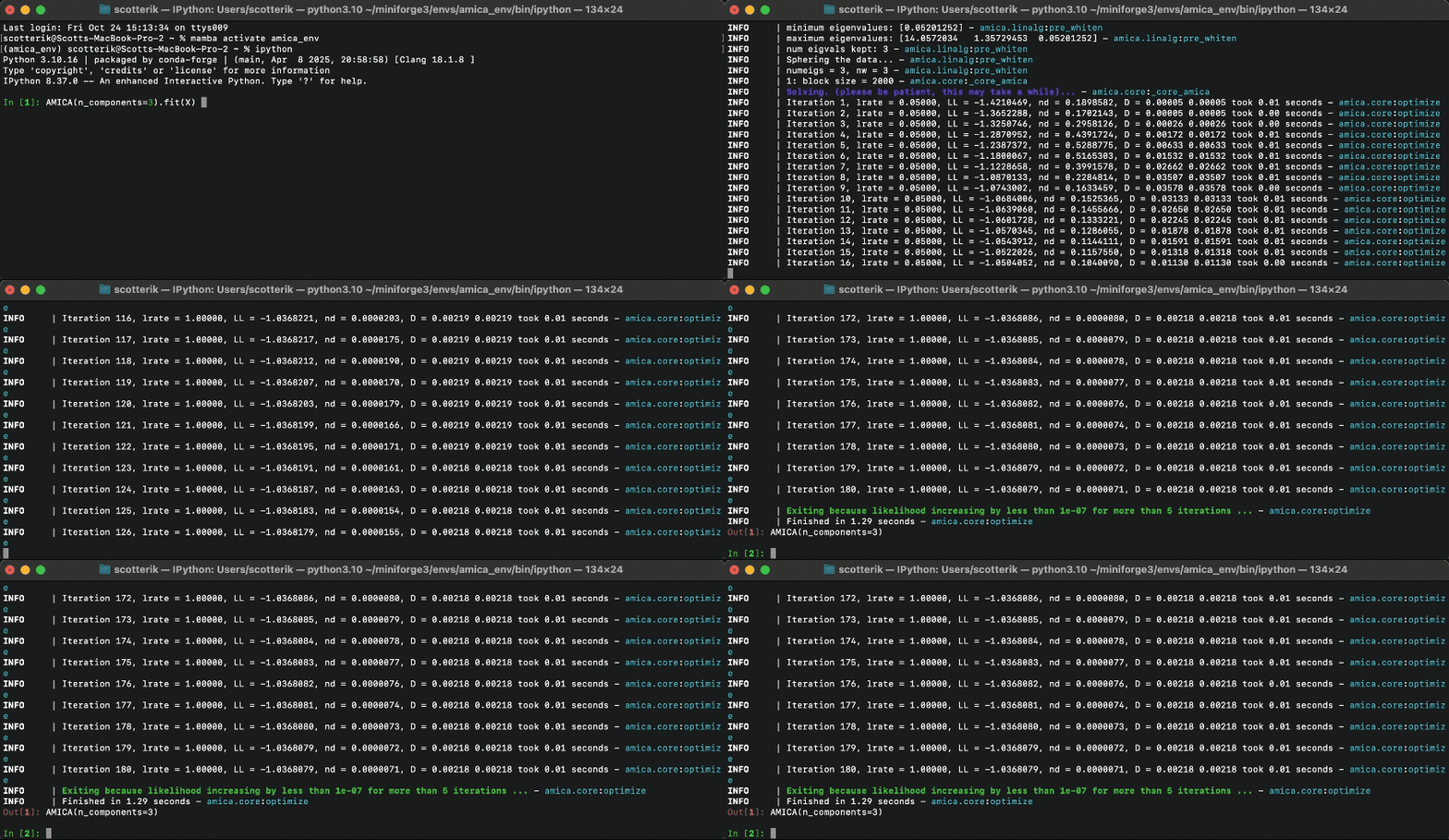
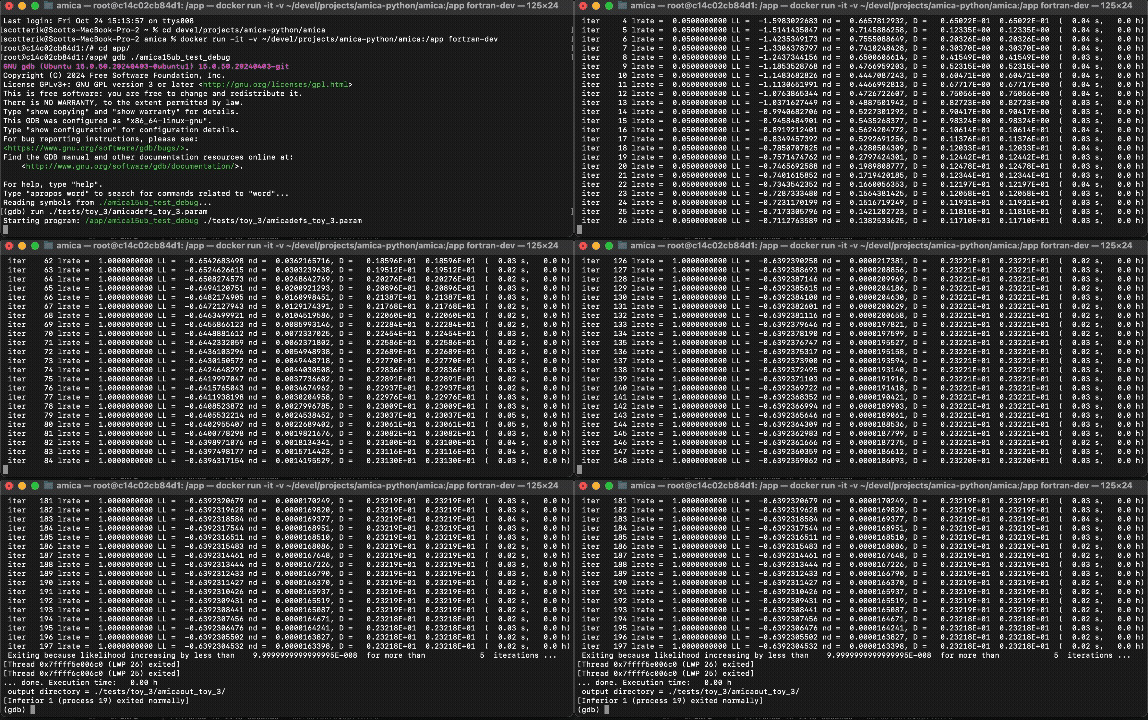
A Python implementation of the AMICA (Adaptive Mixture Independent Component Analysis) algorithm for blind source separation, that was originally developed in FORTRAN by Jason Palmer at the Swartz Center for Computational Neuroscience (SCCN). AMICA-Python is correctness tested against the Fortran implementation.
| Python | Fortran |
|---|---|
 |
 |
Installation
AMICA-Python is available from PyPI and conda-forge. Since AMICA-Python uses PyTorch for the core numerical routines, installation depending on which PyTorch build you need (e.g. CPU-only or with GPU support):
uv pip install "amica-python[torch-cpu]"
For a CUDA-enabled PyTorch install, use:
uv pip install "amica-python[torch-cuda]"
You can also install with pip:
python -m pip install "amica-python[torch-cpu]"
Or with conda-forge, which installs the PyTorch runtime dependency as part of the AMICA-Python package:
conda install -c conda-forge amica-python
If you need a specific PyTorch build, install PyTorch first using the instructions for your platform at pytorch.org, then install AMICA-Python without the PyTorch extra:
python -m pip install amica-python
Usage
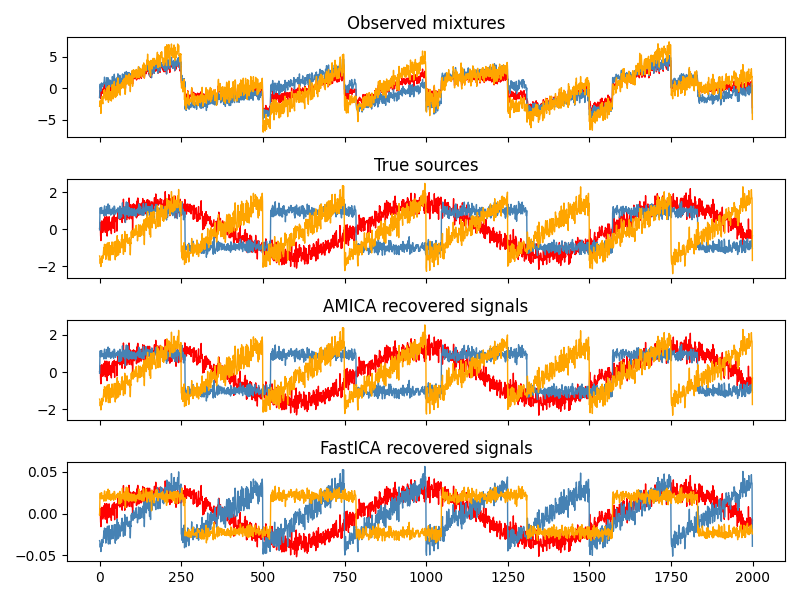
AMICA-Python exposes a scikit-learn interface. Here is an example of how to use it:
import numpy as np
from scipy import signal
from amica import AMICA


rng = np.random.default_rng(0)
n_samples = 2000
time = np.linspace(0, 8, n_samples)

s1 = np.sin(2 * time)                     # Sinusoidal
s2 = np.sign(np.sin(3 * time))            # Square wave
s3 = signal.sawtooth(2 * np.pi * time)    # Sawtooth

S = np.c_[s1, s2, s3]
S += 0.2 * rng.standard_normal(S.shape)   # Add noise
S /= S.std(axis=0)                        # Standardize

A = np.array([[1, 1, 1],
              [0.5, 2, 1.0],
              [1.5, 1.0, 2.0]])           # Mixing matrix

X = S @ A.T                               # Observed mixtures

ica = AMICA(random_state=0)
X_new = ica.fit_transform(X)
GPU acceleration
If PyTorch was installed with CUDA support, you can fit AMICA on GPU:
ica = AMICA(device='cuda', random_state=0)
For more examples and documentation, please see the documentation.
1 maintainer

Metadata
1 maintainer
Release files for amica-python 0.1.2
For a detailed explanation of source distributions (sdists) and built distributions (wheels), please see the package formats documentation.
Source distribution (sdist)
| File | Size | Uploaded | |
|---|---|---|---|
| amica_python-0.1.2.tar.gz | 62.6 kB | Details |
Built distribution (wheel)
| File | Interpreter | ABI | Platform | Reset |
|---|---|---|---|---|
| amica_python-0.1.2-py3-none-any.whl | Python 3 | none | any | Details |
Total release size: 130.8 kB
Release files / amica_python-0.1.2.tar.gz
| Download URL | amica_python-0.1.2.tar.gz |
|---|---|
| Size | 62.6 kB |
| Tags | Source |
|
SHA-256 checksum How to use checksums |
00118550647a2bc0e5c3c1a3c2f143c22c195a514d05f00419362b1eade0d211
|
|
BLAKE2b-256 checksum How to use checksums |
c485cd5965f5a6873501a7a671e40a70784f94f3633e906ce505554c6d5d043b
|
| Upload date | |
|
Uploaded using Trusted Publishing? What is trusted publishing? |
No |
| Uploaded via |
twine/6.2.0 CPython/3.10.16
|
Release files / amica_python-0.1.2-py3-none-any.whl
| Download URL | amica_python-0.1.2-py3-none-any.whl |
|---|---|
| Size | 68.3 kB |
| Tags | Python 3 |
|
SHA-256 checksum How to use checksums |
cf57326cf77ece45e122b57bae1ead5c3771ca7912bec45ec0979e499adb857a
|
|
BLAKE2b-256 checksum How to use checksums |
693471d2f032559436a36ec9e483a17cc258de2eb8dd8ec267c1a99faf07c11a
|
| Upload date | |
|
Uploaded using Trusted Publishing? What is trusted publishing? |
No |
| Uploaded via |
twine/6.2.0 CPython/3.10.16
|














